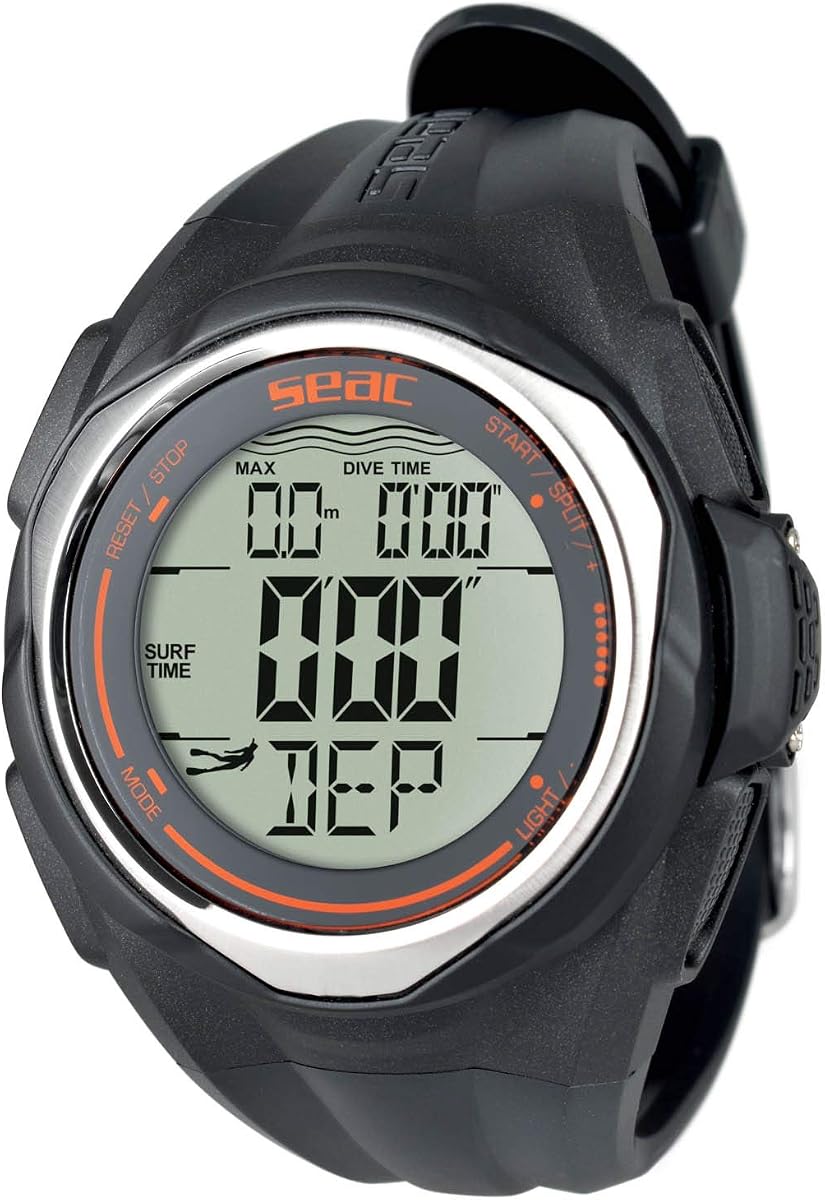
SEAC Partner
4.0Editor score
Simple stopwatch function
Records up to 99 dives
Backlit display for low light
Explore the best dive computer for beginners options reviewed in this guide comparing features, safety alarms, ease of use, and value for new scuba divers
Choosing the right dive computer for beginners is essential for safety and confidence underwater. A good device tracks depth, time, and decompression limits clearly. It should be easy to read and simple to navigate while wearing gloves or in low visibility conditions.
We compared ten top-rated models based on user feedback, features, and reliability. Each entry offers distinct benefits for new divers ranging from basic air tracking to advanced nitrox support. Our analysis highlights intuitive interfaces and clear displays suitable for learning environments.
This guide details what each pick offers including battery life and connectivity options. Prices and availability may vary over time so check current listings before purchasing. These selections aim to help you find a reliable tool for your first dives and beyond.
4.0Editor score

4.8Editor score

4.7Editor score
This side-by-side comparison highlights key specifications across ten popular models to help you choose the best dive computer for beginners based on your specific needs and budget constraints.


The Mares Puck Pro EZ stands out as a top-rated option for new divers seeking reliability and clarity. With a rating of 4.8 it delivers essential data through a high-contrast display that ensures readability in various conditions.
We may earn a commission when you buy through this link, at no additional cost to you.
Its single-button interface simplifies navigation underwater allowing you to focus on your surroundings. The device supports Nitrox mixtures between 21 and 50 percent making it versatile for recreational growth. Connectivity via Bluetooth enables quick log uploads to your smart device for easy tracking.
While the replaceable battery source is durable it does require occasional maintenance compared to rechargeable units. The display is functional but lacks advanced color customization found in higher-end models. These trade-offs are acceptable given the robust safety features.
Beginners looking for a straightforward and safe computer will appreciate this model. It balances advanced algorithms with user-friendly controls effectively. We recommend it as a primary choice for entry-level scuba adventures requiring precision.
The bright high-contrast screen ensures effortless readability of depth and time data even in low-light underwater environments.
A single-button interface makes it easy to navigate settings and dive data without complex menus while submerged.
We may earn a commission when you buy through this link, at no additional cost to you.
The Shearwater Research Peregrine offers advanced features in a robust package suitable for serious beginners. Its 4.7 rating reflects strong performance and user satisfaction regarding build quality and menu logic.
We may earn a commission when you buy through this link, at no additional cost to you.
The two-button interface with state-aware menu structure reduces confusion during dives. Stainless steel buttons add durability. A wireless charging station is included which enhances convenience. Battery life reaches up to 30 hours on medium brightness.
This device is more expensive than typical entry-level options and may be heavier on the wrist. However the longevity and advanced features justify the cost for those planning technical progression. It is a solid investment for future needs.
Ideal for divers who want premium quality from the start. The reliable charging and durable build support frequent use. Consider this if you plan to grow into technical diving without changing computers soon.
The included wireless charging station simplifies power management ensuring you are always ready for the next dive.
The menu structure adapts to your current dive mode providing relevant options without clutter.
We may earn a commission when you buy through this link, at no additional cost to you.
The SEAC Partner provides essential tracking for budget-conscious beginners focusing on freediving or simple scuba use. It holds a 4.0 rating and serves as an entry point for those not needing full decompression logic.
We may earn a commission when you buy through this link, at no additional cost to you.
Features include a stopwatch and countdown function with records up to 99 dives. The backlit display aids visibility in darker water. It uses a standard CR2032 battery and is water resistant to 100 meters.
This device lacks advanced air or nitrox algorithms which limits its use for standard scuba. It is best suited for breath-hold diving or casual monitoring. The low price reduces risk for first-time buyers.
Choose this if you prioritize affordability and freediving. It delivers core data without complexity. For full scuba diving consider models with decompression calculations for safety compliance.
The stopwatch and countdown functions provide essential timing tools for freediving sessions without complicated menus.
A backlit display ensures you can read dive data even in low-light conditions underwater.
We may earn a commission when you buy through this link, at no additional cost to you.
The Garmin Descent G2 blends smartwatch features with robust dive capabilities for a comprehensive solution. It earns a 4.6 rating for its versatility and clear AMOLED display.
We may earn a commission when you buy through this link, at no additional cost to you.
It supports all diving types including freediving and technical. The casing uses 100 recycled ocean-bound plastics. Multi-GNSS marks entry and exit points. You can store 200 dives and use apps for health tracking.
The device is complex with many features that may overwhelm new divers. Battery life is limited to 27 hours in dive mode. This demands frequent charging if used frequently for multiple dives.
Best for active users wanting a single device for diving and daily life. It offers rich data and connectivity. Choose this if you value integrated smart features alongside diving precision.
Dive readiness features provide insights based on sleep and stress helping you assess physical preparation before diving.
Mark surface entry and exit points with precision using Multi-GNSS technology to track your dive locations accurately.
We may earn a commission when you buy through this link, at no additional cost to you.
The SUUNTO D5 introduces a color display and wireless tank pressure monitoring for modern convenience. It has a 4.0 rating reflecting mixed feedback on connectivity reliability.
We may earn a commission when you buy through this link, at no additional cost to you.
Vibration alarms alert you quietly and the digital compass aids navigation. It handles multiple dive modes. The wireless connection to sensors allows for a cleaner wrist setup without extra gauges.
Users have reported occasional connectivity drops and shorter battery life compared to rivals. The color display is clear but can drain power faster. These factors require attention when planning long dive days.
Good for those prioritizing visual clarity and wireless integration. It offers a sleek profile and useful alerts. Ensure you manage power and connections carefully before diving.
Vibration alarms provide discreet alerts for critical dive data without relying solely on sound.
Wireless tank pressure monitoring simplifies setup by sending data directly to the computer.
We may earn a commission when you buy through this link, at no additional cost to you.
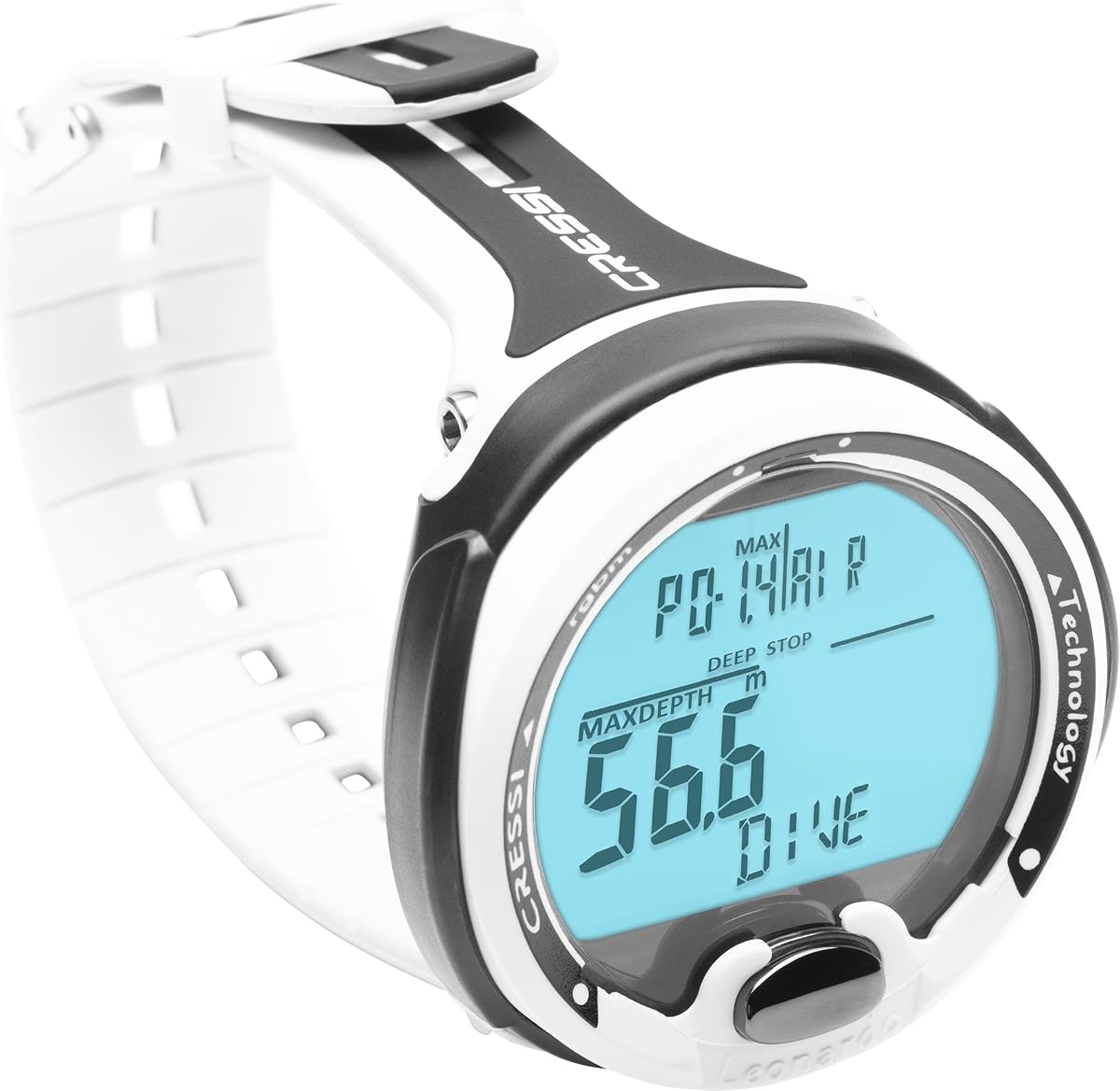
The CRESSI Leonardo 2.0 simplifies underwater interaction with a single-button interface. It holds a 4.2 rating and offers essential Air Nitrox and Gauge modes for diverse use cases.
We may earn a commission when you buy through this link, at no additional cost to you.
Visual and audible alarms ensure you catch critical data quickly. It integrates with iOS and Android devices for tracking. Infrared data transfer allows log analysis on PCs or phones easily.
The single-button design can limit speed compared to multi-button options. Features are streamlined which may lack detail for advanced users. It suits beginners prioritizing simplicity over complex analytics.
Ideal for those seeking a watch-style computer without clutter. The Italian craftsmanship is appealing. Choose this if you want straightforward operation and reliable alerts.
Visual and audible alarms promptly alert you to critical dive data ensuring safety and awareness underwater.
Pair with iOS and Android devices for comprehensive dive tracking and easy data management after surfacing.
We may earn a commission when you buy through this link, at no additional cost to you.
The Cressi Raffaello combines a built-in digital compass with mixed-gas planning for enhanced navigation. It receives a 4.4 rating for its comprehensive approach to dive safety.
We may earn a commission when you buy through this link, at no additional cost to you.
Four modes including apnea and gauge cover varied activities. The RGBM-based planning allows for mixed-gas preparation. Bluetooth and USB connectivity simplify log storage. Battery life lasts about four years.
The unit is bulkier and costs more than basic wrist models. Managing mixed-gas plans can be complex for novices. These trade-offs support advanced needs rather than simple entry diving.
Recommended for divers needing precise navigation and flexible gas planning. The long battery life reduces maintenance. Choose this if you want a dedicated compass without extra gear.
Navigate underwater effortlessly with the built-in digital compass eliminating the need for a separate tool.
User-replaceable battery offering an expected life of 4 years ensures your computer is ready for every journey.
We may earn a commission when you buy through this link, at no additional cost to you.
The Cressi Donatello offers versatility with air nitrox and freediving gauge modes in one device. It holds a 4.4 rating and supports both scuba and breath-hold sessions.
We may earn a commission when you buy through this link, at no additional cost to you.
Deep stops help tailor ascent planning for safety. The single-button interface streamlines navigation underwater. Optional IR interface simplifies data transfer to Windows or Mac systems easily.
The single-button design restricts speed and customization compared to multi-button devices. Data fields may be limited for detailed analysis. It remains a reliable choice for general recreational needs.
Best for divers wanting a single reliable tool for different activities. The customizable ascent planning is a safety plus. Choose this if you value versatility in design.
Dive into adventure with a comprehensive freediving gauge mode perfect for both scuba and breath-hold sessions.
Simplify your post-dive routine with the optional IR interface for seamless data transfers to your PC.
We may earn a commission when you buy through this link, at no additional cost to you.
The Garmin Descent X30 is built for depths with a vibrant display and rugged recycled plastic housing. It has a 4.7 rating for durability and useful surface navigation features.
We may earn a commission when you buy through this link, at no additional cost to you.
NDL Aware depth metrics help extend bottom time safely. Surface GPS marks entry and exit points. The flip-screen mode reorients buttons for comfort. It supports trimix and multi-gas profiles.
The large screen adds weight and size to your wrist which may hinder mobility. This requires acclimation for divers with smaller wrists. These factors are acceptable given the rugged protection and data visibility.
Ideal for divers who demand a sturdy device with clear data. The surface GPS is a strong navigation aid. Choose this if you prioritize durability and screen real estate.
Extend your bottom time with NDL Aware depth metrics showing how depth changes impact your no-decompression limit.
Use surface GPS to navigate to dive sites and mark entry and exit points accurately on the water.
We may earn a commission when you buy through this link, at no additional cost to you.
The Garmin Descent Mk3i offers high-end specs with a stunning AMOLED display and titanium bezel. It holds a 4.6 rating for advanced capabilities suitable for serious enthusiasts.
We may earn a commission when you buy through this link, at no additional cost to you.
SubWave sonar allows diver-to-diver messaging. A built-in LED flashlight helps in low light. You can store 200 dives and access bathymetric depth maps. Dive readiness tools assess physical preparedness.
The price is high and features may be overkill for casual beginners. The size is 51mm which can be heavy. These aspects make it a luxury choice rather than a necessity.
Best for technical divers wanting top-tier tech on the wrist. The flashlight and sonar are unique. Choose this if you want premium materials and advanced group features.
Exchange preset diver-to-diver messages and monitor tank pressures using advanced SubWave sonar technology.
A built-in LED flashlight gives you greater visibility in low-light conditions both above and below water.
We may earn a commission when you buy through this link, at no additional cost to you.
Selecting a dive computer involves weighing features against your specific diving style and budget to ensure safety and usability.
The screen must be clear enough to read depth and time at a glance. Look for high-contrast or backlit displays that perform well in murky or dark water. Avoid models with tiny text or glare issues.
Prioritize a display that offers sharp contrast and backlighting for visibility in low-light underwater conditions.
Beginners benefit from simple navigation systems that do not require complex button combinations. A single-button or dual-button design reduces the risk of accidental mode changes underwater. Menus should be intuitive.
Choose an interface that allows easy navigation with minimal steps to access critical data while diving.
The algorithm calculates safe ascent times based on depth and duration. Industry standard algorithms like Buhlmann ZH-L16C provide reliable safety margins. Avoid devices lacking proper decompression logic for scuba.
Ensure the device uses a proven decompression algorithm to maintain safe ascent limits during your dives.
Support for enriched air mixtures allows flexibility as you progress. Check for a percentage range of oxygen support. Most entry models handle 21 to 40 percent Nitrox for recreational use.
Select a computer that supports Nitrox settings to accommodate future training and safety needs.
Some models use replaceable standard batteries while others recharge via USB. Rechargeable units reduce waste but require charging management. Standard batteries offer immediate replacement in the field.
Decide between replaceable or rechargeable power sources based on your access to charging or battery supplies.
Bluetooth or infrared transfer lets you log dives to apps. This helps track progress and share experiences. A dedicated app enhances long-term record keeping for training.
Choose a model with wireless transfer capabilities to streamline your dive logging and analysis process.
Ensure the device meets depth ratings for your planned dives. Most beginner computers cover recreational limits up to 100 meters. Higher ratings offer safety margins for deeper exploration.
Verify the water resistance rating exceeds your maximum expected depth for safety and peace of mind.
Compass, temperature, and ascent rate indicators add value but may complicate use. Beginners might skip these to reduce cost. Advanced users find them vital for navigation and safety.
Assess which extra features align with your current diving needs before adding complexity or cost.
Before each dive check the battery level and ensure the screen is clean. Enter your personal height weight and gas settings so the device calculates safety limits accurately.
During the dive keep the screen visible but do not stare at it constantly. Monitor ascent rates and alarms to maintain safety and prevent decompression issues.
After diving rinse the computer with fresh water to remove salt and debris. Store it in a cool dry place away from direct sunlight to preserve the screen and casing.
The best model depends on your needs but generally a simple device with clear displays and reliable algorithms works well. Look for easy navigation and battery life that fits your trip plans. Models like the Mares Puck Pro EZ offer strong entry-level value.
While you can dive with dive tables a computer simplifies tracking and increases safety. It provides real-time data on depth and time to prevent decompression sickness. Most training agencies now recommend using one for all dives.
Start by entering your personal details and selecting your gas mix. Review the manual for specific menu steps to avoid errors. Test the device on the surface before submerging to confirm functions work correctly.
Some models support freediving modes while others are specific to scuba. Check for an apnea or gauge mode before buying. Specialized freediving computers track different metrics like breath-hold duration and maximum depth.
Replaceable batteries typically last for many dives or several years depending on usage. Rechargeable units may require charging after every trip. Always check the manufacturer's guidelines for maintenance to ensure consistent performance.
Wrist computers are more convenient and provide immediate access to data. Console models attach to the tank and are bulky but offer multiple displays. Most beginners prefer wrist-mounted options for ease of use.
This guide highlighted ten top choices ranging from budget-friendly options to advanced units. The Mares Puck Pro EZ leads with clarity and simplicity for most new divers. The SEAC Partner serves those needing basic freediving tracking.
Prioritize safety features like clear displays and simple interfaces over extra gadgets. A reliable unit ensures you focus on the experience rather than complex menus. Consistent battery life and ease of setup also contribute to confidence.
Prices and stock change frequently so verify current availability before purchase. Always read the manual thoroughly to understand safety alarms and limits. With the right tool your underwater adventures will be safer and more enjoyable.