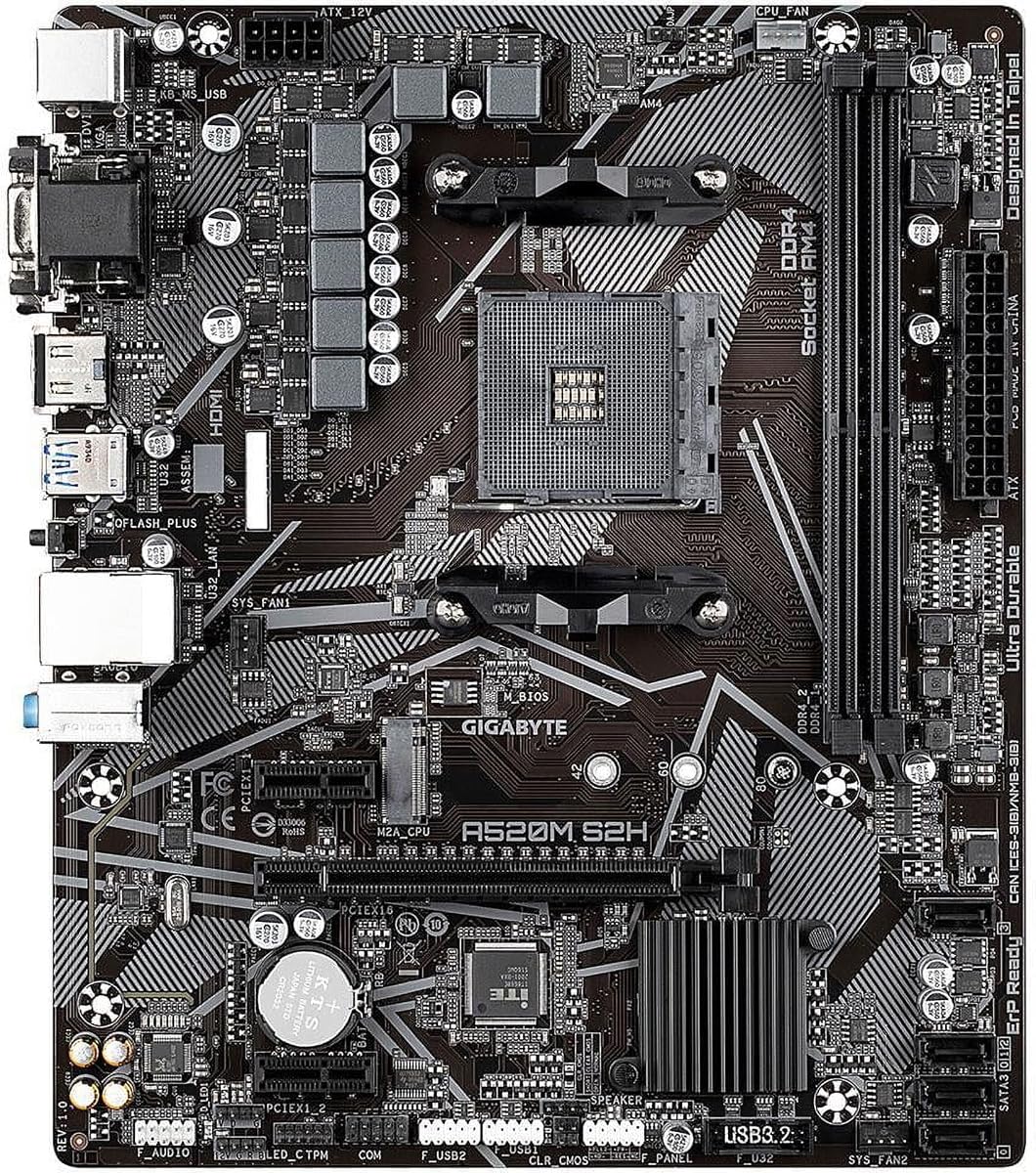
Gigabyte A520M S2H
4.5Editor score
Affordable price point
AM4 socket support
Basic connectivity options
This guide compares the top Amd B350 Motherboards for performance, features, and value to help you build a reliable and powerful PC system today.
Finding the right motherboard is crucial for any PC build. Amd B350 Motherboards offer a solid foundation for AMD Ryzen processors. They support DDR4 memory and provide essential connectivity for modern gaming and productivity tasks.
We evaluated ten top models based on their features, reliability, and user ratings. Each product was compared for its VRM design, expansion slots, and overall build quality to ensure you get the best performance for your investment.
Every pick highlights key strengths and potential trade-offs for different user needs. Prices and availability can change rapidly, so check current listings before purchasing to ensure you get the best deal available at this moment.
4.5Editor score

4.4Editor score

4.6Editor score
This table provides a side-by-side view of all ten selected motherboards. You can quickly compare their key specifications, supported processors, and unique features to decide which model fits your specific build requirements best.
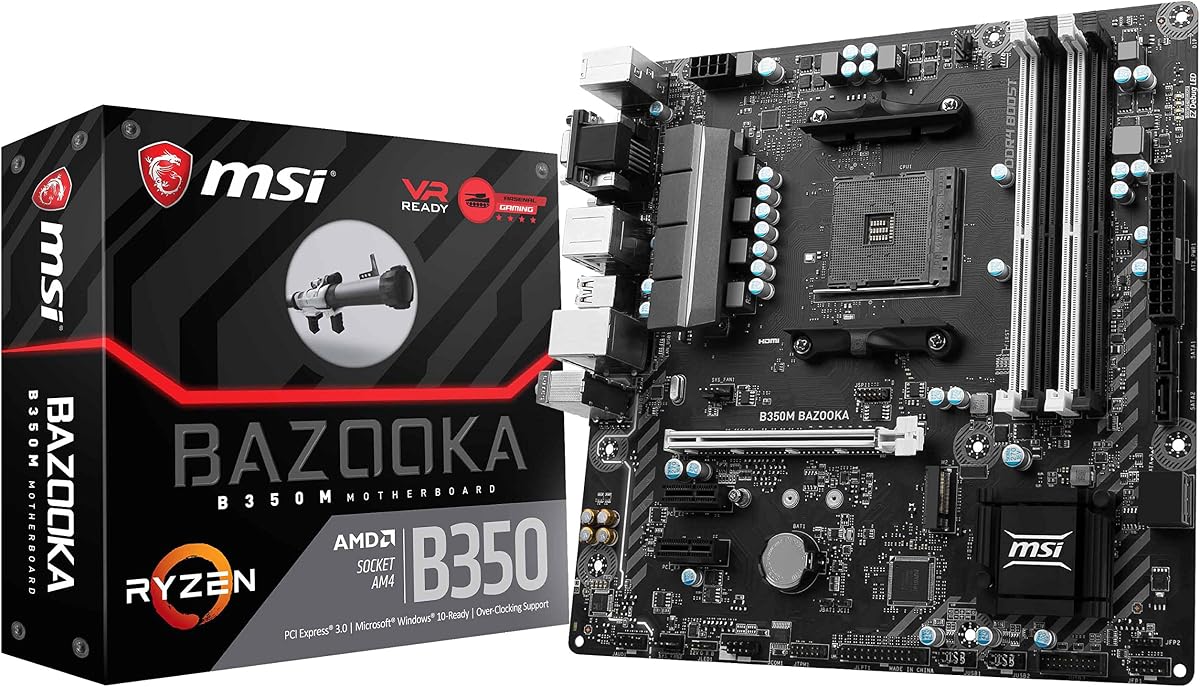


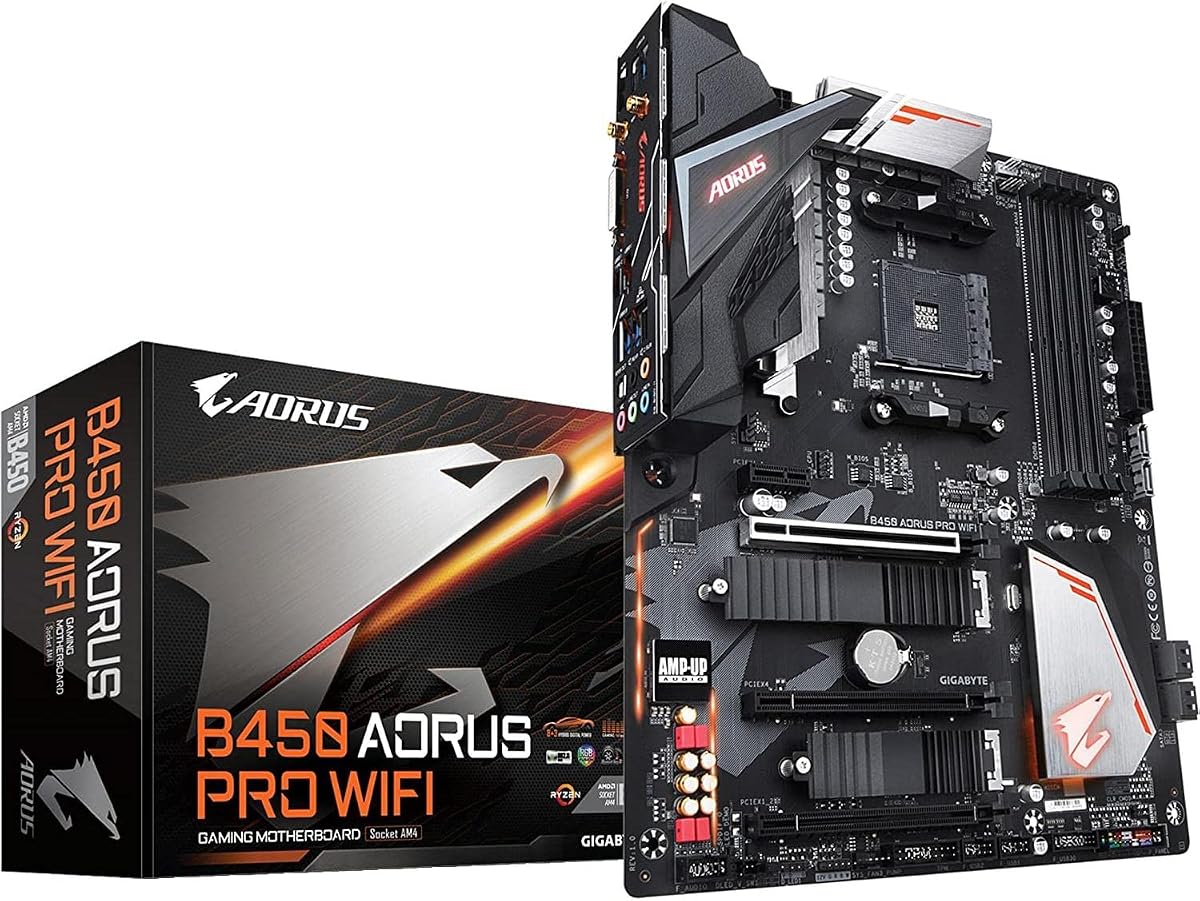



This MSI Gaming B350 motherboard is designed for entry-level enthusiasts who need basic AM4 support. It holds a 3.9 rating which suggests mixed user feedback regarding long-term reliability and features. The board supports AMD Ryzen Series processors and 7th Gen A-series CPUs effectively.
We may earn a commission when you buy through this link, at no additional cost to you.
Key strengths include the support for DDR4-3200+ memory overclocking and the inclusion of VR Ready technology. The EZ Debug LED helps troubleshoot hardware issues easily during the initial boot process. Studio grade sound quality aims to provide an immersive experience without needing extra sound cards.
Trade-offs involve the lower user rating compared to newer models which may indicate compatibility issues with modern hardware. The Micro-ATX form factor limits expansion slots for users needing multiple GPUs or large storage arrays. Connectivity is standard but lacks some modern USB 3.2 Gen 2 options found on later boards.
This board is best suited for budget builds where cost is the primary concern and VR support is needed. If you need basic AM4 functionality without breaking the bank this model offers a decent starting point. Ensure you check BIOS compatibility before installing newer Ryzen CPUs.
The VR Ready label indicates that the motherboard meets the power delivery requirements necessary for smooth VR headset performance.
EZ Debug LEDs provide visual indicators that help users quickly identify which component might be causing boot failures.
We may earn a commission when you buy through this link, at no additional cost to you.
The ASUS Prime B350-Plus is a solid choice for standard ATX builds requiring reliable performance. It holds a 4.4 rating which reflects strong user satisfaction with its build quality and feature set. This board supports AMD Ryzen AM4 processors and older 7th Gen Athlon chips.
We may earn a commission when you buy through this link, at no additional cost to you.
Its standout features include the SafeSlot Core PCIe slot which prevents damage from heavy GPUs and FanXpert 2+ for advanced cooling. The inclusion of USB 3.1 and NVMe M.2 support allows for fast data transfer and storage speeds. Multiple display outputs via HDMI DVI and VGA offer flexibility for various monitor types.
Trade-offs include the lack of onboard Wi-Fi which may require a separate adapter for wireless users. The chipset is older than the 500 series so it may require BIOS updates to support newer Ryzen 3000 or 5000 series CPUs. Users should verify compatibility if planning future upgrades.
This motherboard is recommended for users needing a reliable ATX foundation with strong protection features. It balances performance and durability well for mid-range systems. If you need wireless connectivity consider adding a PCIe wireless card separately.
Patent-pending SafeSlot Core reinforces the PCIe slot to prevent damage caused by installing and removing heavy graphics cards.
FanXpert 2+ delivers advanced fan controls that optimize cooling performance based on system temperature and load.
We may earn a commission when you buy through this link, at no additional cost to you.
This ASUS Prime B450M-A board excels with a high 4.6 rating and strong support for legacy needs. It is designed for AMD 2nd Generation Ryzen AM4 processors and features the Corporate Stable Model program. This ensures long lifecycle availability and advance replacement options for consistent build environments.
We may earn a commission when you buy through this link, at no additional cost to you.
The board features Aura Sync RGB headers for customizable lighting across an expanding ecosystem. It includes USB 3.1 Gen2 for faster data speeds and M.2 support for high performance storage. SafeSlot Core prevents GPU damage just like the previous model ensuring hardware protection for expensive components.
Trade-offs include the Micro-ATX size which limits the number of expansion slots available for additional cards. Users requiring extensive connectivity might find the port count limited compared to larger ATX boards. The VRM design is basic so extreme overclocking may not be supported without additional cooling.
Ideal for users needing a reliable small form factor board with strong legacy support. It is particularly useful for commercial deployments or budget gaming rigs where space is limited. Ensure your case supports Micro-ATX before purchasing.
ASUS Corporate Stable Model provides long lifecycle availability and complimentary advance replacement for enterprise consistency.
Aura Sync RGB headers provide a nearly endless spectrum of colors with the ability to synchronize effects across enabled products.
We may earn a commission when you buy through this link, at no additional cost to you.
The GIGABYTE B450 AORUS PRO Wi-Fi stands out by including dual band 802.11AC Wi-Fi directly on the board. It supports both AMD 1st and 2nd generation Ryzen processors and holds a strong 4.5 rating from users. The board is designed for robust connectivity and cooling performance.
We may earn a commission when you buy through this link, at no additional cost to you.
Key features include dual PCIe Gen3 M.2 NVMe slots with thermal guards to prevent data loss and throttling. The Alc1220 audio codec with WIMA capacitors provides enhanced sound quality for gaming and media. RGB Fusion digital LED headers allow for precise control over system lighting aesthetics.
Trade-offs involve driver support being limited to Windows 10 64-bit which may restrict use on older or alternative OS setups. The Wi-Fi performance is dependent on antenna placement and environmental factors. Some users report that the onboard Wi-Fi can be finicky with certain router configurations.
This board is ideal for users who want an all-in-one solution with wireless connectivity and storage flexibility. It works well for gaming setups where space and cable management are priorities. Verify your OS compatibility before purchase to ensure driver support.
Dual PCIe Gen3 M.2 NVMe slots with dual thermal guards ensure fast storage speeds without thermal throttling.
Alc1220 enhanced audio with WIMA capacitors delivers rich sound quality suitable for immersive gaming experiences.
We may earn a commission when you buy through this link, at no additional cost to you.
This ASUS ROG Strix B550-F Gaming WiFi II is a top tier option for future proof builds. It holds a 4.6 rating and supports AMD Ryzen 3000 and 5000 series processors out of the box. The board is designed with high-end power solutions and connectivity features for demanding users.
We may earn a commission when you buy through this link, at no additional cost to you.
It features PCIe 4.0 readiness for faster GPU and storage speeds along with onboard WiFi 6E for ultra fast wireless networking. The 12+2 teamed power stages ensure stable power delivery for overclocking. BIOS Flashback allows users to update the BIOS without installing a CPU or memory first.
Trade-offs include a higher price point compared to basic models which may not be necessary for all users. The features are robust so casual users might not utilize the advanced power stages or WiFi 6E capabilities fully. However, the durability and support make it a strong long-term investment.
Recommended for gamers and power users who want the best performance and connectivity options available. It is an excellent choice for high-end gaming rigs where reliability and speed are paramount. Ensure your case supports ATX size before installation.
Best gaming connectivity includes PCIe 4.0-ready design to maximize throughput for modern GPUs and SSDs.
BIOS Flashback allows users to update the BIOS easily without installing a CPU or memory for initial setup.
We may earn a commission when you buy through this link, at no additional cost to you.
The GIGABYTE B550M K offers impressive performance in a compact Micro-ATX form factor. It supports AMD Ryzen 5000 and 4000 series processors and holds a 4.4 rating for reliability. The board is built with a digital 3+3 VRM design for steady power delivery to the CPU.
We may earn a commission when you buy through this link, at no additional cost to you.
It includes PCIe 4.0 ready slots for modern GPUs and two M.2 slots for fast storage. The Q-Flash utility allows users to update the BIOS easily without extra hardware. Premium chokes and capacitors contribute to steady power delivery under load for consistent performance.
Trade-offs include a basic 3+3 power phase which may limit extreme overclocking potential compared to higher end boards. The number of USB ports is standard but may not be enough for users with many peripherals. The layout is compact which might be challenging for beginners to navigate.
This board is great for users needing strong performance in a smaller case. It works well for mid-range gaming builds where space is a constraint. Ensure your CPU is compatible with the BIOS version before installation.
Digital 3+3 VRM design and premium chokes ensure steady power delivery for stable system performance.
Q-Flash provides a convenient method for updating the BIOS without needing to install a CPU first.
We may earn a commission when you buy through this link, at no additional cost to you.
The GIGABYTE B550 Gaming X V2 features a robust 10+3 power phase design for stable performance. It supports Ryzen 5000 and 4000 series processors and holds a 4.5 rating for its balance of features. The board is designed with advanced thermal armor for better heat dissipation.
We may earn a commission when you buy through this link, at no additional cost to you.
It includes a front USB-C header for modern case connectivity and supports PCIe 4.0 for high speed data. Q-Flash Plus allows effortless BIOS upgrades without installing CPU RAM or GPU for easier setup. RGB Fusion provides comprehensive control over digital LED and RGB LED headers.
Trade-offs include the need for good case airflow to manage the heat generated by the VRM heatsink. The price may vary depending on retailers so checking current listings is advisable. Users may need to configure fans manually to maximize the cooling potential.
Ideal for users who need a reliable ATX board with modern USB-C features. It works well for gaming rigs that require stable power for longer sessions. Check your case I/O panel to utilize the front USB-C header.
A front USB 3.2 Gen 1 Type-C header enables hassle free setup for modern cases with Type-C ports.
Q-Flash Plus ensures effortless BIOS upgrades without needing to install your CPU RAM or GPU for setup.
We may earn a commission when you buy through this link, at no additional cost to you.
The MSI B550M PRO-VDH WiFi combines compact design with essential Wi-Fi and Bluetooth features. It supports AMD Ryzen 5000 processors and holds a 4.5 rating for its value proposition. The board is built to provide Lightning Fast Game experience with PCIe 4.0 technology.
We may earn a commission when you buy through this link, at no additional cost to you.
It features M.2 Shield Frozr for thermal protection of NVMe SSDs ensuring fast performance without throttling. Core Boost technology combines optimized power circuit layouts for steady current delivery to the CPU. The Flash BIOS Button allows users to flash the BIOS even without a CPU or memory.
Trade-offs include the basic audio codec compared to high-end sound cards which may not satisfy audiophiles. The Micro-ATX size limits the number of PCIe slots for expansion cards. Users should ensure their CPU is compatible with the BIOS version for full functionality.
This board is recommended for users wanting an all-in-one small form factor with wireless connectivity. It works well for budget gaming builds where space and features are both important. Ensure your case supports Wi-Fi antennas for best signal strength.
Lightning Gen 4 M.2 with M.2 Shield Frozr ensures faster game experience with thermal protection.
Core Boost technology combines optimized power circuit layouts and digital power regulation for steady current delivery.
We may earn a commission when you buy through this link, at no additional cost to you.
The MSI PRO B550M-P is a micro-ATX motherboard focused on performance and stability. It supports Ryzen 5000 and G-series processors and holds a 4.3 rating. The board features MSI Core Boost technology for improved stability and performance under load.
We may earn a commission when you buy through this link, at no additional cost to you.
It supports extreme memory overclocking speeds up to 4400+ MT/s OC for enhanced system responsiveness. Frozr AI cooling automatically adjusts fan settings based on temperatures to maintain quiet operation. The Steel Armor PCIe slot provides robust support for cutting-edge graphics cards.
Trade-offs include the lower user rating which may indicate minor quirks in usability or compatibility. The audio features are standard so external solutions might be needed for high fidelity output. BIOS updates may be required for some newer processor releases.
This board is suitable for users looking for memory performance in a compact form. It works well for gaming builds where stability and airflow are priorities. Check your CPU compatibility list before installation.
DDR4 Memory Boost enables extreme memory overclocking speeds up to 4400+ MT/s for better performance.
Frozr AI cooling automatically adjusts system fan settings based on CPU and GPU temperatures for optimal airflow.
We may earn a commission when you buy through this link, at no additional cost to you.
The Gigabyte A520M S2H serves as an entry level option for budget conscious builders. It holds a 4.5 rating despite basic features and supports 3rd Gen AMD Ryzen processors. The board includes Digital PWM control for steady power delivery to the CPU.
We may earn a commission when you buy through this link, at no additional cost to you.
It supports three display interfaces including D-Sub DVI and HDMI for versatile monitor setups. Q-Flash Plus allows easy BIOS updates and RGB Fusion 2.0 provides basic lighting control. The layout is simple and easy to understand for novice users.
Trade-offs include the lack of PCIe 4.0 support which limits future GPU and storage speeds. The feature set is basic so advanced overclocking or specific connectivity needs might not be met. It is strictly for users who need a simple reliable platform.
This board is perfect for first time builders or office PCs where cost is key. It works well with Ryzen 3000 series CPUs for standard productivity tasks. Verify your case support and OS requirements before purchasing.
Rear D-Sub DVI and HDMI support provide versatile display options for different monitor types.
4+3 Phases Digital PWM ensures steady power delivery and stability for AMD Ryzen processors.
We may earn a commission when you buy through this link, at no additional cost to you.
Choosing the right motherboard involves evaluating several technical aspects to ensure compatibility and performance. This section breaks down the most important factors you should consider before making a purchase decision.
The AM4 socket is standard for most of these boards but BIOS support can vary. Always check the manufacturer's CPU support list to ensure your specific Ryzen processor will work out of the box or with a simple update. Some older B350 boards may require a BIOS update to run Ryzen 3000 or 5000 series chips.
Verify CPU compatibility with your chosen motherboard model to avoid boot issues.
The Voltage Regulator Module ensures stable power to the CPU. Boards with more phases and better heatsinks are better for higher end Ryzen processors and overclocking. A basic 3+3 phase design works for budget CPUs while 12+2 phases are needed for high performance builds.
Choose a board with robust VRM design for stable performance under load.
DDR4 is the standard memory type and most boards support speeds up to 3200MHz or higher. Look for boards that explicitly state support for high speed RAM profiles like XMP or DOCP. Some boards have specific memory slots optimized for dual channel performance and stability.
Check memory compatibility lists to ensure high speed RAM runs reliably.
ATX boards offer more expansion slots while Micro-ATX saves space and money. Ensure your case supports the chosen form factor to avoid physical fit issues. ATX provides more rear ports which helps if you need multiple peripherals.
Confirm your case supports the form factor before purchasing the motherboard.
M.2 slots are essential for fast NVMe SSDs. Boards often have one or two slots so consider your storage needs. PCIe 4.0 support is critical for next gen speed and usually found on B550 and later chips.
Count your storage needs and check for M.2 slots on the board.
USB port count and type vary by model. Look for USB 3.2 Gen 2 ports for fast external storage. Some boards lack onboard Wi-Fi so check if you need a wireless card. HDMI and DVI options are useful if your CPU has graphics.
Ensure the board has enough USB ports and video outputs for your needs.
Most boards include a Realtek codec but higher end boards have better shielding. Gigabit LAN is standard but some boards offer 2.5Gb LAN for faster networking. Audio codecs like Alc1220 provide better sound quality for gaming and media.
Check audio and network specs if you need better sound or faster internet.
RGB headers allow for customizable lighting on fans and strips. PCIe slot count determines how many cards you can install. ATX boards often have more slots for capture cards or additional storage controllers.
Ensure the board has enough slots and RGB headers for your build aesthetic.
Install the board into your case using standoff screws to prevent shorts. Connect the 24-pin power and 8-pin CPU power cables securely. Ensure RAM and CPU are seated properly to avoid boot failures. Verify all SATA and power cables are routed cleanly.
Update the BIOS to the latest version for improved stability and CPU support. Use the manufacturer's utility to update from a USB drive if your system does not support updates from within Windows. This ensures all drivers and features work correctly from the start.
Keep the system cool by monitoring fan speeds via software. Dust the board every few months with compressed air to prevent overheating. Use a surge protector to protect components from power spikes and ensure long term reliability.
Many B350 boards can support Ryzen 5000 series CPUs but a BIOS update is often required. You should check the manufacturer's CPU support list to confirm compatibility. Some boards may require an older CPU to update the BIOS before you can install a 5000 series chip.
B550 chipsets offer PCIe 4.0 support for faster storage and graphics. They also provide better power delivery and more modern connectivity options. B350 is older and limited to PCIe 3.0 which may affect future upgrade paths.
Yes B350 boards support overclocking but the limits depend on the VRM design. Budget boards may overheat during heavy overclocking. Use adequate cooling and check reviews for stability before attempting significant CPU frequency increases.
Some boards include onboard WiFi but many entry level models do not. Check the product title or specs for 'Wi-Fi' to confirm. If WiFi is not built in you can add a PCIe or USB wireless adapter easily.
DDR4 memory speeds up to 3200MHz are generally supported and stable. Some boards support higher speeds with overclocking but check the QVL list for guaranteed compatibility. Using memory within supported ranges ensures better system stability.
You can update the BIOS using a USB drive and manufacturer software if your system is bootable. Some boards have a Flash BIOS button for updates without installing a CPU. Follow the manufacturer's instructions carefully to avoid errors.
Yes they can still handle gaming with modern GPUs but storage speeds may be slower than newer boards. If you are on a tight budget they are still a solid option. Ensure you use a CPU and GPU that match the board's capabilities.
We explored ten top models ranging from budget entry points to performance focused ATX boards. Each option offers distinct advantages depending on your CPU needs and form factor preferences. From ASUS to MSI and Gigabyte there is a board to fit almost every build scenario.
Prioritize VRM stability and memory support to ensure long term reliability and speed. Consider future features like PCIe 4.0 or onboard Wi-Fi if you plan to upgrade soon. Balancing cost with necessary features will help you build a system that stands the test of time.
Remember to check current prices and availability as they can change quickly. Visit the provided links to verify specs and stock levels before purchasing. With the right motherboard your AMD Ryzen system will be ready for any task you throw at it.