
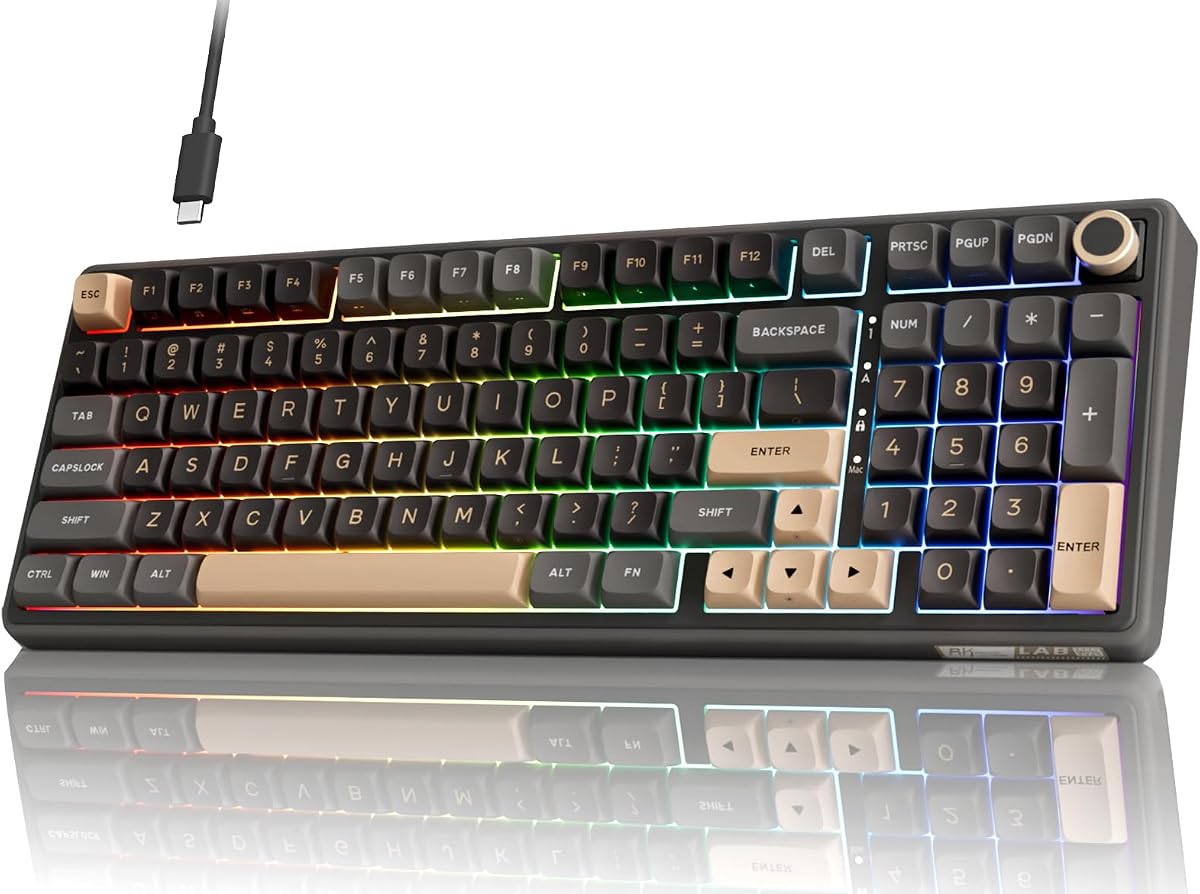
Redragon K768 PRO
4.8Editor score
8000mAh battery life
Tri-mode connectivity
Gasket mounted typing
Discover the top ten Asmr Keyboard options evaluated for sound quality typing feel and build to help you find the perfect quiet typing experience for your desk.
Finding the right Asmr Keyboard can transform your daily typing experience into a soothing and satisfying ritual. These boards focus on producing a creamy thocky sound while maintaining a smooth and responsive feel under your fingers.
We compared ten top models based on sound dampening switch smoothness build quality and connectivity options. Our analysis highlights which boards deliver the most consistent ASMR-like typing noise without sacrificing performance.
Each pick below shows its key strengths ideal users and any tradeoffs to consider before buying. Note that availability and pricing may change so check current listings before making your final decision.
4.8Editor score
4.6Editor score

4.7Editor score
This side-by-side comparison highlights the distinct features and strengths of each model to help you quickly identify the board that matches your typing preferences and setup needs.



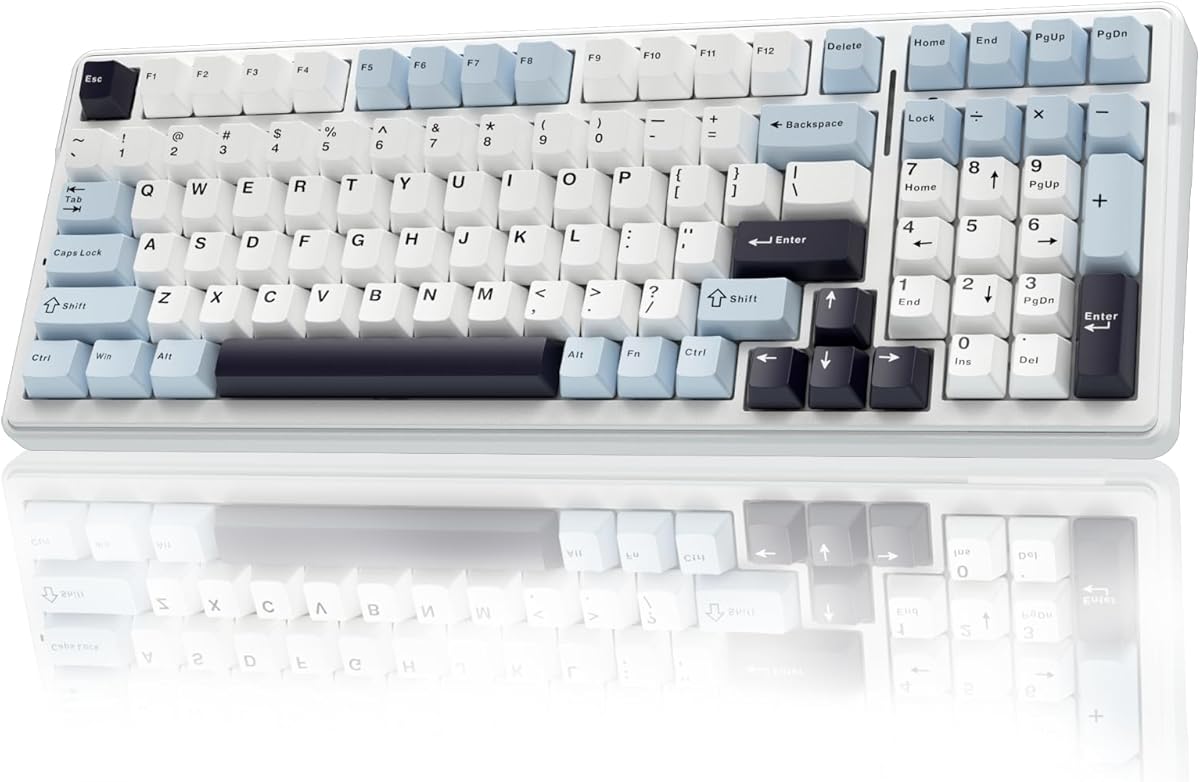
The RK ROYAL KLUDGE R98 Pro stands out as a top contender for anyone seeking a creamy and thocky typing experience. With a rating of 4.6 stars this keyboard combines a 96% layout with gasket mounting to deliver excellent sound dampening.
We may earn a commission when you buy through this link, at no additional cost to you.
Its pre-lubed linear switches provide a smooth keystroke that minimizes friction and noise. The MDA profile PBT keycaps add to the tactile satisfaction while ensuring long-lasting durability against wear and fading over time.
While the gasket mount and foams significantly reduce hollow echoes the wired connection might limit flexibility for some users. Additionally the online driver offers great customization but may require time to learn for beginners.
This board is ideal for gamers and typists who value a compact footprint without sacrificing the numpad. For those wanting a balanced mix of sound quality and features the RK98 Pro is a highly recommended choice.
Five layers of sound-absorbing foam ensure every keystroke produces a pleasing thock rather than a hollow clack.
The MDA profile keycaps wrap around fingers naturally reducing fatigue during long typing sessions.
We may earn a commission when you buy through this link, at no additional cost to you.
The AULA 99 Key Purple Keyboard offers a quiet alternative for those who prefer membrane switches over mechanical ones. It features a 99-key layout that retains the numpad while saving desk space for mouse movement.
We may earn a commission when you buy through this link, at no additional cost to you.
With Bluetooth 5.0 2.4GHz wireless and USB-C wired modes this keyboard adapts to various devices easily. The integrated rotary knob simplifies volume and lighting adjustments without needing key combos.
While the membrane technology keeps noise levels low it lacks the customization of hot-swappable mechanical switches. This limits long-term tuning options for users who want to alter the sound profile later.
It suits casual gamers or office workers seeking a colorful wireless option on a budget. The quiet nature makes it suitable for shared spaces where louder mechanical switches would be disruptive.
Connect via Bluetooth 5.0 2.4GHz wireless or USB-C to switch between devices seamlessly.
The compact 96% layout keeps the numpad while freeing up more desktop real estate.
We may earn a commission when you buy through this link, at no additional cost to you.
The Redragon K768 PRO delivers exceptional value with its gasket-mounted design and massive 8000mAh battery. It provides a creamy cushioned typing feel that appeals to enthusiasts seeking a soft sound profile.
We may earn a commission when you buy through this link, at no additional cost to you.
Tri-mode connectivity allows seamless switching between USB-C Bluetooth and 2.4GHz wireless connections. The single control knob simplifies media and backlight management making daily adjustments effortless.
The heavy battery increases runtime significantly but adds weight that might affect portability. Additionally the pro software offers deep customization but may require time to master for new users.
This keyboard is perfect for wireless users who hate frequent charging. Its balanced mix of sound quality and endurance makes it a strong budget-friendly pick for long sessions.
The 8000mAh battery offers far longer usage than typical gaming keyboards before needing a recharge.
Precision-locked gasket mounts with custom linear switches provide a soft and silky bounce.
We may earn a commission when you buy through this link, at no additional cost to you.
The HUO JI E-Yooso Creamy focuses on sound quality with five layers of sound-absorbing foams and a gasket structure. It reduces noise by 40% and hollow echoes by 80% for a clear and mellow typing sound.
We may earn a commission when you buy through this link, at no additional cost to you.
Its hot-swappable design allows users to change 3-pin or 5-pin switches without soldering. This flexibility supports future upgrades to tailor the sound or tactile feel as preferences evolve.
The design relies on a wired USB-C connection which ensures stability but limits wireless flexibility. RGB options are present but less extensive than some competitors with dynamic lighting effects.
Ideal for purists who prioritize sound dampening and customization potential. This board is a great choice for users wanting a quiet setup without sacrificing mechanical switch benefits.
Silicone dampener pads and five foam layers significantly reduce hollow sounds for a cleaner tone.
Hot-swap PCB allows easy replacement of switches for tailored feedback without soldering.
We may earn a commission when you buy through this link, at no additional cost to you.
The KNOWSQT Wireless Keyboard and Mouse Combo brings a nostalgic typewriter vibe with its round keycaps and Milk Tea color. The floating button design provides a soft and quiet feeling that suits low-noise environments.
We may earn a commission when you buy through this link, at no additional cost to you.
It works via a 2.4GHz nano receiver for plug-and-play simplicity across Windows and Mac systems. The included mouse completes the setup for users seeking a full wireless solution without extra costs.
While the aesthetic is unique the switches lack the precision of mechanical keyboards. Additionally the lack of RGB lighting means it won't fit setups requiring vibrant visual customization.
This combo is best for home offices or casual users who value looks and quiet operation over high-performance features. The auto power-saving mode helps extend battery life for long-term use.
Round keycaps and a floating design evoke classic typewriters for a nostalgic typing experience.
Includes both a wireless keyboard and mouse to simplify setup with a single nano receiver.
We may earn a commission when you buy through this link, at no additional cost to you.
The YSCP Typewriter Style merges vintage looks with mechanical blue switches for a tactile and audible typing experience. Its round keycap design and stepped layout offer ergonomic comfort during long gaming or writing sessions.
We may earn a commission when you buy through this link, at no additional cost to you.
Multi RGB lighting modes and adjustable sidelights allow for immersive mood setting. The 26-key anti-ghosting ensures every keystroke registers accurately even during intense gameplay or rapid typing.
Blue switches produce a distinct click that may disturb others in quiet environments. Users seeking ASMR sound should note this is a clicky option rather than a silent one.
It fits best for individuals who love retro designs and tactile feedback. While not quiet the build quality and unique aesthetic make it a standout choice for mechanical keyboard fans.
Medium resistance blue switches provide clear click sounds and tactile bumps for satisfying typing.
Round keycaps and stepped layout evoke vintage typewriters for a unique desk setup.
We may earn a commission when you buy through this link, at no additional cost to you.
The Redragon K719 PRO stands out with a built-in TFT display that shows battery status and typing mode. It also supports custom GIFs adding a personal touch to any gaming setup.
We may earn a commission when you buy through this link, at no additional cost to you.
Its gasket-mounted construction and five-layer dampening create a creamy cushioned typing feel. The single knob controls media and backlight brightness without needing extra key combinations.
The screen adds functionality but increases the cost compared to standard mechanical boards. Additionally the RGB lighting is vibrant but less customizable than boards with extensive driver options.
This model suits users who want visual feedback and quiet typing. It is a strong choice for streamers or gamers who appreciate screen customization and a muted aesthetic.
The TFT screen displays connection mode and battery status while supporting custom GIFs.
Silent lubed linear switches with thick dampening layers ensure a soft and smooth bounce.
We may earn a commission when you buy through this link, at no additional cost to you.
The Keymatic WK98 Foundation blends style and tech with an interactive screen that syncs to music rhythms. Its crystal jelly design and dynamic RGB lighting make it a visually striking centerpiece.
We may earn a commission when you buy through this link, at no additional cost to you.
MOA contour keycaps fit fingers naturally reducing strain during long use. The board supports hot-swappable switches allowing deep customization for sound and feel preferences.
While the screen offers unique entertainment value it may distract during focused work. The premium price reflects the advanced features which may not justify the cost for casual users.
This is ideal for enthusiasts who want a custom-looking wireless board. The combination of aesthetics and functionality makes it a top pick for personalized setups.
The interactive screen transforms into a dynamic visualizer that reacts to music rhythms.
MOA contour keycaps fit fingers naturally reducing strain during long gaming or typing sessions.
We may earn a commission when you buy through this link, at no additional cost to you.
The Kisnt KN85 Wireless uses a compact 75% layout to free up space for mouse movement. Its gasket mount and pre-lubed switches produce a smooth marbly thock ideal for ASMR typing.
We may earn a commission when you buy through this link, at no additional cost to you.
Tri-mode connectivity allows switching between USB-C 2.4GHz wireless and Bluetooth 5.0. The 4000mAh battery supports long sessions while wired charging is possible when power runs low.
Removing the numpad saves desk space but limits productivity for data entry tasks. The battery life is decent but requires charging more often than models with larger capacities.
This board suits minimalists and mobile users who prioritize sound and portability. Its creamy tone and compact design make it a top choice for quiet workspaces.
The 75% layout frees up 25% of desk space for better mouse movement and minimalism.
Gasket mount and pre-lubed switches create a creamy marbly thock sound for every keystroke.
We may earn a commission when you buy through this link, at no additional cost to you.
The AULA F99 Wireless offers exceptional multi-device connectivity allowing up to five simultaneous connections. Its gasket structure and PCB slotting optimize resilience and stability for a softer elastic feel.
We may earn a commission when you buy through this link, at no additional cost to you.
Pre-lubed linear switches deliver smooth keystrokes with pleasant sound. The 8000mAh battery ensures long battery life supporting continuous use across different tasks and environments.
While it connects to many devices the driver is needed for macro customization which may be complex. RGB options are available but not as advanced as those with dynamic lighting drivers.
This keyboard fits best for users managing multiple devices like work and gaming. Its solid build and battery life make it a reliable choice for hybrid workflows.
Switch between up to five devices easily using BT5.0 2.4GHz wireless and USB wired modes.
Extended silicone pad and PCB slotting optimize resilience and stability for a softer feel.
We may earn a commission when you buy through this link, at no additional cost to you.
Selecting the right Asmr Keyboard requires balancing sound quality build materials and switch types. This guide outlines the essential factors to consider for an optimal typing experience.
Effective sound dampening uses internal foams and gasket mounts to absorb vibration. Look for boards with multiple foam layers and solid cases to reduce hollow echoes.
Prioritize keyboards with thick dampening layers for a consistent thocky sound.
Linear switches typically produce smoother and quieter keystrokes ideal for ASMR sounds. Pre-lubed switches further enhance smoothness by reducing internal friction.
Choose pre-lubed linear switches for the most consistent and creamy typing experience.
PBT keycaps resist shine and provide a textured feel that reduces sliding. They also help dampen sound better than ABS caps due to their density.
Opt for double-shot PBT keycaps to ensure durability and better sound quality.
Gasket mounting allows the PCB to float within the case reducing harsh impacts. This results in a softer feel and a deeper more resonant sound.
Select a gasket-mounted keyboard for a premium tactile and acoustic experience.
Wireless modes add flexibility while wired connections ensure zero latency. Consider tri-mode options for seamless switching between multiple devices.
Decide on wired versus wireless based on your priority for latency or portability.
For wireless models look for large capacity batteries like 8000mAh to avoid frequent charging. Long battery life supports uninterrupted typing sessions without interruptions.
Check battery specs to ensure the model fits your usage duration needs.
Compact layouts like 75% save desk space while full sizes include a numpad. Choose based on your need for number entry versus mouse clearance.
Pick a layout that balances space efficiency with functional requirements.
Hot-swappable sockets allow changing switches without soldering for future upgrades. Drivers add value by enabling macros and lighting customization.
Ensure the board supports hot-swap and software if you plan to modify it later.
Clean your keyboard regularly using compressed air to remove dust from switch gaps and keycaps. A soft brush can help dislodge debris without damaging the internal foam or dampeners.
Avoid harsh chemicals when cleaning keycaps as they can wear down the texture and shine the finish. Use mild soap and water only for removable keycaps to maintain their tactile feel.
Recharge wireless boards before the battery dies completely to extend overall battery health. If possible keep your board in a stable temperature environment to avoid internal component stress.
An ASMR sound comes from reducing hollow echoes and using high-density materials like PBT caps. Gasket mounting and foam layers also absorb vibrations for a deeper thocky tone.
Yes linear switches generally produce less sound because they lack a tactile bump or click. They are ideal for users seeking a smooth and muted typing experience.
Hot-swappable boards allow you to swap switches without soldering which changes both sound and feel. Choose switches that match your preferred actuation weight for better consistency.
Wireless adds convenience but wired ensures zero latency which some gamers prefer. Noise levels depend more on switches than the connection type so choose based on your workflow.
Gasket mounts reduce metal-on-metal vibrations by floating the PCB inside the case. This creates a softer bounce and more consistent sound compared to tray mounts.
PBT keycaps resist shine naturally but regular gentle cleaning helps maintain their texture. Avoid abrasive cleaners and handle them with care during maintenance routines.
Compact layouts save space while full sizes support numeric data entry. Choose based on your desk size and whether you need a numpad for daily tasks.
Most modern mechanical boards support both Windows and Mac through software or drivers. Check product details to confirm Mac mode availability and key mapping options.
The RK ROYAL KLUDGE R98 Pro Redragon K768 PRO and Keymatic WK98 Foundation top our list for their balanced sound and features. Each offers a unique take on the creamy typing experience many users seek.
Prioritize gasket mounting pre-lubed switches and PBT keycaps to ensure long-term comfort and sound quality. Also consider your workspace needs like wireless options and battery life for convenience.
Remember to check current availability and specs before buying as models may update. These keyboards provide excellent options for quiet typing setups suited to gaming or office work.