
ASUS Vivobook Go 15
4.3Editor score
AMD Ryzen 3 performance
8GB DDR5 RAM
Lightweight slim design
Finding a lightweight ASUS laptop means balancing portability with power for work, school, or travel. These machines offer slim profiles without sacrificing essential performance or screen quality for daily tasks.
We analyzed ten current models focusing on weight, processor speed, memory capacity, and build durability. Each entry highlights key specs like battery life, display resolution, and connectivity options for informed decisions.
Every pick shows real strengths and trade-offs so you know what to expect. Prices fluctuate often so check current listings before buying to ensure you get the best value for your needs.
4.3Editor score

4.8Editor score
3.7Editor score
As an Amazon Associate we earn from qualifying purchases.
This side-by-side comparison highlights ten essential models from ASUS focusing on portability and performance. We compare processors memory and storage and display sizes and build materials to help you find the perfect fit.





This ASUS Vivobook 14 stands out as a top lightweight option with powerful Snapdragon X processing and 16GB RAM for seamless multitasking on Windows 11.
We may earn a commission when you buy through this link, at no additional cost to you.
Its 14-inch FHD+ display offers crisp visuals while the 512GB SSD ensures quick file access and smooth system performance for work or study tasks daily.
While it has few USB ports and an average webcam, the efficiency and battery life make these trade-offs acceptable for most users needing portability and speed.
Buyers who value a balance of modern AI features and light weight will find this model an excellent choice for daily productivity on the go.
The Snapdragon X processor delivers fast computing with excellent power efficiency for longer battery life during travel or unplugged work sessions.
Built-in Copilot+ PC capabilities enable smart search and AI tools to enhance productivity without needing external software or heavy system resources.
We may earn a commission when you buy through this link, at no additional cost to you.
The Vivobook Go 15 offers a great entry point with an AMD Ryzen 3 processor and DDR5 memory for solid performance in everyday browsing and light tasks.
We may earn a commission when you buy through this link, at no additional cost to you.
Its 15.6-inch display provides a comfortable workspace while the military-grade build ensures durability for students or travelers needing a tough laptop.
Storage space is limited at 128GB and color accuracy is moderate, but fast charging and port options make it a practical budget choice.
Those seeking a reliable and affordable light laptop for general use will appreciate the value and flexibility this model provides.
8GB DDR5 RAM helps apps run smoothly and supports multitasking better than older memory types at this price tier.
Built to military standards this laptop resists drops and bumps well keeping it safe during daily commutes or travel.
We may earn a commission when you buy through this link, at no additional cost to you.
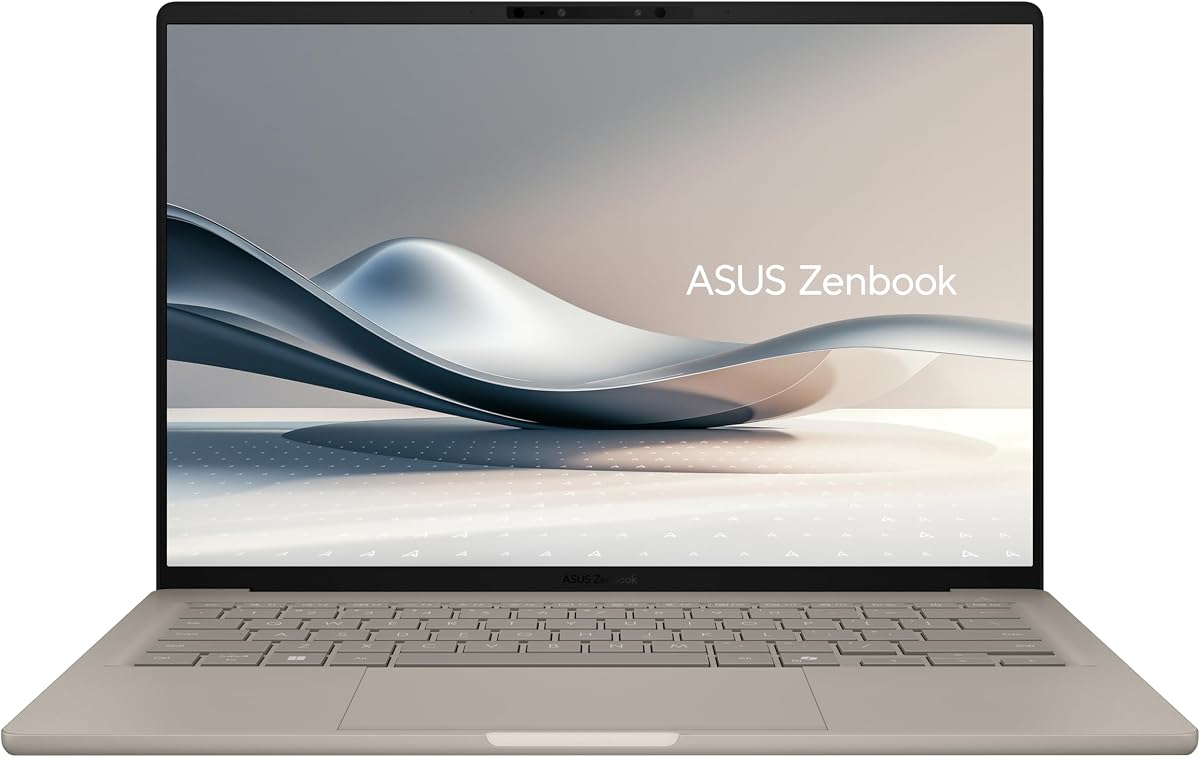
The Zenbook A14 redefines portability with a 980g weight and premium OLED display for stunning visuals while maintaining robust performance with Snapdragon X power.
We may earn a commission when you buy through this link, at no additional cost to you.
Its Ceraluminum body blends strength and lightness offering scratch resistance and a unique finish that stands out in the premium laptop market today.
While the price is high and availability varies the exceptional battery life and screen quality justify the investment for those needing top-tier mobility.
If you prioritize weight and display quality above all else this model delivers unmatched elegance and power in a small package.
This material is 30 percent lighter and three times stronger than standard aluminum making it ideal for frequent travelers.
The WUXGA OLED screen offers deep blacks and vibrant colors perfect for media and creative work on a portable device.
We may earn a commission when you buy through this link, at no additional cost to you.
This Vivobook 16 brings a 16-inch WUXGA screen to the lightweight category offering more workspace while staying portable with efficient Snapdragon X power.
We may earn a commission when you buy through this link, at no additional cost to you.
The 300-nit brightness and 16:10 aspect ratio provide vivid visuals for work or entertainment supported by 16GB RAM for smooth application switching.
Although slightly heavier than smaller models the screen real estate makes it ideal for those who need more display without sacrificing mobility.
Buyers wanting a larger view for productivity or media will find this balance of size and weight well worth the trade-offs.
The larger display increases screen real estate for better multitasking and content viewing while maintaining a compact chassis.
Integrated Adreno GPU delivers improved visuals and performance for everyday graphics tasks without extra power draw.
We may earn a commission when you buy through this link, at no additional cost to you.
This model offers an entry-level option with an Intel Celeron processor and 4GB RAM suited for basic tasks like browsing and documents.
We may earn a commission when you buy through this link, at no additional cost to you.
Its 15.6-inch FHD display and fast-charge battery keep you productive while the privacy shutter adds security for video calls.
While RAM and processor speed are limited the low cost and portability make it a practical choice for simple school or home use.
Users with modest computing needs who want an affordable and light machine will find this a solid starting point.
Designed for students this laptop balances essential performance with light weight and affordability for daily school tasks.
The built-in privacy shutter gives peace of mind by allowing you to physically block the camera when not in use.
We may earn a commission when you buy through this link, at no additional cost to you.
This Vivobook 14 uses an Intel i3 12th Gen processor with 16GB RAM to deliver reliable performance for multitasking and everyday productivity tasks.
We may earn a commission when you buy through this link, at no additional cost to you.
The 14-inch FHD display and Wi-Fi 6 connectivity ensure smooth streaming and fast internet speeds while the 512GB SSD offers ample storage.
Though not a top-tier model its balanced specs and useful ports like HDMI make it a practical choice for office work.
Those who prefer Intel chips and solid general performance will appreciate its value and ease of use.
Support for Wi-Fi 6 provides faster speeds and better reliability in crowded networks for improved web experience.
With 16GB of memory you can run many apps and tabs without slowdown or lag during busy work sessions.
We may earn a commission when you buy through this link, at no additional cost to you.
This Vivobook 14 features a Snapdragon X processor and 16GB RAM to support Copilot+ PC tools and smooth multitasking on Windows 11.
We may earn a commission when you buy through this link, at no additional cost to you.
The WUXGA display delivers clear visuals at 300 nits while the Adreno GPU provides good graphics performance for media playback.
Although battery life can vary with usage and the touchpad is modest the performance and AI readiness make it a strong contender.
Buyers looking for a modern AI-ready laptop in a light package will find this model offers excellent value and features.
Integrated AI capabilities like Recall and Live Captions help you manage content and communication more efficiently.
The 1920 by 1200 resolution offers more vertical space for documents and spreadsheets improving productivity.
We may earn a commission when you buy through this link, at no additional cost to you.
This 2026 edition brings an Intel 13th Gen processor with 16GB RAM to deliver fast performance for work and entertainment on the go.
We may earn a commission when you buy through this link, at no additional cost to you.
The 14-inch FHD display and Wi-Fi 6E connectivity ensure clear visuals and fast internet while the slim design keeps it easy to carry.
Storage is limited at 256GB and a mouse is not included but the processing power and modern ports make it a strong choice.
Users who need latest gen performance in a light body will appreciate this model's speed and portability.
The 13th Gen i3 processor beats older chips in speed helping apps launch faster and multitasking run smoothly.
Wi-Fi 6E provides faster wireless speeds and less interference for a more reliable online experience.
We may earn a commission when you buy through this link, at no additional cost to you.
This Vivobook Go 15 delivers reliable AMD Ryzen 3 power with 8GB DDR5 RAM and a 256GB SSD for efficient daily computing and light multitasking.
We may earn a commission when you buy through this link, at no additional cost to you.
It offers up to 11 hours of battery life which helps you work through the day without constant recharging while military-grade durability ensures longevity.
Though the processor is modest and the webcam is standard the battery life and build quality make it a practical choice.
Buyers needing a dependable lightweight machine with solid battery life and durability will find this a sensible pick.
With up to 11 hours of runtime you can stay productive through travel or long workdays without frequent outlet access.
This laptop meets MIL-STD-810H tests for shock and temperature ensuring it can handle tough conditions.
We may earn a commission when you buy through this link, at no additional cost to you.
The Zenbook A14 offers an ultra-lightweight design at just 980g with an OLED display and Copilot+ PC features for stunning visuals and AI tools.
We may earn a commission when you buy through this link, at no additional cost to you.
It includes 16GB LPDDR5X memory and a 512GB SSD plus Wi-Fi 6E for fast connectivity and smooth performance in a premium package.
Although the price is high and ports are limited the exceptional battery life and build quality make it a standout choice.
Those who prioritize lightest weight and premium display quality will find this model unmatched in its class.
With up to 32 hours of offline video playback this laptop can last days on a single charge for long trips.
The 14-inch WUXGA OLED panel delivers rich colors and deep blacks for an immersive viewing experience.
We may earn a commission when you buy through this link, at no additional cost to you.
Selecting the right lightweight ASUS laptop requires weighing key factors like processor type memory and display to match your needs.
Modern lightweight models use Snapdragon X or Intel 13th Gen processors to balance speed with power efficiency for daily tasks.
Prioritize newer processors to ensure smooth multitasking and long-term support.
Look for at least 8GB of DDR5 or LPDDR5X RAM to handle multiple apps without slowdown on the go.
16GB RAM gives you extra headroom for demanding workloads.
Fast PCIe SSDs like 256GB or 512GB provide quick boot times and storage for files and apps.
Higher SSD capacity reduces the need for external drives.
Choose between 14-inch for maximum portability or 15 to 16-inch for a larger workspace in a slim chassis.
14-inch models offer the lightest carry experience.
Lightweight laptops often excel in efficiency with models offering multi-day battery life for travel.
Check usage scenarios to match battery needs.
Military-grade materials and Ceraluminum builds resist drops and wear for tough conditions.
Durable builds add longevity to your purchase.
Look for USB-C HDMI and Wi-Fi 6E ports to connect accessories and networks easily.
More ports increase versatility for work.
Copilot+ PC capabilities add AI tools for productivity and content creation without extra software.
AI features future-proof your laptop.
Keep the laptop in a padded sleeve when traveling to protect the slim chassis from drops or scratches.
Use fast charging via USB-C to top up battery quickly during short breaks without carrying heavy adapters.
Clean the screen with a microfiber cloth and avoid harsh chemicals to preserve the display coating.
The ASUS Zenbook A14 is the lightest at 980 grams. It uses premium materials to reduce weight while keeping performance strong.
Yes many models offer multi-day battery life thanks to efficient processors like Snapdragon X and optimized power management.
Most models support professional tasks with 16GB RAM and fast SSDs for smooth performance and multitasking.
They run Windows 11 Home with Copilot+ PC features for AI tools and modern productivity enhancements.
Yes most include HDMI or USB-C ports to connect external monitors for extended workspace.
Yes the Vivobook Go and Vivobook models are affordable durable and light enough for daily school use.
Copilot+ PC refers to AI-enhanced Windows features for smart search and content tools built into supported hardware.
Most modern models include DDR5 or LPDDR5X RAM for faster speeds and better power efficiency.
These ten models range from budget-friendly Vivobook Go options to premium Zenbook choices offering light designs and modern AI features.
Prioritize battery life and screen quality based on whether you need all-day use or high-quality visuals for work.
Check current prices and availability as listings change often to find the best deal on your preferred lightweight model.