
OMTech K40+ 45W Desktop CO2 Laser Engraver
4.4Editor score
45W Laser Power
12 x 8 Workspace
Integrated Air Assist
Explore the top 10 CO2 laser cutters for 2026, comparing power, speed, safety, and features to help you choose the perfect machine for your needs.
CO2 laser cutters are powerful tools for cutting and engraving various materials with precision. They are essential for hobbyists and professionals seeking high-quality results on wood, acrylic, and more.
We compared these models based on laser power, working area, speed, safety features, and software compatibility. Each product was evaluated to highlight its strengths and ideal use cases for different users.
Every pick includes detailed specs, pros, and cons to guide your decision. Note that prices and availability may change, so verify current listings before purchasing your next laser cutter.
4.4Editor score

4.5Editor score

This side-by-side comparison highlights the key specifications and unique features of each model to help you find the best CO2 laser cutter for your specific project needs.



The xTool P3 80W is a flagship CO2 laser cutter designed for professional-grade performance and intelligent automation. It offers a powerful 80W laser that cuts through various materials with ease while maintaining high precision.
We may earn a commission when you buy through this link, at no additional cost to you.
Its automated creation system includes LiDAR ranging and dual HD cameras for perfect autofocus and precise positioning. The workspace is massive at 36 x 18 inches, allowing for large projects without frequent repositioning.
While it excels in performance, the price point is high and some accessories like the conveyor feeder are sold separately. However, the efficiency gains justify the cost for serious users.
This machine is ideal for professionals or serious hobbyists needing industrial-grade cutting with safety features. Choose it if you value automation and precision above all else.
LiDAR ranging and dual cameras handle autofocus and positioning automatically, reducing setup time significantly.
The fully enclosed Class 1 safety-rated design includes lid interlocks and active detection for peace of mind.
We may earn a commission when you buy through this link, at no additional cost to you.
The OMTech K40+ 45W is a desktop CO2 laser engraver perfect for entry-level users and small projects. It balances cost with performance, making it a great starting point for laser cutting enthusiasts.
We may earn a commission when you buy through this link, at no additional cost to you.
It features a 45W laser capable of cutting acrylic and wood with ease. The integrated air assist system helps clear debris and protect the lens, ensuring cleaner cuts without additional hardware.
Its smaller workspace limits large projects, and safety features are basic compared to higher-end models. Yet, for hobbyists, this trade-off is acceptable given the budget-friendly price.
Choose this machine if you need an affordable entry into CO2 laser cutting. It offers essential features without breaking the bank.
LightBurn and LaserGRBL compatibility ensures easy control for users of all skill levels.
The built-in air assist auto-adjusts to clear smoke and reduce fire risk during cutting jobs.
We may earn a commission when you buy through this link, at no additional cost to you.
The VEVOR 100W CO2 laser engraver offers significant power and workspace for professional use. It supports a wide range of materials with speeds up to 19.7 IPS for fast production.
We may earn a commission when you buy through this link, at no additional cost to you.
Its 24 x 35 inch workspace is spacious, and the digital control panel makes operation intuitive. Compatibility with LightBurn and AutoCAD expands creative possibilities for designers.
Assembly can be time-consuming, and safety features are less advanced than premium models. However, the value proposition is strong for users needing more power.
Select this model if you need a balance of power and workspace without paying premium prices. It suits small businesses well.
Cuts through 0.59 inch thick materials and engraves over 1000 non-metallic materials efficiently.
Transfer files via USB or network cable for seamless workflow with third-party graphic software.
We may earn a commission when you buy through this link, at no additional cost to you.
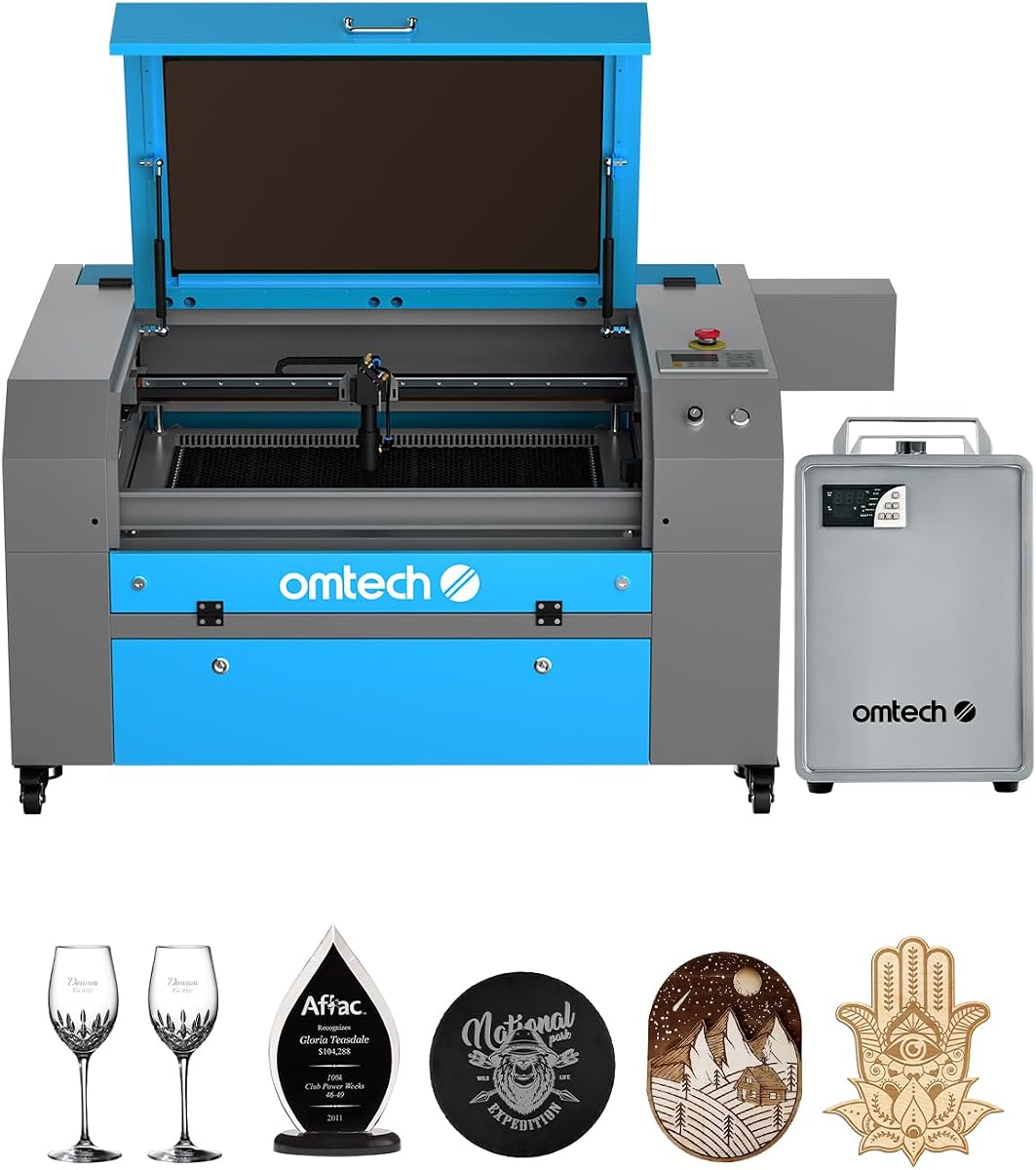
The OMTech Maker 90W comes with a water chiller to maintain performance during long engraving sessions. Its 90W power is suitable for deep engraving and cutting various nonmetallic materials.
We may earn a commission when you buy through this link, at no additional cost to you.
The pass-through doors accommodate larger items easily, and the built-in air assist ensures clean cuts. Enhanced safety features include interlock systems for safe operation.
It is heavier than desktop models and costs more due to the chiller. However, these are necessary for professional-grade use and extended productivity.
Choose this if you plan on running the machine frequently. The water chiller ensures longevity and consistent output.
The bundled water chiller provides effective cooling to extend tube lifespan during continuous use.
Built-in air assist removes smoke and dust to protect optics and reduce material burn.
We may earn a commission when you buy through this link, at no additional cost to you.
This model includes a water chiller and LightBurn software, offering a complete package for laser cutting. The autofocus system simplifies setup, making it accessible for various skill levels.
We may earn a commission when you buy through this link, at no additional cost to you.
The 20 x 28 workspace is practical for medium projects. Safety features like flame-retardant windows ensure user protection during operation.
Power is moderate compared to 100W+ models, which limits thick material cutting. However, it covers most common engraving needs effectively.
Select this if you want a bundle with essential accessories already included. It saves time and money on add-ons.
LightBurn software is preinstalled for intuitive navigation and professional-grade control.
Workbeds adjust up and down at the touch of a button with preinstalled autofocus.
We may earn a commission when you buy through this link, at no additional cost to you.
This version of the K40+ is ideal for entry-level users seeking a compact and affordable CO2 laser. It supports standard materials like wood and acrylic with ease.
We may earn a commission when you buy through this link, at no additional cost to you.
Integrated air assist protects lenses and reduces fire risk. Emergency stop functionality adds a critical safety layer for unexpected issues.
The workspace is small, restricting larger projects. Low power limits thick material cutting but suffices for engraving tasks.
Choose this for hobbyists needing a reliable, small footprint machine. It balances cost and functionality well.
Small footprint fits easily on desktops or workbenches without consuming much space.
Emergency stop and water protection ensure safe operation during all cutting sessions.
We may earn a commission when you buy through this link, at no additional cost to you.
The OMTech Pronto 100W offers high-speed engraving up to 39.4 IPS. This makes it competitive for production environments needing quick turnaround times.
We may earn a commission when you buy through this link, at no additional cost to you.
Autofocus technology ensures precise results without manual adjustments. The large workspace allows handling substantial projects with ease.
Setup can be complex due to high power features. Ventilation is crucial to manage fumes from fast cutting.
Select this for production needs where speed matters. It transforms creative visions into reality quickly.
Revolutionary engraving speeds make it 37% faster than traditional models for quick projects.
Powerful air pump removes smoke and debris for precise and clean cuts every time.
We may earn a commission when you buy through this link, at no additional cost to you.
This machine delivers 130W of power, ideal for heavy-duty cutting and deep engraving. The workspace is massive, accommodating large industrial projects.
We may earn a commission when you buy through this link, at no additional cost to you.
Autofocus ensures precision across various material heights. Long tube lifespan reduces replacement costs over time.
Cost is high, requiring investment. Professional setup is recommended to handle the power safely.
Choose this for industrial applications needing top-tier power. It impresses with deep engraving capabilities.
130W power allows engraving as deep as 0.4 inch on various nonmetallic materials.
High-performance tube delivers up to 12,000 hours of usage for long-term reliability.
We may earn a commission when you buy through this link, at no additional cost to you.
This K40+ model is a compact solution for makers needing a desktop-friendly laser cutter. It fits easily in small workshops without sacrificing core functionality.
We may earn a commission when you buy through this link, at no additional cost to you.
Software compatibility ensures flexibility for design work. The integrated air assist helps maintain clean cutting surfaces.
The workspace limits project size, and features are basic. However, for simple engraving tasks, it is sufficient.
Select this for small home setups. It offers essential features in a compact package.
Compact design allows placement on standard workbenches without consuming excessive floor space.
Air assist system and wide software compatibility support smooth workflow for beginners.
We may earn a commission when you buy through this link, at no additional cost to you.
This model is designed for professional and industrial use with 130W power. The workspace is expansive, allowing for high-volume production runs.
We may earn a commission when you buy through this link, at no additional cost to you.
Servo motors ensure precise and rapid engraving. WiFi connectivity enables remote monitoring and control.
Cost is high, and it requires industrial-grade power. However, it provides unmatched efficiency for production.
Choose this for factory or studio settings needing high volume. It prioritizes efficiency above all else.
Servo motors and ball-bearing guide rails ensure precise and rapid engraving for production.
WiFi connectivity and touchscreen control allow effortless operation and remote monitoring.
We may earn a commission when you buy through this link, at no additional cost to you.
Selecting the right CO2 laser cutter involves considering power, workspace, safety, and software. This guide breaks down key factors to ensure you choose a model that meets your project requirements.
Laser power determines the thickness of materials you can cut. Higher wattage allows deeper engraving and faster cutting on dense materials like thick acrylic or wood.
For hobbyists, 40W to 60W is sufficient. Professionals should aim for 90W to 130W for industrial-grade tasks.
The workspace size dictates the dimensions of your projects. Larger areas reduce the need for stitching multiple pieces together.
Desktop models offer compact spaces, while industrial units provide expansive tables for large-scale production.
Safety is paramount with CO2 lasers. Look for features like lid interlocks, emergency stop buttons, and fire suppression systems.
Class 1 safety-rated models offer enclosed designs that minimize exposure to harmful laser radiation.
Compatible software like LightBurn allows for precise control over your designs. Ensure the machine supports your preferred design tools.
Open-source support gives flexibility for customization, while proprietary software may be more beginner-friendly.
Higher cutting speeds improve productivity but can affect detail. Precision rails ensure smooth curves and clean cuts.
Look for models with adjustable speeds to balance quality and efficiency based on material needs.
An air assist system helps clear smoke and debris during cutting. This protects the lens and reduces carbonization on materials.
Integrated air assist simplifies setup and ensures cleaner results without extra hardware.
Water chillers maintain the laser tube temperature during extended use. This prevents overheating and extends the tube's lifespan.
For frequent use, a built-in or bundled chiller is essential for consistent performance.
Balance cost with features to find the best value. More expensive models offer higher power and automation but may be overkill for hobbyists.
Assess your needs carefully to avoid overspending on unnecessary features.
Always wear appropriate eye protection and ensure your workspace is well-ventilated. Proper ventilation removes fumes and keeps the air clean during operation.
Regularly clean the lens and mirrors to maintain laser quality. Dust accumulation can reduce cutting precision and damage components over time.
Calibrate the focus before each session to ensure consistent results. Adjust the bed height according to the material thickness for optimal performance.
Standard CO2 laser cutters cannot cut metals like steel or aluminum. They are designed for non-metallic materials such as wood, acrylic, leather, and glass. Cutting metal requires fiber lasers.
Always use a fire-resistant workspace and never leave the machine unattended while running. Ensure safety interlocks are functional and wear laser-rated eyewear if the enclosure is open.
Avoid running the tube at maximum power continuously to extend lifespan. Keep the tube clean and monitor temperatures with a water chiller if available.
No, but it is highly recommended for its versatility and user-friendly interface. Some machines come with proprietary software that works well for basic tasks.
CO2 lasers can engrave wood, acrylic, leather, glass, stone, and fabric. Always check material compatibility lists to avoid toxic fumes or fire hazards.
Clean the lens and mirrors weekly for frequent use or monthly for hobbyists. Wipe gently with a lint-free cloth to prevent scratching.
The top picks range from budget-friendly models like the OMTech K40+ to powerful industrial units like the OMTech Pro 130W. Each offers unique strengths depending on your goals.
Prioritize power and workspace size based on the materials you plan to cut. Safety features should never be overlooked to ensure a secure working environment.
Check current pricing and availability before purchasing as these values fluctuate. Investing in the right tool now will save time and money in future projects.