
ASUS Pro WS W890E-SAGE SE
5.0Editor score
Intel Xeon 600 ready
NitroPath DRAM technology
Advanced AI PC optimized
This guide compares ten top ASUS Server Motherboard models for workstations and data centers, highlighting performance connectivity and management features.
Selecting the right ASUS Server Motherboard is critical for building reliable workstations and data center infrastructure that demands high performance. These boards support advanced processors and offer robust connectivity options for demanding enterprise applications and AI workloads.
We evaluated ten models based on socket support, power delivery quality, expansion capabilities, and remote management features. Our analysis focuses on compatibility with latest CPUs, PCIe generation support, and overall system stability for continuous operation.
Each pick showcases unique strengths tailored to different workload requirements from entry level business servers to high end AI computing nodes. Note that product specifications and availability may change over time as new generations emerge.
5.0Editor score

3.7Editor score
4.3Editor score
The following table provides a side-by-side comparison of all ten ASUS Server Motherboard models evaluated in this guide to help you identify the right fit for your specific server requirements and budget constraints.


The ASUS Pro WS WRX90E-SAGE SE stands out as a top contender for high performance workstation builds requiring maximum expansion and reliability. It carries a solid reputation among professionals seeking stability for continuous 24/7 operation without compromising on throughput capabilities.
We may earn a commission when you buy through this link, at no additional cost to you.
Its standout feature is the extensive array of seven PCIe 5.0 x16 slots allowing unprecedented multi-GPU configurations for rendering or AI training. The 32 power stage design ensures stable power delivery even under heavy load from 96-core Threadripper PRO processors.
While powerful it demands careful case selection due to its large EEB footprint and requires adequate cooling for the active chipset fans. The price reflects its premium server-grade features but may be steep for entry-level users.
This motherboard is ideal for engineers data scientists and media producers who need reliable multi-accelerator support and extensive memory bandwidth. It represents a serious investment for professionals prioritizing performance and stability above cost.
With seven PCIe 5.0 x16 slots users can populate multiple GPUs or accelerators simultaneously without bandwidth throttling bottlenecks.
Dedicated IPMI LAN port allows administrators to monitor and control server systems remotely even when the main system is offline.
We may earn a commission when you buy through this link, at no additional cost to you.
Designed specifically for advanced AI PC applications this motherboard offers future-proof connectivity and power tailored to next generation computing demands. It achieves a perfect 5.0 rating reflecting strong user satisfaction with its reliability and feature set.
We may earn a commission when you buy through this link, at no additional cost to you.
The NitroPath DRAM technology enhances ECC memory stability ensuring consistent performance under stress which is critical for data integrity. Coupled with dual 10Gb LAN ports it supports high-speed data transfer essential for enterprise environments.
Users should note compatibility is limited to Intel Xeon 600 series processors which may require planning around CPU availability and pricing. The feature set is robust but might exceed needs for simpler business workloads.
For organizations deploying high-end AI infrastructure or virtualization clusters this board delivers the necessary bandwidth and manageability. It is a premium choice for those committed to Intel architecture in professional server deployments.
Built with the future of AI computing in mind it offers power and connectivity specifically designed for demanding machine learning tasks.
Exclusive NitroPath DRAM technology significantly enhances the performance and stability of ECC R-DIMM DDR5 memory modules.
We may earn a commission when you buy through this link, at no additional cost to you.
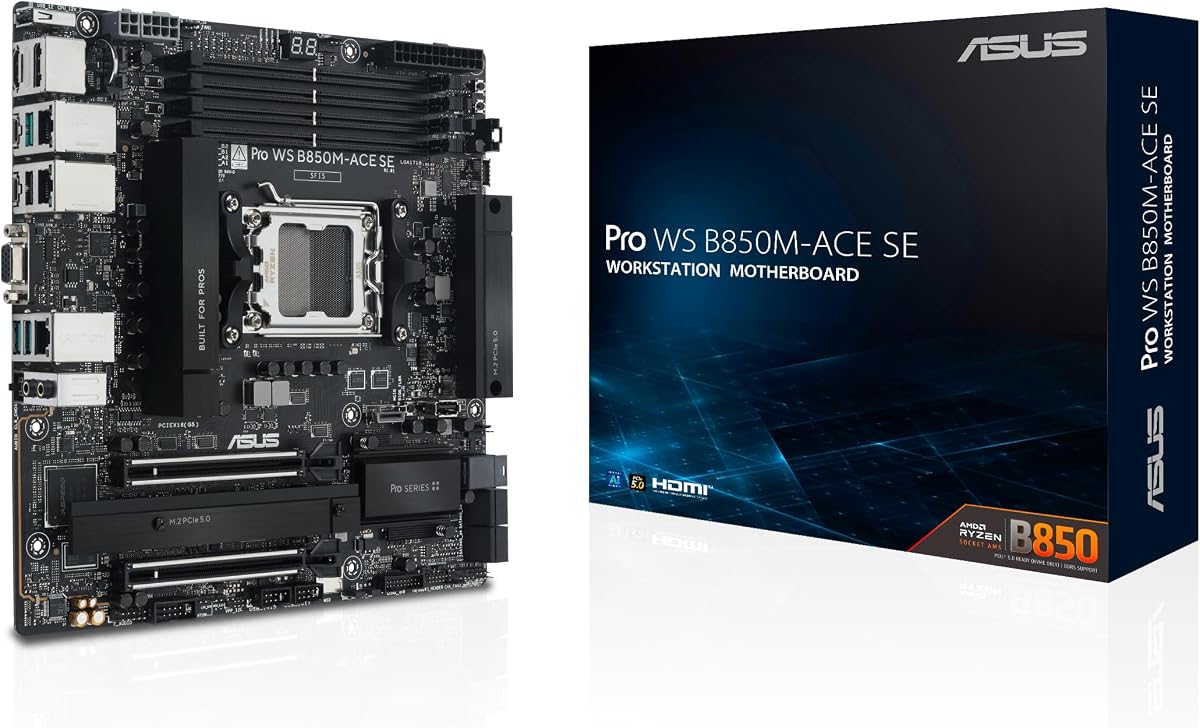
This compact motherboard brings server-grade features to a budget-friendly form factor making it accessible for small businesses and startups. With solid 4.3 rating it balances performance and cost effectively for modern business applications.
We may earn a commission when you buy through this link, at no additional cost to you.
Unlike many budget boards it includes onboard BMC control for remote management which is rarely found at this price point. Support for AMD Ryzen 9000 processors ensures longevity for future software and hardware upgrades.
Expansion options are limited to two PCIe 5.0 x16 slots and two M.2 slots which may constrain heavy multi-accelerator needs. Users prioritizing maximum I/O or GPU count may need to consider larger models.
Ideal for entry-level server nodes or small workstations this board offers essential enterprise capabilities without excessive cost. It is a smart starting point for organizations scaling their infrastructure gradually.
This model delivers robust performance and connectivity needed for business applications at an accessible entry price point.
The mATX form factor allows deployment in smaller chassis while still maintaining critical server management features.
We may earn a commission when you buy through this link, at no additional cost to you.
Offering similar capabilities to the premium SAGE SE this model provides a slightly more flexible approach to IPMI management through expansion. It targets users who want Intel Xeon compatibility without requiring all premium onboard management features.
We may earn a commission when you buy through this link, at no additional cost to you.
Power delivery is handled by a robust 12+ stage design ensuring stability for demanding workloads. The inclusion of NitroPath DRAM technology guarantees memory reliability essential for professional server tasks.
Absence of a dedicated onboard IPMI controller means additional hardware may be needed for remote management. This could affect total system cost if remote access is a strict requirement.
Recommended for users already familiar with IPMI expansion who seek high performance networking without the premium price tag. It serves well in environments where physical access is available or alternative management is used.
Designed to work with ASUS IPMI expansion cards for remote monitoring and management options.
Features multiple M.2 slots with high bandwidth and SlimSAS support for enterprise storage configurations.
We may earn a commission when you buy through this link, at no additional cost to you.
This board bridges workstation flexibility with server reliability by integrating cutting-edge WiFi 7 connectivity alongside robust PCIe expansion. It supports high-end Threadripper PRO processors making it suitable for mixed mobile and stationary workloads.
We may earn a commission when you buy through this link, at no additional cost to you.
The 36 power stages provide exceptional power stability for overclocking and sustained workloads. Support for up to 1TB ECC memory ensures data integrity for critical applications and databases.
Lower customer ratings suggest potential reliability concerns or user experience issues compared to higher rated models. Users should evaluate warranty options and return policies carefully before purchasing.
Ideal for creative professionals who need both workstation power and wireless flexibility in one package. It is a strong candidate for mobile studios or flexible office environments.
WiFi 7 support enables ultra-low latency wireless connections beneficial for remote collaboration and large file transfers.
Robust power design and memory support allow performance tuning for users seeking extra headroom.
We may earn a commission when you buy through this link, at no additional cost to you.
The TRX50-SAGE WiFi A strikes a balance between high-end performance and reasonable pricing for workstation enthusiasts. It supports the latest Threadripper processors ensuring future readiness for professional computing tasks.
We may earn a commission when you buy through this link, at no additional cost to you.
USB4 connectivity offers 40Gbps speeds enabling fast external storage and docking solutions without PCIe slot usage. The power design is sufficient for most professional loads though less extensive than top-tier server boards.
Lack of onboard BMC means remote management relies on expansion cards or software tools. Users requiring deep administrative control might need additional investments.
Best for engineers and designers needing high CPU core counts without full server management complexity. It is a practical choice for high-performance desktop replacements and local render nodes.
USB4 ports provide 40Gbps data transfer speeds compatible with various high-performance peripheral devices.
Designed for advanced AI computing it ensures compatibility with modern demanding applications.
We may earn a commission when you buy through this link, at no additional cost to you.
This ATX motherboard brings server capabilities to standard case sizes making it versatile for small to medium business setups. The inclusion of an IPMI expansion card out of the box simplifies remote management configuration.
We may earn a commission when you buy through this link, at no additional cost to you.
Performance centers on Intel Core processors with DDR5 ECC memory support ensuring stability for critical data applications. Dual 2.5Gb LAN provides gigabit-level networking suitable for most office environments.
Expansion is somewhat limited compared to workstation boards with only two PCIe 5.0 slots. Users needing heavy GPU counts should consider larger form factors.
Excellent for small office servers needing remote oversight without enterprise-scale pricing. It offers a pragmatic solution for IT departments requiring centralized control over limited budgets.
IPMI expansion card bundled for immediate out-of-band management without extra hardware costs.
Security features include USB port management and controls for hardware access to ensure data protection.
We may earn a commission when you buy through this link, at no additional cost to you.
A straightforward micro ATX server motherboard targeting users who need reliable performance in a smaller footprint. It supports the Xeon E-2300 series suitable for entry-level web and file server roles.
We may earn a commission when you buy through this link, at no additional cost to you.
The C252 chipset is well-known for stability in server environments though it lacks some newer connectivity options. It serves well for legacy upgrades or specific compatibility requirements.
Limited specs detail in listings makes verifying feature depth challenging before purchase. Users should confirm all required ports are present.
Recommended for tight budget projects or retrofits where standard server dimensions are required. It delivers dependable performance for basic enterprise infrastructure needs.
Micro ATX form factor fits into compact cases without sacrificing essential server features.
Designed for server workloads offering reliable operation for business continuity.
We may earn a commission when you buy through this link, at no additional cost to you.
This board enables dual CPU configurations delivering extreme computational power for heavy virtualization and data analytics. It is designed for serious server workloads requiring maximum system resources and throughput.
We may earn a commission when you buy through this link, at no additional cost to you.
With sixteen DDR5 slots it supports up to 4TB RAM accommodating massive in-memory databases and virtual machines. Dual Intel 10Gbps LAN ports ensure fast internal network connectivity.
Physical size is substantial requiring a compatible E-ATX chassis and adequate cooling. Cost is high and may not suit single-CPU needs.
Ideal for data centers or research institutions needing maximum CPU and memory density. It is a high-end solution for enterprise-grade compute clusters.
Supports two Intel Xeon processors enabling massive parallel processing for virtualization and computing.
Sixteen memory slots allow configurations scaling up to 4TB RAM for intensive data processing.
We may earn a commission when you buy through this link, at no additional cost to you.
This variant offers similar features to the higher rated ACE but may differ in component sourcing or packaging. It provides a lower entry cost for businesses needing basic server management.
We may earn a commission when you buy through this link, at no additional cost to you.
Multiple video outputs support multi-monitor setups useful for workstations acting as small servers. IPMI card is included facilitating remote management setup.
The low 2.6 rating indicates potential reliability issues or customer dissatisfaction. Buyers should read recent reviews carefully before committing.
Best for budget-sensitive projects where remote management is essential but absolute top reliability is secondary. Use with caution and verify return policies.
Provides server-grade IPMI at a lower cost point for small business deployments.
Multiple display connectors enable flexible workstation configurations alongside server duties.
We may earn a commission when you buy through this link, at no additional cost to you.
Selecting the right ASUS Server Motherboard requires evaluating several technical factors to ensure compatibility with your hardware and meeting the demands of your specific applications.
The first step is identifying your CPU type whether it is AMD Ryzen Threadripper PRO or Intel Xeon series. Each motherboard supports specific sockets such as sTR5 for AMD Threadripper or LGA 4710-2 for Intel Xeon 600. Using incompatible hardware will prevent the system from powering on and may void warranties.
Always verify the manufacturer's qualified vendor list to confirm your specific CPU model is supported before purchasing.
Server workloads often demand large amounts of RAM for virtualization or data processing. Check how many DIMM slots the board provides and whether it supports ECC R-DIMM modules which correct memory errors for reliability. Some models support up to 4TB memory which is vital for enterprise databases.
Prioritize boards with enough memory capacity to accommodate future growth without replacing the motherboard later.
Modern workstations may require multiple GPUs or accelerator cards for AI rendering or compute tasks. Evaluate the number and generation of PCIe slots available on the board. Models offering seven PCIe 5.0 x16 slots provide maximum bandwidth while smaller boards may limit expansion options.
Ensure the slots are spaced to avoid physical interference with large GPUs or add-on cards.
Fast and reliable networking is essential for servers transferring large data sets or serving multiple clients. Look for boards with 10Gb Ethernet ports which provide significantly higher bandwidth than standard gigabit options. Some models include dual 10Gb ports for redundancy or teaming to improve uptime.
Choose a board with network speeds that match your storage and switch capabilities.
Enterprise servers often require out-of-band management to monitor system health and reboot remotely. IPMI functionality enables this capability through a dedicated LAN port. Some boards include a BMC controller onboard while others require an expansion card.
Verify if the model supports IPMI expansion cards and whether necessary software is included.
High-performance processors draw significant power which requires robust voltage regulation modules to maintain stability. Boards with 32 or 36 power stages are better suited for overclocking or sustained heavy loads. Active cooling for VRM and chipset helps prevent thermal throttling during intensive use.
Select a model with sufficient cooling solutions for your intended workload and case airflow.
Workstation motherboards vary from micro ATX to EEB and E-ATX sizes. Larger boards offer more expansion slots but require bigger chassis. Ensure your server case supports the board size before buying.
Measure the interior dimensions of your case to confirm compatibility with the motherboard layout.
Data centers and workstations need fast storage access. Modern boards support PCIe 5.0 M.2 slots which offer faster data speeds than standard SATA drives. Some models also support SlimSAS or U.2 interfaces for enterprise SSDs.
Confirm that the motherboard provides the necessary storage interfaces for your intended disk configuration.
Install the motherboard in a well-ventilated case ensuring proper standoffs prevent short circuits. Connect all power cables securely and verify CPU and RAM are seated correctly before applying power.
Update the BIOS immediately upon first boot to ensure stability and compatibility with your installed CPU. Use the ASUS Control Center Express software for remote management and monitoring.
Keep the system clean from dust and monitor temperatures regularly to prevent hardware degradation. Replace thermal paste on CPU and VRM heatsinks every few years to maintain cooling efficiency.
Most models require ECC R-DIMM DDR5 memory to ensure reliability and error correction. While some may boot with non-ECC memory it is not recommended for server environments where data integrity is critical.
Many include IPMI expansion card support but only some have an onboard BMC controller. Check the specific product description to confirm if remote management is built-in or requires additional hardware.
EB and AT larger than standard E-ATX boards and requires specialized server chassis. E-ATX is slightly smaller and may fit in large desktop cases. Ensure your case supports the chosen board's dimensions.
Yes especially models with compact sizes like mATX or ATX variants. They offer robust features useful for enthusiasts but may be overkill for basic home use. Choose based on your specific project needs.
Some models support overclocking but server-grade boards prioritize stability over extreme tuning. Performance gains may be limited compared to consumer boards but they offer reliable performance under sustained loads.
Use the ASUS Control Center Express software or the BIOS interface directly. ASUS provides tools for updating firmware to ensure compatibility with newer CPUs and hardware components.
We highlighted ten distinct ASUS Server Motherboard models catering to various needs from budget entry to high-end AI workloads. The WRX90E-SAGE SE stands out for multi-GPU expansion while the B850M-ACE SE offers the best budget option.
Prioritize CPU compatibility and memory capacity as these form the foundation of server performance. Remote management features like IPMI are essential for enterprise deployments requiring minimal physical access.
Always check current pricing and availability as these factors change frequently. Verify warranty terms and support options to ensure long-term reliability for your infrastructure investments.