
GLOTRENDS M.2 NVMe to PCIe 4.0 X4 Adapter with Heatsink for NVMe SSD
4.6Editor score
Affordable price point value
Includes regular and low-profile brackets
Supports PCIe 4.0 and 3.0
This guide compares the top M2 Pcie Adapter options for NVMe SSDs, evaluating speed, cooling, compatibility, and value to help you choose the right expansion
Upgrading your storage often requires adding more drives to a desktop PC. An M2 Pcie Adapter allows you to install M.2 NVMe SSDs into standard PCIe slots, expanding your system storage significantly. This guide reviews the top options available today.
We analyzed ten distinct adapters based on their supported PCIe generations, cooling solutions, and physical design. Each product offers unique advantages depending on your motherboard capabilities and specific SSD requirements. We focus on performance potential and ease of use.
Each pick highlights key specifications and real-world usage scenarios to help you decide. Note that product availability and pricing can change frequently based on market demand. Always verify current compatibility with your specific hardware before purchasing any adapter card.
4.6Editor score
4.6Editor score

4.4Editor score
The following table provides a side-by-side comparison of all ten M2 Pcie Adapter options reviewed in this guide. Use this overview to quickly identify which adapter matches your specific motherboard slot generation and drive capacity needs.




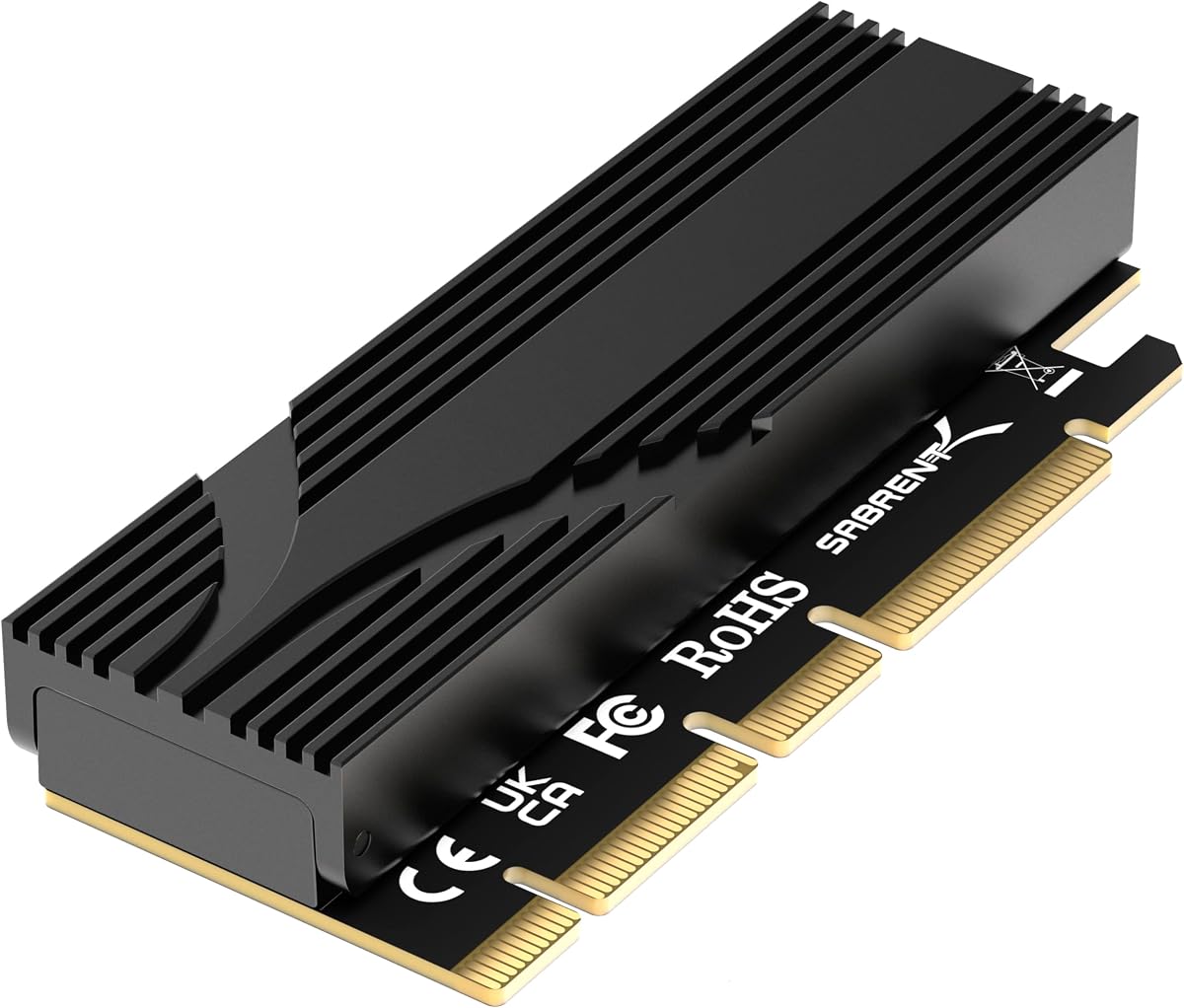
The SABRENT M.2 NVMe SSD to PCIe x16 Adapter Card stands out as the top choice for users seeking maximum performance potential. With support for PCIe 5.0, it future-proofs your system against evolving storage standards. The built-in aluminum heatsink ensures sustained performance without thermal throttling.
We may earn a commission when you buy through this link, at no additional cost to you.
This adapter supports M-key NVMe SSDs in various lengths including 2230, 2242, 2260, and 2280. The tool-free installation design eliminates the need for tiny screws, making upgrades quick and hassle-free. It connects via an x16 physical connector but operates efficiently in x4 or x8 slots too.
While it delivers exceptional speeds in Gen5 slots, users with Gen4 or Gen3 motherboards will see lower throughput matching their slot generation. This is expected behavior since the adapter cannot exceed the host slot capabilities. Single drive support means you cannot add multiple drives with one card.
Highly recommended for enthusiasts building high-end systems with modern motherboards. The passive cooling keeps noise levels low while maintaining optimal drive temperatures. If you need maximum speed and ease of installation, this adapter is the premier M2 Pcie Adapter on the market.
Supports PCIe 5.0 for up to 16GBps bidirectional speed when paired with compatible Gen5 slots.
Tool-free design allows you to install and remove SSDs without needing screwdrivers or tiny fasteners.
We may earn a commission when you buy through this link, at no additional cost to you.
GLOTRENDS M.2 NVMe to PCIe 4.0 X4 Adapter offers exceptional value for budget-conscious users needing reliable NVMe expansion. It supports PCIe 4.0 for fast data access and includes heatsinks that cool SSDs by 5 to 20 degrees. This ensures stable performance during intensive tasks without extra fans.
We may earn a commission when you buy through this link, at no additional cost to you.
Compatible with Windows, Linux, and Mac OS, this adapter works seamlessly across platforms. It includes both regular and low-profile brackets for flexible chassis installation. New SSDs may need initialization and formatting but the adapter supports drives up to 4T capacity without limits.
Intel CPUs below 11th generation do not support PCIe 4.0 so older systems may operate at lower speeds. PCI X1 slots are also unsupported meaning you need x4 or higher slots. Still, this is a robust choice for most modern desktop systems.
Ideal for users needing a cost-effective solution that doesn't compromise on cooling or compatibility. The lifetime technical support adds peace of mind for long-term usage. If you seek reliable performance at a low cost, this adapter is the best budget M2 Pcie Adapter available.
Included heatsinks reduce SSD temperatures by 5 to 20 degrees to prevent thermal throttling during use.
Includes 12cm regular and 8cm low-profile brackets to fit standard and small form-factor PC cases.
We may earn a commission when you buy through this link, at no additional cost to you.
StarTech M.2 PCIe SSD Adapter is designed for professionals needing broad compatibility across diverse systems. It connects PCIe M.2 SSDs to your computer via PCI Express for fast data access. The adapter supports NVMe and AHCI drives in multiple sizes ensuring maximum versatility.
We may earn a commission when you buy through this link, at no additional cost to you.
Compatible with PCIe 3.0 motherboards and backward compatible with 2.0 and 1.0, this card works in older systems. It includes full and low profile brackets for installation in small form-factor computers. The hassle-free setup ensures easy installation with native OS support.
While limited to PCIe 3.0 speeds it provides stable performance for general storage needs. It lacks active cooling so ensure your case has adequate airflow. The trusted brand reputation offers reliable support and a two year warranty.
Perfect for IT professionals or users with older systems needing reliable M2 Pcie Adapter expansion. The backward compatibility makes it a versatile choice for mixed environments. If you need broad hardware support and professional backing, this adapter is the best compatibility option available.
Supports NVMe and AHCI drives and backward compatible with PCIe 2.0 and 1.0 for older systems.
Backed by a two year warranty and free 24/5 North America based multilingual assistance for support.
We may earn a commission when you buy through this link, at no additional cost to you.
ASUS Hyper M.2 X16 PCIe Expansion Card enables storage professionals to maximize throughput with four NVMe M.2 drives. It supports Intel VROC and AMD Ryzen Threadripper NVMe RAID configurations for transfer speeds up to 128 Gbps. The new two phase power solution ensures stable power delivery up to 14W.
We may earn a commission when you buy through this link, at no additional cost to you.
The card uses PCIe Express 3.0 x16 interface and is compatible with x8 and x16 slots. A stylish heatsink and integrated blower style fan prevent M.2 throttling during heavy workloads. This design maintains consistent performance without overheating issues in multi-drive arrays.
However this adapter requires specific hardware support like Intel VROC or AMD Threadripper to utilize all four drives. The high price point makes it less accessible for general users. It is specifically built for server or high-end workstation environments.
Ideal for users needing high capacity storage arrays with maximum performance capabilities. The integrated cooling and power design are robust for demanding tasks. If you need to connect multiple NVMe drives and meet hardware requirements, this is the best multi-drive M2 Pcie Adapter.
Supports four additional NVMe M.2 drives using Intel VROC for transfer speeds up to 128 Gbps.
Stylish heatsink and integrated blower style fan prevent M.2 throttling during sustained workloads.
We may earn a commission when you buy through this link, at no additional cost to you.
Dual M.2 PCIE Adapter offers a flexible solution by supporting two M.2 SSDs simultaneously including one SATA and one NVMe. This hybrid support allows mixed storage configurations. It converts NVMe to PCIe 3.0 x4 interface and SATA to 6Gbps interface with cable connection.
We may earn a commission when you buy through this link, at no additional cost to you.
The adapter features an advanced heat sink solution with 24 X 5 copper hole ventilation. It includes both regular and low-profile brackets for flexible installation. LED power and data transfer status indicators help you monitor drive activity easily.
While it supports SATA drives the cable connection for SATA is an extra step. Passive cooling may not be sufficient for high-performance NVMe under sustained loads. Still the dual drive support is unique in this price range.
Perfect for users needing to mix drive types in a single adapter slot. The status LEDs and bracket options add convenience. If you require a hybrid solution for SATA and NVMe, this adapter is the best hybrid M2 Pcie Adapter.
Supports two M.2 SSDs simultaneously with one SATA interface and one NVMe interface for mixed storage.
LED power and data transfer status indicators provide visual confirmation of drive activity and connection.
We may earn a commission when you buy through this link, at no additional cost to you.
M.2 NVMe to PCIe X4 Adapter provides reliable PCIe 4.0 x4 support for compatible NVMe SSDs. It features an aluminum heatsink solution with two thermal pads to ensure proper heat dissipation. The adapter supports Windows 11/10/8 and Linux with no driver installation required for most systems.
We may earn a commission when you buy through this link, at no additional cost to you.
It includes both low profile and regular profile brackets for flexible installation across PC frames. The package comes with multiple screws and fixing springs to secure the heatsink and adapter properly. This comprehensive kit reduces the need for additional hardware.
SATA M.2 drives are not supported so you must use NVMe SSDs for best results. Windows 7 and Server 2008 need additional drivers for NVMe support. For modern systems this adapter delivers solid performance.
Recommended for users needing a complete kit with all thermal and mounting accessories included. The PCIe 4.0 support ensures future compatibility with current SSDs. If you want an all-in-one package with cooling and mounting, this adapter is the best standard M2 Pcie Adapter.
Package includes aluminum heatsink, thermal pads, screws, springs, and brackets for complete installation support.
Supports Windows 11/10/8 and Linux without driver installation for immediate plug and play use.
We may earn a commission when you buy through this link, at no additional cost to you.
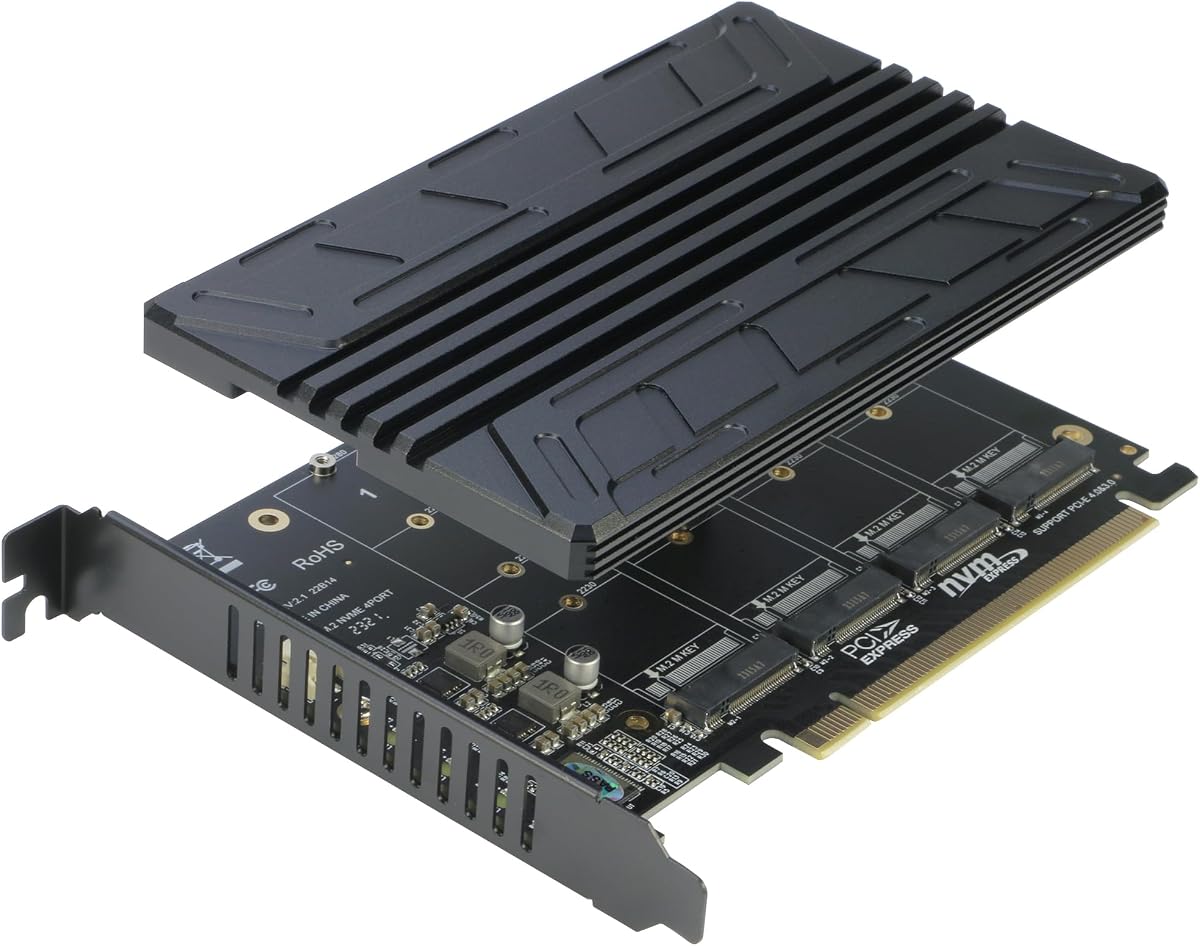
RIITOP Quad NVMe PCIe Adapter allows you to add four NVMe SSDs simultaneously via an available PCIe x16 slot. It delivers full-speed transmission up to 4x 32Gbps when the motherboard supports PCIe x16 Bifurcation. The upgraded design includes a 0.32inch heatsink to avoid low speeds due to heat.
We may earn a commission when you buy through this link, at no additional cost to you.
Individual LED indicators show each SSDs working status for easy monitoring. Compatible with M.2 PCIe NVMe SSDs in all standard sizes it does not support SATA-based drives. The adapter works with Windows 10 for soft RAID configurations without hardware RAID support.
The requirement for PCIe x16 Bifurcation limits compatibility to specific server or high-end motherboards. Without this feature only one SSD may be recognized. Users must check their BIOS settings to enable bifurcation properly.
Best suited for advanced users needing multiple high-speed NVMe drives in a single card. The LED indicators and heatsink design are beneficial for monitoring and cooling. If you need four drives and meet motherboard requirements, this adapter is the best quad M2 Pcie Adapter.
Allows adding four NVMe SSDs simultaneously via PCIe x16 slot for massive storage capacity.
Individual LED indicator design shows each SSDs working status for easy system monitoring and diagnostics.
We may earn a commission when you buy through this link, at no additional cost to you.
ELUTENG M.2 NVMe PCIe Adapter offers reliable performance with an aluminum heatsink to stabilize SSD performance and extend drive life. It supports PCIe 1X through 16X slots including 1.0 to 4.0 generations. The low profile bracket allows installation in smaller chassis without sacrificing functionality.
We may earn a commission when you buy through this link, at no additional cost to you.
Solid-state capacitors are used for voltage regulation to prevent current waves during SSD damage. The adapter is automatically recognized by Windows and supports multiple OS systems. No driver is needed for Windows 8 and above.
M.2 SATA drives are not supported requiring NVMe specifications for readability. Windows 7 requires additional drivers for NVMe SSD recognition. Overall it offers stable performance with good cooling in a compact form.
Recommended for users needing a low profile solution for compact PC builds. The aluminum heatsink ensures consistent operation during heavy use. If you need a compact and stable adapter, this is the best low profile M2 Pcie Adapter.
Solid-state capacitors are used for voltage regulation to prevent current waves in the event of SSD damage.
Includes low profile bracket for installation in small form-factor computers without taking up extra space.
We may earn a commission when you buy through this link, at no additional cost to you.
M.2 NVME to PCIe 4.0 x4 Adapter provides stable and reliable performance with an aluminum heatsink for cooling. It supports PCIe 4.0 x4 in x4, x8, and x16 slots for flexible installation. The heatsink reaches a 5-20 degrees celsius cooling effect to maintain performance.
We may earn a commission when you buy through this link, at no additional cost to you.
It supports M.2 SSDs in 2280, 2260, 2242, and 2230mm sizes. Compatible with major NVMe SSDs from Samsung and others ensures broad usability. Plug and play setup reduces installation complexity for most users.
While the aluminum heatsink helps passive cooling may not suffice for extreme workloads. SATA-based drives are not supported. Still for most users this adapter delivers consistent performance and value.
Perfect for users needing a reliable Gen4 solution with effective passive cooling. The wide device compatibility ensures it works with most current SSDs. If you want dependable performance at a reasonable cost, this adapter is the best reliable M2 Pcie Adapter.
Equipped with Aluminum heatsink that can reach 5-20 degrees celsius cooling effect during operation.
Supports Samsung 950Pro, 960EVO, and other major NVMe SSD models for broad usability.
We may earn a commission when you buy through this link, at no additional cost to you.
GLOTRENDS PA09-X1 M.2 NVMe to PCIe 4.0 X1 Adapter turns your motherboard X1 slot into an M.2 Key M slot. The main advantage is using the free X1 slot instead of occupying the X16 slot leaving it for your graphics card. This is useful for systems with limited PCIe lanes.
We may earn a commission when you buy through this link, at no additional cost to you.
It supports M.2 NVMe SSDs without capacity limits and includes regular and low-profile brackets for any PC frame. FCC and CE certified ensures compliance and safety. Lifetime tech support is available for troubleshooting and setup guidance.
The disadvantage is that maximum bandwidth is limited to PCIe X1 and cannot reach PCIe X4 full speed. This makes it suitable for storage expansion rather than boot drives or high-performance tasks. Still it works for many storage needs.
Ideal for users needing to save high-speed slots for GPUs while adding storage capacity. The brackets and support add value to this budget-friendly option. If you want to free up your X16 slot, this adapter is the best X1 M2 Pcie Adapter.
Uses free motherboard PCIE X1 slot instead of occupying X16 slot leaving it for graphics card.
Includes lifetime tech support for troubleshooting and setup guidance with FCC and CE certification.
We may earn a commission when you buy through this link, at no additional cost to you.
Choosing the right M2 Pcie Adapter requires understanding your motherboard capabilities and storage needs. This guide explains the key factors to ensure compatibility and performance.
Ensure your motherboard supports PCIe 4.0 or 5.0 if you want maximum speeds. Older systems may only work with 3.0 or 2.0 slots. The adapter will run at the lowest common generation between host and adapter.
Check your CPU and motherboard specifications before purchasing to confirm supported PCIe generations.
Most adapters require x4 slots or higher for full bandwidth. Some x16 physical cards may fit in x8 or x4 slots but bandwidth is limited. x1 slots only work with specific adapters designed for that width.
Verify your available slot width in BIOS or physical inspection before selecting a card.
NVMe SSDs generate heat during sustained transfers. Adapters with aluminum heatsinks or fans prevent thermal throttling. Passive cooling is sufficient for moderate use while active cooling is better for heavy workloads.
Look for adapters with thermal pads and proper heat dissipation design.
Single drive adapters are simple and affordable while multi-drive options offer more storage. Some adapters support RAID configurations for speed or redundancy. Ensure your system supports multiple NVMe drives if planning expansion.
Check if the adapter supports the number of drives you need.
Some adapters include both regular and low-profile brackets for different chassis sizes. Small form-factor computers need low-profile options. Ensure the kit includes the correct bracket for your case.
Verify bracket compatibility before purchasing to avoid installation issues.
Most adapters only support M-key NVMe drives. Some hybrid adapters support SATA M.2 drives via separate interfaces. Check the drive label and adapter specs to confirm compatibility.
Ensure the adapter supports your specific drive type.
To boot from NVMe SSDs your motherboard BIOS must support PCIe booting. Some older systems may only allow storage use. Check manufacturer documentation for NVMe boot compatibility.
Verify boot support if you plan to install the OS on the adapter drive.
Reputable brands offer warranties and technical support. Look for at least one year coverage for peace of mind. Support options vary by brand and region.
Check warranty terms before purchasing to ensure proper coverage.
Install the adapter into an available PCIe slot on your motherboard. Secure it with screws to ensure stability and proper connection. Make sure the slot is fully seated before powering on.
Insert your NVMe SSD into the adapter slot and secure it with the included screw or tool-free mechanism. Ensure thermal pads are properly aligned for heat transfer. Close the case carefully.
After installation format the new drive in Disk Management or your OS disk utility. Initialize the drive if new before use. Regularly check temperatures and update BIOS for best performance.
Most M2 Pcie adapters support only NVMe SSDs with M-keys. Hybrid adapters may support SATA via separate connections. Check specs before purchasing to ensure compatibility.
Yes if your motherboard BIOS supports PCIe booting. Older systems may not allow booting from NVMe. Verify BIOS options before installing system drives.
NVMe SSDs generate heat and throttling may occur without cooling. Adapters with built-in heatsinks are recommended. If not included use a separate M.2 heatsink.
Bifurcation splits a single PCIe slot into multiple lanes. It is required for multi-drive NVMe adapters. Check BIOS for x4x4x4x4 settings to enable.
Generally no unless it shares lanes with other devices. Dedicated slots ensure full bandwidth. Check lane allocation if using multiple PCIe devices.
Most modern OS support plug-and-play without drivers. Older Windows versions may need NVMe drivers. Download from manufacturer if issues arise.
Many adapters support multiple sizes like 2280 and 2260. Use standoffs for smaller drives. Check specs for supported dimensions.
Most reputable brands offer at least one year warranty. Check product details for coverage terms and support options. Contact seller for specific claims.
We reviewed ten M2 Pcie Adapter options from SABRENT to GLOTRENDS. Each offers unique strengths for performance, cost, or multi-drive needs. Select based on your system requirements.
Prioritize PCIe generation and slot compatibility for best results. Cooling solutions and bracket options ensure stable and easy installation. Check motherboard specs before purchase.
Prices and availability change frequently so verify current listings. Always compare features against your storage goals. Choose the adapter that offers the best value for your build.