
Wireless Gaming Mouse Rechargeable
4.3Editor score
Rechargeable battery life
Silent click buttons
Flowing rainbow backlight mode
This guide compares ten top light up led mouse models featuring RGB lighting, ergonomic designs, wireless options, and adjustable DPI for gaming and office
Finding the right light up led mouse can transform your computing experience by adding style and functionality to your setup. Whether you are a gamer looking for customizable RGB effects or an office worker needing subtle illumination, these devices offer unique benefits that enhance visibility and personal expression during long sessions at your desk.
We evaluated ten real products based on their lighting features, build quality, connectivity options, and user ratings to create this comprehensive list. Our analysis focused on how well each mouse performs in daily tasks while delivering the aesthetic appeal that defines the category. This ensures you get a reliable device that matches your specific needs without unnecessary compromises.
Each pick below highlights key specifications, pros, and cons to help you make an informed decision quickly. Remember that product availability and pricing can change frequently on major retail platforms, so checking current details before purchasing is always recommended. Use this guide as a trusted starting point to find the perfect illuminated companion for your computer setup.
4.3Editor score

4.6Editor score

4.5Editor score
The following table provides a side-by-side comparison of all ten selected light up led mouse models. It highlights their primary features, connectivity types, and key specifications to help you quickly identify which option aligns best with your requirements for gaming or professional use.




The BENGOO Gaming Mouse Wired stands out as a top choice for users seeking a balance of performance and style. With a strong user rating, it delivers reliable tracking and attractive RGB backlighting that enhances your gaming environment without requiring complex software installations.
We may earn a commission when you buy through this link, at no additional cost to you.
Its standout feature is the customizable RGB lighting combined with four adjustable DPI speeds ranging from 1200 to 3600. This allows you to fine-tune cursor sensitivity on the fly for different games or tasks. The ergonomic shape ensures comfort during extended use while the six buttons provide versatile control options.
While the wired connection may limit range compared to wireless models, it ensures zero latency which is crucial for gaming. The lack of driver software means you must adjust settings via physical buttons, but this simplicity is appreciated by those who prefer straightforward operation over deep customization.
This mouse is ideal for gamers and professionals who value ergonomic comfort and visual flair. It offers a premium feel at an accessible price point making it a recommended choice for anyone looking to upgrade their desk setup with a reliable illuminated device.
The multi-color lights allow you to match your gaming setup aesthetic easily creating an immersive atmosphere that highlights your workspace effectively.
Skin-friendly materials and a palm-fitting shape reduce hand fatigue allowing you to work or game for longer periods without discomfort.
We may earn a commission when you buy through this link, at no additional cost to you.
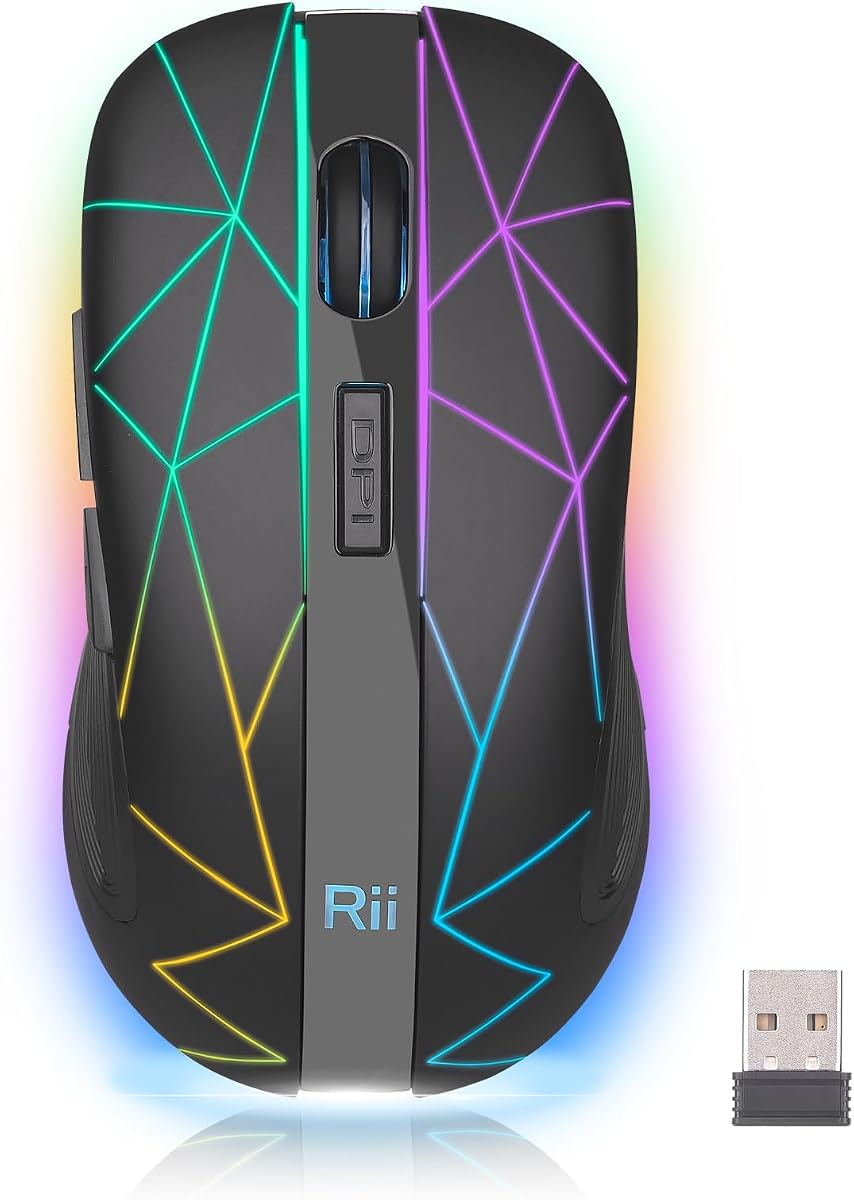
This rechargeable wireless mouse offers exceptional value for budget-conscious buyers who still want stylish lighting features. Its rating reflects consistent performance in daily tasks while the silent clicks make it suitable for quiet environments like offices or libraries where noise is a concern.
We may earn a commission when you buy through this link, at no additional cost to you.
The flowing rainbow backlight mode creates a visually stunning environment that illuminates your workspace beautifully. Combined with up to 25 days of battery life with lights off, it provides uninterrupted usage without frequent recharging. The adjustable DPI settings allow you to switch between 1200 and 2400 for different needs.
Battery consumption increases when the lights are on so you may need to charge more often during active gaming sessions. While the DPI range is not as high as premium gaming mice it covers most standard use cases effectively for casual users and general productivity.
Buy this mouse if you need a reliable wireless option with vibrant lighting at a low cost. It serves well as a daily driver for students or office workers who want aesthetics without breaking the bank or disturbing others with loud clicks.
Silent click buttons ensure no noise disturbing others around you making it perfect for shared workspaces or late-night use scenarios.
With up to 25 days usage with lights off you can work for weeks without plugging in reducing downtime and maintenance needs significantly.
We may earn a commission when you buy through this link, at no additional cost to you.
This wired gaming mouse distinguishes itself with durable build quality featuring metal flanking and a chassis designed to withstand drops and shocks. Its solid construction and high DPI options make it a robust choice for users who demand longevity and precise control during intense gaming sessions.
We may earn a commission when you buy through this link, at no additional cost to you.
The unique laser carving technology combined with 7 colors glaring LED light creates a fancy gaming environment that highlights your atmosphere perfectly. With 4 adjustable DPI speeds up to 3200 you gain excellent control over cursor speed allowing quick switches between precise work and fast gameplay.
While the wired connection means less desk freedom than wireless models it ensures stable data transfer without battery concerns. The metal build adds weight which might not suit everyone but it enhances stability during rapid movements making it a favorite for dedicated gamers.
Opt for this mouse if you prioritize durability and visual impact. It suits gamers who want a premium feel and reliable performance over a long period backed by a warranty that shows manufacturer confidence in its quality.
Metal flanking and chassis make the mouse anti-drop and shockproof ensuring it survives accidental bumps and falls with ease over time.
Adjustable DPI up to 3200 provides the sensitivity needed for detailed tasks and fast reactions giving you full control over cursor speed.
We may earn a commission when you buy through this link, at no additional cost to you.
This mouse offers versatility by supporting both Bluetooth and 2.4G wireless connections allowing you to switch between devices easily. Its slim profile and LED features make it an excellent companion for travelers or those with limited desk space who still want visual flair and convenience.
We may earn a commission when you buy through this link, at no additional cost to you.
The M button allows you to return to the laptop desktop instantly improving workflow efficiency when browsing multiple windows. With noiseless clicks and a rechargeable battery that lasts 8 to 10 days on a single charge it remains ready for use whenever you need it without constant battery anxiety.
The design prioritizes portability over high-end gaming specs so DPI adjustment is limited to three levels suitable for office work. While it lacks complex RGB modes the LED lights provide enough ambiance to brighten your workspace without overwhelming distractions during focused tasks.
Choose this mouse if you need a portable solution for laptops and tablets. It fits well for professionals who move between locations and require a quiet reliable device that connects to various systems seamlessly via Bluetooth or USB receiver.
Switching between Bluetooth and wireless modes makes it easy to pair with different devices for work or play without needing extra adapters.
The dedicated desktop return button simplifies navigation letting you organize windows quickly and stay focused on your most important tasks.
We may earn a commission when you buy through this link, at no additional cost to you.
This wired mouse delivers solid performance for both games and office work with a focus on practical features like breathing LED lights and adjustable DPI. Its strong user rating indicates satisfaction with its optical tracking and comfortable shape for extended periods of use.
We may earn a commission when you buy through this link, at no additional cost to you.
The unique design combines 7 colors glaring LED light that glows to highlight the gaming atmosphere effectively. With 4 adjustable DPI resolutions up to 3200 you can instantly match mouse speed to game play demands ensuring precise tracking on various surfaces without needing extra drivers.
While it lacks wireless capabilities the plug and play setup makes it ready for immediate use on Windows Mac or Linux systems. The six buttons provide essential functions for multitasking but the ergonomic design is standard so users with larger hands might find it less comfortable.
This mouse is recommended for those seeking an affordable entry into LED gaming peripherals. It balances cost and features well making it a reliable choice for students or casual gamers who need extra buttons and lighting without spending much.
The 7 color breathing light creates a dynamic visual effect that enhances your gaming setup and makes your desk stand out creatively.
No need to install extra drivers allows you to connect via USB and start using the mouse immediately for work or games.
We may earn a commission when you buy through this link, at no additional cost to you.
This wireless mouse excels in quiet environments thanks to its noiseless click design that keeps your focus on work or gaming. The RGB breathing light adds a stylish touch that changes automatically creating a lively atmosphere especially during nighttime use sessions.
We may earn a commission when you buy through this link, at no additional cost to you.
It passes a rigorous 5 million keystroke clicks test ensuring a long lifespan for daily users. The smart power-saving technology enters sleep mode after 8 minutes of inactivity to conserve energy and the 3 level DPI meets most work and gaming needs efficiently.
Battery consumption increases with the light mode on so unplugging may be necessary for long sessions. If the battery gets low the cursor might move slowly or stop so keeping it charged is essential for consistent performance during critical tasks.
Buy this mouse if you value quiet operation and long-term durability. It works well for libraries offices or home offices where silent clicks are preferred and the RGB effects add a fun element to your workspace setup.
Both buttons use noiseless design to let you stay focused on work without worrying about bothering others around you.
Testing ensures precise operation for millions of clicks making it a reliable choice for heavy users who demand longevity.
We may earn a commission when you buy through this link, at no additional cost to you.
This compact mouse is designed for portability making it easy to carry in a laptop bag for travel. Its colorful RGB LED backlit feature changes randomly offering soothing lighting that creates a cool atmosphere for both work and play during late hours.
We may earn a commission when you buy through this link, at no additional cost to you.
The contoured ergonomic shape fits the natural curve of your hand ensuring comfort despite the small size. Intelligent sleep mode extends battery life by entering auto sleep after 5 minutes of inactivity and the 3-level adjustable DPI gives you control over speed.
While it is great for on-the-go use the small size might not be ideal for users with larger hands who need more grip. It lacks advanced gaming features but works reliably for general tasks providing stable connections via USB nano receiver.
This mouse is perfect for travelers or those with limited desk space. It offers a blend of convenience and style with enough battery life and comfort to support daily tasks without needing constant recharging or setup hassles.
Its compact size and smooth cursor control make it suitable for travelling carry and fitting easily into your laptop bag.
The 7 different color changes randomly offering soothing lighting to create a cool and fancy atmosphere for work and play.
We may earn a commission when you buy through this link, at no additional cost to you.
This mouse prioritizes comfort with an ergonomic shape and smooth skin-friendly materials that ensure maximum comfort for long-term use. Its silent click feature eliminates noise distractions allowing you to concentrate fully on your work or gaming without worrying about disturbing others.
We may earn a commission when you buy through this link, at no additional cost to you.
The cool and soft LED light offers soothing ambient lighting with 7 color changes randomly to create a fancy atmosphere. It can be turned off via a bottom switch if you do not need it preserving battery and reducing visual distraction during focus-heavy tasks.
Stable and accurate tracking is achieved through advanced 2.4G wireless lag-free technology providing a working distance of up to 10m. You can switch between 800 1600 and 2400 CPI to meet precision needs though higher DPI options are not available for competitive gaming.
Opt for this mouse if comfort is your top priority. It is ideal for office users who need a quiet ergonomic device that looks good on your desk and works well for standard computing tasks without requiring constant recharging.
Smooth skin-friendly materials ensure maximum comfort offering your hand long term comfortable feeling without fatigue during extended use.
You can turn off the LED light by bottom switch if you do not need it saving power and reducing visual noise.
We may earn a commission when you buy through this link, at no additional cost to you.
This mouse delivers quiet performance ideal for shared spaces with its silent click feature that keeps you focused while working or studying. The colorful breathing light changes randomly adding a touch of visual interest to your workspace without being distracting or overly bright.
We may earn a commission when you buy through this link, at no additional cost to you.
It will fall asleep after 10 minutes no-operation to save power and provide long term usage. You can wake it up by clicking any button and since it is rechargeable you do not need to change batteries often which adds to convenience.
Advanced 2.4G wireless lag-free technology allows a working distance of up to 10m providing stable wireless transmission. The CPI switch offers three options for precision needs though the lack of visible adjustment buttons might confuse users expecting physical controls on the top surface.
This mouse is great for students and office workers needing a reliable quiet companion. It balances aesthetic lighting with practical power management to support long work sessions without battery interruptions or noise complaints from those nearby.
Sleep mode after 10 minutes saves power and provides long term usage making it practical for all day work.
Quiet click frees your worry about bothering others around you and keeps you focused while working or studying.
We may earn a commission when you buy through this link, at no additional cost to you.
This mouse supports both Bluetooth and 2.4G wireless modes offering flexibility for connecting to various devices like Windows Mac or iOS. The 7-color breathing LED light with unique lightning crackle design highlights the gaming atmosphere especially at night for a dynamic look.
We may earn a commission when you buy through this link, at no additional cost to you.
It enters auto sleep mode after 8 minutes of no-operation to conserve energy and is fully rechargeable so no battery changes are needed. The 6 buttons include silent switches to ensure no disturbance while using making it suitable for quiet office environments.
The smooth skin-friendly materials ensure maximum comfort for your hand without fatigue. While DPI options are limited to three levels it covers most daily needs and the wireless range ensures stable data transfer across your desk without lag or connection drops.
Consider this mouse if you need to switch between multiple devices often. It offers a great blend of connectivity options aesthetic lighting and comfort at an affordable price point suitable for general productivity and light gaming.
Supports Bluetooth and 2.4G wireless modes to let you use with different devices for work or play.
Unique lightning crackle design combines with 7 colors breathing LED light to highlight the atmosphere of gaming.
We may earn a commission when you buy through this link, at no additional cost to you.
Selecting the right light up led mouse involves evaluating several factors to ensure it meets your specific needs for gaming or professional work.
Look for models with adjustable lighting modes such as breathing effects or color cycling to match your personal style. Some mice allow you to turn off lights to save power which is useful for office environments where bright lights might be distracting.
Choose a mouse with lighting that enhances your workspace without causing glare or eye strain during long work sessions.
Decide between wired and wireless options based on your need for mobility versus stability. Wireless mice offer freedom of movement but may introduce slight latency whereas wired ones provide consistent performance for competitive gaming.
Ensure the connection type matches your device ports and preferred workflow to avoid inconvenience during daily use.
An ergonomic design that fits the natural curve of your hand prevents fatigue and potential strain over time. Test the shape or check reviews to confirm it suits your hand size and grip style whether palm or fingertip.
Prioritize a design that offers a comfortable grip for the duration of your daily computer usage.
For wireless models check battery life estimates and whether the device is rechargeable or uses disposable batteries. Lights-on usage typically drains power faster so consider how often you are willing to recharge or swap batteries.
Select a mouse with sufficient battery duration to last through your typical workday without interruption.
A quality optical sensor ensures accurate tracking across different surfaces without jitter. Adjustable DPI allows you to switch sensitivity levels quickly which is valuable for transitioning between detailed work and fast-paced activities.
Choose a DPI range that accommodates your precision needs whether for general office tasks or high-speed gaming.
Verify that the mouse works with your operating system such as Windows macOS or Linux without requiring complex drivers. Universal compatibility ensures it functions correctly across different devices in your home or office setup.
Ensure the device supports your specific OS to avoid connectivity issues after purchase.
Check for durable materials like metal flanking or coated surfaces that resist wear and tear over time. A solid build protects the internal components and ensures the mouse remains functional even with frequent use or accidental drops.
Look for models with a proven track record of longevity and positive user feedback regarding build quality.
Consider the number of buttons available for shortcuts and extra functions beyond basic clicking. Having forward back and DPI buttons handy can streamline your workflow and reduce time spent on keyboard navigation.
Choose a layout that aligns with your usage patterns to maximize efficiency.
To start using your light up led mouse simply plug it into a USB port or pair it via Bluetooth depending on the model. Follow the quick setup guide to ensure your operating system recognizes it immediately so you can begin work or gaming.
Maintain the mouse by keeping the sensor lens clean from dust and debris using a soft dry cloth. For wireless models ensure the battery stays charged to prevent unexpected disconnections during critical tasks.
Adjust the DPI settings as needed for different applications by pressing the dedicated button on the mouse. Regularly check for software updates or firmware improvements to keep performance optimal and lighting features functioning correctly.
Most models in this category include a physical switch or button to turn off the LED lights. This feature helps conserve battery life and reduces visual distraction during focused work sessions. Check the specific user manual for your model to locate this control.
Battery life varies but typically ranges from 8 to 25 days depending on usage and light settings. Turning off the LED effects significantly extends battery life allowing for weeks of use on a single charge. Rechargeable models often include cables to top up power easily.
Many light up led mice support macOS through standard USB connections or Bluetooth pairing. Some models have specific drivers for full functionality while others work as plug and play devices. Always verify macOS compatibility in the product specifications before purchasing.
LED lights generally do not impact sensor performance or latency unless the battery is critically low. Wireless models with quality 2.4G technology maintain smooth tracking even with lights on. Wired options ensure zero latency regardless of lighting status.
Most rechargeable wireless mice allow usage while charging via the included USB cable. This ensures continuous operation without waiting for a full charge cycle. However check the specific manual to confirm this feature is supported by your model.
For standard office tasks a DPI of 1600 or lower is usually sufficient for comfortable cursor control. Higher DPI settings are more beneficial for gaming or graphic design work where precision varies quickly. Adjustable DPI lets you switch levels as needed.
This guide has highlighted ten excellent light up led mouse options ranging from budget-friendly choices to high-performance models. The top picks offer a mix of ergonomic comfort wireless freedom and vibrant lighting to suit different preferences and budgets.
When deciding prioritize your specific needs such as battery life for mobility or DPI range for precision. Consider how much you value silent clicks or specific lighting effects to find the device that enhances your daily computing routine.
Remember that prices and availability can fluctuate so review the current listings before making a final purchase. With the right choice you can enjoy a functional and visually appealing setup that keeps you comfortable and productive.