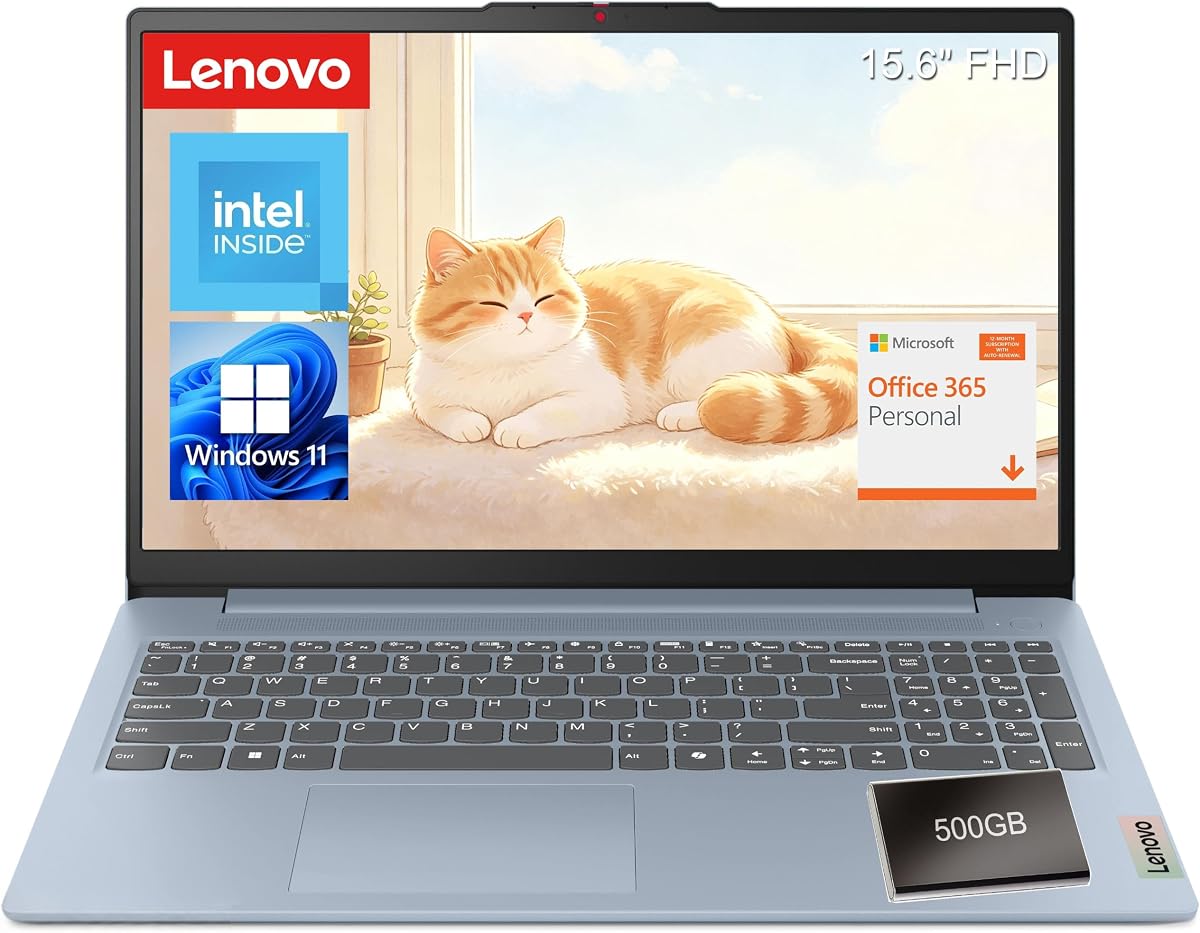
Lenovo Laptop Computer with 1-Year Office 365
4.4Editor score
Includes one year Microsoft 365 Personal
Lightweight 3.42 lbs portable design
MIL-STD-810H military grade tested
Choosing the right business laptop requires balancing performance, durability, and portability. Lenovo Thinkpad laptops have long been the standard for professionals who demand reliability in high-pressure environments. This guide explores the latest models available today.
We evaluated each device based on processor power, memory capacity, display quality, and security features. Our analysis focuses on real-world usability for enterprise users, students, and remote workers. We considered build quality, battery life, and connectivity options in our assessment.
Each recommendation highlights specific strengths tailored to different workflows and budgets. Prices and availability change frequently so verify current listings before purchasing. We aim to provide clear insights that simplify your decision-making process for this essential technology investment.
4.4Editor score

4.4Editor score

5.0Editor score
As an Amazon Associate we earn from qualifying purchases.
The following table provides a side-by-side comparison of all ten laptops reviewed in this guide. Each entry highlights the core specifications and key features to help you quickly identify which model aligns best with your performance requirements and budget constraints.


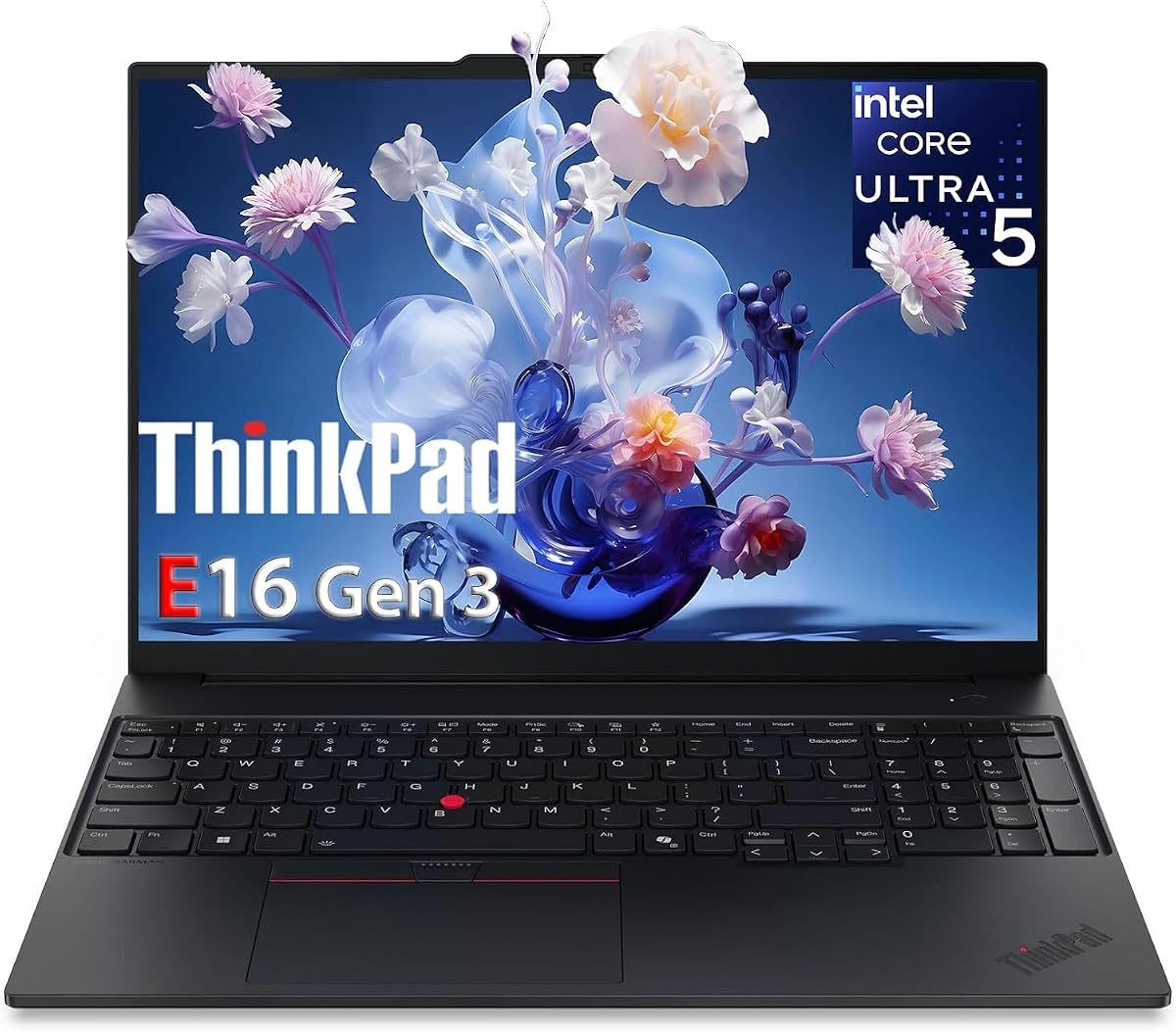


This Lenovo ThinkPad E16 model stands out as a top performer for general business users. With a rating of 4.5 stars it delivers consistent reliability and speed for daily tasks. The AMD Ryzen 7 processor ensures smooth operation even with multiple applications open simultaneously.
We may earn a commission when you buy through this link, at no additional cost to you.
The 16GB DDR5 RAM allows for seamless switching between heavy spreadsheets and video calls without lag. Storage is handled by a fast 512GB SSD which provides quick boot times and efficient file access. The 16 inch WUXGA display offers enough screen real estate for productivity workflows.
While the 45% NTSC color gamut means it is not ideal for professional photo editing it remains sufficient for standard office work. The added Type-C hub in the bundle improves connectivity without needing extra purchases. Overall this machine balances power and practicality well.
Business professionals and students who need a robust laptop for everyday tasks will find this model excellent. It handles productivity suites and web-based tools with ease. We recommend this for users prioritizing speed and connectivity over color accuracy.
The DDR5 memory standard significantly boosts data throughput compared to previous generations reducing wait times during multitasking.
The bundled 5-in-1 hub ensures you can connect peripherals immediately without hunting for adapters or dongles.
We may earn a commission when you buy through this link, at no additional cost to you.
This Gen 3 model brings next-generation Intel Ultra processors to the ThinkPad E series. It is designed specifically for enterprise environments requiring advanced security and AI capabilities. The integration of AI Boost helps streamline routine tasks and data analysis.
We may earn a commission when you buy through this link, at no additional cost to you.
Performance is robust with 16GB DDR5 RAM handling complex spreadsheets and virtual machines efficiently. Storage speed is exceptional thanks to the NVMe SSD which ensures rapid system responsiveness. Security features like the fingerprint reader add peace of mind for remote workers.
The connectivity suite includes Thunderbolt 4 which is essential for docking stations and high-speed external drives. While it is priced higher than entry-level options the enterprise-grade features justify the cost for business users. It balances innovation with reliability.
Executives and IT professionals who need secure and future-proof hardware will appreciate this laptop. It supports advanced workflows and ensures compatibility with modern enterprise standards. We suggest this for organizations prioritizing security and performance.
The AI Boost NPU offloads specific tasks from the main CPU improving overall system efficiency and battery life.
Thunderbolt 4 provides up to 40Gbps transfer speeds making it ideal for large file transfers and high-res displays.
We may earn a commission when you buy through this link, at no additional cost to you.
The ThinkPad L16 distinguishes itself with substantial memory and storage out of the box. It targets users who handle large datasets or run multiple virtual environments simultaneously. The 32GB RAM is a significant advantage for multitasking-heavy workflows.
We may earn a commission when you buy through this link, at no additional cost to you.
Storage is equally generous with a 1TB SSD that accommodates extensive file libraries and applications without external drives. The touchscreen feature adds versatility for presentations and touch-based navigation. It serves as a reliable all-in-one solution for demanding tasks.
The inclusion of a numeric keypad is a thoughtful touch for financial analysts and data entry professionals. While the extra weight might deter frequent travelers the internal power compensates for it. This machine prioritizes raw capability over portability.
Users who require maximum local resources without upgrading will find this model ideal. It supports heavy creative and analytical workloads effectively. We recommend it for stationary workstations or home office setups.
With 32GB of RAM you can run multiple resource-heavy applications simultaneously without experiencing performance degradation.
The dedicated numeric keypad streamlines input for accounting and statistical work saving valuable time daily.
We may earn a commission when you buy through this link, at no additional cost to you.
This affordable Lenovo laptop offers exceptional value by including a one-year Microsoft 365 subscription. It is perfect for students and home users who need essential productivity tools immediately. The Intel N150 processor handles daily computing tasks without issues.
We may earn a commission when you buy through this link, at no additional cost to you.
Build quality is surprisingly robust for the price with military-grade durability testing ensuring longevity. The lightweight chassis makes it easy to carry to classes or coffee shops. Connectivity options like USB-C and HDMI support basic external display needs.
Storage is limited to 128GB which requires careful management of files or reliance on cloud storage. However the included Office 365 offsets this limitation by providing robust software tools. It is a practical entry point for budget-conscious buyers.
Students and casual users who need a reliable machine for documents and browsing should consider this. It provides everything needed for school and basic work at a low cost. We recommend it for budget-friendly essential computing.
The included Microsoft 365 Personal subscription saves money on software costs while providing Word Excel and Outlook access.
MIL-STD-810H certification ensures the chassis can withstand minor shocks and vibrations during daily transport.
We may earn a commission when you buy through this link, at no additional cost to you.
This ThinkPad E16 variant focuses on essential business features without unnecessary bloat. It offers a secure login method with its fingerprint reader which is vital for corporate compliance. The backlit keyboard ensures comfortable typing in dimly lit meeting rooms.
We may earn a commission when you buy through this link, at no additional cost to you.
Battery performance is strong allowing for full workdays without needing a charger. Quick charging technology means you can regain power rapidly during breaks. The SSD provides reliable speed for launching business applications and accessing files.
While it lacks some of the premium display features of higher-end models it remains a solid performer. The build quality ensures it withstands the rigors of travel and daily use. It is a dependable choice for consistent productivity.
Remote workers and business professionals needing a trustworthy daily driver will appreciate this model. It balances performance and portability effectively. We suggest it for teams looking for reliable standard laptops.
The fingerprint reader allows for quick secure logins without the need for complex passwords at every session.
Long battery life ensures you can work through meetings and travel without searching for power outlets constantly.
We may earn a commission when you buy through this link, at no additional cost to you.
This configuration pushes the E16 limits with higher RAM and storage specifications. It is designed for users who need extensive local resources and multi-monitor setups. The 32GB RAM enables heavy multitasking and virtualization capabilities efficiently.
We may earn a commission when you buy through this link, at no additional cost to you.
The 1TB SSD ensures ample space for large media files and project data. Connectivity supports up to three external 4K displays making it versatile for visual work. Wi-Fi 6E provides stable and fast wireless connectivity for cloud work.
While the price reflects the upgraded components it offers significant value for power users. It handles professional workloads that might slow down standard business laptops. The build quality matches the performance expectations of ThinkPad users.
Content creators and analysts who require screen real estate and memory will find this suitable. It supports complex workflows without compromise. We recommend it for power users needing robust local performance.
Support for triple 4K displays allows for extensive workspace configuration for trading or video editing.
Wi-Fi 6E offers lower latency and higher speeds essential for large file uploads and video conferencing.
We may earn a commission when you buy through this link, at no additional cost to you.
This laptop targets students and travelers with its focus on portability and included accessories. The bundled 500GB external hard drive compensates for limited internal storage space. It is ideal for those who need to carry their data safely.
We may earn a commission when you buy through this link, at no additional cost to you.
The slim profile and light weight make it easy to transport in a backpack without strain. Dolby Audio speakers enhance media consumption quality which is beneficial for leisure time. Wi-Fi 6 ensures reliable connections in crowded campus environments.
While performance is restricted to basic tasks it is sufficient for web browsing and writing. The durability testing ensures it can handle the bumps of daily student life. It is a practical choice for secondary computing needs.
Students and casual users who prioritize mobility over raw power will like this device. It offers a complete package for entry-level computing tasks. We recommend it for secondary machines or light travel use.
The included external hard drive provides essential backup capacity and expands usable space immediately.
Dolby Audio technology delivers richer sound quality for video calls and entertainment sessions.
We may earn a commission when you buy through this link, at no additional cost to you.
The ThinkPad P14s is engineered for professional workflows in engineering and design. It carries ISV certification ensuring stability with demanding applications like SolidWorks. The high-quality display provides precise color output for visual tasks.
We may earn a commission when you buy through this link, at no additional cost to you.
Performance is top-tier with AMD Ryzen AI capabilities handling local processing efficiently. The 32GB RAM supports complex models and rendering tasks without slowdown. Security is enhanced with AMD PRO technology to protect sensitive corporate data.
While the price reflects this specialized focus it is an investment in reliability and accuracy. Engineers and architects will find the hardware meets their strict technical requirements. It is a robust tool for professional deployment.
Professionals working in technical fields requiring verified hardware compatibility should choose this model. It ensures smooth operation for critical software. We recommend it for engineering and architecture professionals.
ISV certification ensures that CAD software runs stably without crashes or rendering artifacts.
AMD PRO features add layers of protection to safeguard intellectual property and sensitive business data.
We may earn a commission when you buy through this link, at no additional cost to you.
This renewed model offers a cost-effective entry into the ThinkPad ecosystem. It provides professional-grade security and performance at a reduced price. The AMD Ryzen 5 PRO processor ensures stable operation for daily office tasks.
We may earn a commission when you buy through this link, at no additional cost to you.
The inclusion of DDR4 RAM is a trade-off for the lower cost but remains sufficient for most users. It comes with a standard keyboard and TrackPoint for precise navigation. Connectivity is robust with multiple USB and HDMI ports.
Since it is Amazon Renewed it has been inspected and tested for functionality. The lower rating reflects potential cosmetic wear rather than performance issues. It is an ideal choice for those seeking a budget-friendly reliable machine.
Small business owners and students who need a proven platform without high costs will appreciate it. It delivers core ThinkPad reliability at a fraction of the price. We recommend it for budget-conscious buyers.
Amazon Renewed certification ensures the device meets specific standards for functionality and cosmetic condition.
The classic TrackPoint allows for precise cursor control without needing to lift fingers from the home row.
We may earn a commission when you buy through this link, at no additional cost to you.
The T14s Gen 1 is a classic business laptop that remains relevant for basic professional needs. It is known for its durability and reliable performance in office environments. The renewed status makes it an affordable option for established hardware.
We may earn a commission when you buy through this link, at no additional cost to you.
With 16GB of RAM it handles multitasking well enough for standard business applications. The 512GB SSD provides ample space for files and quick boot times. Its smaller footprint makes it easy to pack for frequent travel.
While the processor is older it still delivers consistent speed for web and office tasks. The build quality of the T series ensures it can withstand heavy use. It serves as a stable platform for legacy workflows.
IT departments and travelers who value a small footprint will find this unit useful. It offers enterprise features without the latest premium price tag. We recommend it for reliable portable business use.
The T series chassis is designed for rigorous use and offers a sturdy feel even after years of service.
The 14 inch profile balances screen size and portability making it ideal for mobile professionals.
We may earn a commission when you buy through this link, at no additional cost to you.
Selecting the right ThinkPad involves assessing your specific workflow needs against the available hardware configurations. This guide breaks down the critical factors to consider to ensure you invest in a device that meets your performance and budget requirements effectively.
The processor is the heart of your laptop and dictates how smoothly it runs applications. Newer Intel Ultra and AMD Ryzen AI processors offer better efficiency and dedicated AI capabilities. For business workloads an i5 or Ryzen 5 is usually sufficient for general tasks.
Prioritize newer generations for better battery life and speed. If you run heavy data analysis or virtual machines look for H-series chips that offer higher clock speeds.
Modern workflows require ample memory to keep multiple browser tabs and applications open. 16GB is the standard for most business users today while 32GB is better for heavy multitasking. Storage speed matters more than capacity for general performance.
Ensure the laptop has an NVMe SSD for fast boot times. Consider models with upgradeable RAM slots if you anticipate needing more memory in the future.
The display impacts your comfort during long working hours. Look for IPS panels which offer better viewing angles and color accuracy. Higher brightness levels are useful if you work in well-lit offices or outdoors.
Touchscreens are optional but can enhance interaction for presentations. Non-touch models generally offer better battery life and less glare for text-based work.
If you travel frequently a lightweight chassis is essential. The T and X series are typically lighter than the P and E series. Consider the physical dimensions to ensure it fits in your carry bag easily.
Lighter laptops might compromise on battery size so check the watt-hour rating. Balancing portability with battery life is key for mobile professionals.
ThinkPads are renowned for their ThinkShield security suite. Look for features like fingerprint readers IR cameras and privacy shutters. Hardware encryption is vital for protecting sensitive corporate data from unauthorized access.
Biometric login methods like fingerprint readers save time during daily logins. Ensure the model supports TPM 2.0 for secure encryption and enterprise compliance.
Modern laptops should offer versatile ports to connect to various peripherals. Thunderbolt 4 support is excellent for docking stations and external drives. A full set of USB-A ports reduces the need for dongles during meetings.
Check for Wi-Fi 6E or Wi-Fi 7 if you need fast wireless speeds. Ethernet ports are still useful for stable wired connections in offices.
Battery capacity varies by model and usage patterns. Look for models with high watt-hour ratings to ensure all-day power. Rapid charging capabilities help you recover power quickly during short breaks.
Energy-efficient processors contribute significantly to battery longevity. Manage your expectations based on your workload intensity and screen brightness settings.
Most business models come with Windows 11 Pro which offers better security tools. Features like BitLocker and Remote Desktop are essential for enterprise environments. Home versions lack these advanced management capabilities.
Ensure the OS is activated and up to date upon purchase. This guarantees you have the latest security patches and compatibility with business software.
To extend the life of your ThinkPad avoid exposing it to extreme temperatures or direct sunlight. Keep the device on hard flat surfaces to ensure proper ventilation and prevent overheating during heavy usage.
Regularly update your drivers through the Lenovo Vantage application to maintain system stability. Use a privacy cover for the webcam when not in use to protect your privacy during remote work sessions.
Clean the screen and keyboard with a soft microfiber cloth to remove dust and oils. Avoid using chemical cleaners directly on the screen as they may damage the anti-glare coating over time.
Yes many models like the P14s and L16 are suitable for video editing due to their powerful processors and dedicated graphics capabilities. Ensure the laptop has at least 32GB of RAM for smooth rendering. High color accuracy on the display is also a significant advantage for editing work.
The E series is designed for entry-level business users while the L series targets small businesses and cost-sensitive enterprises. L series models often offer slightly better durability and business features than E series. Both series provide reliable performance for standard productivity tasks.
New ThinkPad laptops typically come with a one-year limited hardware warranty from Lenovo. You can purchase extended warranty plans to cover accidents or longer periods. Renewed models may have different warranty terms provided by the reseller.
Some models allow RAM upgrades while others have soldered memory that cannot be changed. Check the specific model's manual before purchase to verify upgradeability. ThinkPads with upgradeable slots offer better longevity for future needs.
Many ThinkPad models are certified for Linux and work well with popular distributions like Ubuntu. Lenovo often provides Linux drivers for key hardware components to ensure full functionality. Check the official Linux certification list for your specific model.
Battery life generally ranges from 8 to 15 hours depending on the model and usage intensity. Heavy tasks like video conferencing will reduce this time significantly. Power management settings can help optimize battery life for longer usage sessions.
Choosing a Lenovo Thinkpad means selecting a device designed for professional reliability and efficiency. The models reviewed here offer a wide range of capabilities to suit various business needs and budgets.
Prioritize features that match your daily workflow such as screen size memory capacity and connectivity options. Investing in the right hardware ensures you can work without interruption and maintain high productivity.
Always check the latest pricing and availability on the product links provided. Technology prices fluctuate so verifying current deals helps you get the best value for your investment.