
Dell Precision 7780 Mobile Workstation
4.0Editor score
Intel Core i9 13950HX
128GB DDR5 RAM
RTX ADA 3500 GPU
Choosing the right laptop for Adobe Premiere Pro requires balancing power, portability, and budget. Professional video editors need machines that handle 4K timelines smoothly while delivering color accurate displays for grading work.
We evaluated ten top models based on processor speed, GPU capabilities, RAM capacity, and storage options. Each entry was selected for its ability to run Premiere Pro efficiently, ensuring smooth playback and fast rendering times for creators.
This guide details standout features, pros, and cons for every pick to help you decide. Prices and availability change frequently, so verify current deals before purchasing to ensure you get the best value for your specific editing needs.
4.0Editor score

4.7Editor score

5.0Editor score
As an Amazon Associate we earn from qualifying purchases.
Below is a side by side comparison of all ten selected laptops. This table highlights key specifications like processor, RAM, storage, and graphics to help you quickly identify which model fits your workflow requirements and budget constraints.




The Apple 2025 MacBook Pro stands out as the top choice for editors seeking premium performance. Its M5 chip delivers exceptional speed with on device AI features. The rating reflects high user satisfaction with its build and workflow efficiency.
We may earn a commission when you buy through this link, at no additional cost to you.
Its 14.2 inch Liquid Retina XDR display offers incredible brightness and contrast for color grading. The unified memory architecture ensures smooth multitasking even with heavy timelines. All apps run fast thanks to Apple Silicon optimization for Adobe software.
While the price is high, the value lies in its efficiency and portability. Battery life remains strong even under load. The trade off is limited connectivity requiring dongles for legacy hardware.
Buyers wanting a reliable mobile workstation should consider this model. It excels in professional settings where performance and battery balance are key. Its longevity makes it a smart investment for serious creators.
The M5 chip brings next generation speed to creative tasks with integrated AI capabilities.
1600 nits peak brightness ensures accurate visuals for critical color work.
We may earn a commission when you buy through this link, at no additional cost to you.
This workstation is built for extreme editing workloads with professional grade components. It features a massive 128GB RAM for seamless handling of complex projects. The GPU ensures stability for 3D rendering and effects processing.
We may earn a commission when you buy through this link, at no additional cost to you.
The Intel Core i9 processor provides raw power for rendering tasks. Its ISV certification means it is tested for compatibility with Adobe software. The large 17.3 inch display offers ample space for timeline management.
However, it is heavy and expensive compared to consumer laptops. Portability is not its strength but power is. Users prioritizing raw performance over travel will find it worth the investment.
Ideal for studio environments or heavy duty editing needs. It handles multi camera 4K projects with ease. The warranty and support ensure reliability for professional businesses.
Designed for engineering and design applications requiring high reliability and speed.
12GB VRAM delivers power for advanced content creation and engineering tasks.
We may earn a commission when you buy through this link, at no additional cost to you.
The HP 17 offers an accessible entry point for editors on a tight budget. Its 17.3 inch display provides a good workspace for timelines. The Ryzen 5 processor beats older i7s in multi core benchmarks.
We may earn a commission when you buy through this link, at no additional cost to you.
Despite limited RAM, it handles basic editing tasks smoothly. The DDR5 memory ensures faster data access than older generations. Windows 11 Pro adds enterprise security features useful for freelancers.
Upgrades may be needed for heavier projects. The storage is small for video files. However, for beginners or light editing, it provides surprising value at this price point.
Students or hobbyists looking for a functional video editing tool should consider this. It balances cost and performance well. Ensure you have external storage for large project files.
Efficient multitasking that beats older processors for everyday workflows.
High definition resolution perfect for detailed spreadsheets and video conferencing.
We may earn a commission when you buy through this link, at no additional cost to you.
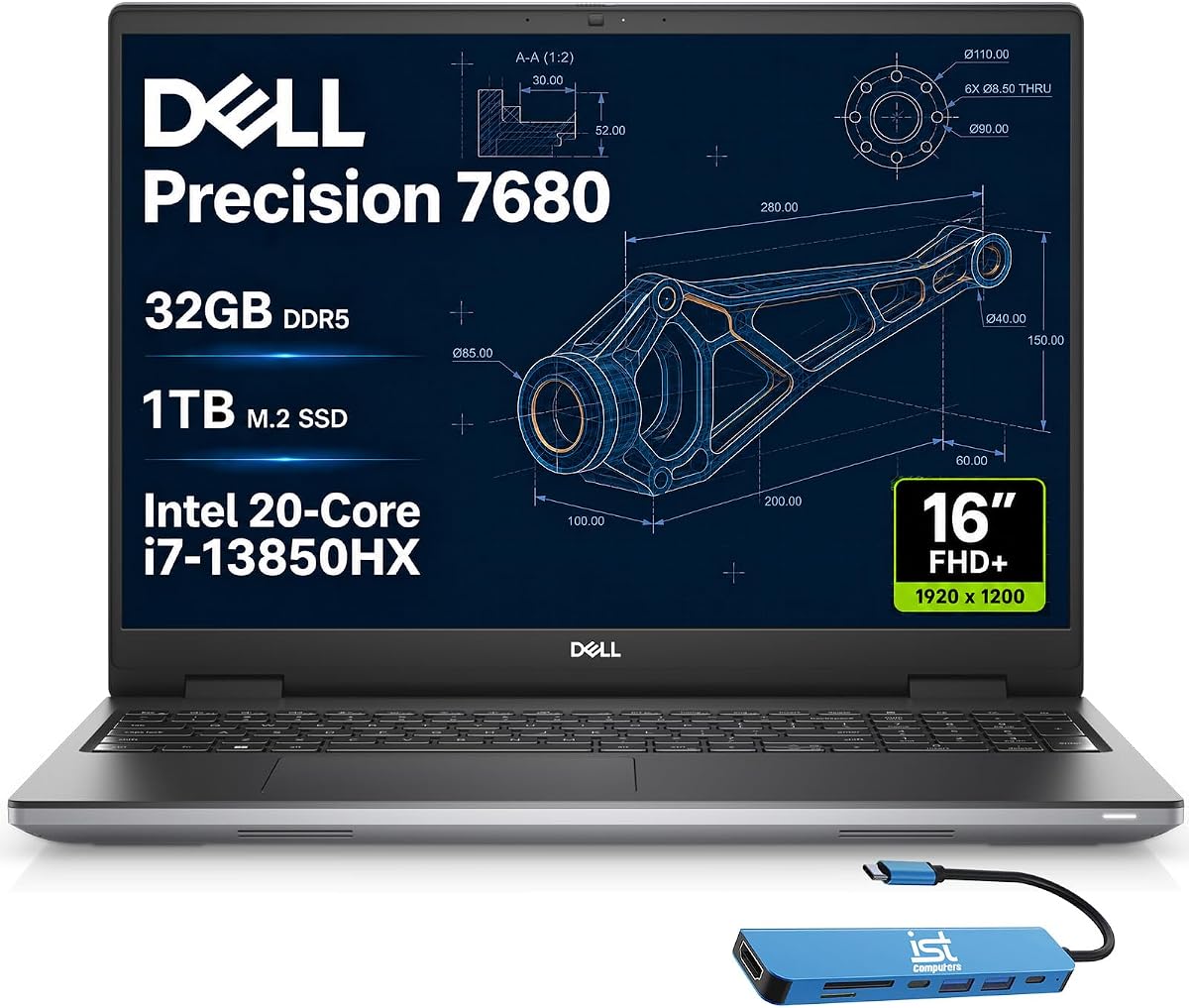
This laptop sits at the top of the Precision lineup offering flagship design. The i9 processor provides superior efficiency for demanding creative workflows. It is ideal for architects and engineers needing workstation class computing.
We may earn a commission when you buy through this link, at no additional cost to you.
Its connectivity options include Thunderbolt 4 for fast external storage. The display supports up to three external monitors for flexible setups. ISV certifications ensure reliable compatibility with professional applications.
The lack of dedicated GPU may limit heavy rendering tasks. It relies on integrated graphics for efficiency. However, it remains a solid choice for productivity and light editing.
Professionals who prioritize CPU power and connectivity will find it useful. It handles complex projects well. Check if dedicated GPU is needed for your specific software requirements.
Multiple ports allow flexible connections for various peripherals and displays.
Built for CAD design simulation and other intensive professional tasks.
We may earn a commission when you buy through this link, at no additional cost to you.
A solid mid range option for those needing workstation reliability without top tier cost. It features the same chassis as the i9 version but with a different processor. The performance is consistent for business and creative tasks.
We may earn a commission when you buy through this link, at no additional cost to you.
The integrated graphics are efficient but not for heavy rendering. It is designed for professionals handling complex projects and simulations. The build quality meets MIL STD standards for durability.
It lacks a dedicated GPU which could be a limitation. For users who rely on CPU processing power it remains effective. The price is lower than the flagship models.
Ideal for users prioritizing stability and features over pure graphics performance. It is a great tool for hybrid work environments. Ensure your software relies more on CPU than GPU.
CamM RAM design overcomes performance limits for thinner profiles.
Windows 11 Pro with Copilot streamlines professional workflows.
We may earn a commission when you buy through this link, at no additional cost to you.
This model adds a dedicated GPU to the workstation line for better rendering. The 2TB SSD provides ample space for video files. Pro Support Plus ensures minimal downtime with enterprise level support.
We may earn a commission when you buy through this link, at no additional cost to you.
The RTX 1000 is entry level but better than integrated graphics for some tasks. It balances cost and performance for business users. The ISV certification adds trust for critical applications.
The GPU is not top tier so heavy effects might be slow. However it is a reliable upgrade from integrated solutions. The warranty coverage is a strong selling point.
Best for businesses needing reliable hardware and support. It handles general editing tasks well. Consider it if uptime and service are priorities over raw speed.
24/7 access to experts and onsite service for priority issue resolution.
Reliable performance for engineering and content creation applications.
We may earn a commission when you buy through this link, at no additional cost to you.
A renewed option for those seeking workstation quality at a lower price. It features 32GB RAM and a strong processor for its generation. The renewed status offers savings while maintaining performance potential.
We may earn a commission when you buy through this link, at no additional cost to you.
It handles editing tasks decently despite being older. The 15.6 inch screen is portable yet functional. This model proves that previous gen hardware can still serve professional needs.
Be aware of potential battery wear and cosmetic imperfections. It is suitable for light to medium editing workloads. Ensure warranty terms are clear before buying.
Ideal for budget conscious buyers wanting a workstation chassis. It offers good value if specs are checked. Great for secondary editing rigs or students.
Dell certified products with high standards for performance and reliability.
Designed for professional use with robust materials and components.
We may earn a commission when you buy through this link, at no additional cost to you.
This 2025 model brings advanced AI and speed to creators. The M5 chip ensures fast rendering and smooth playback. It supports all major creative apps efficiently for optimized workflows.
We may earn a commission when you buy through this link, at no additional cost to you.
The display quality is top notch for color work. Battery life remains strong throughout a work day. It is a reliable tool for editors who travel or work remotely.
The cost remains a barrier for some buyers. However the performance per watt is unmatched. It is a solid choice for those invested in Apple devices.
Buyers needing a premium portable machine will appreciate this model. It balances power and battery well. Ideal for on the go editing and content creation.
Personal intelligence system that helps write and get things done.
Apps including Adobe run lightning fast on Apple Silicon.
We may earn a commission when you buy through this link, at no additional cost to you.
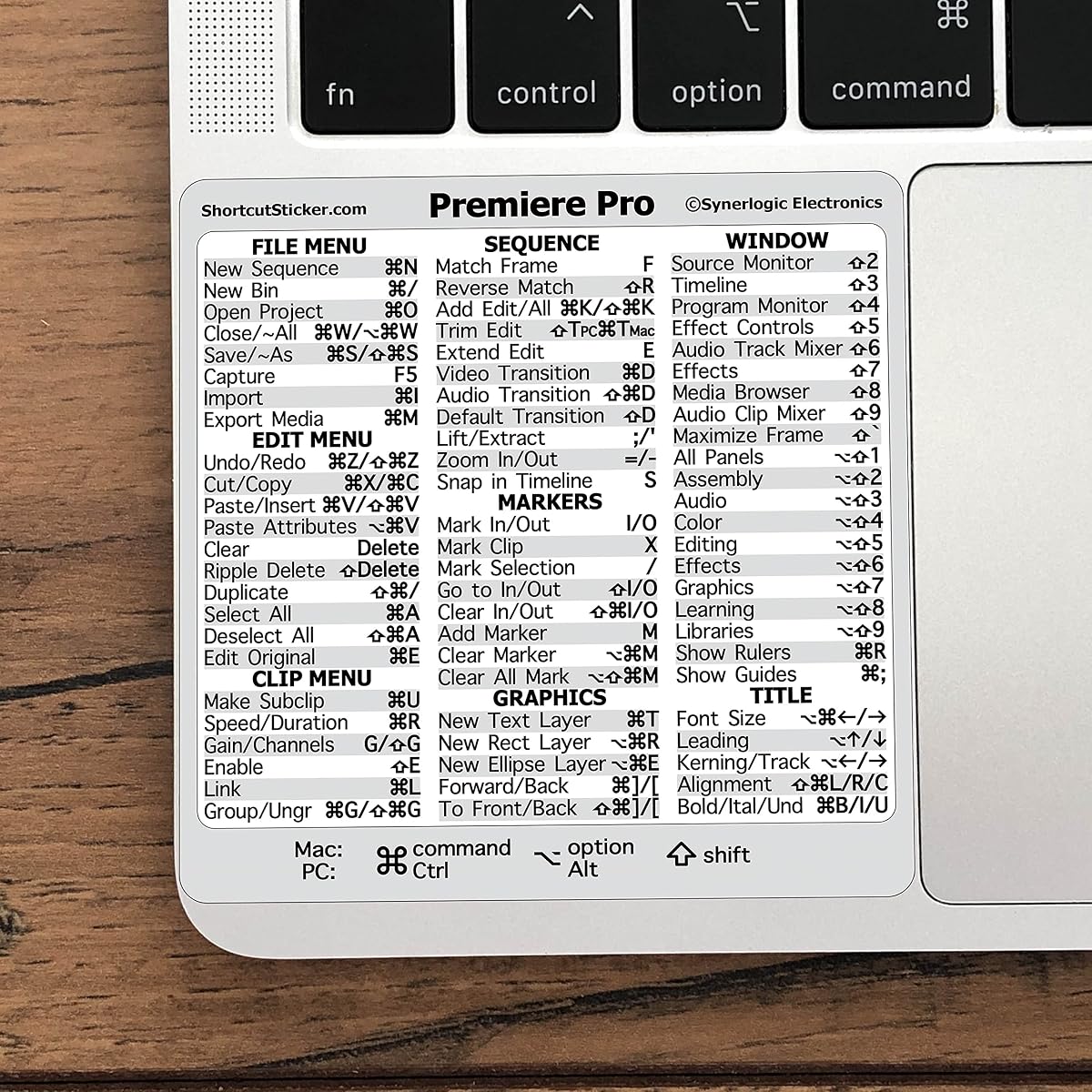
An essential accessory for anyone using Premiere Pro on any machine. It places shortcuts directly on the keyboard to save time. The vinyl material ensures it stays visible and durable over time.
We may earn a commission when you buy through this link, at no additional cost to you.
Learning shortcuts is faster with this reference at hand. It helps beginners and pros alike increase productivity. The design mimics OEM standards for a professional look.
It does not add performance but improves efficiency. Some users may find it cluttering the keyboard. It is a small tool with a big impact on speed.
Ideal for new editors needing to memorize commands. It is a great gift for students. Works on both Windows and Mac keyboards effectively.
Quick tips increase workflow exponentially for all skill levels.
Works for both PC and Mac computer keyboards.
We may earn a commission when you buy through this link, at no additional cost to you.
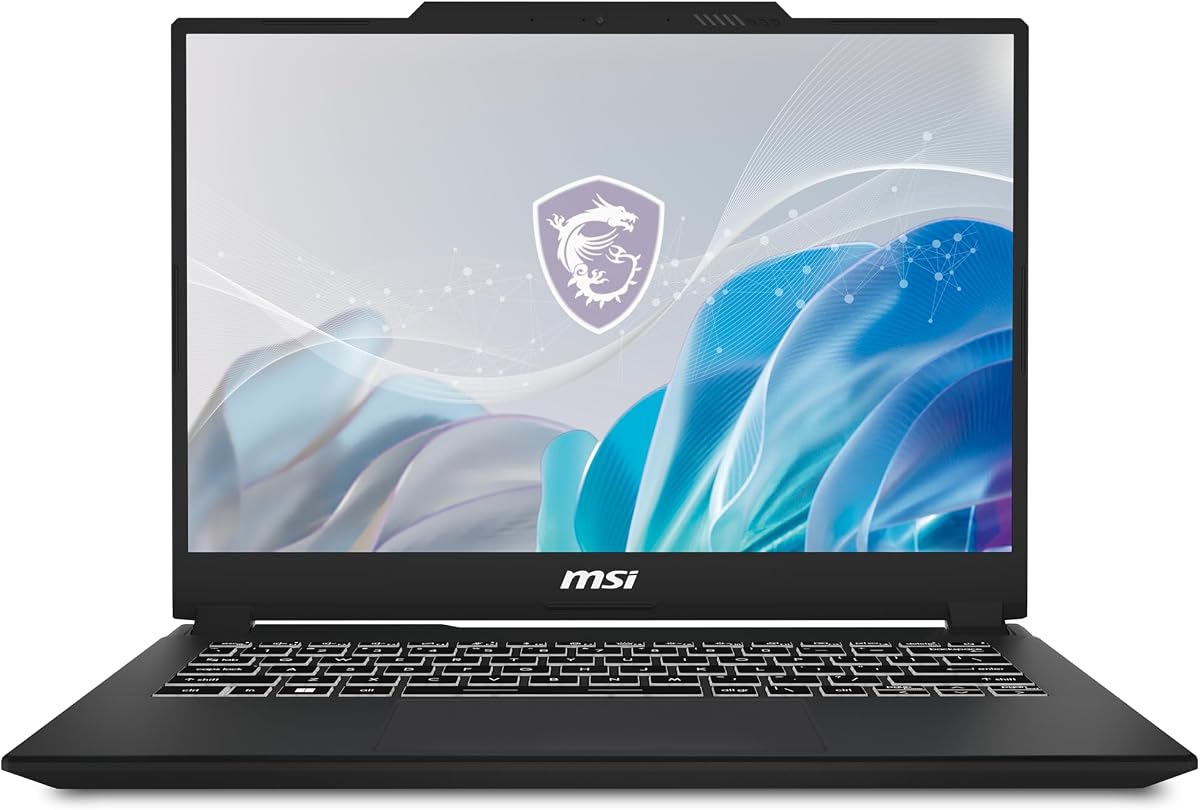
This compact laptop offers strong performance in a portable form factor. The RTX 4050 handles rendering and effects efficiently. The QHD+ display ensures accurate visuals for color grading.
We may earn a commission when you buy through this link, at no additional cost to you.
Its Cooler Boost system helps maintain performance during long sessions. The 14 inch size makes it easy to carry. It is a great choice for creators who travel often.
Screen size may limit workspace compared to larger units. Battery life is average under heavy load. Still it balances portability and power well for its class.
Ideal for mobile professionals needing a capable editing tool. It handles most tasks smoothly. Consider it if you value portability above screen real estate.
RTX 4050 unleashes full glory of ray tracing for accurate simulation.
Abundant color gamut and vivid colors for accurate picture.
We may earn a commission when you buy through this link, at no additional cost to you.
Selecting the right laptop requires understanding which specs impact your workflow most. Below are key factors to consider before buying.
Your CPU handles encoding and timeline playback. Look for multi core options like i7 or i9. Higher thread counts speed up rendering significantly.
Prioritize processors with high base clock speeds for better responsiveness.
Memory affects how many apps run simultaneously. 32GB is ideal for 4K editing. 16GB may suffice for lower resolutions.
More RAM prevents lag when switching between Adobe apps.
Graphics cards accelerate effects and playback. Dedicated GPUs are preferred over integrated ones. NVIDIA RTX series works well with Premiere.
Ensure the GPU has enough VRAM for your timeline complexity.
SSDs load files faster than hard drives. NVMe SSDs offer the highest speeds for media. Aim for at least 1TB capacity.
External storage can supplement internal drives for archives.
Accurate colors are vital for grading. Look for high color gamut and resolution. Anti glare screens help in bright rooms.
Consider a color calibrated panel for professional output.
If you work on site, weight matters. Larger screens offer space but add bulk. Balance size with your mobility needs.
Battery life is crucial for editors working away from outlets.
Ports like Thunderbolt and HDMI support external drives. Ensure enough inputs for your peripherals. USB C versatility is key.
Dongles may be needed if ports are limited.
Downtime hurts productivity. Check warranty terms before buying. Business models often offer better support options.
Extended coverage protects your investment during heavy use.
Set up your environment to reduce eye strain. Use external monitors for more workspace and adjust brightness to match the room. This helps you maintain focus during long editing sessions.
Manage your storage by keeping active files on the SSD. Move completed projects to external drives to free up space. This ensures your system stays fast and responsive over time.
Regularly update drivers to keep hardware optimized. Clean vents with compressed air to prevent overheating. Proper care extends the lifespan of your valuable editing tool.
For smooth 4K editing, you need a strong multi core processor, at least 32GB of RAM, and a dedicated GPU. Fast storage like NVMe SSDs is also crucial for quick media access.
16GB is acceptable for 1080p projects but may struggle with complex effects. For professional work, 32GB or more is recommended to avoid slowdowns during playback and rendering.
Yes, Macs with Apple Silicon run Premiere Pro efficiently thanks to optimization. They offer excellent battery life and performance balance for creative professionals working on the go.
A dedicated GPU accelerates effects and playback significantly. Integrated graphics may work for simple edits but a dedicated card improves performance for demanding tasks.
Color accuracy is vital for grading and final output. Ensure your display covers high color gamut standards. A calibrated screen ensures what you see matches the final video.
NVMe SSDs are best due to their high read write speeds. They load large media files faster. Always keep active projects on fast storage for best workflow efficiency.
Refurbished models can offer great value if they come with warranties. Check the specs carefully to ensure they meet your current needs before purchasing a used unit.
Our top picks range from powerful workstations to portable Macs. The MacBook Pro leads in efficiency while Dell units offer robust expandability.
Prioritize what fits your specific workflow needs. Budget, portability, and performance should guide your final choice to ensure satisfaction.
Always verify current pricing and availability before buying. Prices change frequently so checking deals can save you money on the ideal model.