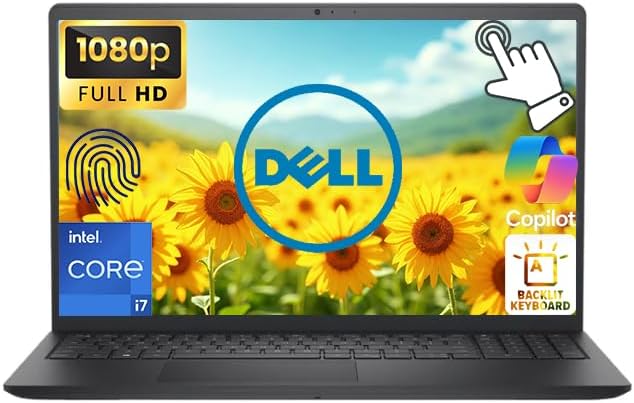
Dell Touchscreen 15.6" FHD Business Laptop
5.0Editor score
Intel Core i7-1355U processor
16GB RAM and 1TB SSD storage
Fingerprint reader and backlit keyboard
Finding a laptop with keypad and touchscreen capabilities is essential for modern professionals and students who need efficient input methods. These devices combine traditional keyboard layouts with interactive displays to streamline workflows across various applications.
We evaluated ten top models based on performance, display quality, connectivity options, and overall value. Our comparison focuses on real-world usability for tasks like data entry, content creation, and remote collaboration.
Each pick highlights unique strengths such as processor power, memory capacity, and port selection. Note that availability and pricing may vary, so check current listings before making your final purchase decision.
5.0Editor score

4.0Editor score

4.8Editor score
As an Amazon Associate we earn from qualifying purchases.
Here is a side-by-side comparison of all ten selected models to help you quickly identify the best fit for your specific needs and budget requirements.


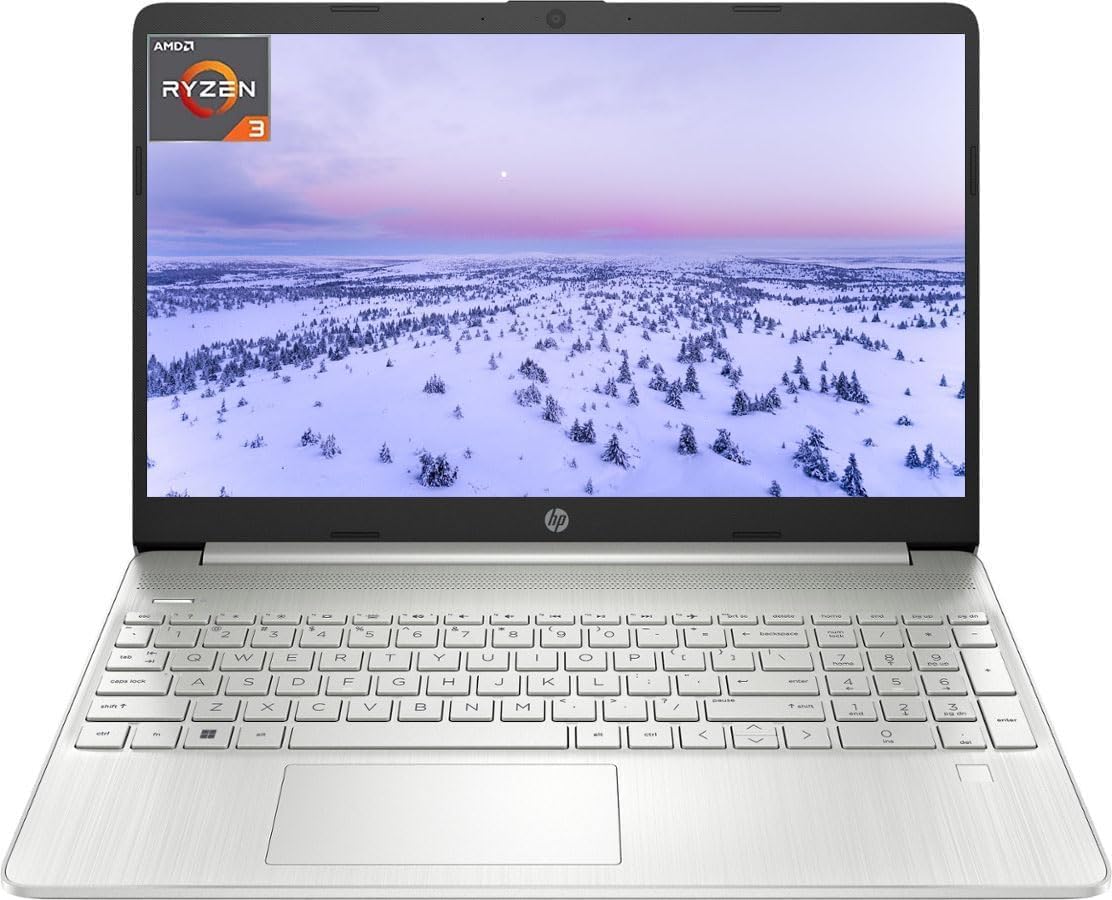


This HP model stands out as a top contender in the laptop with keypad and touchscreen category. It combines a powerful AMD processor with generous memory and storage to handle demanding multitasking scenarios.
We may earn a commission when you buy through this link, at no additional cost to you.
The 32GB RAM ensures smooth operation even with numerous applications open simultaneously. Users report excellent performance for spreadsheets, video calls, and web browsing without noticeable slowdowns.
While the battery life is decent at up to 10 hours, heavy users might need to plug in during intensive work sessions. The 3.52-pound weight is manageable for commuting but heavier than premium ultrabooks.
This laptop is ideal for students and professionals who need reliable power and touch interaction. Its combination of specs and features offers strong value for productivity-focused tasks.
The 8-core AMD Ryzen 7 processor handles complex workflows effortlessly, making it perfect for power users.
The responsive touchscreen allows for intuitive navigation and quick access to touch-optimized applications.
We may earn a commission when you buy through this link, at no additional cost to you.
This large-screen business laptop delivers premium features for professionals who value screen real estate and processing power. It is designed to support extended work sessions with comfort and efficiency.
We may earn a commission when you buy through this link, at no additional cost to you.
The Intel Core i7 processor paired with 32GB RAM ensures fast responsiveness across all applications. Users appreciate the spacious display for splitting windows during multitasking tasks.
The display resolution is HD+ which is slightly lower than standard FHD, but the size compensates for detail clarity. Its weight and dimensions make it best suited for stationary use rather than frequent travel.
Business users seeking a desktop replacement with touch capabilities will find this model compelling. It balances performance and features well for office productivity and creative work.
The 17.3 inch screen provides ample space for viewing multiple documents and tools side by side.
Copilot and advanced connectivity options ensure smooth workflows in modern office environments.
We may earn a commission when you buy through this link, at no additional cost to you.
This budget-friendly option proves that touch and keypad functionality can be accessible without breaking the bank. It offers essential modern connectivity and sufficient performance for everyday tasks.
We may earn a commission when you buy through this link, at no additional cost to you.
The Intel Octa-Core processor provides smooth handling of web browsing and office applications. Users find the FHD touchscreen clear and responsive for casual interaction and touch shortcuts.
Storage and RAM are basic which limits heavy multitasking or large media libraries. However, the cloud integration and expandable storage options help mitigate these constraints for typical users.
Students and casual users looking for a cost-effective touch laptop will appreciate this model. It meets daily needs reliably while staying within a tight budget.
Access modern touch features without premium pricing for basic school and home use cases.
Bluetooth 5.4 and WiFi 6 ensure fast wireless connections to peripherals and networks.
We may earn a commission when you buy through this link, at no additional cost to you.
Dell's business laptop brings professional features like Windows 11 Pro and Express Charge technology. It offers balanced performance for users who need reliable hardware for daily office work.
We may earn a commission when you buy through this link, at no additional cost to you.
The 16GB RAM and 1TB SSD provide ample room for applications and files. The Express Charge capability means users can quickly replenish battery power between meetings.
While the processor is older than newer models, it still handles common productivity apps well. The absence of a backlit keyboard might be a drawback for low-light environments.
Professionals valuing stability and OS features will find this Dell a sensible choice. It delivers dependable performance at a reasonable price point.
Windows 11 Pro offers advanced security and remote management features for business users.
Express Charge technology restores significant battery capacity quickly to minimize downtime.
We may earn a commission when you buy through this link, at no additional cost to you.
This HP model emphasizes screen size and software value for home users. The inclusion of Microsoft 365 adds immediate productivity value for new buyers.
We may earn a commission when you buy through this link, at no additional cost to you.
The 17.3 inch screen offers immersive viewing for media and web browsing. Fingerprint login enhances security without needing complex passwords daily.
Performance is adequate for browsing and streaming but not suited for heavy editing. Users should verify specific RAM and storage configurations before purchase.
Families looking for a shared laptop with touch and keyboard features may prefer this option. It balances display quality and convenience well for casual use.
Included Microsoft 365 allows immediate access to Word and Excel for home tasks.
Fingerprint readers provide quick secure access for multiple user accounts easily.
We may earn a commission when you buy through this link, at no additional cost to you.
This versatile laptop supports growth through expandable memory and storage options. It caters to users who need a mix of performance and flexibility over time.
We may earn a commission when you buy through this link, at no additional cost to you.
The 10-Core processor ensures responsive multitasking for moderate workloads. AI Copilot helps streamline workflows by automating common tasks quickly.
Base configurations may have limited resources but can be upgraded. This flexibility allows buyers to start budget-friendly and scale as needs evolve.
Adaptable users who plan to upgrade hardware later will find this Dell practical. It offers a solid foundation for evolving productivity demands.
Support for higher RAM and SSD allows long-term adaptability to changing needs.
Copilot features assist with text generation and task management efficiently.
We may earn a commission when you buy through this link, at no additional cost to you.
An entry-level laptop for basic touch interaction and keyboard use. It suits students needing reliable access to educational platforms and documents.
We may earn a commission when you buy through this link, at no additional cost to you.
The processor handles light tasks effectively while the dual mics enhance call clarity. Privacy features add peace of mind for online safety and meetings.
The screen resolution is lower than FHD which may affect sharpness for detailed content. S Mode limits app sources but ensures security and performance stability.
New users or secondary device buyers may appreciate this model. It provides essential features at a very accessible price point.
S Mode reduces malware risks by restricting app installations to verified sources.
Physical camera shutters prevent unauthorized access to the webcam visually.
We may earn a commission when you buy through this link, at no additional cost to you.
The OmniBook emphasizes modern design and visual clarity with its 2K touchscreen. It targets users who value portability and vibrant display quality.
We may earn a commission when you buy through this link, at no additional cost to you.
AMD Ryzen processors deliver efficient performance for mixed use cases. The 16-inch aspect ratio provides more vertical space for reading and coding.
Battery life is modest compared to larger models which may require more frequent charging. Its thin profile makes it excellent for carrying daily.
Creative users and remote workers needing visual quality will find this appealing. It combines sleekness with solid functional features.
2K resolution IPS panels offer rich colors and sharp text for extended viewing.
AI noise reduction filters background sounds for clearer online meeting communication.
We may earn a commission when you buy through this link, at no additional cost to you.
This business class model delivers premium input features and processing power. It caters to professionals who need reliability and tactile comfort.
We may earn a commission when you buy through this link, at no additional cost to you.
The backlit keyboard aids typing in dimly lit spaces and environments. Fingerprint login offers fast secure access to files and applications.
USB ports include varied types but charging may be limited to power bricks. This reduces flexibility compared to newer universal charging standards.
Enterprise users prioritizing input quality and performance will find this suitable. It supports demanding daily tasks with minimal frustration.
Backlit keyboards improve usability in low light conditions without external lights.
Multiple ports enable simultaneous connections to monitors, drives, and peripherals.
We may earn a commission when you buy through this link, at no additional cost to you.
This model focuses on memory and storage capacity for smooth operation. It serves well for users managing large datasets or multiple virtual environments.
We may earn a commission when you buy through this link, at no additional cost to you.
The IPS display ensures consistent colors from different viewing angles. Wi-Fi 5 is adequate but not as fast as newer wireless standards.
Lack of backlight limits usability at night or on planes. Still the RAM ensures stable performance across extended sessions.
Power users needing capacity over cutting edge wireless may choose this Dell. It delivers steady performance for specialized workflows.
32GB RAM enables efficient handling of virtual machines and large databases.
IPS panels maintain accurate colors and brightness across wide viewing angles.
We may earn a commission when you buy through this link, at no additional cost to you.
Selecting the right device involves evaluating key hardware and feature criteria.
A modern processor with sufficient cores ensures smooth multitasking for productivity software. Look for at least quad-core designs to handle multiple apps effectively.
Prioritize recent generation chips for better efficiency and longevity in daily tasks.
Memory determines how many applications run simultaneously without slowdowns. Aim for at least 16GB RAM for comfortable modern multitasking.
Fast SSD storage improves boot times and file access speed for responsiveness.
Larger screens aid multitasking and touch usability but add bulk. Choose based on portability needs versus workspace requirements.
Full HD resolution ensures sharp visuals for text clarity and detailed content.
Quality touch panels respond quickly to input and support multi-touch gestures. Test responsiveness for apps that rely on touch navigation.
Anti-glare coatings improve usability in bright environments and reduce eye strain.
A numeric keypad streamlines data entry tasks essential for finance or inventory. Ensure the layout is comfortable for your hand size.
Backlit keys are crucial for typing accuracy in low-light conditions.
Modern ports like USB-C and HDMI facilitate peripherals and displays. Check for Wi-Fi 6 support for faster network speeds.
Sufficient USB ports allow connecting external drives and accessories without hubs.
Battery endurance impacts mobility and work continuity throughout the day. Consider weight and dimensions if you travel frequently.
Fast charging support reduces downtime when access to outlets is limited.
Windows versions vary in features so select Pro for advanced management. Built-in AI tools enhance productivity with intelligent automation features.
Consider pre-installed software bundles for added value and convenience.
Use touch gestures for quick navigation but rely on the keypad for precise data entry. Enable touch keyboard options if needed for specialized input methods.
Keep screens clean with microfiber cloths to avoid scratches from debris. Avoid pressing too hard on glass surfaces to prevent stress cracks.
Maintain performance by updating drivers and clearing temporary files regularly. Ensure vents are dust-free to prevent overheating during extended use.
Not all models include a numeric keypad as some prioritize portability. Check product specifications carefully to confirm the presence of a dedicated number pad for your needs.
Screen sizes from 15 to 17 inches provide ample space for accurate touch gestures. Larger displays reduce finger overlap issues and enhance visibility for touch apps.
Windows offers built-in calibration tools accessible through Control Panel settings. Use these to align touch points accurately for precise interaction and navigation.
Most resistive and capacitive touchscreens support active or passive styluses. Check device specs for pen support compatibility if you need digital drawing tools.
This often results from the Num Lock key being toggled off. Press the Num Lock key or function key combination to enable numeric inputs on the keyboard.
Touchscreens have glass surfaces that can scratch or crack more easily than standard displays. Using a screen protector and handling with care reduces these risks significantly.
Frequent use of touch input consumes slightly more power due to sensor activity. However modern systems manage power efficiently so overall impact remains minimal.
Yes Device you can disable touch via Device Manager to conserve energy. This is useful when you only use external peripherals and a mouse.
The reviewed models offer diverse configurations catering to various needs and budgets. Top picks excel in performance display quality and practical features for modern work.
Prioritize processor power and memory for long-term value and smooth multitasking. Also consider screen size and keyboard comfort for daily usability and efficiency.
Remember to verify current availability and pricing before purchasing. Product specs and offers may change so confirm details on retailer sites.