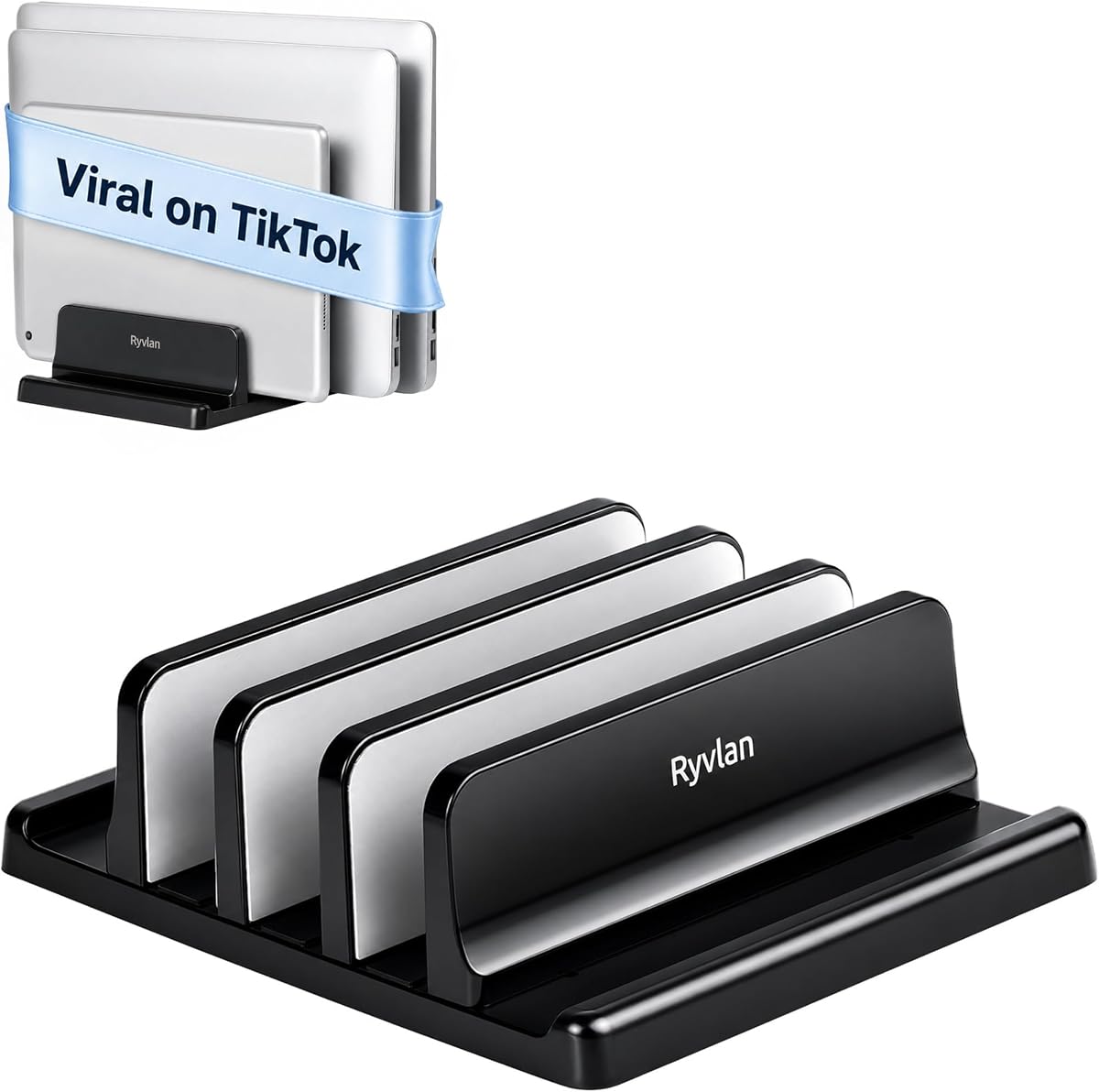
Ryvlan Vertical Laptop Stand for Desk
4.6Editor score
Three slot design
Adjustable width slots
Compact desk footprint
Finding the right laptop rack for multiple laptops is essential for modern workspaces that demand organization and efficiency. Whether you manage a classroom or run a tech startup, keeping devices accessible yet tidy matters. A good rack maximizes vertical space and protects your hardware from damage or clutter.
We evaluated ten highly rated options based on capacity, material quality, adjustability, and cooling performance. Our analysis focuses on real-world usability for offices, schools, and homes. Each product was reviewed for stability, ease of access, and compatibility with various device sizes.
Each pick in this guide highlights specific strengths to match different needs and budgets. From budget-friendly bamboo stands to heavy-duty charging stations, there is something for everyone. Keep in mind that product availability and pricing may vary over time, so check current listings before buying.
4.6Editor score

4.2Editor score

4.5Editor score
As an Amazon Associate we earn from qualifying purchases.
Below is a side-by-side comparison of all ten featured laptop racks. This table highlights key specifications and capacities to help you quickly identify the best fit for your specific organizational needs.


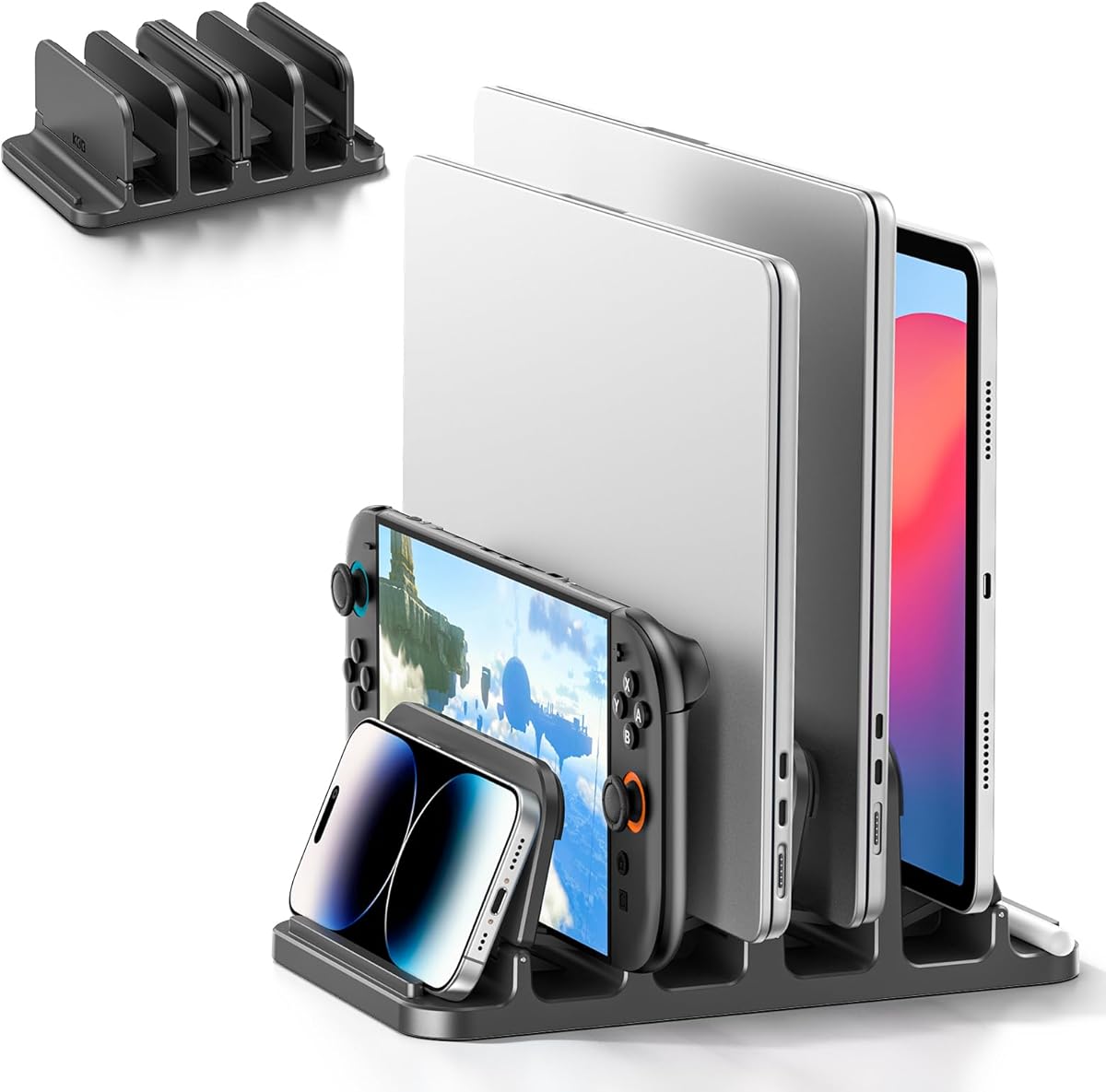


The Elestoria 10-Slot Vertical Laptop Stand stands out as a robust solution for environments requiring high-density storage. With a rating reflecting strong user satisfaction, this aluminum rack manages up to ten devices securely. Its industrial-grade construction ensures longevity even under daily heavy use in offices or classrooms.
We may earn a commission when you buy through this link, at no additional cost to you.
This model excels in space efficiency and thermal management. By storing devices upright, it frees up eighty percent of desk space while promoting 360-degree airflow. The adjustable slots accommodate everything from slim MacBooks to thick gaming laptops up to 17.3 inches without compromising stability or access.
While the price is higher than basic stands, the investment pays off in durability and capacity. The tool-free adjustment system allows customization for different device thicknesses, though the open-side design means careful placement is needed to prevent accidental bumps in high-traffic areas.
It is ideal for IT managers or educators needing to organize large fleets of laptops. If you need a professional, space-saving dock that supports heavy devices, this rack delivers reliable performance and a polished look that enhances any workspace.
Vertical orientation allows passive thermal convection to keep devices cool without fans or power.
Base screws allow precise adjustment to fit laptops with or without protective cases securely.
We may earn a commission when you buy through this link, at no additional cost to you.
The Ryvlan Vertical Laptop Stand offers excellent value for users seeking basic organization without breaking the bank. With a high rating from satisfied customers, this stand holds three laptops and two tablets simultaneously. Its impact-resistant ABS body provides surprising sturdiness for a budget-friendly option.
We may earn a commission when you buy through this link, at no additional cost to you.
Adjustability is a key strength here, with slots ranging from 0.47 inches to 1.2 inches. This flexibility accommodates thin notebooks and thicker gaming machines alike. The silicone padding on all walls and bases ensures devices stay secure and scratch-free while preventing the stand from sliding.
While it may not support as many devices as premium models, it covers most small office needs effectively. The minimalist black finish blends well with modern desks. Some users might prefer metal for longevity, but this ABS unit performs reliably for everyday use.
Choose this if you need a quick, cost-effective way to clear clutter. It is perfect for students or home offices where space is tight and budget is a primary concern. The wrench included in the box makes adjustments easy for future needs.
Footprint roughly 7.3 by 5.9 inches minimizes desk space usage significantly.
Silicone padding on six walls and three bases stops scratches and slipping.
We may earn a commission when you buy through this link, at no additional cost to you.
This charging station solves the dual challenge of storage and power for ten devices simultaneously. Rated highly for functionality, it includes six AC outlets and four USB ports. This setup is ideal for schools or offices where devices need charging while stored.
We may earn a commission when you buy through this link, at no additional cost to you.
The open rack design allows quick insertion and removal without doors or latches. Cable management is built into the system, reducing clutter on desks. The surge-protected strip rated for 110V adds a layer of safety for expensive electronics during charging sessions.
It is significantly more expensive than a simple rack, but it eliminates the need for separate power strips. The compact vertical design maximizes storage while minimizing countertop usage. If power management is a priority, this station simplifies workflow considerably.
Buy this for shared environments like reception areas or training rooms. It ensures devices are always ready to use and organized. The combination of storage and power makes it a complete solution for professional device management.
Includes pre-installed surge-protected power strip for safer everyday charging operations.
Integrated cable routing helps organize charging cords and reduce clutter effectively.
We may earn a commission when you buy through this link, at no additional cost to you.
The Elestoria 5-Slot Vertical Stand balances capacity and build quality effectively. With a solid aluminum alloy body, it holds up to four laptops and a tablet. The design prioritizes stability, making it suitable for clamshell setups with external monitors.
We may earn a commission when you buy through this link, at no additional cost to you.
Adjustability allows fitting devices from 0.5 to 1.5 inches thick. This flexibility supports various laptop sizes without tools. The closed design prevents lateral movement better than open slots, keeping devices secure on crowded desks. Polished edges ensure safety and prevent accidental scratches.
It is a reliable choice for professionals needing a sturdy dock. While the closed design is stable, it may require slightly more care to slot devices compared to open designs. However, the trade-off is improved security for expensive hardware.
Choose this if you value durability over maximum capacity. It works well in offices where devices are moved regularly. The sleek silver finish matches premium hardware, maintaining a professional appearance while organizing your tech ecosystem efficiently.
Vertical design promotes cooling and 360-degree airflow to prevent overheating.
Bottom screws allow independent adjustment for each slot without external tools.
We may earn a commission when you buy through this link, at no additional cost to you.
This organizer brings a warm, natural look to tech-heavy workspaces. Made from sturdy bamboo, it accommodates six devices or accessories in a compact footprint. The rubber feet keep it stable and protect wooden desks from scratches during use.
We may earn a commission when you buy through this link, at no additional cost to you.
The removable 6 slot design allows flexibility for varying sizes. It can hold laptops, tablets, and phones while also doubling as a mail organizer. This versatility makes it a great fit for home offices where organization needs change frequently throughout the day.
It may not offer the same level of adjustment as metal stands, but the fixed slots work well for standard devices. The bamboo construction is durable though it requires care to avoid water damage. Overall, it is a stylish and functional addition.
Perfect for those prioritizing design alongside utility. It complements minimalist setups while keeping essentials accessible. If you value aesthetics and multi-purpose utility, this organizer offers a unique solution that blends into your decor rather than clashing with it.
Doubles as a wood mail organizer for magazines, folders, and letters.
Built with sturdy natural bamboo and non-slip rubber feet for safety.
We may earn a commission when you buy through this link, at no additional cost to you.
The KDD stand introduces a gravity locking mechanism for simplified device placement. You place your device, and the mechanism locks it securely without clamps. This user-friendly design is highly rated for stability and ease of use in dynamic office environments.
We may earn a commission when you buy through this link, at no additional cost to you.
With six storage slots, it manages laptops, tablets, and game consoles effectively. Silicone pads on the base and slots prevent sliding and protect devices. The vertical layout maximizes space, making it ideal for home offices that need to be organized efficiently.
The thickness limit of 1.1 inches may exclude thicker gaming laptops. However, it fits most standard notebooks and tablets well. The lack of manual adjustment means you must ensure your devices fall within the compatible range before purchase.
Buy this for ease of use and reliable security. It is perfect for shared desks where quick access is vital. If you want a simple, plug-and-play solution that holds multiple gadgets safely, this stand delivers solid performance and value.
Simply place device and gravity locks it into position without additional clamps.
Six storage slots hold six devices including games, books, and phones.
We may earn a commission when you buy through this link, at no additional cost to you.
This aluminum stand matches the aesthetic of Apple and Surface devices perfectly. With a brushed finish and CNC-machined quality, it elevates workspace look while organizing five devices. The non-slip silicone pads keep your hardware safe from scratches or falls.
We may earn a commission when you buy through this link, at no additional cost to you.
Adjustable width allows matching slots to specific device sizes using the included hex key. It supports laptops up to 17.3 inches, ensuring versatile fit. The balance between stability and airflow makes it a practical choice for daily docking needs.
Setup requires a few turns of the hex key to set slots. While slightly more involved than tool-free systems, it ensures a secure and custom fit. This precision makes it robust enough for professional use without excessive bulk.
Ideal for Mac users wanting a matching dock. It provides a tidy appearance and reliable support. If you value design cohesion and solid construction, this stand offers premium features at a reasonable price point compared to bulkier alternatives.
Made of brushed CNC-machined anodized aluminum matching MacBook texture.
Vertical design increases airflow to cool devices and prevent overheating.
We may earn a commission when you buy through this link, at no additional cost to you.
The POCHAR charging station is built for convenience and speed. It requires no assembly, letting you start charging devices immediately. This feature is highly valued in classrooms or offices where downtime must be minimized during setup.
We may earn a commission when you buy through this link, at no additional cost to you.
Wide-angle slots support laptops up to 14 inches and 1.4 inches thick. The built-in power strip with surge protection ensures safe daily use without extra cords. Its compact design fits easily on desks, tables, and workstations for flexible placement.
While it does not adjust like some models, the fixed wide slots cover most standard business laptops. The durable materials ensure longevity in high-demand environments. If you need reliability and simple deployment, this station fits the bill perfectly.
Choose this for offices prioritizing ease of use. It keeps devices neat and charged without complex installation. If you want a plug-and-play solution for managing multiple laptops or tablets, this station delivers consistent results every time.
Unbox and start using it immediately as a store and charge station.
Wide-angle slots support laptops up to 14 screen size and 1.4 thick.
We may earn a commission when you buy through this link, at no additional cost to you.
This floor-standing rack offers exceptional capacity and mobility for large device sets. With a perfect rating from users, it holds ten devices and includes adjustable partitions. The robust steel construction ensures long-lasting durability even with daily heavy handling.
We may earn a commission when you buy through this link, at no additional cost to you.
Universal wheels with brakes allow easy movement between rooms and secure placement. The open design facilitates rapid access and unrestricted air circulation during charging. A bottom shelf provides extra space for printers or accessories, maximizing storage utility.
While it requires assembly, setup is straightforward. It takes up floor space but is movable when needed. If you need to store many laptops and move them between rooms easily, this rack provides unmatched utility and strength.
Buy this for libraries, classrooms, or large offices. It combines storage with mobility effectively. If you need a heavy-duty solution that handles frequent movement and high volume, this rack is the top performer.
Equipped with handles and four universal wheels with brakes for control.
Simultaneously charge multiple devices to meet high-density charging needs.
We may earn a commission when you buy through this link, at no additional cost to you.
This organizer is designed specifically for smaller workspaces needing tidy storage. It holds up to five devices in dedicated slots with a compact footprint. The sturdy bamboo construction provides a stable platform without taking up excessive desktop space.
We may earn a commission when you buy through this link, at no additional cost to you.
Integrated rubber feet prevent sliding and protect surfaces. Its simple design is easy to clean and maintain. While it lacks adjustable slots, it fits most standard smartphones, tablets, and thin laptops efficiently without clutter.
The 1-inch slot gaps may not fit devices with thick cases. However, for slim devices, it offers excellent organization. If you prefer a natural aesthetic and need basic storage, this is a reliable and stylish option.
Choose this for home desks or conference rooms with limited space. It keeps devices within reach and protected. If you want to reduce clutter with a simple elegant stand, this bamboo organizer is a great final pick.
Measures 10 by 6.5 by 7 inches for efficient storage.
Crafted from sturdy high-quality bamboo with enhanced stability.
We may earn a commission when you buy through this link, at no additional cost to you.
Selecting the right laptop rack requires considering factors like capacity, material, and adjustment to match your workflow and environment.
Capacity determines how many devices you can store at once. Count your current laptops and future needs to decide between five, ten, or more slots. Higher capacity models often require more desk or floor space to function effectively.
Ensure the rack meets your storage volume without overcrowding your workspace.
Aluminum and steel stands offer robust support for heavy laptops while resisting wear over years of use. Plastic or ABS options are lighter and cheaper but may wear faster. Bamboo provides a natural look but needs care to avoid moisture damage.
Choose durable materials for high-traffic environments to ensure long-term stability.
Adjustable slots fit a wider range of device thicknesses. Models with tool-free adjustments offer flexibility for mixed device fleets. Ensure slots accommodate your thickest laptop including cases for secure placement.
Prioritize adjustable designs to future-proof your setup against device changes.
Vertical racks promote airflow better than flat stacking, helping devices stay cool. Open-slot designs allow heat to escape efficiently. Good cooling protects battery health and performance during extended storage periods.
Look for open vertical structures to prevent overheating in stored devices.
Access to charging ports is critical for convenience. Open-side designs simplify plugging cables in without removing devices. Integrated cable management systems reduce clutter and protect cords from damage.
Choose models with accessible ports and built-in routing for cleaner desks.
Stable bases with rubber feet prevent tipping when loading devices. For larger racks, wheels enable easy movement across rooms. Weighted designs ensure security but limit portability between workspaces.
Balance stability with mobility based on whether the rack stays fixed or moves.
Consider the finish color and footprint to match your room style. Compact designs save valuable desk space while maintaining function. Natural bamboo or brushed aluminum blends well in professional settings.
Select finishes that enhance your office decor without compromising utility.
Charging stations with built-in power strips reduce outlet needs and cable clutter. Surge protection safeguards connected devices from voltage spikes. If power access is needed, integrate a charging station for complete management.
Opt for integrated power features if charging and storage happen in one spot.
Place the rack on a flat stable surface to prevent tipping when loading heavy devices. Ensure enough space around it for easy access to ports and cables during daily use.
Clean slots and surfaces regularly with a soft dry cloth to avoid dust buildup. For metal stands, use a damp cloth if needed but avoid harsh chemicals that may damage coatings or silicone pads.
Adjust slot widths carefully before placing devices to avoid forcing them in. Check all feet or wheels periodically to ensure stability and lock them if the rack is moved frequently between rooms.
Yes, many racks support laptops up to 17.3 inches and 1.4 inches thick. Look for adjustable slots or wide-angle designs specifically rated for gaming devices to ensure a snug secure fit without wobbling.
Classrooms benefit from racks with ten-slot capacity and charging capabilities. These models keep multiple devices organized, charged, and accessible for students while preventing clutter and damage in busy learning environments.
Vertical racks expose more surface area to air, promoting natural convection cooling. This airflow helps prevent heat buildup compared to laying devices flat, keeping hardware safer during extended periods in the rack.
Secure devices by tightening adjustable dividers or using rubber slots that fit snugly. Check that silicone pads are intact to prevent slipping. For heavy models, ensure the base is weighted properly for stability.
Charging stations include surge protection and dedicated power ports that reduce cable clutter and risk of short circuits. They provide safer management for devices needing power while stored in an office or school setting.
Most require minimal assembly such as inserting dividers or tightening bolts, taking only minutes. Some premium models ship ready to use. Always keep included tools like wrenches for future adjustments to your setup.
Aluminum and steel offer the best durability for heavy daily use with resistance to wear and bending. Plastic is lightweight but less robust over time. Bamboo looks nice but requires careful maintenance to avoid moisture damage.
This guide highlights top models ranging from budget-friendly stands to professional charging stations. Your ideal choice depends on storage needs material preferences and whether power integration is required.
Prioritize adjustability and stability to ensure your devices are protected and easy to access. Whether you need five or ten slots, the right rack will declutter your workspace and keep devices safe and organized.
Remember to verify current listings for availability and updates before purchase. Check ratings and reviews frequently to ensure the model meets your specific organizational demands effectively.