
Amazon Basics HDMI Cable 6ft
4.7Editor score
4K@60Hz Support
18Gbps Bandwidth
Ethernet Enabled
This guide compares the top HDMI cables for Fire TV Cube, evaluating speed, durability, and compatibility to help you choose the perfect connection for your
Choosing the right HDMI cable for your Fire TV Cube is essential for unlocking the full potential of your streaming device. A high-quality connection ensures crisp 4K visuals, immersive audio, and reliable performance without signal drops or interference issues.
We analyzed ten top-rated HDMI cables based on speed, build quality, and compatibility with the Fire TV Cube. Each product was evaluated for bandwidth capabilities, connector durability, and overall value to provide you with a trustworthy comparison.
Our list features options ranging from budget-friendly basics to premium high-speed solutions. While prices may fluctuate, these selections represent the best current choices for connecting your Fire TV Cube to modern displays and audio systems.
4.7Editor score

4.7Editor score

4.7Editor score
This side-by-side comparison highlights the key specifications and features of the top ten HDMI cables suitable for the Fire TV Cube, helping you identify the best match for your specific needs.


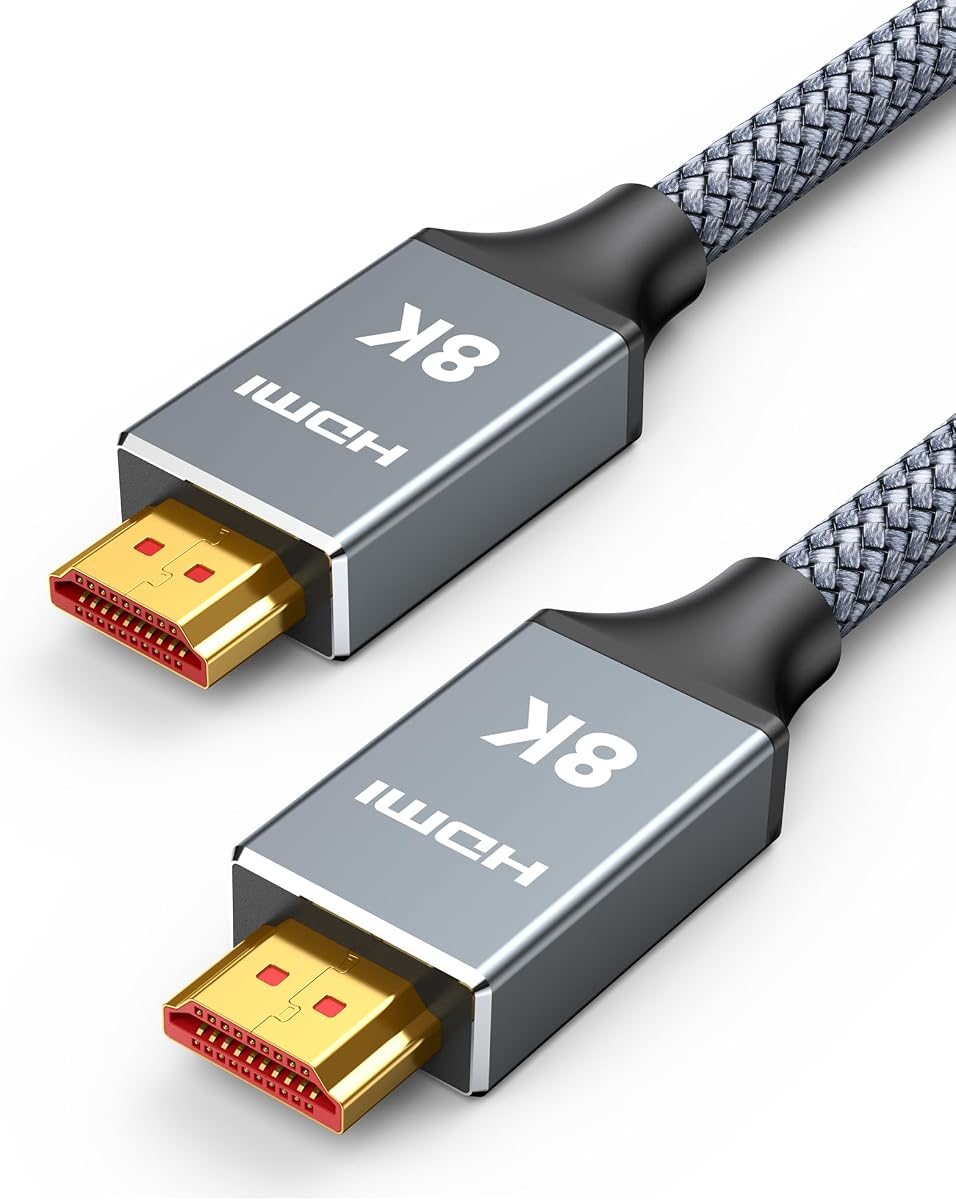


The Highwings HDMI Cable stands out as the top recommendation for Fire TV Cube users seeking a balance of performance and value. With a 4.7 rating, this cable delivers crisp 4K visuals and robust audio support suitable for daily streaming.
We may earn a commission when you buy through this link, at no additional cost to you.
Its braided design ensures long-term durability against wear and tear, while gold-plated connectors minimize signal interference. The cable complies with HDMI 2.0 standards, supporting HDR and 3D content for a rich media experience.
While it lacks the bandwidth for 8K or 120Hz gaming, it perfectly suits the Fire TV Cube's streaming needs. The flexible build and SR joint design prevent cracking at connection points during frequent plugging.
This cable is ideal for households prioritizing reliable streaming performance without overspending. It provides a secure connection that maintains signal integrity for movies, shows, and basic gaming content.
The braided nylon jacket protects the internal wiring from damage, ensuring the cable remains functional even with regular handling.
Compatible with a wide range of devices, this cable works seamlessly with Fire TV Cube, TVs, and other HDMI-enabled electronics.
We may earn a commission when you buy through this link, at no additional cost to you.
Amazon Basics offers a straightforward and effective HDMI solution for Fire TV Cube owners. Its high rating reflects consistent performance in delivering 4K content without unnecessary extra features that drive up costs.
We may earn a commission when you buy through this link, at no additional cost to you.
The cable supports bandwidths up to 18Gbps, ensuring smooth 4K video at 60Hz. It also includes an Ethernet channel, allowing you to share internet connections between compatible devices if needed.
While the construction is simpler than premium braided cables, it remains durable enough for standard home use. The black matte finish helps it blend neatly behind entertainment centers.
This is the perfect choice for budget-conscious users who need a dependable connection. It proves that high-quality video transmission does not require a high price tag.
Provides essential high-speed performance at a fraction of the cost of branded alternatives.
Allows network sharing between devices, reducing the need for extra cabling in your setup.
We may earn a commission when you buy through this link, at no additional cost to you.
The Silkland Certified HDMI 2.1 cable represents the cutting edge of connection technology for home theater setups. With official certification, it guarantees compatibility and performance for high-end devices like the Fire TV Cube.
We may earn a commission when you buy through this link, at no additional cost to you.
Featuring 48Gbps bandwidth, this cable supports resolutions up to 10K and refresh rates of 120Hz. It also includes enhanced audio return channels for immersive sound experiences with modern soundbars.
While it may exceed the current requirements of standard streaming apps, it offers room for future upgrades. The premium build ensures stability and longevity for demanding audio-visual setups.
Investing in this cable is wise for users planning to upgrade their display or console soon. It ensures your Fire TV Cube remains connected with the highest quality standards available.
Supports upcoming high-resolution content formats, ensuring your setup stays relevant as technology advances.
Delivers superior sound formats like Dolby Atmos through eARC, enhancing your overall viewing experience.
We may earn a commission when you buy through this link, at no additional cost to you.
The PowerBear 4K HDMI Cable offers an extended 10-foot length, making it ideal for setups where the Fire TV Cube is mounted farther from the TV. Its CL3 rating adds safety for permanent installations inside walls.
We may earn a commission when you buy through this link, at no additional cost to you.
Built with high-quality copper wire and gold connectors, it ensures stable transmission without signal loss. The nylon braiding protects against daily wear, keeping the cable intact even with movement.
This cable is suitable for users who need extra reach without compromising on quality. The ARC feature allows your TV to send audio back to sound systems easily.
Choosing this option provides peace of mind regarding safety and performance. It is a robust choice for home theaters requiring longer connections.
The CL3 rating allows safe installation behind walls, providing a clean look without exposed wires.
Offers additional length for flexibility in positioning devices further apart than standard cables allow.
We may earn a commission when you buy through this link, at no additional cost to you.
The Capshi HDMI 2.1 cable brings high-refresh rate capabilities to your Fire TV Cube setup. Its bandwidth supports 120Hz content, making it a versatile choice for mixed media and future gaming consoles.
We may earn a commission when you buy through this link, at no additional cost to you.
With features like VRR and ALLM, this cable ensures smooth visuals without screen tearing. The nylon-braided jacket provides resilience against physical damage over time.
While the Fire TV Cube does not output 120Hz today, this cable prepares your setup for future upgrades. It delivers excellent value for users seeking advanced features at a reasonable price.
This option is best for tech enthusiasts who want a forward-looking connection. It ensures compatibility with next-gen devices without needing to replace the cable later.
Prepared for future devices that require higher bandwidth and refresh rates than current standards.
Delivers smoother motion and reduced latency for an improved visual experience during media consumption.
We may earn a commission when you buy through this link, at no additional cost to you.
Rankie provides a practical solution for users needing multiple cables with a 2-pack bundle. Each cable meets Category 2 standards, ensuring consistent performance for 4K video transmission.
We may earn a commission when you buy through this link, at no additional cost to you.
Supporting Ethernet and ARC, these cables handle both video and audio data efficiently. The simple design focuses on functionality, making them easy to use without extra complications.
The value of having an extra cable is significant for spare ports or future devices. It simplifies cable management by allowing redundant connections where needed.
This product is ideal for budget buyers seeking utility and convenience. It delivers solid performance for everyday home entertainment needs.
Provides a spare cable for future needs, ensuring you always have a backup connection ready.
Delivers essential features like 4K and ARC without unnecessary extras that increase cost.
We may earn a commission when you buy through this link, at no additional cost to you.
For those needing more distance, this 10-foot version of the Silkland HDMI 2.1 cable maintains top-tier quality. It is ideal for spacious living rooms where devices are placed far apart.
We may earn a commission when you buy through this link, at no additional cost to you.
With support for 8K and 120Hz, it ensures high fidelity for any connected device. The E-Braid technology provides exceptional durability against bends and twists.
While expensive, the long length justifies the cost by avoiding signal degradation seen in unshielded long cables. The dual-pack offers flexibility for managing multiple connections.
This cable is perfect for large setups where distance is a concern. It maintains signal integrity over long distances with certified quality.
Ensures signal stability over ten feet, preventing the quality loss common in standard long cables.
Official certification guarantees that the cable meets rigorous standards for speed and reliability.
We may earn a commission when you buy through this link, at no additional cost to you.
This compact 3.3-foot version is perfect for tight spaces where the Fire TV Cube sits right next to the TV. It minimizes cable clutter while maintaining premium performance standards.
We may earn a commission when you buy through this link, at no additional cost to you.
Despite its size, it supports 48Gbps bandwidth and high resolutions. The braided design ensures durability even with frequent adjustments or plugging and unplugging.
Ideal for console setups or desktops, it keeps the connection neat and out of sight. The dual-pack ensures you have a backup for other short connections.
This cable suits users who prioritize aesthetics and organization. It provides high performance without excess cable length taking up space.
Reduces visible clutter with a short length that matches devices placed in close proximity.
Maximizes available space by avoiding long cables that can drag or tangle in tight areas.
We may earn a commission when you buy through this link, at no additional cost to you.
The ienza Port Extender serves a specific purpose: protecting your TV's HDMI port from wear and tear. It extends the port slightly to allow easier insertion and removal of streaming devices.
We may earn a commission when you buy through this link, at no additional cost to you.
This accessory acts as a port saver, reducing stress on the TV's connector during frequent use. Its compact design fits seamlessly behind entertainment centers.
While not a full HDMI cable, it complements other cables by providing extra stability. It also acts as a booster to enhance signal strength in some setups.
This is a smart accessory for users who swap devices often. It helps maintain the integrity of your expensive TV's ports over time.
Saves your TV's HDMI port from damage caused by repeated plugging of heavy devices.
Improves connection stability by reducing the strain on the physical port connection point.
We may earn a commission when you buy through this link, at no additional cost to you.
This converter is designed for users with older TVs that lack HDMI ports. It transforms the Fire TV Cube's digital signal into analog composite signals for standard definition TVs.
We may earn a commission when you buy through this link, at no additional cost to you.
While the video quality is not comparable to modern digital cables, it allows connectivity for legacy equipment. It includes necessary cables and adapters for immediate use.
This is a specialized solution rather than a standard cable. It is useful only when no HDMI ports are available on the display unit.
Consider this if you are setting up the Fire TV Cube on an older television. It bridges the gap between modern streaming and older display technology.
Allows modern streaming devices to connect to older televisions without HDMI inputs.
Includes all necessary cables and power adapters to get started immediately without extra purchases.
We may earn a commission when you buy through this link, at no additional cost to you.
Selecting the right HDMI cable involves understanding technical specifications and compatibility needs to ensure optimal performance.
Bandwidth determines how much data the cable can transfer. Higher speeds like 18Gbps or 48Gbps are necessary for 4K and higher resolutions.
Always choose a cable with enough bandwidth to match your display's capabilities for smooth streaming.
HDMI 2.1 cables support newer features like 8K and 120Hz. While your Fire TV Cube may not need these yet, it future-proofs your setup.
Standard 2.0 cables are sufficient for current 4K streaming needs.
Measure the distance between your Fire TV Cube and TV to choose the correct length. Too short may not reach, while too long adds clutter.
Select the shortest length that comfortably connects your devices to minimize interference.
Braided nylon cables last longer than simple plastic ones. Gold-plated connectors resist corrosion and ensure better signal quality over time.
Look for reinforced connectors to prevent bending and breaking at stress points.
Certified cables undergo testing to meet official standards. This reduces the risk of compatibility issues or signal degradation.
Check for official HDMI licensing logos on the packaging to ensure reliability.
Ensure the cable supports ARC or eARC if you use a soundbar. This allows audio to be sent back to your audio system effectively.
Modern cables typically support these features, but it is worth confirming before buying.
Higher prices do not always mean better performance. Standard 4K cables are affordable and meet most streaming needs.
Focus on essential features rather than marketing gimmicks to get the best value.
Some cables include Ethernet channels for internet sharing between devices. This can simplify your cabling needs in certain setups.
Decide if you need extra connectivity options before making your final selection.
Connect the HDMI cable securely to the back of your Fire TV Cube and the HDMI port on your TV. Ensure both ends are pushed in completely to avoid loose connections.
Avoid sharp bends or tight curls in the cable which can damage internal wiring. If you need to coil excess cable, use a gentle loop instead of kinking it.
Regularly inspect connectors for dust or debris that might affect signal quality. A gentle wipe with a dry cloth keeps connections clean and reliable.
No, the Fire TV Cube works well with standard HDMI 2.0 cables that support 4K. However, 2.1 cables are useful for future-proofing if you upgrade to higher-end TVs later.
A 6-foot cable is generally ideal for most setups. Measure your distance carefully to avoid having a cable that is too short or unnecessarily long.
This often happens due to low bandwidth cables or loose connections. Ensure you use a high-speed HDMI cable certified for 4K at 60Hz.
Yes, braided cables are more durable and resistant to wear. They provide better protection for the internal wires compared to standard PVC jackets.
Yes, high-quality cables support better audio formats like Dolby Atmos. Ensure your cable supports ARC or eARC for optimal sound system performance.
Not always. Most mid-range cables perform equally well for streaming. Focus on bandwidth and durability rather than marketing claims.
Look for official HDMI certification logos on the packaging. Certified cables meet strict standards for performance and compatibility.
Only if the cable is CL3 rated for in-wall use. Standard cables are not fire-safe for direct wall installation.
We have reviewed ten top HDMI cables suitable for the Fire TV Cube, ranging from budget options to premium high-speed choices. Each offers distinct advantages for different user needs.
Prioritize bandwidth and durability when selecting a cable. A high-quality connection ensures your Fire TV Cube delivers the best possible visual and audio experience.
Remember to check current availability and pricing as they may change. Choose the model that best fits your specific setup for long-term satisfaction.