
MINISFORUM G1 Pro Mini PC
4.6Editor score
RTX 5060 8GB GPU
Ryzen 9 8945HX CPU
Quad 4K Output Support
This guide compares the top 10 gaming mini PCs for Cyberpunk 2077, focusing on graphics power, cooling, and portability for immersive gaming experiences.
Gaming mini PCs are revolutionizing how we play demanding titles like Cyberpunk 2077. These compact systems pack desktop-level power into small chassis, saving space while delivering high frame rates and stunning visuals for modern gamers.
We evaluated ten leading models based on processor speed, graphics capability, thermal performance, and expansion options. Our analysis ensures you find a unit capable of running ray tracing and high-fidelity textures smoothly without overheating during long sessions.
Each pick highlights key strengths and trade-offs to help you decide quickly. Remember that availability and costs vary over time, so check current listings before purchasing to ensure you get the best deal available for your setup needs.
4.6Editor score

4.6Editor score

4.6Editor score
This side-by-side comparison breaks down the specifications and capabilities of all ten selected mini PCs to help you visualize the differences in performance and connectivity for Cyberpunk gaming.


The ACEMAGICIAN S3A is a standout mini PC that balances power and efficiency perfectly. It delivers excellent performance for Cyberpunk 2077 at 1080p with solid frame rates thanks to its Radeon 780M graphics.
We may earn a commission when you buy through this link, at no additional cost to you.
Its AMD Ryzen 7 H 255 processor provides eight cores and sixteen threads for smooth multitasking while gaming. The triple 4K display support makes it versatile for users who want extended desktop real estate alongside their game window.
While it lacks a dedicated GPU, the iGPU handles modern titles well with adjusted settings. The only real trade-off is the 16GB RAM which is sufficient but not upgradable due to soldered memory on this specific model.
This unit is ideal for gamers seeking a compact, quiet desktop experience without breaking the bank. Its efficient cooling and performance modes ensure stable frame rates during long Cyberpunk sessions.
Three adjustable power modes let you tailor fan noise and performance to your needs, balancing quiet operation with maximum power when running games.
USB4 and HDMI 2.0 ports ensure you can connect high-speed peripherals and multiple 4K displays for a rich multimedia environment.
We may earn a commission when you buy through this link, at no additional cost to you.
The MINISFORUM G1 Pro brings desktop-grade RTX 5060 graphics to the mini PC space. This dedicated GPU allows for ray tracing and higher settings in Cyberpunk that integrated graphics simply cannot handle.
We may earn a commission when you buy through this link, at no additional cost to you.
Powered by the Ryzen 9 8945HX, it offers sixteen cores and thirty-two threads. This ensures that background apps like Discord or streaming software do not bottleneck your gameplay performance.
The main trade-off is the size and price; it is significantly larger and more expensive than integrated options. However, for serious gamers wanting maximum fidelity, the performance justifies the cost.
If you want a premium setup that rivals traditional towers in a compact form, this is the top choice. It delivers immersive visuals and consistent frame rates for high-end gaming.
The RTX 5060 delivers 25% higher overall performance than previous gen cards, enabling smoother gameplay with advanced lighting effects in open world titles.
Built-in AI acceleration supports generative tasks and creative work, making this machine useful beyond just gaming for content creators.
We may earn a commission when you buy through this link, at no additional cost to you.
The BOSGAME P3 Pro is an excellent entry-level choice for Cyberpunk. It features a Ryzen 9 7940HS that offers robust processing power without the high cost of dedicated GPUs.
We may earn a commission when you buy through this link, at no additional cost to you.
Its Radeon 780M iGPU ensures playable frame rates at 1080p with optimized settings. The included 1TB SSD provides ample space for your game library and system files out of the box.
Trade-offs include the fixed 16GB RAM which limits heavy multitasking compared to larger models. However, for general gaming and office tasks, it strikes a great balance of value and utility.
This mini PC is perfect for budget-conscious gamers who need reliable performance in a small footprint. It handles modern titles well and expands your desk setup without clutter.
With support for M.2 2280 NVMe PCIe 4.0 expansion, you can add more storage later as your media library grows.
The Oculink port allows for future external GPU connections if you decide to upgrade graphics power later.
We may earn a commission when you buy through this link, at no additional cost to you.
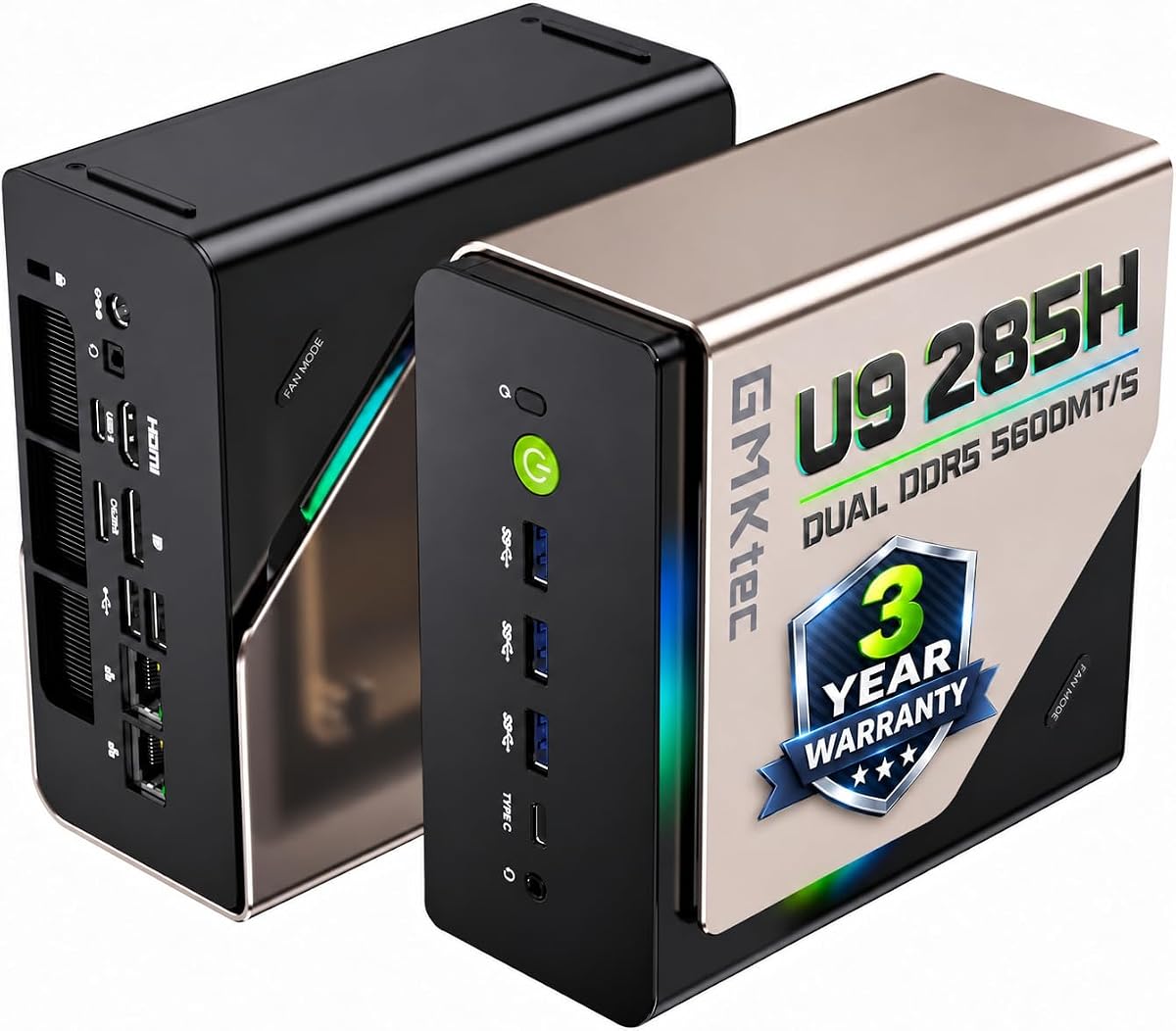
The GMKtec T1 AI focuses on Intel AI capabilities with its Core Ultra 9 processor. It includes an NPU for accelerating local AI tasks and uses Arc graphics for video encoding.
We may earn a commission when you buy through this link, at no additional cost to you.
Cyberpunk runs decently on Arc 140T, but it is best suited for light gaming mixed with productivity tasks. The 32GB RAM allows for smooth multitasking while rendering videos or coding.
The trade-off lies in gaming performance compared to AMD options which often have stronger integrated graphics. Still, the Oculink port opens future upgrade paths for external GPUs.
This is a strong choice if you need AI acceleration and productivity features alongside casual gaming. It offers high bandwidth display support for a modern workstation setup.
The 13 TOPS NPU accelerates local AI tasks like text generation or image processing without needing a cloud connection.
Quad screen 8K support makes this a powerhouse for creative professionals needing multiple high-resolution displays.
We may earn a commission when you buy through this link, at no additional cost to you.
The ROG NUC is a hardcore gaming machine with a powerful RTX 5070 Mobile GPU. It targets enthusiasts who want maximum performance in a desktop-sized chassis with premium build quality.
We may earn a commission when you buy through this link, at no additional cost to you.
Cyberpunk 2077 runs smoothly at high settings thanks to the dedicated GPU and robust cooling system. The triple-fan design ensures temperatures stay low even during intense gaming sessions.
The main trade-off is cost and complexity. It is one of the most expensive options and requires careful setup to maximize its potential. You pay a premium for the ROG branding and quality.
Choose this if you want top-tier performance and premium features in a small form factor. It delivers a desktop-like experience for serious gamers who prioritize quality over budget.
QuietFlow Cooling with dual vapor chambers keeps noise low during gameplay, letting you focus on the game audio.
Thumb screws enable quick access to memory and storage without tools, making maintenance easy for users.
We may earn a commission when you buy through this link, at no additional cost to you.
The GMKtec K12 stands out for its 32GB DDR5 RAM and expansion capabilities. It is a solid mid-range option that balances processing power with future-proofing options.
We may earn a commission when you buy through this link, at no additional cost to you.
With the Radeon 780M, it handles Cyberpunk well at 1080p. The 32GB RAM ensures you can keep many applications open without slowdowns, which is great for streaming or multitasking.
The base storage is limited at 512GB but the multiple M.2 slots allow for easy expansion. The Oculink port is a major plus for users planning to upgrade graphics later.
This unit is perfect for those who need extra RAM and flexibility. It offers a robust foundation for gaming and workloads that require memory headroom.
Up to 24TB storage max via three M.2 slots ensures you never run out of space for large games or files.
Dual 2.5GbE ports allow for faster wired internet connections and better file transfer speeds over LAN.
We may earn a commission when you buy through this link, at no additional cost to you.
The ASUS ROG GR70 delivers elite-tier gaming performance in a portable chassis. With a Ryzen 9 9955HX3D and RTX 5070 GPU, it is built to dominate modern titles like Cyberpunk.
We may earn a commission when you buy through this link, at no additional cost to you.
The 3D V-Cache technology boosts frame rates significantly in CPU-bound scenarios. Its advanced thermal design keeps acoustics low even under intense loads during long gaming sessions.
The main trade-off is cost; this is a premium machine for those who need top specs in a travel-friendly size. Port selection is also more limited than larger desktop replacements.
If portability and power are your priorities, this is an excellent choice. It offers a high-end gaming experience without the bulk of a traditional tower or laptop.
Ryzen 9 9955HX3D uses V-Cache to improve gaming performance by reducing memory latency for smoother gameplay.
The silver-hued chassis is designed to be desk-friendly and travel-ready for gamers on the go.
We may earn a commission when you buy through this link, at no additional cost to you.
The GMKtec M6 Ultra is a balanced option for casual gaming and work. It features a Ryzen 5 7640HS that delivers reliable performance for everyday tasks and light gaming.
We may earn a commission when you buy through this link, at no additional cost to you.
The Radeon 760M handles less demanding games well but struggles with Cyberpunk at high settings. The 1TB SSD provides plenty of space for system files and software installations.
The trade-off is that it is better suited for light gaming rather than AAA titles. However, the dual LAN ports make it excellent for networking setups or NAS integration.
This mini PC is great for users who need a small office machine that can also handle media consumption. It offers strong connectivity and reliability for general use.
USB4 allows for up to 8K display output and high-speed data transfer for connecting external drives or docks.
Dual 2.5GbE LAN ports provide faster wired connections which are ideal for stable online gaming and file transfers.
We may earn a commission when you buy through this link, at no additional cost to you.
The GMKtec EVO-T1 is a powerhouse with 64GB of RAM. It is designed for heavy multitasking and productivity tasks where memory capacity is critical.
We may earn a commission when you buy through this link, at no additional cost to you.
Gaming performance relies on Arc 140T which handles moderate loads. The AI NPU supports acceleration for creative workloads like video editing or local AI models.
Trade-offs include the lack of a dedicated GPU for hardcore gaming. However, for professionals who need massive memory and display support, this system is unmatched.
Choose this if you need a workstation in a mini PC form factor. It offers exceptional memory headroom and connectivity for demanding professional environments.
64GB of DDR5 RAM allows you to run multiple heavy applications simultaneously without slowdowns or bottlenecks.
The 13 TOPS NPU accelerates AI tasks making it efficient for local processing without cloud latency.
We may earn a commission when you buy through this link, at no additional cost to you.
The GMKtec K12 Variant offers 32GB RAM and 1TB storage out of the box. It is a robust all-rounder that balances gaming and productivity needs well.
We may earn a commission when you buy through this link, at no additional cost to you.
With the Radeon 780M, it provides a smooth experience for Cyberpunk at 1080p. The ample RAM ensures background apps run smoothly while you focus on your game.
The trade-off is that the memory is soldered so it cannot be upgraded later. Still, 32GB is plenty for most users and covers future software requirements.
This is a top pick for those wanting a ready-to-play machine with high specs. It offers reliable performance and good connectivity for a competitive price.
1TB PCIe 4.0 SSD offers fast boot times and quick load speeds for games and applications.
Dual cooling fans maintain steady performance during heavy use preventing overheating in compact chassis.
We may earn a commission when you buy through this link, at no additional cost to you.
Selecting the right mini PC for Cyberpunk involves balancing graphics power, thermal design, and connectivity to ensure smooth performance without overheating.
For Cyberpunk 2077, dedicated GPUs like RTX 5060 or higher are ideal for ray tracing. Integrated graphics like Radeon 780M work for 1080p but require lower settings.
Prioritize dedicated GPUs if you want high fidelity, but consider integrated options for budget builds.
Aim for at least 8 cores and 16 threads for smooth multitasking. Ryzen 7 and 9 series or Intel Core Ultra 7 and 9 offer the best balance for gaming.
More cores help when running background apps like Discord or streaming software alongside your game.
16GB is the minimum for modern titles, but 32GB is recommended for smoother performance. DDR5 RAM provides better bandwidth than DDR4.
Ensure RAM is upgradable if possible to extend the life of your system.
Mini PCs can get hot during long sessions. Look for dual-fan systems or vapor chambers that dissipate heat efficiently.
Better cooling prevents thermal throttling and keeps noise levels low during gameplay.
At least 1TB SSD storage is recommended for Cyberpunk and system files. PCIe 4.0 NVMe drives offer faster load times.
Check for expansion slots to add more storage later as your library grows.
Ensure you have HDMI 2.1 or DisplayPort for high-resolution monitors. USB4 or Oculink ports allow for future GPU upgrades.
Wi-Fi 6E or 7 support ensures stable online gaming connections without lag.
Smaller chassis save space but may have less cooling potential. Choose a model that fits your desk and noise tolerance.
Compact systems are great for travel but may require more ventilation.
Determine your spending limit early. High-end models cost significantly more but offer better longevity and performance.
Mid-range options often provide the best value for casual to moderate gamers.
Place your mini PC in a well-ventilated area away from walls to prevent overheating. Ensure at least two inches of space around vents for proper airflow.
Update your graphics drivers regularly to maintain optimal performance. Use the manufacturer tools to control fan curves for quiet or performance modes.
Clean dust from vents every six months to maintain cooling efficiency. Use compressed air to blow out particles without disassembling the chassis.
Yes, mini PCs with dedicated GPUs like RTX 5060 or strong integrated graphics like Radeon 780M can run Cyberpunk 2077 smoothly at 1080p. Adjusting settings to medium or low improves frame rates.
16GB RAM is the minimum for modern titles and works for casual gaming. However, 32GB is recommended to avoid stuttering when running multiple apps or background tasks simultaneously.
Most models include M.2 slots for SSD expansion. Check the product specs to confirm if additional slots are available for adding more storage without replacing the existing drive.
VR headsets typically require USB 3.0 and DisplayPort or HDMI. Ensure your mini PC has these outputs available. Some models may need adapters for specific VR connections.
Mini PCs range from quiet to noisy under load. Models with dual-fan cooling and thermal control software can stay quiet. Read reviews to gauge noise levels during peak performance.
Some mini PCs support Oculink or Thunderbolt for external GPU enclosures. However, integrated graphics cannot be upgraded. Check connectivity options before purchasing if you plan to upgrade.
With proper care and ventilation, a mini PC can last 5 to 7 years. Regular cleaning and software updates help maintain performance. Avoid placing in hot or dusty environments to extend life.
Yes, they are excellent for office work, browsing, and multitasking. Their compact size saves desk space while delivering enough power for productivity software and video calls.
We highlighted ten top picks ranging from budget-friendly options to premium powerhouses. The ACEMAGICIAN S3A and MINISFORUM G1 Pro offer the best balance of value and performance.
Prioritize graphics capability if you want high fidelity in games. For work mixed with gaming, focus on RAM and processor core count for multitasking.
Prices and availability change frequently so check current listings before buying. This guide ensures you have the latest information to make an informed decision for your setup.