
MFi Certified USB 3.0 Flash Drive
4.3Editor score
Compact Lightweight Metal Design
One Click Backup and Sharing
Compatible with iOS and Android
This guide compares the top flash drives for iPhone in October 2026, evaluating speed, compatibility, encryption, and value to help you choose the right
As your iPhone storage fills up with photos and apps, a reliable flash drive becomes essential. The best options offer seamless connectivity, robust security, and fast transfer speeds to keep your data safe and accessible on the go.
We analyzed ten top-rated models based on MFi certification, build quality, and real-world performance. Our comparison covers dual connectors, app functionality, and encryption features to ensure you find a drive that matches your specific workflow and device needs.
Each pick highlights key strengths and potential limitations to guide your decision. Prices and availability change frequently, so verify current details before purchasing. This guide ensures you select a durable solution that expands your mobile storage effectively without compromising performance.
4.3Editor score

4.4Editor score

4.6Editor score
This side-by-side comparison evaluates each drive's capacity, interface types, transfer speeds, and unique features. Review these specifications to determine which model offers the best balance of performance and portability for your specific iPhone or iPad setup.


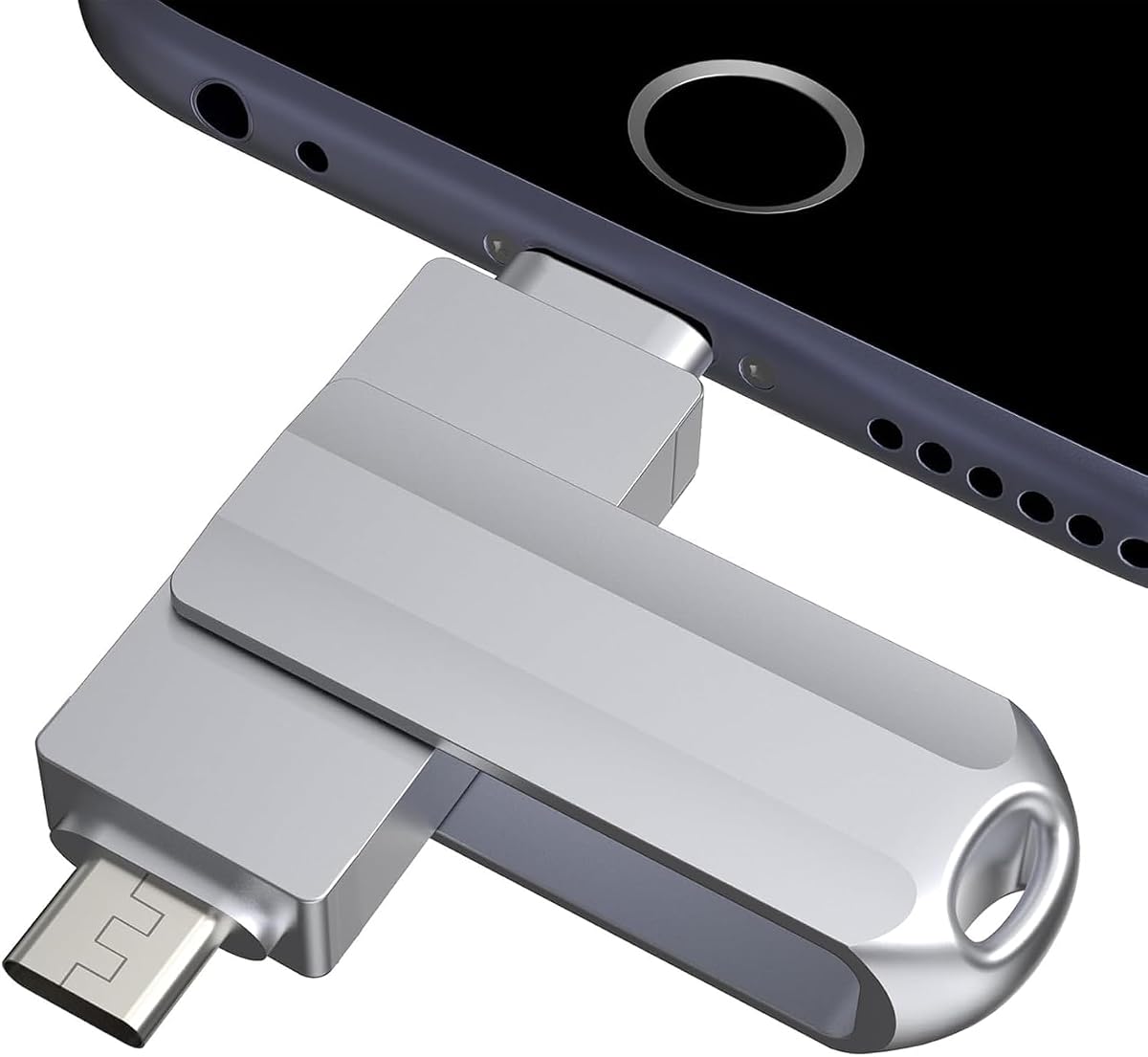


This MFi Certified Multi-function Flash Drive stands out as the top choice for iPhone users needing reliable expansion. With a strong 4.4-star rating, it balances capacity, security, and portability effectively. The 256GB size ensures ample room for large media files without cluttering your device.
We may earn a commission when you buy through this link, at no additional cost to you.
Its standout feature is the automatic storage and on-the-go playback. Photos and videos are saved directly to U-Disk albums in real time, allowing instant access via the app. The metal housing provides dustproof and drop-proof protection, making it ideal for travel or daily use.
While it requires downloading the U-Disk app on iOS devices, the convenience of one-click backup outweighs the minor setup. Encryption options let you protect sensitive data with Touch ID or passcode. Note that Windows and macOS require no app, streamlining cross-platform workflows.
Anyone seeking secure, fast, and portable storage should consider this drive. It excels for professionals and creatives managing large media libraries. Verify current compatibility before purchase to ensure optimal performance with your specific iOS version.
Encrypt the whole drive or specific files using Touch ID or passcode. This ensures your private data stays protected even if the drive is lost.
Backup photos, videos, and phonebooks instantly via the app. This frees up space quickly without needing cables or iCloud subscriptions.
We may earn a commission when you buy through this link, at no additional cost to you.
This MFi Certified USB 3.0 Flash Drive offers excellent value for users needing basic expansion. Rated 4.3 stars, it delivers solid performance at a budget-friendly price. The 128GB capacity handles everyday photo and video storage without breaking the bank.
We may earn a commission when you buy through this link, at no additional cost to you.
Its lightweight design and keychain attachment make it highly portable. You can transfer files between iOS, Android, and PC seamlessly using its three interfaces. Sharing photos directly to social media via the app adds convenience for quick social updates.
The drive includes automatic storage and on-the-go playback features similar to premium models. While it uses the same U-Disk app, the process remains straightforward. Its metal body ensures durability against drops and dust, adding reliability for the price.
Ideal for students or casual users needing extra space, this drive is a practical choice. It prioritizes function over luxury features. Always check current stock and pricing to confirm it meets your needs before ordering.
Share photos and videos from the drive directly to Facebook or other platforms. This avoids intermediate steps and keeps your workflow efficient.
Its lightweight build and keychain make it easy to carry daily. You won't lose it in your bag, ensuring access whenever needed.
We may earn a commission when you buy through this link, at no additional cost to you.
The Lexar D50E 128GB Solid State Dual Drive leads in raw speed and build quality. With a 4.6-star rating, it appeals to professionals needing rapid file transfers. Its compact design eliminates cables, offering seamless connectivity across devices.
We may earn a commission when you buy through this link, at no additional cost to you.
Transfer speeds reach up to 400MB/s read and 360MB/s write, significantly faster than standard USB 3.0. This efficiency saves time when moving large video files. The metal housing protects connectors and resists daily wear and tear.
While photo backup features rely on the Lexar App, the drive works as a plug-and-play storage device for many systems. It supports iOS and Android devices without complex setup. For users prioritizing speed over capacity, this drive is unmatched.
Investors and content creators will appreciate its performance reliability. It bridges the gap between flash and SSD technologies. Confirm device compatibility to maximize the benefits of its high-speed architecture.
Experience file transfers four times faster than standard USB 3.0. This reduces wait times for backing up large media libraries significantly.
The integrated USB-A and USB-C ports mean no extra cables. Plug directly into laptops or tablets for instant data access anywhere.
We may earn a commission when you buy through this link, at no additional cost to you.
This MFi Certified Flash Drive combines high capacity with a unique retractable design. Rated 4.1 stars, it offers a solid option for those wanting protection without caps. The 256GB size handles extensive photo collections easily.
We may earn a commission when you buy through this link, at no additional cost to you.
Its four interfaces allow versatile data transfer between phones, tablets, and PCs. The retractable mechanism reduces loss risk and protects connectors. Encryption features let you secure individual files without compromising usability for general storage needs.
The app enables one-click backup to free up phone space efficiently. While you must install it for iOS, Android users can plug and play. The aluminum body provides a sleek look and adequate heat dissipation.
Users who value connector safety and broad compatibility will appreciate this model. It balances form and function well. Check current pricing to ensure it fits your budget constraints before purchase.
The retractable design shields connectors when not in use. This reduces wear and tear and minimizes the risk of losing caps.
Four interfaces cover almost every device type. Transfer files seamlessly between iPhones, Androids, and computers without extra adapters.
We may earn a commission when you buy through this link, at no additional cost to you.
The Lexar D40E 128GB Dual USB 3.2 Gen 1 Type-C Jump Drive prioritizes portability. With a 4.3-star rating, it offers reliable storage in a slim design. Its swivel mechanism ensures connectors are always accessible without caps.
We may earn a commission when you buy through this link, at no additional cost to you.
Weighing just 26g, it fits easily in any pocket or bag. The metal enclosure withstands temperatures ranging from 0 to 50 degrees Celsius. Security is enhanced by 256-bit AES encryption, protecting sensitive files from unauthorized access.
Plug-and-play compatibility means no software is needed for basic transfers. The warranty offers further peace of mind for daily users. While slower than premium models, it suffices for general document and photo backups.
Ideal for travelers needing minimal gear, this drive offers solid utility. Its focus on compact design makes it a great addition to any tech kit. Verify warranty terms when purchasing from third-party sellers.
The swivel design allows quick switching without caps. This convenience prevents losing covers and keeps the drive ready for use.
Secure your files with 256-bit AES encryption software. This ensures your data remains safe even if the drive is misplaced.
We may earn a commission when you buy through this link, at no additional cost to you.
This 512GB Flash Drive for iPhone/iPad offers massive storage for power users. Rated 4.5 stars, it handles high-resolution photos and 4K videos effortlessly. The USB-C dual connector aligns with newer iPhone models.
We may earn a commission when you buy through this link, at no additional cost to you.
Included USB-A adapters enable easy connection to laptops for full backups. The mFlash app simplifies file management with intuitive tools for copying and organizing. This is crucial for managing large libraries on limited mobile storage.
While Android users can plug and play without an app, iOS users must grant permissions. The drive focuses on high capacity over extreme speed. It serves well for travel, school, or work where storage is a bottleneck.
Professionals needing extra space without cloud reliance should consider this drive. It provides significant breathing room for media files. Check compatibility notes carefully to ensure it fits your device setup.
With 512GB, store thousands of high-resolution photos. This eliminates the need to delete content to make room for new files.
Included USB-A adapters connect easily to computers. This simplifies moving data between your phone and desktop without extra cables.
We may earn a commission when you buy through this link, at no additional cost to you.
This MFi Certified 256GB Flash Drive offers a balance of style and function. Rated 4.1 stars, it features a sleek metallic design and robust waterproof protection. Its focus on social sharing makes it ideal for content creators.
We may earn a commission when you buy through this link, at no additional cost to you.
Connectivity includes USB, Lightning, and Type-C interfaces for broad compatibility. You can share photos directly to social media like Facebook or Twitter from the drive. This direct access removes the need to transfer files to phone storage first.
The app facilitates one-click backups and encrypts individual files for privacy. While speeds are average, the convenience features compensate. Metal construction ensures it withstands drops and harsh conditions better than plastic alternatives.
Social media influencers and casual users alike will find this drive useful. It bridges the gap between storage and instant sharing. Verify current app requirements to ensure smooth integration with your workflow.
Share directly to platforms like Facebook without transferring files first. This saves time and keeps your phone storage optimized.
The metal shell protects against water and dust. This durability ensures reliable performance even in challenging environments.
We may earn a commission when you buy through this link, at no additional cost to you.
This SSK 256GB USB C Flash Thumb Drive targets high-speed users. Rated 4.4 stars, it offers up to 550MB/s read speeds, exceeding standard drives. Dual USB-C and USB-A ports ensure wide compatibility with modern devices.
We may earn a commission when you buy through this link, at no additional cost to you.
Its zinc alloy shell resists abrasion and falling damage. The dual head protective cover shields both connectors effectively. You can also connect to car audio systems or smart TVs for media playback directly.
Android and PC users benefit significantly from plug-and-play functionality. No installation is required for basic file management. While it lacks Lightning support, its speed makes it a top pick for USB-C devices.
Users prioritizing performance and ruggedness should choose this drive. It bridges the gap between flash and SSD speed at a reasonable price. Ensure your devices support USB 3.2 for optimal performance.
550MB/s read speeds are ten times faster than standard sticks. This drastically reduces waiting time when moving large datasets.
The zinc alloy shell resists abrasion and falling damage. Its shock resistance and fast heat dissipation protect your data long-term.
We may earn a commission when you buy through this link, at no additional cost to you.
This EATOP 256GB Flash Drive simplifies storage with no app requirement. Rated 4.2 stars, it works directly with the iPhone Files app for easy management. Its rose pink color adds a stylish touch to standard drives.
We may earn a commission when you buy through this link, at no additional cost to you.
It features USB, USB-L, Micro USB, and USB-C ports for maximum compatibility. You can copy files instantly without downloading third-party apps. This seamless integration suits users who prefer native OS tools over proprietary software.
Transfer speeds up to 30MB/s reading and 15MB/s writing are moderate but sufficient for most tasks. Note that phone cases may block connections, so try removing them if issues arise. It supports all major platforms including Windows and Mac.
Those avoiding app clutter will find this drive particularly convenient. It offers straightforward storage expansion without bloat. Verify iOS version compatibility before purchase to ensure full functionality with your device.
Work directly with the native Files app. This eliminates the need for downloads and streamlines your backup routine.
Five different ports cover almost every device. Switch between phones, laptops, and tablets effortlessly.
We may earn a commission when you buy through this link, at no additional cost to you.
The SANDISK 256GB Phone Drive offers specialized support for iPhones. Rated 4.3 stars, it bridges Lightning for older models and USB-C for newer ones. Its branding ensures compatibility and reliability for Apple users.
We may earn a commission when you buy through this link, at no additional cost to you.
Automatic backups and real-time progress tracking simplify data management. You can choose manual or automatic modes via the Memory Zone app. Encryption adds a layer of protection for sensitive personal files.
While the app is required for some features, it enhances usability. The drive transfers content reliably between USB-C or Lightning iPhones and other devices. Its design focuses on seamless integration with iOS file structures.
iPhone 15 users seeking official compatibility should consider this drive. It balances legacy and modern support effectively. Verify firmware update requirements to maintain optimal functionality with your iOS version.
Choose automatic backups with real-time tracking. This keeps your phone storage free without manual intervention or complex steps.
Dual connectors support both USB-C and Lightning. This ensures future-proofing for Apple devices across multiple generations.
We may earn a commission when you buy through this link, at no additional cost to you.
Selecting the right flash drive involves more than checking capacity. Understanding connectors, speeds, and security helps you make a smart choice for your specific needs.
MFi Certification ensures the drive is officially approved by Apple. This prevents connection errors and potential damage to your iPhone. Always look for this badge when buying for iOS devices.
Verify MFi certification before purchasing to ensure safety.
Check if the drive matches your iPhone model. Newer iPhones use USB-C while older ones need Lightning. Dual connectors provide maximum flexibility for both.
Ensure the connector matches your device's port type.
Capacity depends on your content volume. 128GB suits casual users while 256GB or more fits pros. Consider 4K videos and large photo collections when estimating needs.
Choose capacity based on your media storage requirements.
Speeds vary widely between models. USB 3.2 Gen 1 or higher ensures faster backups. Look for read speeds above 100MB/s for efficiency.
Prioritize higher read speeds for better performance.
Protect sensitive data with encryption features. Some drives support Touch ID or passcodes. This adds crucial privacy for sensitive files or business data.
Use encryption to secure private data effectively.
iOS drives often need specific apps to function. Some offer plug-and-play via Files app. Check requirements to avoid unexpected setup steps.
Verify app needs before finalizing your purchase.
Durable materials like metal resist drops and heat. Look for dustproof and waterproof ratings. This extends the lifespan of the drive significantly.
Select drives with metal housings for durability.
Ensure the drive works with your OS like Android or PC. Most support Windows and Mac. Cross-platform use increases overall utility.
Confirm cross-platform compatibility for shared use.
Install the required app from the App Store if needed. Grant permissions for photos and files when prompted by the device.
Connect the drive securely to your iPhone and check recognition in Files. Wait for indicators confirming it is ready for data transfer.
Safely eject the drive via the app before removing it. Store in a protective case to prevent physical damage during transport.
Not all drives require apps. Some support native iOS file management, but many need specific software for features like backups. Check product details before purchase to confirm setup requirements.
Yes, drives with USB-C or OTG compatibility work across platforms. Ensure your Android device supports USB host mode for seamless transfer between operating systems easily.
Most are compatible with iPad Pro models supporting USB-C. Check connector types in specifications to ensure it fits your specific tablet version correctly.
Transferring copies files without deleting originals. To free up space, you must manually delete photos after verifying the transfer. Always check the backup status first.
Lightning connects to older iPhones while USB-C fits newer ones. Dual connector drives support both standards offering more flexibility across different device generations.
Yes, AES encryption protects files from unauthorized access. Use strong passwords or biometric unlock to secure your private content on portable storage devices effectively.
Look for MFi certification explicitly stated in product descriptions. This badge ensures Apple approval for safety and performance with your iOS devices without issues.
This can happen due to app needs, incompatible iOS versions, or dirty connectors. Clean the port, update your app, and restart your phone to resolve connection issues.
We reviewed ten drives balancing performance and value for your iPhone needs. The top picks offer reliable expansion with robust security features for your peace of mind.
Prioritize MFi certification and correct connectors to avoid compatibility issues. Select a capacity that matches your media consumption habits for long-term satisfaction.
Check current prices and deals before purchasing to maximize your investment. Prices change frequently so verify details before ordering your storage solution.