
BENFEI USB C to HDMI Adapter 4K@60Hz
4.4Editor score
Supports 4K at 60Hz resolution
Compact and portable design
Compatible with USB-C DP Alt mode devices
This guide compares ten top rated Flash Drive to HDMI Adapter models for video output, compatibility, and performance to help you choose the right display
Finding the right Flash Drive to HDMI Adapter can transform how you connect devices to screens. These small tools let you mirror or extend displays using a standard USB port. They are essential for presentations, entertainment, and expanding workspace without buying new hardware.
We evaluated ten products based on resolution support, driver requirements, and compatibility across operating systems. Each adapter was reviewed for build quality, ease of setup, and real world performance. Our goal is to help you find a reliable connection for your specific laptop or desktop needs.
Each pick below shows key specs, pros, cons, and detailed usage notes. Prices and availability change frequently so check the product links for current details. We focus on factual data from manufacturers and user feedback to ensure accurate recommendations for your setup.
4.4Editor score

4.5Editor score

4.5Editor score
This side by side comparison highlights key differences across all ten models. We look at resolution limits, driver needs, and port types to help you decide quickly.


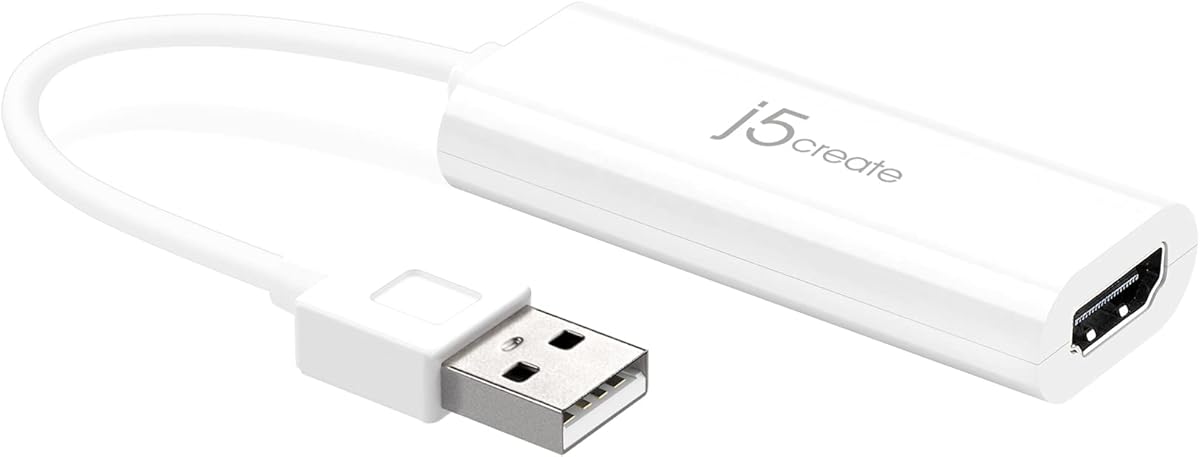
The Reborn USB to HDMI Adapter is a powerful device designed to convert USB connections to HDMI outputs. It supports 1080P at 60Hz on Windows and macOS systems. This adapter is vital for laptop screen output and multimedia needs. Its compactness ensures convenient carrying and instant connection for users.
We may earn a commission when you buy through this link, at no additional cost to you.
This adapter facilitates connections to HDMI displays easily. It allows users to expand their desktop or mirror their screen for presentations. The high quality materials make it sturdy and durable for long term use. It passed strict checks ensuring stable performance and reliable connections in various settings.
Users need to install a driver before using this adapter. The process is straightforward and does not require a CD ROM. If other drivers are installed, they should be uninstalled to avoid conflicts. Antivirus software should be closed during installation to prevent issues.
Whether for work or entertainment this adapter brings convenience. It supports both mirror and extended modes to enhance efficiency. The design is exquisite and practical. Contacting support is easy if questions arise. This makes it a good choice for everyday multimedia tasks.
The driver installation is simple and does not need a CD ROM. Users just need to locate the driver on the removable disk after connecting the device.
Works with multiple operating systems including Windows and macOS. It supports both mirror and extended modes for different use cases.
We may earn a commission when you buy through this link, at no additional cost to you.
The StarTech USB-A 3.0 to HDMI Converter is a reliable tool for Windows users. It offers 1080p resolution at 60Hz and supports both X86/X64/ARM platforms. The adapter is only compatible with Windows and does not support macOS or Linux. It is a solid choice for workstation setups.
We may earn a commission when you buy through this link, at no additional cost to you.
This device increases productivity by allowing users to extend their desktop. It adds an HDMI monitor to laptops or desktops without extra power supply. The design is travel friendly with a lightweight compact form. It connects easily to all Windows platforms.
Administrator rights are required to install the drivers. The process is secure and ensures the adapter functions correctly. It supports Intel AMD and Snapdragon X Copilot+ PC systems. The 2.4 inch cable length provides flexibility in placement.
Ideal for office or work from home scenarios this adapter is efficient. It delivers video and audio through the HDMI connection. Users can enjoy stable performance during presentations or media playback. The TAA compliance adds trust for procurement needs.
Admin rights are mandatory for installing the drivers. This ensures security and proper configuration of the video output.
Users can extend their desktop to add monitors. This setup is ideal for multitasking in home office environments.
We may earn a commission when you buy through this link, at no additional cost to you.
This USB to HDMI adapter connects PC images to TVs monitors and projectors. It can synchronize two monitors or expand the desktop for efficiency. Both USB3.0 and USB2.0 ports support 1920 x 1080 resolution. Hot plugging is supported for convenience.
We may earn a commission when you buy through this link, at no additional cost to you.
The adapter requires driver installation on the computer. Once installed it can be used at any time without rebooting. It offers a 36 months warranty and unconditional return within 12 months. This gives buyers confidence in the product quality.
Work efficiency improves when using this adapter to expand the desktop. Users can manage more content across screens easily. It works with Windows and Mac systems. The design allows quick setup for presentations or media sharing.
If you need a simple solution for adding a screen this adapter fits well. It is affordable and supports common resolutions. Ensure drivers are installed for full functionality. The warranty adds value for long term use.
The product comes with 12 months unconditional return and 36 months warranty. This provides strong protection for the buyer.
Supports 1920 x 1080 on both USB3.0 and USB2.0 ports. This ensures HD output across most devices.
We may earn a commission when you buy through this link, at no additional cost to you.
The WAVLINK USB 3.0/USB C to HDMI adapter allows effortless multitasking. It supports up to 6 total monitors on PCs. One adapter is required per monitor. Resolutions up to 2048×1152@60Hz or 2560×1440@50 are supported. This makes it versatile for complex setups.
We may earn a commission when you buy through this link, at no additional cost to you.
External microphone and earphone outputs make it convenient for audio tasks. It supports Windows macOS Ubuntu ChromeOS and Android with USB OTG. DisplayLink driver installation is required. The adapter is easily connected to USB-C or USB-A ports.
Build quality includes USB 3.0 GPU certified by DisplayLink. It features a compact size and LED display status. This ensures easy setup and multi-function operation. The 18 months limited warranty backs all products.
If you need multiple displays this adapter is a strong choice. It improves work efficiency by extending screens widely. The wide compatibility covers many modern systems. Users can mirror or extend content effortlessly for presentations.
DisplayLink certification ensures stable performance across multiple monitors. This reduces lag and improves reliability for professional use.
Includes external microphone and headphone outputs. This adds value for users needing audio control during video calls.
We may earn a commission when you buy through this link, at no additional cost to you.
This adapter is designed for IT professionals and workstation setups. It lets users extend their desktop by adding up to two HDMI monitors. The video performance supports resolutions up to 4K at 30Hz and 1080p at 60Hz. HDCP 1.4 ensures secure content playback.
We may earn a commission when you buy through this link, at no additional cost to you.
Administrator rights are required to install the drivers. It works with all Windows X86/X64/ARM platforms including Snapdragon X Copilot+ PC. It does not support macOS ChromeOS or Linux. The 9.8 inch cable length offers good reach.
It is backed for 3 years with free lifetime technical assistance. This makes it a reliable choice for businesses. The design is built for high use environments. Productivity increases with dual extended displays for multitasking.
Ideal for users needing two external screens this adapter excels. It provides stable video and audio through HDMI. The 4K support allows for high detail content. IT departments will appreciate the support and warranty coverage.
Allows adding up to two HDMI monitors. This doubles workspace for professionals managing multiple tasks.
Includes 3 years warranty with lifetime technical assistance. This ensures long term reliability and help when needed.
We may earn a commission when you buy through this link, at no additional cost to you.
The StarTech.com USB-A to HDMI Adapter lets you connect to an HDMI monitor using a single USB Type-A port. It supports 1080p resolution and offers 5.1ch audio through HDMI. DisplayLink certification ensures compatibility with any USB-A laptop or desktop.
We may earn a commission when you buy through this link, at no additional cost to you.
This adapter adds a display in extended mode allowing two displays total. It works with USB 3.1 and 3.0 devices. Automatic driver installation occurs with Windows and Chrome. It is compact and requires no extra power supply.
It increases productivity by enabling multi monitor setups. Users can extend screens across available USB-A ports. The 6.3 inch cable length provides flexibility. The setup is easy with automatic driver configuration.
Best for users needing guaranteed compatibility this adapter stands out. It is reliable for professional environments. The DisplayLink certification adds trust. If you want a simple way to add a screen this is a solid pick.
Features automatic driver installation on Windows and Chrome systems. This reduces manual steps and speeds up setup time.
Supports 5.1ch audio through HDMI. This improves media playback quality compared to stereo options.
We may earn a commission when you buy through this link, at no additional cost to you.
The Kinhaly USB C to HDMI adapter helps iPhone 15 16 and MacBooks expand a 4K@60Hz port. It also includes a charging port to keep devices powered. Users enjoy crystal clear audio and high definition video. It supports mirroring and playback while charging.
We may earn a commission when you buy through this link, at no additional cost to you.
This adapter is plug and play. No driver app or WiFi is needed. Just insert the interface and click Trust when connecting. It works with iPhone 15 16 series iPad Pro Galaxy and MacBook Pro. The nylon braided cable ensures stable signal transfer.
It supports video apps like YouTube and Hulu but not those with HDMI copyright protection like Netflix. The aluminum alloy casing provides better heat dissipation. It is compact and fits in pockets for easy carrying.
Ideal for travelers wanting to mirror phone screens to TVs. The charging port ensures battery life during use. Setup is quick and simple. Users can share content with family instantly. A sturdy choice for daily streaming needs.
Includes a charging port for continuous power during use. This prevents battery drain when mirroring content to a TV.
Does not support apps with HDCP protection like Netflix. It works with YouTube and other streaming platforms.
We may earn a commission when you buy through this link, at no additional cost to you.
This USB 3.0 to HDMI adapter transforms a USB-A port into a high definition output. It delivers crystal clear 1080P at 60Hz resolution. The adapter supports 3D display for a more immersive experience. It is perfect for HDTVs projectors and multi-monitor setups.
We may earn a commission when you buy through this link, at no additional cost to you.
The driver installation is simple with on-screen prompts. It runs locally ensuring privacy with no internet access required. Users can switch between extended and mirror modes using shortcuts. It works flawlessly with laptops and desktops.
It is designed for Windows 11 10 and macOS 10.15+. It does not support Windows 8 8.1 Vista or Android. Upgrading the computer system ensures compatibility. The guide makes setup quick for users without technical skills.
If you need 3D video output this adapter is a strong option. It boosts productivity for video conferences and entertainment. The driver is safe and local. A good pick for standard HD video tasks.
Includes 3D display support for immersive video. This adds value for media consumption.
Driver runs locally with no internet access. This ensures privacy during setup and operation.
We may earn a commission when you buy through this link, at no additional cost to you.
The BENFEI USB C to HDMI adapter connects devices to monitors or HDTVs easily. It is compact and portable enough to fit in a bag. It supports resolutions up to 3840*2160@60Hz. The plated connector resists corrosion and abrasion for durability.
We may earn a commission when you buy through this link, at no additional cost to you.
Built-in advanced IC chips convert USB-C digital signals to HDMI. The USB-C device must support USB Type-C DP Alt mode. It is compatible with iPhone 15 Pro/Max MacBook Pro and many other devices. This covers a broad range of modern computers.
Molded strain relief increases cable durability. It offers excellent stability for daily use. The design is lightweight for business presentations. An 18 month unconditional warranty ensures satisfaction for long term use.
Best for those seeking a budget friendly USB-C solution. It supports high quality 4K video easily. Compatible with many popular brands. Users can extend their desktop or present on the fly.
Includes 18 month unconditional warranty. This provides peace of mind for long term use.
Requires USB-C device support for DP Alt mode. This ensures high quality signal conversion.
We may earn a commission when you buy through this link, at no additional cost to you.
This adapter adds an additional monitor without installing an expensive internal video card. Users simply install the driver and connect monitors using HDMI cables. Hot-swappable USB enables adding or removing monitors without rebooting. It allows viewing large spreadsheets across two screens.
We may earn a commission when you buy through this link, at no additional cost to you.
It is great for multitasking in phone centers hospitals graphic design and accounting. It helps manage web surfing and email accounts simultaneously. The design avoids overlapping windows. This increases workflow efficiency for professionals.
Setup involves installing the driver then connecting the monitors. It uses a standard USB to HDMI display adapter. The hot swap feature saves time during workflow changes. A must-have for managing multiple tasks at once.
Ideal for professionals needing extra screen space. It is simple to install and use. Avoids rebooting when adding monitors. Great for office environments where multiple screens improve productivity.
Hot swappable USB allows removing monitors without rebooting. This saves time when changing setups daily.
Great for managing multiple accounts and tasks. It helps users work faster with extended screens.
We may earn a commission when you buy through this link, at no additional cost to you.
Choosing the right adapter requires understanding your device and needs. We break down key factors to help you pick the right model.
Check whether the adapter supports your specific OS. Some models work only with Windows while others support macOS ChromeOS and Linux. Verify if the device needs driver installation before buying.
Always match the adapter to your computer's system to avoid connectivity issues.
Look for adapters supporting the resolution your display requires. Most offer 1080p but some support 4K at 30Hz or 60Hz. Higher refresh rates reduce lag for video and gaming.
Choose 4K support if you need high detail. Ensure the refresh rate matches your use case.
Determine if you need USB-A or USB-C. USB-C adapters often support more video modes. USB-A models are common for older laptops.
Match the adapter port to your computer's available USB port.
Some adapters work plug and play while others need drivers. Plug and play saves setup time. Driver models offer more features.
Check if driver installation is supported on your OS before buying.
Decide if you need one or two external screens. Dual HDMI adapters allow two monitors. Single adapters work for one screen.
Pick the right type for your workspace needs.
Look for durable materials like aluminum and nylon braiding. Good heat dissipation helps reliability. Check for warranties like 18 months or more.
Durable build ensures longer use and fewer failures.
Some adapters pass audio through HDMI. Others include external jacks. Verify audio features match your setup.
Ensure the adapter supports your audio output needs.
Prices vary based on features and brand. Simple adapters cost less. Dual output models cost more.
Set a budget but prioritize features you need.
Install any required drivers before connecting the adapter to your computer. Follow on-screen prompts and ensure your antivirus is not blocking installation.
Plug the adapter into an available USB port and connect the HDMI cable to your monitor. Select extended or mirror mode using system preferences.
Store the adapter in a safe dry place. Avoid bending cables sharply to maintain durability. Clean the connectors with a dry cloth if needed.
Not all adapters need drivers. Some are plug and play while others require installation. Check the product details before buying. If a driver is needed the process is simple.
Some adapters support macOS but others are Windows only. Verify compatibility before purchasing. Look for models supporting both systems for flexibility.
Most support 1080p. Some support 4K at 30Hz or 60Hz. Higher resolutions depend on the adapter model. Check specs for your target display.
Some models support one or two monitors. Dual HDMI adapters allow two screens. Check specs for multi-monitor support.
Check for conflicts with other drivers or antivirus. Restart your computer after installing. Ensure USB ports are working correctly.
Most adapters work with laptops. Ensure your laptop has the required USB port. Check for port type compatibility.
Warranty varies by brand. Some offer 12 months others 3 years. Check product details for warranty length.
Yes they work well for presentations. They allow extending or mirroring screens. Ensure driver installation for best results.
The top picks offer great value and reliability. The Reborn and BENFEI adapters are budget friendly while StarTech offers dual outputs.
Prioritize resolution and OS compatibility when choosing. Ensure your setup matches the adapter features.
Always check current prices before buying. Availability may change over time.