
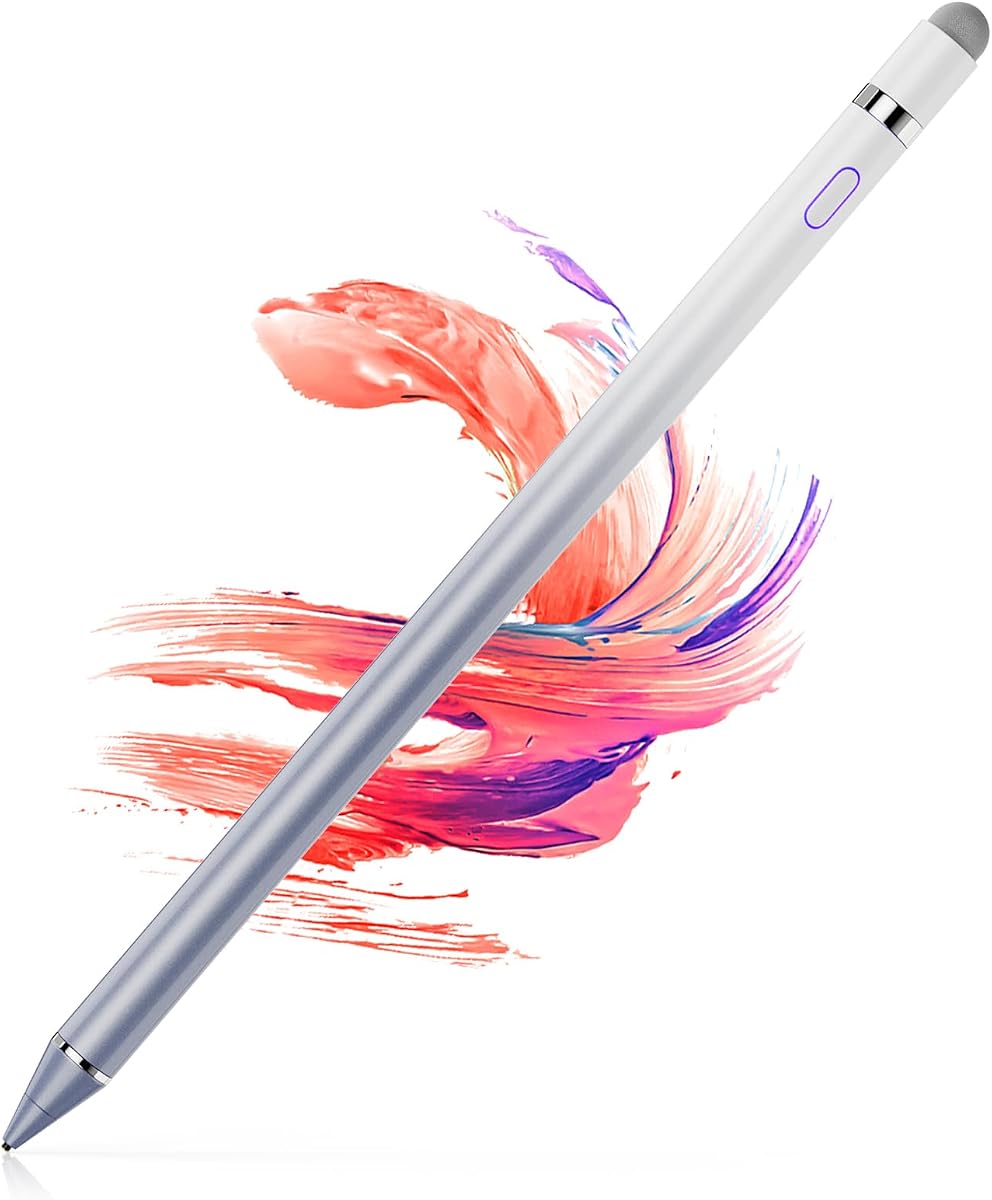
ChaoQ Stylus Pen for Touchscreen
4.6Editor score
Lightweight aluminum body construction
Dual rubber tip flexibility
Multiple color options available
This guide compares ten top-rated fine tip stylus options for touchscreens, evaluating precision, compatibility, and value to help you choose the perfect
Finding the right fine tip stylus can transform how you interact with your touchscreen devices. Whether you are taking notes, drawing art, or navigating menus, a quality stylus offers precision that fingers cannot match. The best options provide smooth contact without scratching screens or leaving fingerprints behind.
We have evaluated ten highly rated stylus pens based on user feedback, design features, and compatibility across devices. Our comparison focuses on tip precision, battery life, build quality, and overall value. This list covers universal capacitive styluses as well as active pens with enhanced features for creative work.
Each pick in this guide highlights specific strengths and ideal use cases for different users. You will find options for budget shoppers, professionals, and casual users alike. Please note that product availability and pricing may change over time, so check current listings before purchasing.
4.6Editor score

4.6Editor score
4.0Editor score
The following table provides a side-by-side comparison of all ten stylus pens included in this guide. Each entry highlights key specifications and features to help you quickly identify the best option for your specific device and workflow needs.


The MEKO Stylus Pen stands out as a versatile tool for touchscreen navigation and creativity. With a strong rating from users, it offers a unique 3-in-1 design that adapts to various tasks. The transparent disc tip provides a clear view of where your pen touches the screen, ensuring accuracy.
We may earn a commission when you buy through this link, at no additional cost to you.
This stylus features dual-sized rubber tips alongside the disc tip, giving you options for scrolling or writing. The silicone material is soft enough to protect your screen yet responsive enough for smooth input. Its universal compatibility means it works on iPads, Android tablets, and even gaming consoles.
While it lacks advanced features like palm rejection or pressure sensitivity, these trade-offs are acceptable given its price point and versatility. It is ideal for general tasks rather than professional art. Users appreciate the ease of swapping tips when they wear out.
For anyone needing a reliable stylus for daily use without breaking the bank, the MEKO pen is an excellent choice. It simplifies interaction with touchscreens and reduces fingerprints. Consider this if you value practicality and longevity over premium digital art features.
The transparent disc tip allows you to see exactly where your pen contacts the screen, eliminating guesswork during detailed tasks like signing documents or selecting small icons.
Because it requires no Bluetooth pairing or charging, this stylus works instantly on almost any capacitive device, making it a reliable backup for travel or work settings.
We may earn a commission when you buy through this link, at no additional cost to you.
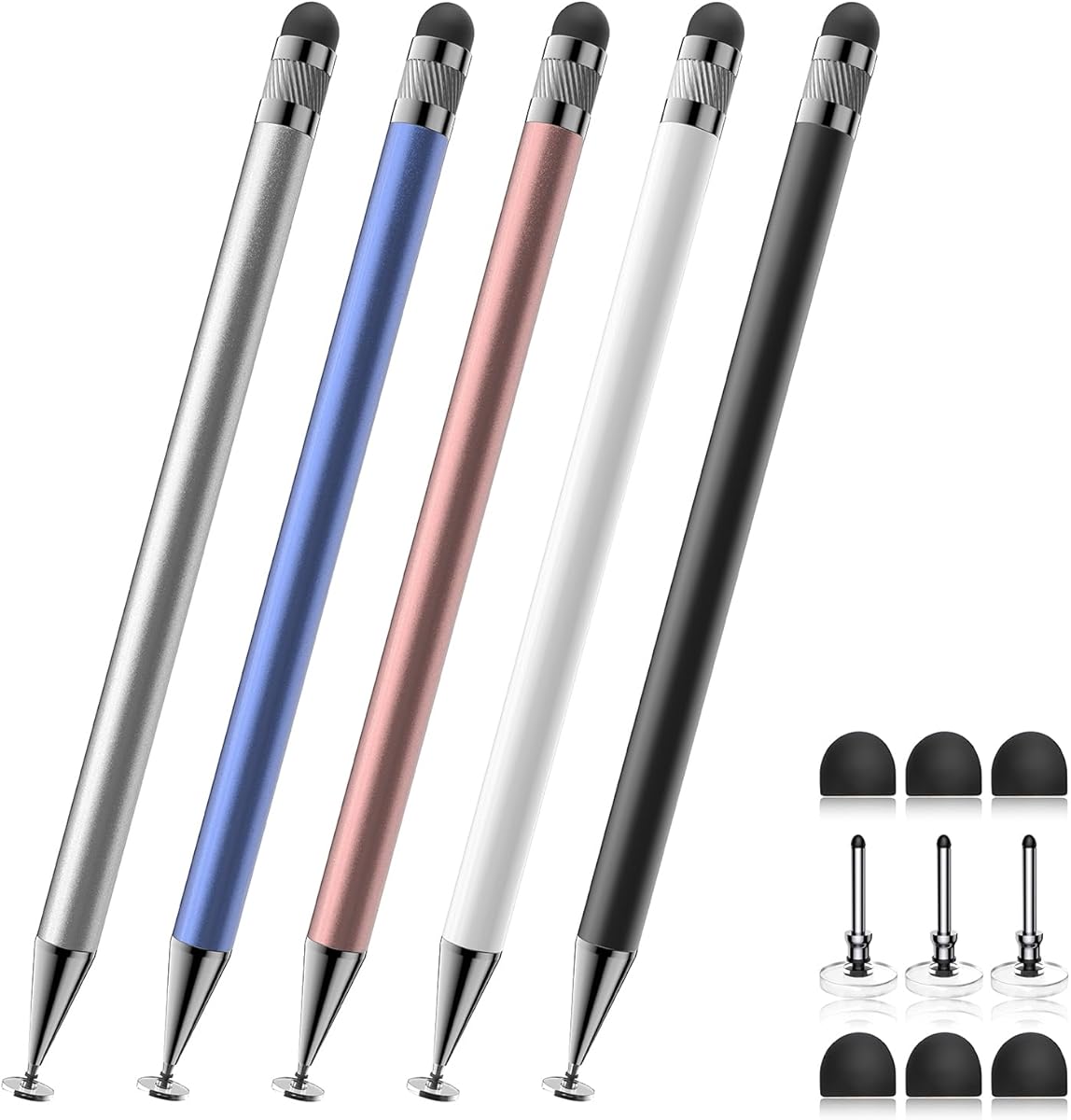
The Bopomofo Stylus set offers excellent value by providing five individual pens in vibrant colors. This makes it perfect for households with multiple members or classrooms where devices are shared. Each pen features a 2-in-1 design with both disc and rubber tips for flexibility.
We may earn a commission when you buy through this link, at no additional cost to you.
Users find these styluses comfortable to hold and effective for note-taking or gaming. The capacitive nature ensures they function like a fingertip without requiring power. The patented design adds a touch of elegance, making them suitable as thoughtful gifts for students or colleagues.
One limitation is that the plastic piece on the disc tip is not removable, which could affect cleaning or durability for some users. Additionally, as a passive stylus, it does not support pressure sensitivity for digital art. However, for everyday tasks, it performs admirably.
If you need a durable, shareable stylus solution that looks good and works well across devices, this set is a smart buy. It reduces the need to track a single pen and ensures everyone has their own tool. It balances cost and functionality effectively.
Having five distinct colors helps users assign specific styluses to different devices or tasks, reducing confusion and ensuring that everyone has immediate access to a writing tool.
The tips glide smoothly over most screen protectors without scratching, allowing you to keep your device safe while still using a stylus for precision input.
We may earn a commission when you buy through this link, at no additional cost to you.
This stylus is designed with accessibility in mind, making it ideal for seniors or individuals with arthritis. The 2026 upgraded version includes a sensitive transparent disc tip that allows precise control without requiring heavy pressure. It helps users navigate devices more comfortably.
We may earn a commission when you buy through this link, at no additional cost to you.
The dual rubber tips offer flexibility for scrolling or gaming, while the disc tip is great for writing or selecting icons. Its universal compatibility ensures it works on nearly all touchscreen devices, including Chromebooks and Android tablets. The tool-free tip replacement process is quick and easy.
While it does not offer advanced connectivity or smart features, its simplicity is a strength for many users. The lightweight design reduces wrist strain during extended sessions. It serves well as a general-purpose tool for education or daily tasks.
For families looking to support aging parents or children in learning environments, this stylus provides the necessary precision and ease of use. It simplifies digital interaction and minimizes frustration with accidental touches. It is a practical solution for everyday needs.
The ergonomic design reduces strain on the wrist and fingers, allowing users to write or navigate for longer periods without discomfort or fatigue.
With the 2026 upgrade, this stylus incorporates modern improvements like enhanced sensitivity and broader device compatibility to stay relevant with new touchscreen technologies.
We may earn a commission when you buy through this link, at no additional cost to you.
This dual-tip stylus is unique because it supports both modern capacitive screens and older resistive ones. The silicone round head is perfect for phones and tablets, while the hard plastic tip works on specific devices like older GPS units. It offers rare versatility for niche needs.
We may earn a commission when you buy through this link, at no additional cost to you.
For standard devices, the silicone tip provides smooth interaction without scratching. The package includes two pens, making it economical for light users. It is a simple tool that requires no charging or pairing, ready to use out of the box.
However, the plastic tip is limited to older hardware, which may not be useful for most modern users. The overall rating is lower due to mixed feedback on durability and performance. It is best reserved for those who need a backup for specific legacy devices.
If you have a mix of modern and older devices, this stylus offers a solution for both without needing multiple pens. It is affordable and practical for specific use cases where other styluses fail. Just ensure you understand its limitations before purchasing.
The ability to switch between silicone for capacitive screens and plastic for resistive screens makes this stylus a rare tool for legacy hardware maintenance or travel.
At a low price point, this stylus serves as an excellent backup option for offices or homes where multiple styluses are needed but high-end features are not required.
We may earn a commission when you buy through this link, at no additional cost to you.
This bulk pack provides seven stylus pens, making it an exceptional value for groups or businesses. Each pen features a lightweight alloy body that feels sturdy and durable. The high sensitivity ensures smooth writing or drawing without lag on compatible screens.
We may earn a commission when you buy through this link, at no additional cost to you.
Users appreciate that these styluses require no Bluetooth or charging, offering instant access to touch input. The multicolor design allows for easy identification, and the simple mechanism means they are ready to use immediately. They work well on Android and iOS devices alike.
While the design is basic compared to active pens, it fulfills the core function of providing precision input effectively. It is not designed for heavy artistic work but is perfect for notes and navigation. The durability of the alloy body is a standout feature.
For anyone needing multiple styluses for a team or family, this set offers reliability and convenience. It reduces the hassle of losing a single pen and ensures there is always a spare available. It represents smart spending for practical needs.
The lightweight and durable design ensures you can keep one in your bag, desk, or car, making it easy to capture ideas whenever inspiration strikes.
With no pairing or charging required, this stylus lets you jump straight into work or play, minimizing setup time and maximizing productivity.
We may earn a commission when you buy through this link, at no additional cost to you.
The ChaoQ Stylus Pen is designed with student and professional needs in mind, offering an ergonomic shape that reduces wrist strain. It comes with three pens in vibrant colors, plus replaceable tips to ensure long-term use. The dual-tip design allows switching between fine and broad lines.
We may earn a commission when you buy through this link, at no additional cost to you.
Users find the rubber tips highly sensitive and capable of smooth glide across screens without scratching. The aluminum body feels premium despite the affordable price. It works seamlessly on all major platforms, making it a versatile tool for school, work, or leisure.
While it lacks digital art features like pressure sensitivity, it handles standard tasks like note-taking and browsing with ease. The ergonomic design is a key selling point for those who write frequently. It offers comfort and reliability at a budget-friendly price.
For students looking for a reliable stylus to help with digital notes, this set is an ideal choice. It provides enough variety for daily use and includes spares for longevity. Consider this if comfort and value are your top priorities.
The ergonomic shape and lightweight body make it easy for students to use for hours without discomfort, supporting long study sessions.
The bright metal colors add a touch of fun to learning, making note-taking more engaging and helping users personalize their study tools.
We may earn a commission when you buy through this link, at no additional cost to you.
This active stylus distinguishes itself with a magnetic design that attaches directly to compatible iPad models. It offers a more integrated experience than passive styluses, with features like a one-touch switch to save power. The battery lasts long enough for a full day of use.
We may earn a commission when you buy through this link, at no additional cost to you.
Users appreciate the precision and lack of lag when writing on iPad or Android devices. The magnetic cap ensures the stylus stays within reach and prevents loss. It is a step up in convenience compared to basic touch styluses.
However, it requires charging via USB and must be managed carefully to avoid pairing issues. It is best suited for users who need more than simple tapping capabilities. The convenience of magnetic charging offsets the need to plug it in occasionally.
For iPad users who want a reliable stylus without the high cost of brand-name options, this is a strong candidate. It bridges the gap between basic touch styluses and premium active pens. Consider this if you value convenience and attachment features.
The magnetic design keeps the stylus securely attached to the side of your device, ensuring it is always ready when you need it and never lost.
With auto-sleep functionality and fast charging, this stylus maximizes battery life so you can focus on work rather than constantly recharging.
We may earn a commission when you buy through this link, at no additional cost to you.
The OASO Stylus stands out for its thoughtful accessories, including a leather case and an extra disc tip. The magnetic cap allows for secure storage of the tip, keeping the stylus organized and safe. It works on all standard capacitive screens without issue.
We may earn a commission when you buy through this link, at no additional cost to you.
Users find it convenient for travel due to the included case. The disc tip mimics a finger for natural navigation. It is simple and effective for daily tasks like browsing and annotating documents. The extra tip ensures longevity even with regular use.
While it does not offer active features, its portability and included accessories make it a solid choice for on-the-go users. The design ensures you have everything you need in one package. It balances functionality with convenience effectively.
If you need a reliable stylus for travel that comes with protective storage, this is a great option. The inclusion of a case and spare tip adds value and peace of mind. Consider this for a complete and ready-to-use package.
The included leather case protects the stylus and keeps it organized in your bag, ensuring it is always safe and ready for use while on the move.
The magnetic cap secures the disc tip inside the pen body, preventing loss and keeping the stylus tidy when not in use.
We may earn a commission when you buy through this link, at no additional cost to you.
This stylus is built for precision, featuring a 1.5mm copper tip that allows for detailed work like signing or sketching. The battery lasts up to 12 hours on a single charge, making it suitable for long sessions. It connects without Bluetooth, simplifying the setup.
We may earn a commission when you buy through this link, at no additional cost to you.
Users appreciate the smooth glide and lack of scratches on their screens. The magnetic cap ensures it stays connected or protected. It works across a wide range of devices, ensuring versatility. It feels professional and reliable in hand.
While it lacks palm rejection, the precision of the tip compensates for this limitation. It is best for users who prioritize line accuracy over active art features. The copper tip is durable and provides a unique feel compared to rubber alternatives.
If you need a stylus that offers detailed control without the high cost of brand-name options, this is a strong contender. It provides professional-level accuracy for signatures or technical notes. Consider this for precision-focused tasks.
The 1.5mm copper tip is engineered for accuracy, allowing users to draw fine lines and signatures that look natural and precise on the screen.
With a 12-hour battery life, this stylus supports all-day productivity without needing frequent recharging, keeping your workflow uninterrupted.
We may earn a commission when you buy through this link, at no additional cost to you.
This active pencil offers a realistic writing experience with a 1.5mm tip that mimics the feel of a real pen. It powers on quickly and requires no Bluetooth connection, streamlining your workflow. The battery life supports a full day of use.
We may earn a commission when you buy through this link, at no additional cost to you.
Users find it suitable for digital drawing and handwriting tasks on various tablets. The consistent line thickness is perfect for general notes but not for shading. It is designed to be a reliable tool for creative professionals on a budget.
While it lacks pressure sensitivity, it offers a stable and accurate alternative for line work. The rechargeable feature means you do not need to buy disposable batteries. It is a practical choice for users who value consistency.
If you need a stylus for drawing or detailed notes without the high price of professional gear, this is a practical option. It offers active features without complex connectivity. Consider this for casual or budget-conscious artists.
The tip provides a natural writing feel that helps users transition seamlessly from paper to digital, improving accuracy and comfort during long sessions.
With power-on capabilities within one second, you can start drawing or writing instantly without waiting for pairing or setup processes.
We may earn a commission when you buy through this link, at no additional cost to you.
Choosing the right fine tip stylus involves evaluating several factors to ensure it meets your needs.
The tip material determines how the stylus interacts with your screen. Disc tips offer precise visibility of the contact point, making them ideal for detailed work. Rubber tips are better for general navigation and prevent accidental touches. Ensure the material is soft enough to protect your screen but durable enough for regular use.
Look for replaceable tips to extend the life of your stylus.
Check that the stylus is compatible with your specific devices. Most options work on capacitive screens found in phones and tablets. If you use older resistive devices, verify the stylus supports them. Universal compatibility ensures you do not need to switch pens for different gadgets.
Universal compatibility reduces the need for multiple tools.
Some styluses require batteries while others are passive. Active styluses often offer better performance but need charging. Look for models with long battery life if you use them frequently. Passive styluses are always ready but may lack advanced features.
Choose active for power or passive for convenience.
A comfortable grip is essential for long writing sessions. Lightweight materials like aluminum reduce fatigue. Consider the shape and texture of the body. If you have arthritis, a thicker or textured grip might be necessary.
Ergonomics prevent wrist strain during use.
Fine tips provide better control for detailed tasks like signing documents. A visible contact point helps with accuracy. Test the responsiveness of the stylus to ensure it follows your movements without lag.
Precision is critical for professional and creative work.
A sturdy construction ensures your stylus survives drops and daily wear. Check for robust materials and quality control. Metal bodies are generally more durable than plastic.
Durability ensures long-term value for your purchase.
Balance the cost with the features offered. Budget options often lack advanced functionality but work well for basic needs. Higher-priced options may include smart features. Ensure you are paying for features you actually need.
Value depends on matching price to your specific requirements.
Extra tips and cases add value to your purchase. They help you stay organized and prepared for tip wear. Check what is included in the box before buying.
Accessories enhance longevity and portability.
To get the best performance, keep your screen clean before using the stylus. Dust and oils can interfere with touch sensitivity. Wipe your device with a soft cloth to ensure smooth gliding.
Store your stylus in a safe place to avoid damage. If it has a cap, replace it when not in use. Keep it away from heavy pressure or extreme temperatures.
Regularly check your tips for wear. Replace them if they become rough or loose. For active styluses, charge the battery before it completely drains to maintain performance.
Most fine tip styluses are designed for capacitive screens found in modern smartphones and tablets. However, older resistive screens may require specific tips. Check compatibility before purchasing to ensure it works with your device.
It depends on the model. Passive styluses do not require charging and work instantly. Active styluses have batteries and need periodic charging. Always verify the power requirements in the product description.
Yes, most styluses work well over screen protectors. Ensure the tip is smooth to avoid scratching. Some styluses are specifically designed to glide better over glass.
Disc tips allow you to see the exact contact point for higher precision. Rubber tips are better for scrolling and general navigation. Some styluses come with both options for versatility.
Most modern styluses allow tool-free replacement. Simply twist or pull off the old tip and snap a new one into place. Refer to the user manual for specific instructions.
Yes, styluses work with most touch apps that support handwriting or drawing. They act like a finger input, so any app you can use with a finger should work with a stylus.
The best stylus for you depends on your specific needs and devices. Whether you prioritize precision, value, or comfort, there is an option in this guide to suit your style. We highlighted top picks that cover a range of uses.
Consider whether you need active features like battery power or if a passive stylus will suffice. Think about durability and tip replacement when making your decision. These factors ensure you get long-term value.
Before finalizing your purchase, always check current pricing and availability. Product specifications can change over time. Ensure you select a model that meets your expectations for performance and reliability.