
DARKROCK 3-Pack 120mm
4.6Editor score
Three fans in one pack
Low noise 32 dB output
Hydraulic bearing design
This guide compares the top 10 exhaust fans for PC to help you choose the right cooling solution for your computer build or server rack.
Keeping your computer cool is essential for performance and longevity. An exhaust fan for PC moves hot air out of the case to prevent overheating during intense gaming or workloads.
We evaluated ten top models based on airflow, noise levels, bearing life, and compatibility. Each entry was reviewed to ensure it meets the demands of modern hardware setups.
Every pick includes detailed specs and real-world insights to guide your decision. Remember that prices fluctuate often so check the latest listings before purchasing your new fan.
4.6Editor score

4.8Editor score

4.7Editor score
The following table provides a side-by-side comparison of all ten selected models to help you quickly identify key differences in speed, noise, and airflow performance.


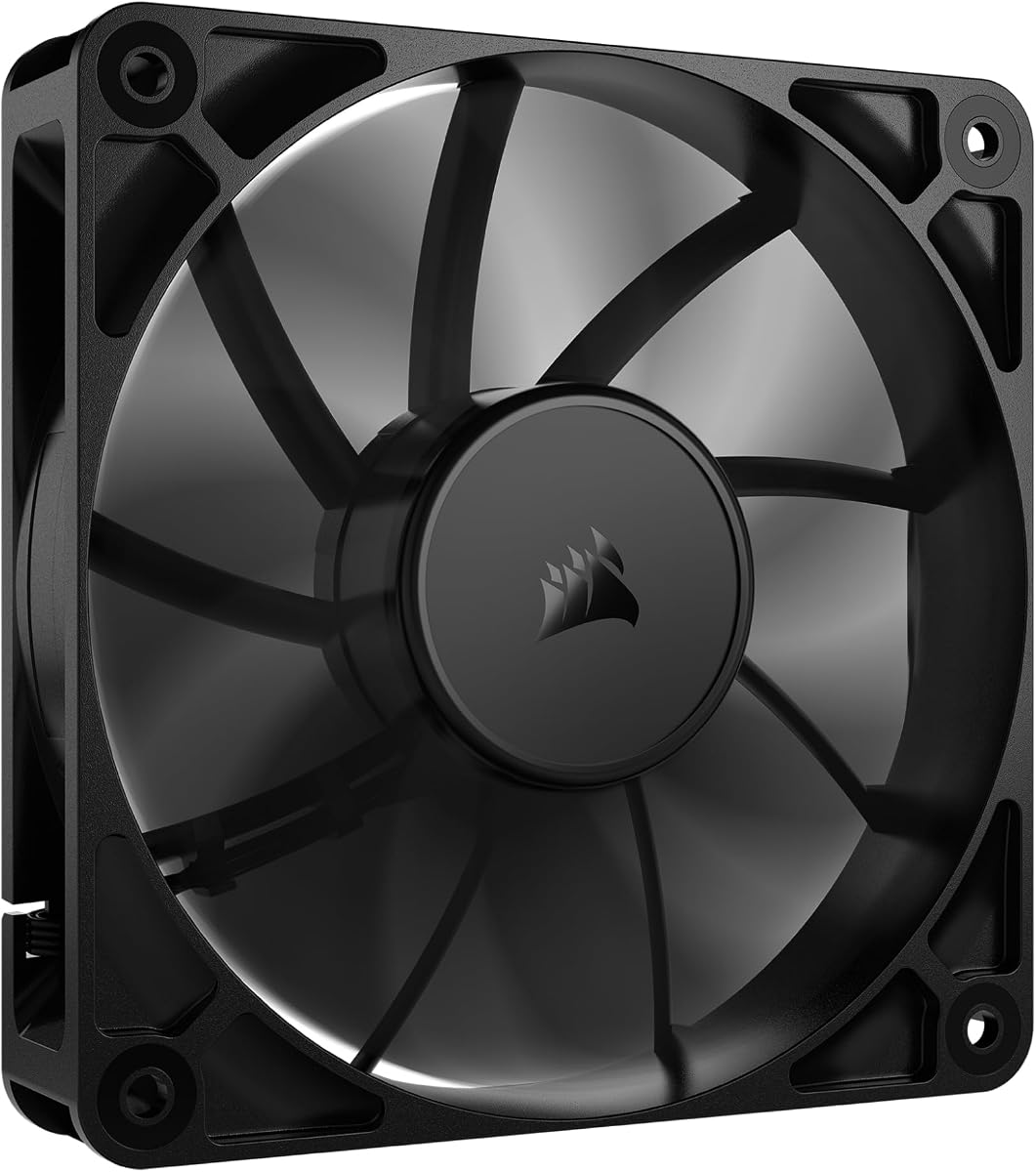


This Noctua model stands out as a top contender for any PC build needing reliable exhaust airflow. It holds an impressive rating from users who value silence and performance equally.
We may earn a commission when you buy through this link, at no additional cost to you.
The pressure-optimised blade design delivers strong airflow while maintaining very low noise levels even at maximum RPM. The 1700 RPM cap ensures efficient cooling without excessive vibration or sound.
Some users may find the price slightly higher than generic fans but the longevity and performance justify the cost. The redux edition offers proven quality at a competitive entry point.
If you need a quiet fan that can push air through radiators or dense cases this is the ideal choice. Its reliability makes it perfect for long term system cooling.
The fan maintains whisper quiet levels thanks to advanced blade geometry that reduces turbulence and noise.
With over 150000 hours MTTF this fan is built to last many years without requiring replacement.
We may earn a commission when you buy through this link, at no additional cost to you.
The DARKROCK three-pack provides exceptional value for builders needing multiple case fans at once. It offers solid performance without breaking the bank for standard PC cooling needs.
We may earn a commission when you buy through this link, at no additional cost to you.
Each fan features a nine blade design and hydraulic bearings to ensure smooth operation. The included silicone cushions help absorb vibration for a quieter environment during gaming or work.
While it may not match high end RPMs it provides reliable cooling for typical cases. The noise level stays low which is great for home offices.
This set is perfect for upgrading old cases or building a budget rig. You get three quality units for a fraction of the cost of premium single fans.
Buying a pack of three fans reduces per unit cost significantly for full case airflow upgrades.
Soft silicone cushions on each corner absorb shocks to keep noise and vibration minimal.
We may earn a commission when you buy through this link, at no additional cost to you.
This Thermalright pack combines high performance with stylish ARGB lighting for modern PC builds. It offers a great balance of airflow and silence for users who want aesthetics.
We may earn a commission when you buy through this link, at no additional cost to you.
The S-FDB bearing technology ensures quiet operation and long life while the PWM control allows precise speed adjustment. Each fan provides strong airflow suitable for CPU coolers too.
Managing five cables can be a challenge but the daisy chain option helps simplify setup. The light effects are bright yet soft thanks to atomizing fan blades.
Choose this pack if you want to fill a case with quality fans and matching lights. The performance is top tier for the price point offered.
LED blades reflect light effectively for a soft uniform glow controlled by motherboard software.
Optimized blades and bearings keep noise levels low even under load for silent gaming.
We may earn a commission when you buy through this link, at no additional cost to you.
This fan offers unique versatility by allowing direct AC power without needing a motherboard header. It is ideal for server cabinets or setups where internal power is limited.
We may earn a commission when you buy through this link, at no additional cost to you.
The variable speed controller gives you full control over cooling needs from quiet mode to maximum blast. It delivers high airflow which helps vent hot air quickly from enclosed spaces.
Dual ball bearings ensure durability even in continuous operation environments like server rooms. While it is a bit larger it fits standard 120mm mounts perfectly.
Use this for specialized cooling needs like routers or server racks. Its flexibility makes it a strong alternative when standard PC fans won't work.
Supports 110V 120V and 220V making it usable globally without adapters.
95 CFM output ensures rapid cooling for dense equipment or small rooms.
We may earn a commission when you buy through this link, at no additional cost to you.
This Pure Wings 3 fan lives up to its brand promise of silence and efficiency. It is designed to operate quietly even at high speeds which is perfect for living rooms.
We may earn a commission when you buy through this link, at no additional cost to you.
The seven optimized blades reduce turbulence for better airflow and less noise. The rifle bearing offers a long operational life ensuring you won't need to replace it soon.
It works well as an intake or exhaust thanks to balanced design. The minimum RPM setting allows it to run almost silently when the PC is idle.
Choose this if you prioritize quiet operation over flashy lights. Its performance is reliable for daily computing and gaming without distracting noise.
Frame design focuses on peak performance when mounted on radiators or cases.
Designed to run at low rpm for minimal noise without sacrificing airflow.
We may earn a commission when you buy through this link, at no additional cost to you.
This portable USB fan is perfect for cooling small devices like routers or game consoles where internal fans are insufficient. It plugs directly into a USB port for simple setup.
We may earn a commission when you buy through this link, at no additional cost to you.
The 18 dB noise level makes it nearly silent which is ideal for media centers or living rooms. It has shock absorbing pads to protect surfaces from scratches.
The 9 blade design provides decent airflow for small electronics preventing overheating issues. It can be placed upright or flat to suit tight spaces.
Use this as a supplemental cooler for external devices or as a backup for small cases. Its portability makes it a handy tool for any setup.
Works with PS5 Xbox routers and modems without needing specific drivers.
Compact design allows placement on desks or shelves without clutter.
We may earn a commission when you buy through this link, at no additional cost to you.
This CORSAIR fan simplifies cable management by allowing daisy chain connections for multiple units. It is built for high static pressure which helps push air through dense radiators.
We may earn a commission when you buy through this link, at no additional cost to you.
The Magnetic Dome bearing reduces friction for quieter and more efficient operation. With up to 2100 RPM it offers precise speed control for thermal management.
It works well as a case fan or radiator cooler to maintain optimal temperatures. The anti-vortex vanes direct airflow to the hottest components effectively.
Choose this if you want easy setup and solid performance. It is a great choice for custom loop cooling or standard cases needing focused exhaust.
Connect multiple fans to one 4-pin header for cleaner cable management.
Vanes direct airflow exactly where needed for targeted cooling efficiency.
We may earn a commission when you buy through this link, at no additional cost to you.
This 80mm fan is ideal for smaller cases or tight spaces where 120mm fans won't fit. It maintains high airflow despite its smaller size thanks to optimized blade design.
We may earn a commission when you buy through this link, at no additional cost to you.
Built for silent operation it is perfect for office desktops or home servers needing quiet cooling. The long life bearing ensures consistent performance over years of use.
It is also suitable for mining rigs where multiple fans are needed for ventilation. The rugged frame protects against dust and impacts in demanding environments.
Use this as a replacement for stock fans or in compact builds. It balances silence and performance well for limited space requirements.
Fits standard 80mm mounts perfect for mini PCs and small form factors.
Reliable ventilation for high performance environments and GPU farms.
We may earn a commission when you buy through this link, at no additional cost to you.
This fan delivers massive airflow with a high 5300 RPM rating making it ideal for industrial applications or heavy cooling needs. It provides 230 CFM which is exceptional for the size.
We may earn a commission when you buy through this link, at no additional cost to you.
Dual ball bearings allow the fan to be placed flat or upright without vibration issues. It includes a grill and mounting hardware for easy installation in various projects.
Noise levels can be high at full speed so use it with speed control. The intelligent speed regulation allows setting trigger temperatures via BIOS.
Use this for server racks or mining rigs needing maximum exhaust capacity. It is overkill for standard gaming PCs but perfect for high heat loads.
230 CFM airflow ensures rapid heat removal from large heat generating devices.
Set BIOS temperature triggers for automatic fan speed adjustment to match load.
We may earn a commission when you buy through this link, at no additional cost to you.
This three pack from Thermalright offers a great solution for filling a case with stylish cooling fans. It combines the reliability of the TL-C12C with ARGB lighting for a premium look.
We may earn a commission when you buy through this link, at no additional cost to you.
The S-FDB bearings ensure smooth rotation and minimal noise which is key for quiet builds. The PWM interface allows automatic speed control based on system temperature.
Light effects are soft and blend well with modern cases. Three fans provide enough units for intake and exhaust without needing multiple purchases.
Choose this for budget friendly RGB builds that still need high performance. It is a reliable choice for both CPUs and case exhaust.
Buying three units together reduces cost compared to single high end fans.
17 light modes can be managed through motherboard software for custom looks.
We may earn a commission when you buy through this link, at no additional cost to you.
Selecting the right fan requires considering size airflow noise and connectivity to match your system needs.
The most common sizes are 120mm and 140mm which fit most standard cases. Always check your case specifications to ensure the fan fits the mount points.
Smaller 80mm fans exist for compact builds but provide less airflow than larger units.
Airflow measured in CFM tells how much air the fan moves. Higher CFM is better for general case ventilation.
Static pressure is crucial if the fan pushes through filters or radiators to ensure effective cooling.
Noise measured in decibels affects your comfort during use. Look for fans under 30 dB for silent operation.
PWM fans allow the system to slow down the fan when cooling is not needed to reduce noise.
Different bearings affect longevity and noise. Hydraulic and rifle bearings are quiet and durable for most users.
Ball bearings are more robust for high speed applications but may be louder over time.
Standard fans use 4 pin PWM connectors for motherboard control. USB fans offer an alternative for external devices without motherboard cables.
Check voltage requirements if using industrial fans which might need AC adapters.
Materials like PBT and reinforced frames ensure the fan withstands heat and vibration.
Look for warranty and MTTF ratings to predict how long the fan will last.
Some fans include RGB lighting for visual appeal. ARGB fans allow more color customization via software.
If looks matter pick fans with soft lighting effects rather than harsh strobing.
Variable speed controllers allow manual adjustment based on load. This helps balance cooling and noise.
BIOS control enables automatic speed changes based on internal temperature readings.
Install your exhaust fan at the rear of the case to push hot air out. Ensure the arrow on the frame points towards the rear panel.
Connect the fan to a 4-pin PWM header on your motherboard for automatic speed control. Use a splitter if you have multiple fans.
Clean dust from the blades every few months using compressed air. This maintains performance and prevents vibration from debris.
Most PC cases use 120mm or 140mm fans. Check your case manual or measure existing mounts to confirm the exact size required before purchasing.
Higher CFM indicates more air movement which helps cooling. However it must be balanced with noise levels and static pressure for your specific case design.
Yes but the fan will run at full speed constantly. You can use a resistor or adapter to lower voltage but PWM offers better speed control.
Quality fans last 5 to 10 years depending on usage and bearing type. High quality bearings like fluid dynamic can last over 50000 hours.
Multiple fans provide better balance of intake and exhaust. Aim for at least one exhaust at the rear and one intake at the front.
Use compressed air to blow dust out of the blades while holding the blades still. Avoid using liquid cleaners that could damage the motor.
For home offices and quiet spaces yes. Silent fans use better bearings and blade designs to reduce noise while maintaining cooling performance.
Red is power 12V and black is ground. Yellow and blue are often speed and PWM signal wires used by the motherboard.
We covered the top 10 models including the Noctua NF-P12 for overall value and the DARKROCK pack for budget builds.
Prioritize airflow and noise levels based on where you use your PC. A quiet fan is better for bedrooms while high airflow suits gaming rigs.
Prices change often so verify current deals on Amazon before buying. Always check return policies in case the fan does not fit your setup.