
Franklin Collins English Digital Dictionary Express Edition
3.7Editor score
Over 118000 words
Built-in thesaurus
Interactive word games
This guide compares the top 10 electronic dictionaries and thesaurus for students and professionals. We evaluate vocabulary size, offline features, and
Electronic dictionaries and thesaurus devices offer a portable way to expand vocabulary and improve language skills without relying on internet connections. These dedicated tools provide instant access to definitions, synonyms, and grammar aids designed for students and professionals alike.
We compared ten top-rated models based on dictionary size, language support, and built-in learning features. Our analysis focuses on usability, battery life, and the depth of content available to ensure you find a reliable companion for your studies or travels.
Each product section highlights key strengths, limitations, and ideal use cases to guide your decision. Please note that prices and availability fluctuate frequently, so verify current details on the retailer page before making your final purchase decision.
3.7Editor score

3.7Editor score

3.9Editor score
The following table provides a side-by-side overview of the most popular electronic dictionaries available today. We highlight key specifications including word count, language support, and unique features to help you quickly identify the model that best fits your specific requirements.





The Franklin MDE-1200 stands out as a comprehensive tool for students and professionals focused on mastering English grammar and vocabulary. With over 80,000 headwords and 250,000 definitions, this device provides a deep well of knowledge that goes beyond simple word lookups.
We may earn a commission when you buy through this link, at no additional cost to you.
Its built-in grammar tools are particularly useful for academic preparation, offering lessons on irregular verbs and noun inflection. The device also includes test preparation banks for exams like TOEFL and GRE, making it a versatile study companion. The LCD screen is zoomable, which helps readability during long study sessions.
While the device is functional, the screen resolution is not as sharp as modern smartphone displays. Additionally, the focus is strictly on English, so it may not suit bilingual learners. However, for those needing a distraction-free environment, these trade-offs are acceptable.
We recommend this device for students preparing for standardized tests or writers seeking to improve their command of English grammar. It offers a focused experience without the distractions of internet-connected devices.
The device includes specific modules for learning irregular verbs and verb conjugation. These tools are designed to help users internalize grammar rules through interactive lessons.
To keep learning engaging, the MDE-1200 features games like Hangman and Flashcards. These games help reinforce vocabulary retention in a fun and low-pressure environment.
We may earn a commission when you buy through this link, at no additional cost to you.
The Franklin Collins English Digital Dictionary Express Edition is an excellent choice for budget-conscious students who need a reliable tool for daily writing and study. It offers access to over 118,000 words and a massive thesaurus with half a million synonyms and antonyms.
We may earn a commission when you buy through this link, at no additional cost to you.
One of its strongest features is the phonetic spell correction, which helps users avoid common spelling errors by suggesting corrections based on how words sound. This feature is particularly helpful for learners who struggle with traditional spelling rules. It also includes tools like a calculator and currency converter.
The hardware is basic compared to more expensive models, lacking advanced screens or audio capabilities. However, for the price, the content density is impressive. The device is easy to use and requires minimal setup to get started with word lookups.
We recommend this device for casual users or students who need a secondary reference tool without breaking the bank. It balances cost and functionality well for everyday vocabulary expansion and spell-checking needs.
The included thesaurus offers 500,000 synonyms and antonyms. This large database helps writers find alternative words to improve the flow and variety of their text.
Beyond language, the device includes a calculator, world clock, and metric converter. These utilities add value by reducing the need for separate physical tools in a student's bag.
We may earn a commission when you buy through this link, at no additional cost to you.
The Franklin MES-2400 is a standout device for those learning new languages or traveling internationally. It offers offline translation for English, Spanish, Italian, German, and French, making it a powerful tool for communication without internet access.
We may earn a commission when you buy through this link, at no additional cost to you.
The talking dictionary feature pronounces words in a true native human voice, which is crucial for language learners. This helps users understand correct pronunciation and usage in context. The tactile keypad ensures easy operation even in challenging environments like noisy airports.
While it is more expensive than standard dictionaries, the audio capabilities justify the cost for serious learners. The device is designed to be portable, fitting comfortably in a pocket, though it is slightly bulkier than English-only models.
We recommend this device for language students and frequent travelers who need reliable translation tools. It provides a focused learning environment that helps build proficiency without relying on internet-dependent apps.
The audio output uses natural voices rather than robotic synthesis. This feature ensures that learners hear accurate intonation and stress patterns when studying new words.
Translation works entirely offline across five major languages. This eliminates data costs and connectivity issues, ensuring the tool is always available during travel.
We may earn a commission when you buy through this link, at no additional cost to you.
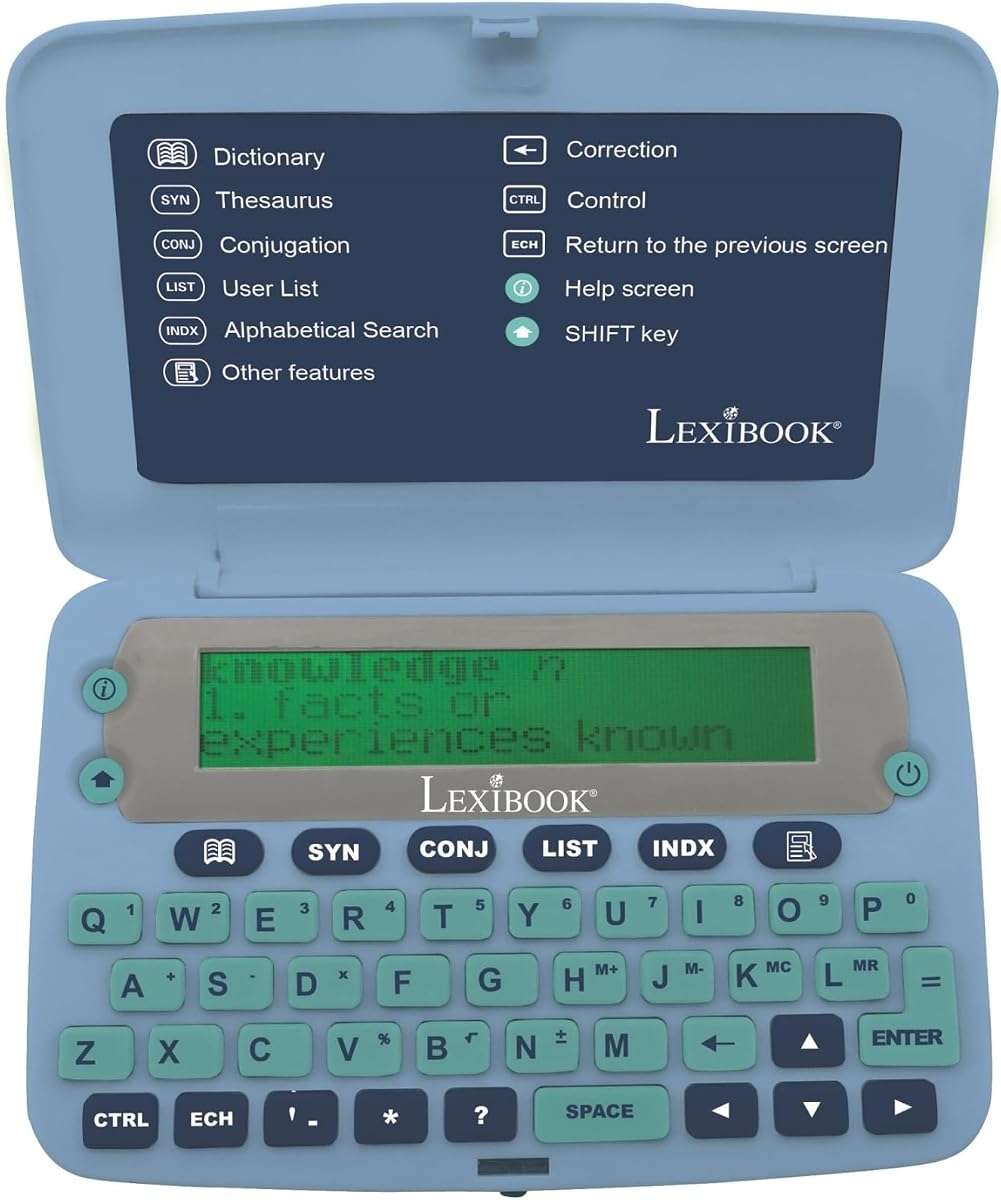
The LEXiBOOK D850EN features the 13th Edition of the Collins English Dictionary, offering an impressive 725,000 words and phrases. This extensive database is suitable for professionals who require deep insights into word history and nuanced usage.
We may earn a commission when you buy through this link, at no additional cost to you.
It includes a phonetic spell-correction tool that helps users find words even if they are unsure of the spelling. The device also features a magnifying function for the screen, which aids readability for users with vision impairments. The ergonomic buttons are large and easy to press.
Navigation on this device can sometimes be slow, and the interface may require a learning curve to master. However, the depth of content makes it a strong tool for serious language study. The help system on screen is available at any time to guide users.
We recommend this device for writers, editors, and avid readers who prioritize content depth over speed. It is a reliable resource for detailed linguistic analysis and vocabulary expansion.
With 725,000 words and phrases, this device offers one of the largest databases available. It supports users who need to find obscure terms or archaic words for creative writing.
The magnifying function enhances text size on the 4-line screen. This feature ensures that all text is clearly visible, reducing eye strain during extended use.
We may earn a commission when you buy through this link, at no additional cost to you.
The Franklin DBE-1200 is designed for users who frequently switch between English and Spanish. It offers over 1,000,000 translations and full bilingual dictionaries with 250,000 definitions for each language.
We may earn a commission when you buy through this link, at no additional cost to you.
This device works entirely offline, meaning it does not require a subscription or internet connection to function. This makes it a cost-effective long-term solution for classrooms or travelers. The phonetic spell correction ensures accurate results even with typos.
The device includes grammar tools for verb conjugation and noun inflection, which are essential for mastering Spanish grammar. While the interface is robust, it may take time to learn all the features. It offers a distraction-free environment compared to smartphones.
We recommend this device for students in Spanish language courses and bilingual professionals. It provides a reliable and permanent reference tool that does not depend on network availability.
Unlike simple translators, this device includes full dictionaries for both English and Spanish. This allows for deep study of definitions and usage notes, not just word-for-word translation.
All features work without Wi-Fi or data fees. This ensures consistent access to translations and grammar aids regardless of location or network coverage.
We may earn a commission when you buy through this link, at no additional cost to you.
The LEXiBOOK D650EN provides a straightforward and reliable electronic dictionary for daily use. It includes 380,000 words and 78,000 synonyms, which covers most standard vocabulary needs for students and writers.
We may earn a commission when you buy through this link, at no additional cost to you.
Its ergonomic design features large buttons and a 3-line screen that is easy to read. The magnifying function helps with readability, and the help screen is available at any time to guide users through features. It also includes a memo list to store custom words.
While it lacks advanced features like talking audio, it serves well as a basic reference tool. The spell checker and crossword solver add value for those who enjoy word puzzles. The device is compact and fits easily in a backpack.
We recommend this device for casual users who need a reliable tool for spelling checks and quick definitions. It is a practical addition to a student's study kit for regular use.
The buttons are designed to be large and easy to press. This feature reduces fatigue during long writing sessions and makes the device accessible for users with dexterity issues.
The device includes a calculator and currency converter alongside the dictionary. These utilities make it a versatile tool for managing daily tasks beyond just language learning.
We may earn a commission when you buy through this link, at no additional cost to you.
The Franklin MWS-1840 features the authoritative Merriam-Webster dictionary, ensuring high-quality definitions and spelling verification. It offers 274,000 comprehensive definitions and includes audio pronunciation for clear word usage.
We may earn a commission when you buy through this link, at no additional cost to you.
One unique feature is the Book Card slot, which allows for additional content to be added if compatible cards are available. This expandability can be useful for specialized vocabulary needs. The device is designed to be portable and easy to operate.
While it is an older model compared to newer releases, the Merriam-Webster content remains a gold standard for English. The audio feature is particularly helpful for learners who need to hear correct stress and pronunciation patterns.
We recommend this device for those who trust the Merriam-Webster standard and need reliable pronunciation tools. It is a solid choice for professionals who value dictionary authority over modern interface features.
The device pronounces words out loud to help with correct usage. This is essential for speakers learning new terms or non-native speakers refining their accent.
The slot for one Book Card allows for potential content expansion. This feature offers flexibility for users who need specialized vocabularies beyond the standard dictionary.
We may earn a commission when you buy through this link, at no additional cost to you.
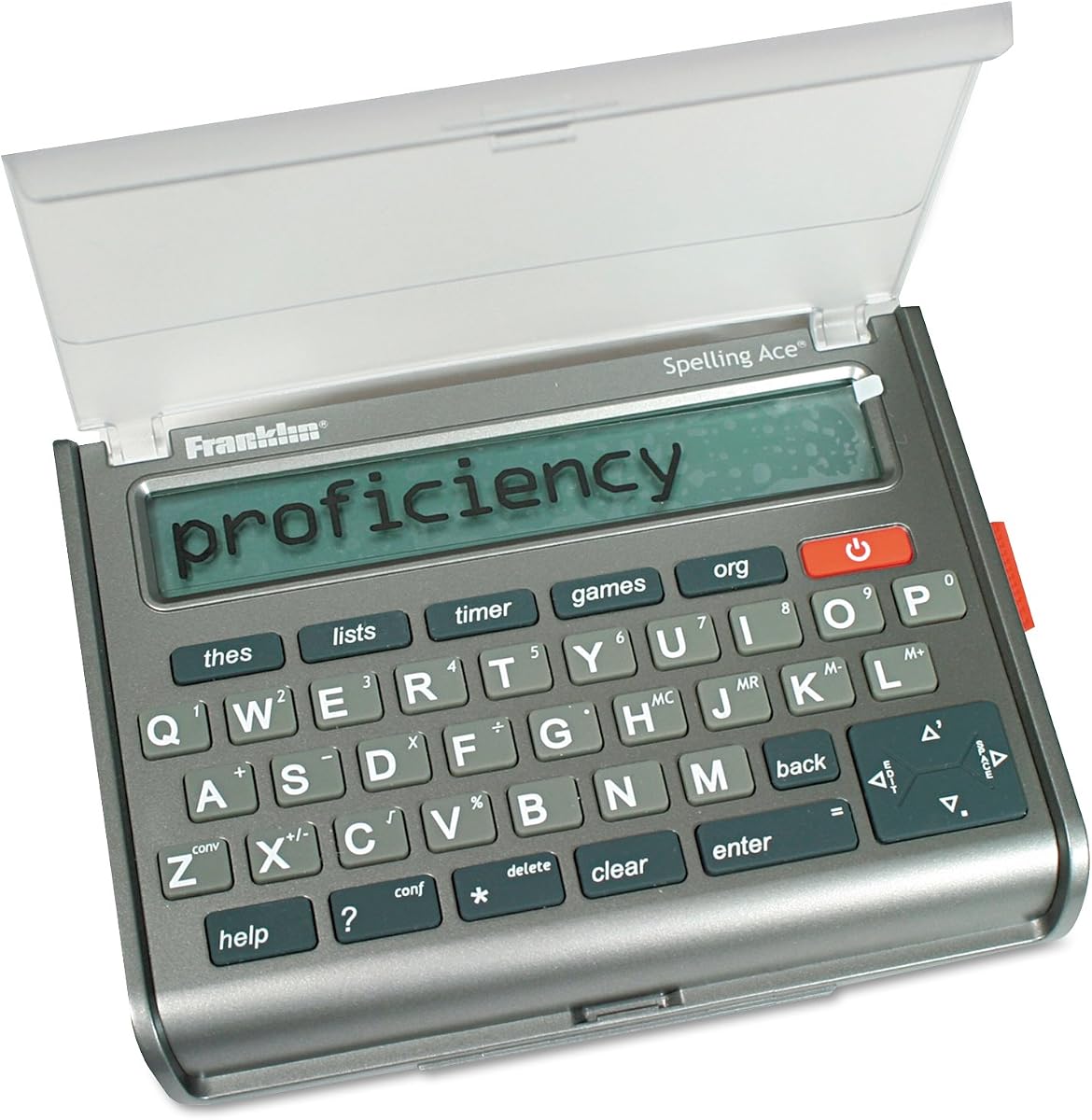
The Franklin SA-309 is tailored for word puzzle enthusiasts and those who enjoy crosswords. It uses a Merriam-Webster word list to help solve puzzles and includes a word builder tool to generate possibilities from entered letters.
We may earn a commission when you buy through this link, at no additional cost to you.
It features a massive thesaurus with 500,000 synonyms and antonyms, making it a strong tool for writing as well. The Confusables function helps explain similar-looking or similar-sounding words, reducing confusion in writing. The device is compact and easy to handle.
While its focus is on puzzles, the underlying dictionary and thesaurus functions are robust enough for general use. It is a niche product that excels in its specific area but may not appeal to general learners seeking grammar tools.
We recommend this device for crossword lovers and writers who need powerful synonym tools. It is an excellent addition for anyone looking to sharpen their word skills through play.
The word builder allows users to create lists of possible words from entered letters. This feature is highly effective for solving anagrams or finding words that fit specific letter patterns.
The Confusables function identifies words that are often mistaken for one another. It explains the differences to help users choose the correct word in context.
We may earn a commission when you buy through this link, at no additional cost to you.
The Merriam-Webster BookMan MWD-440 is a classic electronic pocket model that offers basic dictionary and thesaurus functions. It is designed for portability and ease of use, fitting easily into a pocket or small bag.
We may earn a commission when you buy through this link, at no additional cost to you.
It features the trusted Merriam-Webster content in a compact form. While the interface is basic and lacks modern amenities like high-resolution screens, it provides essential access to definitions and synonyms. It is a straightforward tool for quick lookups.
Because it is an older model, it may not include some of the newer features found in recent devices. However, its simplicity is a benefit for those who prefer minimal distractions. It serves as a reliable backup tool.
We recommend this device for users who prefer simple, lightweight tools for quick word checks. It is suitable for those who value portability above advanced features.
The BookMan is designed to fit comfortably in a pocket. This portability makes it easy to carry everywhere, ensuring access to definitions whenever they are needed.
The interface is straightforward with minimal buttons to learn. This simplicity ensures that users can find words quickly without navigating through complex menus.
We may earn a commission when you buy through this link, at no additional cost to you.
The Franklin MWD-1450 features downloadable content capability through BookCard technology, allowing users to expand the dictionary with additional cards. It includes over 100,000 definitions and 9 learning games for interactive study.
We may earn a commission when you buy through this link, at no additional cost to you.
The 5-line display provides a larger viewing area for definitions and instructions. It also includes a variety of learning exercises designed to reinforce vocabulary retention through play. This makes it suitable for students who enjoy gamified learning.
While the default content is smaller than other models, the expandability makes it versatile. Users can add specialized dictionaries or thesauri as needed. This flexibility is a key advantage for evolving study needs.
We recommend this device for students who want to build a custom vocabulary tool over time. It is a great base unit for those interested in expanding their content library.
The device supports BookCard technology for adding more words and definitions. This feature allows users to tailor the device to specific subject areas or languages.
There are 9 games and learning exercises included. These activities turn study time into an engaging experience, helping users retain new vocabulary effectively.
We may earn a commission when you buy through this link, at no additional cost to you.
Choosing the right electronic dictionary depends on your specific language needs and budget. This guide breaks down the essential factors to consider before making a purchase.
Determine whether you need a single-language dictionary or a bilingual one. Many devices offer Spanish-English translation, while others focus solely on English definitions. If you are a learner in a foreign language, a talking dictionary with pronunciation features is crucial for effective practice.
Always check the supported languages list to ensure it matches your study goals.
The number of words and definitions varies significantly between models. Basic devices may offer around 100,000 words, while advanced models can exceed 700,000. For casual users, a mid-range count is sufficient, but professionals should look for comprehensive databases with detailed usage notes.
Higher word counts usually correlate with better synonym and definition quality.
Some dictionaries include built-in grammar lessons and phonetic spell correction. These tools help improve writing skills beyond simple lookups. If you struggle with complex sentence structures, look for a model that offers verb conjugation and confusables explanations.
These features are essential for students preparing for standardized tests.
A major advantage of electronic dictionaries is offline functionality. Unlike apps that require internet access, these devices work anywhere without Wi-Fi. This is particularly important for travelers who need reliable translation tools without incurring data charges.
Always verify that the device works without an internet connection before buying.
Talking dictionaries use audio to pronounce words in a native voice. This is vital for learners trying to master pronunciation and intonation. If audio quality is a priority, choose a model with high-fidelity output to ensure clear sounds in noisy environments.
Audio features often increase the price but improve learning outcomes.
Since you may use the device for long periods, screen readability and button size matter. Look for models with large, high-contrast displays and comfortable keyboards. Some devices offer magnifying functions to help users with vision impairments see the text more clearly.
Test the physical device if possible to ensure it feels comfortable in your hand.
Many electronic dictionaries include utility tools like calculators, currency converters, and crossword solvers. These extra features add value by reducing the need for separate tools. Consider which utilities you will use frequently to justify the cost of the device.
Choose a model with features that match your daily workflow.
Some models allow you to expand the dictionary content via memory cards or downloadable modules. This is useful if you need specialized vocabulary for medical, legal, or technical fields. Check if the device supports external storage before purchasing to ensure future flexibility.
Expandable devices offer better long-term value for growing needs.
To get started with your electronic dictionary, insert the batteries as directed by the manufacturer and power on the device. Review the user manual to familiarize yourself with the keyboard layout and navigation buttons, ensuring you know how to switch between dictionary and thesaurus modes.
When using the dictionary, type the word carefully using the on-screen keyboard or physical keys. If the spelling is uncertain, use the phonetic spell correction feature to suggest alternatives. This helps avoid errors and teaches correct spelling patterns for future use.
To maintain your device, keep it in a protective case when not in use to prevent damage to the screen and buttons. Avoid exposing it to extreme temperatures or moisture, and clean the screen with a soft, dry cloth to ensure long-term readability and functionality.
Electronic dictionaries offer offline reliability and distraction-free usage compared to smartphone apps. They are ideal for environments where internet access is limited or where focus is required during testing. However, apps often have updated content, so choose based on your connectivity needs.
Most modern electronic dictionaries do not connect to the internet to maintain battery life and simplicity. Some models allow content expansion via memory cards, but real-time updates are not common. Always check the specifications for connectivity features before purchasing.
Many advanced models include grammar tools that explain verb conjugations, noun inflections, and common confusables. These lessons are designed to help users improve their writing skills beyond simple definitions. Check the product details to confirm specific grammar features.
Talking dictionaries use high-quality audio to pronounce words, which helps learners understand correct stress and intonation. While not perfect, they are generally accurate for standard pronunciations. They are particularly useful for non-native speakers refining their accent.
Use the phonetic spell correction feature to type words based on how they sound. The device will suggest valid options based on your input. This tool is essential for learning and prevents frustration when encountering unfamiliar words.
Some models support expandable memory via memory cards or downloadable content cards. This allows you to add specialized dictionaries or additional languages. Verify the device's compatibility before purchasing expansion packs to ensure they fit your needs.
Battery life varies by model but typically lasts several months with regular use. Most devices use standard AA batteries, making replacements easy. To maximize life, turn off the device when not in use and avoid leaving it on standby mode.
Professional writers benefit from the deep vocabulary and synonym features in these devices. They provide quick access to definitions without the distraction of a computer or phone. Many models include thesaurus features that are invaluable for refining text.
We have explored ten top electronic dictionaries that cater to various needs from students to professionals. Our top picks highlight the best budget options, premium features, and specialized tools for language learning.
When choosing a device, prioritize features like offline capability and grammar tools that match your specific usage. A device that fits your learning style will be used more often, providing better long-term value and results.
Remember that prices and models change frequently, so check current availability before buying. Investing in the right electronic dictionary can significantly enhance your language proficiency and writing skills.