
Amazon eero PoE Gateway
4.4Editor score
Ten ports total
PoE support up to 802.3bt
10 GbE ports
This guide compares the top Eero Ethernet switch options including gateways and third-party switches for optimal network performance and reliability.
Choosing the right Ethernet switch for your Eero network is crucial for maximizing speed and stability. Whether you need Power over Ethernet or simple expansion, the right hardware ensures seamless connectivity throughout your home or office.
We evaluated ten top-rated products based on port speed, build quality, and compatibility with Eero systems. Our analysis focuses on real-world performance, ease of setup, and value to help you make an informed decision without technical guesswork.
Each pick below highlights specific strengths like multi-gigabit support or managed features. Keep in mind that prices and availability can change frequently, so verify current details on the product pages before making your final purchase decision.
4.4Editor score

4.8Editor score

4.7Editor score
The following table provides a side-by-side comparison of all ten selected products. It highlights key specifications like port counts, speed capabilities, and management features to help you quickly identify the best fit for your specific network needs.



The Amazon eero PoE Gateway stands out as a powerful solution for users seeking an all-in-one networking device. With a strong rating of 4.4 stars, it combines routing capabilities with a 10-port PoE switch. This eliminates the need for separate hardware, streamlining your network infrastructure significantly.
We may earn a commission when you buy through this link, at no additional cost to you.
Its standout quality lies in the two 10 GbE ports which support wired speeds up to 9.4 Gbps. This ensures that high-bandwidth devices receive maximum throughput without bottlenecks. The eight 2.5 GbE PoE ports allow you to power and connect up to eight access points efficiently using the included 140W power supply.
However, the premium price point means it is a significant investment compared to standard switches. Additionally, you must ensure your existing Eero ecosystem is compatible to leverage the full management features. These trade-offs are acceptable if you value integrated control and future-proofing your network.
You should buy this if you need a centralized hub for a business or large home requiring many wired and PoE devices. It is ideal for those already invested in the Eero ecosystem who want seamless management and high-speed connectivity without adding extra boxes to their rack.
The eero app allows you to manage both Wi-Fi and wired connections from one place, reducing complexity.
It delivers up to 100W of pooled power for PoE devices up to 802.3bt class 5.
We may earn a commission when you buy through this link, at no additional cost to you.
The TP-Link TL-SG105 is an excellent entry-level switch for those needing basic expansion. It holds a high rating of 4.7 stars and is perfect for small spaces. This device expands your network with five Gigabit ports, supporting auto-negotiation for seamless connection.
We may earn a commission when you buy through this link, at no additional cost to you.
Its key strength is affordability and reliability. You can plug it in and use it immediately without any software installation. The fanless metal design ensures it runs quietly and stays cool even during heavy use. This makes it suitable for home offices or living rooms where noise matters.
On the downside, it lacks advanced managed features like VLANs or QoS which some users might need. The limited five ports may also require another switch if you have many devices. Still, these limitations are minor for a device at this price point.
You should buy this if you need a quick and cheap way to add wired ports to your setup. It is best for casual users or small businesses that do not require complex network configurations or heavy management capabilities.
Innovative technology reduces power consumption while maintaining high network capacity.
IEEE 802.3X flow control ensures stable data transfer without packet loss.
We may earn a commission when you buy through this link, at no additional cost to you.
The NETGEAR 8 Port PoE switch is the top pick for balanced performance and features. With a rating of 4.8 stars, it offers eight Gigabit ports that support PoE+ for connected devices. This makes it ideal for businesses needing both speed and device management.
We may earn a commission when you buy through this link, at no additional cost to you.
Its standout quality is the intuitive software interface that allows VLAN configuration and traffic prioritization. The 62W power budget ensures you can power multiple access points or cameras reliably. Auto-negotiating ports simplify installation by detecting the optimal speed for each connection automatically.
A potential downside is the price compared to unmanaged switches which might not fit tight budgets. The software setup also requires a bit of technical knowledge. However, these are acceptable trade-offs for the added control and robustness it provides.
You should buy this if you need a reliable managed switch for a small office or home network with smart devices. It is perfect for users who want to segment their network or prioritize voice and video traffic without enterprise-level complexity.
Manage network security easily using the intuitive software interface provided.
Compact metal design supports both desktop and wall-mount placement options.
We may earn a commission when you buy through this link, at no additional cost to you.
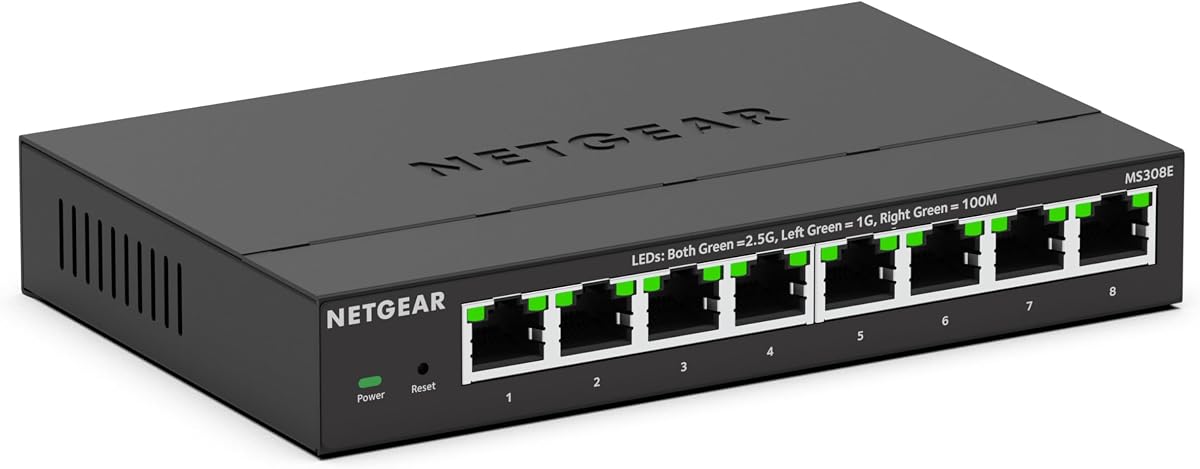
The NETGEAR 8-Port 2.5G switch offers high-speed connectivity for users with multi-gigabit internet plans. It features eight 2.5Gbps ports which double standard Gigabit speeds. This makes it a strong choice for power users who need faster wired connections.
We may earn a commission when you buy through this link, at no additional cost to you.
Its standout quality is the ability to handle high-speed traffic while remaining manageable through Easy Smart features. You can configure VLANs and prioritize traffic easily. The fanless design ensures silent operation even when handling heavy loads continuously.
However, this switch is only compatible for use in the US and Canada which limits its global availability. It is also more expensive than standard Gigabit switches. These restrictions are acceptable if you live in supported regions and need the extra speed.
You should buy this if you have a multi-gigabit connection and need to maximize wired throughput. It is best for advanced users who need VLAN management but prefer a compact and quiet form factor.
Features 8 x 2.5Gbps ports for high-speed auto-negotiating connections.
Compact metal design supports desktop or wall-mount placement for versatile use.
We may earn a commission when you buy through this link, at no additional cost to you.
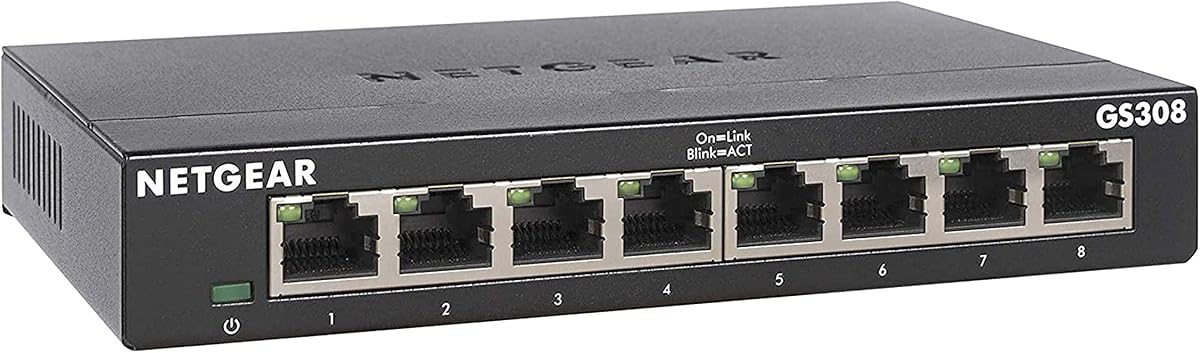
The NETGEAR 8-Port Gigabit is a solid unmanaged switch for general expansion needs. With a 4.8 rating, it offers eight Gigabit ports for connecting multiple devices. It is designed to be simple and reliable for any standard networking task.
We may earn a commission when you buy through this link, at no additional cost to you.
Its standout quality is the plug-and-play setup which requires no software installation or configuration. The compact metal design allows for flexible placement on a desk or wall. This simplicity ensures you can get your network running quickly without technical hurdles.
On the downside, it lacks advanced features like VLANs or traffic prioritization found in managed switches. It also does not support higher speeds than Gigabit. These limitations are acceptable for general home or office use where basic connectivity is enough.
You should buy this if you need to add more wired ports to your network easily. It is ideal for small businesses or homes that need reliable connections without complex management requirements.
Features 8 x 1.0Gbps Ethernet ports for high-speed connectivity automatically.
Fanless design ensures silent performance during all operating conditions.
We may earn a commission when you buy through this link, at no additional cost to you.
The NETGEAR 5-Port Gigabit switch brings managed capabilities to a smaller form factor. It has a 4.7 rating and offers five ports with VLAN and QoS support. This makes it a great choice for users needing basic network segmentation in a small space.
We may earn a commission when you buy through this link, at no additional cost to you.
Its standout quality is the intuitive software interface which offers Easy Smart managed capabilities. You can prioritize traffic and manage security effectively. The compact metal design ensures it fits well on any desk or wall mount without taking up too much room.
However, with only five ports it may not suffice for larger setups. You also need to configure the settings manually to use the managed features. These trade-offs are acceptable for those who value flexibility over sheer capacity.
You should buy this if you need a compact managed switch for a small office or home lab. It is best for users who want to prioritize specific devices but do not need many ports.
Prioritize traffic with QoS to ensure high quality of video or voice data transmission.
Manage network security easily using the intuitive software interface.
We may earn a commission when you buy through this link, at no additional cost to you.
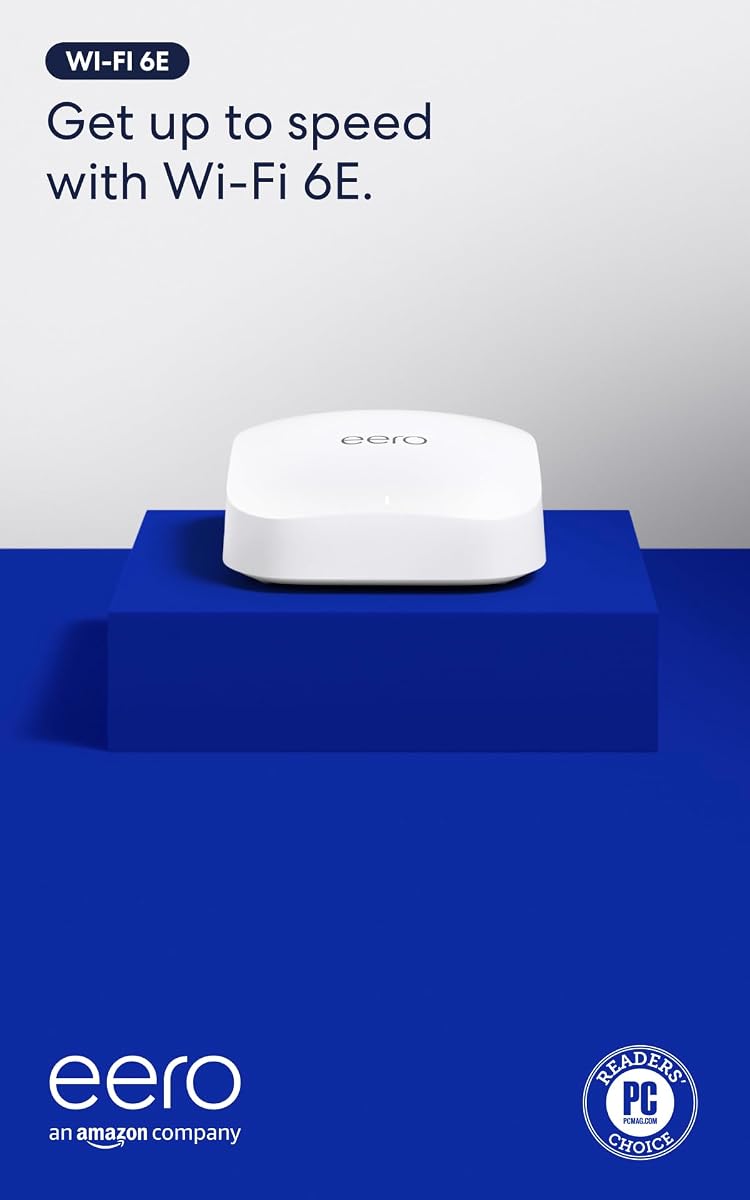
The Amazon eero Pro 6E is a powerful router that can also function as a network gateway. With a 4.3 rating, it supports internet plans up to 2.5 Gbps and offers extensive coverage. It is ideal for those looking to upgrade their main wireless connection.
We may earn a commission when you buy through this link, at no additional cost to you.
Its standout quality is the Wi-Fi 6E technology which provides lower latency and faster speeds. The 2.5 GbE port allows for wired backhaul or device connection. This ensures reliable performance for gaming and streaming across large homes.
However, it only has one Ethernet port which limits its use as a switch. You would still need an external switch for multiple wired devices. This is acceptable if your primary need is wireless expansion with a bit of wired speed.
You should buy this if you need a fast replacement for your current router. It is best for homes that need better wireless coverage and a single high-speed wired connection.
Supports internet plans up to 2.5 Gbps and Wi-Fi 6E devices.
Provides network coverage up to 2,000 sq. ft. and 100+ devices.
We may earn a commission when you buy through this link, at no additional cost to you.
The Amazon eero 6 is an affordable router option for modern wireless needs. With a 4.4 rating, it supports plans up to 900 Mbps and covers up to 1,500 sq. ft. This makes it a great entry point for smart homes requiring reliable Wi-Fi.
We may earn a commission when you buy through this link, at no additional cost to you.
Its standout quality is the built-in Zigbee hub which connects smart devices without separate hardware. The TrueMesh technology ensures smooth traffic routing and reduced dead spots. You can easily expand the system by adding more units later.
On the downside, it has limited wired ports which requires an external switch for many devices. It also has lower speeds than higher-end models. These trade-offs are acceptable if you prioritize smart home integration and ease of use.
You should buy this if you need an affordable router with smart home features. It is best for small to medium homes that do not need massive wired capacity.
Connects compatible devices on your network with Alexa without a separate hub.
Automatically receives updates to keep your network safe and secure.
We may earn a commission when you buy through this link, at no additional cost to you.
The Amazon eero PoE 7 is the latest access point delivering Wi-Fi 7 performance. With a 4.1 rating, it offers wireless speeds up to 3.9 Gbps and massive coverage. It is designed for those needing the highest possible connectivity for their homes.
We may earn a commission when you buy through this link, at no additional cost to you.
Its standout quality is the tri-band Wi-Fi 7 support which minimizes drops and slowdowns. The 10 GbE PoE+ port ensures power and data come through a single cable. This supports hundreds of devices without performance compromises.
However, this premium feature comes at a higher price point compared to older models. Setup may require existing PoE infrastructure which limits immediate compatibility. These trade-offs are acceptable for those investing in future-proofing.
You should buy this if you want the fastest available wireless speeds and PoE integration. It is best for large homes or offices with many high-demand devices.
With Power over Ethernet and a compact design it eliminates power cables.
Supports wireless speeds up to 3.9 Gbps minimizing connection drops.
We may earn a commission when you buy through this link, at no additional cost to you.
The Amazon eero 7 is an affordable router that brings Wi-Fi 7 performance to everyday users. With a 4.4 rating, it supports internet plans up to 2.5 Gbps and covers up to 2,000 sq. ft. This makes it a solid upgrade for those looking to modernize.
We may earn a commission when you buy through this link, at no additional cost to you.
Its standout quality is the support for two auto-sensing 2.5 GbE ports which allow wired backhaul. It supports 120+ devices and integrates seamlessly with previous Eero generations. This ensures you can expand your network easily without replacing everything.
However, it lacks the high port count of dedicated switches for many devices. You still need an external switch for multiple wired connections. This is acceptable if your main focus is wireless speed and reliability.
You should buy this if you need an affordable Wi-Fi 7 router. It is best for homes wanting to future-proof their connection without spending heavily.
eero 7 helps you future-proof your network and make the most of Wi-Fi 7 performance.
Backward compatible with all previous generations of Eero for easy upgrades.
We may earn a commission when you buy through this link, at no additional cost to you.
Selecting the right switch involves balancing speed, port count, and features to fit your network goals. Use this guide to evaluate the most important factors before buying.
Speed matters for performance. Ensure the switch supports the speeds your devices need such as Gigabit or Multi-Gigabit for high bandwidth.
Look for models with adequate speed ratings to avoid bottlenecks in your network.
If you use access points or cameras, PoE capability saves extra power adapters and outlets. This simplifies installation significantly.
Check the power budget to ensure it can handle all your connected PoE devices simultaneously.
Unmanaged switches are simple plug-and-play devices. Managed switches allow configuration like VLANs and traffic prioritization for better control.
Choose managed if you need segmentation and advanced settings otherwise go unmanaged for simplicity.
Count your current wired devices and anticipate future growth. A switch with too few ports will require chaining multiple switches.
Opt for at least two spare ports beyond your immediate needs to avoid constant hardware changes.
Metal casings offer better heat dissipation and durability than plastic models. This is crucial for 24/7 usage environments.
Look for fanless designs to ensure silent operation especially in residential spaces.
Energy efficient switches reduce power consumption and heat output. This lowers electricity costs and extends device lifespan.
Check for IEEE 802.3az certification to confirm energy saving features.
Plug-and-play models are best for users who do not want to configure software. They reduce installation time significantly.
Verify if you need to install drivers or if the switch is fully compatible with your router.
A longer warranty indicates confidence in durability. It also provides protection against potential hardware failures.
Ensure the manufacturer offers accessible support channels for troubleshooting.
Connect the switch to your router using an Ethernet cable to start sharing your internet connection. Most units require no configuration beyond powering them on.
Plug your devices directly into the available ports. If using PoE, ensure your devices are compatible with the power output.
Keep the switch in a well-ventilated area to maintain optimal performance. Avoid placing it in enclosed spaces where heat can build up.
If you have multiple wired devices like gaming consoles or PCs, a switch is essential to expand connectivity beyond router ports. It ensures all devices get stable wired speeds.
PoE switches can deliver power and data over a single cable to compatible devices. Regular switches only provide data requiring separate power adapters for connected hardware.
You can connect them in series but the unmanaged one will not utilize advanced features like VLANs. It is better to use only managed switches for full control.
Most Eero models work with standard third-party switches via Ethernet ports. However some integrated PoE gateways are designed specifically for the Eero ecosystem.
If your internet plan exceeds 1 Gbps or you transfer large files frequently, a multi-gigabit switch is necessary. Standard Gigabit switches limit speeds to 1 Gbps per port.
A switch is better for wired devices as it provides stable high-speed connections without signal loss. Extenders are mainly for wireless range expansion not wired access.
We hope this guide helps you select the perfect switch to expand your network capabilities. Each product listed offers unique strengths for various needs and budgets.
Prioritize speed and port count based on your specific devices to ensure you do not bottleneck your connection. Consider management features only if you need advanced control.
Remember to verify current pricing and availability on the product pages before purchasing since deals change frequently.