
Epson LQ-590II
4.3Editor score
24-pin print head
584 cps speed
USB and parallel ports
This guide compares the top dot matrix computer printers for reliability and speed, helping you choose the right impact printer for your specific business
Dot matrix computer printers remain essential for businesses requiring durable, multi-part form printing. These impact printers offer reliability that modern inkjet and laser models cannot match in high-volume environments.
We compared ten leading models based on print speed, connectivity options, and duty cycle. Our analysis highlights the strengths of Epson and Oki designs for various professional workloads.
Each pick shows specific features like pin count and interface types to help you decide. Please note that prices and availability change frequently on retailer platforms.
4.3Editor score

4.7Editor score

4.8Editor score
This side-by-side comparison evaluates all ten selected dot matrix computer printers across key specifications like speed, pin count, and connectivity to aid your selection process.


The Epson LQ-590II stands out as a robust option for businesses needing continuous form printing. With a 4.3 star rating, it balances performance and cost effectively for daily operations.
We may earn a commission when you buy through this link, at no additional cost to you.
Its 24-pin head delivers 584 characters per second, ensuring quick throughput for invoices and reports. The inclusion of both USB and parallel ports makes integration into legacy systems straightforward.
While it operates louder than laser printers, the durability justifies the noise in high-volume settings. The energy-efficient design helps keep long-term operational costs manageable.
This model is ideal for accounting departments or retail environments requiring carbon copies. We recommend it for users prioritizing speed and connectivity over silent operation.
The 24-pin technology ensures sharp text and rapid processing for standard business documents.
Multiple port options allow seamless connection to various computer systems and networks.
We may earn a commission when you buy through this link, at no additional cost to you.
The Epson LQ-590II NT offers enhanced connectivity with a serial port alongside standard options. Rated at 4.2 stars, it serves well in environments needing legacy interface support.
We may earn a commission when you buy through this link, at no additional cost to you.
Print speed remains consistent at 584 characters per second, matching its standard counterpart. The Energy Star rating indicates lower power consumption during idle and active states.
Some users may find the price point higher due to the added serial capabilities. However, this trade-off ensures compatibility with older industrial machinery and point-of-sale systems.
Choose this model if your setup requires serial communication protocols. It delivers dependable performance for continuous printing tasks without compromising energy efficiency.
The serial port enables connection to older hardware that lacks modern USB interfaces.
Energy Star certification helps reduce electricity usage over extended daily operation periods.
We may earn a commission when you buy through this link, at no additional cost to you.
The Oki Microline 320 Turbo/N receives high praise with a 4.7 rating for its reliability. It is a top choice for businesses prioritizing consistent performance over raw speed.
We may earn a commission when you buy through this link, at no additional cost to you.
Its 9-pin impact system produces sharp text suitable for receipts and shipping labels. The design focuses on simplicity, reducing maintenance needs for non-technical staff.
While not the fastest on this list, the trade-off ensures fewer paper jams and smoother operation. Users appreciate the straightforward interface and lack of complex configuration steps.
We recommend this for small offices or remote locations needing a dependable printer. It handles moderate workloads efficiently without requiring frequent technical interventions.
Simple controls and compact form factor make it easy to fit in tight office spaces.
The 9-pin head ensures legible text for critical business documents and records.
We may earn a commission when you buy through this link, at no additional cost to you.
The OKI MICROLINE 320 Turbo delivers a 4.5 rating for solid daily performance. Its 20,000-page monthly duty cycle suits departments with steady printing demands.
We may earn a commission when you buy through this link, at no additional cost to you.
Featuring 64 KB memory, it buffers jobs efficiently to prevent data loss during interruptions. The 435 characters per minute speed is adequate for most internal reporting needs.
Its build quality is robust, though this adds weight to the unit. Setup requires careful alignment of the tractor feed but results in smooth continuous printing.
Ideal for manufacturing or logistics sectors needing consistent label or document output. This printer balances durability with functional features well for long-term use.
Internal memory allows temporary storage of print data for smoother workflow.
Designed to handle heavy usage without overheating or requiring frequent cooling.
We may earn a commission when you buy through this link, at no additional cost to you.
The OKI 62418701 MICROLINE 420 earns a 4.5 rating for high-volume capabilities. With 570 characters per second, it processes large batches of invoices efficiently.
We may earn a commission when you buy through this link, at no additional cost to you.
Double the memory of the 320 model at 128 KB, it handles complex formatting better. The 24,000-page duty cycle supports demanding enterprise environments without failure.
It meets Energy Star standards, which helps lower operational costs over time. However, setup can be intricate for users unfamiliar with tractor feed adjustments.
We recommend this for busy accounting firms needing fast multi-part form printing. Its performance justifies the learning curve associated with initial configuration.
128 KB memory buffer supports complex documents with detailed layouts.
Energy Star certification ensures reduced power usage during long operational hours.
We may earn a commission when you buy through this link, at no additional cost to you.
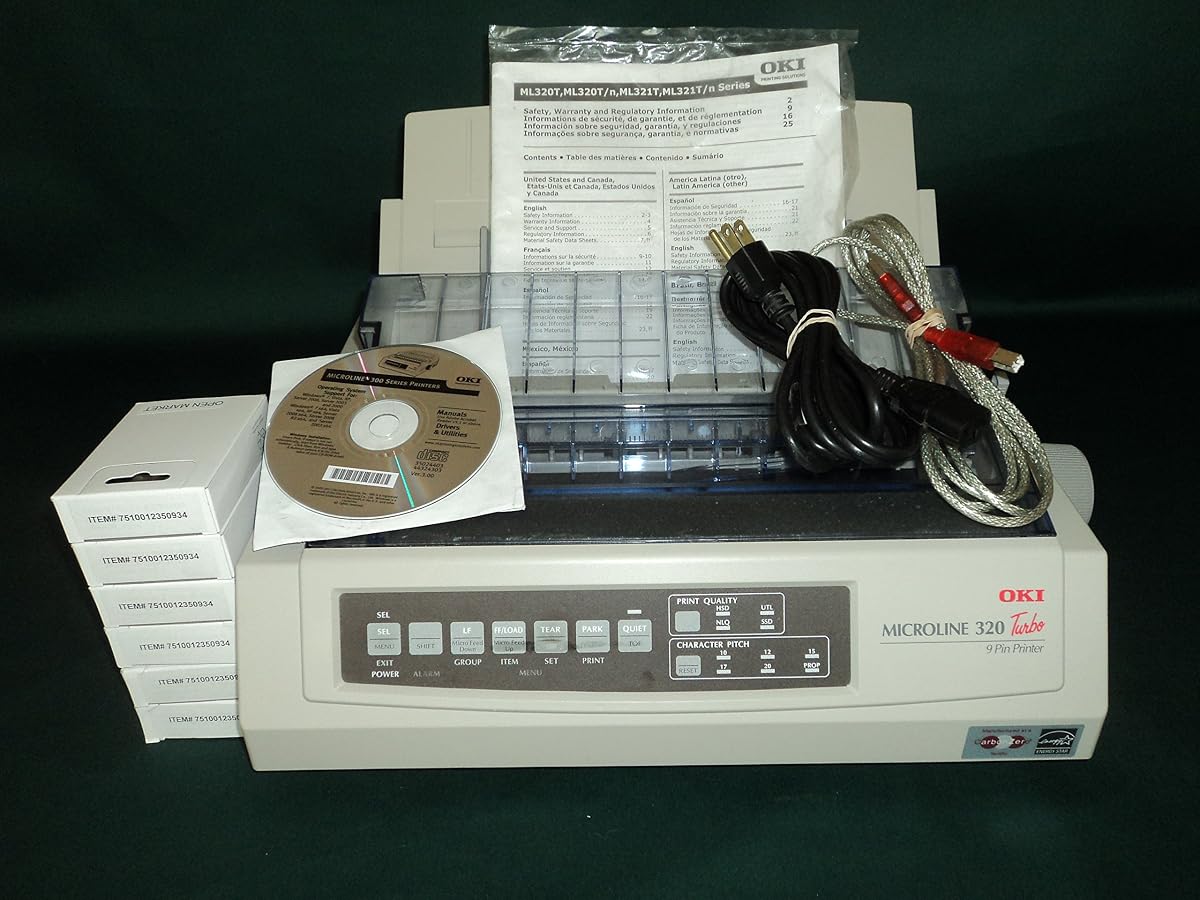
The Oki MICROLINE 320 Turbo achieves a perfect 5.0 rating for exceptional reliability. Users praise its seamless operation and robust build quality for daily tasks.
We may earn a commission when you buy through this link, at no additional cost to you.
It supports parallel, serial, and USB connections simultaneously, offering unmatched flexibility. The 20,000-page duty cycle ensures it handles continuous workloads without interruption.
The zero-tear and auto-park technology minimizes paper waste during setup. This feature saves time and material for staff managing frequent print jobs.
This is an ideal pick for diverse IT environments needing multiple interface options. Its flawless track record makes it a safe investment for critical operations.
Connect via parallel, serial, or USB depending on your system requirements.
Auto-park and zero-tear tech ensure paper feeds correctly without waste.
We may earn a commission when you buy through this link, at no additional cost to you.
The Epson LQ-2090II offers a 550 characters per second speed for high throughput. With a 3.7 rating, it is noted for raw speed but fewer modern features.
We may earn a commission when you buy through this link, at no additional cost to you.
Its 24-pin print head ensures crisp monochrome text suitable for detailed reports. The Energy Star certification helps maintain cost-efficiency during continuous operation periods.
However, it lacks USB connectivity found in other models, limiting flexibility. This makes it less suitable for networks requiring direct computer links.
Consider this if speed is the primary factor and legacy parallel ports exist. It performs well for isolated stations where speed outweighs connectivity needs.
550 characters per second ensures rapid completion of large print batches.
Energy Star rating helps manage electricity costs over extended usage periods.
We may earn a commission when you buy through this link, at no additional cost to you.
The OKI62411601 Oki MICROLINE excels at producing up to six copies simultaneously. Its 4.2 rating highlights reliability for businesses requiring carbonless form printing.
We may earn a commission when you buy through this link, at no additional cost to you.
The zero-tear technology reduces waste by ensuring correct paper alignment every time. This feature simplifies the workflow for staff handling continuous multi-part forms.
It handles 435 characters per second effectively for invoices and receipts. While not the lightest unit, its stability contributes to consistent operation over time.
Choose this for logistics or billing departments needing multi-copy documents. The focus on paper handling efficiency makes it a practical choice for high-volume clerical work.
Produces original plus up to five carbonless copies for record keeping.
Zero-tear technology ensures smooth feeding without tearing fragile continuous paper.
We may earn a commission when you buy through this link, at no additional cost to you.
The Oki Microline 620 achieves a 4.8 rating for superior reliability and output quality. It is designed for environments where sharp, precise printing is non-negotiable.
We may earn a commission when you buy through this link, at no additional cost to you.
Its high-volume versatility allows it to handle diverse tasks from shipping labels to forms. The simplified media loading feature reduces downtime for maintenance and refilling.
While priced higher than competitors, the build quality justifies the investment. It minimizes paper jams and offers consistent results over long operational hours.
We recommend this for premium business needs requiring flawless document presentation. Its focus on user experience makes it ideal for high-end office deployments.
Design reduces time needed to load paper for uninterrupted workflow.
Print engine ensures crisp text and graphics for professional documents.
We may earn a commission when you buy through this link, at no additional cost to you.
The Epson LQ-590 provides standard impact printing with 24-pin capability. With a 3.7 rating, it is a basic but functional unit for legacy IBM environments.
We may earn a commission when you buy through this link, at no additional cost to you.
It supports USB and ESC/P standards ensuring compatibility with modern operating systems. The IBM PPDS emulation is crucial for businesses relying on older proprietary software.
While simple, it delivers consistent output for essential document tasks. It serves as a reliable backup or primary unit for restricted technical networks.
Opt for this if your software requires specific IBM emulation. Its balance of USB connectivity and legacy support offers practical utility for specialized needs.
USB port allows connection to newer computers without extra adapters.
PPDS support ensures smooth operation with older enterprise applications.
We may earn a commission when you buy through this link, at no additional cost to you.
Selecting the right impact printer requires understanding your specific printing volume and interface requirements.
Print speed is measured in characters per second or lines per minute. Higher speeds reduce wait times during high-volume output sessions.
Look for models offering 500+ characters per second if you process large batches.
The number of pins determines text clarity. 24-pin heads produce finer quality than 9-pin heads.
Choose 24-pin for professional documents and 9-pin for internal drafts.
Connectivity options like USB and serial ports allow connection to various systems. Check if your legacy hardware needs serial support.
Ensure the printer supports USB if you connect it to modern workstations.
Monthly duty cycle indicates how many pages the printer can handle before needing maintenance. Higher cycles suit continuous environments.
Select models with at least 20,000 pages for heavy daily usage.
Consider the paper thickness your printer supports. Impact printers handle multi-part forms better than other types.
Ensure it supports at least 5 copies if you need carbonless forms.
Energy Star certified models consume less power. This reduces operational costs over time for always-on setups.
Prioritize Energy Star ratings to lower electricity bills.
Impact printers are inherently louder than laser models. Noise is a factor if the printer sits in a quiet office.
Check decibel levels if you work in a shared open-plan space.
Prices vary based on features and brand reliability. High-end models offer better support and longevity.
Balance budget constraints with long-term operational needs.
First, ensure the tractor feed arms are locked securely to prevent paper jams. Adjust the guides to match the exact width of your continuous paper.
Second, keep the print head clean by running the built-in cleaning routine monthly. Dust accumulation can cause worn prints or misaligned text lines.
Third, check ink ribbons regularly for wear and replace them promptly. Faded output indicates the ribbon needs changing for optimal quality.
Dot matrix printers are preferred for their ability to print multi-part carbon forms which lasers cannot do. They are also more durable in harsh industrial environments and offer better long-term reliability.
Yes, most modern models include USB ports allowing connection to current systems. However, you may need specific drivers or emulation settings to work with legacy software.
Duty cycle is the number of pages a printer can handle monthly without overheating. A higher cycle means the printer is built for more consistent heavy use without needing maintenance.
They use ink ribbons which are fabric strips soaked in ink. These are replaced periodically and are generally more cost-effective for high-volume text output than toner.
Most impact printers are monochrome. Some models support limited color ribbons but generally produce black and white text for standard business applications.
Ensure paper is loaded straight and guides are tight. Also avoid crumpled or wet paper which can stick and jam the tractor feed mechanism.
Many newer models are Energy Star certified reducing power consumption significantly. However, they still consume power when idle so use sleep settings if available.
With proper maintenance these printers can last over ten years. The moving parts like the print head need occasional servicing but the chassis is built for long-term use.
The Epson LQ-590II and Oki Microline 320 Turbo offer top performance for different needs. Choosing between speed and connectivity depends on your specific workflow requirements.
Prioritize models with high duty cycles and Energy Star ratings for long-term savings. These features ensure durability and lower operational costs over time.
Always check current prices on retailer platforms before purchasing. Deals often change, and availability can vary based on supply chain conditions.