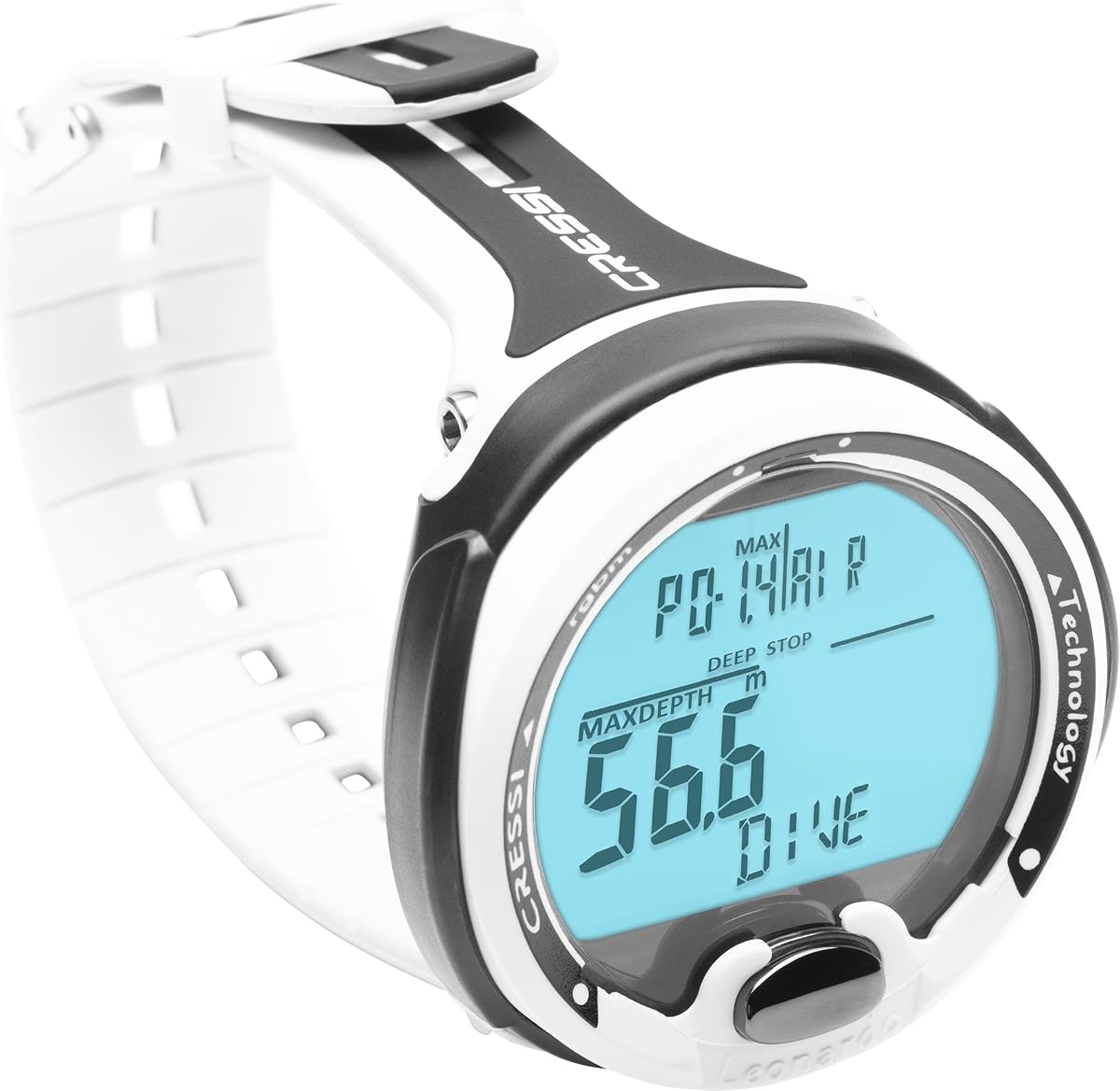
CRESSI Leonardo 2.0 G2 Dive Watch
4.2Editor score
Single-button menu control
Air and Nitrox modes
Seamless device integration
Discover the best dive computers for beginners. We compare top models based on ease of use, safety features, battery life, and data tracking to help you choose
Choosing your first dive computer is a major step in your scuba journey. A good model tracks depth and time while offering clear alerts. Beginners need intuitive interfaces and reliable safety features to enjoy underwater adventures confidently.
We analyzed ten top-rated dive computers available this October. Our comparison focuses on user-friendly menus, display clarity, and essential safety functions. Each product offers unique benefits suited for new divers exploring the ocean depths.
Every pick highlights key specs and real-world performance details. Prices and availability change frequently so check current listings before buying. This guide helps you find a reliable companion for your future dives worldwide.
4.2Editor score

4.7Editor score

4.7Editor score
Here is a side-by-side look at all ten recommended dive computers. We compare essential features like interface type, battery longevity, and special capabilities to help you decide quickly.

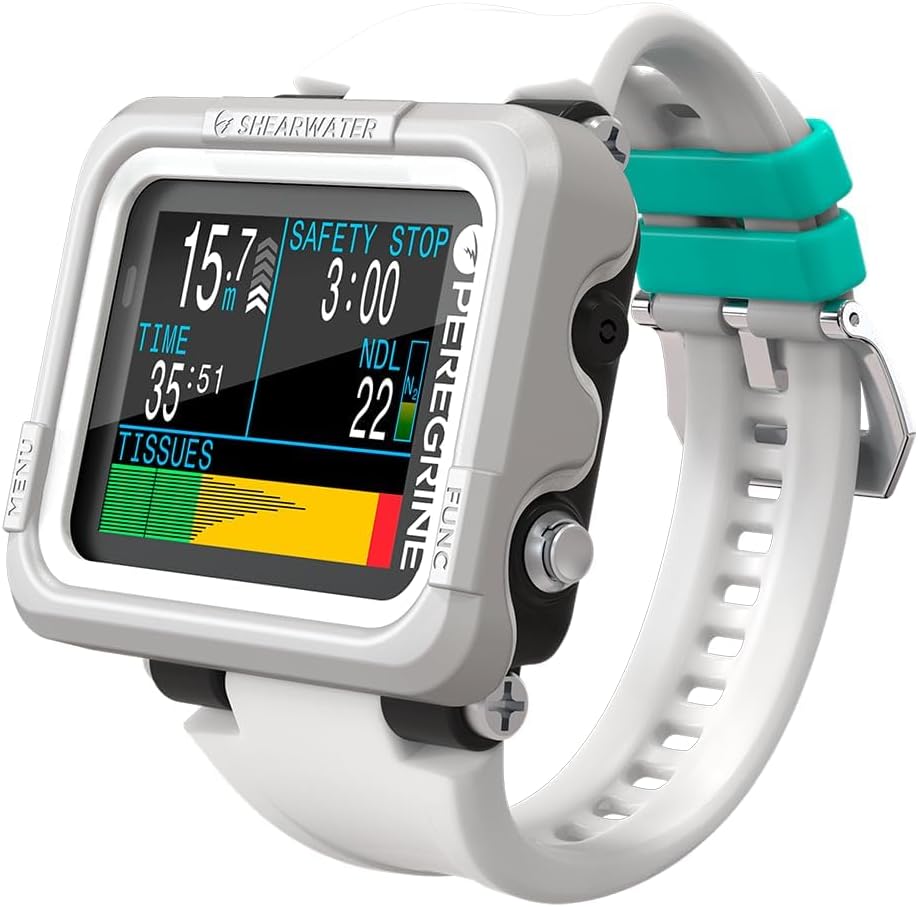


The Shearwater Research Peregrine is a top-rated dive computer with a 4.7 rating. It offers a simple two-button interface and a state-aware menu structure ideal for new divers seeking clarity.
We may earn a commission when you buy through this link, at no additional cost to you.
Its stainless steel buttons are durable and easy to press underwater. The battery lasts up to 30 hours on medium brightness. A wireless charging station comes included for convenient recharging.
While the price is higher than basic models, the reliability justifies the cost. The display remains readable even in lower light conditions underwater. This ensures you can monitor depth and time effortlessly.
This model suits beginners who want a device that grows with them. Its straightforward design reduces learning time. We recommend it for those prioritizing ease of use and durability.
The state-aware menu automatically shows relevant options based on dive mode. This prevents confusion and speeds up access to critical data during your descent.
Wireless charging reduces wear on ports. The included station makes keeping your device powered up easy for frequent travelers.
We may earn a commission when you buy through this link, at no additional cost to you.
The CRESSI Leonardo 2.0 G2 is an excellent choice for budget-conscious beginners. It features a simplified control interface using just one button. This reduces the risk of accidental input underwater.
We may earn a commission when you buy through this link, at no additional cost to you.
It supports Air Nitrox and Gauge modes for versatility. Quick critical alerts notify you of changes via visual and audible signals. Pairing with iOS and Android devices allows comprehensive dive tracking.
Data transfer via USB and infrared makes log management easy. While it lacks premium screens, it covers all essential safety needs. Its Italian craftsmanship ensures solid performance for the cost.
Ideal for first-time divers, this watch is easy to wear. The single-button system simplifies learning. It balances functionality and affordability perfectly for entry-level underwater exploration.
Connectivity with smartphones lets you review detailed dive stats. This helps new divers analyze their performance after returning to the surface.
Quick alarms ensure you never miss critical limits. The combination of sound and sight alerts is crucial for maintaining safety underwater.
We may earn a commission when you buy through this link, at no additional cost to you.
The Garmin Descent X30 is a rugged dive computer with a vibrant color display. It features surface GPS to mark entry and exit points. The housing uses recycled ocean-bound plastics for sustainability.
We may earn a commission when you buy through this link, at no additional cost to you.
You can customize screens with three data fields per page. Flip-screen mode orients buttons for better access. NDL Aware depth metrics help extend bottom time safely. A 3-axis compass aids underwater navigation.
It is pricier than other models but offers premium tech. The depth metrics adjust limits based on specific depth changes. This helps divers maximize time without compromising safety protocols.
This computer suits divers wanting advanced mapping and analytics. The large screen makes reading data easy. It is ideal for those who value high-end technology and environmental responsibility.
Real-time depth impact on limits is shown instantly. This feature helps beginners understand decompression dynamics better.
Using recycled plastics reduces environmental impact. This aligns with the ethos of many modern divers protecting marine life.
We may earn a commission when you buy through this link, at no additional cost to you.
The Shearwater Peregrine Adventures Edition features a 2.2-inch LED LCD with vivid colors. It supports Air, Nitrox, 3 Gas Nitrox, and Gauge modes. The two-button interface is state-aware and simple to navigate.
We may earn a commission when you buy through this link, at no additional cost to you.
Its display offers enhanced saturation for clarity. The battery lasts up to 30 hours on medium brightness. A wireless charging station is included for convenience. Buttons are made of stainless steel for durability.
It never locks out for dive plan deviations. This flexibility prevents stress if you stray slightly from plan. The battery life supports long dive days without worry. Stainless steel buttons resist corrosion well.
Great for color lovers, this edition adds visual appeal. It shares core features with the standard model. Consider it if you want better visibility and style. Ideal for those valuing display clarity.
Brighter screens help in murky waters. This ensures data is readable even in poor underwater conditions.
No lockout policy allows flexibility. You can adjust plans mid-dive without fear of device refusal.
We may earn a commission when you buy through this link, at no additional cost to you.
The Cressi Raffaello features a built-in digital compass for navigation. It uses an RGBM-based mixed-gas planning system. Four modes include apnea and gauge for versatility. Bluetooth and USB allow effortless data transfer.
We may earn a commission when you buy through this link, at no additional cost to you.
Planning dives with confidence is easier here. The compass eliminates carrying extra gear underwater. This feature enhances the dive experience with precision. It supports both freediving and traditional scuba activities.
Battery life lasts up to four years. This reduces maintenance downtime significantly. The dual connectivity options make syncing logs easy. You can view history on smartphones or PCs.
Perfect for navigation-focused divers, this model is robust. It simplifies planning for complex dives. Ideal for those who want long battery life and integrated compass.
A built-in compass saves space on your wrist. This convenience reduces clutter and improves comfort underwater.
Four-year battery reduces replacement visits. This ensures your device is ready for every trip.
We may earn a commission when you buy through this link, at no additional cost to you.
The Garmin Descent G2 combines rugged watch-style design with dive features. Its 1.2-inch AMOLED display offers sharp visibility. It supports recreational, technical, and freediving. The housing uses 100 percent recycled ocean-bound plastics.
We may earn a commission when you buy through this link, at no additional cost to you.
Health features include VO2 max and sleep score insights. It tracks surface entry points using multi-GNSS. Readiness insights tell you if you are physically prepared. Smart notifications work with compatible smartphones.
Dive battery lasts up to 27 hours. It also tracks activities via built-in sports apps. The app lets you review logs. Pay is available for contactless payments. This dual-use adds significant value.
It is perfect for divers who want daily fitness tracking. The display is bright and clear. Ideal for those who value health data alongside dive safety.
Health metrics help prevent exhaustion underwater. Tracking VO2 max ensures you are fit for dives.
This score factors in stress and sleep. It helps you decide whether to dive on any day.
We may earn a commission when you buy through this link, at no additional cost to you.
The CRESSI Giotto manages up to three Nitrox mixes during a single dive. Customizable oxygen settings range from 21 to 99 percent. It monitors deep dives up to 393 feet. Supports altitude diving seamlessly.
We may earn a commission when you buy through this link, at no additional cost to you.
Its logbook stores up to 70 hours of data. This helps you keep detailed records. You can download dive history to a PC. Deep dive monitoring ensures safety regardless of depth.
The design feels traditional but robust. Color options like pink add visual variety. Altitude support makes it versatile for mountain lakes. It simplifies complex gas mix handling.
Great for nitrox users, this model offers precision. It covers advanced needs for gas mixing. Ideal for divers exploring high elevations or deep waters.
Special adjustments handle thinner air. This ensures safety when diving at high elevations.
Multiple mixes support complex dives. You can switch gases easily without extra devices.
We may earn a commission when you buy through this link, at no additional cost to you.
The Mares Puck Lite features one-button navigation. It uses the Bühlmann ZH-L16C algorithm. Compatible with Nitrox mixtures from 21 to 50 percent. Its display has 800 segments using chip-on-glass.
We may earn a commission when you buy through this link, at no additional cost to you.
The logbook tracks up to 100 dives with graphs. Analysis is simplified via Mares and SSI apps. Power lasts 100 dives without change. Integrated Bluetooth allows firmware updates to smart devices.
Visual clarity is high in various conditions. This ensures readability during dives. The single button simplifies operation while wearing gloves. Its design focuses on simplicity and reliability.
Perfect for those seeking basic control, this unit is simple. It balances advanced algorithms with simple interfaces. Ideal for beginners needing easy navigation.
800 segments ensure clear reading. This design prevents ambiguity when monitoring dive data.
Apps help analyze performance graphs. This gives insight into your diving progress over time.
We may earn a commission when you buy through this link, at no additional cost to you.
The Descent G1 is rugged with a monochrome display. Battery lasts 25 hours in dive mode and 21 days in smartwatch mode. GPS/GLONASS/Galileo support marks entry points. Features over 30 sports apps.
We may earn a commission when you buy through this link, at no additional cost to you.
Track VO2 Max and sleep scores. HR and Pulse Ox data give health insights. It supports recreational and technical diving. Pair with smartphone for smart notifications and Connect IQ apps.
Storage holds up to 200 dives. This allows long-term history review. It even searches for dive sites worldwide. Garmin Pay supports payments for convenience. Sapphire lens prevents scratches.
Great for active users, it combines fitness and diving. The monochrome display is clear. Ideal for those prioritizing health tracking alongside underwater exploration.
Tracking VO2 Max ensures physical readiness. It helps you plan dives based on fitness levels.
Search global dive sites easily. This helps plan future adventures without external tools.
We may earn a commission when you buy through this link, at no additional cost to you.
The SUUNTO D5 offers a compact watch design with color display. It is 100m water resistant. Wireless tank pressure sensors connect seamlessly. Vibration alarms alert you silently to critical data.
We may earn a commission when you buy through this link, at no additional cost to you.
Mobile connection allows data sync. A digital compass is built-in. Its compact size fits small wrists well. The wireless tank connection removes cables from your tank.
It balances features and portability. The display remains visible underwater. Alerts via vibration are discreet. Ideal for minimalists needing essential data. Battery life may require frequent charging.
Best for those needing portability, it is small. The wireless pressure is a major convenience. Ideal for divers valuing lightweight gear and clean setups.
No cables means easier setups. This simplifies pre-dive preparation for travelers.
Vibration alarms are quieter than beeps. This reduces noise pollution in marine environments.
We may earn a commission when you buy through this link, at no additional cost to you.
Selecting the right dive computer requires considering interface type, battery life, and safety features. This guide outlines key factors to help you choose wisely.
Beginners should look for intuitive controls. One-button or two-button systems reduce confusion underwater. Simple menus help you access data quickly without looking for long.
Choose a model with a logical menu structure. This ensures you focus on diving rather than device settings.
A clear, readable display is essential. Color screens offer better contrast in murky water. Ensure the screen is large enough to see numbers clearly.
Prioritize displays with high visibility to prevent data errors. Brightness adjustments help in different lighting conditions.
Battery longevity affects trip planning. Aim for devices lasting at least 20 hours. Longer life means less frequent charging before dives.
Check if the battery is replaceable. User-replaceable batteries extend device lifespan and reduce waste.
Wireless tank pressure sensors simplify setups. Bluetooth syncing allows easy data transfer to phones. This helps analyze dives without complex cables.
Connectivity features enhance tracking over time. Look for models supporting popular smartphone apps.
Ensure the computer supports Air and Nitrox. Beginners often upgrade to Nitrox for longer dives. Gauge modes allow flexibility for different gear setups.
Versatility helps you grow into advanced diving. Avoid basic models limiting gas mix options.
Build materials should withstand saltwater corrosion. Stainless steel buttons and sapphire lenses resist wear. Check water depth ratings to match your diving plans.
Robust builds prevent costly repairs. Ensure the device fits comfortably under gear.
Alerts like alarms and vibration are critical. These warn you of depth limits or ascent rates. Visual cues ensure you notice warnings even when noisy.
Always check for decompression safety algorithms. Reliable algorithms ensure your safety profile is accurate.
App integration allows better data management. Sync logs to smartphones for easy analysis. Some models allow firmware updates for future improvements.
Modern software supports training progress. Review how easily data exports to third-party tools.
Before diving, ensure your device is fully charged and synchronized. Pair wireless tank sensors if your model supports them. Review alarm settings to suit your comfort levels.
During your dive, keep the screen visible on your wrist. Check depth and time regularly. Use the compass if available for navigation. Respect alarm notifications immediately.
After diving, rinse your unit with fresh water. Wipe it dry and check for debris in the buttons. Store in a cool place to preserve battery health and casing integrity.
Yes, dive computers replace manual dive tables by calculating limits in real-time. They offer more safety margin by adjusting depth dynamically. Beginners find them safer due to continuous monitoring.
Most models last between 20 to 30 hours of dive time. Some offer user-replaceable batteries lasting years. Always check battery life specs before buying to plan charges.
Many dive computers function as depth gauges for snorkeling. Some modes track shallow dives for recreational use. Check if the device has shallow settings.
Wireless sensors are optional but convenient. They reduce cable clutter on tanks. Beginners can start without them, but adding one improves monitoring.
Rinse thoroughly with fresh water after every dive. Store in a cool dry place. Check seals regularly for leaks. Avoid exposing it to extreme temperatures.
Color displays offer better contrast in low-light conditions. Monochrome screens use less power. Choose based on visibility needs and budget constraints.
We have reviewed ten excellent dive computers tailored for beginners. The Shearwater Peregrine leads with its intuitive interface and reliable safety features.
Prioritize ease of use, clear displays, and battery longevity when choosing. Ensure the model supports your preferred dive types and gas needs.
Prices and availability change frequently so always check current listings before purchasing. A reliable computer enhances safety and enjoyment underwater.