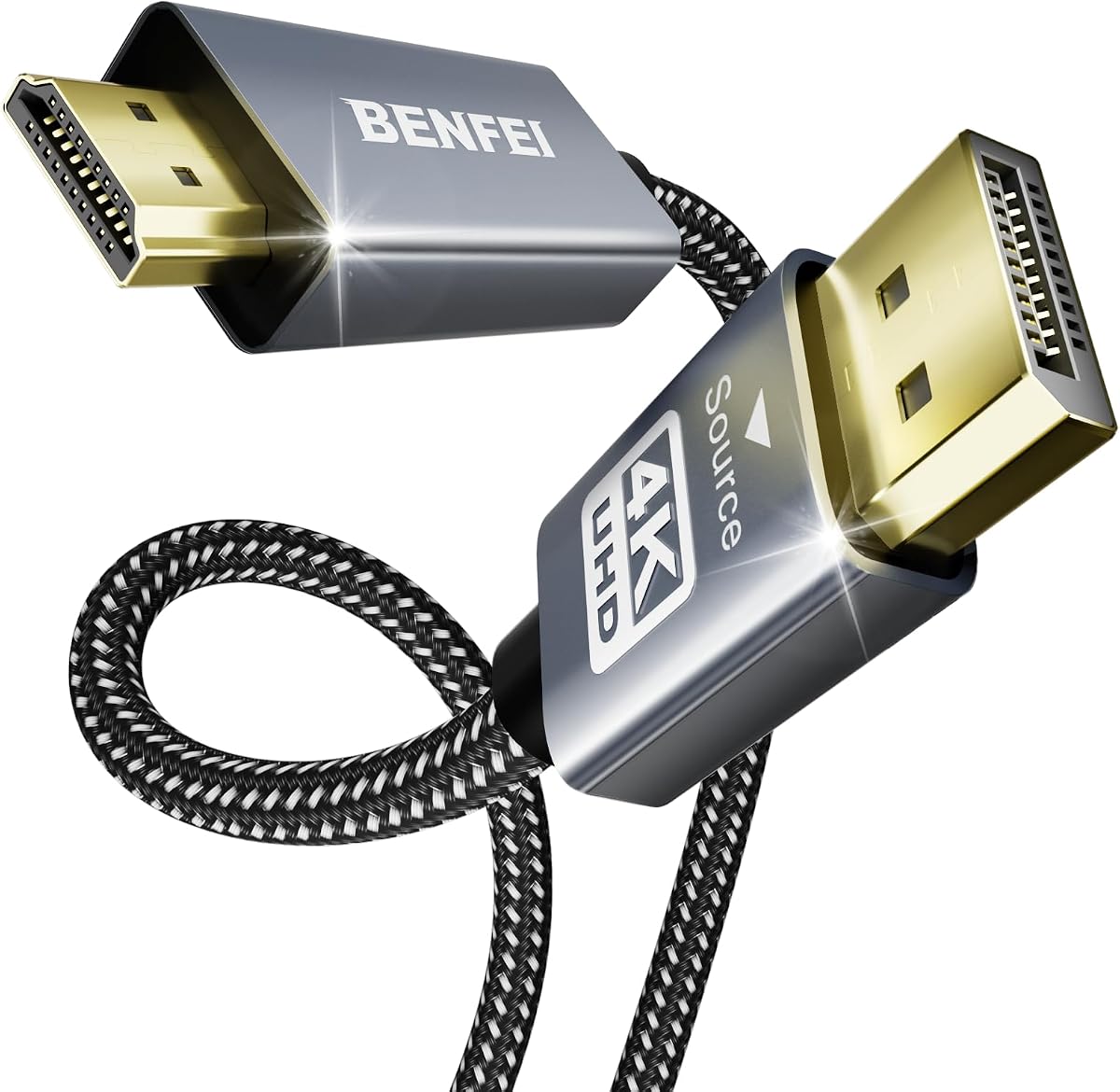
BENFEI 4K DisplayPort to HDMI 6 Feet Cable
4.5Editor score
Supports 4K@30Hz and 1080p
Built-in advanced IC chip
Nylon braided jacket durability
This guide compares the top Displayport to HDMI cables for 4K and 8K resolution, focusing on signal stability, build quality, and compatibility for all users.
Finding the right Displayport to HDMI cable ensures your computer connects seamlessly to modern displays. Look for uni-directional support, gold-plated connectors, and shielding to maintain stable video and audio performance.
We evaluated ten leading models based on resolution support, durability, and user feedback. Each pick balances performance with value, helping you choose the best cable for gaming, work, or home entertainment setups.
Every selection highlights key specs and real-world strengths. Note that prices and availability change frequently, so check current listings before purchasing to ensure you get the best deal for your needs.
4.5Editor score

4.8Editor score

4.2Editor score
The following table compares every selected model side by side. Use this to quickly identify resolution limits, length, and build features that matter most for your specific display and source device.


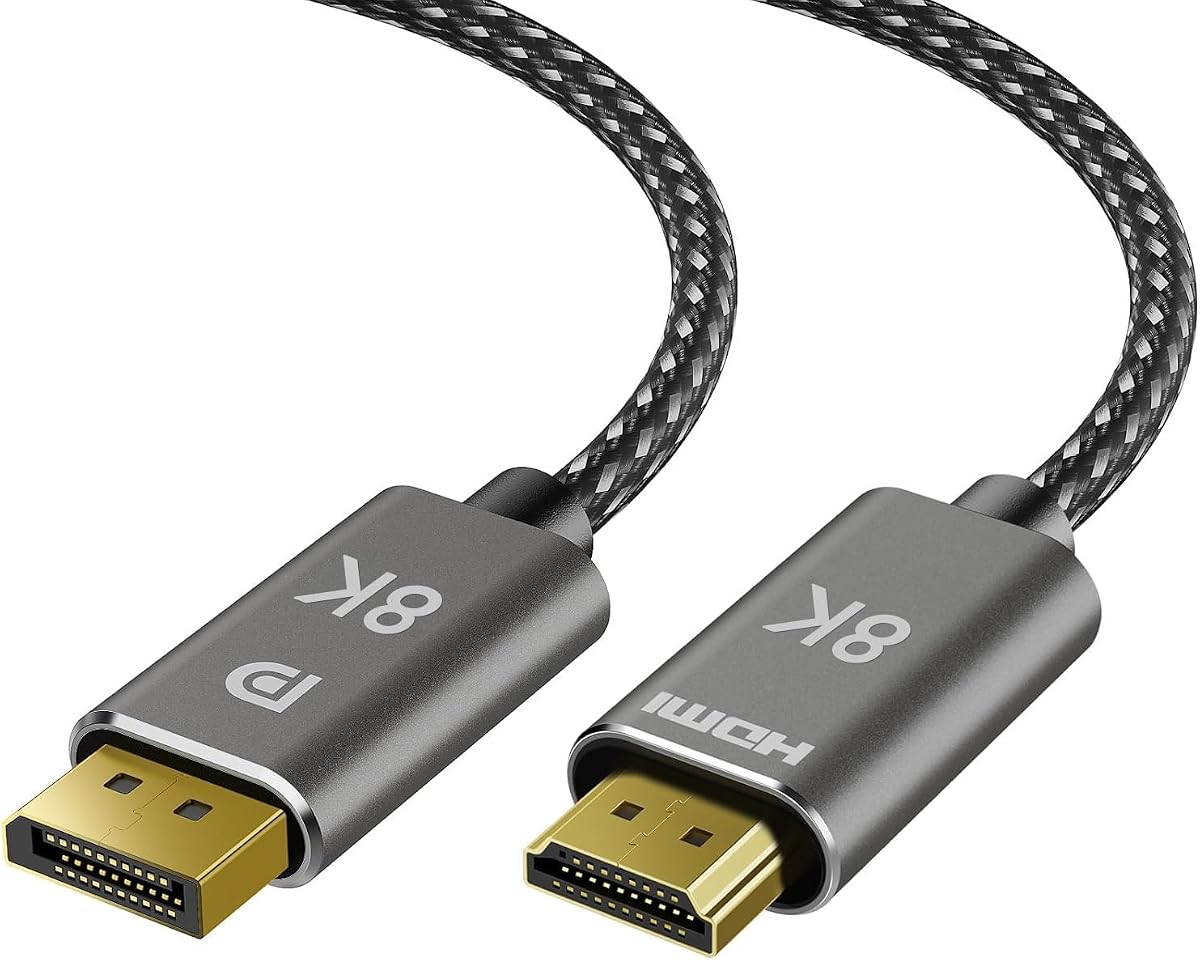
This UGREEN DisplayPort to HDMI cable earns our Editor's Choice for its reliable performance across common resolutions. It supports up to 1080P@120Hz and is built to handle daily use without signal degradation or connection issues.
We may earn a commission when you buy through this link, at no additional cost to you.
The cable features double shielding and 32AWG tinned copper conductors to ensure stable transmission. Users appreciate the no-buckle design that prevents kinking, and the nylon braided jacket adds strength against wear and tear.
While it lacks bidirectional support, that limitation is standard for passive DP to HDMI cables. The plug-and-play convenience and robust construction make it a safe choice for most laptop and desktop setups.
Buy this if you need a durable cable that supports high refresh rates like 120Hz. It works seamlessly with major graphics cards and laptops, offering a solid upgrade from generic cables.
Double shielding reduces electromagnetic interference, ensuring clearer images and audio even during heavy system loads.
The 10X stronger nylon jacket resists daily strain, making it ideal for offices where cables get plugged and unplugged frequently.
We may earn a commission when you buy through this link, at no additional cost to you.
The BENFEI cable delivers strong performance at an affordable price point. It converts DisplayPort signals to HDMI effectively, supporting up to 4K@30Hz and various lower resolutions for standard displays.
We may earn a commission when you buy through this link, at no additional cost to you.
Built with an aluminum shell and nylon braided jacket, it resists corrosion and physical damage. The advanced IC chip ensures accurate streaming, while the gold-plated connector improves transmission longevity.
A minor trade-off is the 30Hz limit at 4K, which suits video but not competitive gaming. However, the 18-month warranty adds confidence to this budget-friendly purchase for general use.
Choose this if you want reliable connectivity without overspending. It fits most home office or entertainment setups where 1080p or 4K at 30Hz meets your needs perfectly.
The built-in IC chip optimizes signal conversion for stable streaming without needing extra drivers or software.
An unconditional 18-month warranty provides peace of mind, ensuring customer service support if issues arise.
We may earn a commission when you buy through this link, at no additional cost to you.
This Cable Matters model supports cutting-edge standards like HDMI 2.1 and DP 1.4 with DSC. It enables 8K@60Hz and 4K@240Hz outputs, making it perfect for advanced setups using modern graphics cards.
We may earn a commission when you buy through this link, at no additional cost to you.
The braided jacket and secure latch provide lasting durability and stable connections. It supports advanced audio formats like Dolby Atmos and HDR, enhancing the overall multimedia experience significantly.
Premium features come with specific hardware requirements; you need a compatible GPU and DSC to unlock maximum performance. This makes it less flexible than simpler cables but necessary for top-tier users.
Invest in this if you own high-end hardware like RTX 4090 and a 4K 240Hz display. It future-proofs your setup against next-gen resolutions and refresh rates with reliable build quality.
The cable handles advanced bandwidth demands, ensuring you can use the latest visual features without bottlenecks.
The latch mechanism prevents accidental disconnection, vital for high-end setups where reconfiguring ports is inconvenient.
We may earn a commission when you buy through this link, at no additional cost to you.
Highwings offers a straightforward solution for connecting PCs to large screens. It delivers synchronized audio and video, ensuring a smooth experience for streaming content or presentations.
We may earn a commission when you buy through this link, at no additional cost to you.
The multi-layer shielding and gold-plated connectors reduce interference, maintaining signal integrity. Its nylon-braided design with a 20,000+ bend lifespan ensures durability for regular office use.
Users should note the unidirectional limit and potential heat at max resolution, which is normal for active chips. These are acceptable trade-offs for the reliable performance at this price point.
Pick this if you want a balanced cable for general home entertainment. It fits well in setups where reliable 4K@30Hz is all you need without complex gaming requirements.
Audio sync ensures your video content feels natural and synchronized, perfect for movies and presentations.
Withstand daily bending and handling with a jacket designed for over 20,000 flex cycles over time.
We may earn a commission when you buy through this link, at no additional cost to you.
Amazon Basics delivers a reliable, no-fuss option for connecting computers to standard monitors. It supports resolutions up to 1920×1200 and delivers uncompressed audio for clear sound quality.
We may earn a commission when you buy through this link, at no additional cost to you.
Gold-plated connectors and foil-and-braid shielding ensure stable picture and sound. The bare copper conductors help maintain signal purity, making it ideal for office presentations or second monitors.
It is limited to older display standards and does not support 4K, which might limit future upgrades. However, its build quality and straightforward design remain strong for current needs.
Choose this for basic office or home use where 1080p or 1200p is sufficient. It provides a solid connection without extra costs or complications for standard workflows.
Bare copper conductors and shielding work together to prevent signal loss over the 6-foot length.
Supports multiple audio channels ensuring your sound matches video quality without compression issues.
We may earn a commission when you buy through this link, at no additional cost to you.
Warrky targets home office users with a sleek cable designed for visual clarity. It supports 4K UHD at 30Hz and ensures seamless viewing by minimizing lag and signal interference.
We may earn a commission when you buy through this link, at no additional cost to you.
The slim aluminum shell looks modern and resists corrosion. Five-layer shielding guarantees pristine transmission, while the nylon jacket ensures it withstands frequent handling without fraying.
Though limited to one-way signals, this fits standard PC to monitor setups perfectly. The quick 18-hour support response adds a nice touch for buyers needing assistance quickly.
Opt for this if you want a stylish, functional cable for a tidy desk. It delivers sharp visuals and strong durability at a fair price point for remote work.
The aluminum shell fits well with modern office gear, providing a premium look alongside great function.
Five layers of shielding ensure your image remains crisp even if the cable runs near other electronics.
We may earn a commission when you buy through this link, at no additional cost to you.
JSAUX stands out with a 10FT length, offering flexibility for larger rooms or desks where ports are far apart. It supports 4K@30Hz for clear viewing in various settings.
We may earn a commission when you buy through this link, at no additional cost to you.
The durable nylon exterior keeps the cable organized and safe from daily wear. Its uni-directional design simplifies setup by forcing users to confirm ports, reducing connection errors.
While longer cables can sometimes suffer signal loss, this model maintains good quality. Just ensure your display and PC settings match to avoid confusion if the screen stays blank.
Select this if you need reach beyond standard 6ft limits. It is ideal for large offices, home theaters, or classrooms where device placement demands extra length.
The 10ft span allows you to place your TV or monitor far from your PC without losing signal quality.
A tidy exterior helps prevent tangling, making storage and desk management much easier.
We may earn a commission when you buy through this link, at no additional cost to you.
This pack provides two cables, making it perfect for users with multiple computers or monitors. Each 6ft cable delivers reliable performance for standard 1080p displays and presentations.
We may earn a commission when you buy through this link, at no additional cost to you.
Gold-plated connectors and bare copper conductors ensure stable audio and video. The latched connector design prevents accidental disconnection, which is useful for active work environments.
Though limited to 1080p, the value of getting two cables often outweighs higher resolution needs for offices. It simplifies multi-monitor setups without needing extra adapters.
Buy this if you need to connect multiple laptops or have spares handy. It reduces clutter and cost compared to buying singles separately for different desks.
Having two cables ready means you can quickly swap devices or set up dual screens without delays.
The latch ensures the cable stays plugged in, preventing accidental slips that cause screen flickering.
We may earn a commission when you buy through this link, at no additional cost to you.
This cable supports high-end standards like 8K@60Hz and 4K@240Hz, targeting enthusiasts with powerful hardware. It bridges DisplayPort sources to HDMI displays using DP 1.4 to HDMI 2.1 tech.
We may earn a commission when you buy through this link, at no additional cost to you.
Firmware updates can unlock HDR and Dolby Atmos features, improving color and sound. The braided jacket and molded strain relief ensure physical durability over long-term use.
Users should note that VRR is not supported, which is a limitation for competitive gaming. Also, driver updates might be necessary for full resolution compatibility on some GPUs.
Choose this if you want to prepare your setup for next-gen TVs and monitors. It handles high bandwidth well, provided your hardware supports the necessary specs.
Regular firmware updates can add new features like HDR support without replacing the cable.
Supports 8K resolutions for future displays, ensuring your cables won't become obsolete quickly.
We may earn a commission when you buy through this link, at no additional cost to you.
This UGREEN active cable tops the list for raw performance, supporting up to 8K@60Hz with a massive 32.4 Gbps rate. It is ideal for high-end setups that need maximum bandwidth.
We may earn a commission when you buy through this link, at no additional cost to you.
Gold-plated pins and aluminum heat dissipation maintain stability during high-load tasks. The braided jacket ensures flexibility, while the tinned copper conductors reduce signal loss over distance.
Active adapters are generally less flexible but necessary for 8K support. Ensure your source device has the right GPU, as this cable demands high-end hardware to perform.
Invest in this for ultimate fidelity on premium displays. It offers the highest speed and resolution available in this category, future-proofing your entertainment center.
The 32.4 Gbps rate ensures you can stream 8K video without compression or lag.
The aluminum case helps dissipate heat from the active chip, keeping the cable cool under heavy use.
We may earn a commission when you buy through this link, at no additional cost to you.
Selecting the right cable involves checking resolution, directionality, and build quality to match your devices.
Check if your cable supports the maximum resolution and refresh rate of your display. For gaming, look for 1080p@120Hz or 4K@60Hz support. For movies, 4K@30Hz is often sufficient.
Higher refresh rates need higher bandwidth. If you plan to upgrade your monitor, ensure your cable supports HDMI 2.1 or DP 1.4 standards for future-proofing.
Most DP to HDMI cables are uni-directional, working only from PC to display. Ensure your source has a DisplayPort and your screen has HDMI. Reversing this will not work without an active converter.
Verify your GPU model too. Some high-end setups need active adapters for 8K, while passive ones work fine for 1080p or 4K at lower rates.
Look for nylon braided jackets that resist fraying and aluminum shells for heat dissipation. Gold-plated connectors prevent corrosion and ensure stable signal transmission over years of use.
Strain relief at the connector ends prevents bending damage. A sturdy build is crucial if you move cables frequently or use them in high-traffic areas.
Short cables (6ft) are best for desks to avoid clutter, while longer cables (10ft) suit rooms where the PC is far from the TV. Choose based on your physical layout to avoid tension.
Longer cables can lose signal quality if poorly shielded. Ensure the cable uses quality conductors like tinned copper to maintain performance at longer distances.
Modern cables support uncompressed digital audio like 7.1 or 5.1 channels. This is vital for home theaters where sound quality matters just as much as video.
Check if the cable transmits audio alongside video. Most DP to HDMI cables do this seamlessly, so separate audio cables are usually not needed.
Multiple layers of foil or braid shielding protect against electromagnetic interference (EMI). This ensures your video stays clear even in rooms with many electronics.
Good shielding prevents audio dropouts or flickering images. Look for models that explicitly mention shielding in their specs for reliable performance.
Brands offering warranties like 18 months provide peace of mind. Responsive customer service helps resolve issues if the cable fails or compatibility problems arise.
A solid warranty indicates the manufacturer stands behind their product. Check reviews to confirm they honor claims quickly if problems occur.
Passive cables work for standard DP to HDMI signals but may fail for 8K or high refresh rates. Active adapters handle complex conversions needed for advanced specs.
Determine if your GPU needs active conversion. If you use standard 1080p or 4K@60Hz, passive is enough. For 8K, look for active options.
Plug the DisplayPort end into your computer or graphics card source. Ensure you press the latch if present to secure the connection firmly without forcing it.
Connect the HDMI end to your monitor, TV, or projector. Turn on the display and select the correct input source to see your computer screen.
Store the cable loosely without sharp bends to protect internal wires. Use cable ties or sleeves to keep your desk organized and reduce wear from daily tugs.
No, most cables are uni-directional. They work only from DisplayPort source to HDMI display. Trying to connect an HDMI console to a DP monitor will not work without a separate converter.
Most are plug-and-play and need no drivers. However, advanced features like 8K may require updated graphics drivers on your PC to function correctly.
Standard cables support up to 4K@30Hz or 1080p. Premium active cables may support 8K@60Hz depending on the GPU and display capabilities.
Flickering often results from bad shielding or incorrect display settings. Ensure your resolution matches what the cable supports and check that the connection is secure.
No. Consoles like PS5 use HDMI output, but these cables require DisplayPort input. You need an HDMI to DP adapter for consoles, not a DP to HDMI cable.
Yes, longer cables can lose signal quality. Use the shortest length possible for your setup. Ensure better shielding if you need lengths beyond 6 feet.
Yes, they transmit digital audio alongside video. You can hear sound through your monitor or TV speakers without separate audio cables.
Display Stream Compression allows higher resolutions like 8K over DisplayPort. Ensure your GPU and cable support DSC for maximum performance.
Our top picks range from budget-friendly options like BENFEI to premium adapters from UGREEN. Each choice balances resolution support, build quality, and price for different user needs.
Focus on resolution and directionality when buying. Ensure your display requires DP to HDMI and matches the cable's capabilities to avoid wasted money.
Prices and availability shift regularly, so check current listings for the best deals. Verify your hardware specs before purchasing to ensure compatibility and satisfaction.