
Digital Alarm Clock with Date and Day of Week for Dementia Seniors
4.7Editor score
Voice announcement time function available
Large seven inch digital screen
Automatic dimming for night use
This guide compares the top digital clock with date and day of week models for seniors and home use, evaluating display clarity, alarms, and smart features.
Finding a digital clock with date and day of week can transform how you track time and stay organized daily. These devices offer large displays and clear labels that help everyone read the time easily without strain or confusion.
We compared ten top models based on screen size, brightness control, alarm options, and ease of use. Each product was reviewed for its ability to support daily routines while providing accurate timekeeping across different rooms and lighting conditions.
Each pick highlights unique strengths like voice announcements or photo playback alongside standard clock functions. Prices may change over time, so please verify current details before purchasing to ensure you get the best value for your needs.
4.7Editor score

4.6Editor score

4.4Editor score
This side by side comparison highlights key specs for each of the ten selected models to help you choose quickly based on your specific needs for display size and functionality.


This model stands out as the top choice for anyone prioritizing extreme display clarity and large text. It holds a solid 4.6 rating from users who appreciate the straightforward design and large 11.5 inch screen.
We may earn a commission when you buy through this link, at no additional cost to you.
The screen spells out full days months and dates without abbreviations which reduces confusion significantly for elderly users or those with memory challenges. It also shows morning afternoon evening clearly with sun and moon icons to match the time of day.
Trade-offs include a higher price compared to basic digital clocks but the clarity justifies it for those with vision needs. The setup is simple and the multiple display modes allow flexibility depending on room use.
Anyone needing a clear reliable clock for a bedroom living room or care facility should consider this pick first. It provides the best visibility and helpful daily cues among all models reviewed this month.
The 10 inch screen with 1280×800 resolution ensures text is sharp and visible from across a room without squinting or leaning in.
Five daily cycles like morning and afternoon are shown with distinct icons helping users orient themselves through the day without guessing.
We may earn a commission when you buy through this link, at no additional cost to you.
This model offers exceptional value for a high quality digital clock with date and day of week at a budget friendly price. It has an impressive 4.7 rating due to its user friendly voice features and clear display.
We may earn a commission when you buy through this link, at no additional cost to you.
Users love the voice announcement function which speaks the time when a button is pressed making it ideal for those with poor vision who cannot see the screen easily. The large display shows week month and date without confusing abbreviations.
The trade off is a slightly smaller screen compared to high end models but the cost savings are significant. The dimming feature ensures it does not disturb sleep while keeping the display readable.
For those seeking a cost effective yet reliable solution for daily time tracking this is the best choice. It balances essential features and affordability perfectly for home or gift use.
Press the back or remote OK button to hear the time spoken in nine languages helping visually impaired users without looking at the display.
One click setup and intuitive interface allow elderly users to operate the clock without reading complex manuals or struggling through menus.
We may earn a commission when you buy through this link, at no additional cost to you.
This premium model combines a clear display with advanced functions like photo playback and extensive alarms to meet complex daily needs. It holds a 4.4 rating from users valuing its versatility and rich customization options.
We may earn a commission when you buy through this link, at no additional cost to you.
It supports up to twenty alarms and reminders alongside photo playback through a USB drive which adds a personal touch. The screen splits the day into six distinct time periods with sun moon icons to reduce confusion.
While the extra features make setup more involved they provide significant benefits for those needing detailed reminders. The high number of brightness levels lets users tailor screen glow exactly to room lighting.
Buyers wanting the most feature packed clock including photo display should choose this one. It brings extra utility to daily routine management beyond basic timekeeping needs.
Twenty standard alarms and twenty custom reminders allow users to track medications appointments and other tasks throughout the day without missing them.
Insert an SD or USB drive to play family photos turning the clock into a personal frame that adds warmth to the room.
We may earn a commission when you buy through this link, at no additional cost to you.
This reliable option offers a generous screen size and includes a backup battery that preserves settings during power outages making it highly practical. It has a 4.6 rating from users who value consistency and easy setup.
We may earn a commission when you buy through this link, at no additional cost to you.
The large display shows date day and time clearly while the USB port lets you charge a phone nearby. The temperature display and four level brightness controls add convenience for bedside or desk placement.
The backup battery is a key advantage over models that lose all settings when unplugged which saves time resetting clocks after storms or power issues. Auto dimming keeps nights peaceful without glare.
If you need a dependable clock that keeps time through power cuts choose this model. It balances simplicity and practical features for daily home or care use.
A backup battery ensures time and settings remain intact when power fails so you do not need to reprogram after an outage.
The built in USB port charges smart devices directly saving outlet space at your bedside or desk for other electronics.
We may earn a commission when you buy through this link, at no additional cost to you.
This model shines with its strong voice announcement feature that speaks the time clearly for those with weak vision. It holds a 4.7 rating from users who find the audio function essential for their daily routine.
We may earn a commission when you buy through this link, at no additional cost to you.
The large display avoids abbreviations for dates and days while the simple interface allows quick setup by anyone. The voice function works with the remote or key button for flexible access without leaning in.
The main trade-off is a lack of battery backup so power outages reset settings which may be an issue in some areas. However the ease of use makes up for it in daily reliability.
Buyers prioritizing audio cues should choose this option for clear time announcements. It simplifies morning and evening checks for users relying on sound rather than sight.
Pressing the back or OK button triggers a clear voice reading of the time in nine languages for flexible accessibility.
Set multiple alarms for medication and schedules to keep daily tasks organized without needing separate reminder apps or paper.
We may earn a commission when you buy through this link, at no additional cost to you.
This model offers strong build quality and U.S. based customer service with a one year warranty for added peace of mind. It holds a 4.6 rating from users who value reliable support and clear design.
We may earn a commission when you buy through this link, at no additional cost to you.
The high resolution screen displays time and date clearly with no abbreviations to reduce confusion. It includes five daily alarms and a backup power option to keep tracking consistent even when issues arise.
While not as feature rich as others the simplicity and local support make it trustworthy. The auto dimming feature ensures comfort at night without manual adjustments after setup.
Choose this option if you want dependable support and clear design without extra complexity. It fits well for those needing straightforward daily time tracking with reliable help.
Customer support comes from a U.S. based team directly providing accessible help and a one year warranty for purchases.
The high contrast display makes reading easy even in low light which supports independent living without assistance from others.
We may earn a commission when you buy through this link, at no additional cost to you.
This clock delivers clear visibility from wide angles thanks to its IPS screen which avoids distortion from side views. It holds a 4.5 rating from users who value its consistent display and simple setup.
We may earn a commission when you buy through this link, at no additional cost to you.
The seven inch screen shows time and date clearly while the 175 degree angle lets anyone in the room read it easily. Auto dimming protects eyes at night and eight languages support diverse households.
While it lacks battery backup the auto time memory function restores settings quickly after power issues. The simplicity keeps it friendly for users who find complex menus frustrating to navigate alone.
If viewing angle matters for your space this model ensures readability from any seat. It is a strong pick for shared rooms or larger living areas.
IPS display technology ensures images do not distort or fade from wide angles which keeps text sharp for any viewer.
Automatic brightness changes at 7 am and 7 pm help adjust to natural light cycles and reduce eye strain during night.
We may earn a commission when you buy through this link, at no additional cost to you.
This clock offers a modern mirror style design that blends well with contemporary bedroom decor while providing essential functions. It holds a 4.1 rating from users who like the aesthetic and practical dual alarms.
We may earn a commission when you buy through this link, at no additional cost to you.
The LED display shows time seconds date and temperature clearly with dual alarms for different needs. The auto dimming feature via light sensor adds convenience for varying room light throughout the day.
While not specifically targeted at seniors it still offers large digits and clear date info. The lack of voice or very large text may limit it for those with significant vision needs.
Buyers wanting a stylish modern look without losing core features should consider this pick. It fits well in bedrooms needing a decorative but functional digital clock.
Set two alarm times for workdays weekends or every day to manage different schedules without needing multiple clocks or reminders.
Built in light sensor adjusts brightness automatically for comfort without needing manual input which keeps night sleep undisturbed.
We may earn a commission when you buy through this link, at no additional cost to you.
This clock is praised for its straightforward operation and oversized screen that makes reading effortless without strain. It holds a 4.6 rating from users who value ease of use and consistent timekeeping.
We may earn a commission when you buy through this link, at no additional cost to you.
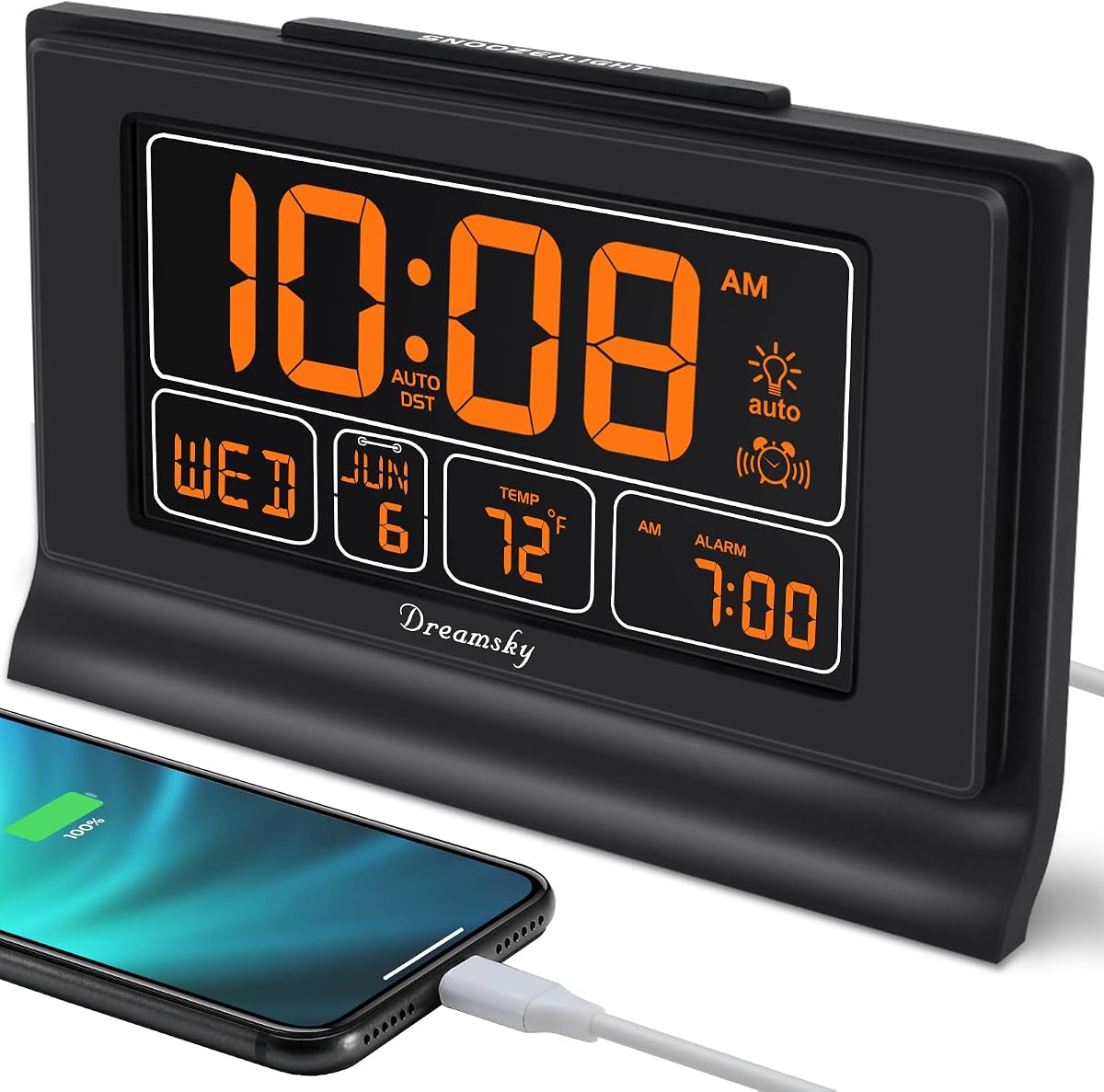
The display shows date and day clearly while five volume settings let you choose how loud the alarm is. Auto DST updates time twice yearly without manual intervention which adds convenience.
Lack of battery backup means power cuts reset settings so plan placement accordingly. The USB port is useful for charging phones nearby without extra cables or adapters.
Choose this for a simple reliable clock without extra features. It is ideal for those needing a no fuss tool that keeps accurate time and date.
The interface avoids complex menus so anyone can set the clock quickly without needing to read detailed manuals.
Dimmable display lets you set screen glow for day or night which reduces eye strain and keeps sleep undisturbed.
We may earn a commission when you buy through this link, at no additional cost to you.
This model offers a convenient auto set feature that configures time date and temperature right after plugging in. It holds a 4.6 rating from users who appreciate the simplicity and reliable timekeeping.
We may earn a commission when you buy through this link, at no additional cost to you.
The five inch screen displays time and temperature clearly while the auto set saves time on initial setup. Battery backup keeps settings safe during outages and USB port offers device charging convenience.
The auto set depends on signal strength so remote locations may need manual adjustment. The ascending alarm sound wakes users gently which many prefer over a sudden loud beep.
Choose this for a set and forget experience that works well for standard homes. It reduces setup effort and keeps time accurate with minimal input from users.
Once plugged in the clock sets itself to the right time date and temperature immediately which saves setup time.
The sound increases gradually to wake you naturally which reduces stress and makes waking up easier.
We may earn a commission when you buy through this link, at no additional cost to you.
Selecting a digital clock with date and day of week requires attention to display clarity setup ease and extra features like alarms or voice options.
Screen size affects readability especially for users with vision challenges. Look for models with at least seven inches and large bold fonts without abbreviations to ensure the time date and day are clear from a distance.
Prioritize displays that avoid small text and use high contrast settings to reduce strain and support independent checking throughout the day.
Automatic dimming adjusts screen brightness based on ambient light which keeps nighttime visibility comfortable without glare. Manual controls also help users tailor brightness to room conditions.
Choose models with dimming schedules or sensor features to protect sleep quality and eye health during evening hours.
Voice functions speak the time when pressed which is invaluable for those with poor vision or who prefer listening to reading. Some models support multiple languages for broader access.
Ensure the voice feature works with simple buttons or remotes so it remains accessible without technical confusion.
Multiple alarms and custom reminders help users manage daily schedules medications and appointments. Models with twenty alarms or specific reminder icons add extra organization.
Select alarms with adjustable volume and snooze options to match hearing preferences and ensure alarms are not missed during sleep.
Backup batteries preserve settings during power outages so you do not lose the time or reset manually after an interruption. Auto set time uses signals to keep accuracy without manual input.
Look for clocks with both features to reduce manual work and maintain reliable timekeeping through unexpected power changes.
Support for multiple languages and formats like 12 or 24 hour time helps users find a clock that matches their routine. Ensure the clock displays full day and month names clearly.
Verify language options before purchase if the user relies on specific languages for clarity or daily communication needs.
Simple setup without complex menus reduces frustration for users who may find tech difficult. One click configuration and clear manuals speed up initial use and daily interaction.
Prioritize models with intuitive interfaces and straightforward controls to ensure anyone can operate the clock independently.
Wall and desk options and viewing angles help place the clock where it is most visible. Sleek designs also ensure the clock blends into room decor without standing out.
Choose models with wide viewing angles and adaptable mounting to suit different rooms and personal preferences.
Set up the clock by plugging it into a power outlet and connecting any included power adapter. Use the control buttons to input your current time date and time zone settings before starting daily use.
Use the auto dimming feature to let the clock adjust brightness automatically based on room light. This protects your eyes and keeps the display readable at all times without manual changes.
Check and replace backup batteries periodically if your model uses them to keep time accurate during outages. Keep the screen clean with a soft cloth to maintain visibility over time.
Most clocks need AC power for operation but many include backup batteries to preserve time during outages. Check the product details to see if batteries are included or required for backup features.
Yes many models offer manual brightness controls in addition to auto dimming. Look for devices with multiple dimming levels to tailor screen brightness to your environment and time of day.
Several clocks support multiple languages for voice announcements and display text. Check the product specifications to confirm which languages are available for your region or preference.
Auto dimming uses sensors to adjust brightness based on ambient light while manual dimming lets you set fixed levels. Auto saves effort and manual gives full control over screen brightness at all times.
Many models include wall mounting options in addition to desk stands. Verify the product specs for wall mounting hardware or built in slots to place the clock where it fits best.
Alarms can be set for medications appointments or wake times to keep users organized. Multiple alarms and reminders provide extra cues to support consistent schedules throughout the day.
Most models with backup batteries maintain settings and time during power outages. Without a backup you may need to reset the time after the power returns depending on the product.
Some premium models support photo playback via USB or SD cards. Check the features list to confirm if the model supports photo display before purchasing.
The SSYA Dementia Clock offers top clarity with its large screen and clear labels making it ideal for those who prioritize visibility. The Digital Alarm Clock with Date and Day of Week for Dementia Seniors brings budget friendly value with voice features.
When choosing focus on display size brightness options and backup power to match your needs for reliable time tracking. Consider alarms and voice options if you require extra cues for daily routines or medications.
Always check current prices and features before purchasing to ensure the model fits your space and usage habits. These clocks are valuable tools for staying organized and confident with your daily timekeeping.