
TECKNET Compact Mouse
4.6Editor score
Portable small design
Three stage sleep
Soft click quiet
This guide compares the top ten cute laptop mouse options available this month focusing on design wireless connectivity ergonomics and overall performance for
Finding the right peripheral can transform your daily computing experience significantly. A cute laptop mouse offers both functional precision and a touch of personality to your workspace. We have carefully selected options that balance aesthetic appeal with reliable technical performance.
Our team evaluated ten distinct models based on connectivity stability ergonomic comfort and design uniqueness. Each product was scrutinized for battery life compatibility across operating systems and overall build quality. This list ensures you find a device that fits your specific workflow requirements seamlessly.
Each pick below highlights key features strengths and potential limitations to help you decide. Note that pricing and availability can fluctuate based on retailer stock and seasonal promotions. Always verify current details before making your final purchase decision for your setup.
4.6Editor score

4.7Editor score

4.4Editor score
The following table provides a quick side-by-side comparison of all ten selected models to help you identify key specifications and design differences at a glance.





This cute donut-shaped mouse stands out with a unique design and strong performance rating. It combines style with practical features like dual device switching and a quiet click that suits shared spaces.
We may earn a commission when you buy through this link, at no additional cost to you.
Its dual device connection allows seamless switching between Bluetooth and wireless modes. The built-in rechargeable battery lasts up to 20 days reducing frequent battery replacements. This efficiency makes it ideal for professionals working across multiple devices.
The silent click mechanism minimizes noise which is perfect for libraries or open offices. While the price is higher than basic models the convenience of recharging offsets this over time. It is a versatile choice for travelers needing reliable performance.
If you value a quiet travel-friendly mouse with modern connectivity this is a top choice. It balances aesthetic appeal with functional needs like compatibility and battery life effectively.
Switch between devices with one button for a smooth workflow across different machines without cables.
The quiet click ensures you work without disturbing others around you during meetings or study sessions.
We may earn a commission when you buy through this link, at no additional cost to you.
This compact pink mouse is an ideal choice for budget-conscious buyers needing a portable solution. Its small size fits easily into bags while maintaining comfort for smaller hands.
We may earn a commission when you buy through this link, at no additional cost to you.
The three-stage smart sleep mode extends battery life significantly reducing replacement frequency. Soft clicks minimize noise which is great for shared workspaces. It works with most operating systems making it versatile for general use.
It lacks Bluetooth connectivity and relies on a USB A port which may limit use with newer laptops. However the low price point makes it an excellent secondary mouse for travel or as a spare.
Choose this if you want a simple affordable and quiet mouse that fits in a pocket. It delivers essential functions without unnecessary extras.
Three-stage sleep modes adapt to your inactivity to ensure longer battery usage between changes.
Ambidextrous design allows both left and right-handed users to use it comfortably without adaptation.
We may earn a commission when you buy through this link, at no additional cost to you.
This Akko mouse blends gaming features with a playful cat design for a premium experience. It supports three connection modes ensuring you can link it to almost any device.
We may earn a commission when you buy through this link, at no additional cost to you.
The ergonomic shape offers comfortable palm support for long sessions. Anti-slip bottom and agile scroll wheel improve precision and stability. It works well with Mac and Windows systems expanding its usability.
Some users might find the cat shape limits portability compared to standard shapes. The gaming focus may not suit all aesthetics but it delivers strong performance.
Ideal for users who want a unique look with robust connectivity options. It stands out as a stylish and functional tool for diverse setups.
Connect via 2.4GHz or Bluetooth 3.0/5.0 to switch between laptops and desktops effortlessly.
Smooth scroll and anti-slip base provide the control needed for both work and casual gaming.
We may earn a commission when you buy through this link, at no additional cost to you.
This wegear mouse provides strong reliability with customizable DPI levels for different tasks. Its ergonomic design reduces hand strain during extended usage sessions.
We may earn a commission when you buy through this link, at no additional cost to you.
The six buttons include forward and backward options for quick navigation. It runs up to 24 months on one AA battery making it low maintenance. Mac users should note some buttons may not work on macOS.
It is a solid choice for productivity but the button limitations on Mac might be a drawback. The battery life is excellent for users who prefer minimal interruptions.
Pick this for reliable daily use with adjustable speed. It balances comfort and function well for general computing.
Switch between five DPI levels to match cursor speed to your specific task needs.
With sleep mode and efficient power use expect up to two years on a single battery.
We may earn a commission when you buy through this link, at no additional cost to you.
This car-shaped mouse brings a playful touch to your workspace with LED lights. It is a fun gift option that combines novelty with basic functionality.
We may earn a commission when you buy through this link, at no additional cost to you.
The bottom switch allows quick power saving when not in use. It works on most systems and connects wirelessly up to 10 meters. The compact size makes it easy to carry around.
It relies on batteries and lacks recharging which might be less convenient. The small size could be uncomfortable for larger hands over time.
Best for users seeking a fun affordable gift or secondary mouse. It adds personality to a desk without sacrificing basic utility.
The dazzling LED lights and car shape make this a standout piece on any desk.
A bottom switch lets you turn off the device instantly to save power effectively.
We may earn a commission when you buy through this link, at no additional cost to you.
This Unipows mouse features a slim ergonomic design with a unique gradient finish. It is built for durability with five million click endurance.
We may earn a commission when you buy through this link, at no additional cost to you.
The quiet click mechanism reduces noise making it suitable for libraries. It connects via 2.4GHz wireless for stable performance. The slim profile fits easily into bags for travel.
It requires a USB port which may limit use with modern thin laptops without adapters. However the build quality is solid for the price.
Choose this for a stylish durable travel mouse that fits small hands. It offers reliable performance with a touch of color.
A sleek low profile design ensures comfortable handling during mobile use.
Rated for five million clicks ensures long term use even with heavy daily clicking.
We may earn a commission when you buy through this link, at no additional cost to you.
This JUHOO mouse is designed for quiet environments with silent clicks. It is portable and works well with Mac and Windows systems.
We may earn a commission when you buy through this link, at no additional cost to you.
The auto sleep feature saves power after inactivity. A nano receiver stores inside the mouse for easy transport. The durability test ensures long usage life.
It lacks rechargeability and unique design features but delivers consistent performance. The silent mechanism is ideal for libraries or offices.
Pick this for a quiet reliable mouse for travel. It offers essential functions with minimal noise.
Special soundless design keeps you focused without disturbing others during work.
Hidden nano receiver makes it easy to take anywhere without extra parts.
We may earn a commission when you buy through this link, at no additional cost to you.
This TENMOS mouse offers a delicate flower design with silent clicks. It is accurate and low power for daily use.
We may earn a commission when you buy through this link, at no additional cost to you.
Sleep mode activates after ten minutes to save energy. High performance optical sensor ensures precision on most surfaces. The quiet buttons are perfect for shared spaces.
It does not include rechargeable options but the battery life is efficient. The design is subtle and appealing.
Choose this for a quiet budget-friendly floral mouse. It suits users who prefer subtle aesthetics.
Soundless buttons help maintain focus without distracting noise during meetings.
Auto sleep after inactivity extends battery life significantly for daily use.
We may earn a commission when you buy through this link, at no additional cost to you.
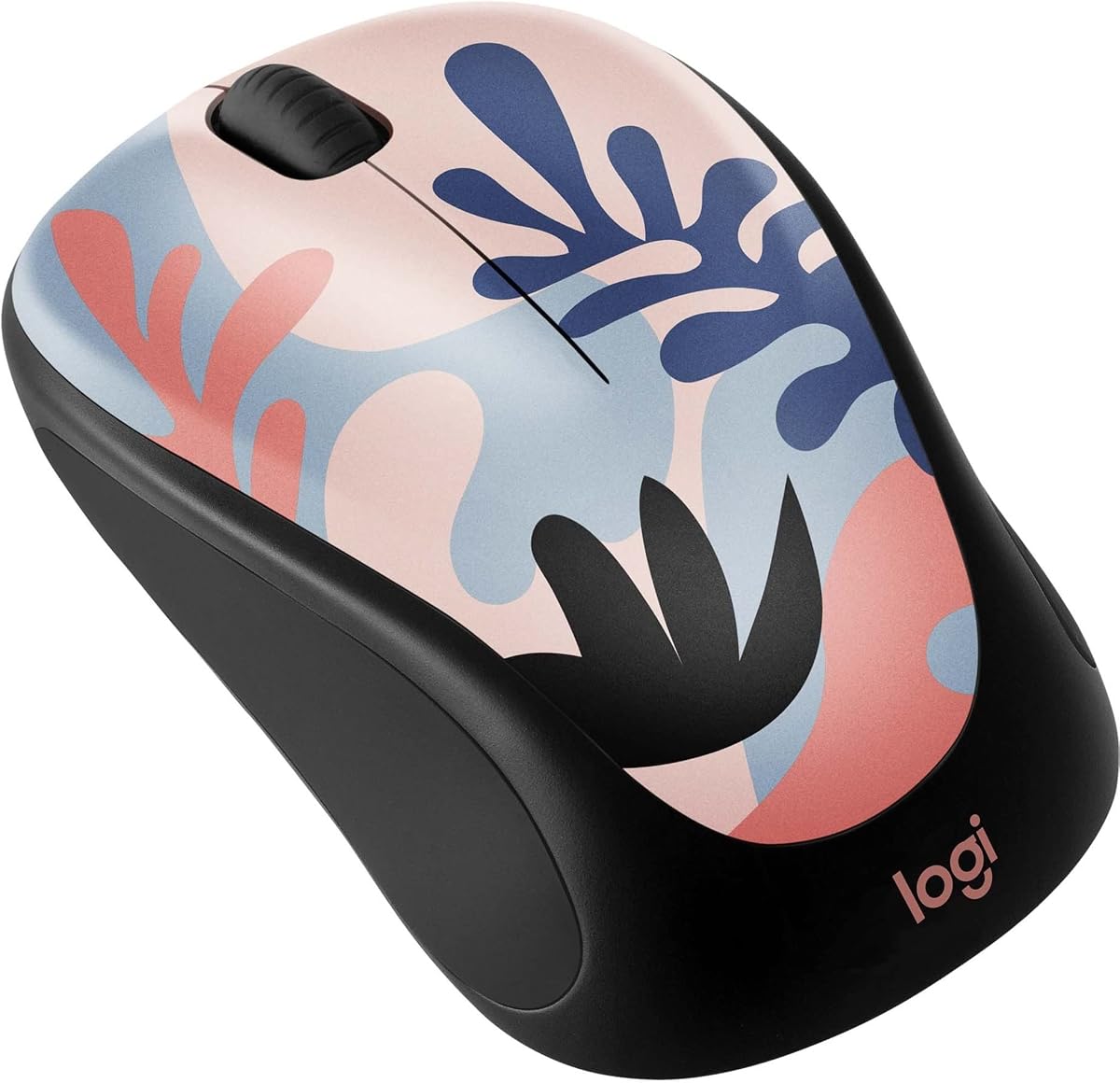
This Logitech mouse combines vibrant design with reliable performance from a trusted brand. It features a unifying receiver for multiple devices.
We may earn a commission when you buy through this link, at no additional cost to you.
Soft rubber grips add comfort during long use. It uses recycled plastic supporting environmental goals. The battery lasts up to 12 months on one AA cell.
It requires a USB port which limits compatibility with some modern devices. However the quality is consistent.
Ideal for users wanting a reliable eco-friendly mouse with style. It balances function and sustainability well.
Connect up to six devices to one receiver for a tidy desk setup.
Parts made from recycled plastic help reduce environmental impact.
We may earn a commission when you buy through this link, at no additional cost to you.
This FMOUSE mouse features a cat theme with dual connectivity options. It connects via Bluetooth or USB for versatile use.
We may earn a commission when you buy through this link, at no additional cost to you.
Silent clicks ensure quiet operation. The ergonomic shape fits small hands. Auto reconnect saves time when switching devices.
It runs on AA batteries which may be less convenient than rechargeable. The size might not suit everyone but it is portable.
Choose this for a fun dual-mode mouse for offices. It balances connectivity with a playful design.
Switch between Bluetooth and wireless for flexible device connection.
Reduced noise ensures you can work without disturbing others nearby.
We may earn a commission when you buy through this link, at no additional cost to you.
Choosing the right mouse involves balancing style with performance features that fit your daily workflow and device ecosystem.
Determine if you need Bluetooth for thin laptops without USB ports or standard wireless. Dual mode offers maximum flexibility for switching between devices.
Always verify your device ports before buying to avoid adapter needs.
Consider hand size and comfort during long sessions. Some models offer soft grips or specific shapes to reduce strain.
Comfort should never be sacrificed for aesthetics alone.
Check if the mouse uses AA batteries or a rechargeable built-in battery. Rechargeables reduce waste but require charging downtime.
Choose based on how often you use the mouse daily.
Silent click mechanisms are ideal for shared offices or libraries. Standard clicks may disturb others during meetings.
Prioritize silent if you work around others.
Ensure the mouse works with your OS such as Windows macOS or Linux. Some features may be limited on certain systems.
Check manufacturer notes for OS specific limitations.
Look for click ratings like five million clicks to ensure long-term reliability. Build quality impacts how well it survives drops.
A durable mouse saves money over time.
Pick a theme like cat or floral that matches your personal style. Many brands offer colorful options for fun.
Choose one that brings joy to your workspace.
Plug in the receiver or enable Bluetooth to pair with your device. Follow any quick setup instructions for instant use.
Keep the mouse clean by wiping it with a dry cloth regularly. Dust accumulation can affect sensor accuracy over time.
Store the device in a dry place away from direct sunlight. If using batteries replace them before they leak to avoid damage.
Yes many of these models support macOS but check if any special buttons work. Bluetooth versions are ideal for thin MacBooks without USB ports. Always verify compatibility in the product description before purchase.
Most optical sensors track well on smooth surfaces like desks. Some may struggle on reflective or glass without a mousepad. For best performance use on a standard desk or pad.
Battery life varies from a few weeks to over a year depending on usage and model. Sleep modes help extend this by powering down during inactivity. Check specs for exact estimates.
Silent clicks use mechanical dampening but are rated for millions of clicks. Quality brands test them thoroughly to ensure they match standard durability. Look for specific click ratings in specs.
Some models offer dual device switching via Bluetooth or wireless channels. This allows seamless transitions between laptops without unpairing. Verify if the model supports this feature.
Bluetooth models do not need adapters but wireless ones require a USB receiver. If your laptop lacks USB ports you may need a USB-C adapter. Always check connection requirements.
Our top picks include the Donut Pink for overall value and the TECKNET Compact for budget needs. Each model offers unique benefits for different user preferences.
Prioritize connectivity and battery life to ensure smooth daily use. Choose one that matches your device ecosystem and workspace environment.
Always check current prices and availability before buying as these can change frequently. We hope this guide helps you find the perfect accessory.