
SAMSUNG QB43R 43 inch 4K UHD LED Commercial Signage Display
5.0Editor score
43-Inch 4K UHD Panel
Integrated Media Player Support
Slim Elegant Design
Selecting the right conference room monitor is crucial for modern business communication. A high-quality display ensures clear visuals during presentations and video calls. It enhances collaboration and keeps meetings productive for everyone involved.
We compared ten leading conference room monitors based on display resolution, connectivity options, and compatibility with major conferencing platforms. Our analysis focuses on commercial-grade durability, ease of installation, and overall value for office environments.
Each pick below highlights specific strengths like 4K clarity, wireless casting, or integrated audio. Please note that availability and pricing may vary over time. Always check the latest details before making your final purchase decision for your office.
5.0Editor score

4.3Editor score

4.0Editor score
As an Amazon Associate we earn from qualifying purchases.
The following table provides a side-by-side comparison of all ten selected conference room monitors. Review the key specifications to find the perfect fit for your meeting space requirements.


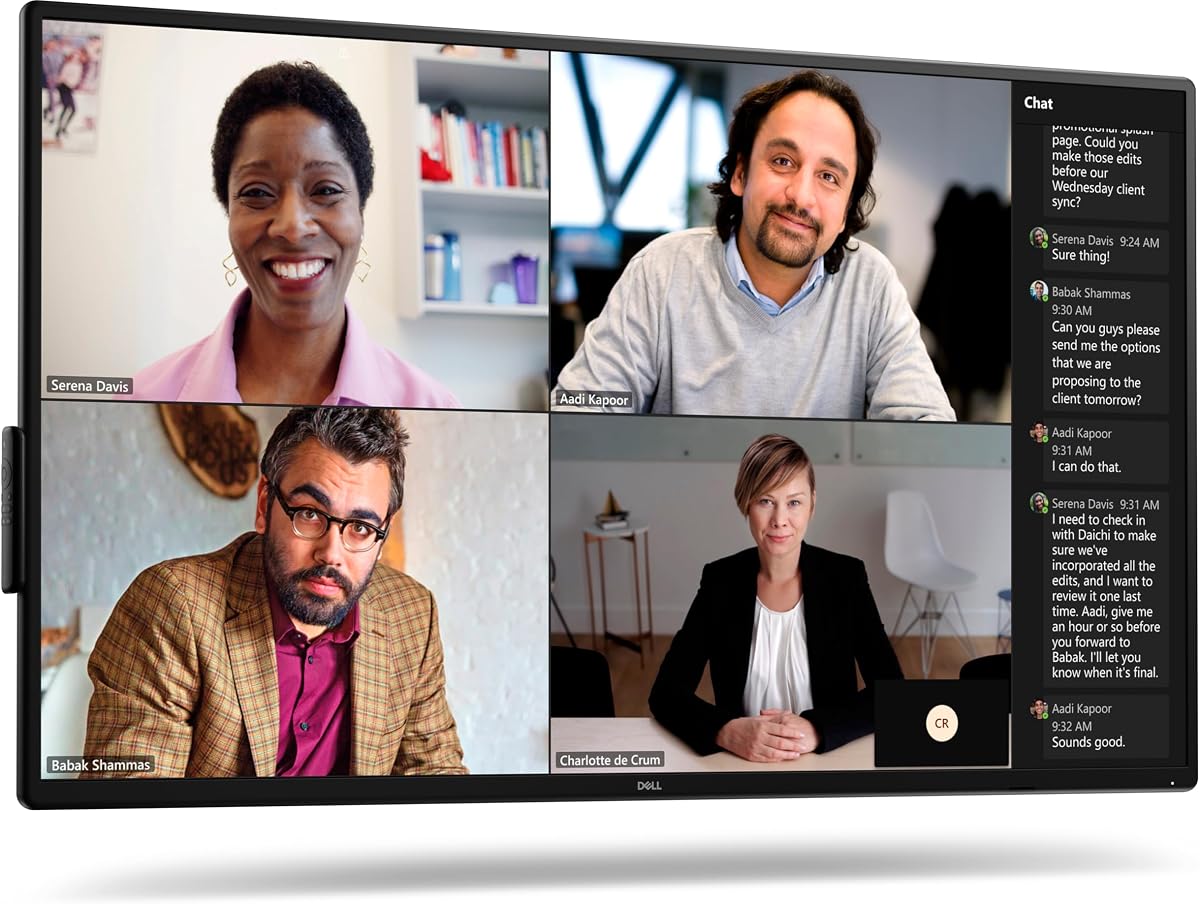


The Dell 55 4K Conference Room Monitor stands out as a top choice for professional environments. Its high resolution ensures that charts and text remain crisp during presentations. This model delivers reliable performance for daily business meetings.
We may earn a commission when you buy through this link, at no additional cost to you.
Key strengths include the anti-glare surface which minimizes reflections in bright rooms. The wide viewing angle ensures everyone sees the same clear image from any seat. Additionally, the built-in 10W speakers provide adequate audio without extra hardware.
While it lacks advanced wireless casting features found in some smart displays, its reliability is unmatched. The price point reflects its commercial durability rather than consumer features. These trade-offs are acceptable for stable meeting room infrastructure.
This monitor is ideal for executive suites or high-traffic conference areas. We recommend it for teams needing consistent visual quality without constant reconfiguration. It is a solid investment for long-term business use.
The 4K resolution allows for detailed spreadsheets and diagrams to be viewed without zooming or scrolling excessively.
Designed for professional settings, the monitor includes security features like cable locks to prevent unauthorized removal or theft.
We may earn a commission when you buy through this link, at no additional cost to you.
The Samsung QB65R offers a massive 65-inch display ideal for large conference rooms. Its 4K resolution ensures that content is sharp even from the back of the room. This display bridges the gap between signage and active conferencing.
We may earn a commission when you buy through this link, at no additional cost to you.
Compatibility with Cisco WebEx room kits makes it a powerful tool for unified communications. The built-in Wi-Fi allows for seamless content sharing from mobile devices. Intelligent upscaling ensures that lower resolution video still looks clear and professional.
The size and resolution may require robust computers to drive the full 4K resolution. Installation in such a large unit often benefits from professional mounting services. However, the performance justifies the effort for larger organizations.
We recommend this model for boardrooms or training centers where visibility is key. It serves well for both meetings and digital signage. Its flexibility makes it a strong contender for versatile business needs.
Certified compatibility with Cisco WebEx simplifies the integration of video conferencing software into your meeting workflow.
Built-in Wi-Fi allows presenters to share content directly from smartphones or tablets without requiring physical cables.
We may earn a commission when you buy through this link, at no additional cost to you.
The LG UL3G bundle provides an excellent starting point for smaller meeting spaces. It includes necessary accessories like HDMI cables and a surge protector to simplify setup. The 4K resolution delivers sharp visuals for standard conference needs.
We may earn a commission when you buy through this link, at no additional cost to you.
The IPS panel ensures that colors remain consistent across different viewing angles. This is critical for groups where participants sit off to the side. The built-in System on Chip allows for standalone content playback without a computer.
The smaller 43-inch form factor might limit visibility in very large rooms. However, for huddle rooms or small team meetings, it is perfectly sized. The included cleaning kit adds value for long-term maintenance.
This model is recommended for small teams needing an all-in-one solution. The Crestron certification ensures it works well with enterprise control systems. It balances cost and performance effectively for growing businesses.
The package includes HDMI cables and a surge protector, reducing the need for additional purchases during installation.
With System on Chip technology, you can run presentations without connecting a laptop, streamlining the meeting process.
We may earn a commission when you buy through this link, at no additional cost to you.
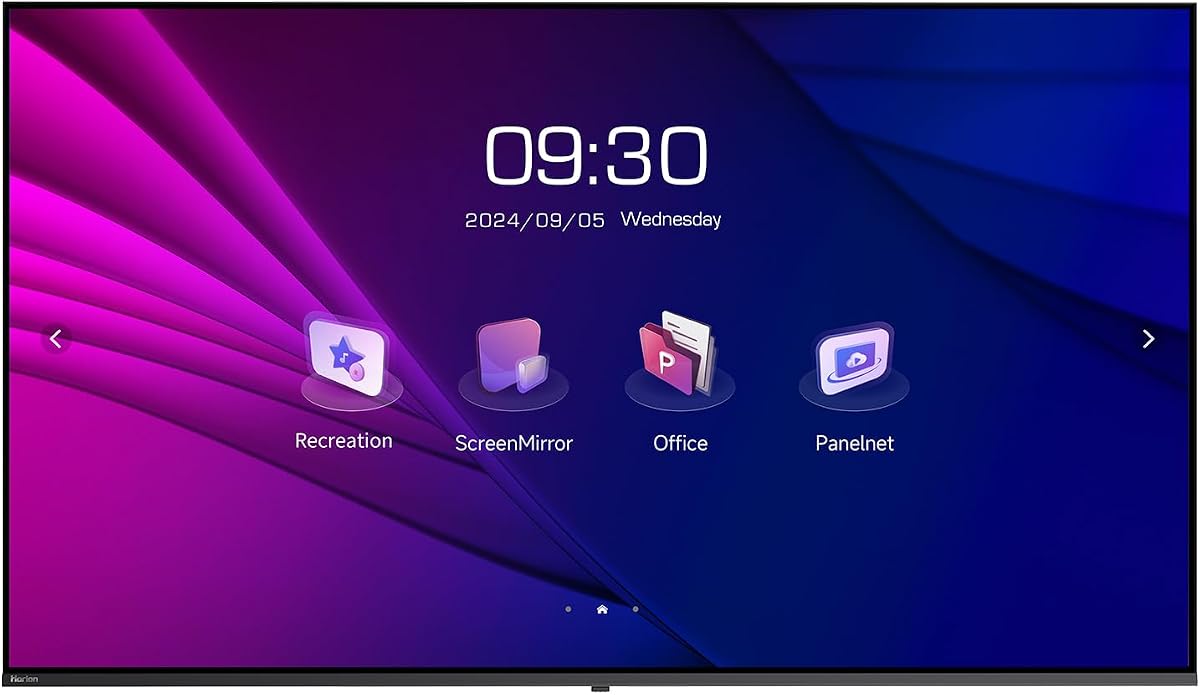
The HORION 75" display offers a massive canvas for large conference spaces. Its wireless casting capabilities allow presenters to share content without cables. The dual WiFi system helps maintain a stable connection even in congested networks.
We may earn a commission when you buy through this link, at no additional cost to you.
Wireless casting works with PC, Android, iOS, and Mac devices, ensuring flexibility for BYOD meetings. The low blue light certification helps reduce eye strain during long presentations. It also features built-in tools like agenda timers for better meeting management.
The interface may require some initial configuration to match your network environment. Additionally, the large screen consumes more power than smaller alternatives. These factors are manageable given the advanced connectivity options.
We suggest this monitor for large boardrooms or educational classrooms. It handles high traffic and continuous operation well. The combination of size and wireless features makes it a standout choice for modern collaboration.
The Dual WiFi Pro system uses separate channels for internet and casting, ensuring smooth content sharing without lag.
Low blue light technology reduces harmful emissions, making it safer for long periods of viewing during meetings.
We may earn a commission when you buy through this link, at no additional cost to you.
The Dell P5525QC focuses on robust connectivity for modern laptops. USB-C support allows for a single cable connection to transmit video and data. This is highly efficient for presenters using recent ultrabooks or MacBook models.
We may earn a commission when you buy through this link, at no additional cost to you.
The IPS panel ensures consistent color quality across the wide screen. Multiple inputs like DisplayPort and HDMI offer flexibility for different devices. It fits seamlessly into existing Dell workstation ecosystems for easy setup.
While it lacks integrated Wi-Fi, the strong wired options ensure reliable connections. Configuring USB-C might require checking laptop compatibility for power delivery. These minor steps are worth the convenience of single-cable docking.
This monitor is ideal for tech-savvy offices with modern laptops. It streamlines the connection process significantly. Its durability and connectivity make it a reliable choice for daily business presentations.
USB-C inputs allow for video and data transfer through one cable, reducing desk clutter and setup time.
Designed to work well with newer ultrabooks and Macs, ensuring that power users have the connectivity they need.
We may earn a commission when you buy through this link, at no additional cost to you.
The Philips 34" UltraWide monitor is perfect for small huddle spaces. It includes a built-in webcam and microphone, removing the need for separate conferencing cameras. This makes it an all-in-one solution for quick calls.
We may earn a commission when you buy through this link, at no additional cost to you.
The ultra-wide aspect ratio allows you to view multiple windows side by side easily. The curved screen helps reduce eye strain during long working hours. USB-C docking simplifies connectivity for laptops connected via a single cable.
It offers a lower resolution compared to full 4K displays, which might be a limitation for high detail work. The smaller screen size is less effective in larger boardrooms. However, it is excellent for personal or small team use.
We recommend this model for individual workstations or small team pods. It balances functionality with space efficiency. The warranty coverage provides additional peace of mind for office deployment.
Built-in webcam and microphone reduce the need for extra peripherals, making it ideal for quick video calls.
The ultra-wide ratio supports multiple application windows, allowing you to view documents and spreadsheets simultaneously.
We may earn a commission when you buy through this link, at no additional cost to you.
The Samsung QB43R offers premium commercial features at an accessible price point. It includes an integrated media player that removes the need for a separate PC. This makes it a cost-effective solution for digital signage and simple presentations.
We may earn a commission when you buy through this link, at no additional cost to you.
Wi-Fi connectivity allows for easy content sharing and control from mobile devices. The 3-year warranty ensures long-term reliability for business use. Slim bezels contribute to a clean aesthetic in modern office designs.
Brightness levels are adequate for indoor meetings but might struggle in very bright rooms. The built-in speakers are basic and may not suffice for large groups. However, the core visual performance remains strong for the price.
We suggest this model for small businesses or startup offices. It delivers essential commercial features without the high cost. It is a reliable choice for budget-conscious teams needing a professional look.
The built-in media player allows you to play USB content directly, saving the cost of an external media device.
A three-year warranty provides significant protection for your investment, ensuring you have support if issues arise.
We may earn a commission when you buy through this link, at no additional cost to you.
The Sony FW75BZ30L delivers top-tier video quality for professional meetings. HDR support ensures that colors and contrast are vivid and realistic. This monitor is designed for environments where visual fidelity is a high priority.
We may earn a commission when you buy through this link, at no additional cost to you.
Its large 75-inch screen makes it suitable for executive boardrooms. The build quality is rugged enough for continuous operation in commercial settings. It supports both portrait and landscape orientations for flexible mounting options.
The price is higher than many competitors, reflecting its superior panel technology. Installation on such a large screen requires careful planning to ensure safety. These factors are minor compared to the visual impact it provides.
We recommend this model for high-end corporate offices or presentation halls. It is ideal for teams that present rich media content regularly. It sets a high standard for commercial monitor performance.
HDR support brings out more detail in bright and dark areas, making images and videos look more realistic.
Engineered for commercial use, this monitor is built to withstand daily wear and tear in busy office environments.
We may earn a commission when you buy through this link, at no additional cost to you.
The Samsung QE50T is built for reliability with a 16/7 operation rating. It can run continuously for long periods without overheating or failing. This is essential for shared spaces that need to be always-on.
We may earn a commission when you buy through this link, at no additional cost to you.
It features an IP5X dust-proof rating which keeps internal components clean. The non-glare panel ensures visibility even with overhead lights. The slim bezel design adds a modern touch to meeting areas.
Standard brightness levels are sufficient for most indoor conference rooms. The audio system is adequate for casual use but not for large halls. Its primary strength lies in its durability and consistent performance.
We suggest this monitor for reception areas or busy meeting rooms. It handles constant use better than consumer grade displays. It is a practical choice for businesses needing reliable always-on screens.
The 16/7 operation rating means this screen can stay on for extended periods without degradation, perfect for lobbies.
IP5X dust proofing ensures that the device remains functional in environments where dust may accumulate over time.
We may earn a commission when you buy through this link, at no additional cost to you.
The Logitech MeetUp is an all-in-one video conferencing system for huddle rooms. It features a 4K sensor and a wide field of view to capture everyone in the room. This ensures remote participants can see faces clearly.
We may earn a commission when you buy through this link, at no additional cost to you.
Beamforming microphones capture voices up to 4 meters away accurately. It works seamlessly with platforms like Zoom and Teams without complex drivers. The motorized pan and tilt allow you to adjust the view easily.
This device is a camera system and does not include a screen for output. You will need to connect it to a separate monitor to display video. This distinction is important for complete meeting room setups.
We recommend pairing this with a compatible monitor for small teams. It is ideal for huddle rooms that prioritize call quality. Its ease of use makes remote work collaboration much more effective.
The 4K sensor and wide lens ensure that remote participants can see everyone in the room clearly and without obstruction.
Beamforming microphones focus on voices from specific directions, reducing background noise for clearer audio calls.
We may earn a commission when you buy through this link, at no additional cost to you.
Choosing the right conference room monitor involves balancing size, resolution, and connectivity needs. This guide breaks down the key factors to consider for your specific meeting space.
Screen size should match the room dimensions to ensure everyone can see details clearly. A minimum of 4K resolution is recommended for sharp text and professional graphics.
Select a size that fills the visual field without overpowering the space.
IPS panels are preferred for their wide viewing angles and color consistency from any seat in the room. TN panels are cheaper but suffer from poor viewing angles.
Always verify the viewing angle specification if your room has a wide layout.
Look for USB-C ports to simplify connections for modern laptops and support for multiple HDMI inputs. Wireless casting features add flexibility for mobile device sharing.
Prioritize models with diverse inputs to avoid the need for adapters.
Ensure the monitor supports major conferencing platforms like Zoom or Teams directly or via an external system. Some models have specific certifications for room kits.
Check software compatibility before purchasing to avoid integration issues.
Commercial monitors are designed for longer operation hours than consumer TVs. Look for ratings like 16/7 or 24/7 if the room is used frequently.
Invest in commercial grade hardware to prevent burn-in and failures.
Built-in speakers vary in power. Ensure they are loud enough for the room size or plan to use an external sound system.
Consider models with higher wattage speakers for clear audio in larger spaces.
Check VESA mount compatibility for wall or stand mounting. Slim bezels and modern aesthetics improve the look of professional meeting rooms.
Ensure the stand or mount is stable and supports the monitor weight safely.
Commercial products often come with longer warranties such as three years. Verify the terms for on-site service to minimize downtime.
Choose a reputable brand with strong customer support for business reliability.
Set up the monitor on a stable surface or mount it securely on the wall using the provided VESA mount. Connect your laptop via HDMI or USB-C to ensure the signal is recognized by the display.
Use the remote control or on-screen menu to adjust brightness and contrast levels based on room lighting conditions. Ensure the input source matches the device you are using to avoid signal loss.
Regularly clean the screen with a soft microfiber cloth to avoid scratches. Avoid using harsh chemicals or abrasive materials. Keep the vents clear of dust to maintain proper airflow and prevent overheating.
For small huddle rooms, a 43 to 50-inch monitor is usually sufficient. Larger boardrooms require 65 inches or more to ensure visibility from all seats. Consider the viewing distance when choosing the right size.
Commercial monitors are designed for longer operation hours and have better anti-glare coatings. They often include features like built-in media players and security locks that standard TVs lack. This makes them more suitable for professional environments.
Yes, most conference monitors can connect to video conferencing systems via HDMI or USB. You will need a compatible camera and microphone setup to fully enable video call functionality. Some models have built-in cameras.
4K resolution is the standard for modern conference monitors as it provides crisp text and detailed images. Full HD is acceptable for smaller screens but may look pixelated on larger displays. Higher resolution helps prevent eye strain during long meetings.
Standard HDMI cables work for most connections, but USB-C is preferred for newer laptops to reduce cable clutter. Check the input ports on your monitor to ensure you have the correct cables. High-speed cables are recommended for 4K signals.
Check the VESA mount pattern on the back of the monitor to select a compatible wall mount. Use a stud finder to ensure the mount is attached securely to the wall. Follow the installation guide to avoid damaging the screen.
Wireless casting allows presenters to share content from their devices without plugging in a cable. This streamlines meetings and reduces the need for extra adapters. It supports multiple devices for flexible BYOD collaboration.
Cleaning the monitor once a week helps maintain visibility and prevents dust buildup on the screen. Use a soft microfiber cloth to wipe the screen gently. Avoid spraying liquid directly onto the screen to prevent damage to electronics.
We have reviewed ten top conference room monitors that cover various sizes and budgets for different needs. Models like the Dell P5524Q and Samsung QB65R offer exceptional clarity for large spaces. The Logitech MeetUp provides a specialized solution for video calling in small rooms.
Prioritize screen size and resolution based on how many people will be viewing the content. Consider connectivity features like USB-C and wireless casting to support modern devices efficiently. Durability is key for professional settings where the monitor may run for long hours.
Please check the current availability and pricing before making your purchase decision as these details may change. Investing in the right monitor will significantly improve your meeting efficiency and overall team collaboration. We hope this guide helps you select the perfect display for your conference room.