
GETPALS Wireless Charger iPhone Charging Station
4.2Editor score
3-in-1 wireless charging
Foldable portable design
Safety protection features
Compare the top charging docks for multiple Apple devices. This guide reviews 10 models for speed, safety, and design to find the perfect dock for your setup.
Finding a reliable charging dock for multiple Apple devices simplifies your daily routine. These stations reduce clutter by powering phones, watches, and earbuds simultaneously. A good dock offers fast charging, safety features, and a sleek design that fits any space.
We evaluated ten top models based on compatibility, charging speed, build quality, and user feedback. Each product was assessed for its ability to handle various device combinations safely. This list covers options ranging from compact travel pads to powerful multi-port hubs.
Every pick includes key features, pros, cons, and detailed usage notes to help you decide. Prices and availability may change, so verify current details before purchasing. Our goal is to guide you toward a reliable solution for your ecosystem needs.
4.2Editor score
4.3Editor score

4.6Editor score
This side-by-side comparison highlights key specifications across all ten models. Use this table to quickly identify which dock matches your device count and power requirements.


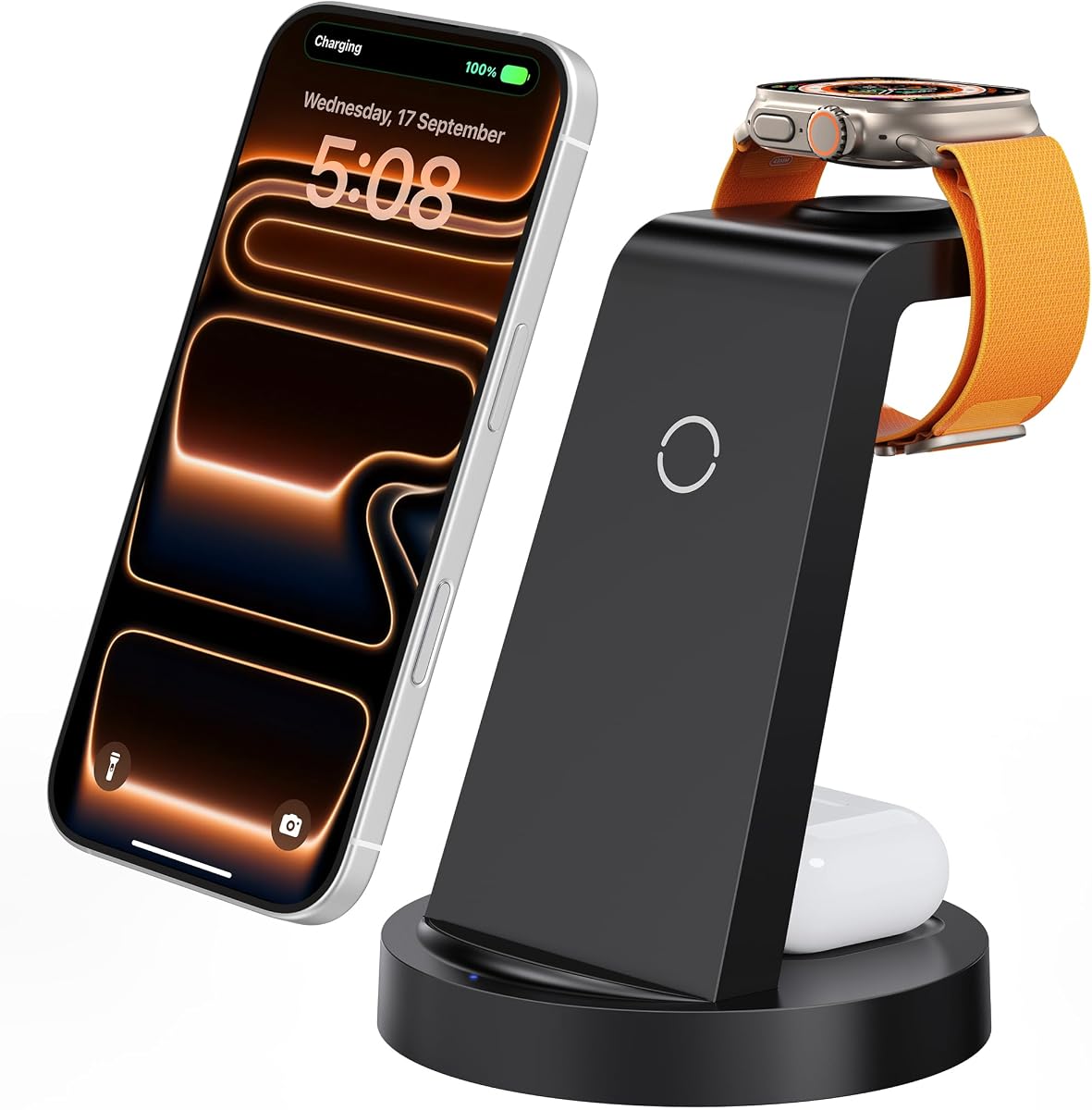


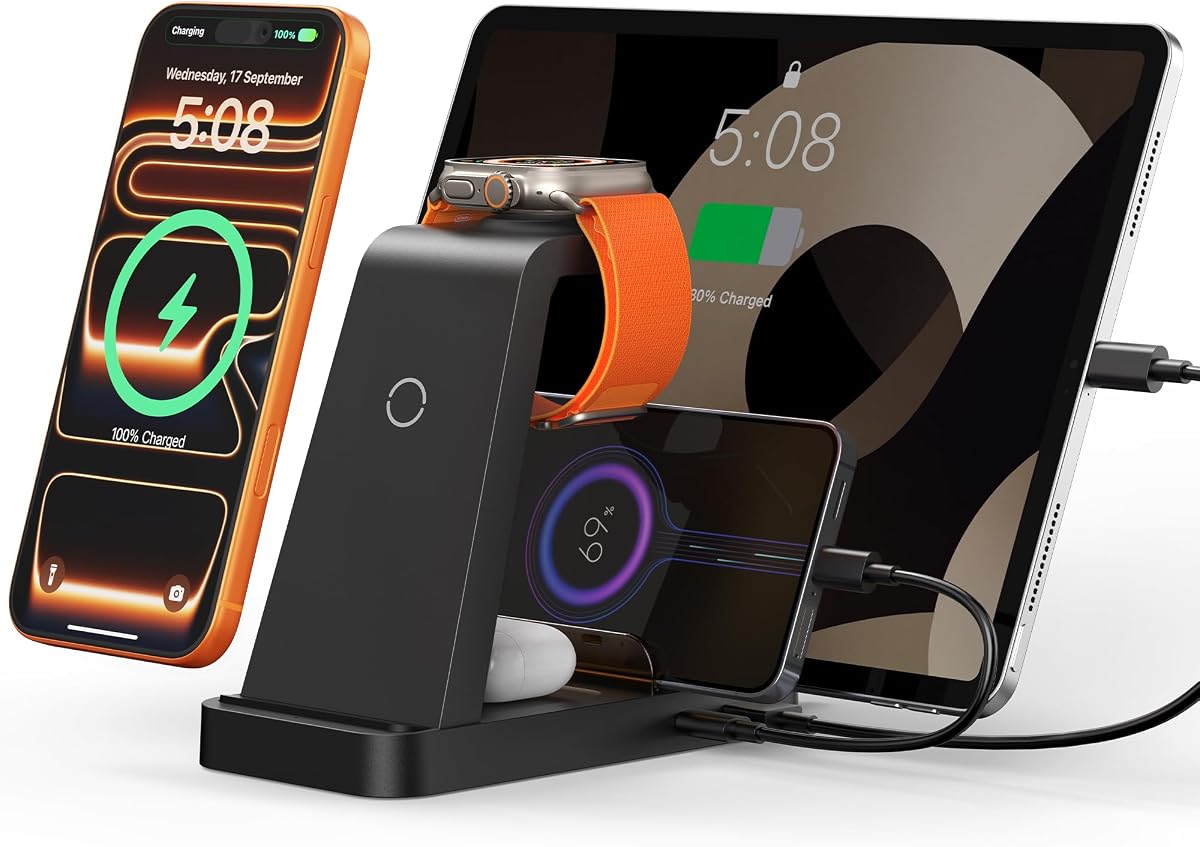
The GETPALS Wireless Charger stands out as a budget-friendly option for Apple users needing a 3-in-1 solution. It holds an impressive rating for its price point and supports a wide range of iPhone and Watch models. Its simple design ensures your nightstand stays tidy without sacrificing basic functionality.
We may earn a commission when you buy through this link, at no additional cost to you.
This station delivers efficient charging power tailored for phones, earbuds, and watches simultaneously. The foldable design makes it an excellent choice for travelers or those with limited desk space. Safety features like overcurrent and overheating protection provide peace of mind during overnight charging sessions.
While it lacks advanced ports like USB-C, its core function remains reliable and consistent. The requirement for a MagSafe case for AirPods may be a minor inconvenience for some users. However, the overall value proposition is strong for those seeking essential wireless charging.
Buyers looking for an entry-level charging dock will find this model meets their needs effectively. It is ideal for couples or families needing one extra spot for devices without overspending. We recommend it for casual users who prioritize simplicity and cost over high-speed port options.
The lightweight foldable build allows easy packing in bags for trips or business travel without bulk.
Built-in protection circuits prevent damage from voltage spikes or heat buildup during extended use.
We may earn a commission when you buy through this link, at no additional cost to you.
This 5-in-1 station offers a comprehensive solution for households with mixed device types. It handles iPhones, Watches, AirPods, and even Type-C devices like smartwatches or keyboards efficiently. The included 36W adapter ensures fast charging speeds across all connected devices.
We may earn a commission when you buy through this link, at no additional cost to you.
Safety is a priority here with over-temperature and foreign body detection features. The design includes 16 air vents to keep temperatures low during heavy use. This makes it a reliable daily driver for desks or nightstands needing organized power.
One trade-off is the requirement to remove phone cases for optimal charging speed. This might be annoying for users who rarely remove their protective covers. Yet the included cables and partitioned design make organization effortless right out of the box.
For those wanting one dock to rule them all without buying extra bricks this is a top pick. It balances performance with convenience better than most competitors in its class. We suggest it for families or professionals managing multiple gadgets daily.
Includes both Lightning and Type-C cables to support a wide variety of modern devices instantly.
Multiple air vents ensure airflow prevents overheating even when charging five devices at once.
We may earn a commission when you buy through this link, at no additional cost to you.
The Anker MagGo delivers a premium experience tailored for the latest iPhone and Watch users. Its 15W wireless charging ensures devices top up quickly while maintaining safety. The official certification for Apple Watch charging sets it apart from generic alternatives.
We may earn a commission when you buy through this link, at no additional cost to you.
Design flexibility is key here with an adjustable vertical angle up to 45 degrees. This feature supports StandBy mode on newer iPhones for a clock-like display. It transforms your nightstand into a functional tech display piece effortlessly.
Although the Apple Watch cable is not included in the box this is a minor omission given the quality. The price reflects the high build standards and certified performance. You pay for reliability and seamless integration with the Apple ecosystem.
Premium users who want a flawless charging experience should choose this model without hesitation. It offers the best MagSafe alignment and speed available in a compact dock. We recommend it for those willing to invest in top-tier convenience.
Magnetic alignment ensures perfect positioning for consistent and efficient wireless charging every time.
Rotate the phone stand to find the perfect angle for notifications or clock display.
We may earn a commission when you buy through this link, at no additional cost to you.
This charging station is a powerhouse for families with laptops tablets and phones needing power. It supports up to ten devices simultaneously with significant wattage for laptops. The 65W USB-C ports handle MacBook and high-speed tablet charging effectively.
We may earn a commission when you buy through this link, at no additional cost to you.
The included set of eight cables reduces immediate clutter when you start using it. Smart chips detect devices automatically to prevent overcharging and ensure safety. This makes it a robust hub for home offices or tech-heavy households.
Its size and weight mean it is not travel-friendly but excellent for stationary use. The slots are designed to hold thicker cases or devices securely without slipping. You get a professional grade power center that replaces multiple wall plugs.
Buyers with many devices needing reliable high-speed charging will love this hub. It eliminates outlet shortages and keeps cables organized on your desk. We suggest it for power users who need maximum connectivity in one spot.
Dual 65W ports provide enough power to charge laptops while maintaining fast speeds.
Eight complimentary cables cover most needs right out of the box for immediate use.
We may earn a commission when you buy through this link, at no additional cost to you.
This model blends charging functionality with a practical smart clock display for nightstands. It supports six wireless devices including phones and earbuds plus two wired ports. Bluetooth synchronization keeps the time accurate automatically without manual adjustments.
We may earn a commission when you buy through this link, at no additional cost to you.
The ambient lighting feature adds a touch of style to your workspace. You can customize warm or cool tones to match your environment. This combination of utility and aesthetics makes it a standout choice for home decor.
While it lacks support for Samsung Watches it covers most Apple and Android phones well. The case thickness limit is standard for wireless charging to ensure efficiency. Overall it provides a balanced mix of features for a tidy setup.
Those wanting a dock that doubles as a functional clock will appreciate this choice. It simplifies your bedside table and keeps everything powered efficiently. We recommend it for users who value design and practical features.
Time syncs automatically with your phone so you never miss the correct time.
Customize lighting to create the perfect atmosphere in your room or office.
We may earn a commission when you buy through this link, at no additional cost to you.
The Anlmz station offers a no-fuss approach to charging your daily devices. It uses standard wireless charging with a stable 18W adapter for efficiency. The design focuses on cooling to keep the unit safe for daily overnight use.
We may earn a commission when you buy through this link, at no additional cost to you.
Its soft blue LED indicator signals charging status without being too bright. This helps users avoid harsh lights while sleeping. The non-MagSafe design is compatible with a wide range of phones with or without cases.
Although it lacks magnetic alignment it still holds phones securely on the pad. The build quality ensures durability for long-term use. This is a solid option for those who prefer basic functionality over advanced features.
Buyers needing a straightforward charger will find this unit reliable. It is easy to use and fits most nightstands perfectly. We suggest it for users who prioritize simplicity and safety.
ABS housing helps dissipate heat to keep devices cool during long charge sessions.
Subtle blue light shows charging status without disturbing your sleep environment.
We may earn a commission when you buy through this link, at no additional cost to you.
This magnetic dock is designed for those who need a portable charging solution. It folds flat to fit easily into luggage making it great for travel. The magnetic alignment ensures your iPhone stays connected during movement.
We may earn a commission when you buy through this link, at no additional cost to you.
Its compact size saves space while providing full 3-in-1 support. The FCC certification guarantees safety standards are met for all devices. An 18W adapter ensures quick charging speeds even on the go.
While it lacks wired ports it covers all wireless needs efficiently. The design is sleek and modern looking. It is a top choice for frequent travelers who want reliability without the bulk.
Travelers seeking a compact dock will love this option. It simplifies packing and ensures all devices stay powered. We recommend it for anyone who moves often.
Foldable design reduces bulk significantly for easy packing in carry-on bags.
Magnetic alignment locks the device in place to prevent slips while charging.
We may earn a commission when you buy through this link, at no additional cost to you.
The Lcssio station delivers massive power for multiple heavy-duty devices. It features dual 65W ports perfect for laptops plus additional power for phones. The build is sturdy with slots designed to hold thick cases securely.
We may earn a commission when you buy through this link, at no additional cost to you.
It includes a comprehensive set of cables for immediate use. The flame retardant materials ensure safety during extended charging sessions. Anti-slip pads keep the unit stable on any desk surface.
Its size requires a dedicated spot on your desk. However the capacity and power make it ideal for busy environments. It replaces multiple adapters with one reliable unit for all your devices.
Users needing high output and many ports should choose this model. It handles diverse charging needs efficiently. We suggest it for home offices or tech setups.
Dual high wattage ports deliver enough power for charging laptops simultaneously.
Solid construction and flame retardant materials ensure long-term safety and durability.
We may earn a commission when you buy through this link, at no additional cost to you.
This unit is designed for power users needing to charge many devices at once. Its 600W output includes 100W USB-C ports capable of handling laptops. The GaN 5 technology ensures efficient and cool operation.
We may earn a commission when you buy through this link, at no additional cost to you.
The wireless section supports Apple family devices while the wired side handles Android and laptops. A green LED indicator confirms charging status without light pollution. This makes it a clean solution for complex setups.
The price reflects its high capacity and performance. It is a large unit requiring significant desk space. However for offices or studios needing to power many gadgets this is unmatched.
Buyers needing extreme power capacity will find this ideal. It eliminates the need for multiple power strips. We recommend it for high-demand environments.
Advanced GaN 5 technology delivers high power with minimal heat generation.
Supports up to 13 devices simultaneously for total workspace power management.
We may earn a commission when you buy through this link, at no additional cost to you.
The 600W 15-in-1 station offers ultimate power for large families or offices. It supports up to 15 devices including laptops and tablets simultaneously. The GaN III chipset keeps temperatures low during high load.
We may earn a commission when you buy through this link, at no additional cost to you.
The integrated 3-in-1 wireless section handles Apple devices efficiently. The LED indicator turns off after five seconds ensuring no light pollution. This design prioritizes sleep quality for bedroom users.
Its extra-wide laptop slot accommodates devices with thick cases. This ensures stability and prevents damage. The build quality is high to withstand daily use reliably.
Buyers needing maximum capacity and power should choose this model. It consolidates all cables into one sleek unit. We recommend it for ultimate convenience seekers.
LED turns off automatically after charging starts so it does not disturb sleep.
Wide slot allows devices with cases to charge securely without removal.
We may earn a commission when you buy through this link, at no additional cost to you.
Selecting the right dock requires understanding your device mix and power needs. We explore key factors to ensure you buy a reliable unit.
Ensure the dock supports all your device models including iPhone generation and Watch series. Some models require specific wireless charging standards or MagSafe cases.
Check compatibility lists to avoid purchasing a dock that cannot charge your specific devices.
Higher wattage allows faster charging especially for laptops and tablets. Look for dual high wattage ports if you need to charge heavy devices quickly.
Prioritize docks with sufficient power output to avoid slow charging times during the day.
A dock that includes cables simplifies setup and reduces clutter. Options with internal routing or wide slots keep your desk tidy.
Choose models with integrated cable solutions to maintain a clean workspace.
Safety is crucial when charging multiple devices. Look for FCC certifications and protections against overheating or overvoltage.
Always select docks with proven safety features to protect your expensive electronics.
Durable materials like flame-retardant ABS ensure longevity. Anti-slip pads keep the dock stable during use.
Look for sturdy builds that prevent tipping or scratching your desk surface.
Consider if you need USB-A or USB-C ports for non-Apple devices. Hybrid docks offer flexibility for Android users or keyboards.
A mix of ports ensures the dock works with all your gadgets seamlessly.
Place your dock on a stable surface away from direct sunlight or heat sources. Ensure the power adapter is connected securely to the unit and the wall outlet.
Align your devices carefully on the charging spots to ensure efficient power transfer. Remove thick or metal cases if the manufacturer advises for optimal charging speeds.
Clean the dock regularly with a dry cloth to remove dust or debris. Avoid using liquids directly on the charging surfaces or vents to prevent damage.
Most docks work with standard cases under 5mm. However some MagSafe models require specific magnetic cases for best alignment. Check the product specs for thickness limits.
Yes higher wattage docks with 65W or 100W USB-C ports can charge laptops. Standard wireless-only models will not power a laptop effectively.
Modern docks include safety features like overcharge protection. They automatically stop charging when full. However unplugging when not in use is always best practice.
Many docks include USB-A or USB-C ports for Android. Wireless charging works if your Android phone supports Qi standards. Check compatibility lists for specific models.
Power is shared among ports which may reduce speed per device. Smart chips usually prevent overloads. Ensure total draw does not exceed total wattage.
Use a soft dry cloth to wipe the pads gently. Do not use liquids or chemicals. Keep the vents free of dust to ensure proper cooling.
We reviewed ten excellent options ranging from budget travel models to high-power hubs. Each offers unique benefits depending on your specific setup and needs.
Prioritize safety certifications and power output to ensure your devices charge efficiently. Match the dock features to your daily usage habits for best results.
Prices may fluctuate so check current listings before making a purchase. We hope this guide helps you find the perfect charging solution.