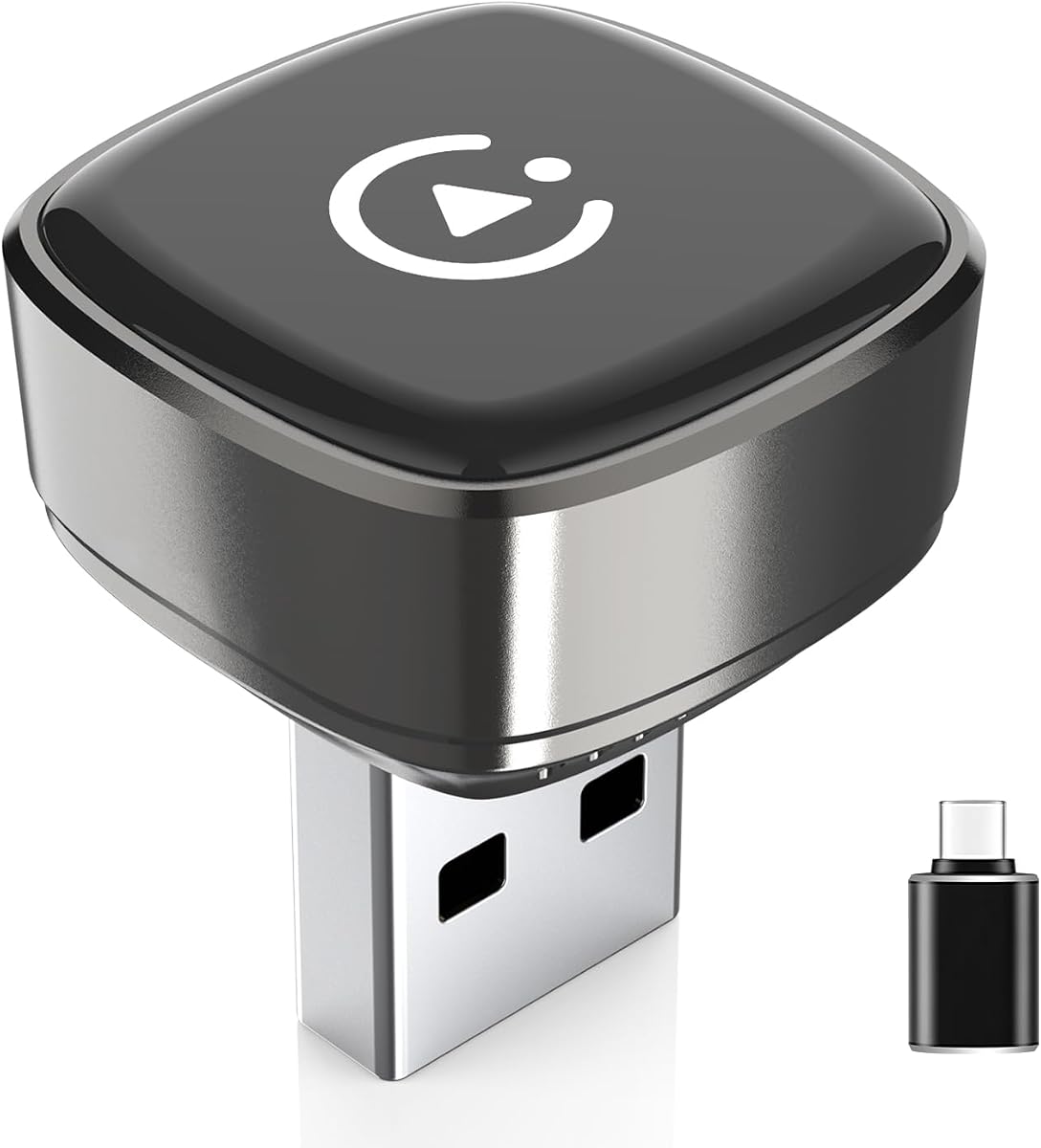
Wireless CarPlay Adapter for iPhone
4.2Editor score
Compact mini design fits easily
Supports navigation and music apps
Automatic reconnection after setup
This guide compares the top Carplay Adapter for Tesla models to help you choose the best wireless solution for your vehicle entertainment system needs.
Finding the right Carplay Adapter for Tesla can transform your driving experience by enabling seamless wireless connectivity. These devices allow you to access navigation, music, and messages without plugging in your phone every time you start your car.
We evaluated ten leading models based on connection stability, ease of use, and compatibility with factory wired systems. Each product was reviewed for its ability to deliver low latency and reliable performance during daily commutes and long road trips.
Every pick highlights specific strengths like compact design or advanced chipset technology. Keep in mind that availability and pricing may vary over time, so check current listings before making your final decision for your specific vehicle setup.
4.2Editor score

4.3Editor score

4.5Editor score
The following table provides a side-by-side overview of all ten models evaluated in this guide to help you compare key features at a glance.


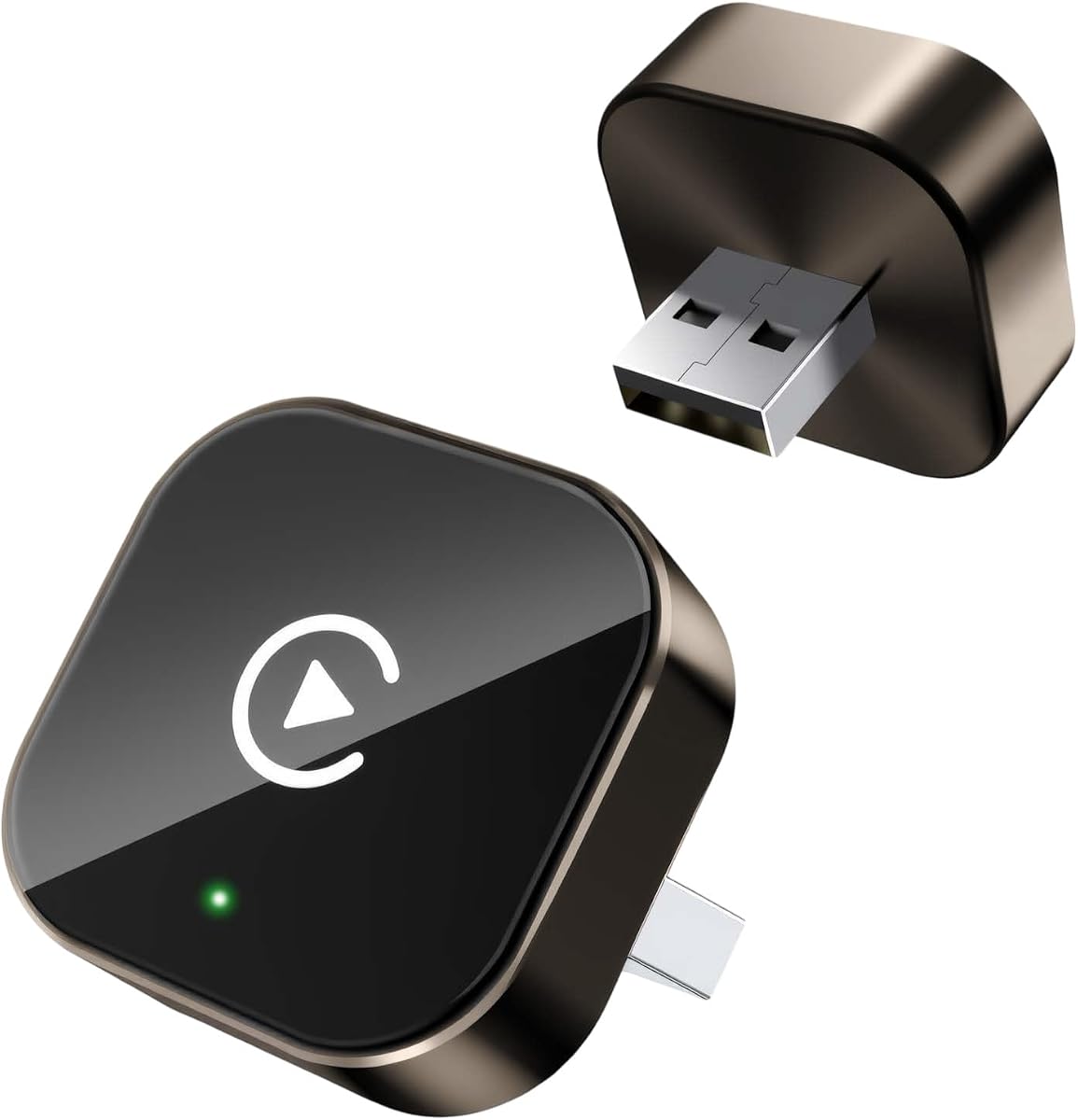


This Jemluse adapter stands out for its ability to handle multiple users with a seamless connection experience. It earns high marks for stability and speed during daily use on the road.
We may earn a commission when you buy through this link, at no additional cost to you.
The 5.8 GHz WiFi and Bluetooth 5.3 ensure fast data transmission for maps and music. The metal alloy case helps with heat dissipation during long drives which maintains consistent performance over time.
While it is designed for wired CarPlay systems the setup is straightforward and automatic once paired. Some users may find the price higher than basic models but the multi-user feature justifies the cost for families.
It is a strong choice for drivers who want a reliable wireless upgrade without sacrificing speed or design. We recommend it for those prioritizing performance and shared vehicle usage.
The adapter allows multiple phones to connect easily so family members can switch devices without reconfiguration steps.
The metal housing not only looks sleek but also protects internal components from heat and wear over years of use.
We may earn a commission when you buy through this link, at no additional cost to you.
This adapter offers an entry-level way to convert wired CarPlay to wireless without breaking the bank. It is ideal for drivers looking for a simple and effective solution for their daily commute.
We may earn a commission when you buy through this link, at no additional cost to you.
The mini design allows it to be hidden easily behind panels or mounts which keeps the interior looking clean. Automatic reconnection ensures you do not have to pair the device manually every time you start the car.
While it lacks advanced features like multi-user support it handles basic navigation and media tasks well. The limitation on compatibility means you must check your vehicle model before purchasing to avoid issues.
For budget-conscious buyers who want a tidy dashboard this model is a solid pick. We suggest it for those who prioritize affordability and ease of use over extra premium features.
Its small size lets you hide the dongle out of sight so it does not distract from the car interior design.
Once paired the device links back to your phone automatically on startup saving you from repeated setup steps.
We may earn a commission when you buy through this link, at no additional cost to you.
This AI Box adds significant value by turning your car screen into a full entertainment hub with built-in video apps. It is a top choice for long road trips where passengers want to watch content safely.
We may earn a commission when you buy through this link, at no additional cost to you.
The dual-band WiFi ensures that video streaming and navigation run smoothly without buffering. The aluminum alloy construction helps manage heat effectively which is crucial when running high-performance apps in a vehicle.
While it offers more features than standard adapters the price reflects the added functionality. You must confirm your car has a factory wired system since it will not work on all newer models with built-in wireless.
It is perfect for users who want a complete media solution without relying on phone tethering. We recommend it for those seeking maximum flexibility and entertainment options on the go.
You can stream popular services directly on the car display without needing a separate device or hotspot connection.
USB and TF card support let you store media locally so you can watch movies even without mobile signal.
We may earn a commission when you buy through this link, at no additional cost to you.
This model focuses on being one of the smallest adapters available while maintaining high performance for wireless connectivity. It is a great option for drivers who want a discreet upgrade to their car system.
We may earn a commission when you buy through this link, at no additional cost to you.
The dual-chip setup ensures stable transmission for maps and music without lag. Its tiny size makes it easy to hide but you should keep track of it so it does not get misplaced in the car.
It works with most factory wired systems and pairs automatically with your iPhone every time you enter the vehicle. The main limitation is that it does not support Android devices so it is iOS only.
If you value a clean look and high speed this adapter is a strong contender. We suggest it for iPhone users who want a reliable and compact solution for their daily drive.
The adapter is 65 percent smaller than many rivals which helps reduce clutter in the center console area.
Two chips work together to manage data streams efficiently ensuring smooth operation during navigation and calls.
We may earn a commission when you buy through this link, at no additional cost to you.
This adapter uses Bluetooth 5.4 and dual-band Wi-Fi to deliver a near-zero lag experience for navigation and media. It is built to provide consistent connectivity that improves on older models.
We may earn a commission when you buy through this link, at no additional cost to you.
The USB-C dongle design helps ensure a stable physical connection to your car port while the chipset optimizes signal speed. It works well with most vehicles from 2016 onwards that have factory wired CarPlay installed.
While it is not the smallest option it offers a balance of size and performance that fits many dashboards. The lifetime support and firmware updates add value for long-term reliability and ease of use.
It is a reliable choice for drivers who prioritize smooth GPS and audio without dropouts. We recommend it for those seeking a proven solution with modern tech updates for their car.
The latest Bluetooth version ensures faster pairing and more stable connections for all your daily driving needs.
Manufacturers offer ongoing technical help and firmware updates to keep the device working well over time.
We may earn a commission when you buy through this link, at no additional cost to you.
This adapter is designed to be ultra-minimal while maintaining stable GPS and media performance for your vehicle. It is a good pick for those who want a modern upgrade without bulk on the dashboard.
We may earn a commission when you buy through this link, at no additional cost to you.
The 2026 chipset helps reduce latency for apps like Google Maps which is critical for safe navigation. It works with a wide range of car models from 2016 so compatibility is broad for most drivers.
While it does not support Tesla or BMW systems it fits many other brands well. The setup is simple and the device reconnects quickly every time you start your car which saves time.
It is a solid choice for daily use where GPS accuracy and small size matter most. We suggest it for drivers looking for a reliable low-lag adapter that does not take up space.
The tiny shape allows you to hide the adapter easily so it remains out of the way while driving.
Low latency ensures your map updates in real time which helps avoid delays or wrong turn errors.
We may earn a commission when you buy through this link, at no additional cost to you.
This adapter offers support for both iPhone and Android devices which makes it versatile for households with mixed phone types. It aims to provide a clean wireless experience for both platforms.
We may earn a commission when you buy through this link, at no additional cost to you.
The compact case with acrylic glass looks stylish and resists scratches during regular use. It is FCC certified which means it meets safety standards for electromagnetic emissions while driving on public roads.
The rating is lower than some rivals which may reflect variability in performance across different car systems. You should check reviews for your specific vehicle to ensure it will work well before purchasing.
It is a viable option for those who need Android support in a wireless setup. We recommend it for users who prioritize cross-platform compatibility over other advanced features or design extras.
Families with both iPhones and Android phones can share the same adapter without needing separate hardware.
Certification ensures the device does not interfere with other electronic systems in the car or mobile networks.
We may earn a commission when you buy through this link, at no additional cost to you.
This adapter is built for households where both iPhone and Android users share the same vehicle. It allows effortless switching between systems without swapping cables each time you drive.
We may earn a commission when you buy through this link, at no additional cost to you.
The flush-fit design keeps the USB port tidy and avoids dangling cables. It includes both USB-A and USB-C connectors to fit different car layouts which increases its practicality for many models.
While the setup for switching might take a moment it is faster than plugging in phones manually. The build includes vents for heat dissipation which helps maintain performance on long summer drives.
It is an excellent choice for families needing dual compatibility in one device. We suggest it for those who want a single solution that works for all drivers in the household.
The device handles both CarPlay and Android Auto so each family member can use their preferred phone setup.
Extension cables help you reach ports that are hidden or angled inside the dashboard center console.
We may earn a commission when you buy through this link, at no additional cost to you.
This model features a high-performance A7S chip that enables very quick initial pairing and fast auto-reconnect on startup. It is built to handle daily driving conditions with stability in mind.
We may earn a commission when you buy through this link, at no additional cost to you.
The adapter has undergone extensive vibration testing to ensure it does not disconnect on bumpy roads. Its small size allows it to blend into the dashboard without drawing attention to itself while you drive.
It includes a USB-C cable to ensure you can connect to newer car ports easily. The connection is fast which reduces wait time when you first enter the vehicle to start your trip.
It is a strong option for iPhone users who want speed and reliability in a small package. We recommend it for commuters who value time efficiency and consistent connectivity.
The advanced chip handles data efficiently so you see maps and apps load quickly every time you start.
Testing ensures the unit remains connected even on rough roads so you do not lose navigation mid-trip.
We may earn a commission when you buy through this link, at no additional cost to you.
This adapter supports both CarPlay and Android Auto in a single device so it is useful for mixed households. It uses an upgraded chipset to ensure stable connections for daily navigation and media.
We may earn a commission when you buy through this link, at no additional cost to you.
The dongle is compact and light which makes it easy to carry or store in the glovebox when not in use. It connects automatically after initial pairing which keeps the process simple for most drivers.
The 2026 firmware aims to improve performance over time with updates from the manufacturer. It is a solid choice for those who want one solution that handles both major mobile platforms without extra cost.
We suggest it for drivers who need flexibility for both iPhone and Android in one unit. It is a practical option for shared vehicles where different phones are used regularly.
The newer chipset provides better handling of data so your apps run smoothly without lag during use.
The small design ensures it does not stick out from the dashboard keeping your car interior looking neat.
We may earn a commission when you buy through this link, at no additional cost to you.
When selecting a wireless adapter for your vehicle it is important to consider compatibility and performance factors that match your specific needs on the road.
Before buying always check if your car has factory wired CarPlay as most adapters require this feature to work properly. Some models explicitly exclude certain brands so verify your vehicle year and system details first.
Ensure the adapter supports your specific car model to avoid connection issues after purchase.
Look for adapters that use dual-band Wi-Fi and Bluetooth 5.3 or higher for stable and fast data transfer. This tech helps reduce latency for navigation and music streaming during daily drives.
Dual-band support ensures you get consistent performance even when other devices are active.
A compact design helps keep your dashboard clean and prevents the adapter from sticking out or getting in the way. Mini units are easier to hide and protect from physical damage while driving.
Choose a size that fits your car port without blocking other controls.
Automatic reconnection is a key feature that links your phone to the car system as soon as you start the engine. This saves time and removes the need for manual pairing every trip.
This feature ensures a seamless start to your drive without interruption.
Metal cases or high-quality plastics can improve heat dissipation and durability compared to basic plastic shells. Good build quality helps the adapter withstand temperature changes and vibration over time.
Durable materials ensure the device lasts longer during regular use.
Decide if you need support for both iPhone and Android or just one platform as some adapters are device specific. Family vehicles might benefit from dual support options while others may prefer dedicated units.
Check the required iOS or Android version before buying to ensure compatibility.
Adapters that offer free lifetime firmware updates stay current with new app features and bug fixes over time. Regular updates can improve performance and fix connection issues that arise later.
Ongoing support from the manufacturer adds long-term value to the product.
Good customer support with warranties and technical help can make troubleshooting easier if you face issues. Look for brands that offer clear contact options and detailed setup guides online.
Strong after-sales service ensures you can resolve any setup problems quickly.
Start by plugging the adapter into your vehicle USB port and then pair it with your phone via Bluetooth and Wi-Fi settings on first use. Follow the on-screen prompts to complete the initial setup.
After pairing the device will connect automatically when you start your car. You can then launch apps like navigation or music directly from the car interface.
To maintain performance keep the adapter clean and ensure it has proper airflow for heat dissipation. Avoid blocking vents or exposing it to extreme heat when parked outside for long periods.
Many adapters do not work with Tesla systems as the factory setup is different. You should check the product compatibility list before buying to confirm if it fits your specific model.
Most adapters still require your phone to be present to access apps and features. The device simply makes the connection wireless so you do not need to plug in the cable.
High-quality adapters use dual-band Wi-Fi to minimize lag for maps and media. If you experience delay it might be due to signal issues or lower-end models with older chips.
Most units are designed for plug and play with simple pairing steps in your phone settings. Once paired the process is automatic so you do not need to do it again.
Durability depends on build quality and heat management but metal cases tend to last longer. Regular firmware updates can also help extend the useful life of the device over time.
Some models support multi-user connection so family members can switch phones easily. Others limit to one device at a time so check the specs if you share the car.
Yes the adapter uses Wi-Fi to transmit data from your phone to the screen. Keeping Wi-Fi enabled ensures the connection stays active while you drive.
Some adapters are iPhone only while others support both Android Auto and CarPlay. Verify if the model you choose includes Android support before purchasing.
We have reviewed ten top models that offer reliable wireless conversion for factory wired systems. Each pick brings unique strengths from compact design to multi-user support for different needs.
Focus on stability and build quality when making your decision to ensure a smooth experience on daily commutes. Consider whether you need dual platform support or just iPhone compatibility for your vehicle.
Always check current availability and compatibility details before finalizing your purchase. Prices and stock may change so verify the product works with your car model before ordering.