
The Braille Store Business Card Slate
4.9Editor score
Ultra-thin aluminum design
Built-in signature guide
Includes durable stylus
This guide compares the top ten Braille displays for blind users, covering portable options, premium models, and affordable slates to help you find the right
Braille displays provide essential tactile feedback for blind users navigating digital content. A good device offers reliable refreshable cells, intuitive routing keys, and seamless screen reader integration for daily tasks.
We evaluated ten products ranging from high-end electronic displays to manual slates. Our comparison considers connectivity, battery life, durability, and ease of use for various accessibility needs.
Each pick highlights key features and trade-offs to guide your decision. Prices and availability change frequently, so verify current details before purchasing to ensure you get the best value.
4.9Editor score

5.0Editor score

4.8Editor score
The following table provides a side-by-side overview of all ten products. Use it to quickly compare specifications, ratings, and key features before diving into detailed reviews.




The Brailliant BI 20X stands out as a top choice for users seeking a portable yet capable refreshable braille display. With a rating of 4.5, it balances functionality and size effectively for everyday tasks.
We may earn a commission when you buy through this link, at no additional cost to you.
Its 20-cell display allows for comfortable reading and writing, supported by cursor routing keys that enhance screen reader access. The ability to connect to five Bluetooth devices simultaneously makes it ideal for switching between phones, tablets, and computers effortlessly.
While the compact size is advantageous, the 20-cell limit may require more frequent scrolling for long documents. However, the onboard apps like Editor and Calculator add utility beyond simple text display, justifying the investment for many users.
This device is best suited for blind users who prioritize portability without sacrificing core features. Its reliable battery life and robust connectivity make it a strong recommendation for students and professionals on the go.
Connecting up to five Bluetooth devices ensures you can switch between your smartphone and laptop without unpairing or reconnecting manually each time.
Pre-installed apps like Victor Reader and Terminal allow you to access libraries and run basic utilities directly from the device without needing external software.
We may earn a commission when you buy through this link, at no additional cost to you.
The Brailliant BI 40X earns a perfect 5.0 rating as the premier option for users needing more screen real estate. Its expanded display and advanced connectivity make it a standout in the premium category.
We may earn a commission when you buy through this link, at no additional cost to you.
With 40 cells, this display reduces the need for scrolling when reading dense text or code. The inclusion of Bluetooth 5.0 ensures faster data transfer and more stable wireless connections compared to older standards.
The 32GB internal storage is a significant upgrade, allowing users to store large files, documents, and media directly on the device. This capacity supports extensive library access and offline reading without constant device syncing.
Ideal for professionals or students handling complex documents, this model justifies its higher price with superior performance. While it may be less pocket-friendly than smaller models, its capabilities make it a top-tier investment for accessibility.
Bluetooth 5.0 technology provides a stronger signal and faster response times, ensuring smooth interactions with your connected devices during critical tasks.
With 32GB of internal space, you can keep your most important files and books readily available without worrying about cloud connectivity issues.
We may earn a commission when you buy through this link, at no additional cost to you.
For users seeking a traditional braille writing tool without electronic complexity, this 13-line slate offers exceptional value. While its rating of 3.4 reflects simplicity, it fulfills the core need for tactile note-taking reliably.
We may earn a commission when you buy through this link, at no additional cost to you.
The 13 lines and 36 cells provide ample space for writing notes or drafts on a single sheet of paper. The durable aluminum construction ensures it withstands regular use in classrooms or offices without bending or breaking easily.
Its pins-down design keeps the paper secure while writing, preventing slips that could ruin braille patterns. However, users must already know braille to utilize it effectively, limiting its utility as a learning aid for beginners.
This slate is best for experienced braille users who need a reliable, low-cost tool for quick notes. It avoids the need for charging or batteries, making it a dependable backup for any accessibility kit.
Constructed from high-quality aluminum, this slate resists wear and tear, ensuring it remains functional for years of daily use in various environments.
With 13 lines and 36 cells, you can write substantial text on one page, reducing the need to constantly flip sheets or move your writing area.
We may earn a commission when you buy through this link, at no additional cost to you.
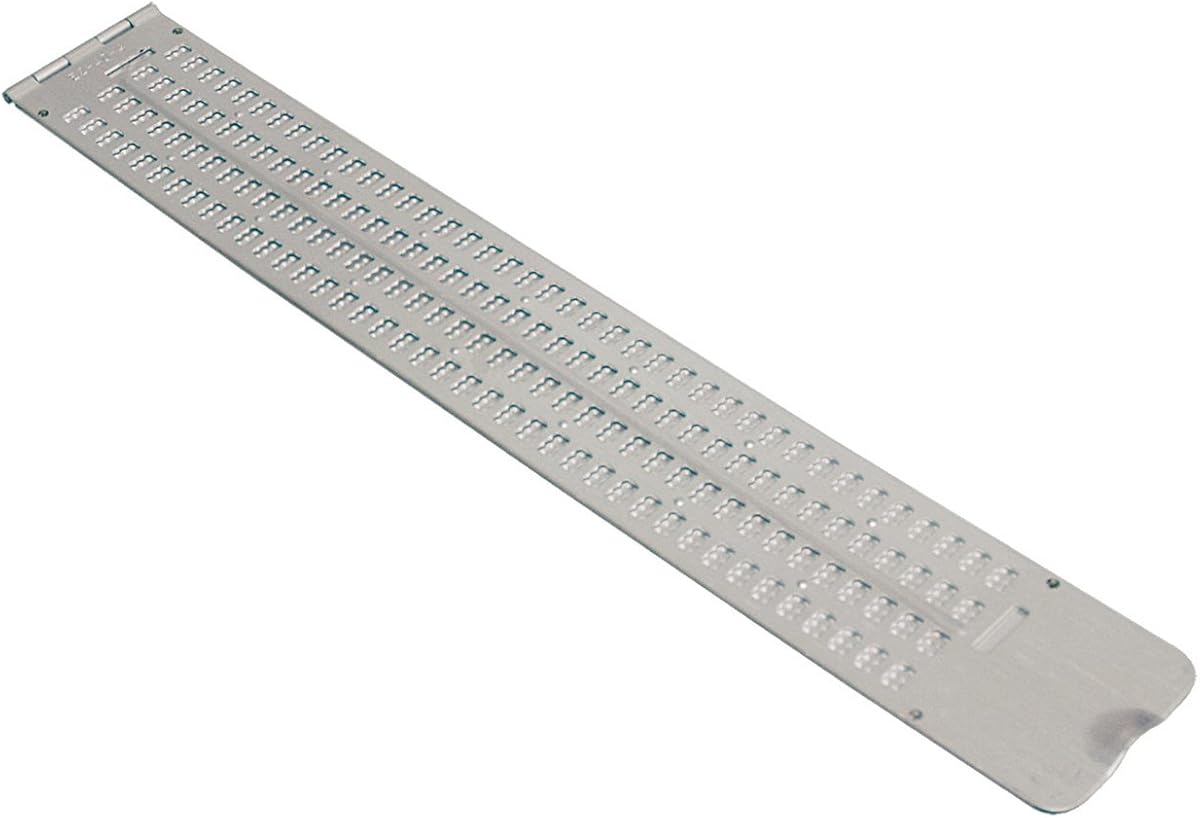
The Business Card Slate is designed for professionals needing quick, professional braille labeling or notes. Its high rating of 4.9 highlights its effectiveness for specific use cases like business cards or demo samples.
We may earn a commission when you buy through this link, at no additional cost to you.
With four lines of 12 cells each, it fits perfectly for standard card sizes. The built-in signature guide helps users emboss names or signatures in a straight line, ensuring a polished final product for clients.
Made of ultra-thin aluminum, it slides easily into wallets or pockets without adding bulk. While it requires manual effort to emboss, the precision offered makes it superior to generic slates for formal applications.
This tool is ideal for businesses or individuals who frequently exchange braille-labeled items. It offers a professional touch that electronic devices cannot replicate, making it a valuable asset for networking or customer service.
The signature guide ensures that your embossed name or title is perfectly aligned, adding a professional appearance to business cards and formal labels.
Its ultra-thin profile allows it to fit discreetly in wallets or briefcases, ensuring you always have a tool ready for on-the-spot braille labeling.
We may earn a commission when you buy through this link, at no additional cost to you.
The Full-Page Slate is engineered for users who need to write extensive notes without constantly moving paper. Its 4.0 rating reflects satisfaction with its practical design for school or office work.
We may earn a commission when you buy through this link, at no additional cost to you.
Designed specifically for North American letter-size paper, it ensures proper margins and alignment. The 25 lines allow for significant content on a single page, reducing interruptions during writing sessions.
Made from plastic, it operates quieter than metal slates, making it ideal for shared spaces like libraries. However, its larger size can be cumbersome to carry compared to smaller, pocket-sized alternatives.
This slate is best suited for students or professionals working on long assignments. Its balance of capacity and quiet operation makes it a practical tool for those who value uninterrupted writing flow.
The plastic material significantly reduces the sound of embossing, allowing you to write in quiet environments like classrooms or libraries without disturbing others.
Designed for 8.5×11 inch paper, it ensures your notes fit perfectly on standard office supplies, avoiding waste or alignment issues common with other slates.
We may earn a commission when you buy through this link, at no additional cost to you.
The Braille Slate- Pocket is a lightweight option designed for mobility and convenience. Its 4.4 rating indicates strong user satisfaction for those needing a simple tool for on-the-go writing tasks.
We may earn a commission when you buy through this link, at no additional cost to you.
It offers four lines with 40 cells each, providing substantial width for writing while remaining compact. The aluminum construction ensures durability without adding unnecessary weight to your bag or pocket.
Designed to fit easily in briefcases, it serves as an excellent backup for electronic devices. While it requires braille knowledge to use effectively, its simplicity and portability make it a reliable fallback option.
This slate is best for travelers or commuters who need to jot down quick notes or reminders. Its balance of capacity and size makes it a versatile addition to any accessibility gear collection.
With 40 cells per line, you can write longer phrases or sentences without needing to start a new line frequently, optimizing your writing space.
Its lightweight aluminum build allows it to fit discreetly in a briefcase or backpack, ensuring you have writing tools available whenever inspiration strikes.
We may earn a commission when you buy through this link, at no additional cost to you.
The Hable One transforms how blind users interact with mobile devices using standard braille input. With a 4.8 rating, it has become a popular solution for those needing private, accurate texting on the go.
We may earn a commission when you buy through this link, at no additional cost to you.
It features eight tactile buttons that map to standard braille cells, allowing for intuitive typing without visual feedback. Compatible with both Android and iOS, it works seamlessly with built-in screen readers like VoiceOver.
One of its strongest features is the battery life, lasting over a month on a single charge. This reduces the hassle of frequent charging, ensuring it is always ready for daily communication needs.
Ideal for users who want privacy or need an alternative to voice commands, this keyboard is a significant accessibility upgrade. While setup requires initial learning, the ease of use afterward makes it a worthwhile investment.
With over a month of battery life on a single charge, you can rely on this keyboard for weeks without worrying about recharging interruptions.
It integrates smoothly with device screen readers, allowing you to navigate and type without needing additional configuration or complex setups.
We may earn a commission when you buy through this link, at no additional cost to you.
This manual label-maker simplifies organization by allowing users to create braille labels for home or office items. Its 4.4 rating reflects user satisfaction with its straightforward design and practical application.
We may earn a commission when you buy through this link, at no additional cost to you.
The spin dial selection system allows users to choose letters easily, while the squeeze trigger embosses the braille onto vinyl tape. This process is intuitive and reduces the need for precise manual embossing skills.
The included roll of half-inch tape ensures you can start using it right away without additional purchases. The durable plastic body withstands daily use, making it suitable for frequent labeling tasks.
Best for organizing pantries, files, or personal items, this tool bridges the gap between sighted and non-sighted needs. Its simplicity and effectiveness make it a valuable tool for maintaining an accessible environment.
The spin dial selection allows you to choose letters easily, ensuring accurate braille creation without needing to memorize complex codes or layouts.
A roll of half-inch tape is included in the package, so you can start labeling items immediately without needing to buy additional supplies separately.
We may earn a commission when you buy through this link, at no additional cost to you.
These transparent overlays turn standard Windows keyboards into braille-friendly tools, aiding users who need tactile reference while typing. With a 4.1 rating, they offer a practical, low-cost solution for computer accessibility.
We may earn a commission when you buy through this link, at no additional cost to you.
Made from clear Lexan, the stickers allow original key legends to show through, creating a bilingual layout for sighted and non-sighted use. The peel-and-stick application is simple, requiring no permanent modification to your hardware.
The 3M adhesive ensures the stickers stay in place without oozing or curling, which is common with cheaper alternatives. However, they are specific to Windows PCs, so users with other systems may need different options.
This product is ideal for offices or homes where a shared computer is used. It enhances efficiency by allowing blind users to locate keys quickly without relying solely on auditory feedback during typing tasks.
The transparent design keeps original keys visible, allowing sighted and non-sighted users to share the same keyboard comfortably without confusion or removal.
Using 3M adhesive ensures the stickers stay flat and secure during typing, preventing them from sliding or curling edges that could affect usability.
We may earn a commission when you buy through this link, at no additional cost to you.
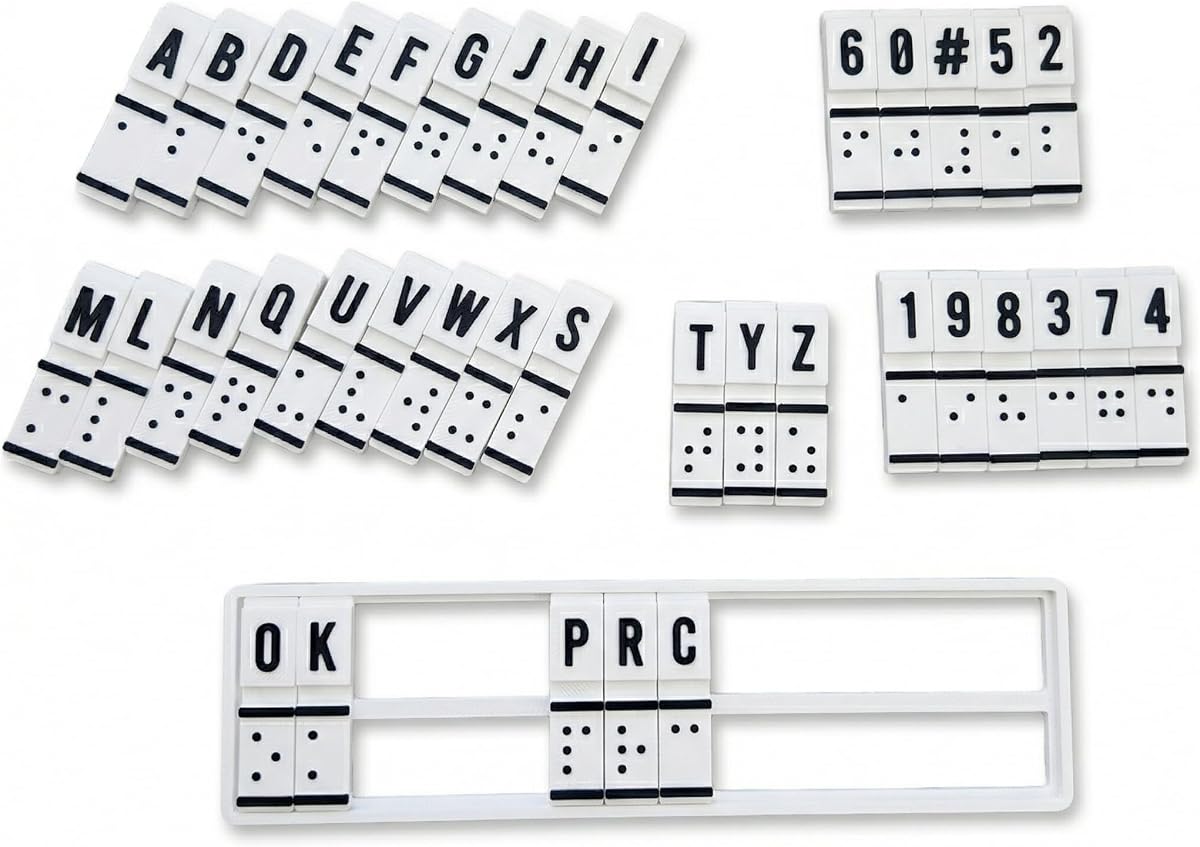
This interactive trainer serves as a foundational tool for learning braille through tactile engagement. Its simple design focuses on building muscle memory, making it a supportive aid for beginners or educators.
We may earn a commission when you buy through this link, at no additional cost to you.
The device allows users to manually input and read braille, creating a direct connection between text and tactile feedback. This process helps reinforce patterns and improve literacy skills without relying on electronic interfaces.
Although it lacks advanced features like screen reader connectivity, its focus on training makes it valuable for structured practice. The translation function aids in converting text to braille, supporting classroom or self-study environments.
It is best suited for students or parents wanting a hands-on approach to braille education. While basic, its portability and simplicity make it an accessible entry point for those new to tactile reading.
The manual input mechanism encourages users to form braille patterns physically, helping to build lasting muscle memory that supports faster reading over time.
Designed for teachers and parents, it provides a simple way to demonstrate braille concepts and track progress without requiring complex technical setups.
We may earn a commission when you buy through this link, at no additional cost to you.
Choosing the right braille display depends on your specific needs, budget, and environment. Consider factors like connectivity, portability, and intended use to find the most suitable tool.
The number of cells determines how much text you can see at once. Larger displays like 40-cell models reduce scrolling but may be heavier, while compact 20-cell models are easier to carry but require more page movement.
Choose a display size that balances comfort with portability based on whether you need it for long documents or daily mobility.
Modern displays offer Bluetooth and USB connections for flexibility. Bluetooth allows wireless use with multiple devices, while USB provides a stable wired connection for computers or chargers without relying on battery power.
Ensure the display supports the devices you use most, such as smartphones or laptops, to avoid compatibility issues during daily tasks.
Battery life affects how long you can use the device without interruption. Look for models offering at least 15 to 20 hours of usage, and consider charging methods like USB-C for convenience.
A longer battery life ensures you can use the display throughout the day without frequent recharging, which is crucial for students or travelers.
Your display must work seamlessly with your screen reader software, such as JAWS, NVDA, or VoiceOver. Check manufacturer documentation to confirm support for your operating system and reader version.
Compatibility ensures that you can navigate text, commands, and functions smoothly without unexpected errors or missing information.
If you travel frequently or move between locations, weight and size matter. Lightweight aluminum slates or compact electronic displays are easier to carry than bulky models.
Choose a device that fits comfortably in your bag or pocket to ensure you can use it wherever you need without burden.
Some electronic displays include built-in apps for calendars, calculators, or note-taking. These features can reduce dependency on other devices and streamline daily tasks.
Consider if these extras provide value for your routine, as they can enhance productivity and simplify how you manage personal or professional information.
Build quality impacts longevity and resistance to wear. Electronic displays should have sturdy casing, while manual slates benefit from materials like aluminum or high-quality plastic.
Investing in a durable model ensures your device withstands daily handling and remains reliable over the years.
Electronic displays are more expensive but offer versatility, while manual slates are affordable and reliable for specific tasks. Your budget will largely determine whether you can afford advanced features or basic tools.
Set a clear price range and prioritize features that directly impact your daily needs to find the best value within your financial limits.
To begin using an electronic display, pair it with your device via Bluetooth or USB before launching your screen reader software. Follow the setup wizard to ensure routing keys and braille cells respond correctly to your input.
For manual slates, position your paper securely under the pins or guide rails to prevent slipping. Press firmly with the stylus to create clear, legible dots, then lift the paper gently to inspect your work.
Maintain your device by keeping it clean and free of debris. For electronic models, charge regularly and avoid exposing them to moisture, while slates should be stored flat to prevent bending or damage to the pins.
Yes, most modern electronic braille displays support Bluetooth connectivity for smartphones. This allows users to access emails, messages, and apps directly through the tactile interface.
No, manual slates are purely mechanical tools that require no electricity. They rely on physical embossing with a stylus to create braille on paper.
An electronic braille display refreshes text digitally, while a slate is a manual tool used for writing. Displays offer dynamic content, whereas slates are used for creating permanent braille notes.
Most major brands support both Windows and Mac systems. However, you should verify specific driver compatibility with your operating system before purchasing.
Most high-end braille displays offer 15 to 20 hours of battery life on a full charge. This allows for a full day of use without needing a power outlet.
Yes, some electronic devices and all manual slates can help beginners learn braille. They provide tactile feedback that reinforces letter patterns and spelling accuracy.
Selecting the right braille display depends on balancing features, portability, and budget. The Brailliant BI 40X stands out for premium needs, while manual slates offer affordability for specific tasks.
Prioritize connectivity and battery life if you rely on electronic displays daily. For quick notes or organization, slates remain practical and durable tools that never run out of power.
Always check current prices and availability before purchasing to ensure you get the best deal. Accessibility technology evolves quickly, so staying informed helps you make the most cost-effective choice.