
VAYDEER Volume Control Knob
4.5Editor score
One click mute function
Driver free operation
Sturdy metal construction
This guide compares the top Bluetooth volume control knobs for precise audio adjustment without touching your keyboard or mouse on desktop or mobile devices.
Finding the right audio control device can significantly enhance your daily workflow and entertainment experience. A dedicated volume knob provides tactile feedback that on-screen sliders simply cannot match for precise adjustments.
We evaluated ten leading models based on connectivity options, build quality, and software customization capabilities. Our analysis covers both wired and wireless solutions designed for various operating systems and user preferences.
Each selection highlights key strengths and potential limitations to help you make an informed decision. Note that pricing and availability may fluctuate frequently based on current market conditions and retailer promotions.
4.5Editor score

4.7Editor score

3.8Editor score
The following table provides a side-by-side overview of key specifications and features across all ten reviewed models to facilitate easy comparison.


The LICAEVEY Volume Control Knob stands out as a top contender in the Bluetooth volume control knob category due to its versatile connectivity and extensive feature set. It achieves a strong rating from users who appreciate its seamless integration across multiple device types. The combination of wired and wireless modes ensures flexibility for various workflows.
We may earn a commission when you buy through this link, at no additional cost to you.
Its standout qualities include the ability to support Bluetooth 2.4G and USB C wired connections simultaneously. This triple mode capability allows users to switch between devices without re-pairing or reconnecting cables. The built-in storage for customized shortcuts further enhances productivity by reducing keystrokes during complex tasks.
While the RGB lighting adds a modern aesthetic, some users might find it too bright in low-light environments. Additionally, the price point is slightly higher than basic USB-only models, but the extended battery life and multi-modal connectivity justify the investment for power users.
This knob is ideal for professionals who juggle multiple devices and need quick access to audio controls and system functions. Whether you are editing video or managing conference calls, the tactile feedback and shortcut customization make it a reliable tool for daily use.
The ability to connect via Bluetooth 2.4G and USB C means you can easily switch between your phone and PC without interrupting your workflow.
Built-in storage allows you to save complex keyboard shortcuts that trigger with a single press of the knob, streamlining repetitive tasks significantly.
We may earn a commission when you buy through this link, at no additional cost to you.
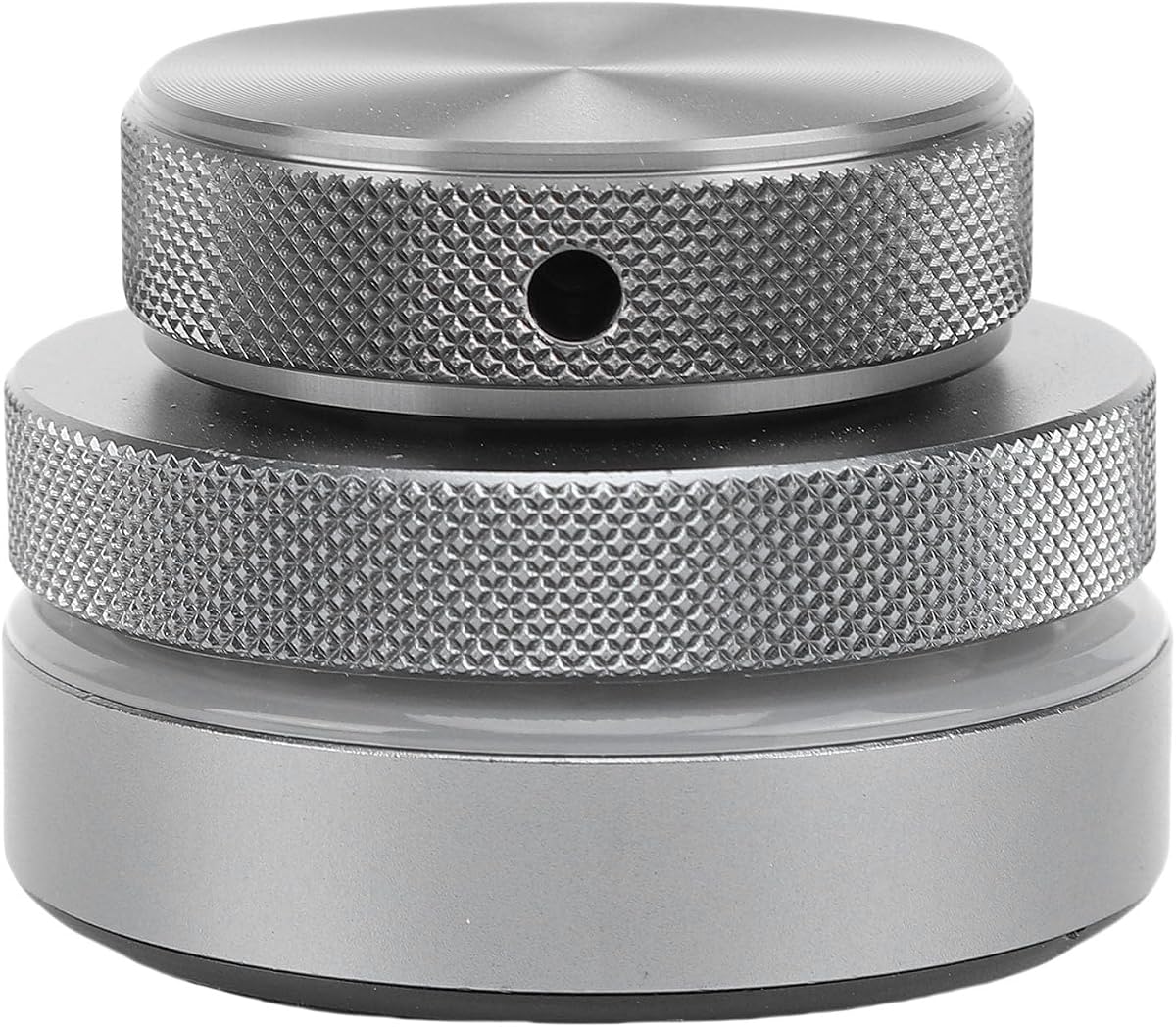
The Anticater VK-01 Wireless Volume Knob is designed for users who value premium materials and cross-platform functionality. It features a durable CNC aluminum construction that feels robust on any desk setup. The silver anodized finish adds a professional touch to modern workspaces.
We may earn a commission when you buy through this link, at no additional cost to you.
Key strengths include its support for both Windows and macOS systems. This makes it a viable option for households or offices with mixed operating environments. The included macro software allows for deep customization of control functions beyond basic volume adjustment.
Some users report inconsistencies in the rating due to software setup challenges or connectivity hiccups. The complexity of configuring macros may be a barrier for casual users who prefer plug-and-play simplicity without additional configuration steps.
This product is best suited for creative professionals or power users who need precise control over audio and application functions. If you require a build that integrates well with Mac systems and offers advanced customization, this knob is a strong candidate to consider.
The CNC aluminum construction ensures the dial feels substantial and precise during adjustment, offering a tactile experience that plastic alternatives cannot match.
Support for both Windows and macOS means you can use the same hardware for different devices, simplifying your accessory collection and reducing clutter.
We may earn a commission when you buy through this link, at no additional cost to you.
The Jiawu USB Volume Control Knob appeals to tech enthusiasts who want a modern device with advanced connectivity. It utilizes Bluetooth 5.1 for stable wireless performance alongside a USB wired option. The aluminum alloy material gives it a sophisticated look that complements high-end setups.
We may earn a commission when you buy through this link, at no additional cost to you.
Its programmable nature allows users to assign up to five different functions to the knob. This flexibility is excellent for managing sound control beyond simple volume, such as track skipping or application-specific commands. The RGB lighting adds a customizable visual element to the desk.
Users might find the initial setup challenging due to limited documentation for advanced features. Without clear guides, programming the custom functions could take time and trial and error to get right according to personal preferences.
This device is ideal for individuals who enjoy tinkering with their tech setup and want to maximize productivity through customization. If you are comfortable with configuration steps and desire a compact controller with RGB flair, this knob fits the bill well.
Equipped with Bluetooth 5.1, this knob offers improved range and stability compared to older versions, ensuring consistent performance during wireless use.
The customizable RGB lighting allows you to match the device with your existing aesthetic or lighting schemes for a cohesive visual setup.
We may earn a commission when you buy through this link, at no additional cost to you.
The Razer Wireless Control Pod is designed to integrate deeply with the Razer ecosystem of audio gear. It provides dedicated control over compatible Nommo and Leviathan speakers. The aluminum alloy build ensures it withstands frequent adjustments in a gaming environment.
We may earn a commission when you buy through this link, at no additional cost to you.
Its standout feature is the ability to cycle through EQ presets and control Chroma brightness effects. This level of customization is rare in standard volume knobs and appeals to users invested in Razer's software platform. The source button allows quick switching between connected devices.
However, its utility is limited if you do not own Razer speakers or are unwilling to install their software. The reliance on proprietary technology means it may not function as a universal controller for non-Razer audio setups.
This pod is perfect for gamers who own Razer audio equipment and want seamless control over their setup. If you value integrated RGB lighting and dedicated sound profile switching, this device offers a premium experience within its specific ecosystem.
Deep integration with Razer Audio App allows for precise control over EQ presets and lighting effects that standard knobs cannot offer.
Built with aluminum alloy to withstand daily wear and tear, this pod is designed for the rigors of a active gaming environment.
We may earn a commission when you buy through this link, at no additional cost to you.
The Bluetooth Volume Control Knob Silver focuses on aesthetic appeal and modern connectivity standards. It utilizes an upgraded Bluetooth 5.3 chip for instant pairing and stability. The zinc alloy CNC crafted body provides a solid feel with anti-slip knurling for grip.
We may earn a commission when you buy through this link, at no additional cost to you.
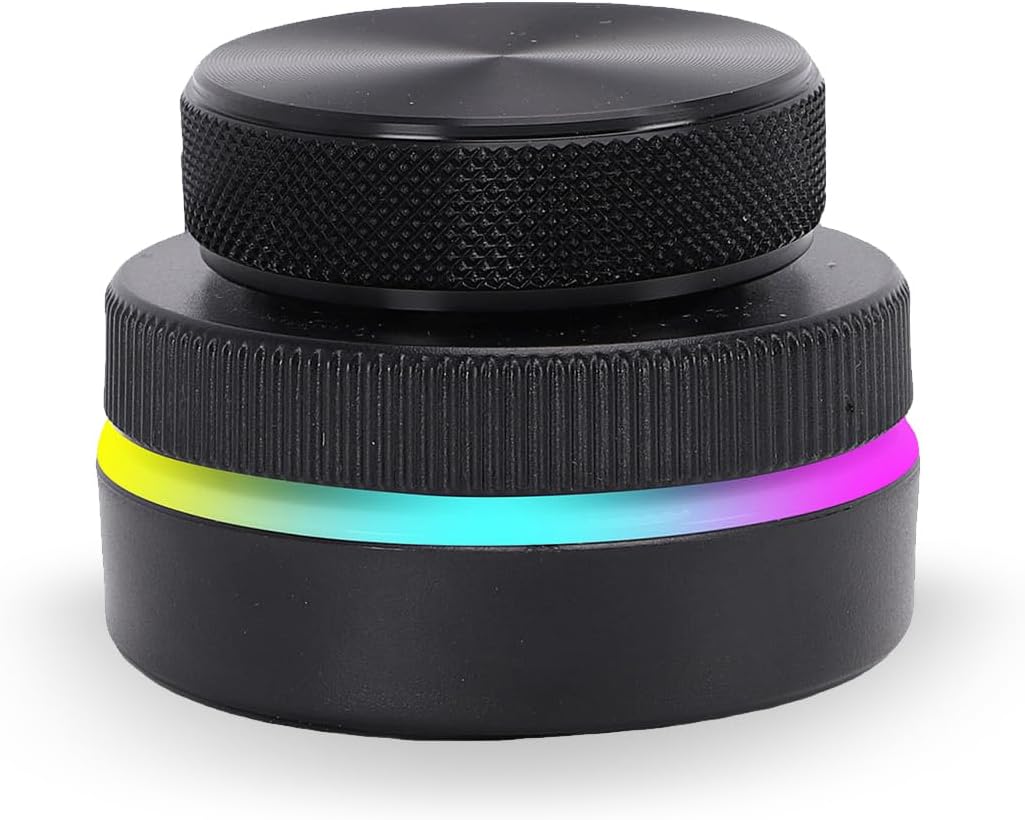
Key strengths include the support for 16.8 million RGB colors and multiple lighting modes. This makes it a standout choice for users who prioritize visual customization alongside audio control. The 300mAh battery supports up to 90 days of standby time.
Some users may find the price higher than necessary for basic volume control if the RGB features are not a priority. Additionally, heavy use of RGB lighting can reduce the battery life compared to the standby estimates provided.
This knob is ideal for users with a setup that requires visual flair alongside functional control. If you want a device that complements RGB accessories and offers reliable wireless performance, this silver model is a visually striking option.
With 16.8 million colors available, you can match the lighting to your mood or theme, creating a dynamic desktop environment.
The solid zinc alloy CNC construction ensures durability and adds a premium weight to the device that feels reassuring in hand.
We may earn a commission when you buy through this link, at no additional cost to you.
The VAYDEER Volume Control Knob offers exceptional value for users seeking a reliable audio controller without breaking the bank. It features a simple USB connection that works immediately without driver installation. The metal shell provides durability despite the budget-friendly price.
We may earn a commission when you buy through this link, at no additional cost to you.
Its key strengths include the one-click mute function which is convenient for quick silencing during calls. The three volume control modes allow for varying degrees of sensitivity. The anti-slip base ensures the knob stays in place during vigorous use.
The main trade-off is the lack of wireless connectivity. Users must keep a USB port free for the device, which might not be ideal for those with limited ports or those who prefer a wireless setup for aesthetics.
This device is perfect for office workers or casual users who need a straightforward tool to manage desktop audio. If you want a durable, simple solution at a low cost, this knob is a highly practical choice.
Pressing the knob to mute allows you to instantly silence audio during interruptions without searching for a system tray icon.
The ability to work without drivers means you can plug it into any compatible computer and start adjusting volume immediately.
We may earn a commission when you buy through this link, at no additional cost to you.
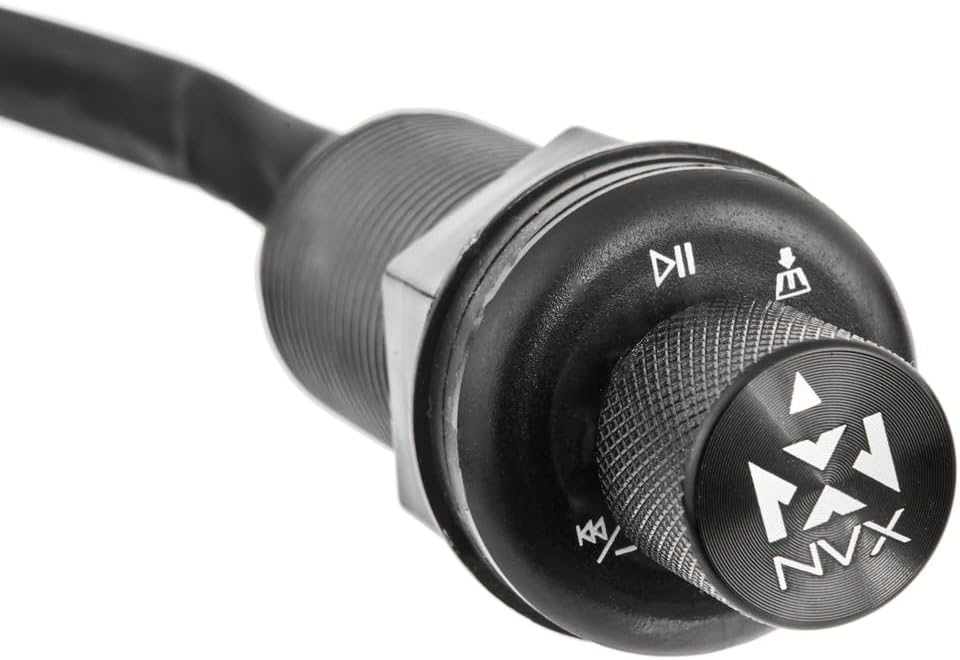
The NVX Universal Bluetooth Audio Receiver is designed specifically for car audio applications. It allows users to control volume and playback from a dedicated knob. The mounting options enable it to be installed flush in the dash for a stock appearance.
We may earn a commission when you buy through this link, at no additional cost to you.
Its primary benefit is the ability to add Bluetooth control to older radios with an AUX input. This modernizes the listening experience by allowing hands-free volume adjustments without reaching for a phone or the car's main unit. It supports universal devices like iPhone and Android.
The limitation is that it is strictly for car audio and requires an AUX input to function. It will not work for home desktop setups, making it a specialized device for automotive enthusiasts looking to upgrade their in-car interface.
This device is ideal for drivers with older car radios that lack native Bluetooth control. If you want to keep your phone safely stowed and control music from a physical knob in your vehicle, this receiver is a targeted solution.
Designed for dash mounting, this receiver integrates into the vehicle dashboard for a clean look without exposed wires or bulky units.
Works with any Bluetooth device paired to the receiver, allowing control over music and calls from the installed knob.
We may earn a commission when you buy through this link, at no additional cost to you.
The Volume Control Knob with 2.4G connectivity is built for users who demand minimal latency during audio adjustments. The combination of 2.4G wireless and USB-C wired modes offers flexibility. The aluminum alloy knob provides a comfortable tactile experience for precise control.
We may earn a commission when you buy through this link, at no additional cost to you.
Key strengths include the instant pairing and stable connection up to 33 feet. This ensures that volume changes feel immediate and responsive without delay. The RGB lighting adds visual appeal and can be customized for different lighting environments.
Some users note that the setup might involve trial and error to get the connection right consistently. The RGB lighting can also consume battery power if used continuously, which might reduce usage time between charges.
This knob is ideal for multimedia consumers who want a responsive tool that works across phones, tablets, and desktops. If you need a low-latency controller that offers both style and function, this model delivers solid performance for daily use.
The 2.4G wireless connection ensures that adjustments to volume are reflected instantly on the connected device.
Crafted with a smooth aluminum alloy knob and non-slip base, it provides precise rotation without accidental movement during use.
We may earn a commission when you buy through this link, at no additional cost to you.
The Bluetooth 5.1 USB Volume Control stands out for its high level of programmability through a dedicated app. This allows users to assign different functions to clockwise and counter-clockwise rotation and key presses. The aluminum alloy finish ensures a professional look on any desk.
We may earn a commission when you buy through this link, at no additional cost to you.
Its main strength is the ability to output characters or function keys beyond standard audio control. This versatility makes it a powerful tool for streamlining workflows in content creation or productivity tasks. The RGB lighting can be programmed to match specific triggers.
The downside is that utilizing these advanced features requires installing and learning the specific app. Users who prefer plug-and-play simplicity may find the programming steps tedious and unnecessary for basic volume control.
This device is best suited for power users who want to map complex shortcuts to a physical dial. If you need more than just volume adjustment and are willing to invest time in configuration, this programmable knob offers significant workflow benefits.
You can assign unique outputs to different rotation directions, enabling a single device to control multiple software functions efficiently.
The customizable RGB lighting allows you to create visual cues for different modes or applications, enhancing the user experience.
We may earn a commission when you buy through this link, at no additional cost to you.
The VBESTLIFE USB Volume Control Knob is designed to enhance productivity with functions like page turning and software navigation. It supports Bluetooth 5.0 and 2.4G connections alongside USB C for a versatile interface. The built-in memory stores key mappings so settings are retained.
We may earn a commission when you buy through this link, at no additional cost to you.
Its standout feature is the ability to flip electronic book pages or navigate web pages with the knob. This reduces eye strain and repetitive keystrokes for readers and researchers. The 400mAh battery provides ample power for continuous work sessions.
User feedback suggests there may be some quirks in the initial setup or mapping process that require patience to resolve. While powerful, the complexity might be a hurdle for users who only need simple volume adjustment features.
This device is ideal for readers and professionals who switch between different applications frequently. If you want a versatile tool that can help you navigate digital content efficiently, this knob offers a broad range of utility beyond standard audio control.
The page turning function allows you to navigate through e-books or documents without interrupting your reading flow with a keyboard.
Built-in memory stores your customized mappings so you do not have to reprogram the knob every time you connect it.
We may earn a commission when you buy through this link, at no additional cost to you.
Choosing the right volume control knob depends on your specific workflow needs, device compatibility, and desired features.
Consider whether you need Bluetooth, USB wired, or dual mode connectivity. Wireless options offer flexibility but may introduce latency, while wired connections ensure stability and power without batteries.
For seamless switching between multiple devices, look for models that support both wireless and wired connections to maximize versatility.
Check the battery capacity and expected usage time. Larger batteries like 400mAh provide longer standby times which are crucial for users who use the knob daily without recharging.
Prioritize models with USB-C charging and low power indicators to ensure you are never caught with a depleted device during critical use.
Materials like aluminum alloy or zinc alloy provide durability and a premium feel that plastic cannot match. The construction quality impacts the tactile feedback you get during adjustments.
Select a build material that feels substantial and matches the aesthetic of your desk setup for both longevity and visual harmony.
Advanced users may require programmable macros or shortcuts beyond simple volume control. Check if the device supports apps or software to assign custom key mappings and functions.
Ensure the customization options align with your workflow to avoid purchasing a device with unused features that add complexity.
Verify that the knob is compatible with your specific operating system such as Windows, macOS, iOS, or Android. Cross-platform support ensures you can use the device across different environments.
If you switch between different computers or tablets often, choose a model that supports all major systems to maintain consistency.
RGB lighting adds visual flair but consumes battery power. Consider if you need customizable colors and lighting modes or if you prefer a simpler, more energy-efficient design.
Look for knobs that allow you to turn off the lighting to conserve battery life when visual effects are not necessary for your setup.
Ergonomics matter for all-day use. A knob with anti-slip mats or a non-slip base ensures stability while rotating. Compact designs save desk space for other equipment.
Choose a size and shape that fits comfortably in your hand and allows for precise adjustments without requiring frequent finger repositioning.
Price often correlates with build quality and feature set. Determine how much you are willing to spend and check the warranty terms for added peace of mind against defects.
Investing in a slightly more expensive model with better support can save money in the long run if you rely heavily on the device daily.
To begin using your new Bluetooth volume control knob, charge the battery fully via the provided USB-C cable before first use. This ensures the device has enough power to pair and operate immediately.
Connect the device via Bluetooth or USB depending on your preferred mode. Most models will automatically pair with your system or require you to select the input source in your device settings.
Maintain the knob by keeping it clean and dry. Avoid exposure to moisture or extreme temperatures which can damage the internal electronics and affect battery life.
Most Bluetooth volume control knobs are designed to work with phones including iOS and Android devices. Check the product compatibility list to ensure it supports your specific phone model and operating system version.
Many models are plug-and-play and do not require driver installation for basic functions. However, advanced features like macro programming may need specific software or app installation.
Battery life varies by model and usage intensity but generally ranges from days to months on a single charge. Usage of RGB lighting and frequent adjustments can reduce the total time between charges.
Some models offer customizable functions that allow you to map the knob to adjust screen brightness. Check if the product supports programmable shortcuts to enable this specific feature.
If the Bluetooth connection drops, you can usually reconnect by turning the knob off and on again or re-pairing it in your system settings. Wired models are more stable as they do not rely on wireless signals.
Knobs made with metal materials like aluminum or zinc alloy are designed for daily wear and tear. Look for products with durable shafts and non-slip bases to ensure stability during long periods of use.
We have reviewed ten top Bluetooth volume control knobs to help you find the perfect match for your workspace. Each option offers unique features from simple volume control to advanced customization.
Prioritize connectivity and build quality to ensure the device meets your daily needs. Consider your budget and how often you require advanced features like macro programming.
Remember that pricing fluctuates and availability changes regularly. Always check current prices before making your purchase to get the best deal available today.