
ASUS Prime AP201 Micro-ATX PC Case
4.7Editor score
High airflow mesh panels
Supports large radiators
Tool-free side panels
Explore our expert comparison of the top ten ASUS PC Case options available this month to find the perfect chassis for your next gaming or workstation build.
Finding the right chassis is crucial for any custom build. ASUS offers a wide range of cases known for durability, cooling, and style. We have compiled the best options to help you choose.
Our team analyzed ten distinct models based on airflow, build quality, and features. Each product was evaluated against specific criteria to ensure they meet high standards for performance and aesthetics.
Every pick includes detailed specs and honest insights. Prices fluctuate regularly so please check current listings before purchasing. This guide helps you navigate the ASUS lineup effectively.
4.7Editor score

4.8Editor score

4.6Editor score
This table provides a side-by-side look at every model featured in our guide. Compare key specifications and ratings to determine which case fits your specific build needs.


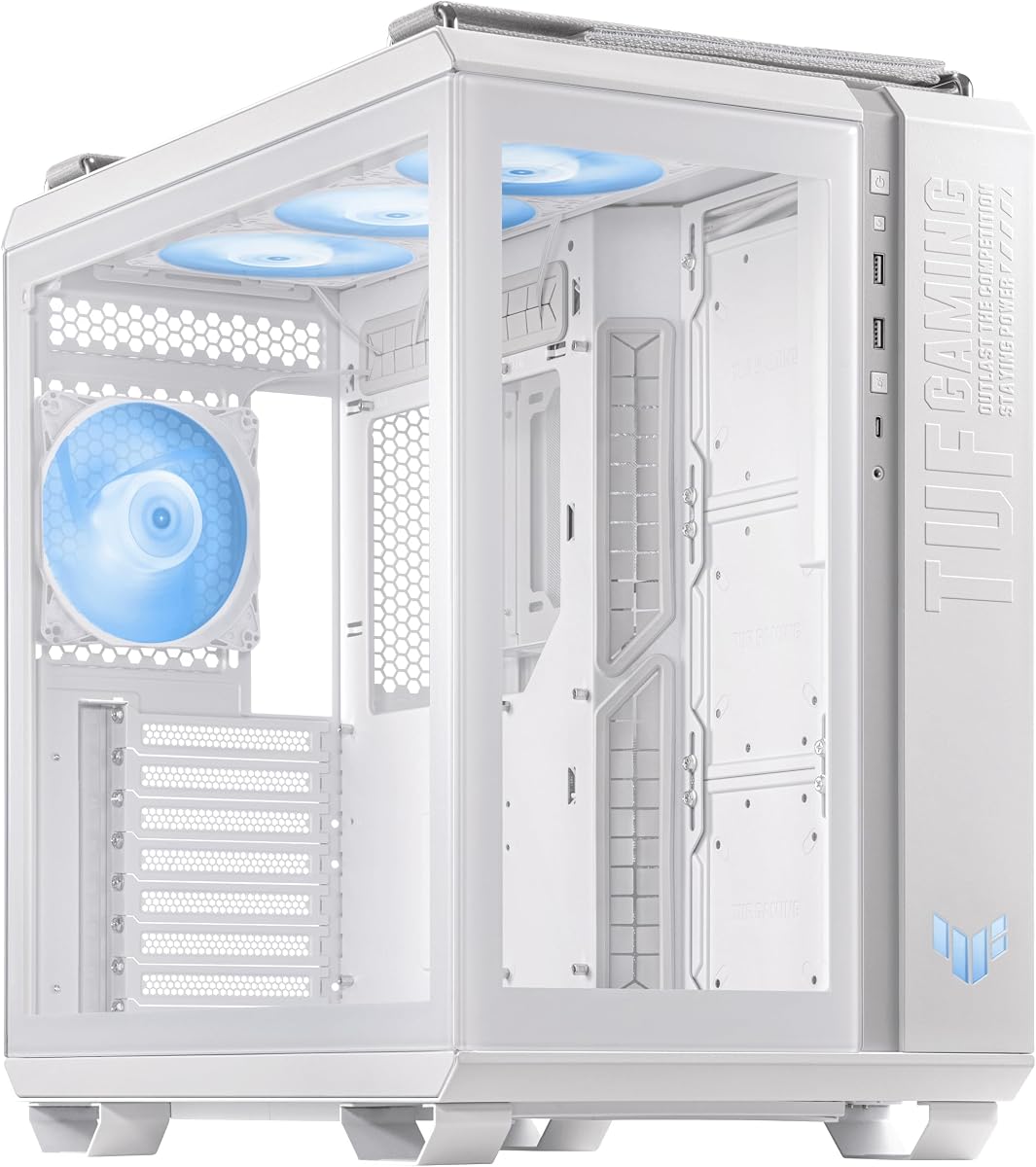
This full-tower case ranks as our top choice for enthusiasts. It features a solid metal build with a stylish TUF spatter pattern. The design prioritizes thermal performance without compromising aesthetics.
We may earn a commission when you buy through this link, at no additional cost to you.
Cooling is excellent thanks to included fans and flexible mounting options. You can install large radiators or high airflow fans easily. The glass panel showcases components beautifully.
Build quality is high but the case is quite heavy. Transporting it requires effort despite the handles. The size ensures compatibility but might not fit smaller desks.
Ideal for high-end gaming rigs needing space. The layout simplifies assembly. If you want durability and style, this is a strong candidate.
Multiple mounting points ensure optimal airflow paths for all components.
Thick panels and reinforced handles protect hardware during transport.
We may earn a commission when you buy through this link, at no additional cost to you.
Affordable performance is the focus of this Micro-ATX case. Mesh panels deliver impressive cooling for the price. It is designed for efficiency and easy access.
We may earn a commission when you buy through this link, at no additional cost to you.
The airflow design is top-notch with thousands of holes. This keeps components cool even under load. Cable management is well thought out with ample gaps.
Limitations exist regarding GPU length and front ports. It fits standard cards but not the longest ones. Lack of USB-C might inconvenience some users.
Perfect for compact budget builds. It offers premium cooling features at a lower cost. A smart choice for value-focused builders.
Precision-machined holes maximize air intake for better thermal results.
Small footprint saves space while supporting powerful components.
We may earn a commission when you buy through this link, at no additional cost to you.
This flagship case delivers luxury build quality and features. Semi-open structure ensures maximum airflow for extreme cooling. It looks exceptional and supports heavy components easily.
We may earn a commission when you buy through this link, at no additional cost to you.
Build quality uses sturdy aluminum frames. Integrated holders support heavy GPUs without sagging. The drawer offers convenient storage for small tools or parts.
The premium price and large size are drawbacks. Not everyone needs this level of luxury. It requires significant desk space to function well.
Ideal for top-tier enthusiast builds. If budget is flexible this case stands out. It defines premium PC building standards.
Semi-open structure allows unrestricted airflow for custom water loops.
Storage drawer and card holder add convenience to the build process.
We may earn a commission when you buy through this link, at no additional cost to you.
Dual chamber design separates CPU and GPU zones. This improves thermal efficiency significantly. The glass offers a stunning view of the main chamber.
We may earn a commission when you buy through this link, at no additional cost to you.
Panoramic panels wrap around the front and side. Assembly is modular making parts easy to remove. USB-C provides fast data transfer speeds.
Complexity can be a hurdle for some. It might take longer to build initially. The cost is higher than standard mid-towers.
Best for users wanting advanced airflow. It looks impressive and performs well. A great pick for mid-range to high-end builds.
Two chambers prevent GPU heat from affecting CPU stability.
Tinted glass provides a clear window to showcase components.
We may earn a commission when you buy through this link, at no additional cost to you.
Designed for modern hidden connector motherboards. This simplifies cable management significantly. The design looks clean with dual glass panels.
We may earn a commission when you buy through this link, at no additional cost to you.
Fans are included to help start your build. GPU support is generous for long cards. The base angle improves thermal efficiency.
Fan quality is basic compared to others. Airflow is decent but not outstanding. Best for builds focused on looks over raw performance.
Good for clean aesthetic builds. If you use hidden connectors this saves space. A solid choice for value and style.
Hidden connectors reduce visible clutter in the main chamber.
Dual glass panels offer a clear view of your setup.
We may earn a commission when you buy through this link, at no additional cost to you.
White edition of the popular GT501 series. It keeps all the robust features of the original. The aesthetic is clean and modern.
We may earn a commission when you buy through this link, at no additional cost to you.
Fans sync with Aura Sync for lighting. Build quality remains high with strong panels. Handles make transport easier despite weight.
White shows fingerprints more than black. It might cost slightly more than dark versions. Requires regular cleaning to stay looking good.
Perfect for white themed builds. It offers reliability and style. A great option for enthusiasts seeking a clean look.
White finish matches modern components and lighting perfectly.
Same cooling power as the black model with style.
We may earn a commission when you buy through this link, at no additional cost to you.
Compact design fits well in smaller spaces. Airflow honeycomb panel keeps temps low. It includes RGB controller for lighting control.
We may earn a commission when you buy through this link, at no additional cost to you.
Hanger adds convenience for headset storage. RGB fans enhance the visual experience. Good balance of size and capability.
Lack of USB-C limits modern connectivity. Limited storage options for HDDs. Best for SSD-centric builds.
Ideal for small form factor builds. It offers value and features. A solid pick for mid-range budgets.
Built-in controller simplifies lighting setup without extra cables.
Integrated hanger keeps peripherals organized and accessible.
We may earn a commission when you buy through this link, at no additional cost to you.
White version of the popular dual chamber case. It combines thermal separation with premium aesthetics. Modular panels simplify assembly.
We may earn a commission when you buy through this link, at no additional cost to you.
USB-C provides fast data transfer. Four RGB fans ensure good cooling and style. The layout helps organize cables and components.
Dual chambers add build complexity. It is more expensive than standard cases. Requires careful planning during installation.
Great for white premium builds. It balances performance and looks. An excellent choice for enthusiasts.
Separating CPU and GPU improves overall system stability.
High-speed USB-C ensures quick transfers for peripherals.
We may earn a commission when you buy through this link, at no additional cost to you.
Highly rated for performance and value. It offers wide compatibility for GPUs and radiators. The angled base enhances viewing and airflow.
We may earn a commission when you buy through this link, at no additional cost to you.
Hidden connectors help reduce cable clutter. Panoramic design looks premium at low cost. It supports various hardware sizes.
Lacks modern USB-C port. Features are standard compared to newer cases. Best for traditional builds without specific ports.
Solid choice for general use. It delivers reliability and style. A great pick for balanced builds.
Accommodates large GPUs and radiators without issues.
Angled base improves display of internal components.
We may earn a commission when you buy through this link, at no additional cost to you.
Plus version of the Horizon series with modular design. Tool-free panels make maintenance easy. Dual chambers support thermal separation.
We may earn a commission when you buy through this link, at no additional cost to you.
Panoramic view showcases your build. USB-C ensures modern connectivity. RGB fans enhance the look and cooling.
High cost may deter budget buyers. Size is substantial for desktops. Best for users prioritizing build experience.
Ideal for modularity and style. It offers premium features and performance. A strong pick for white builds.
Panels remove quickly for maintenance without screws.
Separate chambers maintain cooler CPU and GPU temperatures.
We may earn a commission when you buy through this link, at no additional cost to you.
Selecting the right case involves evaluating multiple factors. This guide breaks down what matters most for your build goals.
Ensure the case supports your motherboard size. ATX is standard but some need E-ATX or Micro-ATX. Check dimensions carefully to avoid fit issues.
Match case form factor with motherboard size for compatibility.
Airflow is critical for cooling components. Mesh panels generally offer better intake than solid metal. Look for multiple fan mounting points.
Prioritize mesh panels and open designs for better thermal performance.
Check GPU length clearance to avoid conflicts. Large radiators also need space. Some cases limit vertical vs horizontal cards.
Verify GPU and radiator dimensions against case specs.
Clean cable management improves airflow and looks. Look for ample gaps behind trays. Some cases feature hidden connector support.
Choose cases with ample cutouts and tool-free designs.
Modern setups often need USB Type-C. Check speeds like 5Gbps vs 20Gbps. Additional USB and audio jacks matter too.
Select cases with USB-C ports for future-proof connectivity.
Sturdy metal or aluminum frames last longer. Check panel thickness and handle quality. Durability affects long-term value.
Opt for robust metal frames and reinforced panels.
Choose color and style that fit your room. Glass panels or mesh fronts change the look. RGB lighting may be included or optional.
Consider glass and color to match your setup theme.
Balance cost with features needed. High-end cases offer modular designs and USB-C. Budget ones might lack ports but deliver cooling.
Focus on essential features to maximize value.
Unpack the case carefully. Keep all screws and standoffs for installation. Use the tool-free panels to access the interior.
Install hardware following manufacturer guides. Route cables through the back panels for cleaner visuals. Secure components tightly.
Clean dust regularly from filters and fans. Do not use water directly. Use compressed air to maintain airflow.
Yes ASUS cases like the TUF and ROG series are designed for high performance. They support large GPUs and cooling systems. Durability is generally high across models.
Most mid-range and higher models include pre-installed fans. Check product specs for exact counts. Some budget options may require separate purchases.
Micro-ATX cases support Micro-ATX boards. Many also fit standard ATX but check exact measurements. E-ATX boards usually require larger full towers.
Remove dust filters from the bottom or front panels. Use compressed air to blow away debris. Avoid washing them with water unless specified.
Many ASUS cases support custom loops. Radiator limits vary by model. Verify front and top mount sizes before purchasing.
Warranties vary by region and model. Some offer two years while others differ. Check seller details for exact coverage terms.
Our guide highlights ten distinct options for different needs. From budget-friendly to premium choices we covered key models. Top picks offer reliable performance.
Prioritize airflow and size to match your components. Modern features like USB-C add value to future builds. Choose based on personal priorities.
Prices change so always check current listings. We hope this helps you find the right case. Happy building with your new ASUS PC.