
Thermalright TL-C14C-S X3
4.7Editor score
S-FDB Bearing Technology
Up to 1500 RPM Speed
Soft LED Lighting Effect
This guide compares the top ARGB 140mm fans for PC building, evaluating airflow, noise, lighting, and reliability to help you choose the right cooling solution.
Building a high-performance PC requires careful attention to thermal management. ARGB 140mm fans offer an excellent balance of cooling power and visual appeal for modern setups. These larger fans move more air at lower speeds than smaller counterparts, reducing noise while maintaining efficient heat dissipation for your critical components.
We evaluated ten leading models based on real-world performance data and user feedback. Our comparison focuses on airflow capacity, static pressure, noise levels, bearing technology, and lighting customization options. Each product was assessed for its ability to handle various mounting scenarios including case ventilation and radiator cooling duties.
Every pick in this list showcases specific strengths tailored to different builder needs and budgets. While pricing fluctuates due to market demand and seasonal promotions, the performance characteristics remain consistent. Always verify current specifications and availability before making your final purchase decision for your unique system configuration.
4.7Editor score

4.8Editor score

4.6Editor score
This side-by-side comparison highlights key specifications across all ten selected models to help you identify the best fit for your specific cooling and aesthetic requirements.


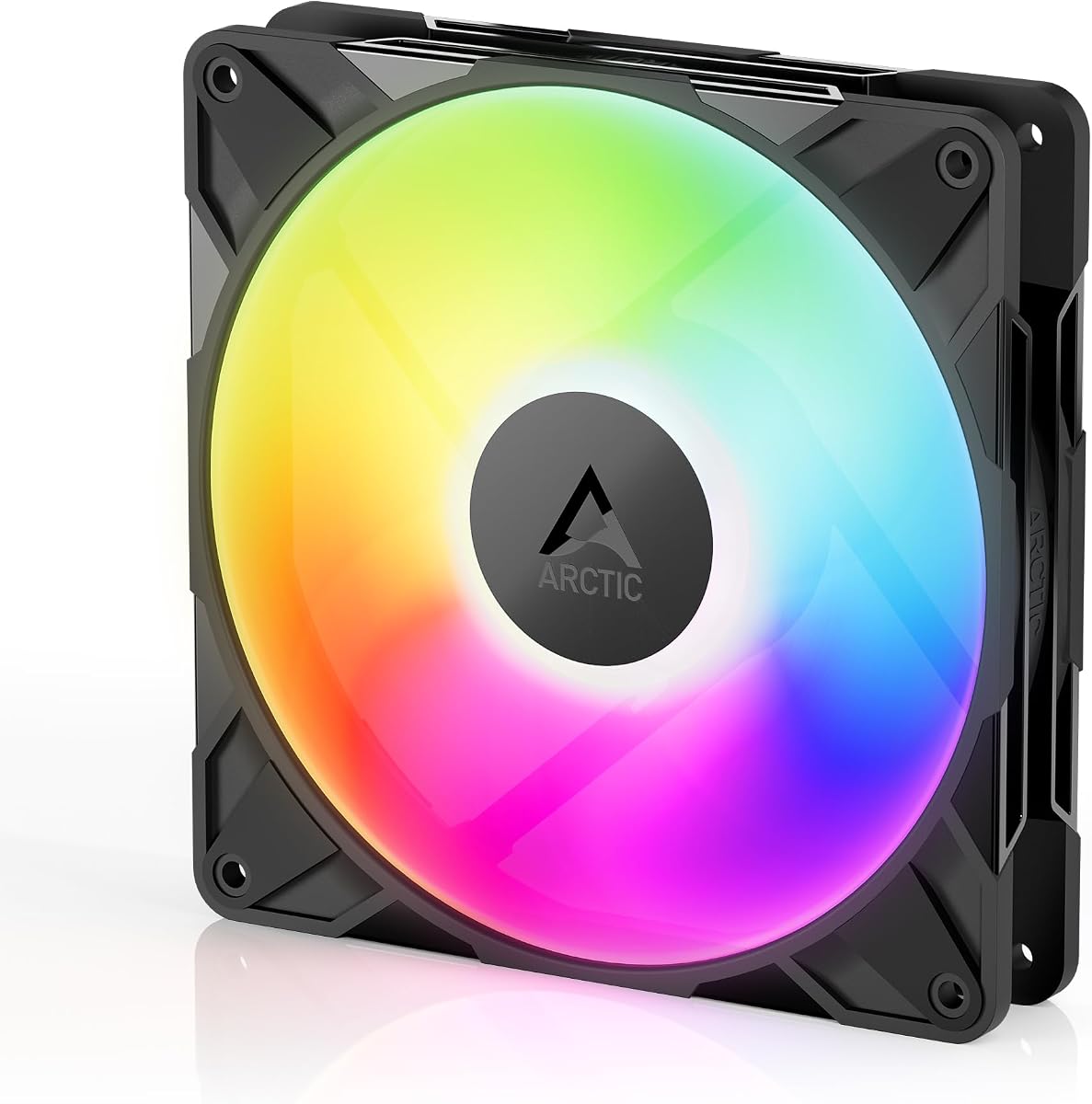


This fan stands out as our top pick for its exceptional balance of visual flair and cooling performance. With a stellar 4.8 rating, it delivers a Duo-Ring ARGB effect that captures attention without compromising on airflow efficiency. The design integrates seamlessly into modern builds requiring both style and substance.
We may earn a commission when you buy through this link, at no additional cost to you.
The hybrid static pressure blade design tackles resistance in liquid radiators and mesh chassis effectively. This ensures that heat is expelled from components efficiently even when airflow paths are restricted. Noise reduction technology and sound absorbing materials work together to keep acoustic levels low during operation.
While the speed adjustment is dynamic between 650 and 1500 RPM, it does not reach the highest RPMs found in premium performance models. This trade-off is acceptable for most users prioritizing quiet operation over raw maximum airflow. The lighting control remains robust for those seeking customization.
Ideal for builders who want a polished look without sacrificing thermal management. It is particularly suitable for mid-tower cases and liquid cooling loops where aesthetics and performance are equally valued. We highly recommend this model for a well-rounded cooling solution.
The Duo-Ring ARGB lighting provides a unique double ring effect that enhances the interior visibility of your case significantly.
Designed with hybrid static pressure blades, it pushes air effectively through dense radiators for consistent cooling.
We may earn a commission when you buy through this link, at no additional cost to you.
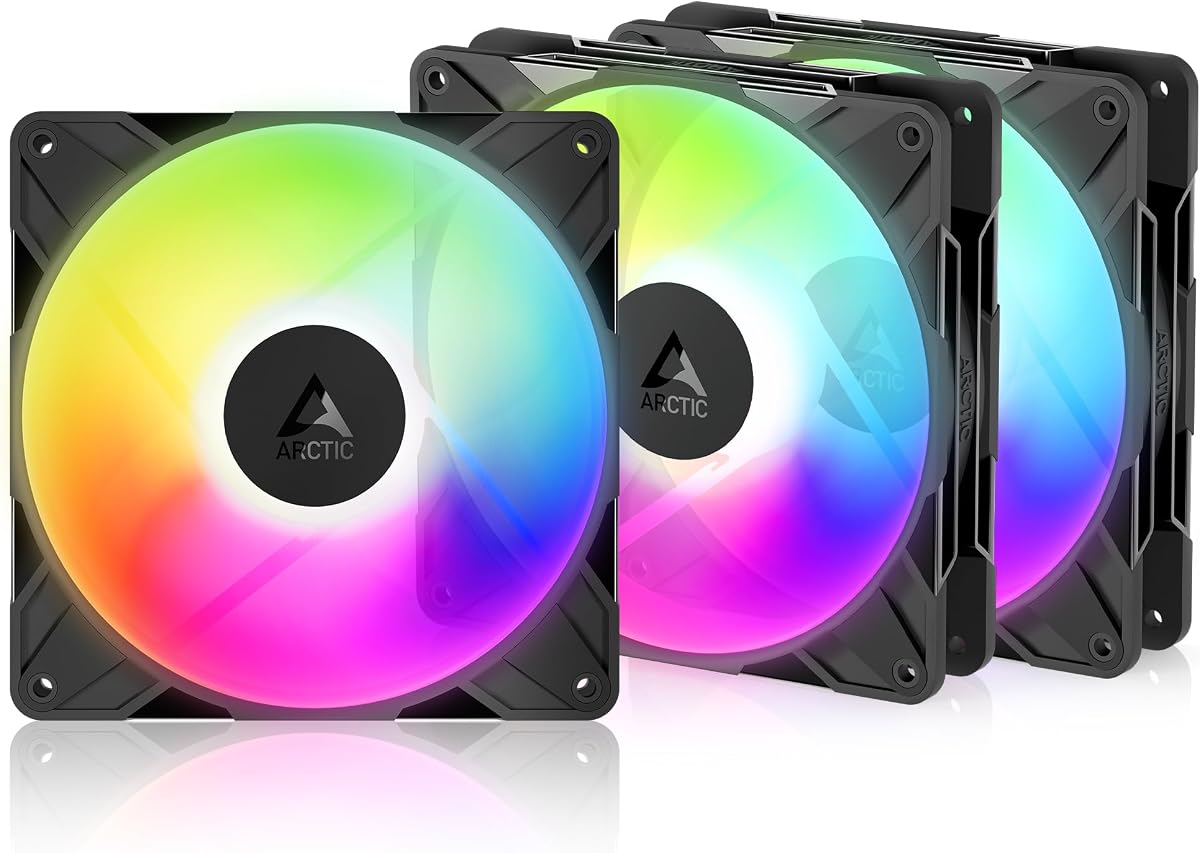
This pack of three fans offers exceptional value for budget-conscious builders seeking reliable cooling and stylish lighting. With a 4.7 rating, the TL-C14C-S X3 provides solid performance without breaking the bank. The inclusion of three units makes it easy to outfit multiple case slots or radiator positions effectively.
We may earn a commission when you buy through this link, at no additional cost to you.
The S-FDB bearing technology ensures smooth operation and minimizes noise levels during use. Airflow reaches up to 75.8 CFM which is sufficient for standard case ventilation tasks. The lighting effect is designed to be soft and diffuse matching well with coolers and internal case components nicely.
While the maximum speed caps at 1500 RPM, it is sufficient for many standard cooling needs. The PWM control allows for automatic speed adjustment based on motherboard temperature readings. This helps balance cooling needs with noise levels efficiently across different usage scenarios.
Best suited for those building entry-level or mid-range systems where budget is a priority. The three-pack convenience means you do not need to buy additional units separately. We recommend this for general case cooling or budget radiators where high static pressure is not critical.
Purchased as a three-pack, this option delivers great value compared to buying individual fans separately.
Noise levels stay below 26 dBA making these fans ideal for silent workstations and quiet gaming setups.
We may earn a commission when you buy through this link, at no additional cost to you.
The CORSAIR RS140 ARGB delivers premium performance for users needing maximum cooling efficiency. Rated at 4.6, these fans shine in high-pressure scenarios like dense radiators. The magnetic dome bearing ensures smooth operation while the AirGuide technology concentrates airflow where it is needed most.
We may earn a commission when you buy through this link, at no additional cost to you.
Daisy-chain connections significantly simplify wiring by reducing the number of cables required to manage multiple fans. This streamlines airflow and makes case interior look cleaner for better cable management. Eight LEDs per fan provide bright and customizable lighting controlled via motherboard headers.
The price point is higher than budget options but justified by the superior airflow and static pressure capabilities. With speeds up to 1700 RPM, it handles demanding thermal loads effectively. This makes it a strong choice for high-end gaming rigs or professional workstations.
Best for enthusiasts who value streamlined installation and high performance. The dual pack setup supports dual radiator configurations or front and rear case exhaust. We recommend this for systems requiring robust airflow and clean aesthetics.
Daisy-chain connection allows control of multiple fans through single PWM and ARGB connectors.
AirGuide technology uses anti-vortex vanes to direct air efficiently at hot components.
We may earn a commission when you buy through this link, at no additional cost to you.
This unique model offers reverse airflow specifically designed to maintain clean aesthetics in glass fronted cases. With a 4.6 rating, it solves the common issue of visible fan blades spoiling the look of a build. The reverse design draws air from the back side which keeps the front looking sleek and minimal.
We may earn a commission when you buy through this link, at no additional cost to you.
Despite the unusual airflow direction, cooling efficiency remains high thanks to strong static pressure capabilities. The hydrodynamic bearing minimizes noise during operation ensuring quiet performance. Speed is adjustable up to 2650 RPM providing flexibility for various thermal management needs.
The fan stops completely at less than 5 percent PWM which reduces unnecessary noise during idle states. This feature is highly beneficial for systems that spend significant time under light loads. The Y cable splitter included helps manage connections for the PWM and lighting.
Best for builds prioritizing clean aesthetics without compromising cooling. It is ideal for cases with large tempered glass panels where visible blades are undesirable. We suggest this for those wanting a polished look without sacrificing performance.
Reverse airflow design draws air from the back to prevent blade visibility through glass panels.
The 0 RPM stop feature ensures fans do not spin during low load periods reducing noise.
We may earn a commission when you buy through this link, at no additional cost to you.
Thermaltake introduces an innovative magnetic connection system for fan daisy-chaining in this pack. Rated at 4.6, it simplifies wiring significantly using magnetic connectors between fans. This design reduces cable clutter and allows for cleaner builds with fewer connectors needed to power multiple units.
We may earn a commission when you buy through this link, at no additional cost to you.
The magnetic connection optimizes airflow path integrity by ensuring secure physical links between units. Nine addressable LEDs controlled by motherboard sync software offer vibrant lighting options. The anti-vibration mounting system further reduces noise by isolating the fan from the case structure.
While the magnetic system is convenient it may require specific mounting considerations. Users should verify case compatibility to ensure magnets align correctly with fan frames. The optimized hydraulic bearing ensures reliable and silent operation for extended periods.
Best for builders interested in cutting edge connectivity solutions. The magnetic system stands out as a unique feature for cable management. We recommend this for those valuing clean internal layouts and robust lighting.
MagForce 2.0 Magnetic Connection Design simplifies daisy-chaining and reduces wire clutter.
Embedded anti-vibration mounting system minimizes noise transmission to the case structure.
We may earn a commission when you buy through this link, at no additional cost to you.
This fan offers a compelling mix of performance and aesthetic features at a competitive price. Rated at 4.5, it supports up to 2000 RPM for high airflow situations. The infinity mirror effect and 24 LED beads create a stunning visual impact in compatible cases.
We may earn a commission when you buy through this link, at no additional cost to you.
The hydraulic bearing design extends lifespan to 50000 hours ensuring long term reliability. Airflow reaches up to 89.77 CFM which is strong for a budget friendly unit. Compatible with major motherboard sync systems like Asus Aura Sync allows easy color management.
Maximum speed can generate noticeable noise though it allows for rapid heat removal. The wired daisy-chain connection supports flexible setup but limits wireless options. It is a solid choice for budget builds needing significant airflow and light effects.
Best for users wanting high RPM performance without high cost. The long lifespan promise adds value over time. We recommend this for budget gamers or workstation builders needing efficiency.
Infinity mirror effect with 24 LED beads provides striking lighting for case builds.
Delivers strong airflow of 89.77 CFM to handle high heat loads effectively.
We may earn a commission when you buy through this link, at no additional cost to you.
This model stands out for its extreme speed capability up to 3000 RPM. With a 4.6 rating it delivers powerful cooling performance for intense thermal demands. The redesigned rotor blades optimize the balance between performance and low noise at lower operating speeds.
We may earn a commission when you buy through this link, at no additional cost to you.
Fluid dynamic bearing ensures smooth and quiet operation while extending service life. High static pressure capabilities allow it to push through dense radiators effectively. The precision manufacturing reduces vibration and ensures reliable long term operation.
At maximum speeds noise increases but is justified by the cooling power available. The LED lighting is functional but less feature rich than other premium options. It is ideal for performance focused systems where airflow matters most.
Best for enthusiasts prioritizing raw cooling performance over lighting effects. We recommend this for overclocked systems or small cases requiring extreme airflow.
Speed up to 3000 RPM allows extreme airflow for demanding thermal environments.
Precision manufacturing and FDB ensure quiet long term operation.
We may earn a commission when you buy through this link, at no additional cost to you.
This three-pack model emphasizes silent operation through high quality construction. Rated at 4.6, it features soft silicone feet to reduce vibration transmission. The PBT+PC material provides insulation and durability for consistent performance over time.
We may earn a commission when you buy through this link, at no additional cost to you.
The 55CM cable length offers flexibility for cable routing in larger cases. Noise reduction design ensures quiet operation even at maximum speed. It is an ideal choice for silent PC builders needing multiple units.
While max speed is limited to 1500 RPM, it suffices for general cooling needs. The trade-off for quiet operation is acceptable for most office or home environments. The three-pack provides cost savings compared to single units.
Best for quiet workstations or home theaters where noise must be minimal. We recommend this for those prioritizing acoustic comfort over raw speed.
Soft silicone feet reduce vibration and noise transmission to the case frame.
PBT+PC material ensures long lasting performance with high insulation.
We may earn a commission when you buy through this link, at no additional cost to you.
This single unit holds an impressive 4.9 rating making it one of the most reliable options available. It features reverse airflow to maintain aesthetic integrity in modern cases. The fluid dynamic bearing minimizes noise ensuring smooth operation across its speed range.
We may earn a commission when you buy through this link, at no additional cost to you.
Airflow penetrates dense structures effectively thanks to high static pressure capabilities. Speed adjustment is wide ranging from 400 to 2650 RPM for flexibility. The precision manufacturing reduces vibration for quiet performance.
While reverse design is unique users must ensure correct airflow direction. The high rating confirms reliability and consistent performance. This makes it a safe choice for quality conscious builders.
Best for those needing a single high quality reverse fan. We recommend this for targeted cooling solutions requiring reliability.
Achieves a 4.9 rating indicating exceptional performance and reliability for builders.
Reverse airflow ensures clean front views in glass panel cases.
We may earn a commission when you buy through this link, at no additional cost to you.
This individual fan offers great value for those needing a single high quality unit. Rated at 4.7, it provides reliable cooling with soft ARGB lighting effects. The 7-blade design helps reduce noise while maintaining efficient airflow performance.
We may earn a commission when you buy through this link, at no additional cost to you.
It supports 17 different light modes allowing extensive customization through motherboard ports. The S-FDB bearing ensures smooth quiet operation. PWM control enables automatic speed adjustments based on system temperature.
While sold individually, it pairs well with other similar models for multi-fan setups. The soft LED effect matches coolers perfectly without harsh glare. This makes it ideal for subtle lighting preferences.
Best for builders wanting one standout fan for front exhaust or intake. We recommend this for single fan replacement or accent lighting.
Up to 17 light modes allow extensive lighting customization via motherboard.
7-blade design optimizes airflow while reducing noise during operation.
We may earn a commission when you buy through this link, at no additional cost to you.
Choosing the right fan requires balancing performance, noise, and aesthetics.
Airflow measured in CFM determines how much air a fan moves while static pressure indicates its ability to push air through dense obstacles like radiators. Look for high airflow for general case ventilation and high static pressure for radiator cooling.
Prioritize static pressure if mounting fans on a heatsink or radiator.
Bearing type significantly impacts lifespan and noise levels. Fluid Dynamic Bearings and hydraulic bearings offer longer life and quieter operation compared to sleeve bearings.
Choose FDB or hydraulic bearings for silent systems or long term reliability.
Ensure the fan supports your motherboard RGB header standard such as 5V 3-pin ARGB. Check compatibility with software like Aura Sync or Mystic Light to synchronize colors effectively.
Always verify your motherboard supports the required header before purchasing.
Noise is measured in decibels (dBA) and affects how pleasant your system sounds. Lower dBA values are better for quiet environments or noise sensitive workstations.
Look for noise ratings below 26 dBA for near silent operation.
Daisy-chain connections reduce clutter by linking fans together with a single cable. Wired daisy-chaining is standard but ensure cable lengths fit your case layout.
Consider magnetic or bundled connectors to simplify wiring inside the case.
Standard 140mm fans measure 25mm in thickness but some radiators require 30mm fans. Ensure clearance between fans and case panels to avoid obstruction.
Check case manual for maximum fan thickness allowance before buying.
Higher RPM means more airflow but usually more noise. PWM fans allow dynamic adjustment based on temperature which balances cooling and silence.
Select a fan with a wide speed range for flexible control over thermal management.
Buying in packs often offers better value per fan than single units. Ensure the pack contains enough fans for all desired mounting points.
Purchase three-fan packs if you need front, rear, and side intake exhaust.
Install fans securely using the provided screws or clips to prevent vibration rattling. Ensure airflow direction aligns with your intake or exhaust plan for optimal cooling.
Connect the PWM cable to a CPU_FAN or SYS_FAN header on your motherboard for speed control. Plug the ARGB header into a compatible 5V addressable header for lighting control.
Regularly clean dust from blades using compressed air every few months to maintain performance. Check cable connections occasionally to ensure nothing has become loose over time.
Yes, ARGB fans typically require a 5V 3-pin addressable RGB header. Older 12V 4-pin headers are incompatible and may damage the lighting. Always check your motherboard manual to confirm supported RGB headers before buying fans.
RGB fans are addressable and usually use 12V 4-pin headers while ARGB fans are addressable and use 5V 3-pin headers. ARGB allows individual LED control for more dynamic effects but requires specific hardware support.
Most daisy chain systems support up to three to five fans per single header. Exceeding the limit may result in insufficient power for the LEDs or fan motors. Always consult the manufacturer's specific daisy chain guidelines.
Reverse airflow fans are worth it if you prioritize aesthetics in glass fronted builds. They draw air from the back to keep the front of the fan visually clean. Performance is comparable to standard models despite the design reversal.
Use compressed air to blow dust out of blades and housing every few months. Avoid spinning blades rapidly while blowing air as this can damage bearings. Wipe stubborn dust with a soft dry cloth.
For silent cooling, fans running between 600 and 1000 RPM are ideal. This range provides sufficient airflow for most cases while minimizing noise. Use PWM control to let the motherboard adjust speed dynamically.
Most PWM fans work with all modern motherboards but RGB headers vary. Check if your board has 5V ARGB and 4-pin PWM headers. If not you may need an adapter or controller hub to use lighting features.
Fluid Dynamic Bearings (FDB) and magnetic bearings generally offer the longest lifespans. They provide self-lubricating properties that reduce friction and wear over time compared to basic sleeve bearings.
Our top picks include the Cooler Master MasterFan MF140 Halo Fan for performance, the Thermalright TL-C14C-S X3 for budget value, and the CORSAIR RS140 ARGB for premium connectivity.
Prioritize static pressure if using radiators and airflow for general case cooling. Always match RGB protocols to your motherboard to avoid compatibility issues.
Prices and availability change often so verify current stock and specs on the product pages before finalizing your purchase.