
ASUS VM670 27" All-in-One Desktop Computer
5.0Editor score
AMD Ryzen AI 7 350 NPU
32GB DDR5 Memory and 1TB SSD
Versatile HDMI-in and HDMI-out Ports
Finding the right All in One Desktop PC with Touchscreen means balancing power, display quality, and design. These systems combine a powerful computer with a vibrant touch interface to streamline work and creativity.
We evaluated ten leading models based on processor speed, memory capacity, display fidelity, and connectivity. Our analysis highlights how each unit handles multitasking, creative projects, and daily computing needs.
Each pick showcases standout strengths and potential trade-offs so you can choose confidently. Prices and availability shift frequently, so verify current details before purchasing your next All in One Desktop PC with Touchscreen.
5.0Editor score

4.7Editor score

As an Amazon Associate we earn from qualifying purchases.
This side-by-side comparison outlines the core specifications, display features, and connectivity options for each model to help you evaluate performance and usability at a glance.




The msi Touch Screen All-in-One Business Desktop stands out for its modern design and accessible entry point. It is rated for professional environments where budget constraints meet the need for reliable touchscreen interaction.
We may earn a commission when you buy through this link, at no additional cost to you.
Powered by a 14th Gen Intel Core 7-150U processor, this system delivers smooth multitasking for daily office applications. The 23.8-inch FHD display offers crisp visuals and intuitive touch control, while dual external monitor support extends your workspace significantly.
Trade-offs include limited base memory which might require upgrades for heavy workloads. However, the inclusion of a wireless keyboard and mouse reduces initial setup costs and keeps your desk tidy.
This model is ideal for small businesses or home offices needing a clean setup without premium expenses. If you prioritize versatility and a modern look over high-end raw power, this is a compelling choice.
Multiple ports allow seamless connection of peripherals and external displays for expanded productivity.
Wireless peripherals and a compact footprint reduce clutter for a focused work environment.
We may earn a commission when you buy through this link, at no additional cost to you.
This HP 24-inch model is a strong contender for educational settings and home use. It balances performance with usability, making it suitable for students and family members who need responsive touch capabilities.
We may earn a commission when you buy through this link, at no additional cost to you.
With 16GB of DDR4 RAM and a 1TB PCIe SSD, it handles multiple browser tabs and document creation efficiently. The 23.8-inch FHD touchscreen provides clear visuals for research and presentations, supported by stable WiFi 6 connectivity.
While the Intel Processor N100 is not built for intensive graphics, it excels at everyday tasks and ensures quiet operation. The white aesthetic complements modern interiors without drawing too much attention.
Families and students will appreciate the generous storage and memory for learning applications and media consumption. Its reliability and straightforward interface make it a safe choice for shared home computers.
Robust memory ensures smooth performance even when multiple users access the system simultaneously.
WiFi 6 support maintains fast speeds for video calls and streaming in busy households.
We may earn a commission when you buy through this link, at no additional cost to you.
The Dell 27 All-in-One Desktop offers significant power for users who prioritize multitasking capability. Its 32GB RAM makes it a strong candidate for users handling large datasets or multiple applications simultaneously.
We may earn a commission when you buy through this link, at no additional cost to you.
The 27-inch FHD IPS display delivers vivid colors and wide viewing angles, perfect for streaming or design work. Integrated stand storage keeps your desk organized by hiding the keyboard underneath, maintaining a clean aesthetic.
While it lacks some business-grade features found in Pro models, the hardware is robust enough for heavy home office use. ComfortView Plus protects your eyes during long sessions by reducing harmful blue light emissions.
This unit is best for professionals or power users who need raw performance over specialized software features. Its size and speed make it a central hub for productivity and entertainment alike.
The keyboard storage space under the stand helps minimize desk clutter significantly.
High contrast and vivid colors ensure content looks accurate and engaging on the screen.
We may earn a commission when you buy through this link, at no additional cost to you.
This HP model earns the Editor's Choice badge for its advanced AI capabilities and balanced specification set. It introduces the Copilot+ PC experience, enabling faster on-device processing for intelligent workflows.
We may earn a commission when you buy through this link, at no additional cost to you.
Powered by the AMD Ryzen AI 7 350 processor, it handles creative tasks efficiently. The 27-inch touchscreen features anti-glare technology and DC dimming to reduce eye strain during long work hours.
While the 16GB RAM is standard, the DDR5 speed ensures quick data access. The included accessory bundle adds value by providing a pen and cleaning cloth right out of the box.
It is an excellent choice for modern professionals looking to integrate AI into their daily routine. Its robust build and thoughtful features make it a top recommendation for business users.
Integrated AI processing handles complex tasks like transcription or content summarization efficiently.
Anti-glare panel and flicker-free technology ensure comfort during extended screen time.
We may earn a commission when you buy through this link, at no additional cost to you.
This HP desktop brings Windows 11 Pro to the consumer market with a reliable AMD Ryzen 5 processor. It is designed for users who need enterprise-grade security features without a complex setup.
We may earn a commission when you buy through this link, at no additional cost to you.
The 16GB onboard LPDDR5 RAM and 1TB SSD provide fast boot times and sufficient space for files. The 27-inch FHD display with micro-edge design offers an immersive viewing experience for video calls and documents.
While graphics are integrated, they are capable enough for everyday multitasking and light media consumption. The tilt privacy camera adds a layer of security for professionals working in public spaces.
It is best suited for small businesses needing professional OS features in a simple format. The balance of security and performance makes it a pragmatic choice for daily operations.
Windows 11 Pro provides advanced tools for managing and securing business data effectively.
Narrow borders maximize the screen area for a more engaging visual experience.
We may earn a commission when you buy through this link, at no additional cost to you.
Dell's 24-inch model pushes boundaries with Intel Ultra 7 Series 3 and Wi-Fi 7 support. It is built for business professionals who demand future-proof connectivity and high-speed processing.
We may earn a commission when you buy through this link, at no additional cost to you.
The combination of 32GB DDR5 RAM and a 1TB SSD ensures seamless performance. The 23.8-inch WVA display supports pen input for notes or creative work. Integrated NPU capabilities accelerate AI workflows efficiently.
Despite the smaller screen compared to other models, the performance compensates with raw power. The modern design fits well in professional offices where space efficiency is paramount.
This is the ideal system for executives or designers who need speed and precision. Its advanced features make it a standout choice for users preparing for next-gen software demands.
Wi-Fi 7 ensures ultra-fast internet speeds for cloud collaboration and video conferencing.
Pen support allows for natural note-taking and sketching directly on the screen.
We may earn a commission when you buy through this link, at no additional cost to you.
The ASUS VM670 offers premium build quality with 32GB DDR5 RAM and a dedicated NPU for AI tasks. It is a powerhouse for creative professionals who need substantial memory for rendering or virtualization.
We may earn a commission when you buy through this link, at no additional cost to you.
Its 27-inch touchscreen boasts a high screen-to-body ratio for an immersive look. The HDMI-in and HDMI-out ports allow you to use the device as a monitor for external sources or extend your workspace easily.
While expensive, the performance justifies the cost for heavy workloads. The anti-glare coating and wide viewing angles ensure comfort during long design sessions.
This unit is recommended for power users or small studios needing high-end specs. Its versatility in connectivity makes it a unique choice for integrated desktop environments.
HDMI-in turns the PC into a secondary monitor for consoles or video sources.
32GB memory handles demanding creative software with ease and no lag.
We may earn a commission when you buy through this link, at no additional cost to you.
This ASUS model delivers top-tier performance with AMD Ryzen AI 7 and 32GB memory. It is designed for professionals who need reliable speed for business applications and complex workflows.
We may earn a commission when you buy through this link, at no additional cost to you.
The 27-inch display provides a wide canvas for multitasking. ExpertMeet AI tools enhance calls by reducing background noise, ensuring clear communication. Windows 11 Pro adds essential security features for corporate environments.
Trade-offs include the higher cost compared to basic models. However, the included keyboard and mouse simplify the setup process significantly.
It is ideal for businesses needing a unified system for productivity and security. Its robust design ensures longevity and consistent performance over time.
ExpertMeet technology filters out noise for clearer voice calls during meetings.
Large storage and memory allow for extensive file management and open applications.
We may earn a commission when you buy through this link, at no additional cost to you.
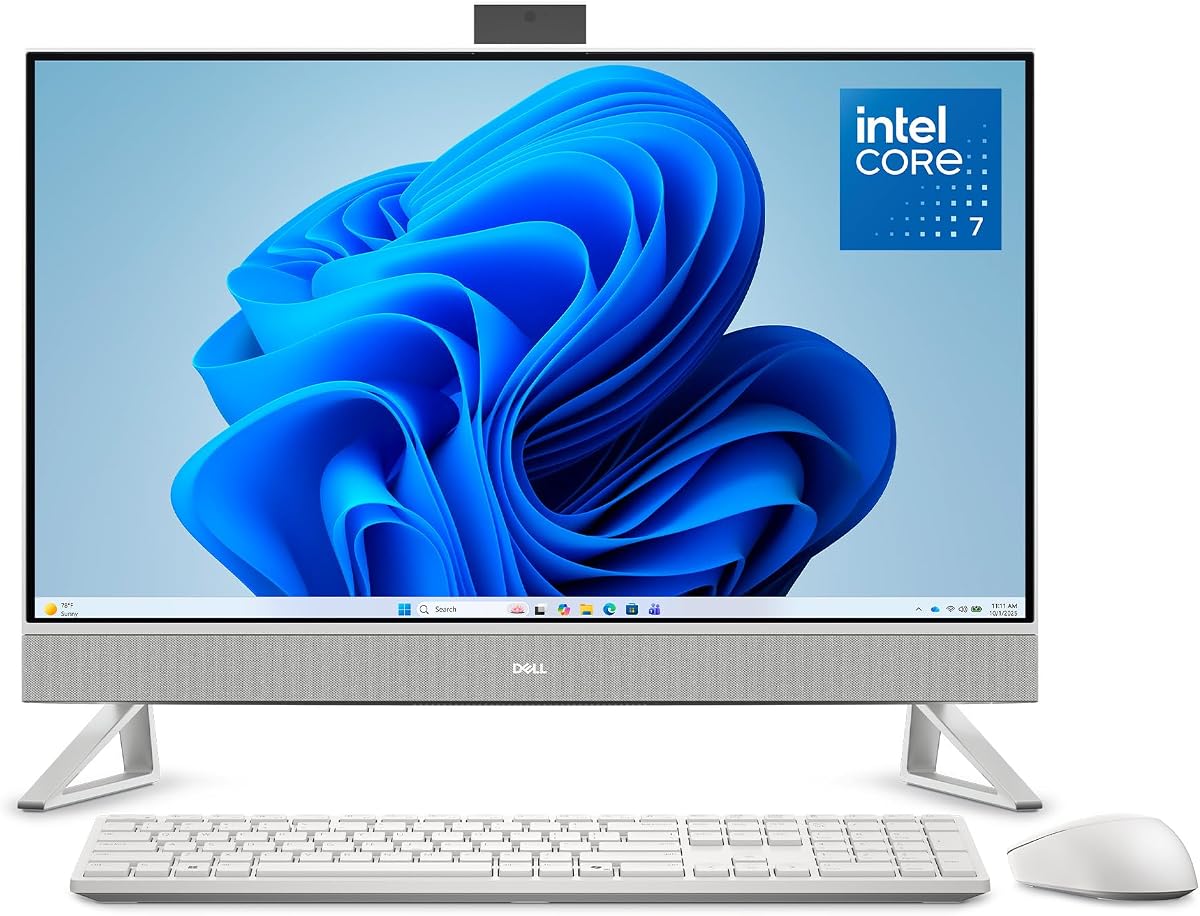
This Dell unit balances core count and storage for efficient multitasking. Its Intel Core 7 150U offers enough power for everyday business tasks and media consumption.
We may earn a commission when you buy through this link, at no additional cost to you.
The 16GB RAM ensures smooth performance, and the 512GB SSD provides fast boot times. The 24-inch touchscreen is ideal for smaller desks, and the camera privacy shutter adds security.
Limited storage might require external drives for large media libraries. However, the compact footprint makes it easy to fit into any office layout.
It suits small offices or home users seeking a professional OS with a smaller form factor. The audio quality is surprisingly robust for a compact unit.
Compact design fits easily on crowded desks without sacrificing screen usability.
Built-in privacy shutter protects you from unwanted eye contact during idle times.
We may earn a commission when you buy through this link, at no additional cost to you.
This Dell model offers a reliable entry point for home office users. It features high contrast visuals and ComfortView Plus to ensure eye comfort during long hours.
We may earn a commission when you buy through this link, at no additional cost to you.
The Intel Core 5 120U is sufficient for web browsing and document editing. Dual Bluetooth speakers enhance audio quality for movies and meetings. Onsite service support adds peace of mind for hardware issues.
It lacks advanced memory or storage specs for heavy users. However, it serves well for general tasks and entertainment needs.
This is a solid pick for users prioritizing reliability and ease of use. Its design and service options make it a stress-free choice.
High contrast display and Dolby Atmos speakers provide an immersive media experience.
Onsite service ensures quick resolutions for hardware issues without downtime.
We may earn a commission when you buy through this link, at no additional cost to you.
Choosing the right system involves weighing processor power, display quality, and connectivity against your specific needs.
The processor determines how fast your system runs. For basic tasks, an Intel Core 5 or AMD Ryzen 5 is sufficient. For heavy multitasking or AI workflows, opt for Core 7 or Ryzen AI 7 models.
Always check for NPU availability if you want future-proof AI performance.
RAM affects multitasking speed. Aim for at least 16GB for smooth operation. If you use creative apps, 32GB is recommended to prevent slowdowns.
Storage speed matters for boot times. Ensure your unit includes a fast SSD rather than a traditional hard drive.
Screen size impacts workspace. 23.8 inches suits compact desks, while 27 inches provides more room for documents. Look for IPS panels for better color accuracy.
Anti-glare coatings reduce eye strain in bright rooms. Touch sensitivity should be responsive for intuitive interaction.
Windows 11 Home is standard for most users, offering basic features. Windows 11 Pro provides better security and remote management tools for business use.
Choose Pro if you need encryption or domain access capabilities.
Look for Wi-Fi 6 or 7 for stable internet. USB ports should include Type-C for modern peripherals. HDMI-in is rare but useful if you want to use the screen for a console.
Ensure Bluetooth is updated to 5.3 or higher for seamless mouse pairing.
Good speakers and microphones improve calls. Dolby Atmos sound enhances media consumption. Camera privacy shutters add security for home offices.
Higher resolution webcams with IR support make logging in faster and easier.
A compact design saves space. Consider VESA mount compatibility if you plan to wall-mount the device. Stand adjustability helps reduce neck strain.
Solid build quality ensures longevity. Check warranty terms to see if onsite service is included.
Some models include pens or keyboards. Bundles can save money on peripherals. Ensure you get everything you need for a ready-to-use setup.
Missing accessories can increase the total cost of ownership significantly.
Keep the touchscreen clean with a microfiber cloth. Avoid harsh chemicals that might damage the anti-glare coating. Regular dusting prevents scratches from gritty particles.
Use ergonomic settings to adjust the height and angle. This reduces strain on your neck and back during long work sessions. Proper posture improves productivity.
Update drivers and software regularly for security. Use built-in maintenance tools to clear temporary files. This keeps the system running smoothly over time.
The ideal size depends on your workspace. 23.8 inches is perfect for compact desks, while 27 inches offers more screen real estate for multitasking. Consider how much physical space you have available.
Not necessarily, as many models support dual monitor setups. Check for HDMI-out ports to connect an external display. This expands your workflow without replacing the main unit.
Most All in One PCs have non-upgradable RAM due to integrated designs. This means you should buy the memory capacity you need upfront. Always verify the specifications before purchasing.
For general use, Home is sufficient. Pro offers advanced security features like BitLocker, which may be valuable for sensitive data. It is best for business environments or high-security needs.
AI features on newer models offload tasks to the NPU, speeding up workflows. This helps with background tasks like transcription or image editing. It improves overall efficiency without slowing the system.
Many brands offer 1-year onsite service. This means a technician comes to you for repairs. It reduces downtime significantly compared to mailing the device to a center.
The top picks include the HP Copilot PC for AI needs, the ASUS VM670 for power, and the msi model for value. Each offers distinct strengths depending on your specific workflow.
Prioritize processor speed and memory capacity for long-term use. Ensure the display size fits your desk comfortably. These factors will determine daily satisfaction.
Always check current prices and availability before buying. Prices fluctuate, and deals can make a premium model much more accessible. Plan your purchase for the best value.