
Alienware 34 Curved Gaming Monitor AW3425DWM
4.6Editor score
WQHD 180Hz refresh rate
1ms gray to gray response
AMD FreeSync Premium support
Choosing the right curved gaming monitor can transform your gaming setup into an immersive experience. Alienware offers a range of ultrawide displays designed to wrap around your field of vision. These screens provide stunning visuals with high refresh rates and vibrant colors that bring games to life.
We evaluated ten top models based on display technology, refresh speed, and ergonomic features. Each product was analyzed for its ability to deliver smooth gameplay and accurate color reproduction. Our comparison highlights the strengths of LCD, QD-OLED, and traditional panel technologies available in the current market.
Every selection in this guide showcases unique benefits tailored to different gaming styles and budgets. Prices and availability can shift frequently so always verify the latest details before purchasing. This resource helps you find the perfect curved monitor to match your specific performance needs and setup requirements.
4.6Editor score

4.5Editor score

4.3Editor score
As an Amazon Associate we earn from qualifying purchases.
The following table provides a detailed side-by-side comparison of all ten monitors reviewed in this guide. It highlights key specifications such as resolution, refresh rate, panel type, and compatibility features to help you make an informed decision quickly.





This monitor ranks highly for its balance of performance and cost. With a 4.6 rating, it offers WQHD resolution and a 180Hz refresh rate that suits most competitive and casual gamers. The 1ms response time ensures that motion remains crisp during fast-paced scenes.
We may earn a commission when you buy through this link, at no additional cost to you.
The display delivers vibrant colors with 95% DCI-P3 coverage and supports AMD FreeSync Premium. The 1500R curve wraps around your field of view to reduce eye strain during long sessions. A dedicated console mode and hardware-based low blue light solution help you play comfortably for hours.
While it lacks the infinite contrast of OLED panels, the LCD technology is reliable and avoids burn-in concerns. The VESA DisplayHDR 400 certification provides decent brightness for HDR content though it is not as immersive as higher tiers. These trade-offs are acceptable for the price point.
Gamers seeking a high-refresh ultrawide without spending a premium will find this model compelling. It is ideal for those who value smooth motion and color accuracy over perfect blacks. We recommend this for budget-conscious buyers who want a solid Alienware experience.
The 180Hz refresh rate combined with a 1ms response time minimizes motion blur and input lag. This ensures that actions in games like shooters or racing titles are rendered instantly for a competitive edge.
With 95% DCI-P3 coverage, colors appear vivid and true to life. The low blue light solution helps reduce eye strain without distorting the visual fidelity of your games.
We may earn a commission when you buy through this link, at no additional cost to you.
This model stands out as the top pick for enthusiasts who demand the best visual fidelity. It features QD-OLED technology which delivers superior color range and clarity. The 0.03ms response time and 240Hz refresh rate make it one of the fastest monitors available.
We may earn a commission when you buy through this link, at no additional cost to you.
The 1800R curve creates a deeply immersive experience that wraps around your vision. VESA DisplayHDR TrueBlack 400 certification ensures deep blacks and infinite contrast ratios. Compatibility with NVIDIA G-SYNC and AMD FreeSync Premium Pro ensures smooth gameplay across different systems.
The only drawbacks are the higher cost and the inherent risks of OLED technology like burn-in over time. However, modern features like pixel shifting and refresh help mitigate these concerns. For most users, the visual benefits outweigh these risks significantly.
We recommend this monitor for users who want the ultimate in color accuracy and speed. It is perfect for high-end gaming rigs and creators who need precise color reproduction. This is our top choice for those prioritizing performance above all else.
With a 240Hz refresh rate and 0.03ms response time, this monitor handles rapid movement without ghosting. Adaptive sync technologies ensure frames are displayed perfectly for seamless gameplay.
The QD-OLED panel covers 99.3% of DCI-P3 and delivers infinite contrast. This allows for vibrant colors and true blacks that enhance immersion in every scene.
We may earn a commission when you buy through this link, at no additional cost to you.
The AW3423DW was a pioneer in the QD-OLED gaming monitor space. It features a stunning 1800R curved panel with true 0.1ms response times. The NVIDIA G-SYNC ULTIMATE certification ensures a tear-free and stutter-free gaming experience for NVIDIA GPU users.
We may earn a commission when you buy through this link, at no additional cost to you.
Beyond gaming, this monitor includes a Creator Mode for precise color work. The stand offers height, tilt, and swivel adjustments for ergonomic comfort. AlienFX lighting adds a customizable aesthetic that matches your setup. The 1.07 billion colors deliver rich and accurate visuals.
As an earlier OLED model, it may not have the latest brightness peaks compared to newer versions. Some users report variability in individual panel quality. However, the overall performance and design remain top-tier for immersive gaming.
This monitor is ideal for those who appreciate the blend of gaming performance and creative utility. It serves well for both casual and competitive gaming. We suggest considering the warranty and checking the specific panel quality upon arrival.
With G-SYNC ULTIMATE certification and 175Hz refresh rate, gameplay feels incredibly smooth. The 0.1ms response time eliminates motion blur for a competitive advantage.
Creator Mode allows switching between color spaces for accurate work. The fully adjustable stand ensures comfortable viewing angles during long creative or gaming sessions.
We may earn a commission when you buy through this link, at no additional cost to you.
This model is a robust choice for gamers who prefer traditional IPS reliability. It features WQHD resolution and a 1900R curve that provides consistent viewing. The 120Hz refresh rate offers smooth gameplay though it falls behind newer models in raw speed.
We may earn a commission when you buy through this link, at no additional cost to you.
NVIDIA G-SYNC ensures that images are synchronized with your GPU to prevent tearing. The anti-glare coating helps reduce reflections in bright rooms. Color accuracy is supported by 98% DCI-P3 coverage which is excellent for both gaming and media consumption.
The design includes customizable lighting zones that add to the aesthetic appeal. However, the 2ms response time is slower than the sub-millisecond standards of newer displays. This might be noticeable in very competitive fast-paced games.
This monitor is suitable for those prioritizing color accuracy over extreme refresh rates. It remains a solid option for general gaming and creative work. We recommend it for users who value stability and proven performance.
NVIDIA G-SYNC synchronizes your GPU with the monitor to minimize graphic distortions. This ensures a fluid and realistic experience without screen tearing.
With 98% DCI-P3 coverage, colors are vibrant and true to life. The customizable lighting allows you to set the mood for your gaming setup.
We may earn a commission when you buy through this link, at no additional cost to you.
This bundle offers the popular AW3423DW monitor along with essential accessories. It includes premium DisplayPort and HDMI cables plus a cleaning kit. The QD-OLED panel delivers true immersion with deep blacks and vibrant colors. The 175Hz refresh rate ensures smooth motion during competitive play.
We may earn a commission when you buy through this link, at no additional cost to you.
NVIDIA G-Sync Ultimate certification guarantees tear-free gameplay even in fast scenes. The Creator Mode is available for color-precise work. ComfortView Plus reduces blue light for eye protection. This package simplifies the setup process by providing necessary cables out of the box.
While the bundle price is higher than the monitor alone, the included accessories save time and money. Some users may prefer to buy components separately for customization. However, for a complete out-of-the-box solution, this bundle is highly convenient.
We recommend this bundle for those who want everything needed for setup. It is ideal for gamers and creators seeking convenience and performance. Ensure you check current bundle contents before purchasing.
The bundle includes premium cables and a cleaning kit to ensure immediate usability. This saves time on sourcing accessories and ensures high-quality connections for your setup.
The QD-OLED technology provides exceptional color purity and deep blacks. This makes open-world games and cinematic content feel more lifelike and engaging.
We may earn a commission when you buy through this link, at no additional cost to you.
This bundle includes the 34.2-inch QD-OLED monitor with essential connectivity options. It provides DisplayPort, HDMI, and a headphone extender. The monitor itself offers lifelike color accuracy and deep blacks. The 175Hz refresh rate and G-SYNC support ensure smooth visuals.
We may earn a commission when you buy through this link, at no additional cost to you.
The bundle is designed to provide a complete solution for your gaming setup. It includes a cleaning kit to help maintain the screen. The stand offers ergonomic adjustments for height, swivel, and tilt. This setup is ready for high-performance use out of the box.
Review ratings suggest some users may have concerns about the value or accessory quality. It is important to verify what is included in the specific bundle at the time of purchase. The monitor hardware itself is highly rated for performance.
Consider this option if you prefer having accessories bundled together. It is suitable for those building a new high-end setup from scratch. Ensure you review current details before committing to the purchase.
The QD-OLED panel produces deep blacks and cinematic HDR contrast. The ultra-wide curvature wraps your field of vision for maximum engagement.
Built with premium materials, the monitor offers a futuristic design. The ergonomic adjustments help you find the perfect viewing angle for comfort.
We may earn a commission when you buy through this link, at no additional cost to you.
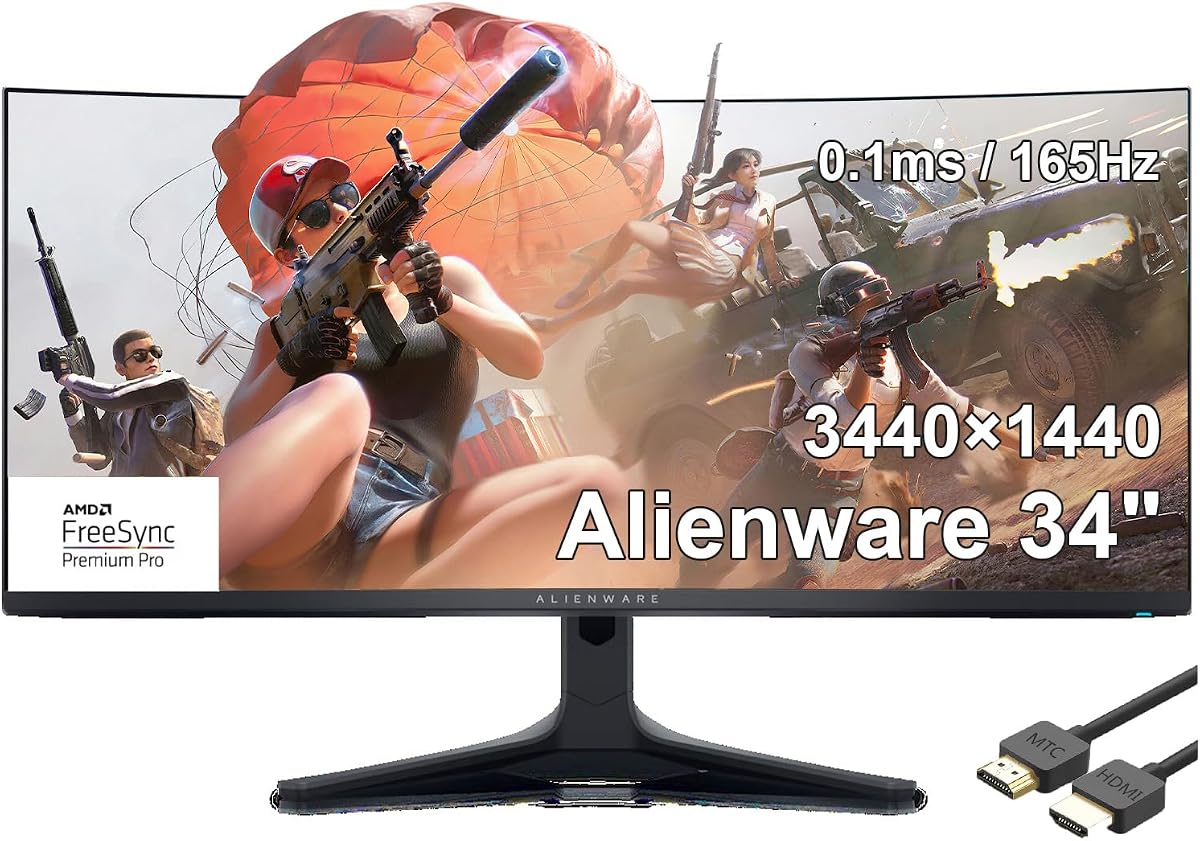
This model features a 34-inch QD-OLED panel with a 165Hz refresh rate. It supports AMD FreeSync Premium Pro for smooth gameplay. The 0.1ms response time ensures quick reactions during intense gaming. The panel displays 1.07 billion colors for vibrant imagery.
We may earn a commission when you buy through this link, at no additional cost to you.
The monitor includes DisplayPort and HDMI connectivity options. It is designed to deliver deep blacks and high color fidelity typical of OLED displays. However, limited detailed specifications are available in the provided description.
Review ratings suggest potential issues with specific units or listing accuracy. Buyers should check the latest reviews and warranty terms carefully. The hardware promises high performance but individual experiences may vary.
We recommend verifying the bundle contents and current product details before purchasing. This model is a strong contender for AMD GPU users seeking OLED visuals. Ensure you have the necessary cables and supports for installation.
With 165Hz refresh rate and 0.1ms response time, motion is fluid and clear. The panel supports 1.07 billion colors for rich and accurate visual representation.
AMD FreeSync Premium Pro ensures tear-free and stutter-free visuals. This technology synchronizes the monitor with your GPU for seamless performance.
We may earn a commission when you buy through this link, at no additional cost to you.
This monitor is listed with a 32-inch 4K Ultra HD resolution. It utilizes QD-OLED technology for vibrant colors and deep blacks. The 3840×2160 pixel count offers high detail for creative work and gaming. The model designation is W129021912 in Black and White.
We may earn a commission when you buy through this link, at no additional cost to you.
Limited product description is available to confirm specific refresh rates or features. The high resolution and OLED technology suggest premium performance and quality. It may be intended for users prioritizing pixel clarity over refresh speed.
The lack of detailed specs makes it harder to evaluate compared to other models. Buyers should check for current reviews and detailed technical sheets. The design and resolution suggest it is a high-end option.
We recommend verifying the features before purchase to ensure it matches your needs. This model suits users who need high resolution for detailed work. Ensure your graphics card supports the resolution and connections required.
The 4K resolution delivers sharp and detailed images for various tasks. This allows for precise work in creative fields and immersive viewing in games.
QD-OLED provides excellent color purity and contrast. This technology enhances the visual experience with vibrant and true-to-life imagery.
We may earn a commission when you buy through this link, at no additional cost to you.
This model is a top choice for competitive gamers seeking extreme refresh rates. The 27-inch IPS panel supports up to 280Hz when overclocked via DisplayPort. The 1ms response time ensures minimal motion blur. It includes essential cables and a cleaning kit for convenience.
We may earn a commission when you buy through this link, at no additional cost to you.
AMD FreeSync Premium Pro and NVIDIA G-Sync compatibility guarantee smooth visuals. AlienVision overlays allow real-time visual enhancement for gaming. The built-in USB hub provides convenient connectivity for peripherals. The Legend 2.0 design adds a stylish look to any setup.
The 27-inch size is smaller than the ultrawide options but ideal for desk space. The perfect rating suggests high satisfaction among users. It balances performance and ergonomics well for esports and fast games.
We recommend this for competitive players who value speed and clarity. It is a compact yet powerful option for high-refresh gaming. Ensure your PC can drive the high refresh rates for full benefit.
With a 280Hz refresh rate and 1ms response time, this monitor provides a competitive edge. The overlays help enhance visibility and reaction times in intense games.
The adjustable stand and USB hub offer practical comfort and easy device charging. The Legend design with lighting adds a futuristic look to your desk.
We may earn a commission when you buy through this link, at no additional cost to you.
This monitor offers a massive 40-inch WUHD curved display. The 1000R curvature wraps around your field of vision for extreme immersion. With 180Hz refresh rate and 1ms response time, it delivers smooth and lag-free gameplay. DisplayHDR 600 ensures bright and clear HDR visuals.
We may earn a commission when you buy through this link, at no additional cost to you.
The 21:9 ultrawide aspect ratio provides expansive visuals for gaming and multitasking. It is an alternative for those wanting a larger screen than typical 34-inch models. The deep curve enhances the sense of being inside the game world.
It is not an Alienware brand but fits the ultrawide curved category. The size may require a large desk and careful placement. The brightness and contrast features improve visibility in dark scenes.
We recommend this for those seeking a giant immersive viewing experience. It is suitable for home theater setups and large gaming rigs. Ensure your desk can accommodate the size and stand footprint.
The 40-inch 1000R curved display wraps around your vision. This creates a next-level gaming experience with brilliant resolution.
VESA DisplayHDR 600 provides deep blacks and bright whites. The 180Hz refresh rate minimizes lag for ultra-smooth gameplay.
We may earn a commission when you buy through this link, at no additional cost to you.
Selecting the ideal curved gaming monitor requires understanding several key factors that affect your experience. Below we outline the most important considerations to help you choose the right model for your needs.
Panel technology dictates color accuracy, contrast, and response speed. QD-OLED offers superior blacks and colors while IPS provides reliability and no burn-in risk.
For the best immersion choose OLED for deep contrast. For durability choose IPS for longevity without burn-in worries.
Refresh rate determines how many frames per second the monitor displays. Higher rates like 180Hz or 240Hz reduce motion blur and improve smoothness.
Choose 144Hz or higher for competitive gaming. Look for sub-5ms response time for minimal ghosting.
Resolution impacts image sharpness and clarity. WQHD (3440×1440) is standard for 34-inch ultrawides. Higher resolutions like 4K offer more detail.
Select WQHD for performance balance. Ensure your GPU supports the resolution and refresh rate you choose.
Sync technologies like G-SYNC and FreeSync prevent screen tearing. Ensure the monitor supports your GPU brand for optimal synchronization.
Check for G-SYNC compatibility for NVIDIA or FreeSync for AMD. Both offer smooth frame delivery.
Adjustable stands allow height tilt and swivel adjustments. These reduce neck strain during long gaming sessions.
Look for monitors with full ergonomic adjustments. Ensure the stand supports VESA mounts if needed.
Modern monitors offer HDMI and DisplayPort inputs. Ensure the available ports support your desired refresh rates.
Use DisplayPort for highest refresh rates. Verify port versions match your GPU output.
High color gamut like DCI-P3 ensures vibrant visuals. HDR certification improves contrast and brightness.
Prioritize 95% or higher DCI-P3 coverage. Look for VESA HDR certification for better brightness.
Bundles may include cables and cleaning kits. Consider total value rather than just monitor price.
Evaluate if included accessories meet your needs. Sometimes separate purchase offers more flexibility.
To begin properly connect the monitor to your PC using the recommended DisplayPort or HDMI cable. Ensure your graphics drivers are updated to support the maximum refresh rate and resolution.
Adjust the stand height and tilt to align the center of the screen with your eye level. Use the OSD joystick to set refresh rates and sync technologies according to your games.
Maintain the screen using a soft microfiber cloth and approved cleaning kit. Avoid harsh chemicals and clean gently to preserve the panel coating and image quality.
QD-OLED combines Quantum Dot technology with OLED for brighter colors and higher peak brightness. Regular OLED uses white subpixels which can limit brightness and color vibrancy compared to QD-OLED.
Curved monitors reduce distortion at the edges and improve immersion by matching natural eye focus. They are beneficial for ultrawide setups but not strictly necessary for everyone.
Many models include Creator Modes with accurate color spaces like sRGB and DCI-P3. They are suitable for photo editing and design tasks if calibrated correctly.
Competitive gamers benefit from 165Hz or higher refresh rates to see fast motion clearly. Response times under 1ms help reduce input lag and ghosting significantly.
Most Alienware models support VESA mounting for wall or arm installation. Check the specific manual for compatible bracket sizes and mounting patterns.
Modern OLED monitors include pixel shifting and refresh features to mitigate burn-in. Avoid static images at high brightness for extended periods to preserve the screen.
Use high-speed DisplayPort cables to support the highest refresh rates and resolutions. Ensure the cable version matches your monitor and GPU specifications.
Bundles save time by including necessary accessories like cables and cleaning kits. However compare the total cost to buying components separately for best value.
Our top picks include the AW3425DWM for budget-friendly performance and the AW3425DW for elite OLED speed. The AW3423DW remains a premium choice for creators and gamers alike.
Prioritize refresh rate and panel technology based on your gaming style. Consider ergonomics and connectivity to ensure long-term comfort and functionality.
Always check current prices and availability before buying to get the best deal. Our guide aims to help you find the perfect monitor for your setup.