
AI Voice Recorder Lite
4.4Editor score
Unlimited transcription
Credit card sized
Smart AI summary
This guide compares the top 10 AI meeting transcription devices for professionals. We review features, accuracy, and privacy to help you choose the right tool.
In today's fast-paced work environment, capturing every detail of meetings and calls is crucial. AI meeting transcription devices offer a solution by automatically recording, transcribing, and summarizing conversations. These tools save time and ensure no important action item is lost during busy schedules.
We have analyzed the leading devices on the market to find the best options for various needs. Our comparison focuses on audio quality, transcription accuracy, battery life, and privacy features. Each product was evaluated based on its ability to handle real-world professional scenarios effectively.
Every pick in this list highlights unique strengths suited for different workflows and budgets. Whether you need a compact wearable or a robust recorder, these devices deliver reliable performance. Remember that product specifications and availability may change, so check the latest details before purchasing.
4.4Editor score

4.5Editor score

4.8Editor score
The following table provides a side-by-side comparison of all ten devices to help you evaluate key specifications quickly. Look at the specs to understand storage, microphone capabilities, and unique features like offline translation.



The Plaud Note Pro stands out as a top-tier device for professionals seeking reliable meeting transcription. Its 4.5 rating reflects strong performance in capturing clear audio and generating accurate summaries. The device integrates seamlessly into workflows by offering more than just simple recording.
We may earn a commission when you buy through this link, at no additional cost to you.
Key strengths include its ability to enrich audio with images and typed notes for better context. The directional audio minimizes noise effectively ensuring voices are captured clearly even in busy environments. You can interact with recordings using Ask Plaud to extract insights instantly.
Trade-offs involve the need for a subscription to access advanced features beyond the starter plan. While the device is excellent, those on a tight budget might find the initial investment significant. However, the quality and features justify the cost for serious users.
This device is ideal for legal, medical, and business professionals handling sensitive information. If you need a secure and versatile tool that offers deep insights from meetings, the Plaud Note Pro is highly recommended.
Capture audio with images and notes to create richer meeting contexts that improve AI analysis accuracy.
Built with ISO and HIPAA compliance to ensure all your conversations remain private and encrypted.
We may earn a commission when you buy through this link, at no additional cost to you.
The Pocket AI Voice Recorder offers a unique approach by integrating directly with your phone via MagSafe. With a 4.6 rating, it is praised for its convenience and ability to capture conversations effortlessly. It acts as a personal assistant that handles the note-taking burden.
We may earn a commission when you buy through this link, at no additional cost to you.
Its main advantage lies in the one-tap recording feature that eliminates interruptions during meetings. The device turns recordings into clear summaries and key action items automatically. Ask Pocket allows you to query your meetings for specific insights without replaying audio.
While the battery life is impressive at four days, advanced tools like detailed analysis come with optional subscriptions. Users without MagSafe phones might find the attachment feature less useful. Despite these minor points, the ease of use is a major plus.
Choose this device if you want a seamless mobile workflow that keeps your phone secure and your notes organized. It is perfect for daily productivity and quick meeting summaries on the go.
Attach securely to your iPhone for hands-free recording that stays out of the way.
Get structured maps and action items instantly so you can focus on decisions rather than notes.
We may earn a commission when you buy through this link, at no additional cost to you.
The AI Voice Recorder Lite is an outstanding choice for those seeking cost-effective transcription without limits. Rated 4.4, it delivers strong value by including unlimited transcription in its starter plan. Its credit card-sized design makes it easy to carry everywhere you go.
We may earn a commission when you buy through this link, at no additional cost to you.
Beyond recording, it features a built-in AI that can search the web for deeper insights on topics discussed. Speaker recognition helps identify different voices and organize the conversation logically. This functionality turns raw audio into actionable insights quickly.
While it lacks some premium physical features like displays, its focus on core utility is commendable. Users who need basic yet powerful transcription might miss advanced customization options. However, for everyday use, it provides robust performance at a low cost.
Ideal for students and professionals on a budget, this device ensures you never run out of transcription minutes. If you prioritize functionality and privacy over flashy design, the EurekaMind Lite is a smart pick.
Enjoy unlimited transcription and summaries without worrying about monthly caps or hidden fees.
Weighing only 29g, it slips into wallets or phone cases for always-ready recording.
We may earn a commission when you buy through this link, at no additional cost to you.
Comulytic Note Pro distinguishes itself with incredibly fast Wi-Fi sync capabilities that transfer data instantly. It holds a 4.4 rating thanks to its reliable performance and broad language support. The device is tailored for professionals in specific industries like real estate and law.
We may earn a commission when you buy through this link, at no additional cost to you.
Its AI uses a vertical knowledge base to understand specialized terms accurately during meetings. The noise cancellation ensures clear audio in crowded rooms, while the battery lasts through long workdays. You get unlimited transcription in the starter plan making it cost-efficient.
Some users might find the interface basic compared to other models with advanced customization. Dependency on Wi-Fi for fast sync can be a limitation in areas with poor connectivity. Nevertheless, the speed and specialized features offer great value for many.
Select this recorder if you deal with industry-specific jargon and need quick data transfer. It serves as a practical tool for consultants and agents who need precise records of client interactions.
Captures industry terms precisely to ensure transcripts reflect professional context accurately.
Wi-Fi sync pushes recordings to the cloud much faster than Bluetooth to save time.
We may earn a commission when you buy through this link, at no additional cost to you.
The Comu Action Pro boasts a 4.8 rating making it one of the highest-rated devices in its class. It excels by turning conversations into editable documents like slides and emails automatically. This feature significantly reduces manual post-meeting work for busy teams.
We may earn a commission when you buy through this link, at no additional cost to you.
Its adaptive six-mic setup captures sound from multiple directions ensuring no voice is missed. The battery life of over 70 hours allows for extended usage without recharging. You can translate real-time conversations into 113 languages effortlessly using the app.
The premium nature means it comes with a higher price tag compared to basic recorders. Users might need time to learn all the automation features to use them effectively. However, the productivity gains often outweigh these initial adjustments.
If you need a powerhouse that generates actionable documents on its own this device is unmatched. It is perfect for executives and teams looking to streamline their communication workflows immediately.
Get presentation slides and email drafts generated directly from your meeting audio without prompts.
With 70 hours of battery life you can record continuously for days without interruption.
We may earn a commission when you buy through this link, at no additional cost to you.
The Note AI Voice Recorder utilizes a cutting-edge GPT-5.5 engine to achieve industry-leading accuracy. Rated 4.5 it goes beyond text to create deep analysis and structured mind maps. It supports 150 languages making it ideal for international business environments.
We may earn a commission when you buy through this link, at no additional cost to you.
You get significant local storage allowing for thousands of hours of recordings without relying on cloud. The desktop software suite provides advanced editing tools for managing your audio files effectively. End-to-end encryption ensures your data sovereignty is protected at all times.
Some users might find the interface overwhelming due to the sheer number of features available. The extensive data processing might require internet access for full cloud syncing capabilities. Despite this the depth of analysis offered is very comprehensive.
Choose this device if you need detailed insights and a robust ecosystem for managing large volumes of audio. It suits researchers and corporate professionals who value high fidelity and extensive support.
Generate mind maps and actionable lists to save hours of review time on complex talks.
Includes powerful desktop software for editing and exporting audio professionally.
We may earn a commission when you buy through this link, at no additional cost to you.
The Plaud Note Non-Pro provides the core benefits of the Pro version without some advanced add-ons. With a 4.5 rating it offers reliable transcription and summarization for everyday use. Its ultra-slim design makes it easy to carry in pockets or bags comfortably.
We may earn a commission when you buy through this link, at no additional cost to you.
It features a vibration conduction sensor that ensures clear call recordings on phones. You can store up to 64GB locally so recordings stay secure even without an internet connection. Security standards like ISO and GDPR compliance protect your sensitive business data well.
Compared to the Pro model it lacks multimodal input like image capture for context. This simplification might limit users who need richer context capture during complex meetings. However for standard audio needs it performs exceptionally well and consistently.
This device is perfect for users who value privacy and simplicity in their recording tools. If you need a solid recorder for meetings and calls without extra complexity choose this version.
Store recordings locally on 64GB storage to keep data secure without internet access.
Use the vibration sensor to capture clear audio from phone calls automatically.
We may earn a commission when you buy through this link, at no additional cost to you.
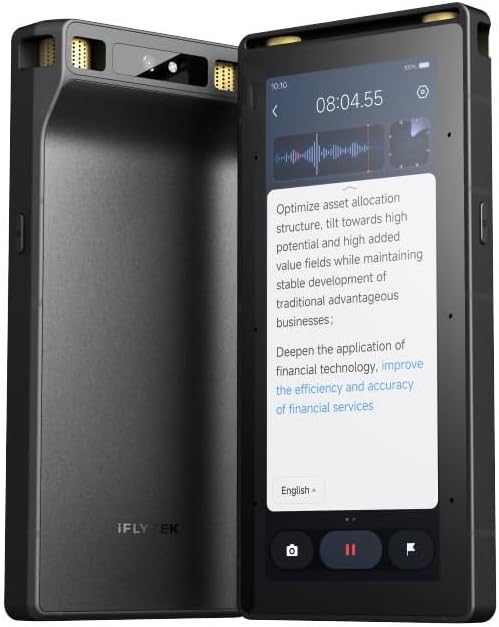
This Digital Voice Recorder stands out for its ability to process audio offline without internet connection. It features a touchscreen and large microphone array that captures sound from up to 20 meters. The hardware encryption adds a strong layer of security for sensitive data.
We may earn a commission when you buy through this link, at no additional cost to you.
Live projection capabilities allow you to display transcriptions directly on screens during meetings. This enhances collaboration and keeps participants engaged with real-time notes. It supports offline OCR and video subtitling for a wider range of uses.
The cost is higher than other options which may deter budget-conscious buyers. The physical device is bulkier due to the screen and hardware requirements. However for specialized needs the offline features justify the investment effectively.
Choose this if you need absolute privacy and functionality in environments with poor connectivity. It is ideal for international travel or secure business meetings where data stays local.
Get transcription and translation done anywhere without relying on Wi-Fi or cellular signals.
Connect via wired projection to show live notes on screens instantly for better teamwork.
We may earn a commission when you buy through this link, at no additional cost to you.
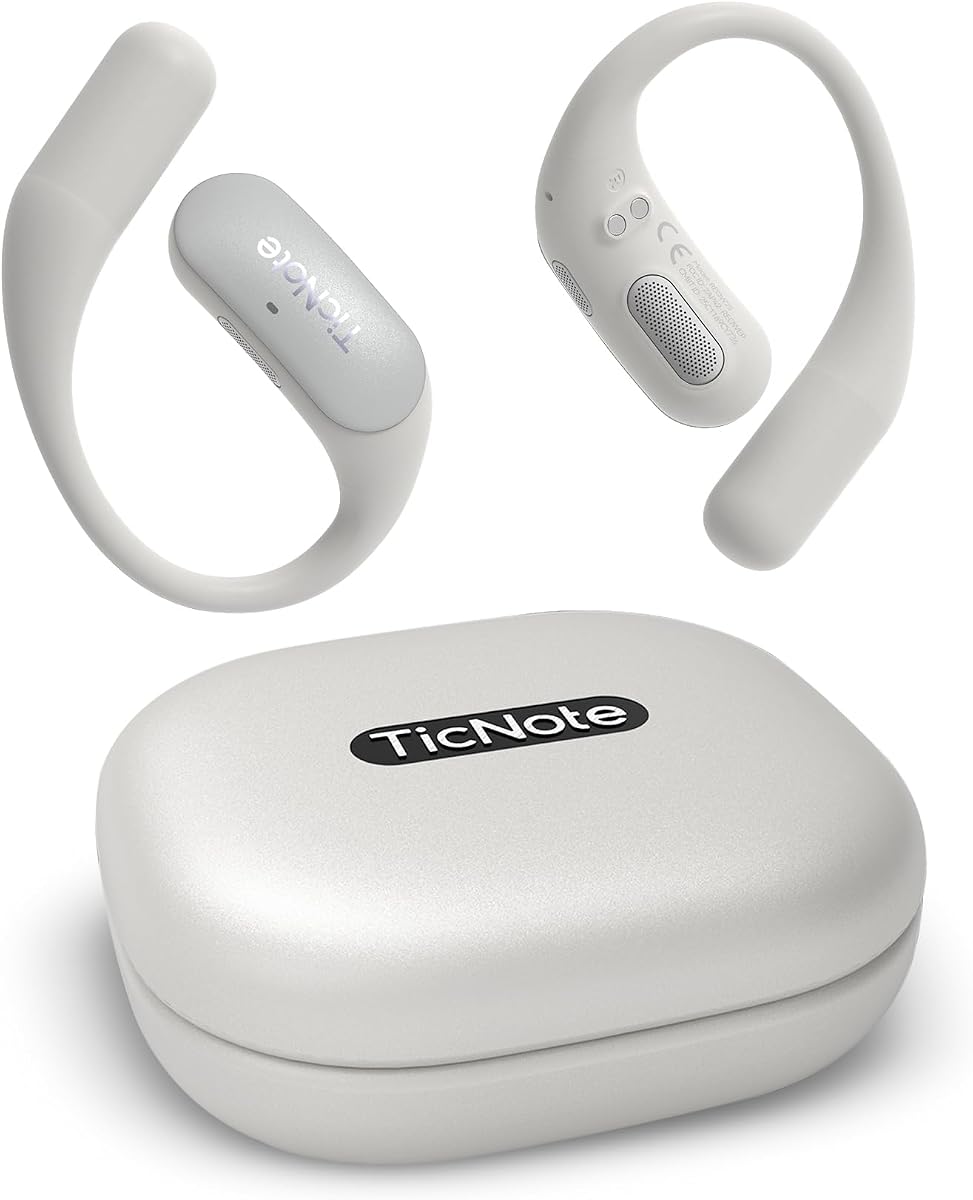
The Mobvoi TicNote Pods are designed as a wearable solution that focuses on keeping you hands-free. Rated 4.1 it provides auto transcription and summaries directly to the cloud via Wi-Fi. It allows teams to collaborate on notes and maintain aligned outcomes easily.
We may earn a commission when you buy through this link, at no additional cost to you.
With a dual-mic array it captures speech clearly up to 10 meters away. Shadow AI helps organize information into useful outputs for work and follow-up tasks. It supports over 120 languages making it a versatile tool for diverse teams.
Battery life of 5 hours is shorter than dedicated standalone recorders but sufficient for daily meetings. Dependency on Wi-Fi limits its use in remote areas without strong network signals. Despite this the collaborative aspects are very useful for teams.
If you prefer a wearable device that keeps your hands free for other tasks this is a strong choice. It suits office workers who need constant access to cloud-based meeting notes.
Share notes and transcripts easily with version history for smoother team alignment.
Wearable design lets you focus on conversations without holding a recording device.
We may earn a commission when you buy through this link, at no additional cost to you.
The Comulytic Note Pro offers powerful AI automation to turn raw audio into actionable insights efficiently. Rated 4.2 it features unlimited transcription and supports over 113 languages. Its vertical knowledge base helps capture specific professional terms accurately in various fields.
We may earn a commission when you buy through this link, at no additional cost to you.
With 45 hours of battery life it stays ready for long workdays without needing recharges. The Wi-Fi sync ensures files are transferred quickly while you are still in the meeting. AES encryption provides robust security to keep your client data safe at all times.
Some users might prefer more customization in the basic plan compared to advanced competitors. Accuracy can vary based on the complexity of the meeting environment. However for a reliable client engagement partner it delivers strong value.
Ideal for sales agents and consultants who need reliable records of client interactions automatically. It is a solid choice for professionals prioritizing battery life and secure storage.
Turn meeting audio into highlights and follow-up lists to improve client retention.
Transfer files 10x faster than Bluetooth with real-time Wi-Fi sync.
We may earn a commission when you buy through this link, at no additional cost to you.
Choosing the right device depends on your specific work habits and privacy needs. Consider these factors to find the perfect fit for your requirements.
Look for devices that offer high accuracy rates such as 98 percent. Support for multiple languages is crucial if you work with international teams or clients. Advanced models use AI to adapt to different accents and jargon for better results.
Prioritize models that list high accuracy percentages and wide language coverage to ensure reliable transcripts.
Good audio quality is essential for clear transcripts. Devices with multiple microphones and noise cancellation perform better in noisy rooms. Features like directional audio help isolate voices during crowded meetings.
Select a device with a multi-mic setup to ensure clear audio capture in any environment.
Long battery life ensures you can record entire meetings without interruption. Portable designs that fit in pockets or clip to devices are convenient for on-the-go professionals. Check both continuous recording time and standby duration before buying.
Choose a model with long battery life and a slim profile to carry it easily every day.
Security standards like ISO certifications and encryption are vital for handling sensitive information. Ensure the device stores data locally or uses secure cloud services with user control. Compliance with regulations like GDPR or HIPAA is important for professional use.
Verify security certifications and encryption methods to keep your meeting data safe and private.
Many devices require subscriptions for advanced features like unlimited transcription or detailed analysis. Check what features are included in the starter plan to avoid unexpected costs. Some models offer lifetime free plans which are great for budget-conscious users.
Review the subscription terms to understand what features are included in the base package.
Fast syncing via Wi-Fi is preferable to slow Bluetooth transfers. Look for models that support cross-device sync so you can access notes on mobile or desktop. Real-time cloud backup ensures your data is never lost if the device is damaged.
Opt for devices with Wi-Fi connectivity and cloud sync capabilities for quick access to your data.
Some recorders offer extras like summarization or document generation which save time. Features like Ask AI allow you to query your recordings for specific insights instantly. These tools turn passive recordings into active knowledge management assets.
Consider devices that offer summarization and query features to maximize productivity after meetings.
A user-friendly interface makes recording and managing files simpler. Physical buttons for one-tap recording are convenient during live meetings. Ensure the device is intuitive to navigate even when you are in a rush.
Look for simple controls and intuitive menus to ensure you can use the device effortlessly.
To get the best results place the device near the center of the conversation or closer to key speakers. Ensure the microphone openings are not covered by fabric or bags during recording. Activate voice mode if available to start recording automatically when sound is detected.
Keep the device updated with the latest firmware to benefit from improved AI models and security patches. Sync your recordings regularly to the cloud to prevent data loss. Organize files by date or project within the app for easier retrieval later.
Charge the device using the provided cable and avoid extreme temperatures to maintain battery health. Clean the microphone areas gently with a dry cloth to prevent dust buildup. Store the device in its case when not in use to protect it from physical damage.
Many devices in this list offer high security standards like AES encryption and ISO certifications. They ensure data is protected locally and in the cloud. Always check specific compliance features like HIPAA if you are in regulated industries.
Some models allow offline transcription while others require a connection. Devices with local processing can work without internet. Check product details to see if offline features are available for your needs.
Devices with advanced noise cancellation and multiple microphones perform better in noise. They filter out background sounds to focus on speech. Look for models with directional audio for better performance in busy rooms.
Most modern devices offer specific modes for phone call recording. They use vibration sensors or direct connectivity to capture audio. Ensure the device supports call mode if you frequently record calls.
Some devices offer unlimited recording minutes with certain subscription plans. Others have limits based on storage or battery life. Check the starter plan details to understand any limits on recording duration.
Many models include cloud sync and collaboration features for team sharing. You can access transcripts on desktop or mobile apps easily. Some devices offer dedicated team plans for shared workspaces.
Top devices support over 100 languages for global use. They also offer translation features for multilingual meetings. Check the specific number of supported languages before choosing a device.
Most devices come with a quick start guide and simple setup process. Download the companion app to pair the device and access features. Follow initial setup steps to calibrate audio and sync preferences.
The Plaud Note Pro Comu Action Pro and AI Voice Recorder Lite stand out for their reliability and features. Each offers unique strengths depending on your budget and needs. These devices help you stay organized and productive in any work setting.
When choosing prioritize features that matter most to you like battery life or privacy. Consider whether you need offline capabilities or cloud integration for your workflow. A device that fits your daily habits will be used consistently for best results.
Always check current availability and latest model updates before making a final decision. Specifications and prices may change as technology advances. This guide provides a strong foundation for selecting a tool that fits your needs.