
8K 90 Degree DisplayPort 1.4 Adapter 2-Pack
4.4Editor score
Includes two adapters in one pack
Gold plated connectors for durability
Supports 4K at 144Hz
This guide compares the top 90 degree Displayport adapter and cable options for 2026, focusing on resolution support, build quality, and compatibility to help
Finding the right connection for your display can be tricky when space is tight. A 90 degree Displayport adapter and cable solves common routing issues by bending the signal path. This ensures cables do not block adjacent ports or get snagged easily.
We evaluated ten leading products based on their technical specifications and user feedback. Our analysis covers bandwidth capabilities, connector durability, and ease of installation. We looked at how each item performs in real-world gaming and workstation environments.
Each pick in this list highlights specific strengths for different setups. You will see which models support the highest refresh rates and which offer the best value. Keep in mind that pricing can fluctuate over time on retail platforms.
4.4Editor score

4.8Editor score

4.5Editor score
The following table provides a side-by-side look at the key specifications for each product we reviewed. This helps you quickly identify which adapter meets your specific resolution and connectivity needs.
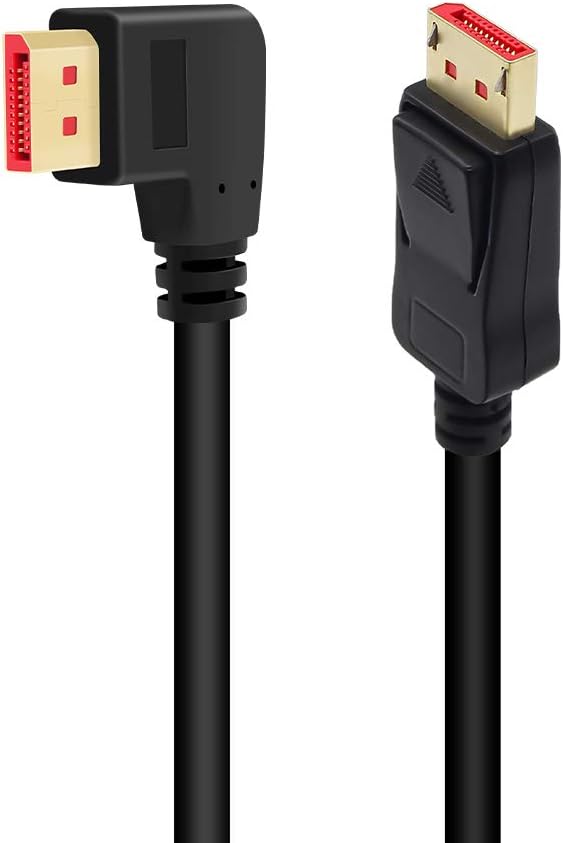



The Cable Matters 4K@240Hz Right Angle DisplayPort adapter stands out as our top choice due to its robust performance and feature set. With a high rating from users, it proves reliable for demanding tasks like gaming and professional design work.
We may earn a commission when you buy through this link, at no additional cost to you.
This adapter supports the latest DisplayPort 1.4 features, allowing for resolutions up to 8K at 60Hz and 4K at 240Hz. It includes Auto Low Latency Mode and Variable Refresh Rate, which are critical for smooth gameplay on modern monitors.
While the adapter does not include a cable, its design focuses on solving space constraints effectively. The fixed angle might be a limitation for some, but it ensures a secure and stable connection that minimizes strain on the port.
If you need a reliable connection that supports high-end displays without breaking the bank, this is the model to get. It balances performance and price better than most competitors in this category.
The adapter supports advanced audio formats including Dolby TrueHD and Dolby Atmos, ensuring your setup delivers rich sound alongside crisp visuals.
By redirecting your cable to an angle, you can organize your entertainment center or workspace more effectively and reduce clutter.
We may earn a commission when you buy through this link, at no additional cost to you.
The Togconn 2-Pack adapter offers incredible value for users who need multiple solutions for their setup. With both up and down angle options included, you get the flexibility to route cables in different directions as needed.
We may earn a commission when you buy through this link, at no additional cost to you.
It fully complies with DisplayPort 1.4 standards, supporting 8K at 60Hz and 4K at 144Hz. This makes it suitable for high-end gaming monitors and home theater systems that require high bandwidth transmission.
While the shell is aluminum for heat dissipation, some internal components are plastic. However, the gold-plated connectors ensure good signal quality and resistance to corrosion over time.
For anyone setting up multiple screens or needing a spare adapter, this pack is an excellent choice. It provides premium features at a price point that beats most single units in the market.
This adapter works with all standard DP interface devices including monitors, laptops, and PC, requiring no additional software or drivers.
By using an adapter, you protect the female ports on your devices from bending, effectively prolonging their service life.
We may earn a commission when you buy through this link, at no additional cost to you.
This Poyiccot cable pushes the boundaries of what is possible with current display technology. Using the DisplayPort 2.1 standard, it delivers massive bandwidth that ensures your display runs at its full potential without throttling.
We may earn a commission when you buy through this link, at no additional cost to you.
It supports resolutions up to 16K at 30Hz and 8K at 120Hz. For gamers, this means 4K at 240Hz is easily supported, making it ideal for high refresh rate competitive gaming setups.
The build quality is top notch with triple shielding and 24k gold-plated connectors. This construction minimizes signal loss and interference, ensuring a stable connection even with high data throughput.
If you are building a workstation or gaming rig for the future, this cable is the best investment. It ensures you are ready for the next generation of displays and graphics cards.
Dynamic HDR enhances dark scenes and details, while 32-bit audio pass-through helps you capture every sound in FPS games.
It works with popular graphics cards including RTX 5090D and AMD 7900XTX, supporting G-Sync and FreeSync for tear-free visuals.
We may earn a commission when you buy through this link, at no additional cost to you.
The BolAAzuL adapter cable offers a practical solution for connecting your PC or laptop to a monitor with a longer reach. Its 6ft length allows you to position devices more flexibly within your room.
We may earn a commission when you buy through this link, at no additional cost to you.
Compliant with DisplayPort 1.4 standards, it supports resolutions up to 8K at 60Hz and 4K at 144Hz. This makes it suitable for high definition streaming and gaming without compromising on performance.
The cable features gold-plated connectors and triple shielding to ensure stable signal transmission. The 90-degree design is particularly useful for accessing ports located in tight spaces behind desks.
While you should check the angle direction before ordering, this cable provides excellent value for a high-quality connection. It is a reliable option for those who need a bit of extra length in their setup.
The combination of bare copper conductors and foil shielding provides superior cable performance and authentic sound quality.
This design saves space and makes accessing hard-to-reach DP ports easier in cramped entertainment centers.
We may earn a commission when you buy through this link, at no additional cost to you.
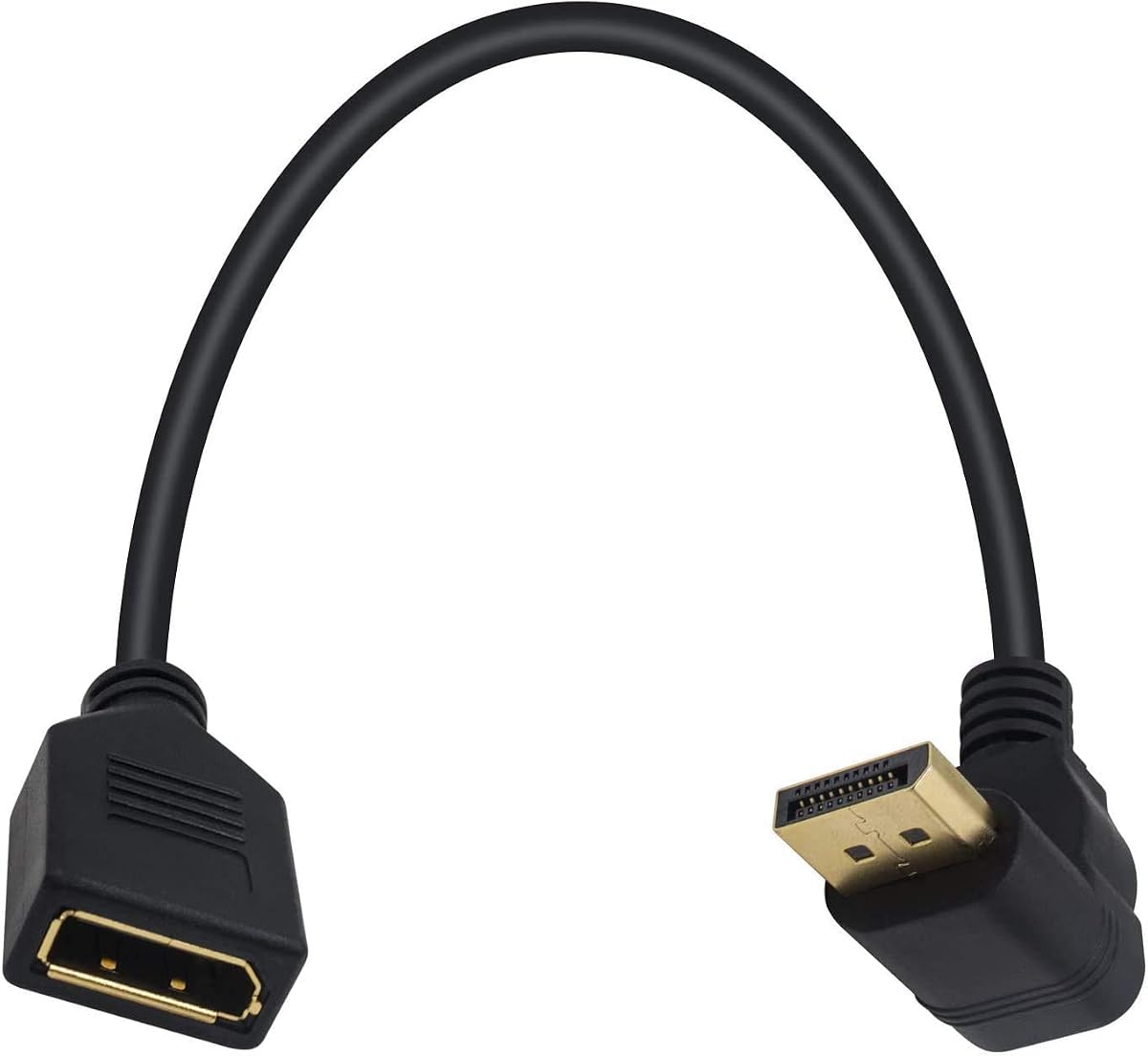
For setups where space is extremely limited, this Poyiccot cable is an ideal solution. At just 15cm, it bridges the gap between devices without adding bulk to the connection point.
We may earn a commission when you buy through this link, at no additional cost to you.
It supports high bandwidth with 32.4Gbps throughput, enabling resolutions up to 8K at 60Hz. This makes it perfect for connecting a monitor to a PC tower that sits directly underneath or next to it.
The triple-layer shielding and tinned copper conductors ensure reliable data transfer with minimal signal loss. The short design makes it easy to carry or store in your bag if you travel frequently.
If you need a compact extender for a home theater or office setup, this cable is highly recommended. It delivers professional performance in a very small package.
It supports 2K at 165Hz and 4K at 144Hz, making it versatile for modern gaming monitors.
The angled design is perfect for tricky scenes where a common cable is hard to twist for the working need.
We may earn a commission when you buy through this link, at no additional cost to you.
This Poyiccot extension cable is designed to extend the reach of your existing DisplayPort cable to a monitor or projector. Its 30cm length provides a balance between compactness and flexibility.
We may earn a commission when you buy through this link, at no additional cost to you.
It supports video resolutions up to 4K at 30Hz and Full HD at higher refresh rates. The cable also passes through uncompressed digital audio for surround sound systems.
The connectors are gold-plated to resist corrosion, and the joint is fortified to withstand repeated plugging and unplugging. The low profile design ensures it does not block adjacent ports on your computer.
If you need a reliable extension to position your monitor slightly further away, this cable is a solid choice. It offers good durability for daily use in office or home environments.
The cable features ergonomically designed treads for easy plugging and unplugging, adding to its user-friendly nature.
It supports 3840×2160 resolution and full HD stereoscopic 3D display for versatile viewing experiences.
We may earn a commission when you buy through this link, at no additional cost to you.
The Cable Matters Combo-Pack provides the flexibility of both 90-degree and 270-degree adapters in a single package. This is incredibly useful for wall-mounted TVs where cable direction varies.
We may earn a commission when you buy through this link, at no additional cost to you.
These adapters support ultra-high resolutions up to 8K at 60Hz and 4K at 240Hz. They also enable premium features like Variable Refresh Rate and Auto Low Latency Mode for gaming.
The flat right angle design helps maximize space in tight setups. By choosing the correct angle, you can route the cable left or right to avoid obstructions and improve accessibility.
If you need versatility and high performance for a home theater setup, this combo pack is an excellent option. It covers more installation scenarios than a single adapter.
These adapters support HDR and rich multi-channel surround sound for an enhanced gaming or home cinema experience.
By redirecting your cable to the left or right as needed, this setup improves accessibility and reduces clutter.
We may earn a commission when you buy through this link, at no additional cost to you.
This cable features a unique 90-degree upward angled joint design that solves space constraints behind compact computer cases. It is specifically designed for gaming monitors and professional workstations.
We may earn a commission when you buy through this link, at no additional cost to you.
It supports stunning image quality up to 8K resolution with 7680×4320 pixels. This ensures you get detailed images and accurate colors for both gaming and design work.
The high-speed data transfer rates ensure lag-free performance whether you are playing 8K video or processing large amounts of data. The upward design greatly reduces cable bending and improves durability.
If you are setting up a dedicated gaming station, this cable is highly recommended. It combines style with functionality to deliver a clean and professional look to your workspace.
The company provides a 12 month worry free warranty and friendly customer service to support your purchase.
It is fully compatible with most DisplayPort equipped computers and gaming consoles making upgrade easy.
We may earn a commission when you buy through this link, at no additional cost to you.
This DisplayPort extension cable is one of the few to support the latest DisplayPort 2.1 standard. With a perfect rating from users, it offers a reliable connection for those needing maximum performance.
We may earn a commission when you buy through this link, at no additional cost to you.
It supports resolutions up to 16K at 30Hz and 8K at 60Hz. The 52Gbps bandwidth ensures that high data streams move without interruption or signal loss.
The cable is compatible with major brands like Samsung and Dell as well as gaming monitors from ASUS and Alienware. It is also backward compatible with older 1.4 standards.
If you need a short cable to bridge a small gap while ensuring future proof performance, this is the best option. Its compatibility with RTX graphics cards makes it perfect for high-end rigs.
The cable supports DSC 1.2 display stream compression and HDR10 for vibrant and accurate video playback.
It works with graphics cards like RTX3080 and Radeon R9 290 to deliver smooth gaming experiences.
We may earn a commission when you buy through this link, at no additional cost to you.
The chenyang cable features an ultrafine design with a 4.0mm diameter that fits perfectly in tight spaces. This makes it ideal for gimbal and camera stabilizer rigs where flexibility is key.
We may earn a commission when you buy through this link, at no additional cost to you.
It supports high-speed bandwidth up to 32.4Gbps ensuring unrestricted video in 8K and 4K. The gold-plated connectors ensure a solid connection that resists corrosion effectively.
The welded design and heavy cable ends guarantee longevity and ensure the cable does not break from accidental tugs. It is also backward compatible with DP1.3 and DP1.2 standards.
If you need a compact and flexible cable for specialized equipment or panel mounting, this model is perfect. Its performance meets high standards while maintaining a small footprint.
The ultrafine and flexible high speed cable fits perfectly in tight spaces where compact cable routing is required.
Industry standard bandwidth allows for unrestricted video in 8K and 4K with crisp and accurate sound.
We may earn a commission when you buy through this link, at no additional cost to you.
Choosing the right adapter involves considering several technical factors to ensure compatibility with your devices. This guide breaks down the most important features to look for.
Ensure the adapter supports the resolution and refresh rate your monitor requires. Look for DisplayPort 1.4 or 2.1 specifications depending on whether you need 4K at 144Hz or 8K at 60Hz.
Check the bandwidth capacity of the cable. Higher bandwidth ensures you can run higher resolutions and refresh rates without signal loss or compression artifacts.
Determine whether you need the cable to bend upward, downward, left, or right. This depends on where your graphics card or monitor port is located relative to your desk.
A downward angle is often better for cables running behind a monitor, while an upward angle works well for PCs under a desk.
Consider how much distance you need to bridge between your computer and monitor. Some options are very short like 15cm while others extend to 6ft or more.
Choose a length that fits your setup comfortably without leaving excessive slack that could be a tripping hazard.
Look for gold-plated connectors as they resist corrosion and ensure a stable connection over time. Aluminum alloy shells also help with heat dissipation and durability.
Check for reinforced joints where the connector meets the cable to prevent breakage from repeated bending.
Verify that the adapter is backward compatible with your current DisplayPort version. Most 1.4 and 2.1 adapters work with older versions but you may not get full speed.
If you are using G-Sync or FreeSync monitors, ensure the adapter supports Variable Refresh Rate to avoid screen tearing.
Modern adapters should support high-definition audio including Dolby Atmos and Dolby TrueHD. This is important if you rely on your monitor for audio output.
Check that the adapter supports the latest audio standards to get the best sound quality from your system.
Consider buying a 2-pack if you have multiple monitors or want a spare. This can be more cost-effective than buying individual adapters.
Review what is included in the box to ensure you get what you need for your specific setup.
Look for products that offer a warranty period of at least 12 months. This provides peace of mind against manufacturing defects.
Check customer reviews to see how responsive the brand is to support issues and returns.
When connecting the adapter, ensure your device is powered off to prevent electrical issues. Align the male and female connectors carefully to avoid damaging the pins inside the port.
If you are using a cable, route it along the back of your desk to keep it out of the way. Do not bend the cable too sharply as this can damage the internal conductors over time.
To maintain the quality of your connection, keep the connectors clean and free of dust. Periodically check the cable for signs of wear and replace it if you notice any fraying.
High quality adapters do not affect performance as long as they are compliant with the standard. Look for those with gold-plated connectors and good shielding to ensure signal integrity is maintained.
Yes most of these adapters support high refresh rates up to 240Hz. Check the specs to ensure they support Variable Refresh Rate technologies like G-Sync or FreeSync.
DisplayPort 2.1 offers higher bandwidth than 1.4 supporting higher resolutions and refresh rates. If you have a modern monitor you may benefit from a 2.1 cable.
Visualize where your monitor sits relative to your PC. If your cable needs to go down choose a down angled adapter and if it needs to go up choose an up angled one.
Most are compatible with laptops that have a DisplayPort output. Check your laptop specs to ensure it supports the resolution you want to use.
Yes modern adapters transmit both audio and video. They support surround sound formats like Dolby Atmos for a complete entertainment experience.
We reviewed ten excellent options ranging from budget packs to high-end 16K capable cables. The Cable Matters adapter stands out for its balance of features and reliability.
Prioritize the resolution and refresh rate support you need before looking at price. A cable that cannot handle your monitor's output will bottleneck your system performance.
Prices and availability change frequently so check the current links for the most up-to-date information. Find the right connector for your space to enjoy a clean and efficient setup.