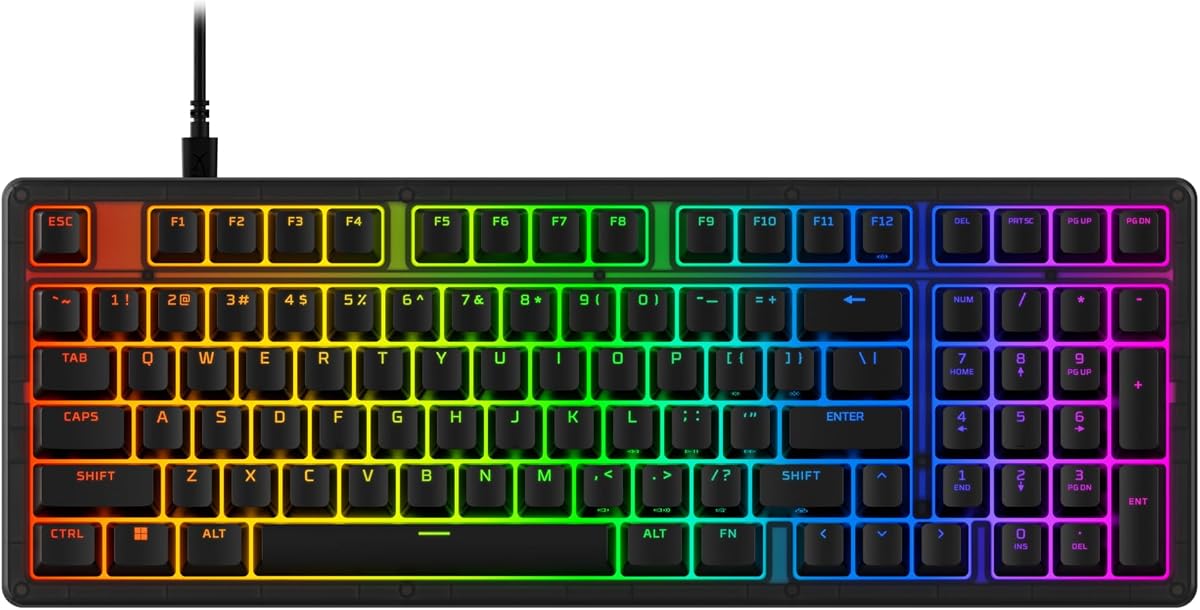
HyperX Eve 1800
4.6Editor score
10 zone RGB lighting
Dedicated media buttons
Compact full size layout
Finding the right typing device often means balancing functionality with desk space. The 1800 compact keyboard offers a full-size layout in a streamlined form factor. This guide explores the best options available today for professionals and gamers alike.
We evaluated each model based on build quality, switch performance, and connectivity options. Our team analyzed user feedback and technical specifications to ensure accuracy. You will find detailed insights into how each keyboard handles daily typing tasks.
Each pick highlights unique strengths tailored to different user needs and preferences. Prices and availability can change frequently so always verify current listings before buying. We aim to provide clear information to support your purchasing decision effectively.
4.6Editor score

4.6Editor score

4.4Editor score
As an Amazon Associate we earn from qualifying purchases.
This table provides a side-by-side view of the top ten models we reviewed. Compare key specifications and features to find the model that fits your workflow needs.




The HyperX Origins 2 1800 stands out as a top choice for enthusiasts seeking deep customization. With a rating of 4.6, it delivers a premium mechanical experience in a compact 1800 layout. This keyboard balances modern gaming features with practical typing comfort effectively.
We may earn a commission when you buy through this link, at no additional cost to you.
Its hotswap 5-pin sockets allow you to change switches without soldering, offering endless variety. The 8k polling rate ensures near-instantaneous input, crucial for competitive play. Additionally, the swappable housing design lets you modify the look without buying a new board.
While the high profile design offers ergonomic engagement, some users might prefer lower keys. The price reflects these advanced features, making it a significant investment. However, the build quality and customization options justify the cost for serious users.
If you want a keyboard that grows with your needs, this model is ideal. It suits gamers and typists who value control over every aspect of their input device. We recommend it for those ready to invest in long term usability.
The high profile form factor elevates keys for easier engagement during long typing sessions.
Hotswap sockets and swappable housings mean you can update the look and feel later.
We may earn a commission when you buy through this link, at no additional cost to you.
The HyperX Eve 1800 offers excellent value for gamers seeking a compact setup. With a rating of 4.6, it proves that budget options can still deliver quality features. The 1800 form factor saves desk space while retaining essential keys.
We may earn a commission when you buy through this link, at no additional cost to you.
Customizable RGB lighting across ten zones adds a dynamic visual element to your desk. Dedicated media buttons give quick access to volume and profile switching without interrupting your flow. Anti-ghosting ensures your commands register accurately during intense gameplay.
The membrane switches provide a cushioned feel but lack the tactile precision of mechanical options. Software customization is functional but may not satisfy power users needing deep macros. Still, it offers robust performance for casual to mid tier gaming needs.
This keyboard is perfect for students or gamers on a budget who want style and function. It handles daily tasks and gaming sessions without breaking the bank. We suggest it for those prioritizing space saving and aesthetics.
Ten zones of customizable lighting let you sync colors with your gaming style.
The condensed layout frees up room for mouse movement and accessories.
We may earn a commission when you buy through this link, at no additional cost to you.
The Logitech Alto Keys K98M brings premium wireless mechanical typing to a compact form. With a rating of 4.4, it combines high-end features with practical productivity tools. The gasket mount design offers a distinctively smooth and satisfying typing experience.
We may earn a commission when you buy through this link, at no additional cost to you.
It supports hot-swappable switches, allowing you to customize the feel without tools. Connectivity includes Bluetooth and Logi Bolt for seamless switching across three devices. You get up to 12 months of battery life, ensuring reliability during long workdays.
The white backlighting is functional but lacks the RGB variety some users might expect. The premium price reflects the build quality and advanced wireless tech inside the chassis. This makes it best for professionals who value typing comfort over gaming aesthetics.
Ideal for hybrid work setups, this keyboard supports both productivity and creative tasks. The clicky switch option adds feedback for those who prefer tactile confirmation. We recommend it for users seeking a high-end wireless typing solution.
Gasket mount absorbs vibrations for a smoother and more precise keystroke experience.
Program action keys to access AI features or apps with a single click.
We may earn a commission when you buy through this link, at no additional cost to you.
The Cherry G80-1800 is designed for environments requiring robust and reliable input. With a rating of 4.1, it offers a utilitarian build focused on longevity over style. The compact 1800 layout saves space while maintaining full functionality for daily tasks.
We may earn a commission when you buy through this link, at no additional cost to you.
It features genuine CHERRY MX BLACK switches known for linear characteristics and durability. The included PS/2 adapter ensures compatibility with older industrial or Unix systems seamlessly. Its space-saving dimensions fit well in tight enclosures or 19 inch applications.
The design is strictly functional, lacking aesthetic touches like RGB or colorful options. It targets professional settings where consistent performance outweighs visual flair or customization. This makes it a strong choice for labs, factories, or legacy system setups.
If you need a keyboard that withstands continuous use, this model delivers. It is an excellent choice for IT specialists or industrial workers. We recommend it for environments prioritizing reliability over decorative features.
The included PS/2 adapter ensures compatibility with older industrial and Unix systems.
Built with gold crosspoint contacts for over 100 million actuations per key.
We may earn a commission when you buy through this link, at no additional cost to you.
This Cherry model focuses on fitting essential typing capabilities into a smaller footprint. It offers a practical solution for workspaces where desk real estate is limited. The mechanical switches ensure tactile feedback for efficient and accurate typing throughout the day.
We may earn a commission when you buy through this link, at no additional cost to you.
It supports both USB and PS/2 interfaces for broad system compatibility. The compact width allows users to keep their mouse closer for better ergonomics. This reduces wrist strain during long sessions by maintaining a natural reach position.
As an industrial model, it does not include consumer-grade aesthetic features like lighting. The design is purely utilitarian, ensuring it works where others might not fit. Users should expect a reliable tool rather than a decorative desk accessory.
Ideal for small desks or specialized workstations, it provides solid performance. It is well-suited for offices needing durability and standard mechanical keys. We recommend it for those requiring a dependable compact mechanical option.
The narrow layout brings your mouse closer to reduce wrist strain significantly.
We may earn a commission when you buy through this link, at no additional cost to you.
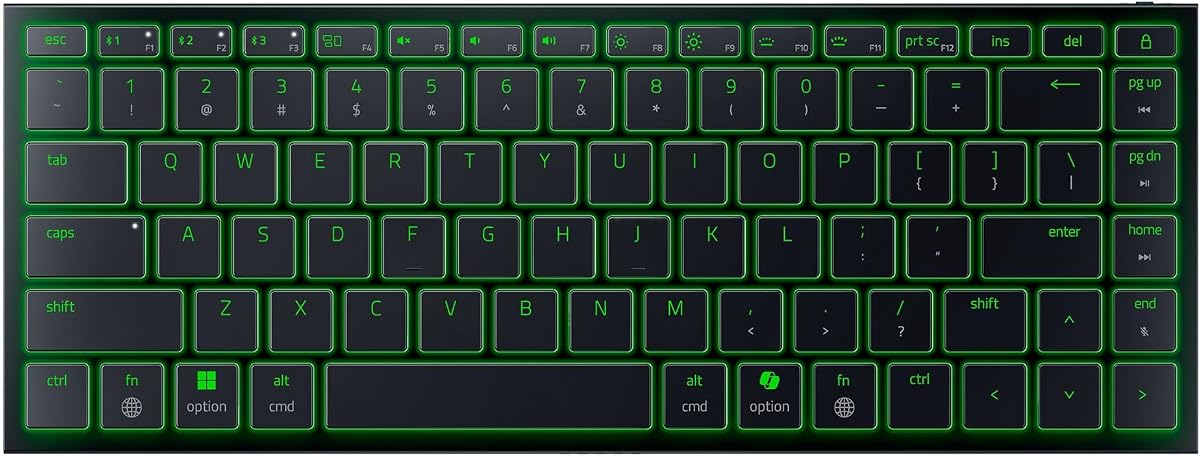
The Razer Joro offers a portable gaming experience with a sleek and ultra thin design. While it is technically 75% layout, it meets many needs of compact keyboard users. It brings low profile keys and wireless freedom to travel setups.
We may earn a commission when you buy through this link, at no additional cost to you.
Features like Razer Snap Tap allow faster directional inputs during gameplay. The low profile design minimizes strain, making it comfortable for extended use. Bluetooth 5.0 connectivity lets you switch between three devices instantly without lag.
It may not have a full number pad like the standard 1800 form factor. Battery life can vary depending on how heavily you use the RGB lighting. This means it is best for mobile gamers rather than static workstation users.
For those who travel often and need a capable gaming board, this is ideal. It balances portability with performance better than many similar compact options. We recommend it for gamers who prioritize mobility over full layout features.
Weighing just 374 grams it packs easily into bags for remote gaming.
Snap Tap prioritizes inputs for near-instant directional changes in competitive play.
We may earn a commission when you buy through this link, at no additional cost to you.
This Cherry model retains a traditional 104 key layout in a compact frame. It serves well for setups requiring PS/2 connections or legacy OS support. The gold crosspoint contacts ensure reliable switching even after years of heavy use.
We may earn a commission when you buy through this link, at no additional cost to you.
Designed for industrial applications, it withstands high demands without faltering. The ergonomic positioning keeps hands comfortable during repetitive data entry tasks. It lacks modern features like wireless connectivity or RGB lighting for simplicity.
With a rating of 3.7, it reflects its niche market rather than broad appeal. It is built for function in environments where durability is more important than style. This makes it suitable for servers, POS systems, or control panels.
Choose this if your workflow requires specific interface compatibility. It provides a stable and reliable typing platform for professional use. We recommend it for IT admins managing older hardware or industrial systems.
Supports PS/2 connection for older Unix computers and industrial setups.
We may earn a commission when you buy through this link, at no additional cost to you.
The Cherry Stream Wired keyboard prioritizes clean typing experience and desk ergonomics. Without a number pad, it saves significant space while keeping essential keys accessible. The SX scissor technology ensures a precise and comfortable feel for every keystroke.
We may earn a commission when you buy through this link, at no additional cost to you.
Its whisper-quiet design makes it ideal for shared office spaces. The multimedia keys allow quick control over volume and playback without leaving apps. Sturdy construction with rubberized feet keeps the keyboard stable on any surface.
Lacking a number pad means it is less ideal for heavy data entry work. It is wired, which limits placement flexibility compared to wireless models. Still, it offers reliable daily performance for standard productivity tasks.
If you value a quiet and ergonomic setup, this keyboard fits well. It suits writers, coders, and office workers needing a compact mechanical alternative. We recommend it for those prioritizing comfort and noise reduction.
Whisper-quiet operation ensures minimal disturbance during shared office hours.
Six practical multimedia keys provide fast access to common system controls.
We may earn a commission when you buy through this link, at no additional cost to you.
The Logitech Pebble Keys 2 K380s offers a slim and portable typing solution. It supports connecting to three devices, making it ideal for multi-platform users. With a 3-year battery life, it delivers long-term reliability for daily tasks.
We may earn a commission when you buy through this link, at no additional cost to you.
It uses low-profile dome keys that feel familiar to laptop users. The design emphasizes ease of use with simple switches between Windows, macOS, and Android. It also uses recycled plastic, supporting environmental sustainability in its build.
It lacks mechanical switches, so tactile feedback is softer than premium models. The compact layout requires an adjustment for users used to full-sized keys. It is best for light typing and travel rather than heavy workloads.
Perfect for students or mobile professionals, it balances portability and function. It works well with tablets or secondary laptops on the go. We recommend it for those needing a light and eco-friendly typing companion.
Switch between Windows, macOS, and Android instantly with easy-switch buttons.
Constructed with minimum 49% certified post-consumer recycled plastic materials.
We may earn a commission when you buy through this link, at no additional cost to you.
The ProtoArc XK04 brings physical typing to mobile devices in a pocket size. It folds into a tiny form with a PU leather cover for protection. This makes it a practical travel companion for notes and messaging on the go.
We may earn a commission when you buy through this link, at no additional cost to you.
It connects via Bluetooth 5.1 to three devices with dedicated switching keys. The layout is optimized for phones and tablets, offering a full keyboard feel. Its ultra-light weight ensures it adds minimal bulk to your daily carry.
The keycaps are small which may require adaptation for those with large fingers. It is designed for mobile scenarios rather than desktop productivity. This makes it a niche tool for travelers needing typing without a laptop.
If you need typing on a tablet or phone, this solves the touch limitation. It is ideal for journalists or professionals who draft on the move. We recommend it for those prioritizing portability above all else.
Folds into a small form protected by a premium PU leather cover.
Optimized layout for tablets and phones offers physical typing capability anywhere.
We may earn a commission when you buy through this link, at no additional cost to you.
Selecting the right keyboard involves balancing layout preferences with your specific use case.
The 1800 format keeps function keys and arrows while saving space. Ensure it fits your desk and meets your workflow needs.
Choose layouts that align with how you work or game regularly.
Mechanical switches offer durability and tactile feedback. Membrane switches provide a quieter and softer experience.
Match switch feel to your comfort and noise preferences.
Wired models ensure stable connection for gaming. Wireless options offer flexibility for multi-device setups.
Decide if cable management or freedom matters most to you.
For wireless boards, battery longevity affects daily convenience. Rechargeable options reduce waste but require access to cables.
Prioritize long battery life if you move between devices.
Hotswap sockets and RGB lighting let you personalize your board. Software support determines how deep your macros can go.
Look for open customization if you plan to tweak your setup.
Solid materials like metal or aluminum ensure longevity. Check for durable keycaps that resist wear over time.
Invest in quality if you use the keyboard daily.
Clean your keyboard regularly using a soft brush or compressed air to remove dust from between the keys. This prevents debris from affecting switch performance.
For wireless models, keep firmware updated to ensure stable connections. Proper care extends the lifespan of your typing device significantly.
If you spill liquids, disconnect the device immediately. Allow it to dry fully before reconnecting to avoid electrical damage.
Yes, many 1800 keyboards offer features like fast polling rates and anti-ghosting. They are designed to handle competitive gaming scenarios effectively.
It retains all function keys while saving space on your desk. This allows for larger mouse movement areas without losing key access.
Most modern options support macOS and Windows. Check specific product details for key mapping compatibility before purchase.
They are preferred for durability and tactile feedback. However, membrane options exist for quiet environments or lower budgets.
Ergonomic models like the Cherry Stream are designed for comfort. Ensure the layout allows for a natural wrist position.
Modern wireless tech offers low latency suitable for most gamers. Wired connections remain the standard for minimal input delay.
We highlighted top options including the HyperX Origins 2 1800 and Logitech Alto Keys K98M. Each offers distinct advantages depending on your priorities.
Focus on what matters most, whether it is customization, ergonomics, or portability. Your ideal choice balances these factors with your workflow needs.
Remember to check current listings for any recent updates or changes. Making an informed decision now will ensure long term satisfaction.