
E12 Mini Handheld Inkjet Printer
4.7Editor score
1.1 lb lightweight design
Quick-dry ink system
Compact portable size
Discover the top handheld inkjet printers for 2026. Our guide compares features, battery life, and print quality to help you choose the best model for your
Handheld inkjet printers offer a portable solution for marking products, boxes, and surfaces directly. They eliminate the need for pre-printed labels and save time in busy environments like warehouses and factories. Choosing the right device requires understanding print height, ink durability, and battery performance.
We evaluated ten leading models based on user feedback, technical specifications, and real-world versatility. Each product was reviewed for ease of use, print clarity, and ability to handle diverse materials like metal, plastic, and wood. Our list covers options ranging from budget-friendly units to premium industrial-grade devices.
Each pick highlights key strengths and ideal use cases to help you make an informed decision. Whether you need quick date coding or complex logo printing, these devices deliver reliable performance. Keep in mind that availability and specific bundle contents may vary over time.
4.7Editor score

4.7Editor score
4.4Editor score
This table provides a quick side-by-side look at the core specifications and capabilities of each model on our list. Use it to compare print height, ink capacity, and screen size at a glance.


This model ranks top due to its balanced performance and robust feature set. It delivers high-quality prints on diverse materials with minimal setup time. Users praise its reliability and the clarity of barcodes and text produced.
We may earn a commission when you buy through this link, at no additional cost to you.
The 16-hour battery life supports full shifts without interruption. The 42ml ink cartridge offers significant yield for daily operations. Its touchscreen allows direct editing without external devices, streamlining workflow efficiency.
Some users find the ink cartridge replacement cost higher than expected. The printer may produce slight noise during operation, though this does not impact print quality. These factors are minor compared to its overall utility.
Ideal for warehouses and production lines needing consistent, clear markings. Its versatility makes it suitable for labeling everything from wooden crates to glass bottles. We recommend it for teams prioritizing uptime and ease of use.
The advanced power management ensures the device runs for up to 16 hours on a single charge, reducing downtime during critical labeling tasks.
The 42ml fast-dry ink provides waterproof and fade-resistant marks that adhere well to non-porous surfaces like plastic and metal.
We may earn a commission when you buy through this link, at no additional cost to you.
The JC01 focuses on portability and ease of handling in fast-paced environments. Weighing just 390g, it reduces fatigue during extended use. Its drop-resistant build adds durability for rough industrial settings.
We may earn a commission when you buy through this link, at no additional cost to you.
It delivers crisp output on various surfaces including curved ones. The 42ml solvent-based ink ensures quick adhesion. Users appreciate the wrist strap included to prevent accidental drops.
The device lacks some advanced customization options found in higher-end models. Print width is fixed which may limit larger branding needs. Still, it remains a solid choice for standard batch coding.
Best for small businesses or teams needing a lightweight, reliable tool. It handles routine labeling tasks efficiently without overwhelming the operator with complex settings. Its portability makes it great for on-site inspections.
The ultra-light design and drop-resistant build ensure the printer can move with your team through demanding warehouse or factory floors.
The 300-nozzle system ensures clear, fast-drying prints that prevent smudging even on semi-porous materials.
We may earn a commission when you buy through this link, at no additional cost to you.
This model stands out with its 600 DPI high-resolution capability for sharp logos and codes. It is designed for businesses requiring detailed prints on varied surfaces. The conveyor line compatibility boosts automation potential.
We may earn a commission when you buy through this link, at no additional cost to you.
The print height is adjustable to suit different product sizes. Ink adhesion is strong enough for outdoor or wet environments. Users note its robust construction holds up well over time.
The cost is higher than basic handheld units, which may be a barrier for startups. It is also slightly heavier, though still manageable. These trade-offs are justified by its professional output quality.
Perfect for mid-to-large manufacturers needing precision and flexibility. It excels where barcode legibility and brand logos matter. We recommend it for operations scaling up labeling requirements.
Print at 600 DPI to ensure your logos and barcodes are crisp and easily scannable by inventory systems.
Mount this printer on a conveyor line for automatic marking, boosting efficiency in high-volume packaging scenarios.
We may earn a commission when you buy through this link, at no additional cost to you.
The BT-HH6205BL offers an adjustable print height up to 1 inch, suitable for large markings. Its 5-roller system provides smoother tracking on uneven surfaces. Users highlight its stability during prolonged use.
We may earn a commission when you buy through this link, at no additional cost to you.
It supports multi-line text for complex data entry. The battery life is robust, ensuring continuous operation. The ergonomic handle reduces wrist strain during repetitive tasks.
Ink maintenance can be tricky if not performed regularly. The initial setup instructions may feel detailed for casual users. These points are minor compared to its flexibility.
Great for labeling oversized items like barrels or pallets. It adapts well to logistics centers requiring varied label sizes. We suggest it for teams needing larger text visibility.
Adjust print height from 0.03 inches to 1 inch to match the scale of your product labeling needs.
The upgraded 5-roller system ensures the printer moves smoothly even over rough or uneven materials like wood or metal.
We may earn a commission when you buy through this link, at no additional cost to you.
The Phezer P15 operates independently without requiring a phone or PC connection. Its internal memory stores templates for quick access. Users like the convenience of standalone operation.
We may earn a commission when you buy through this link, at no additional cost to you.
It supports printing on 10+ surface types including cloth and metal. The 25 language interface makes it global-ready. Multiple ink colors allow for flexible branding options.
Battery life is standard but not exceptional compared to top competitors. The UI navigation can feel slightly outdated. These are acceptable for the price point.
Best for small retail or workshop use where simplicity matters. It handles daily coding tasks reliably without technical overhead. We recommend it for occasional labeling needs.
With built-in storage and an independent system, you can print directly without connecting to external apps or computers.
Choose from multiple ink colors including white, yellow, and UV to match your specific branding requirements.
We may earn a commission when you buy through this link, at no additional cost to you.
The MS-Z10 is a budget-friendly option that covers essential labeling tasks. It supports USB file imports for custom designs. Users find it adequate for short-term marking needs.
We may earn a commission when you buy through this link, at no additional cost to you.
Print height is limited to 0.5 inches, which suits small items. The ink dries quickly but is noted as not permanent. This is suitable for temporary shipping labels.
Battery performance is adequate for light use. Durability feels average compared to premium brands. It serves well for intermittent or entry-level use.
Ideal for small businesses or hobbyists needing cost-effective solutions. It handles basic text and date coding without fuss. We suggest it for temporary inventory marking.
Get essential features like USB import and multi-language support at a price point accessible for smaller operations.
The 42ml cartridge provides rapid drying results suitable for immediate handling of printed items.
We may earn a commission when you buy through this link, at no additional cost to you.
This device offers a 1-inch print height for larger labels. The infrared aiming assist helps improve positioning accuracy. Users find the setup manual straightforward and helpful.
We may earn a commission when you buy through this link, at no additional cost to you.
The ink is waterproof and fade-resistant for outdoor durability. It supports over 20 languages for international use. The touchscreen interface is intuitive for new users.
Some units require firmware updates after purchase. Screen calibration might be needed initially for accuracy. These steps are quick but add to setup time.
Well-suited for warehouses requiring large, visible codes. Its durability and assist features make it a reliable workhorse. We recommend it for operations needing clear marking.
The infrared aiming assist ensures your prints land exactly where intended, reducing errors on uneven surfaces.
The professional-grade ink withstands water and fading, ensuring your labels remain legible in harsh conditions.
We may earn a commission when you buy through this link, at no additional cost to you.
The XMINI weighs only 0.54 pounds, making it one of the lightest options. Its resistive touch screen is resistant to interference. Users appreciate the included positioning board for accuracy.
We may earn a commission when you buy through this link, at no additional cost to you.
It supports 28 languages and handles most common surfaces well. The ER520 ink is designed for efficiency and speed. The compact design fits easily in a toolbox.
The smaller screen may feel cramped for complex editing. Battery life is decent but not industry-leading. These are reasonable trade-offs for portability.
Perfect for technicians who need a light tool on the go. It handles small batch tasks efficiently. We recommend it for individual users.
Weighing less than half a pound, this printer can be carried effortlessly to any job site.
The ER520 cartridge provides professional-quality prints that are smooth, fast-drying, and waterproof.
We may earn a commission when you buy through this link, at no additional cost to you.
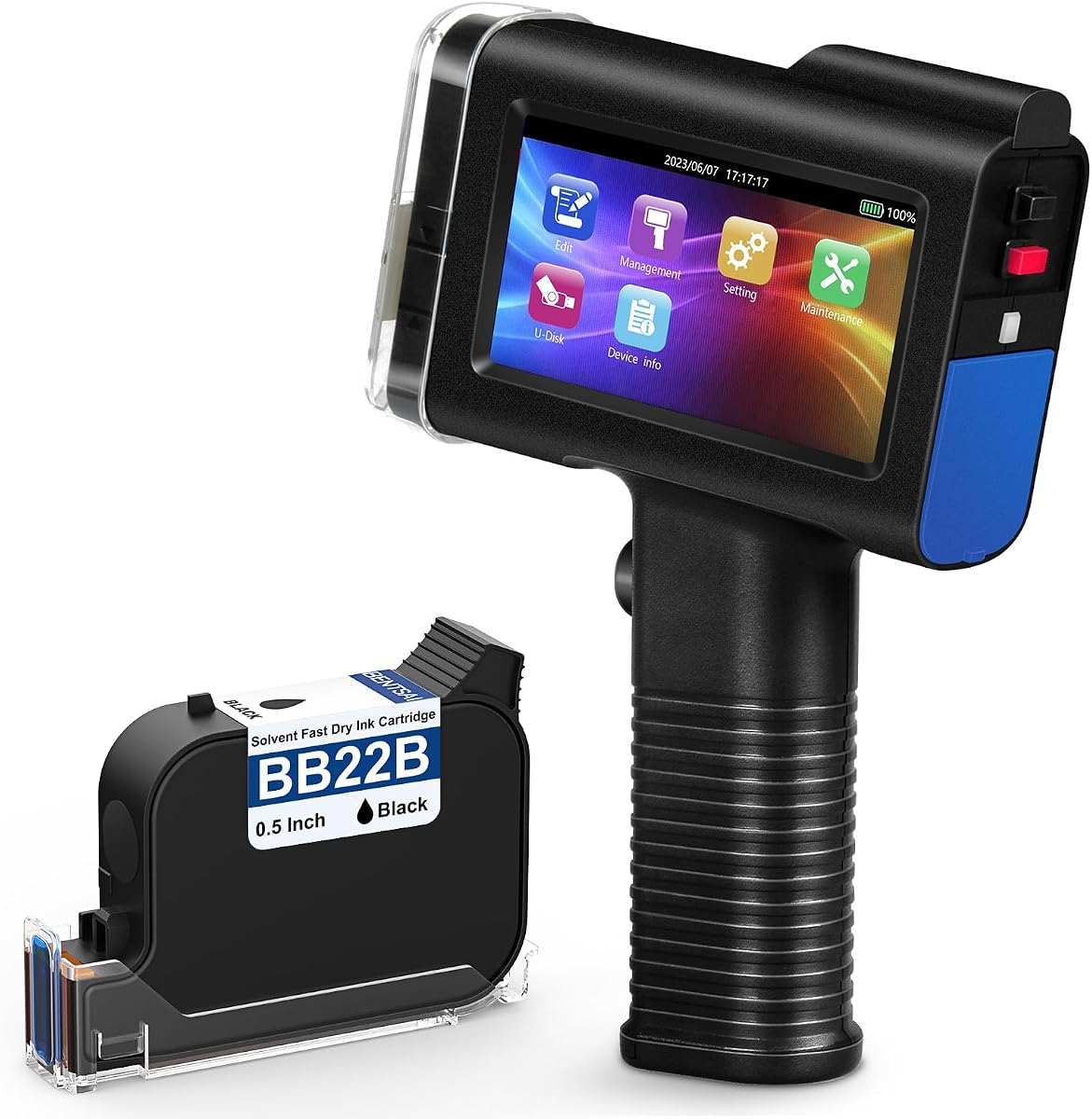
The E12 Mini is a pocket-sized powerhouse for quick labeling. Its detachable handle offers flexible modes for different tasks. Users love its portability and ease of storage.
We may earn a commission when you buy through this link, at no additional cost to you.
It delivers 360-degree printing on curved surfaces. The quick-dry ink prevents smearing and ensures adhesion. The kit includes everything needed for immediate use.
Default font sizes may require adjustment for readability. The touchscreen requires firm touches for registration. These are minor operational nuances.
Ideal for small teams needing a reliable, budget-friendly tool. It covers essential needs without sacrificing quality. We highly recommend it for startups.
Switch between full handheld and compact mini mode instantly to match your specific workflow needs.
The versatile design allows you to print on curved containers like bottles or tubes with consistent quality.
We may earn a commission when you buy through this link, at no additional cost to you.
This model focuses on streamlined workflow with direct USB upload. The ergonomic grip reduces hand fatigue during long use. Users value its seamless connectivity for batch coding.
We may earn a commission when you buy through this link, at no additional cost to you.
Battery performance is excellent, lasting up to 16 hours. It handles diverse surfaces like metal and glass well. The lightweight body aids in handling on ladders.
It lacks conveyor mounting capabilities for automation. The interface is basic without advanced customization. These limits are suitable for manual operations.
Best for teams needing quick, consistent coding without automation. It balances performance and simplicity well. We suggest it for warehouse staff.
Upload text and images directly from a USB drive without extra software, making updates fast and efficient.
Enjoy over 16 hours of continuous printing, ensuring you never stop mid-shift due to power.
We may earn a commission when you buy through this link, at no additional cost to you.
Selecting the right handheld inkjet printer depends on understanding your specific labeling requirements and environment.
Print height determines the size of characters you can produce, ranging from 0.5 to 1 inch. Higher resolution ensures barcodes are scannable and logos appear professional. Consider the smallest label size you need to ensure visibility.
Prioritize a model with adjustable height and at least 300 DPI for reliable scanning.
Battery life impacts workflow continuity. Models with 16-hour operation allow for full shifts without charging. Check if the device supports quick charging or replaceable batteries for longer shifts.
Look for advanced power management features that minimize downtime during critical operations.
Ink durability is crucial for items exposed to moisture or handling. Solvent-based inks offer better adhesion on non-porous surfaces like glass or metal. Ensure the ink dries quickly to prevent smearing.
Choose waterproof, fade-resistant inks that match your product material and environment.
A larger touchscreen simplifies editing templates and data directly on the device. Intuitive interfaces reduce training time for new operators. Some models support external software for complex designs.
Select a device with a clear display and easy-to-use navigation for daily tasks.
Lightweight units reduce operator fatigue in high-use scenarios. Ergonomic handles and built-in straps prevent accidental drops. Consider the total weight including ink cartridge during use.
Opt for a printer under 1 pound for comfortable all-day handheld use.
Ensure the printer can handle your materials, whether porous like cardboard or non-porous like plastic. Some models adapt better to curved or uneven surfaces using rollers or guides. Verify compatibility with specific textures like leather or fabric.
Test the device on your primary materials to confirm consistent adhesion and clarity.
Models with USB or PC import allow for quick updates of batch numbers or logos. Standalone units reduce dependency on network infrastructure but may limit customization. Check file format support for logos and images.
Choose connectivity options that align with your workflow, whether manual or automated.
Technical support and warranty terms protect your investment. Look for manufacturers offering 1-year warranties and accessible help lines. Reliable support ensures quick resolution if technical issues arise.
Verify warranty coverage includes ink cartridges and essential accessories for peace of mind.
Before first use, charge the battery fully and install the ink cartridge carefully. Ensure the self-locking mechanism clicks securely to prevent leaks. Power on the device and run a test print to calibrate the nozzle.
To maintain print quality, clean the printhead weekly using the recommended cloth or solution. Cover the protective cap immediately after each session to prevent ink from drying out in the nozzles. Store the unit in a cool, dry place away from direct sunlight.
For daily use, load your data via USB or edit directly on the touchscreen. Keep the printer moving at a steady pace for even ink distribution. Replace the ink cartridge when print quality fades to ensure consistent marking.
These devices can print on a wide variety of surfaces including cardboard, plastic, metal, glass, wood, fabric, and leather. The key is matching the ink type to the material's porosity and texture.
One 42ml ink cartridge can print up to 1 million characters depending on font size and frequency of use. Proper storage and capping when not in use help maximize the cartridge life.
Most modern handheld inkjet printers operate independently with built-in storage and touchscreens. You can edit templates and data directly on the device without connecting to a computer.
Professional models come with waterproof, fade-resistant ink designed to withstand moisture and handling. Always check the specific ink specifications to ensure they meet your durability requirements.
Yes, many models support printing on curved surfaces like bottles or tubes. Using an auxiliary positioning plate or roller system helps maintain even distance and consistent output.
Most high-quality models offer 16 or more hours of continuous operation on a single charge. This ensures the device lasts through full shifts without requiring mid-day recharging.
You can upload images like logos via USB or edit them directly on the device's touchscreen. Supported formats usually include JPG, PNG, and BMP for easy integration.
Yes, regular maintenance includes cleaning the printhead and replacing the protective cap when not in use. Periodic calibration ensures print alignment remains accurate for precise labeling.
Our top picks highlight the variety available in the market today, balancing cost with performance. The leading models offer reliable battery life and quick-drying ink suitable for diverse industrial needs.
Prioritize battery endurance and surface compatibility when selecting a device for your team. Ensure the chosen printer can handle your daily labeling volume without frequent interruptions.
Remember to verify current availability and support terms before purchasing. Prices and bundle contents can change, so check the latest details to confirm the best value for your business.