
4G LTE USB Hotspot
5.0Editor score
Share up to 8 users
Built-in 4G and WiFi antenna
Plug and play setup
This guide compares the top 4G LTE USB WiFi Network Adapter Dongle models for speed, compatibility, and portability to help you choose the right mobile hotspot
Finding reliable internet on the go requires the right hardware. A 4G LTE USB WiFi Network Adapter Dongle provides portable connectivity for laptops and desktops without needing built-in cellular modems. These devices turn any USB port into a wireless hotspot.
We evaluated ten top-rated dongles based on speed, device support, and ease of use. Our analysis covers compatibility with major carriers, power requirements, and multi-device sharing capabilities. Each product was selected for its ability to deliver stable connections in varied environments.
Every pick highlights key strengths and potential limitations to help you decide. Look for models that match your specific operating system and carrier needs. Prices and availability change frequently, so check current listings before purchasing to ensure you get the best deal available today.
5.0Editor score

3.5Editor score

4.0Editor score
This side-by-side comparison highlights the key specifications and capabilities of each selected dongle to help you quickly identify which model fits your specific connectivity needs and device requirements without unnecessary confusion.


The MIRO UF1 4G LTE WiFi USB Network Adapter stands out as a versatile connectivity solution with its unique dual-function design. It supports both cellular data via SIM card and file transfer via SD card slot. This adaptability makes it suitable for users who need more than just internet access on the go.
We may earn a commission when you buy through this link, at no additional cost to you.
Its compatibility spans Windows, macOS, and Linux, ensuring broad usability across different desktop and laptop setups. The device allows up to ten devices to connect simultaneously, making it a strong option for small teams or families sharing a single connection. Plug and play functionality means no extra drivers are needed for basic operation.
While the rating is moderate, the hardware offers practical utility for travel and daily office use. The main trade-off is the dependency on external SIM cards which must be purchased separately. However, the wide carrier support reduces the risk of compatibility issues when traveling or moving between regions.
Buy this device if you need a compact, multi-purpose dongle that doubles as a card reader. It is particularly useful for professionals who travel frequently and need reliable internet without carrying extra peripherals. Ensure your SIM card is unlocked and compatible before purchase to avoid connectivity delays.
The ability to switch between WiFi hotspot and card reader modes adds significant value for travelers needing file access alongside internet connectivity.
Support for Windows macOS and Linux ensures that users across different operating systems can utilize the device without complex configuration or software installation.
We may earn a commission when you buy through this link, at no additional cost to you.
The EIOTCLUB 4G LTE USB WiFi 6 Dongle brings modern WiFi 6 technology to portable hotspots offering faster speeds and better efficiency. It includes a pre-installed SIM card with a trial plan so you can start using it immediately after unboxing. The device is optimized for regions including the US Canada Mexico and select Latin American countries.
We may earn a commission when you buy through this link, at no additional cost to you.
It supports up to ten devices simultaneously allowing multiple users to browse stream or work without significant slowdowns. The compact design makes it easy to carry in a pocket or bag for travel or mobile office setups. USB power ensures it can run off laptops power banks or car chargers without extra cables.
The main limitation is its regional compatibility which may not suit global travelers outside the target markets. The trial data is limited to one day so you will need to set up a payment plan shortly after use. Overall it offers strong performance for users in supported regions.
Choose this dongle if you need high-speed connectivity and are located in North America or Latin America. It is ideal for travelers or remote workers who want a plug-and-play solution with advanced WiFi standards. Check carrier bands before buying to ensure coverage matches your location.
Using WiFi 6 improves connection efficiency and speed compared to older standards making it suitable for bandwidth-intensive tasks on mobile devices.
The included SIM card and trial plan eliminate setup delays so you can connect to the internet within minutes of receiving the device.
We may earn a commission when you buy through this link, at no additional cost to you.
The Portable WiFi 4G WiFi Router is designed specifically for travelers needing reliable internet in cars or temporary locations. It features a high-speed 4G LTE chipset and supports American bands covering most countries in the Americas. Users can connect up to ten WiFi devices simultaneously making it great for group travel or team use.
We may earn a commission when you buy through this link, at no additional cost to you.
Plug and play functionality means no CD drivers are required though some antivirus software might block driver installation initially. It accepts standard SIM cards and supports automatic APN recognition though manual entry may be needed for some carriers. The USB power input works with car chargers and power banks ensuring continuous use on the road.
The lack of an included SIM card requires users to source their own which adds a step to setup. However the unlocked nature ensures you can choose any provider with coverage in your area. The compact size makes it easy to store in bags or vehicle consoles.
This router is best for frequent travelers or remote workers who need a dependable hotspot in North or South America. Verify your carrier bands match before purchasing to avoid signal issues. Keep a backup power source handy for uninterrupted internet access during long trips.
The form factor and power options make it ideal for use in vehicles or hotels where traditional internet access is limited or costly.
Being unlocked allows users to switch SIM cards freely based on local coverage and pricing without being tied to a specific carrier.
We may earn a commission when you buy through this link, at no additional cost to you.
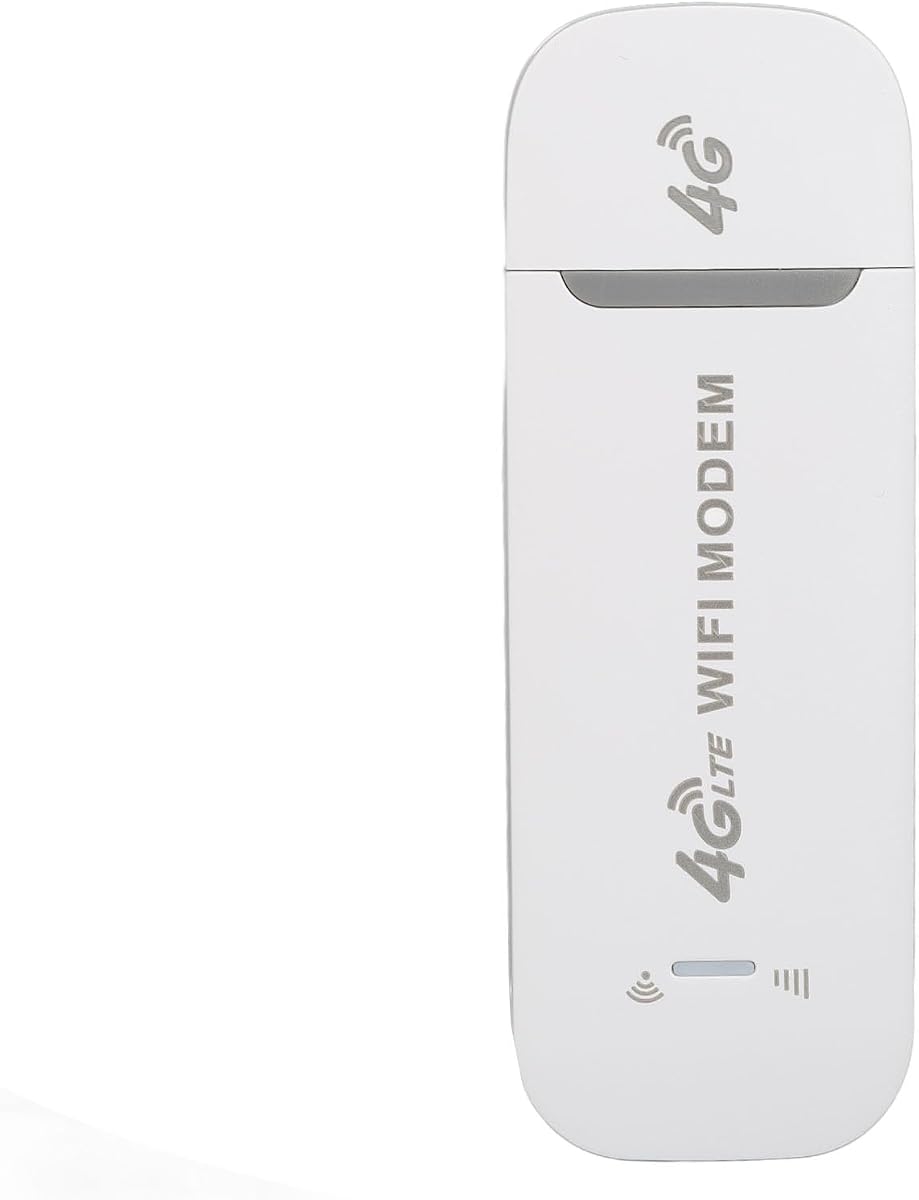
The 4G LTE USB Hotspot offers an accessible entry point for users needing portable internet without a high cost. It delivers up to 150Mbps speeds and supports up to eight WiFi users simultaneously. The built-in antenna improves signal reliability compared to models without external reception capabilities.
We may earn a commission when you buy through this link, at no additional cost to you.
Plug and play design allows immediate connection via a computer USB port without installing extra software. This simplicity makes it suitable for casual users or families needing occasional access. The perfect rating from reviewers suggests strong satisfaction with its performance and reliability for everyday tasks.
The user limit of eight devices is lower than some competitors but sufficient for most small households or small teams. It lacks advanced features like multi-band support or dual SIM slots but delivers core functionality effectively. The compact size ensures it fits easily in laptops bags or pockets.
Choose this option if you need a cost-effective hotspot for browsing and light streaming. It is particularly well suited for users in regions with strong carrier coverage who do not need advanced routing capabilities. Confirm carrier compatibility before use to ensure stable connections in your area.
The simplicity of plug and play operation makes it ideal for users who prefer straightforward setup without technical configuration.
Built-in antenna design provides better signal reception than many basic dongles improving reliability in weak signal areas.
We may earn a commission when you buy through this link, at no additional cost to you.
The 4G LTE USB Network Adapter Lightweight prioritizes portability making it easy to carry anywhere without adding bulk. It supports wireless connection speeds up to 150Mbps and allows up to ten WiFi users to share the internet simultaneously. The compact design makes it ideal for travelers who value convenience.
We may earn a commission when you buy through this link, at no additional cost to you.
Plug and play functionality ensures no complicated setup is required just insert and power on. Built-in 4G and WiFi antennas provide optimal coverage and signal strength for reliable connectivity. This model is well suited for users needing quick internet access in different environments without heavy equipment.
Since there are no customer ratings available it is harder to gauge long-term reliability or support quality. However the specifications suggest standard performance for its class. The lightweight construction may sacrifice some durability but enhances convenience for daily commutes or business trips.
Select this device if you need a no-fuss portable hotspot for on-the-go use. It works best for users who already have a SIM card and want a simple plug-in solution. Ensure your USB port provides adequate power for consistent operation during use.
The lightweight and small size allow users to keep the device in a pocket or wallet for immediate access to internet anywhere.
Plug and play compatibility means no drivers are required and users can get connected within seconds of powering the device on.
We may earn a commission when you buy through this link, at no additional cost to you.
The VBESTLIFE 4G LTE USB WiFi Dongle stands out for its robust security features supporting WEP WPA and WPA2 encryption methods. This ensures data protection for users sharing networks in public or semi-private environments. It supports up to eight users simultaneously offering a good balance between capacity and performance.
We may earn a commission when you buy through this link, at no additional cost to you.
With high user ratings and strong adaptability across different operating systems it offers reliable performance for Windows macOS iOS and Android devices. The wide operating temperature range makes it suitable for various environments including cold winters or hot summers. This adaptability is useful for outdoor work or travel.
The eight user limit is lower than ten device models but sufficient for small groups. While speed is standard at 150Mbps the focus on security makes it a solid choice for sensitive work. Ensure your carrier supports LTE bands used by the device for best connectivity.
Choose this dongle if network security is a priority alongside mobile internet. It is particularly valuable for users sharing access with others who need encrypted connections. Verify OS compatibility before use to ensure full functionality without extra drivers.
Support for multiple encryption protocols like WPA2 ensures better data security compared to basic models with limited protection options.
The wide operating temperature range ensures stable performance even in extreme weather conditions which is useful for outdoor use cases.
We may earn a commission when you buy through this link, at no additional cost to you.
The Chrees 4G LTE Router provides stable hotspot capabilities supporting up to ten users for phone laptop and PC access. It uses a Micro SIM card for network access and offers WPA WPA2 encryption for secure connections. The USB power feature makes it flexible to use with chargers or power banks.
We may earn a commission when you buy through this link, at no additional cost to you.
Easy connection via automatic 4G activation simplifies setup for users. Its portable size ensures it can be easily moved between rooms or taken on trips. The focus on safety and control adds value for shared usage scenarios where multiple devices need internet access securely.
Using a Micro SIM may require an adapter if your card is standard size which adds minor setup steps. Lack of customer ratings makes it harder to assess long term reliability. However the feature set covers core needs well for casual hotspot users.
This router is suitable for users who need a simple secure hotspot solution. Verify SIM card compatibility before use. Keep in mind that firmware updates may vary by region so check local support resources for assistance.
The device automatically detects the SIM card and activates 4G connectivity reducing manual setup steps for users.
USB power options allow use with multiple power sources ensuring the hotspot can operate independently of a dedicated outlet.
We may earn a commission when you buy through this link, at no additional cost to you.
The 4G LTE USB Modem Stick offers reliable connectivity for users running Linux and other operating systems with simple plug and play setup. It supports up to ten devices simultaneously and includes expandable memory slots for extra storage. The built-in antenna ensures robust cellular reception in weak signal areas.
We may earn a commission when you buy through this link, at no additional cost to you.
It delivers up to 100Mbps speeds which is sufficient for most browsing and streaming tasks. The ability to save files locally adds versatility beyond standard hotspot functionality. Users can transform a laptop into a portable router easily for trips or office meetings.
The max speed is lower than some competitors but acceptable for standard use. Memory expansion requires separate SD cards which are not included. Despite this the universal compatibility makes it a strong option for tech-savvy users who need flexibility across devices.
Choose this stick if you need Linux support and local storage options. It works best for users comfortable with basic setup steps. Ensure you have an appropriate SD card to enable storage features before traveling.
Support for Linux systems without extra software installation is rare for dongles making this ideal for open-source enthusiasts.
The memory card slot allows saving files locally turning the device into a portable drive alongside its networking capabilities.
We may earn a commission when you buy through this link, at no additional cost to you.
The 4G LTE Wireless USB Dongle offers an affordable entry point for mobile broadband with standard 150Mbps transmission rates. It weighs only 26 grams making it extremely lightweight and easy to carry. The device supports both 3G and 4G networks ensuring broader compatibility with different carrier networks.
We may earn a commission when you buy through this link, at no additional cost to you.
No setup is required beyond inserting a SIM card and powering on. Its compact design suits car office or travel use effectively. The low weight means it adds minimal bulk to your gear which is ideal for long commutes or outdoor use.
Because of its low price and minimal documentation features may be basic compared to advanced models. There is no data on supported carriers or bands which could lead to compatibility issues. Users should verify their SIM card works with LTE networks before purchasing.
Select this dongle if you need a budget-friendly backup internet solution. It is best for casual use where high-end features are not critical. Confirm carrier support in your area to avoid connection failures during use.
At only 26 grams the device is one of the lightest options making it ideal for users prioritizing portability above all.
Support for 3G and 4G ensures connectivity even if 4G signals are weak in some locations providing reliable fallback options.
We may earn a commission when you buy through this link, at no additional cost to you.
The Dpofirs 4G 150Mbps USB WiFi Dongle offers fast downstream rates up to 150Mbps and secure connection sharing for up to eight users. It supports WEP WPA and WPA2 encryption to protect data on public networks. The wide temperature range ensures stability across different environments.
We may earn a commission when you buy through this link, at no additional cost to you.
Its versatile compatibility works with major operating systems making it easy to install and use without extra steps. This makes it suitable for car use or shared workspaces where multiple users need reliable access. The simple design means less chance of technical issues during setup.
The eight user limit is adequate for small teams but limits larger groups. Encryption features are essential for security but common in modern dongles. Since ratings are unavailable long-term reliability remains uncertain though performance specs are standard for the category.
Choose this model if you prioritize security and fast speeds for small groups. It is a practical option for users who want quick setup without technical barriers. Verify OS compatibility and carrier bands before purchase to ensure smooth operation.
Built-in support for multiple encryption protocols ensures your data remains safe when sharing internet access with others.
Wide temperature tolerance allows the device to perform reliably even in extreme weather conditions without overheating or failure.
We may earn a commission when you buy through this link, at no additional cost to you.
Selecting the right dongle involves considering your devices carrier needs and usage environment. This guide outlines key factors to help you make an informed choice.
Ensure the dongle supports the frequency bands used by your carrier in your region. Some devices are optimized for North America while others support global networks. Check specifications for LTE and 3G bands to avoid connectivity issues.
Verify band compatibility before purchasing to ensure stable internet access on your carrier's network.
Confirm the device works with your computer's operating system. Most support Windows and macOS but Linux support varies. Plug and play models reduce driver installation needs for easier setup.
Check OS compatibility to ensure the dongle works seamlessly with your existing hardware without extra software.
Decide how many devices need to connect simultaneously. Some dongles support eight users while others support ten or more. This matters if you share internet with family or colleagues.
Choose a model that meets your multi-device needs to avoid connection limits during use.
Most dongles draw power from USB ports but some may need external power for extended use. Ensure your device or power bank provides sufficient power for stable operation.
Select a power-friendly model to maintain consistent internet access without unexpected shutdowns.
Check if the dongle uses standard Micro or Nano SIM cards. Some include SIM cards while others require you to purchase separately. Ensure your plan matches the hardware type.
Verify SIM requirements to avoid delays in setting up your mobile hotspot.
Consider the size and weight for travel or daily carry. Compact models fit easily in pockets or laptop bags. Lightweight designs reduce bulk when moving between locations.
Prioritize lightweight options if portability is a key factor for your usage.
Look for encryption support like WPA2 to protect data on shared networks. Security features are essential when using public hotspots or sharing with others.
Choose devices with strong encryption to safeguard personal information during use.
Some dongles support SD cards for extra storage allowing file transfers alongside internet access. This adds versatility if you need to carry documents or media.
Consider storage options if you need to use the device for file management as well.
Insert a compatible SIM card into the dongle slot ensuring the orientation matches the guide. Most devices have a small slot on the side for easy access.
Plug the dongle into a USB port on your computer or power source. Wait for the connection lights to stabilize indicating active internet access.
Maintain the device by keeping it away from extreme heat or moisture. Regularly check firmware updates via the manufacturer website for improved performance.
Most modern dongles are plug-and-play and do not require manual driver installation. However some older or specialized models may need drivers for certain operating systems. Check the product description for compatibility notes before purchase.
You can use unlocked SIM cards that match the supported network bands. Some devices may reject contract or carrier-locked SIM cards. Verify carrier compatibility to ensure access to data services.
Most models support between eight and ten simultaneous connections. This allows multiple phones or laptops to share one internet source. Check specifications for exact user limits.
Performance depends on local cellular coverage. If your area has 4G coverage the dongle will work reliably. Weak signal areas may experience slower speeds or dropouts.
150Mbps is the theoretical maximum speed but real-world speeds vary based on network load and signal strength. Expect lower speeds in congested or remote areas.
Use WPA2 encryption supported by most dongles to protect your network. Set a strong password via the admin interface to prevent unauthorized access.
Yes many dongles can power directly from USB wall adapters or power banks. This allows them to function independently as standalone mobile hotspots.
The hardware itself has no fees but you need an active data plan from a carrier. Costs vary depending on your chosen mobile data provider and plan.
Our top picks include the MIRO UF1 for versatility and the EIOTCLUB 4G LTE USB WiFi 6 Dongle for advanced tech. Budget options like the 4G LTE USB Hotspot offer reliable performance without high cost.
Prioritize network compatibility and security features to ensure smooth operation. Consider your specific needs like number of users and portability when selecting.
Prices and availability change often so verify current listings before purchasing. Check carrier bands and operating system support to avoid compatibility issues.