
LinksTek X520 DA1 10GbE Adapter
4.3Editor score
Intel 82599ES Controller
PCIe x4 Interface
Supports SFP+ Transceivers
This guide compares the top ten Fiber Optic Network Interface Cards for speed and reliability across servers and desktops in October 2026.
Finding the right Fiber Optic Network Interface Card is essential for modern high speed networks. These devices connect your computer to fiber networks enabling faster data transfer and lower latency compared to copper cabling.
We evaluated ten top rated models based on chipset quality compatibility and real world performance. Our analysis covers single port and dual port options ranging from gigabit to twenty five gigabit speeds for various needs.
Each pick highlights key strengths weaknesses and ideal use cases to help you decide. Prices and availability change frequently so always check the latest details before purchasing to ensure you get the best value today.
4.3Editor score

5.0Editor score

4.9Editor score
This side by side comparison lists all ten selected products with their core specifications and key attributes to help you quickly identify which model fits your specific network requirements.


The StarTech 2-Port GbE SFP Network Card stands out as the most reliable choice for enterprise and server environments. It holds a perfect 5.0 rating and offers exceptional stability through its Intel I350 chipset.
We may earn a commission when you buy through this link, at no additional cost to you.
This card unlocks flexibility by supporting any MSA compliant SFP modules. The Intel I350 chipset ensures robust performance with features like link aggregation and VLAN tagging. The built in heatsink maintains optimal temperatures during sustained operation.
The only trade off is that this card is limited to 1Gbps speeds per port. While this limits raw throughput it ensures maximum compatibility and low latency. This is acceptable for most general server networking needs.
You should buy this card if you need two reliable fiber ports with strong virtualization support. Its broad OS compatibility and professional features make it the ideal pick for critical server installations.
The Intel I350 chipset provides consistent performance under load ensuring your network remains stable during peak traffic times.
Two open SFP slots allow you to mix copper and fiber connections without needing different network cards for different runs.
We may earn a commission when you buy through this link, at no additional cost to you.
The LinksTek X520 DA1 delivers exceptional value for users needing 10GbE speeds without breaking the bank. It features the proven Intel 82599ES controller and earns a solid 4.3 rating from users.
We may earn a commission when you buy through this link, at no additional cost to you.
This adapter supports NAS storage virtualization and high speed streaming effectively. The PCIe 2.0 x4 interface ensures enough bandwidth for full 10GbE throughput. It works well with various transceivers and DAC cables.
Users note that Windows systems require manual driver installation unlike Linux systems. The passive heatsink may require good case airflow to prevent throttling. These are minor hurdles given the aggressive pricing.
Buy this adapter if you want to upgrade to 10GbE on a tight budget. It is perfect for home labs small offices or NAS upgrades where price sensitivity is high.
With 10GbE speeds you can stream large video files or transfer backups to NAS drives much faster than before.
Support for SR IOV and VMDq ensures efficient network performance for virtual machines running on your host system.
We may earn a commission when you buy through this link, at no additional cost to you.
The Asus XG-C100F combines high speed performance with premium build quality. It supports fiber optics for long distance runs and includes a sophisticated aluminum heatsink to manage heat during peak loads.
We may earn a commission when you buy through this link, at no additional cost to you.
This card delivers blazing fast 10Gbps speeds ideal for large file transfers and demanding applications. The built-in QoS technology prioritizes critical traffic like gaming or video conferencing to avoid lag.
The cost is higher than generic alternatives but you pay for better engineering and reliability. You also need to purchase fiber transceivers separately which adds to the total setup cost.
This card is perfect for enthusiasts who value build quality and advanced features. If you need reliable 10GbE connectivity with premium thermal management this model is an excellent investment.
The stylish aluminum heatsink keeps the card cool during long gaming sessions or heavy data transfers ensuring consistent speeds.
Automatic prioritization boosts bandwidth to important streams or games reducing lag during peak network usage times.
We may earn a commission when you buy through this link, at no additional cost to you.
The 10Gtek 10Gb PCI-E NIC is a strong alternative for users needing reliable 10GbE connectivity. It uses the original Intel 82599EN controller ensuring stable performance for servers and workstations.
We may earn a commission when you buy through this link, at no additional cost to you.
This card supports a wide range of operating systems including Linux and Windows Server. The single SFP+ port allows flexible connection via DAC or fiber. It is compatible with PCIe X8 and X16 slots easily.
Users should note that it requires proper driver setup for Windows 11. Additionally it is not compatible with some NAS brands like QNAP without contacting support. These limitations are manageable for general users.
Choose this card if you need a reliable 10GbE solution at a competitive price. It is suitable for servers and workstations where stability and Intel performance are priorities.
The Intel 82599EN controller supports I/O virtualization making servers more stable under heavy multi tasking workloads.
Both low profile and full height brackets are included ensuring the card fits in standard or small form factor cases.
We may earn a commission when you buy through this link, at no additional cost to you.
This adapter brings modern PCIe Gen4 connectivity to 10GbE networking. The Realtek RTL8127 controller offers high stability with exclusive RealWoW technology for reliable wake and diagnostics functions.
We may earn a commission when you buy through this link, at no additional cost to you.
It delivers dramatic speed increases over standard adapters supporting full 10Gbps throughput. The Gen4 x1 design is compatible with most PCIe slots allowing flexible installation on desktops and servers.
Linux users should note the kernel support stops at version 6.15. FreeBSD and ESX systems are not supported which limits enterprise virtualization use cases. These restrictions fit specific user needs well.
You should buy this adapter for desktops and standard servers needing modern connectivity. It is ideal for users who want fast reliable networking with easy driver setup.
PCIe Gen4 support ensures the card leverages the latest motherboard capabilities for maximum data transfer efficiency.
Support for VLAN tagging and Jumbo Frames helps optimize network traffic management for complex environments.
We may earn a commission when you buy through this link, at no additional cost to you.
This card is a budget friendly alternative to the branded Intel X520. It features the genuine Intel 82599EN silicon but without vendor locking on the SFP+ cage allowing use with any transceivers.
We may earn a commission when you buy through this link, at no additional cost to you.
Users enjoy sustained 10GbE throughput for NAS and virtualization tasks. The card automatically steps down to slower switch speeds ensuring compatibility. It works plug and play on Proxmox and TrueNAS systems.
The passive heatsink can get warm during operation requiring decent case airflow. Windows users must install the Intel driver pack manually. These small cons are outweighed by the significant cost savings.
Buy this card if you need a reliable 10GbE adapter without paying brand premiums. It is perfect for homelabs and budget conscious users needing enterprise features.
Unlike branded cards this adapter accepts any third party DAC AOC or fiber modules giving you pricing flexibility.
Detection on Linux and Proxmox systems is immediate removing the hassle of driver management for servers.
We may earn a commission when you buy through this link, at no additional cost to you.
The Mellanox CX4121A is a powerhouse designed for data centers and heavy virtualization loads. It offers dual 25GbE ports and advanced RDMA capabilities for unmatched performance and latency management.
We may earn a commission when you buy through this link, at no additional cost to you.
Built on the ConnectX-4 Lx controller this adapter supports cloud analytics and storage applications. The PCIe 3.0 x8 interface ensures enough bandwidth for both ports. It handles overlay networks efficiently.
The main trade-off is the requirement for SFP28 transceivers which are pricier than SFP+. Power draw is also higher. This justifies its cost for serious enterprise or professional environments.
You should buy this if you need true 25GbE performance for servers or workstations. It is the right choice for users requiring RDMA and massive bandwidth.
Remote Direct Memory Access reduces CPU overhead allowing faster data transfers between systems without CPU bottlenecks.
With 25GbE speeds you prepare your network for future growth ensuring years of reliable high performance service.
We may earn a commission when you buy through this link, at no additional cost to you.
This adapter is a convenient bundle that includes a multimode optical module. It uses the reliable Intel 82599EN chip for stable low latency performance ideal for industrial and server environments.
We may earn a commission when you buy through this link, at no additional cost to you.
The gold plated fingers ensure reliable contacts reducing hardware faults. It supports auto adaptive rates allowing it to step down to slower speeds if needed. The PCIe X1 port fits most slots.
The included module might limit flexibility if you need single mode fiber later. PCIe X1 lanes can be a bottleneck for maximum throughput. These are minor issues for most use cases.
Buy this adapter if you want an out of box solution without sourcing modules separately. It is perfect for setups needing immediate fiber connectivity at a reasonable cost.
Gold plating on the connector fingers prevents oxidation ensuring a secure stable connection over many years.
With the included module you can connect directly to fiber lines immediately after installation.
We may earn a commission when you buy through this link, at no additional cost to you.
The TP-Link TX401 is perfect for users who want to upgrade to 10GbE without buying optical transceivers. It uses 10GBase-T technology connecting to standard copper cables with ease.
We may earn a commission when you buy through this link, at no additional cost to you.
This adapter is backward compatible with 1G and 2.5G networks making it versatile. The included CAT6A cable ensures you can achieve full speeds immediately. It also prioritizes gaming traffic effectively.
The main downside is heat output which requires adequate airflow. You only get one port limiting redundancy. These trade-offs are acceptable for single connection desktop setups.
You should buy this if you want fast copper Ethernet with minimum hassle. It is ideal for gamers or workstations needing speed without fiber complexity.
Backward compatibility ensures this card works seamlessly with older network switches without requiring immediate upgrades.
Quality of Service technology ensures your gaming or streaming traffic takes precedence over less critical downloads.
We may earn a commission when you buy through this link, at no additional cost to you.
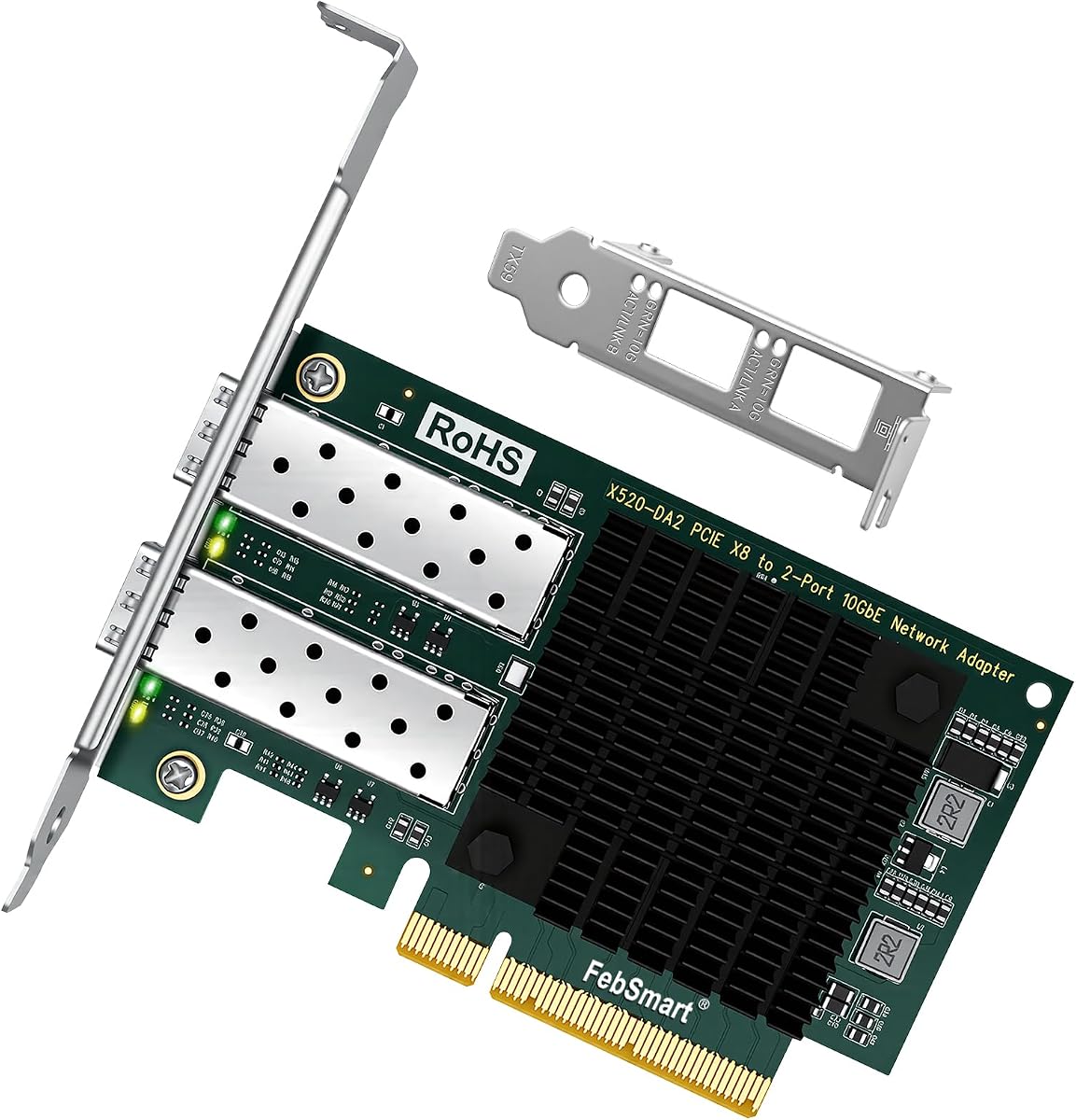
This dual port adapter is ideal for users needing redundancy or link aggregation. It features the Intel 82599ES controller and delivers stable 10Gb/s connections for desktops servers and NAS devices.
We may earn a commission when you buy through this link, at no additional cost to you.
The PCIe 2.0 x8 interface provides enough bandwidth for both ports simultaneously. It supports advanced virtualization features like SR-IOV and VLAN tagging ensuring efficient network management for complex setups.
Users must ensure their motherboard has a PCIe x8 slot to avoid bottlenecking. Windows users also need to install drivers manually. These requirements are minor for users needing dual port performance.
You should buy this if you require two fiber ports for failover or load balancing. It is perfect for professional workstations or small servers needing high reliability.
Two ports allow you to set up failover configurations ensuring your connection stays active even if one cable fails.
Intel virtualization technology ensures virtual machines can access network resources efficiently without performance drops.
We may earn a commission when you buy through this link, at no additional cost to you.
Selecting the right Fiber Optic Network Interface Card requires understanding several key factors that affect performance compatibility and value.
Determine whether you need gigabit 10GbE or 25GbE speeds based on your network infrastructure. SFP+ ports support higher speeds while SFP ports are limited to gigabit.
Choose a card that matches your existing switches and cables to avoid bottlenecks and wasted investment.
Intel chipsets like 82599ES and I350 are industry standard for stability and compatibility. They support advanced virtualization features crucial for server environments.
Prioritize cards with proven chipsets over generic alternatives to ensure long term reliability and driver support.
PCIe 3.0 or 4.0 cards provide more bandwidth than older PCIe 2.0 versions especially for 25GbE speeds. Ensure your motherboard slot version matches your card.
Mismatched versions can reduce performance so always verify the PCIe generation supported by your system.
Check driver availability for your specific OS version. Some cards work out of box on Linux but need manual drivers on Windows.
Verify the vendor provides updated drivers to avoid connectivity issues after system updates.
Server users should look for SR-IOV VMDq and VLAN tagging support. These features allow virtual machines to share physical resources efficiently.
Without these features your virtual environment may suffer performance bottlenecks and latency issues.
Most cards include full height and low profile brackets for small form factor PCs. Passive cooling designs need good airflow to avoid overheating.
Ensure your case has enough space and airflow to accommodate the card without thermal throttling.
Open SFP+ cages accept any MSA compliant transceivers whereas branded cards may lock vendors. Third party modules are significantly cheaper.
Avoid vendor locked cards if you plan to change transceivers frequently or want cost savings.
Prices vary greatly between budget generic cards and premium branded models. Consider total cost including transceivers which can exceed the card price.
Balance initial cost with long term reliability and support to find the best value for your needs.
Power off your computer and unplug it before opening the case to install the card. Insert the card firmly into the correct PCIe slot and secure the bracket with screws.
Connect your fiber optic cables to the SFP+ ports making sure the transceivers click into place. Ensure cables are handled gently to avoid damaging the delicate fibers inside.
Install the latest drivers from the vendor website or your operating system updates. Verify connectivity through network settings and check link lights to confirm the connection is active.
Most cards with open SFP+ cages accept any MSA compliant transceivers. You can choose from third party brands to save money instead of buying expensive branded modules.
Check that your switch supports the same speed and fiber type. Most SFP+ ports work with 10GbE switches but older gigabit switches may limit performance.
SFP+ ports support Direct Attach Copper DAC cables which act like patch cables. You cannot plug standard RJ45 Ethernet directly into SFP ports.
Yes many cards support SR-IOV and VMDq which allow virtual machines to access the network efficiently. This reduces latency and improves virtual server performance.
Price differences come from chipsets features and build quality. Branded enterprise cards cost more due to longer warranties and support while generic ones offer basic functionality.
Passive cooling works if your case has good airflow. For quiet systems or enclosed cases adding a small fan ensures the card stays cool and performs well.
Match the card speed to your internet plan and local network needs. For large file transfers and virtualization 10GbE is ideal while gigabit suffices for general use.
Driver compatibility may change after OS updates. Always check the vendor website for updated drivers or choose cards with strong community support for your OS.
We have reviewed ten top Fiber Optic Network Interface Cards ranging from budget 10GbE options to high end 25GbE solutions. The StarTech card offers the best overall stability while the LinksTek adapter provides the best budget value.
Prioritize chipset reliability and OS compatibility to ensure long term satisfaction. Virtualization features and open SFP cages are critical if you plan to run servers or use diverse transceivers.
Prices and availability change quickly so always verify current details before purchasing. Check your motherboard slots and switch support to ensure the chosen card fits your setup.