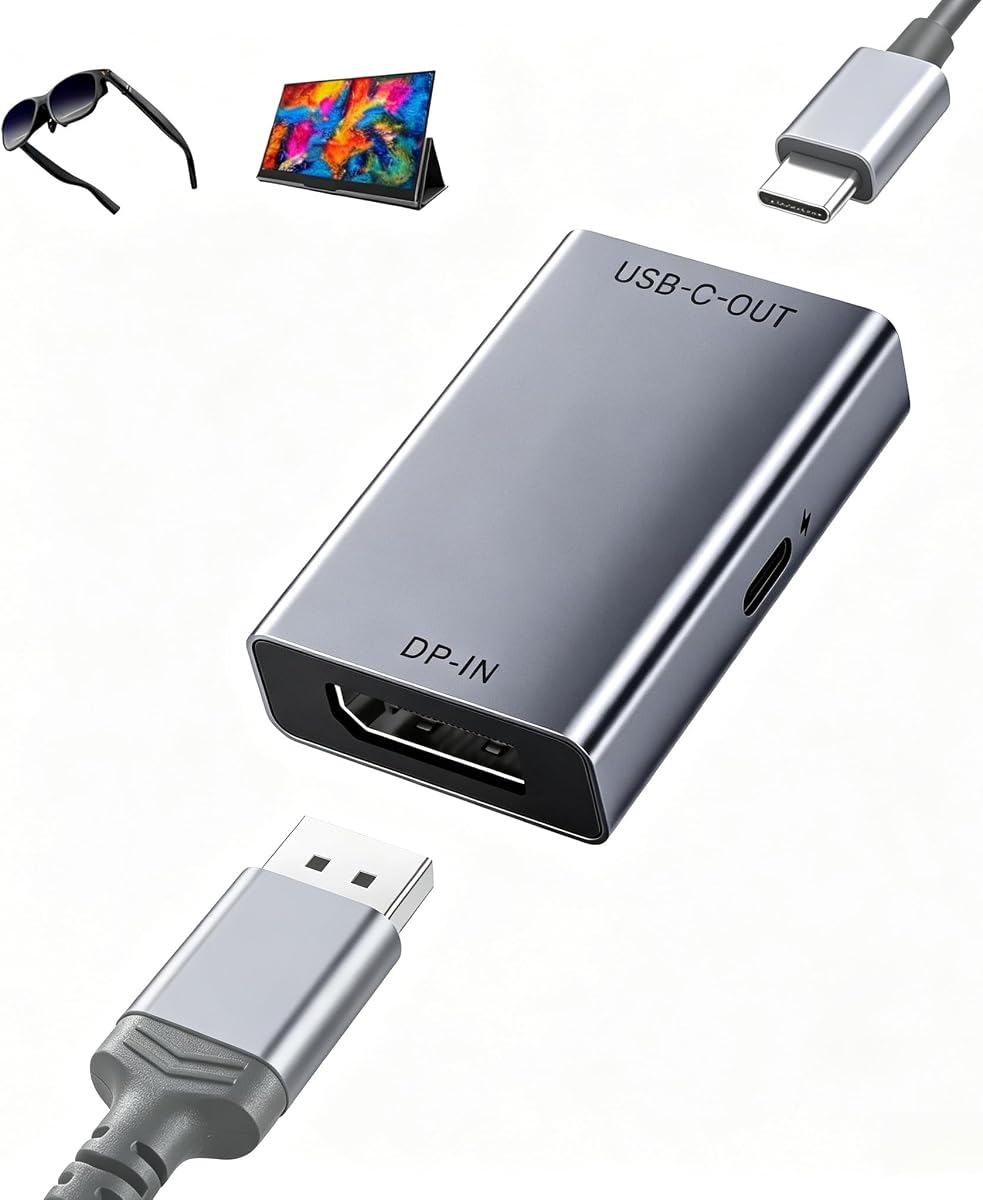
DisplayPort to USB-C Adapter with Power
4.5Editor score
Supports 4K at 120Hz
Compact aluminum build design
Wide AR glasses compatibility
This guide compares the top 10 Displayport Adapter for AR Glasses solutions, evaluating video quality, compatibility, and power delivery for immersive gaming
Finding the right Displayport Adapter for AR Glasses is essential for unlocking immersive visual experiences on modern wearable displays. These adapters bridge the gap between traditional desktop graphics outputs and the USB-C inputs required by most augmented reality eyewear today.
We compared ten highly rated products based on resolution support, power delivery capabilities, build quality, and user feedback. Each selection offers unique strengths for gamers, professionals, and casual users seeking reliable connectivity for their AR setups.
Every pick below highlights key features, pros, and cons to help you decide which adapter fits your specific hardware needs. Keep in mind that pricing and availability fluctuate frequently, so verify current details before purchasing your final choice.
4.5Editor score

4.8Editor score

4.2Editor score
The following table provides a side-by-side comparison of all ten selected Displayport Adapter for AR Glasses products, highlighting their core specifications and unique capabilities.
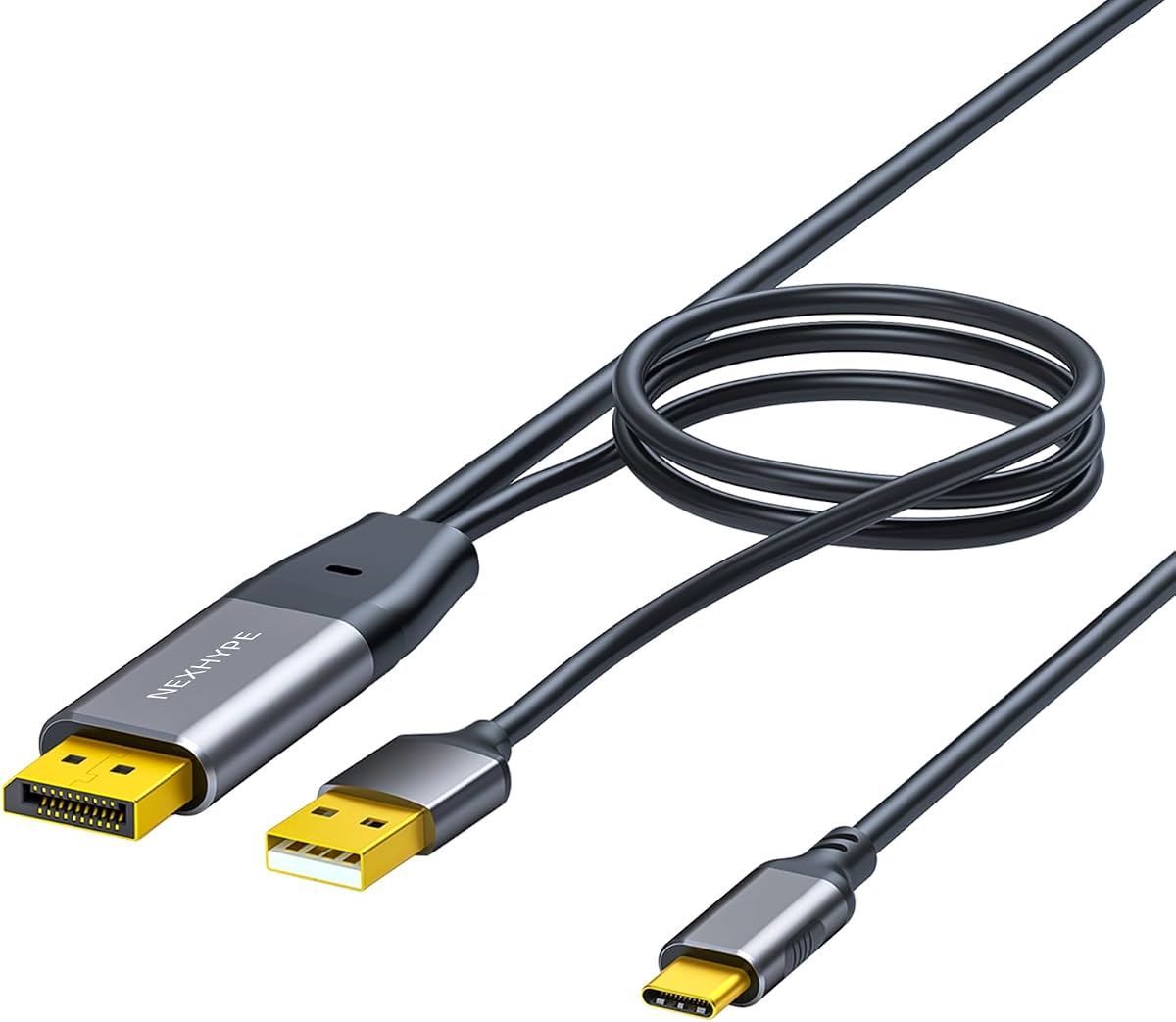


This adapter leads our list with an impressive 4.8 rating from verified buyers. It delivers 4K at 60Hz with full touch support and audio sync through a single cable solution.
We may earn a commission when you buy through this link, at no additional cost to you.
The integrated USB-A power tail stabilizes the signal for smooth touch interaction on portable monitors. Graphene shielding and an aluminum cooling casing ensure long-lasting performance during extended use.
While it lacks Switch 2 compatibility and requires GPU DSC support for Studio Display, these are minor trade-offs for its strong general compatibility and touch capabilities.
Highly recommended for creators and professionals needing reliable 4K touch support on AR glasses or portable monitors.
The aluminum cooling casing and graphene shielding help maintain signal integrity during color-critical video editing workflows.
Active stabilization via the USB power tail ensures that touch inputs are registered accurately without lag or ghosting.
We may earn a commission when you buy through this link, at no additional cost to you.
Rated 4.5 stars, this adapter is ideal for gamers needing high refresh rates on a budget. It supports 4K at 120Hz for ultra-smooth visuals on AR glasses and portable monitors.
We may earn a commission when you buy through this link, at no additional cost to you.
The compact aluminum alloy housing provides excellent heat dissipation, keeping the device cool during long gaming sessions. It works seamlessly with XREAL, Viture, and other major AR brands.
Note that you must supply a separate USB-C cable to power the adapter, and it only supports one-way video transmission from DP to USB-C.
A cost-effective choice for users prioritizing refresh rate performance and build quality over integrated power solutions.
The 120Hz support minimizes motion blur in fast-paced FPS and racing games, providing a competitive edge for gamers.
No drivers or software installation is required, allowing you to connect and start using the adapter immediately.
We may earn a commission when you buy through this link, at no additional cost to you.
This premium adapter earns a 4.2 rating with its 8K at 30Hz support and 65W Power Delivery. It is built for high-performance setups needing maximum visual fidelity.
We may earn a commission when you buy through this link, at no additional cost to you.
The integrated 65W USB-C PD port powers your display directly, simplifying your mobile workstation. The graphene-coated cable is lightweight, tangle-free, and highly portable.
The 0.5m length is great for travel but limits desk flexibility. Additionally, it does not support touchscreen functionality or displays with built-in batteries.
Choose this adapter if you need 8K resolution and want to power your AR glasses without an external power source.
Experience stunning clarity with support for 8K at 30Hz and ultra-smooth 4K at 144Hz output for creative and gaming tasks.
The 65W Power Delivery port keeps your portable monitor or USB-C display charged while transmitting video without extra adapters.
We may earn a commission when you buy through this link, at no additional cost to you.
With a 4.7 rating, this cable is praised for its integrated USB power design that supplies power and data simultaneously. The 6.6ft length provides excellent flexibility for various desk setups.
We may earn a commission when you buy through this link, at no additional cost to you.
Gold-plated connectors and an aluminum casing ensure smooth plugging and rust prevention. The PVC jacket adds flexibility to withstand bending during daily use.
Power output is limited for monitors larger than 15.6 inches, and consoles require an additional HDMI-to-DP adapter since the cable lacks HDMI directly.
A solid choice for users needing extra cable length and reliable power delivery for AR glasses and portable monitors.
The cable supplies power to battery-free portable monitors while simultaneously delivering touch-control data signals for seamless interaction.
Gold-plated connectors and a PVC jacket offer durability and flexibility, ensuring the cable survives various bending conditions without performance loss.
We may earn a commission when you buy through this link, at no additional cost to you.
Rated 4.2 stars, this active adapter supports 4K at 120Hz and includes a 3-port USB hub for peripherals. It is excellent for gamers and content creators needing color accuracy.
We may earn a commission when you buy through this link, at no additional cost to you.
The aluminum alloy housing with anti-slip silicone pads dissipates heat efficiently. It supports HDR and 10-bit color for professional graphics production and video editing.
To activate the USB hub, you must use a separate data cable since the included cable is for power only. Power output is also limited for larger portable monitors.
This adapter is best for users who need high refresh rates and extra connectivity through a USB hub for their AR setup.
Delivers accurate color reproduction for designers and editors by leveraging DP 1.4 bandwidth for excellent backlight control and gradation.
The adapter includes 3 USB 2.0 ports for connecting peripherals like keyboards and mice directly to your setup.
We may earn a commission when you buy through this link, at no additional cost to you.
This compact adapter holds a 4.4 rating and supports 4K at 60Hz for immersive viewing. Its female adapter design is useful for tight spaces or specific connector configurations.
We may earn a commission when you buy through this link, at no additional cost to you.
Gold-plated connectors ensure stable signal transmission and resist corrosion. The aluminum alloy housing provides better heat dissipation during prolonged use with AR glasses.
The 1.6ft length is short, making it less flexible for desk setups. An additional power source may be needed for high-power devices like large portable monitors.
Ideal for users prioritizing portability and compactness over cable length and maximum power delivery.
Supports 4K at 60Hz with backward compatibility for 2K at 120Hz and 1080P at 144Hz for versatile resolution support.
Works with AR glasses such as Xreal One and Viture One as well as portable monitors from ARZOPA and InnoView.
We may earn a commission when you buy through this link, at no additional cost to you.
Rated 4.6 stars, this cable is noted for its 6ft length and unidirectional signal. It supports 4K at 60Hz and is easy to plug and play without drivers.
We may earn a commission when you buy through this link, at no additional cost to you.
Gold-plated connectors and an aluminum casing ensure durability and smooth connection. The PVC jacket offers flexibility to withstand various bending conditions.
The product cannot supply power to the portable screen itself and does not transmit data, only supporting touch functions if the screen has them.
A straightforward and reliable choice for users needing a longer cable without complex power delivery features.
Converts the computer's DisplayPort signal to USB-C signal directly for reliable and stable display transmission without data errors.
Gold-plated connectors and a PVC jacket ensure the cable remains flexible and resistant to rust during daily use.
We may earn a commission when you buy through this link, at no additional cost to you.
This adapter earns a 4.5 rating for its versatility with handheld consoles like Switch 2 and AR glasses. It delivers crisp 4K at 60Hz with low latency.
We may earn a commission when you buy through this link, at no additional cost to you.
The PD3.0 pass-through charging keeps devices powered during gameplay. The aluminum alloy body ensures effective heat dissipation for reliable performance.
It generates more heat during use and requires PD power to activate TV mode, so ensure proper ventilation and a sufficient power source.
Perfect for gamers who want to cast handheld console gameplay to AR glasses or portable monitors without losing performance.
Supports Switch 2 in Dock Mode for TV output and handheld consoles via USB-C for seamless gameplay casting.
Delivers crisp 4K at 60Hz, smooth 2K at 120Hz, and 1080P at 144Hz video for immersive visuals and professional work.
We may earn a commission when you buy through this link, at no additional cost to you.
Rated 4.3 stars, this cable features a 6.6ft length for flexible setups. It supports 4K at 60Hz and includes a USB cable adapter for power stabilization.
We may earn a commission when you buy through this link, at no additional cost to you.
The aluminum casing and gold-plated connectors ensure durability. It is compatible with MacBook, iPad, and XPS laptops for creative workflows.
Note that it cannot supply power to portable monitors and does not support VR glasses or Studio Display directly, which limits some use cases.
A good option for users needing a longer cable for desktop setups who do not require monitor power.
The longer cable length offers flexible placement while maintaining signal integrity for 4K at 60Hz resolution.
The USB-A power tail must connect to a USB port to stabilize the signal and enable touch functionality on supported devices.
We may earn a commission when you buy through this link, at no additional cost to you.
This adapter holds a 4.2 rating and connects VITURE neckbands to any USB-C display. It supports transfers up to 10Gbit/s for 4K at 60fps.
We may earn a commission when you buy through this link, at no additional cost to you.
The magnetic connector ensures secure attachment and easy pairing. It can pair with the Mobile Dock to use the neckband on two displays simultaneously.
It is designed specifically for VITURE accessories and does not include XR glasses. It may not work with other brands of AR glasses.
Ideal for VITURE users who need a simple and reliable way to connect their glasses to standard USB-C displays.
Connects the Neckband to any USB-C display and pairs with the Mobile Dock for simultaneous use on two displays.
Supports transfers up to 10Gbit/s ensuring 4K at 60fps video output for immersive visual experiences.
We may earn a commission when you buy through this link, at no additional cost to you.
Choosing the right adapter requires understanding video resolution, power needs, and device compatibility for your AR glasses.
Look for adapters supporting 4K at 60Hz or higher. Some premium models support 8K at 30Hz or 4K at 120Hz for smoother visuals.
Higher refresh rates are critical for gaming and motion-heavy applications to reduce blur.
Adapters with integrated PD can charge portable monitors or AR glasses without extra power bricks. Check wattage ratings like 65W for sufficient power.
Larger monitors may require separate PD sources if the adapter power is insufficient.
Cables range from 0.5 meters to 2 meters. Longer cables offer flexibility for desk setups while shorter ones are more portable.
Choose based on your physical workspace needs for AR setup.
Ensure the adapter supports your specific AR glasses brand like XREAL or Viture. Verify your source device supports DP Alt Mode.
Some adapters are optimized for Switch 2 or Macs, so match them accordingly.
Aluminum alloy housings and gold-plated connectors provide better heat dissipation and signal stability. Look for reinforced cable jackets.
Durable materials extend the lifespan of the adapter during frequent use.
If using portable monitors with touch, the adapter must support touch data transmission. Some adapters require USB power tails for touch functionality.
Verify that the adapter supports the touch protocols of your display device.
Choose brands offering at least 12-month warranties and responsive customer support. This ensures assistance if issues arise with connectivity.
Good support channels can save time when troubleshooting AR setups.
Most adapters are one-way (DP to USB-C). Avoid if you need USB-C to DP for laptops or mobile phones with video out.
Confirm the direction of signal flow before purchasing to avoid compatibility issues.
Connect the DisplayPort end to your PC or graphics card and the USB-C end to your AR glasses or portable monitor. Ensure the USB power tail is connected to a USB port for stable signal if required.
Set your device firmware to DP mode if using XREAL or similar glasses. Update drivers and firmware regularly to maintain compatibility and performance.
Store the adapter in a protective case to prevent cable bending. Avoid running the cable through tight bends to maintain internal signal integrity.
Yes, most adapters listed support AR glasses like XREAL Viture, and Rokid. They support USB-C with DP Alt Mode input.
Some adapters have integrated PD power but others require an external USB cable for power. Check specific model specs for PD wattage.
Yes, many adapters support Mac Mini, MacBook Pro, and MacBook Air. Ensure your Mac has DP output or use compatible adapters.
Some adapters support up to 120Hz for gaming. Others support 60Hz for standard video output. Check model specs for max refresh rates.
Some adapters support Switch 2 dock mode. Most do not support standard Switch models without specific dock adapters.
Touch support depends on the adapter and monitor. Some require USB power tails to enable touch data transmission.
We explored ten top adapters balancing resolution, power, and compatibility for AR glasses. Top picks like the 4K 60Hz Cable stand out for touch support and durability.
Prioritize models that support your AR glass brand and have enough power for your display. Longer cables are helpful for flexible desktop setups.
Prices and availability change regularly so verify current specs before buying. Select the adapter that aligns best with your AR use case.