
ARCTIC P9 PWM PST
4.5Editor score
Wide rpm range
High static pressure
Durable bearing design
This guide compares the top 92mm case fans for quiet cooling and performance, helping you choose the right model for your PC build or upgrade needs.
Finding the right cooling solution for your compact system requires careful consideration of airflow and noise levels. Nine two millimeter fans are essential for small form factor builds where space is limited but performance remains critical for stability.
We evaluated ten top models based on acoustic performance, static pressure capabilities, and build quality. Each product was reviewed for its suitability in radiators, CPU coolers, and general case ventilation scenarios.
Every pick highlights specific strengths like PWM control or slim profiles to match your hardware. Note that retail pricing fluctuates frequently so always verify current costs before making your final purchase decision today.
4.5Editor score

4.8Editor score

4.8Editor score
This side by side comparison reviews all ten selected models to highlight key differences in speed noise and pressure for informed decisions.


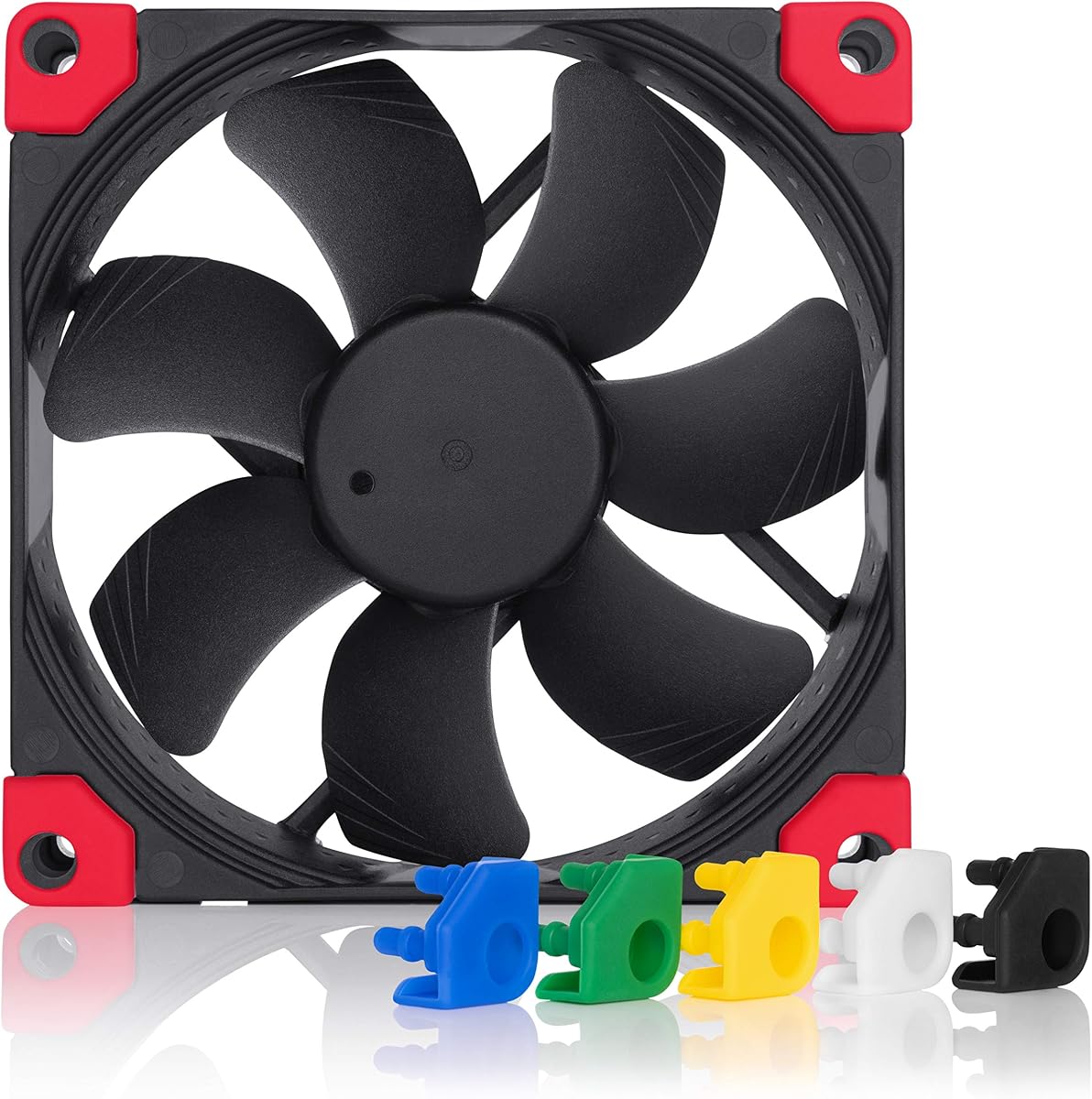


This premium fan earns top marks with a 4.8 rating for balancing silence and cooling power in compact builds. Its award winning A series design delivers reliable performance for CPU coolers and small cases alike.
We may earn a commission when you buy through this link, at no additional cost to you.
Flow Acceleration Channels reduce turbulence while the AAO frame optimizes acoustics. The SSO2 bearing ensures long life and stable speed control via 4 pin PWM headers for automatic adjustment.
Some users may find the beige design limiting compared to black only options. The price is higher than budget alternatives but the durability justifies the cost for critical cooling tasks.
Ideal for enthusiasts building silent ITX systems or upgrading NAS units. Choose this fan if you value quiet reliable operation and premium accessories like extension cables and y cables.
Advanced acoustic optimization minimizes airflow noise even at maximum speed.
The bearing design promises over 150000 hours of trouble free operation.
We may earn a commission when you buy through this link, at no additional cost to you.
Ranked second for excellent value this fan offers strong specs at a budget friendly price point. It supports PWM control and includes a splitter for connecting multiple fans easily.
We may earn a commission when you buy through this link, at no additional cost to you.
The wide RPM range allows flexible cooling from silent idling to aggressive high pressure cooling for radiators. Static pressure performance is strong despite the lower cost construction materials.
Operating noise can increase significantly at top speeds compared to premium brands. The frame feels lighter than metal options which might be a concern for long term vibration.
Perfect for cost conscious builders needing efficient cooling for radiators or compact cases. Prioritize this if you need PWM flexibility and splitter included without spending extra on branding.
High static pressure ensures airflow moves through restrictive heatsinks effectively.
Zero dB mode stops the fan completely when cooling needs are low.
We may earn a commission when you buy through this link, at no additional cost to you.
This slim variant delivers the same top tier performance in a space saving 14mm form factor. It retains the high quality A series design with customizable black aesthetic options.
We may earn a commission when you buy through this link, at no additional cost to you.
The reduced depth makes it ideal for low profile CPU coolers where clearance is tight. Speed ranges from 500 to 2500 RPM providing ample flexibility for various cooling loads.
Airflow is slightly less than deeper fans due to the slim blade span. The premium price is justified for niche builds needing specific dimensions or matching black hardware.
Select this if you need a silent fan for tight clearance or matching black components. The swappable pads let you customize colors to match your case or cooler perfectly.
The slim 14mm design fits coolers where standard 25mm fans cannot.
Swappable anti vibration pads allow matching case or hardware colors.
We may earn a commission when you buy through this link, at no additional cost to you.
The standard version of the slim fan offers the same core performance in the classic brown style. It provides excellent compatibility for 9cm low profile coolers and ITX builds.
We may earn a commission when you buy through this link, at no additional cost to you.
PWM control ensures automatic speed adjustment based on temperature loads. The SSO2 bearing is known for stability and reduced noise over extended usage periods.
It shares the same depth limitations as the chromax version which reduces max airflow potential. Brown color might not suit black or white build themes without modification.
Best for builders preferring the original Noctua look or needing PWM on a budget. Choose this if you need slim clearance but do not require the swap color pads.
Automatic speed control via 4 pin headers keeps noise optimized.
The 14mm thickness ensures fit in crowded internal PC compartments.
We may earn a commission when you buy through this link, at no additional cost to you.
This budget option offers solid performance at a very low entry price for 92mm fans. It focuses on noise reduction through vibration damping and bearing design.
We may earn a commission when you buy through this link, at no additional cost to you.
The S-FDB bearing minimizes friction to keep noise low during operation. PWM allows the motherboard to adjust speed automatically based on system temperature loads.
Build quality is functional but not premium compared to top tier brands. It may lack the long term durability of more expensive units for continuous heavy loads.
Ideal for users needing a quick affordable replacement for case or CPU cooling. Prioritize this if you want quiet operation and PWM control without paying premium costs.
Silicone feet and damping pads reduce noise from fan rotation.
Automatic PWM control adjusts RPM to match real time needs.
We may earn a commission when you buy through this link, at no additional cost to you.
This fan targets users who prefer a fixed speed profile for consistent and quiet operation. It is optimized for low noise while maintaining high static pressure for radiators.
We may earn a commission when you buy through this link, at no additional cost to you.
The bearing design uses alloy and lubricant developed to reduce friction and heat. Voltage control offers a basic way to adjust speed without full PWM headers.
Lack of PWM means less automatic integration with motherboard control systems. The fixed speed may not suit systems requiring wide dynamic range speed adjustment.
Best for simple builds needing silent cooling for storage or passive zones. Select this if you want reliable performance without complex PWM control wiring.
Optimized for low noise operation at a set speed range.
High static pressure ensures flow through restricted radiator fins.
We may earn a commission when you buy through this link, at no additional cost to you.
This variant combines the award winning A series design with a sleek black look. It appeals to builders wanting high performance with matching black case aesthetics.
We may earn a commission when you buy through this link, at no additional cost to you.
The swappable pads allow color customization to match specific components or themes. Noise levels remain low thanks to the AAO frame and Flow Acceleration Channels.
Pricing is higher than the brown version due to the chromax features. PWM control is standard but users must ensure their motherboard supports it properly.
Choose this for black themed builds needing top tier cooling. The pads let you tailor the look to match your hardware color scheme easily.
All black design matches modern cases and components seamlessly.
Advanced frame design minimizes noise at all speed levels.
We may earn a commission when you buy through this link, at no additional cost to you.
This 15mm fan offers a slim black option for tight cooling areas. It runs up to 2700 RPM for strong airflow in restricted spaces.
We may earn a commission when you buy through this link, at no additional cost to you.
Vibration damping pads help reduce noise from the high speed operation. The black design fits modern cases better than standard beige alternatives.
Brand reputation is less established than top tier competitors. Bearing quality may not match the longevity of premium models under heavy loads.
Good for budget builds needing slim black cooling for cases or CPUs. Pick this if you need extra clearance and a matching black look quickly.
The 15mm depth allows fit in very tight radiator or cooler spots.
Up to 2700 RPM ensures strong cooling under heavy thermal loads.
We may earn a commission when you buy through this link, at no additional cost to you.
This model uses a 3 pin connection for systems without PWM headers. It offers three manual speed settings via included Low Noise Adaptors for flexibility.
We may earn a commission when you buy through this link, at no additional cost to you.
Sound levels are very low at all three preset speeds. It provides the same cooling performance as the PWM version but without automatic control.
Manual adjustment via adaptors is less convenient than PWM. It may not suit users wanting full system control via BIOS software settings.
Choose for older systems or silent builds without PWM support. The adaptors give you manual control without complex wiring or software changes.
Included adaptors let you set three fixed low noise speeds.
3 pin design works with older motherboards and PSUs easily.
We may earn a commission when you buy through this link, at no additional cost to you.
This model pushes performance limits with a 4300 RPM top speed. It delivers the highest static pressure in this comparison for demanding cooling tasks.
We may earn a commission when you buy through this link, at no additional cost to you.
Fluid dynamic bearings support the high speed and long life. The wide RPM range allows fine tuning for quiet to extreme cooling modes.
At top speed noise is significant and not suitable for silent builds. Complex speed range needs careful PWM tuning to avoid unnecessary noise.
Select for high performance systems needing maximum airflow. Ideal for cases where silence is secondary to keeping components cool under load.
Highest static pressure allows airflow through dense radiator fins.
Range from 450 to 4300 RPM offers total control.
We may earn a commission when you buy through this link, at no additional cost to you.
Selecting the right fan involves balancing size, noise, and performance for your specific hardware and build case.
Standard 92mm fans are typically 25mm thick but slim 14mm or 15mm options exist for tight coolers. Always measure available space before purchasing to ensure proper fit.
Prioritize slim models for low profile CPU coolers or crowded PC cases where standard height limits airflow.
PWM fans offer automatic speed control via 4 pin headers while FLX uses voltage adaptors. Ensure your motherboard supports the connector type you select.
Choose PWM for modern builds needing dynamic speed control and FLX for older systems without 4 pin headers.
Radiators and dense heat sinks need high static pressure to push air through. Check mmH2O ratings when choosing for liquid cooling systems.
Select models with higher mmH2O values for radiator use to maintain effective cooling performance.
Noise ratings like dB(A) indicate how loud the fan is at max speed. Lower numbers mean quieter operation essential for silent PC builds.
Look for fans with low dB ratings and vibration damping pads to minimize audible noise during operation.
Bearing technology like SSO2 or Fluid Dynamic impacts long term reliability and noise. Higher end bearings reduce friction and extend service life.
Invest in fans with proven bearing tech for long term stability and minimal maintenance needs.
Quality plastic frames and anti vibration mounts reduce noise transmission to case panels. Check included accessories like screws or dampers.
Ensure the fan includes mounts and dampers to prevent vibration transfer during operation.
Black only designs match modern cases while brown or multi color may clash. Some brands offer swappable pads for customization.
Choose colors matching your case interior and consider swappable options for flexible styling.
Premium brands cost more but offer reliability and accessories. Budget options often lack advanced noise reduction or long warranties.
Balance upfront cost with long term performance needs and expected usage duration.
Install fans with arrows pointing to desired airflow direction to ensure proper case ventilation. Mount using provided screws or dampers to minimize vibration and noise.
Check connectors match your motherboard headers. PWM fans need 4 pin headers for automatic control while others can use adapters if needed.
Regularly dust blades and check mounts for wear to maintain performance. Replace fans if bearings grow noisy or speeds become inconsistent over time.
The main difference is thickness. 25mm is standard for high airflow while 14mm fits tight coolers. Slim fans have less blade depth so may move less air at same RPM.
No, some use 3 pin connectors with voltage control. Always check product specs for 4 pin PWM or 3 pin FLX before purchasing for compatibility.
Use high static pressure fans for radiators and heatsinks. Use high airflow for open case intake or exhaust where obstruction is minimal.
Yes but matching speeds and noise profiles helps consistency. Consider using fans from same brand for identical performance levels.
They are often worth it for reliability and silence. Budget options are fine for basic needs if price is a priority.
Quality fans can last years if kept clean. Replace when noise increases or performance drops. Regular cleaning extends lifespan significantly.
The Noctua NF-A9 PWM leads as the top all rounder. ARCTIC P9 PWM PST is the best budget pick for those needing value and versatility.
Prioritize PWM control for modern builds and static pressure for radiators. Match clearance needs with slim options like the NF-A9x14 for tight spots.
Always check current pricing and availability as these can fluctuate. Verify your motherboard headers and clearance measurements before finalizing your order.