
QNAP TR-004
4.2Editor score
Hardware RAID Support
USB Type-C Connectivity
Lockable Drive Bays
This guide compares the top Direct Attached Storage enclosures for speed and capacity, helping you choose the best DAS dock for your specific workflow and
Direct attached storage provides a reliable way to expand your computer’s local storage without network complexity. A good DAS enclosure offers fast data transfer, robust cooling, and tool-free drive management for professionals.
We evaluated ten top-rated enclosures based on transfer speeds, bay counts, cooling systems, and build quality. Our comparison highlights models supporting SATA HDDs, SSDs, and hybrid NVMe configurations for maximum flexibility.
Each pick showcases specific strengths like hardware RAID or hot-swappable bays. Note that availability and specific configurations may change, so verify current listings before purchasing to ensure compatibility with your drives.
4.2Editor score

4.2Editor score

4.3Editor score
The following table provides a quick side-by-side view of the key specifications and standout features for each of the top ten DAS enclosures available this month.


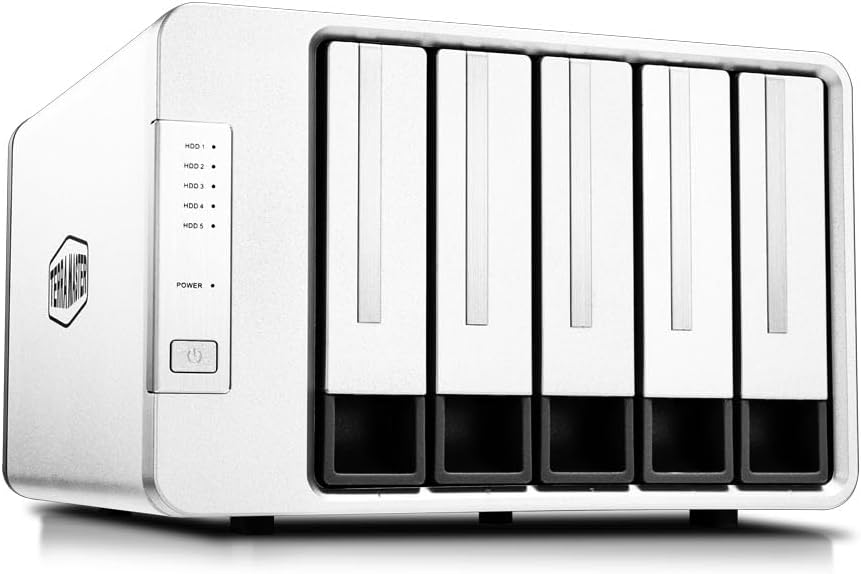


The TERRAMASTER D4-320 is a top choice for professionals needing fast local storage. It boasts a 4.2 rating for reliability and delivers consistent performance across Windows and macOS.
We may earn a commission when you buy through this link, at no additional cost to you.
Its USB 3.2 Gen2 protocol ensures speeds up to 10Gbps, making it ideal for large file transfers. The intelligent temperature-controlled fan keeps noise levels low while protecting your drives.
While it lacks hardware RAID features, the hot-swappable trays make maintenance easy. The trade-off for speed and simplicity is often acceptable for users prioritizing individual drive access.
Buy this if you want a balance of speed and silence. It is perfect for editors needing quick access to video archives without network complexity.
The 10Gbps interface allows for rapid read/write speeds, significantly reducing wait times during large data migrations.
Sound-absorbing panels and a smart fan ensure the enclosure runs quietly, even under heavy load.
We may earn a commission when you buy through this link, at no additional cost to you.
The QNAP TR-004 stands out for its hardware RAID support, making it a premium option for data redundancy. It has a solid 4.2 rating for its robust build and compatibility.
We may earn a commission when you buy through this link, at no additional cost to you.
You can configure RAID 0, 1, or 5 directly on the device without needing a host computer. This ensures your data stays safe even if a drive fails unexpectedly.
While the drive migration is somewhat restricted, the security benefits outweigh this inconvenience. It is best suited for users who already own a QNAP ecosystem.
Choose this for its security features. It is an excellent choice for businesses needing reliable redundancy without the cost of a full NAS setup.
Built-in RAID support ensures data safety and performance without relying on host software processing.
This unit can expand the capacity of your existing QNAP NAS seamlessly when configured correctly.
We may earn a commission when you buy through this link, at no additional cost to you.
The CENMATE Aluminum 4 Bay offers excellent value for home users needing extra storage. It holds a 4.3 rating and fits well into tight desktop spaces.
We may earn a commission when you buy through this link, at no additional cost to you.
Its aluminum shell aids in heat dissipation, while the USB 3.0 connection ensures stable data transfers. It works flawlessly with Windows and Mac systems.
The fan noise can be noticeable during heavy use, which might disturb quiet environments. However, the affordability and durability make it a strong contender for casual users.
Buy this if you need reliable storage on a budget. It is ideal for backing up personal files or storing media libraries.
The aluminum alloy housing helps keep drives cool during extended transfer sessions.
This enclosure supports both 2.5-inch and 3.5-inch drives for maximum flexibility.
We may earn a commission when you buy through this link, at no additional cost to you.
The TERRAMASTER D8 Hybrid allows you to mix SSDs and HDDs in one unit. It is a unique solution for optimizing hot and cold data storage.
We may earn a commission when you buy through this link, at no additional cost to you.
You can store active files on fast NVMe drives and archives on large HDDs. The 10Gbps USB connection ensures high speeds for the SSDs.
The complexity of managing two types of drives might be daunting for some. Also, the price reflects the specialized capabilities of this unit.
Choose this for advanced storage workflows. It is perfect for users who want to optimize performance and storage density simultaneously.
Separating hot and cold data improves performance and reduces storage costs effectively.
NVMe slots allow for rapid access to frequently used files and projects.
We may earn a commission when you buy through this link, at no additional cost to you.
The SABRENT 5-Bay provides robust performance with individual controllers for each drive. It earns a 4.1 rating for its reliability and build quality.
We may earn a commission when you buy through this link, at no additional cost to you.
Each drive has an independent connection, ensuring stability during heavy loads. The intelligent PWM fan keeps the system cool without unnecessary noise.
The lack of an external power adapter means it relies on internal switching, which may limit portability. However, the performance justifies the cost for pros.
Buy this if you need reliable multi-drive access. It is great for video editors managing multiple large media drives.
Each drive bay has its own controller, reducing bottlenecks and improving overall stability.
A rear USB-C port allows you to connect additional peripherals or another dock.
We may earn a commission when you buy through this link, at no additional cost to you.
The TERRAMASTER D8 Hybrid 2 achieves a perfect 5.0 rating for its efficiency. It allows flexible storage expansion with mixed drive types.
We may earn a commission when you buy through this link, at no additional cost to you.
TPM technology optimizes power usage, saving energy while ensuring fast wake-up times. It supports up to 152TB of storage in total.
While the interface is straightforward, managing eight drives requires careful planning. The high rating reflects its solid performance and user-friendly features.
Choose this for efficiency and power management. It is ideal for eco-conscious professionals needing large storage capacity.
TPM technology ensures the device uses power efficiently without sacrificing speed or reliability.
Compatibility with multiple OS systems makes integration into existing workstations simple.
We may earn a commission when you buy through this link, at no additional cost to you.
The TERRAMASTER D5-310 simplifies RAID configuration with a physical knob on the back. It offers a unique interface for switching modes.
We may earn a commission when you buy through this link, at no additional cost to you.
RAID 5, 0, and 10 modes are easily accessible without software tools. This makes data management very user-friendly for those less technical.
The transfer speed is capped at 5Gbps which is lower than top competitors. This might be a limitation for high-speed professional workflows.
Buy this for ease of use. It is great for small businesses needing basic redundancy without complex setups.
A dedicated knob on the rear allows instant switching between different RAID configurations.
Included software helps automate backups to protect your valuable data from loss.
We may earn a commission when you buy through this link, at no additional cost to you.
The WAVLINK 4-Bay is unique for its built-in HDMI port supporting 4K output. It acts as both storage and a docking station.
We may earn a commission when you buy through this link, at no additional cost to you.
The aluminum shell provides durability and cooling. Independent power switches allow you to manage drives individually.
To use the HDMI feature, your host port must support video output. This is a niche feature but adds significant value for some users.
Choose this for workspace optimization. It helps reduce cable clutter by combining storage and display functions.
The HDMI port allows for direct video output, enhancing its utility as a docking station.
Aluminum casing ensures the drives stay cool and protected during intense usage.
We may earn a commission when you buy through this link, at no additional cost to you.
The ORICO 5 Bay is designed for quick setup with a magnetic cover. It identifies drives in seconds and requires no screws.
We may earn a commission when you buy through this link, at no additional cost to you.
A double-ball bearing fan keeps the drives cool. It has multiple protections against voltage spikes and overheating.
Linux users may face limitations reading multiple drives simultaneously. However, for general Windows and Mac users, it is very effective.
Buy this for convenience. It is a good choice for users who need a straightforward and easy-to-use solution.
Magnetic chips secure the cover, allowing instant access to drives without tools.
Built-in safeguards protect your data and hardware from electrical surges or short circuits.
We may earn a commission when you buy through this link, at no additional cost to you.
The QNAP TR-002 is a compact option for users needing just two drives. It maintains the QNAP standard of hardware RAID support.
We may earn a commission when you buy through this link, at no additional cost to you.
This small unit fits easily in small offices. Lockable bays add a layer of security for sensitive data.
The two-bay limit restricts expansion compared to larger units. However, it is ideal for users who need a simple backup solution.
Choose this for a compact backup. It is perfect for small offices needing secure local storage.
Its compact size makes it easy to fit into tight desk spaces or server rooms.
Lockable drive bays ensure that unauthorized users cannot remove drives easily.
We may earn a commission when you buy through this link, at no additional cost to you.
Choosing the right DAS involves evaluating speed, capacity, and features like RAID or cooling to match your specific workflow needs.
USB 3.2 Gen2 offering 10Gbps is ideal for high-speed tasks. Ensure your computer supports the protocol to avoid bottlenecks.
Look for USB-C ports for future-proofing and faster data rates.
Check if the enclosure supports the drive size you need. Some units support only 3.5-inch drives while others support 2.5-inch.
Hybrid options allow mixing SSDs and HDDs for optimal performance and capacity.
Hardware RAID provides data redundancy without relying on the host computer. Consider if you need RAID 1 or 5 for safety.
Most budget DAS units are JBOD only, so verify requirements before buying.
A robust fan system is crucial for preventing overheating during long transfers. Aluminum shells also help dissipate heat effectively.
Ensure the fan noise level fits your workspace environment.
Hot-swappable bays allow you to change drives without shutting down the system. This is vital for active workflows.
Look for tool-free trays for easier maintenance and upgrades.
Aluminum housings provide better durability and cooling compared to plastic. Check the weight and dimensions for desk space planning.
Invest in a sturdy model to protect your expensive drives from damage.
Most DAS units work with Windows and macOS out of the box. Linux support can sometimes be limited with multi-bay enclosures.
Verify the manual for OS compatibility if you are a Linux user.
External power adapters ensure stable performance even with multiple drives. Internal power supplies save space but may be less robust.
Check if the unit includes a power cable and adapter.
Always connect the DAS to a powered USB port or use the included power adapter for stability.
Allow the enclosure to cool before unplugging to avoid data corruption or hardware stress.
Periodically clean the fan vents with a soft brush to maintain optimal airflow and cooling.
DAS connects directly to one computer via USB or Thunderbolt while NAS connects to a network allowing multiple users to access data. DAS is generally cheaper and simpler to set up.
Most modern DAS enclosures are plug-and-play and do not require driver installation on Windows or macOS. However, some specialized management software might be optional for better control.
Yes, most DAS enclosures support both SATA HDDs and SSDs. Ensure the SATA version matches the enclosure's support for optimal performance.
Hardware RAID is generally more reliable and does not rely on the host computer's resources. It can be more expensive but offers better performance and data safety.
This can happen due to older USB ports or using USB cables that do not support high speeds. Ensure you use the included cable and connect to a Gen2 port.
Place the enclosure in a well-ventilated area away from heat sources. Regularly clean the dust from fan vents to prevent overheating.
The TERRAMASTER D4-320 leads our list for its speed and silence while the QNAP TR-004 offers robust RAID security for professionals.
Prioritize cooling and drive compatibility to ensure your setup meets your performance needs without thermal issues.
Always check current availability and specifications on the vendor site as features can vary by region and date.