
HiLetgo MAX7219 Dot Matrix Module
4.4Editor score
Low-cost per module
Simple SPI interface
Compatible with Arduino
This guide compares ten top LCD Dot Matrix Modules for developers and hobbyists evaluating resolution, backlight type, controller compatibility, and value for
LCD Dot Matrix Modules provide versatile visual output for embedded systems, industrial panels, and hobbyist projects requiring clear text or graphic displays.
We evaluated ten leading models based on resolution, backlight quality, interface options, and ease of integration with popular microcontrollers like Arduino and ESP32.
Each pick highlights key strengths and trade-offs so you can choose the right module for your needs while noting that prices may fluctuate over time.
4.4Editor score

4.1Editor score

4.1Editor score
This table compares all ten products side by side to help you quickly evaluate their key specifications and features for your specific project requirements.




The Ximimark 12864 LCD Display Module offers a solid balance of clarity and affordability for graphic-based embedded projects.
We may earn a commission when you buy through this link, at no additional cost to you.
It features a 128×64 pixel grid with a bright blue backlight and an onboard potentiometer for contrast adjustment.
While it needs external components for full functionality, the included Arduino library simplifies setup for beginners.
This module is ideal for hobbyists needing clear text and graphics without the high cost of full-color displays.
The provided Arduino library allows developers to quickly start displaying text and simple graphics without deep technical knowledge.
The integrated potentiometer ensures you can tune the display to match different lighting environments in your project setup.
We may earn a commission when you buy through this link, at no additional cost to you.
This module delivers a bright high-contrast display with a wide viewing angle suitable for industrial and hobbyist applications.
We may earn a commission when you buy through this link, at no additional cost to you.
It is compatible with popular controllers like MEGA 2560 and Nano Due making integration straightforward for many users.
The inclusion of pin headers means you can connect it quickly to your breadboard or PCB without extra work.
Choose this if you need a reliable graphical display and are comfortable handling basic interfacing and wiring.
The high-contrast backlight ensures characters remain sharp and readable even in ambient lighting conditions.
Its compatibility with multiple microcontrollers gives you flexibility to choose the board that best fits your project needs.
We may earn a commission when you buy through this link, at no additional cost to you.
The 1602 LCD module is a classic text display that remains popular for simple interfaces and status readouts.
We may earn a commission when you buy through this link, at no additional cost to you.
This package includes two units allowing you to build dual-display projects or spare units for larger production runs.
With a parallel port interface and 5V operation it fits easily into standard Arduino and microcontroller setups.
This option is perfect for straightforward projects needing clear character output without the cost of graphical modules.
Buying two units together saves cost and ensures you have both displays ready for side-by-side or redundant setups.
The parallel port interface is straightforward and widely supported making it easy to integrate into existing designs.
We may earn a commission when you buy through this link, at no additional cost to you.
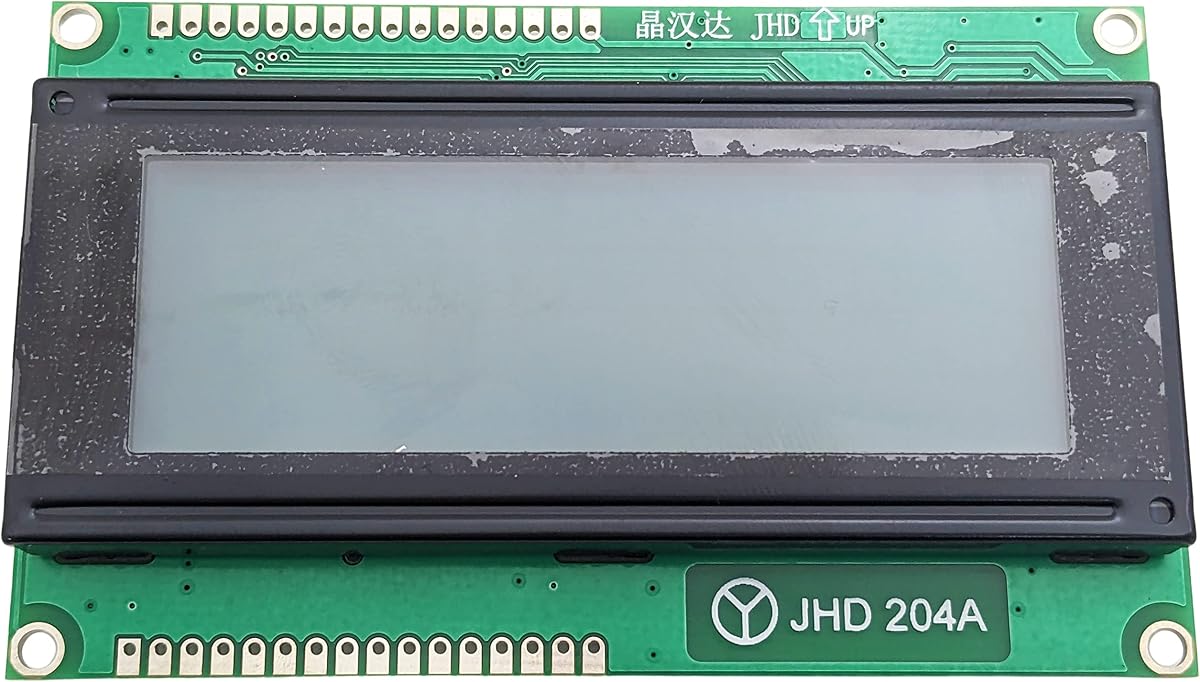
The 20×4 module offers a generous 80-character layout ideal for displaying detailed information or multiple lines of text.
We may earn a commission when you buy through this link, at no additional cost to you.
It includes both driver and controller components simplifying the electronics needed to power and communicate with the display.
The reflective gray display works well in well-lit environments where artificial backlighting is not required or desired.
This module is a solid choice for industrial control panels or projects requiring more text space than standard 16×2 screens.
Having the driver and controller included means you do not need extra breakout boards to interface with the display.
The 20×4 layout provides significantly more room for detailed text compared to standard 16×2 character displays.
We may earn a commission when you buy through this link, at no additional cost to you.
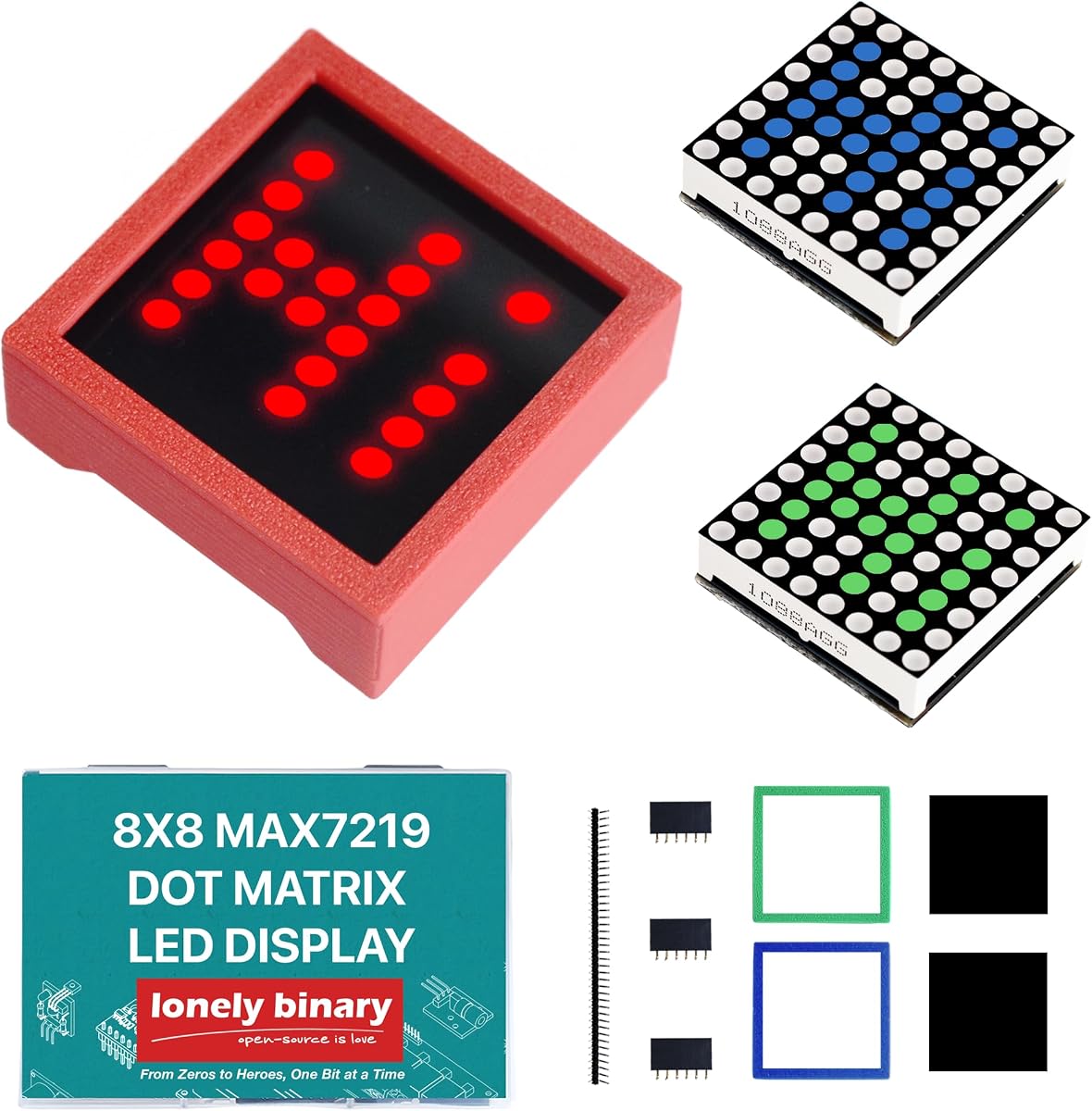
This pack includes three distinct LED matrix modules in red green and blue allowing for colorful layered effects.
We may earn a commission when you buy through this link, at no additional cost to you.
The MAX7219 driver simplifies control making it easy to chain modules and manage brightness via SPI.
ThreeD printed enclosures are included which protect the modules and give a polished look to your final build.
It is an excellent choice for makers wanting to experiment with animations and notifications using simple Arduino code.
Having three different fixed colors allows you to create multi-colored indicators or layered visual effects easily.
The 3D printed cases protect your modules from dust and scratches while giving a professional finished appearance.
We may earn a commission when you buy through this link, at no additional cost to you.
The HiLetgo MAX7219 module is an affordable option that offers reliable LED matrix display for beginners.
We may earn a commission when you buy through this link, at no additional cost to you.
It uses a standard 5V supply and simple wiring making it accessible for early projects.
The MAX7219 driver handles brightness and scanning automatically so you can focus on your software logic.
This module is best for hobbyists who want to experiment with LEDs without investing in more expensive kits.
Its low price makes it easy to buy multiple units for experiments without breaking your budget.
The onboard driver manages most of the display logic so you can control the matrix with simple commands.
We may earn a commission when you buy through this link, at no additional cost to you.
This module provides eight digit positions suitable for numeric displays such as clocks or counter readouts.
We may earn a commission when you buy through this link, at no additional cost to you.
It uses an SPI interface which keeps wiring minimal and communication fast with your microcontroller.
Advanced control features like brightness adjustment and test modes allow you to customize the display behavior.
Choose this for projects where numeric values need to be shown clearly without needing full matrix graphics.
The 8-digit format is ideal for showing time temperature or other numeric data without clutter.
The low power shutdown mode helps conserve energy especially useful in portable or battery-powered projects.
We may earn a commission when you buy through this link, at no additional cost to you.
The SunFounder LCD2004 module provides ample space for text with 20 characters across four lines.
We may earn a commission when you buy through this link, at no additional cost to you.
It features white characters on a blue background which enhances readability in most lighting conditions.
The module includes an onboard potentiometer so you can fine-tune the contrast to suit your environment.
This display is a dependable choice for data logging interfaces or any project needing clear textual information.
The white on blue color scheme provides strong contrast ensuring characters are easy to read at a glance.
The built-in potentiometer lets you adjust contrast easily without needing extra components or code.
We may earn a commission when you buy through this link, at no additional cost to you.
The 32×8 matrix modules offer a wide banner-style display perfect for scrolling messages or animations.
We may earn a commission when you buy through this link, at no additional cost to you.
This pack includes three modules in different colors allowing flexible setup for layered or single-color projects.
The daisy-chain design lets you expand the display horizontally by connecting multiple modules together easily.
Ideal for desktop clocks or visualizers where width is more important than height for your content.
You can connect multiple modules horizontally to create very wide displays for long messages or graphics.
The included enclosures give the modules a finished look and protect them during installation in enclosures.
We may earn a commission when you buy through this link, at no additional cost to you.
This module integrates four 8×8 matrices into a single compact board reducing wiring complexity for larger displays.
We may earn a commission when you buy through this link, at no additional cost to you.
It uses a standard 5-pin SPI interface making it compatible with most common microcontrollers like Arduino.
The module includes pre-drilled mounting holes for secure panel or enclosure installation in fixed applications.
Select this when you need more pixels without managing multiple separate module connections or daisy-chains.
Combining four matrices on one board reduces wiring and simplifies mounting in your enclosure or panel.
The pre-drilled holes make it easy to screw the module into place securely without loose wires.
We may earn a commission when you buy through this link, at no additional cost to you.
Selecting the right display depends on your specific project requirements including resolution controller compatibility power needs and budget constraints.
Resolution determines how much information you can show at once. Text-only modules like 16×2 or 20×4 are simpler but graphical modules like 128×64 allow images and custom layouts.
Choose based on whether you need full graphics or just simple status indicators and text.
Most modules use parallel SPI or I2C interfaces. Check if your microcontroller supports the interface you need and whether drivers are available.
Modules with built-in drivers like MAX7219 simplify wiring and software for Arduino ESP32 or Raspberry Pi.
Backlight color and brightness affect readability in different lighting conditions. Blue backlights generally offer better contrast than green or white.
Look for adjustable contrast options if your project will be used in varying light environments.
Most modules operate at 5V but some may need additional power supplies for bright backlights or multiple modules.
Check voltage needs and ensure your power source can handle the total current draw of all displays.
Module size impacts how easily it fits into your enclosure or panel. Check dimensions and mounting hole locations.
Consider whether you need space-saving designs or standard sizes that fit existing frames.
Budget varies widely with simple character displays costing less than complex graphical modules. Also check availability and shipping times.
Balance cost with features to ensure you get the right module without overspending.
Good library support speeds up development. Check for Arduino libraries or code examples from the manufacturer.
Strong community support can help resolve issues faster during development.
Build quality affects long term reliability especially in industrial environments. Look for modules with protective cases or sturdy PCBs.
Investing in quality early can prevent failures in critical applications.
First connect the power pins correctly usually VCC to 5V and GND to ground to prevent damage to the module.
Install the appropriate library or driver for your microcontroller to enable communication and display control.
Clean the display with a dry soft cloth and avoid exposing it to moisture or extreme temperatures.
Text-only modules show characters only and are simpler to use. Graphic modules display custom images and patterns but require more processing power and code.
Most use standard controllers like HD44780 or MAX7219 which have free open-source libraries available for Arduino and other microcontrollers.
Yes many modules support daisy chaining using SPI interfaces to create larger custom displays by connecting data outputs to inputs.
Most LCD modules have an onboard potentiometer. Turning it adjusts the voltage to change display contrast for better visibility.
Arduino ESP32 ESP8266 Raspberry Pi and STM32 boards are widely supported with libraries available for easy integration.
Quality LCD and LED modules can last for thousands of hours of operation if operated within specified voltage and temperature ranges.
The Ximimark 12864 and Lonely Binary packs stand out for graphic and color versatility while HiLetgo offers budget-friendly options.
Prioritize resolution and interface compatibility to match your project needs without overpaying for unused features.
Always check current prices and availability before purchasing since costs can change frequently due to supply and demand.