
Replacement Remote for Dish Upgraded Network 54 Series
4.5Editor score
Voice search included
Simple pairing process
Universal AUX pairing
This guide compares ten top-rated Dish Network replacement remotes for various receiver models to help you find the perfect match for your home entertainment
Finding a reliable remote control is essential for enjoying your Dish Network experience without frustration. Whether your original remote is lost or broken, choosing the right replacement ensures seamless navigation through your favorite shows and services.
We evaluated ten distinct remote options based on compatibility, ease of setup, and user feedback. Our analysis focuses on models that work with popular receivers like the Hopper, Joey, and legacy IR units to cover diverse household needs.
Each selection highlights key features such as voice search, backlighting, and pairing methods to help you decide quickly. Keep in mind that availability and specific model compatibility may vary, so always verify your receiver type before purchasing.
4.5Editor score

4.6Editor score

4.6Editor score
This side-by-side comparison helps you identify the most suitable replacement remote based on your specific receiver model and desired features like voice control or infrared functionality.




This remote is widely recognized as a top-tier replacement for Dish Network Hopper users seeking reliable control. With a strong rating of 4.6 stars, it stands out for its seamless integration and user-friendly design.
We may earn a commission when you buy through this link, at no additional cost to you.
The backlit keys ensure you can operate the receiver in a dark theater setup without guessing button locations. Additionally, the remote locator feature helps you find misplaced units quickly by triggering a beep from your DVR.
While the voice search requires internet connectivity to function fully, this is a minor trade-off for the convenience it offers. Most users find the initial setup straightforward and the pairing process highly effective.
If you own a Hopper or Joey receiver and want a polished upgrade experience, this remote is an excellent choice. It balances modern features with the reliability expected from official Dish hardware.
The backlit keys automatically illuminate when you pick up the remote, making navigation effortless during night viewing sessions.
Push a button on your DVR to make the remote beep and blink, saving you time when it gets misplaced in furniture.
We may earn a commission when you buy through this link, at no additional cost to you.
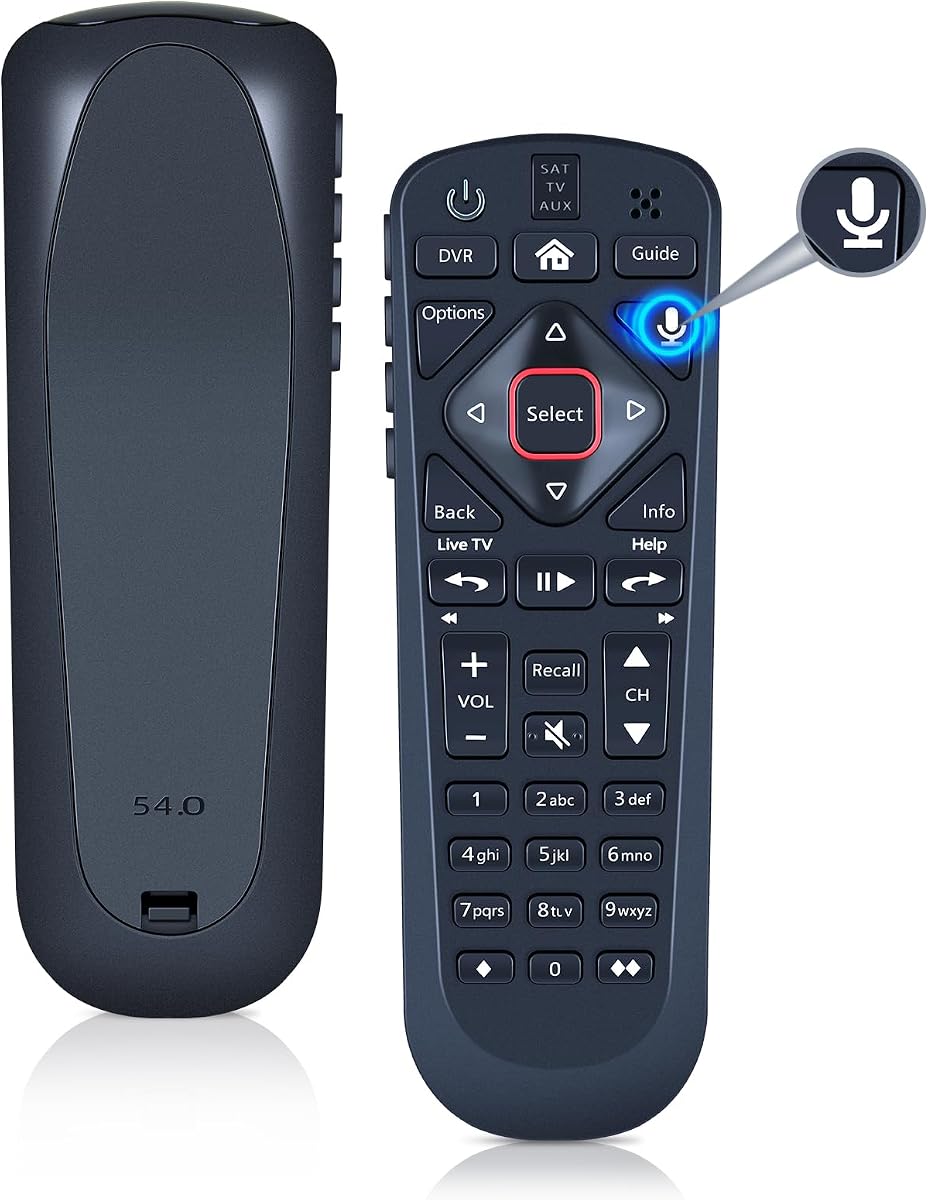
This FQOUG replacement remote delivers impressive value for those needing a reliable control for the upgraded 54 series receivers. With a 4.5-star rating, it proves that budget-friendly options can still offer premium features like voice search.
We may earn a commission when you buy through this link, at no additional cost to you.
Pairing is straightforward if you follow the provided instructions involving the SYS INFO and SAT buttons. Users appreciate the ability to pair with auxiliary devices like Blu-ray players or stereo systems alongside their main receiver.
While the remote requires careful attention during the pairing setup, the long-term benefits of voice control and universal compatibility outweigh this initial effort. The build quality feels sturdy despite the lower price.
Buyers looking for a cost-effective solution for their Dish Network setup will find this remote highly satisfactory. It provides essential modern controls without demanding a premium investment.
Built-in voice search lets you find shows without typing, making navigation faster and more intuitive for all users.
You can also pair this remote with auxiliary devices like Blu-ray players or stereo systems for consolidated control.
We may earn a commission when you buy through this link, at no additional cost to you.
The 52.0 model is a robust premium replacement remote designed to enhance the viewing experience with advanced features. Its high rating of 4.6 stars reflects consistent performance across various Dish Network receiver setups.
We may earn a commission when you buy through this link, at no additional cost to you.
Programmable hot keys allow you to launch apps like Netflix or turn on closed captioning instantly with a single press. This level of customization elevates daily use and reduces the need to navigate complex menus.
The remote finder function adds a layer of convenience by allowing you to locate the device through your receiver interface. While it might require some initial setup, the long-term benefits justify the effort for power users.
For those prioritizing features like backlit keys and quick-launch shortcuts, this remote offers a superior upgrade path. It represents a top choice for households seeking enhanced control over their entertainment systems.
Program hot keys to launch Netflix or other apps instantly, streamlining access to your most used streaming services.
The keypad illuminates automatically in dark settings, ensuring you never miss a button during late-night streaming sessions.
We may earn a commission when you buy through this link, at no additional cost to you.
This FQOUG remote provides a solid alternative for users needing a voice-enabled controller for the 54 series receivers. Despite a lower rating compared to official units, it covers essential functions well.
We may earn a commission when you buy through this link, at no additional cost to you.
The voice search function allows for quicker access to shows and channels without tedious typing. Pairing involves specific steps using the Home and Guide buttons, which may require careful attention during setup.
Unpairing is handled via a simple button hold, making troubleshooting relatively easy if connection issues arise. Users should note that this model explicitly does not work with the newer Hopper 3 receiver.
While it may not match the polish of original hardware, it remains a viable option for older or specific receiver models. The inclusion of voice search adds significant value for everyday navigation.
Built-in voice search supports faster navigation through channel guides and recorded content with minimal typing required.
Hold the Home and Guide buttons together to unpair the remote quickly if you need to reset connections.
We may earn a commission when you buy through this link, at no additional cost to you.
WDZP offers a reliable replacement remote for the upgraded 54 series with built-in voice capabilities. Users appreciate the straightforward setup that involves pairing via the SYS INFO and SAT buttons.
We may earn a commission when you buy through this link, at no additional cost to you.
The built-in microphone supports voice search, making it easier to find specific content without typing. Pairing steps are clearly defined, ensuring that even new users can connect the remote to their receiver.
While the warranty is limited to six months, it provides a safety net for potential defects. The remote handles daily tasks efficiently, offering a comfortable grip and responsive buttons for regular use.
This model is a strong contender for anyone needing a functional upgrade for their existing Dish setup. It balances performance and cost effectively for mid-range requirements.
The built-in microphone enables voice search functionality, allowing you to find shows faster without using arrow keys.
A six-month warranty is offered to cover quality problems, providing reassurance for your purchase.
We may earn a commission when you buy through this link, at no additional cost to you.
This 21.1 PRO model serves as a functional universal remote for Dish receivers that need multi-zone control. It supports both TV1 and TV2 locations, making it ideal for households with multiple viewing areas.
We may earn a commission when you buy through this link, at no additional cost to you.
The infrared design ensures reliable signal transmission within line of sight. Users appreciate its ability to manage different receiver zones without needing multiple remotes for the same household.
While it lacks advanced smart features like voice control, its simplicity makes it robust and easy to use for basic tasks. It is a dependable option for legacy setups needing a straightforward replacement.
Households with multiple receivers will find value in its ability to manage both zones effectively. It is a practical choice for those prioritizing utility over high-tech features.
Supports both TV1 and TV2 locations, allowing you to control different receivers from one unit.
The infrared technology ensures stable performance as long as the remote has direct access to the receiver.
We may earn a commission when you buy through this link, at no additional cost to you.
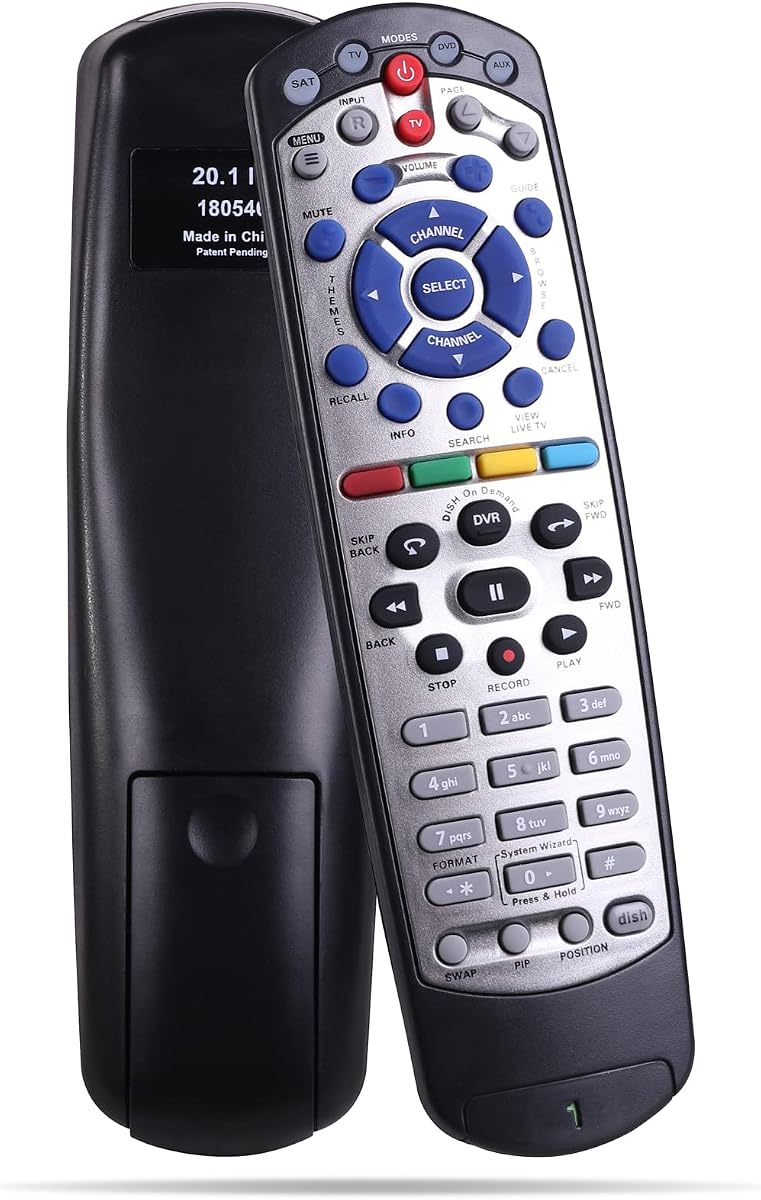
This IR remote is designed for seamless integration with legacy Dish receivers like the 20.1. It is a strong choice for users who want a plug-and-play replacement without complex programming.
We may earn a commission when you buy through this link, at no additional cost to you.
The remote is fully tested to ensure it works reliably with a wide range of older models. Simply installing batteries is enough to get started, saving time on setup configurations.
Its high-quality construction feels comfortable in the hand, which improves usability during extended viewing sessions. Users praise its sensitivity and consistent response across all buttons.
For owners of older Dish receivers needing a direct replacement, this remote offers a hassle-free solution. It balances affordability with dependable performance.
No programming or pairing is needed; simply install new AAA batteries and you are ready to use.
The high-quality build feels comfortable to hold and prevents slipping during regular use.
We may earn a commission when you buy through this link, at no additional cost to you.
This two-pack option is a cost-effective solution for households needing multiple remotes for different rooms. It is rigorously tested to ensure each unit operates just like an original Dish Network 20.1 remote.
We may earn a commission when you buy through this link, at no additional cost to you.
The compact design makes it easy to hold and store, while the stable performance ensures consistent control across various distances. Instructions are included to help with the initial setup.
With a one-year warranty, buyers receive added peace of mind regarding durability. The value of getting two units at a reasonable price point makes this a smart purchase for families.
This set is ideal for anyone needing a backup or a spare remote for a secondary TV. It provides reliable functionality without the expense of buying individual units.
Purchasing a two-pack saves money and ensures you have a spare ready for different rooms.
A one-year warranty is included to cover potential defects and ensure long-term satisfaction.
We may earn a commission when you buy through this link, at no additional cost to you.
This IR remote offers a reliable alternative for users of the 20.1 satellite receiver. It performs just like the original unit once set up, ensuring continuity in your viewing experience.
We may earn a commission when you buy through this link, at no additional cost to you.
The setup process is straightforward, requiring you to follow the manual to pair it and choose the correct TV code. After insertion of batteries, it functions seamlessly for daily control.
Customers appreciate the one-year warranty that covers any issues that might arise during use. The build quality is sturdy, and the buttons respond well to input.
For those seeking a no-frills replacement that works reliably, this remote is a solid choice. It restores full control over your receiver without unnecessary complications.
After setup, the remote performs just like your original one, providing familiar control over your receiver.
The one-year warranty provides assurance that you are covered in case of any operational issues.
We may earn a commission when you buy through this link, at no additional cost to you.
As a final top pick, this remote offers comprehensive functionality for the upgraded 54 series receivers. It supports voice search and pairs easily with auxiliary devices, expanding your control options.
We may earn a commission when you buy through this link, at no additional cost to you.
The unpairing process is clearly defined, ensuring you can reset connections if needed. Users report that following the pairing prompts leads to a stable and responsive remote experience.
With its focus on compatibility and modern features, it serves as a strong upgrade for older setups. The quality ensures that daily navigation remains smooth and intuitive.
This remote is a great choice for users who want a balance of traditional controls and smart features. It delivers reliable performance for a wide range of viewing needs.
You can pair the remote with auxiliary devices like Blu-ray players or stereo systems for integrated control.
The unpairing method allows for easy resets, helping troubleshoot connection issues quickly.
We may earn a commission when you buy through this link, at no additional cost to you.
Selecting the right remote requires understanding your receiver model and desired features.
Always verify that the remote supports your specific Dish receiver model, such as the Hopper, Joey, or legacy IR units. Mismatched remotes may not function correctly or require complex workarounds.
Check the product description for explicit mentions of your receiver series to ensure seamless integration.
Decide between IR and UHF connectivity. UHF allows control without line of sight, while IR requires direct pointing but is often more affordable.
Choose UHF if you want to control the receiver from behind furniture or a cabinet.
Look for remotes with built-in microphones for voice search. This feature saves time by allowing natural language commands instead of typing channel numbers.
Ensure your receiver supports voice features before purchasing a voice-enabled remote.
If you often watch TV in low light, choose a remote with backlit keys. These keys illuminate automatically to improve visibility.
Backlit keys prevent accidental button presses during night viewing.
A remote locator button helps you find misplaced units by triggering a beep from your receiver. This feature is particularly useful in large living spaces.
Prioritize remotes with this feature if you frequently lose your device.
A comfortable grip and sturdy buttons improve usability. Look for remotes made with high-quality materials that resist wear over time.
Ergonomic designs reduce hand strain during extended use sessions.
Some remotes require detailed programming while others are plug-and-play. Choose a model that matches your comfort level with technical setup.
Follow the manual closely to avoid pairing errors.
Check for warranty terms like one-year or six-month coverage. A warranty protects you against defects and ensures customer support is available.
Reputable sellers often provide better after-sales service for remotes.
Start by inserting fresh AAA batteries into the battery compartment. Ensure the polarity matches the diagram inside the compartment to prevent connection issues.
For UHF remotes, press the pairing buttons as instructed in the manual. Watch for indicator lights or beeps to confirm a successful connection to your receiver.
Clean the remote regularly with a soft cloth to remove dust. Keep it away from moisture to protect the internal electronics and ensure long-lasting performance.
Most Dish Network replacement remotes come without batteries included. You will need to provide two AAA batteries to power the remote. Check the product details to confirm specific requirements.
While universal remotes exist, Dish-specific remotes offer better integration for features like voice search. Generic options may not support advanced receiver functions effectively.
Typically, you press the SYS INFO button on the receiver and the SAT button on the remote. Wait for beeps to confirm pairing. Follow the manual for model-specific steps.
Try unpairing the remote first by holding specific buttons. Then remove batteries, wait briefly, and retry the pairing process to reset the connection.
Voice search remotes work best with newer receivers like the Hopper 3 or 4. Older models may not support voice commands even with a compatible remote.
Some remotes allow pairing with multiple devices. However, switching between them might require specific button presses or reconfiguration steps.
Not all remotes support the Hopper 3. Always verify compatibility in the product title before purchasing to ensure it works with your specific unit.
Choosing the right remote depends on your specific receiver and desired features like voice control or backlighting. The options reviewed cover a wide range of needs from budget-friendly to premium.
Prioritize compatibility and ease of use when making your selection. A remote that fits your habits will enhance your viewing experience significantly.
Always check the latest product details before buying to ensure the remote meets your current setup. Prices and availability may change, so verifying before purchase is essential.