
AutoSky CarPlay TV Adapter
3.4Editor score
HDMI input for external devices
Wireless CarPlay plus streaming
Works with Fire Stick or Roku
This guide compares the top Hulu Carplay adapters for wired systems, highlighting streaming capabilities, connectivity, and ease of use for modern drivers.
Transforming your wired CarPlay system into a wireless experience opens up new entertainment possibilities. With the right adapter, you can stream services like Hulu directly on your dashboard screen while keeping your phone safe in your pocket.
We evaluated ten leading adapters based on connectivity stability, streaming app support, and ease of setup. Each product offers unique features, from AI boxes with app freedom to simple dongles focused on core CarPlay functionality.
Our reviews detail the pros and cons of every model to help you choose the best fit for your vehicle. Keep in mind that product features and availability may change, so verify specifications before purchasing.
3.4Editor score

2.9Editor score
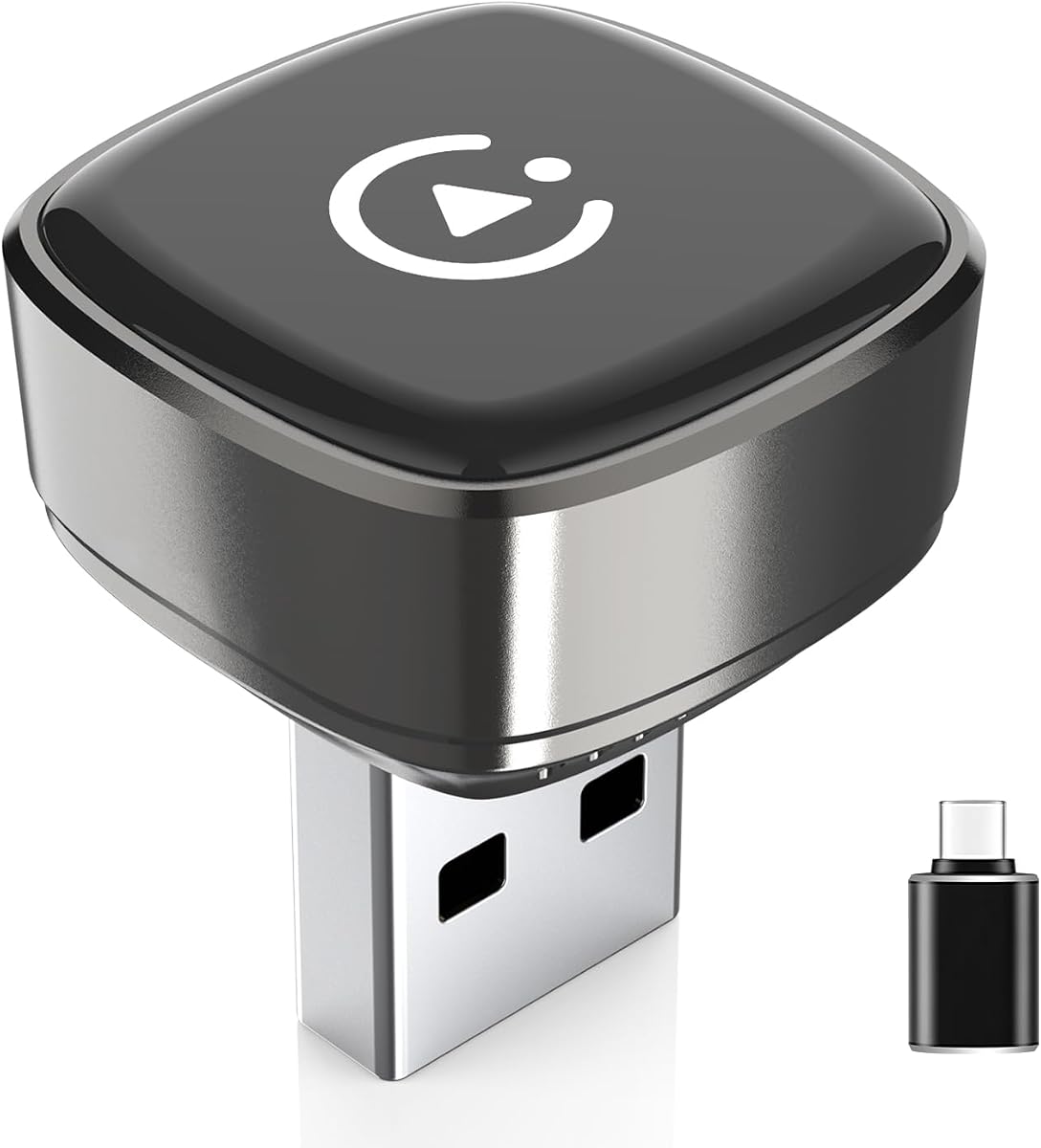
4.2Editor score
The following table provides a side-by-side comparison of all ten adapters. Use this overview to quickly identify which models support streaming apps like Hulu and which are focused solely on wireless connectivity.
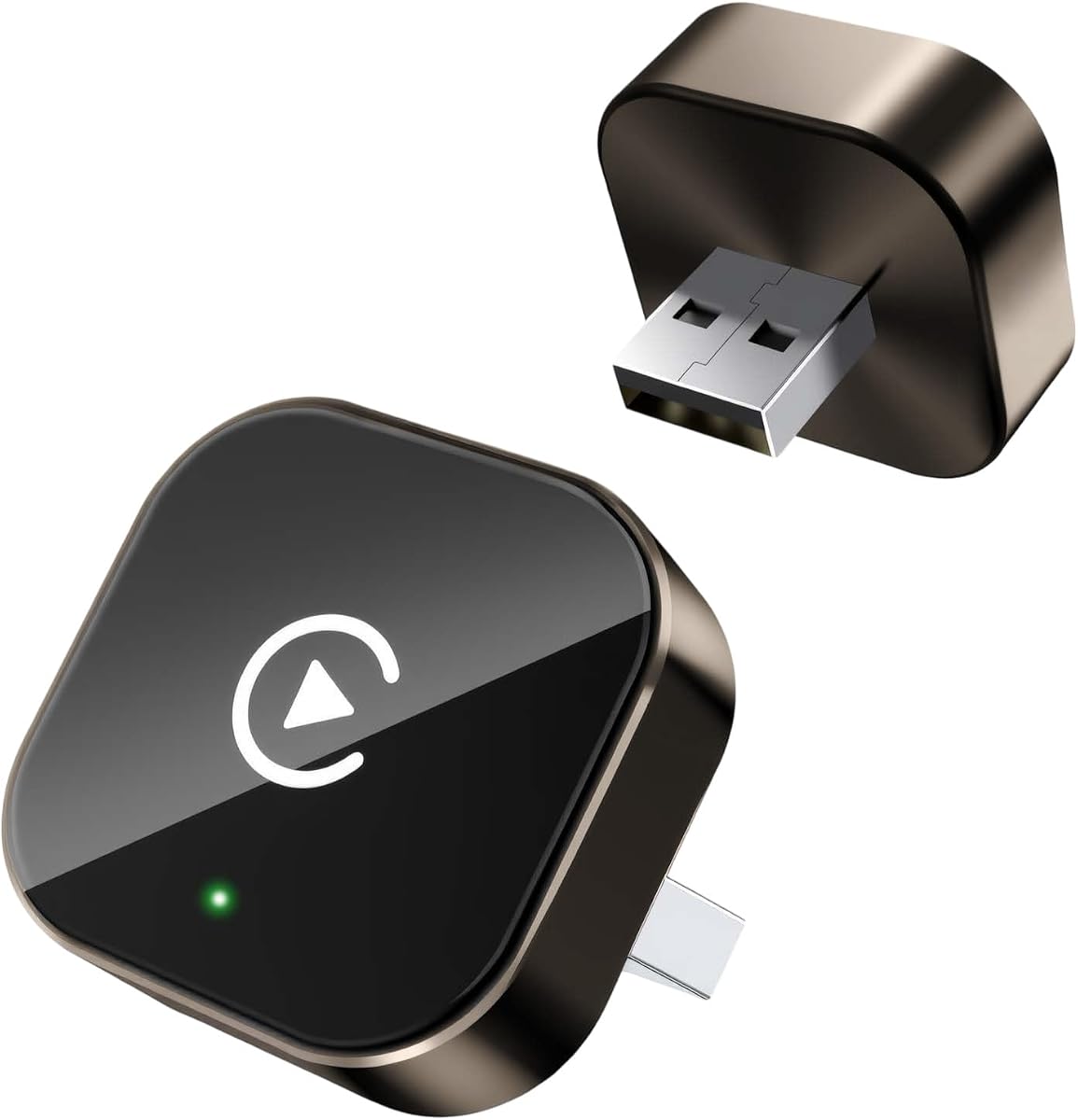


This 2026 Wireless CarPlay Adapter offers a straightforward solution for converting wired OEM CarPlay to wireless. It has a rating of 3.9 stars and focuses on providing a stable connection for navigation, music, and calls without cables.
We may earn a commission when you buy through this link, at no additional cost to you.
The adapter features a durable construction with a metal casing and acrylic glass surface. It supports auto-reconnect functionality, linking to your phone automatically when you start the car to save time on every trip.
While it ensures stable signal transmission even on bumpy roads, it does not support streaming apps like Hulu directly. Users looking for video streaming will need a more advanced model with HDMI or AI box capabilities.
This adapter is ideal for drivers who want a clean, wireless CarPlay experience without extra complications. It fits seamlessly into most interiors and maintains full functionality of your car's original controls.
Enjoy a cleaner dashboard by eliminating messy cables while maintaining full access to navigation and messaging features.
High-quality materials ensure the adapter withstands daily use and temperature changes without losing signal stability.
We may earn a commission when you buy through this link, at no additional cost to you.
The AUTOSKY AI Box Lite Flex stands out for its ability to let you choose from supported streaming platforms. With a rating of 2.9 stars, it offers unique flexibility for entertainment during road trips when parked.
We may earn a commission when you buy through this link, at no additional cost to you.
It converts factory wired CarPlay to wireless while projecting apps like Hulu directly onto your vehicle screen. You can switch between apps anytime to match your lifestyle, whether you prefer sports, movies, or live TV.
A key consideration is the requirement for a touchscreen display to access streaming features. Additionally, Wi-Fi must be reconnected when switching between wireless CarPlay and streaming apps due to its single Wi-Fi module.
This adapter is perfect for users who want full freedom over their streaming apps without being locked into fixed options. It provides a mobile entertainment hub experience while keeping your vehicle's original controls intact.
Unlike traditional AI boxes, this model allows you to select and switch between your preferred streaming platforms freely.
Simply plug the device into your USB port to start enjoying wireless CarPlay and streaming without complex setup steps.
We may earn a commission when you buy through this link, at no additional cost to you.
This Wireless Carplay Adapter for iPhone offers reliable performance with its dual-band Wi-Fi and Bluetooth 5.4 technology. It holds a rating of 4.4 stars and is designed to deliver near-zero latency for GPS and music playback.
We may earn a commission when you buy through this link, at no additional cost to you.
The upgraded solution uses a multi-core processor to preserve original sound quality and vehicle controls. It supports iOS 10 and later devices, allowing vehicles to use various CarPlay Apps and digital media without interruption.
While it excels at stable wireless connectivity, it does not support streaming services like Hulu natively. Users focused on music and navigation will appreciate its seamless connection and quick auto-connect features upon entering the car.
For those prioritizing performance and reliability over streaming features, this adapter is a strong choice. It includes lifetime technical support and regular firmware updates to ensure long-term compatibility with various apps and devices.
Powered by 2.4 and 5.8GHz dual-band Wi-Fi for a stable connection that outperforms many other wireless adapters.
Setup once and forget it as the media receiver auto-connects to your phone within seconds of entering the car.
We may earn a commission when you buy through this link, at no additional cost to you.
This 2026 Upgraded Wireless CarPlay Adapter is designed exclusively for factory-installed wired CarPlay vehicles. With a rating of 4.2 stars, it offers a reliable way to go wireless while maintaining stable signal transmission even on bumpy roads.
We may earn a commission when you buy through this link, at no additional cost to you.
The adapter is made of high-quality metal casing and acrylic glass surface for durability. It features a tight-fit structural design that ensures signals remain stable without interfering with your car's original functions or controls.
Users should note that it works with eligible iPhones running iOS 10 or later versions and covers 98% of factory-installed systems. It does not support Android Auto or streaming services like Hulu, focusing solely on wireless connectivity.
For iPhone users seeking a simple and durable wireless solution, this adapter is a practical option. It includes free lifetime firmware updates to optimize connection speed and fix potential bugs as they arise over time.
Its tight-fit structural design ensures consistent connectivity even during long drives on winding mountain paths.
FCC certification ensures the device meets strict international safety standards without causing signal interference.
We may earn a commission when you buy through this link, at no additional cost to you.
The Jemluse Wireless CarPlay Adapter offers unique multi-user seamless connection capabilities for households with multiple drivers. It holds a rating of 4.3 stars and uses advanced 5.8 GHz WiFi and Bluetooth 5.3 for fast transmission.
We may earn a commission when you buy through this link, at no additional cost to you.
Its 8-core processor increases transmission rates by up to 40% compared to other adapters. The premium ultra-light aluminum alloy dongle is designed to withstand extensive testing and enhance heat dissipation during long drives.
While it supports navigation and media playback, it does not include native streaming apps like Hulu. Users must rely on standard CarPlay apps for content streaming unless they have an additional device like an HDMI adapter.
This adapter is a great choice for families who need easy switching between users without re-pairing. It includes a 365-day no-worry policy to ensure customer satisfaction and prompt support if any issues arise.
The unique 7A chip and 8-core processor enable significantly faster data transfer for smooth navigation and media.
Aluminum alloy construction withstood over 50,000 tests, lasting three times longer than standard plastic receivers.
We may earn a commission when you buy through this link, at no additional cost to you.
This AutoSky CarPlay TV Adapter allows you to connect a streaming device like a Fire Stick to your infotainment screen. With a rating of 3.4 stars, it turns your vehicle into a mobile media hub for Netflix and YouTube while driving.
We may earn a commission when you buy through this link, at no additional cost to you.
It supports dual functionality, letting you enjoy wireless CarPlay and HDMI streaming simultaneously. You can access navigation, music, and favorite streaming apps all at once without sacrificing one feature for another during your drive.
The adapter does not provide direct access to streaming apps; you need to plug in a device and subscribe to services. Additionally, HDMI-USB-C mode supports video only, so your phone will not be charged while using this mode.
For those who want flexibility and high-quality video streaming, this adapter is a versatile choice. It offers a hassle-free upgrade to wireless CarPlay and HDMI streaming for a smarter and more connected driving experience.
Connect external devices like Fire Stick or Roku to enjoy popular apps directly on your car's display screen.
Access CarPlay features and streaming content at the same time without needing to disconnect from either system.
We may earn a commission when you buy through this link, at no additional cost to you.
This 2027 Upgraded 4-in-1 Dongle offers AirPlay and Screen Mirroring capabilities in addition to wireless CarPlay. With a rating of 3.9 stars, it provides a high-performance upgrade for factory wired CarPlay systems with fast connectivity.
We may earn a commission when you buy through this link, at no additional cost to you.
It features a dedicated 4-in-1 chipset that includes wireless CarPlay, Android Auto, AirPlay, and Screen Mirroring. The ultra-compact housing fits discreetly and includes both USB-A and USB-C cables for universal compatibility.
While it supports mirroring for content like YouTube, DRM-protected apps like Hulu cannot be mirrored due to restrictions. This extra feature is non-core and may not be fully compatible with every car or phone configuration.
Ideal for users who want extra features like AirPlay for media sharing, this adapter offers a clean multimedia hub experience. It preserves original car controls and delivers synchronized audio quality for navigation prompts and music.
Unlock wireless CarPlay, Android Auto, AirPlay, and Screen Mirroring in one high-performance wireless adapter device.
Connects to your last-used iPhone within just 5 seconds after a quick first pairing for a seamless start.
We may earn a commission when you buy through this link, at no additional cost to you.
The LAMTTO Wireless Carplay Adapter comes with pre-installed video apps like Netflix and YouTube for entertainment. With a rating of 3.4 stars, it offers a perfect balance of entertainment and convenience by turning your car into a personal cinema.
We may earn a commission when you buy through this link, at no additional cost to you.
It supports dual Wi-Fi connections, with one for CarPlay and another for streaming via your phone's hotspot. You can also play offline movies from a USB drive, which is perfect for areas with spotty signals on road trips.
Important compatibility notes include that it is not compatible with BMW or Tesla vehicles. Additionally, app downloads are not supported, meaning you can only use the pre-installed apps provided on the device itself.
This adapter is suitable for those who want built-in entertainment options without installing an external streaming device. Keep in mind that Wi-Fi is required for the pre-installed streaming apps to function correctly during your drive.
Enjoy shows and movies on pre-installed apps directly on your car screen with a simple Wi-Fi connection.
USB drive support allows you to play stored movies and music without needing an active internet connection.
We may earn a commission when you buy through this link, at no additional cost to you.
This Wireless Carplay Adapter offers an affordable way to convert wired OEM CarPlay to wireless. It has a rating of 4.2 stars and supports navigation, music, and messaging while keeping original car operation intact.
We may earn a commission when you buy through this link, at no additional cost to you.
Its mini stylish design allows it to be easily hidden or mounted out of the way. The adapter connects in just three simple steps and automatically reconnects when you get in the car to avoid manual setup every time.
Users should note that it is exclusively for cars with factory-wired CarPlay and is not compatible with BMW or modified cars. It supports iOS 10 or newer iOS versions but does not support streaming apps like Hulu directly.
For budget-conscious buyers who want reliable wireless functionality, this adapter is a strong contender. It reduces damage to your phone from frequent plugging and unplugging of charging cords for longer device life.
The small form factor allows you to hide the adapter discreetly without cluttering your dashboard or center console.
Install the adapter into the USB hole and pair via Bluetooth for a quick and straightforward initial connection.
We may earn a commission when you buy through this link, at no additional cost to you.
The Teeran 2 in 1 Wireless CarPlay and Android Auto Adapter converts factory wired systems for both iPhone and Android users. With a rating of 4.1 stars, it is perfect for families using different phone types without swapping cables.
We may earn a commission when you buy through this link, at no additional cost to you.
It offers fast auto reconnection in under 3 seconds every time you drive and preserves OEM-level wireless performance. The ultra-compact design sits flush with the USB port and includes both USB-A and USB-C extension cables.
Users should note that it works with factory wired CarPlay or Android Auto systems and does not support Android Auto on CarPlay-only cars. It does not support streaming apps like Hulu directly, focusing on connectivity instead.
This adapter is a practical choice for mixed-device households looking for a versatile wireless solution. It includes 18 months of product protection and lifetime technical support to ensure peace of mind for years to come.
Allow effortless switching between iPhone and Android phones without unplugging or swapping cables during the day.
Built-in protection helps prevent overheating and short circuits for stable performance on long summer drives.
We may earn a commission when you buy through this link, at no additional cost to you.
Choosing the right adapter requires understanding your vehicle's current system and what features you prioritize. This guide covers key factors to help you select a model that supports your entertainment and connectivity needs.
Ensure your vehicle has factory-wired CarPlay before purchasing any adapter. Most models only work if your car already supports wired CarPlay, meaning you cannot add wireless functionality to a non-CarPlay vehicle.
Check your car's USB port and infotainment system to confirm wired CarPlay is available before buying an adapter.
If you want to watch Hulu or Netflix, look for adapters with HDMI input or AI box capabilities. Traditional wireless dongles focus on CarPlay apps and will not support video streaming apps directly on the screen.
Adapters with HDMI ports allow you to plug in external devices like Fire Stick for a wider range of streaming options.
Look for adapters with dual-band Wi-Fi and Bluetooth 5.0 or higher for stable connections. Models with upgraded chipsets often provide better performance and fewer dropouts during navigation or media playback.
Stable connectivity ensures your music and navigation remain smooth without interruptions while driving on varied road conditions.
Families with multiple phones should consider adapters that support multi-user seamless connection. This feature allows easy switching between devices without needing to re-pair via Bluetooth every time.
Multi-user capability adds convenience when different family members use the same vehicle for daily commutes or trips.
Choose adapters with metal or aluminum alloy casings for better heat dissipation and durability. Plastic models may overheat during long drives or in hot weather, affecting performance over time.
A sturdy build ensures the device lasts longer and remains reliable across temperature extremes without physical damage.
Prioritize adapters with auto-reconnect functions to avoid manual pairing every time you start your car. Plug-and-play setups that require only a few steps save time and simplify the user experience.
Automatic reconnection ensures your phone links instantly when you enter the car for a seamless wireless experience.
Basic wireless adapters are more affordable but lack streaming capabilities, while AI boxes and HDMI adapters cost more for additional features. Determine if video streaming is necessary for your use case to justify the higher cost.
Evaluate the features you truly need to find the best balance between functionality and price for your budget.
Verify that the adapter is compatible with your specific car model and year. Some adapters are not compatible with certain brands like BMW or Tesla, so check the product details carefully before purchasing.
Ensure the adapter supports your vehicle's infotainment system and USB ports to avoid connectivity issues after installation.
Start by plugging the adapter into your car's USB port and connecting your phone via Bluetooth. Wait for the device to pair and then launch the CarPlay interface on your car's screen for basic connectivity.
For streaming adapters, connect your phone's Wi-Fi hotspot or ensure an active internet connection is available. Open the installed apps and log in to your subscriptions to access content like Hulu during your trip.
To maintain the device, keep it in a cool place when not in use and avoid direct sunlight. Regularly update the firmware through the manufacturer's app to ensure optimal performance and fix any bugs.
No, traditional wireless CarPlay adapters do not support video streaming apps like Hulu directly. You need an adapter with HDMI input or AI box functionality to project streaming content onto your car's screen.
Most adapters require your vehicle to have factory-wired CarPlay. They convert wired CarPlay to wireless but cannot add CarPlay functionality to a vehicle that does not support it.
The adapters themselves do not require a subscription. However, to stream services like Hulu or Netflix, you will need valid subscriptions to those services and an active internet connection.
Streaming requires an internet connection via your phone's mobile hotspot or a Wi-Fi network. Some adapters allow simultaneous connection for navigation and streaming, while others require switching modes.
Some adapters support multi-user seamless connection allowing multiple phones to be paired. Others may require re-pairing when switching devices. Check the product specs for specific multi-user capabilities.
Most adapters plug directly into your car's USB port and use Bluetooth for pairing. Some models include extension cables for hidden ports, but no special cables are typically required for basic use.
We reviewed ten top adapters to help you find the best wireless experience for your car. Whether you need simple connectivity or streaming capabilities like Hulu, there is a model that fits your needs.
Prioritize stable connectivity and build quality to ensure long-term reliability. If streaming is important, consider adapters with HDMI input or AI box features for the best entertainment options on the road.
Remember that prices and availability can change over time. Always check the latest specifications and reviews before purchasing to ensure the adapter meets your vehicle's requirements.