
4K HDMI EDID Emulator Passthrough Adapter Bidirectional
3.9Editor score
Bidirectional signal transmission
No external power needed
Fixed EDID retention
This guide compares the top HDMI Edid Emulator Passthroughs for stable video output, KVM switching, and headless server setups in 2026.
Finding the right HDMI Edid Emulator Passthrough is essential for maintaining consistent display settings across various devices. These small adapters ensure your computer or media player recognizes the connected screen correctly without manual configuration.
We evaluated ten highly rated models based on compatibility, signal stability, and ease of use. Each product was scrutinized for its ability to handle different resolutions and maintain EDID data during power cycles or device swaps.
Every pick below highlights key features and real-world applications to help you choose the best fit for your setup. Please note that prices and availability may change frequently, so verify current details before purchasing.
3.9Editor score

4.2Editor score

4.3Editor score
The following table provides a side-by-side comparison of the top ten HDMI Edid Emulator Passthroughs available today. Use this overview to quickly identify which model offers the specific features your system requires.


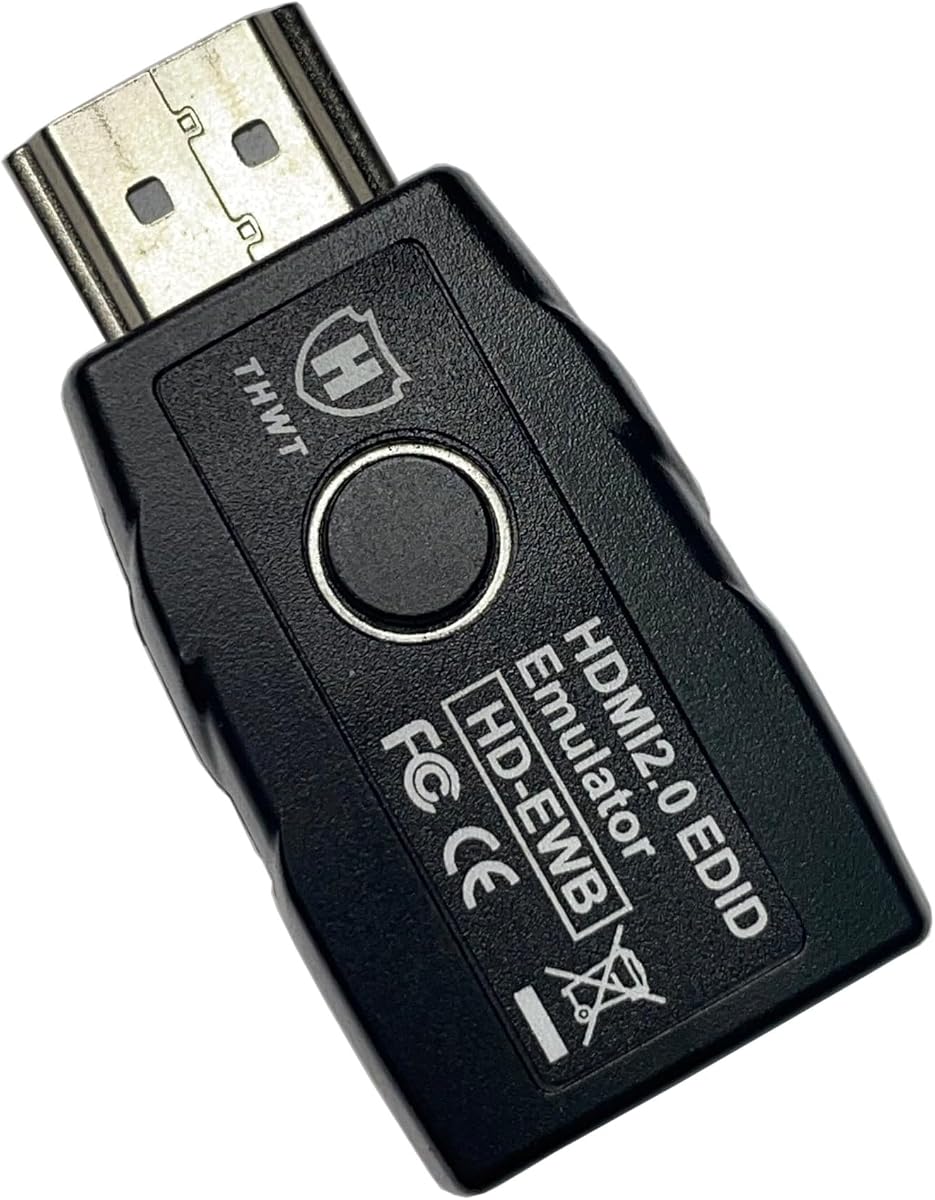

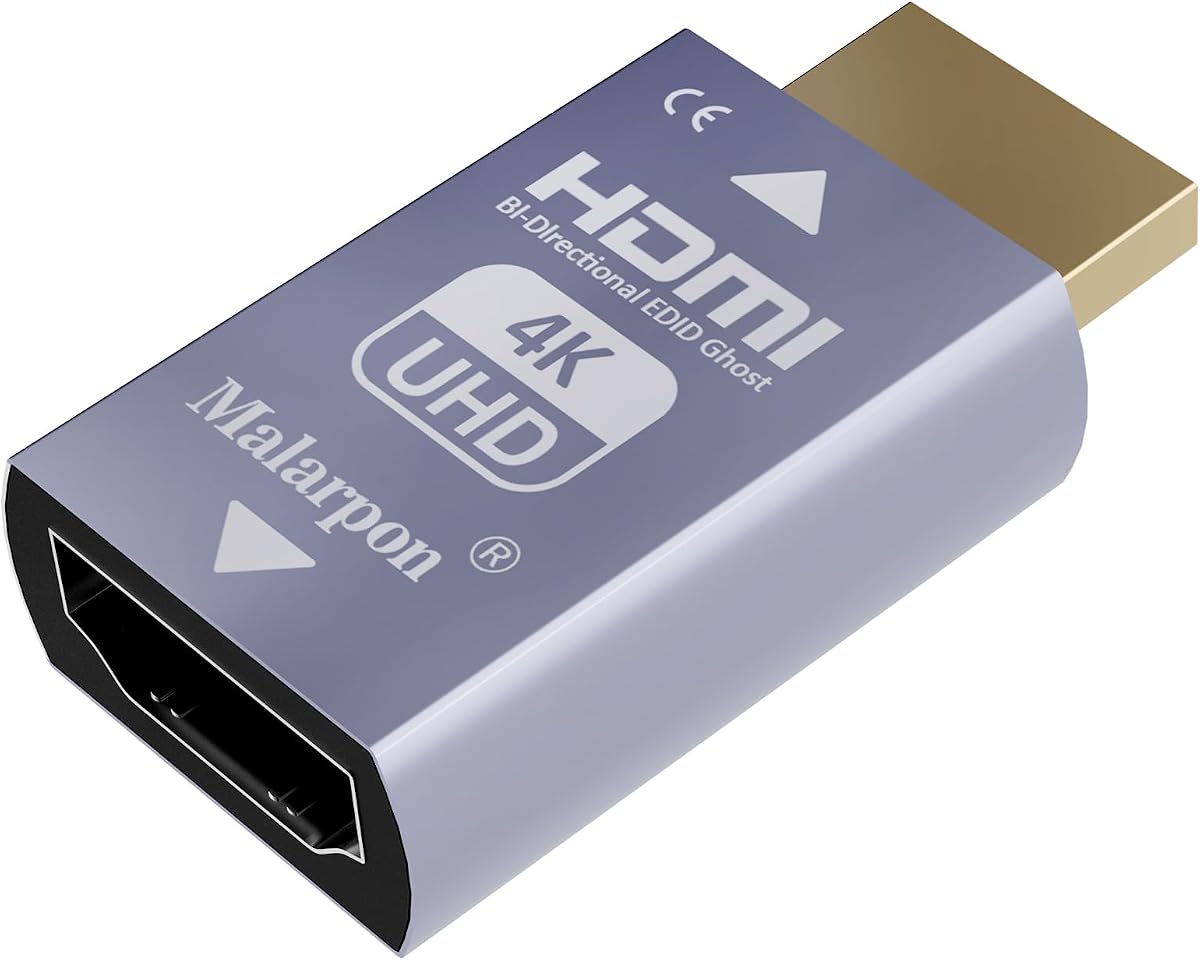

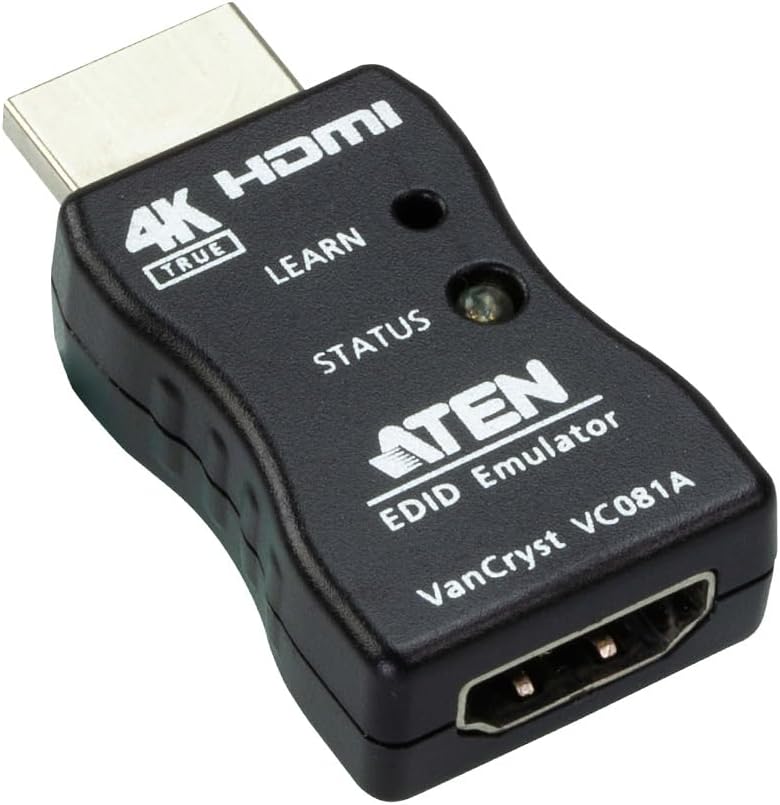
This adapter stands out as a reliable choice for users needing consistent EDID emulation. It features a sleek aluminum design that ensures durability and efficient heat dissipation during extended use.
We may earn a commission when you buy through this link, at no additional cost to you.
The device supports 4K resolution at 60Hz, making it suitable for modern displays and media centers. Its plug-and-play nature means you can integrate it into your setup without installing any software or drivers.
While it lacks HDMI 2.1 capabilities, it covers the vast majority of current consumer electronics needs. The build quality justifies the price point for those prioritizing longevity over cutting-edge specs.
Home users and professionals alike will benefit from its ability to maintain connection stability with Mac Thunderbolt systems and video splitters. It is an excellent default choice for stable HDMI connections.
The premium aluminum construction not only looks professional but also protects internal components from physical damage and heat buildup during continuous operation.
Because it requires no drivers, you can simply plug it in between your source and display to eliminate EDID negotiation issues immediately.
We may earn a commission when you buy through this link, at no additional cost to you.
For those seeking a cost-effective solution, this adapter offers essential EDID emulation features without breaking the bank. Its bidirectional design allows flexibility in how you integrate it into your signal chain.
We may earn a commission when you buy through this link, at no additional cost to you.
The device locks EDID settings so that your system does not rearrange your desktop when displays are disconnected or powered off. This is particularly useful for KVM setups where you switch between multiple computers frequently.
However, users should be aware that it does not support HDCP which limits its use with protected content streaming services. The build is primarily plastic which might feel less robust than premium options.
Despite these limitations, it performs well for basic office tasks and remote desktop connections. It is a solid budget-friendly option for maintaining stable display recognition.
By keeping EDID settings active even when screens are off, it prevents Windows from resetting your monitor configuration every time you switch sources.
This unit draws power directly from the HDMI source device, eliminating the need for an external power adapter or USB cable.
We may earn a commission when you buy through this link, at no additional cost to you.
This emulator distinguishes itself by supporting higher refresh rates like 1080p at 120Hz and HDR signals. Such capabilities are rare in budget emulation units and appeal to gamers and power users.
We may earn a commission when you buy through this link, at no additional cost to you.
It features a male-to-female passthrough design that allows for bidirectional signal transmission without worrying about wiring direction. This flexibility simplifies setup in complex multi-monitor environments.
The device ensures that display parameters never reset even when switching signal sources frequently on a KVM switch. This stability is crucial for users who rely on consistent performance during work sessions.
While the rating is lower than top competitors, the specific feature set offers unique value for high-refresh setups. It is worth considering if you need smooth motion without upgrading your entire display chain.
Support for 120Hz at 1080p makes this adapter a viable option for competitive gaming setups requiring fast refresh rates.
The ability to pass HDR signals ensures that content appears with the intended dynamic range and color depth on compatible displays.
We may earn a commission when you buy through this link, at no additional cost to you.
With a perfect rating from users, this device excels at simulating a display to keep source devices active. It effectively acts as a ghost monitor that tells your system a screen is always connected.
We may earn a commission when you buy through this link, at no additional cost to you.
The unit ensures that regardless of whether the physical display is on or off, the source continues to output stable video and audio signals. This prevents errors in systems that require a detected monitor to function.
It is ideal for home theaters or conference rooms where signal stability across multiple devices is critical. The setup process is entirely straightforward requiring only a simple cable connection.
If you need reliability above all else, this emulator delivers exceptional performance. It resolves compatibility issues seamlessly and ensures your AV receivers and splitters work without interruption.
By simulating a display, it tricks your computer into staying in high-performance mode even when the physical screen is powered down.
The adapter maintains a constant handshake between source and sink, preventing flickers or sudden blackouts during switching.
We may earn a commission when you buy through this link, at no additional cost to you.
This model introduces an exact EDID copy function that allows you to clone the settings from your existing monitor. You can save this data into the emulator to replicate the display environment precisely.
We may earn a commission when you buy through this link, at no additional cost to you.
It supports HDMI 2.0 standards and HDCP pass-through which is vital for watching protected content from streaming devices. Without HDCP support, protected content often fails to display or drops to lower resolutions.
A dedicated button lets you toggle between internal preset EDIDs and the copied external one for maximum flexibility. This helps in testing different configurations or switching between different source devices easily.
While it lacks HDMI 2.1, it covers most 4K needs efficiently. Users needing HDCP compliance for media consumption will find this device essential for maintaining signal integrity.
HDCP pass-through allows protected content to stream correctly without triggering black screens on your HDMI source devices.
By copying EDID from a specific monitor you ensure the source device outputs the exact resolution and color depth it expects.
We may earn a commission when you buy through this link, at no additional cost to you.
Rated highly by users, this emulator combines EDID locking with HDCP passthrough to ensure smooth playback. It maintains display parameters even when switching signals or cycling power on connected devices.
We may earn a commission when you buy through this link, at no additional cost to you.
The pure hardware design ensures lossless and zero-latency signal transmission which is important for real-time applications like gaming or presentations. It works reliably with all HDMI switches and extenders.
By locking EDID settings you avoid the desktop rearrangement issue that plagues many multi-monitor setups. This stability is a key selling point for office environments using KVM switches.
If you need a simple but effective solution for 4K setups, this adapter delivers consistent results. It balances performance and price well for general use cases.
Locking EDID prevents Windows from moving your taskbar or window positions every time you toggle between different computers.
HDCP support ensures that streaming apps continue to output video without displaying error messages or blank screens.
We may earn a commission when you buy through this link, at no additional cost to you.
This adapter excels in environments where computers like Mac Mini or Raspberry Pi need to maintain EDID active even when screens are off. It ensures that remote sessions stay connected without interruption.
We may earn a commission when you buy through this link, at no additional cost to you.
Users report that it prevents distorted images that often occur when the EDID handshake fails. This is particularly helpful for laptops with closed lids running as headless machines.
The bi-directional design allows the source to be either male or female providing flexibility in cable routing. This adaptability makes it easy to fit into existing setups without extra adapters.
It is a solid choice for those struggling with display recognition issues on mixed device systems. The aluminum fit adds a touch of durability to a functional tool.
Keep your computer running in full mode even with the monitor turned off to save power without losing performance.
By fixing the EDID signal it stops the computer from guessing incorrect resolutions that lead to stretched or blurry images.
We may earn a commission when you buy through this link, at no additional cost to you.
As a premium option, this adapter offers compatibility with HDMI 2.1 standards which many cheaper emulators lack. It supports SCDC handshaking ensuring reliable connections for high-bandwidth signals.
We may earn a commission when you buy through this link, at no additional cost to you.
You get fourteen built-in EDID settings to switch between quickly via a knob or button. This allows you to test different resolutions or match specific hardware requirements without extra tools.
The device supports up to 4K at 120Hz and HDCP 2.3 making it future-proof for modern consoles and PCs. However, it does not support 8K resolutions which limits it to current flagship setups.
If you need the highest level of performance and feature depth, this is the clear leader. It justifies its cost with superior compatibility and precise signal control.
SCDC support ensures stable connections for high-speed data transfers by managing link status and control data properly.
Multiple EDID presets let you instantly switch between different display modes for varied use cases like gaming or work.
We may earn a commission when you buy through this link, at no additional cost to you.
This manager is designed for complex systems requiring signal amplification and equalization alongside EDID control. It serves as a repeater and retimer to maintain signal integrity over longer distances.
We may earn a commission when you buy through this link, at no additional cost to you.
It supports HDCP 2.2 and CEC passthrough ensuring that control signals and protected content work seamlessly across your AV chain. The pure hardware architecture avoids signal loss during transmission.
With eight preset EDID data types you can configure the device to match a wide variety of display environments. This level of control is useful for commercial signage and digital displays.
The professional team offers technical support to help you set up the system correctly. It is a robust choice for business environments where reliability is non-negotiable.
As a repeater and retimer it cleans up the HDMI signal allowing it to travel further without quality degradation.
CEC passthrough ensures that your remote controls can still operate devices across the emulator without interference.
We may earn a commission when you buy through this link, at no additional cost to you.
ATEN is a known brand in professional AV solutions providing a reliable option for enterprise settings. This unit manages EDID communication effectively to keep systems stable and predictable.
We may earn a commission when you buy through this link, at no additional cost to you.
It supports True 4K at 4:4:4 chroma sampling which offers superior color quality for detailed work and professional graphics tasks. The HDCP 2.2 compliance ensures protected content displays correctly.
The compact and lightweight design makes it easy to mount in tight spaces behind AV equipment. A single push button allows you to learn and save the EDID from connected displays easily.
While user reviews are mixed this model provides essential features for those who trust established brands. It is a solid choice for office setups requiring dependable hardware performance.
Support for 4:4:4 chroma ensures that text and graphics look sharp without color subsampling artifacts.
ATEN is a trusted name in KVM and video solutions offering peace of mind for business deployments.
We may earn a commission when you buy through this link, at no additional cost to you.
Selecting the right emulator depends on understanding your specific setup needs and the devices you are connecting. The following factors will help you narrow down your choices effectively.
Check the maximum resolution and refresh rate your display requires. For standard 4K 60Hz, most emulators will suffice, but if you need 120Hz or higher, look for specific high-refresh support.
Ensure the emulator matches your monitor's native capabilities to avoid signal issues or degraded image quality.
If you plan to watch streaming content or use protected media, verify that the adapter supports HDCP pass-through. Without this, you may see blank screens when trying to play protected video.
Look for HDCP 2.2 or 2.3 compliance for modern systems to ensure seamless playback of copyrighted material.
Some emulators allow you to copy the EDID from your existing monitor while others use fixed preset values. Copying gives more flexibility to match specific display settings exactly.
Fixed EDID options are simpler and often cheaper but may not suit specialized setups requiring custom resolutions.
Aluminum casings offer better heat dissipation and protection against physical damage compared to plastic. Since these devices often run continuously, durability is a key consideration.
Investing in a metal adapter can extend the lifespan of your hardware and ensure consistent performance over time.
Most emulators are powered directly by the HDMI source device which means they do not need an external power adapter. This simplifies cable management and reduces clutter.
Verify that your source device provides enough power to drive the emulator especially if you are using it with low-power devices like Raspberry Pi.
Bidirectional emulators allow flexible connection orientations which can be useful if you are routing cables in tight or complex ways. This versatility simplifies installation in crowded setups.
Unidirectional units work fine for standard setups but limit you to one specific wiring direction which might not always be convenient.
Check whether the emulator supports HDMI 2.0 or HDMI 2.1. Newer consoles and PCs require HDMI 2.1 features like SCDC handshaking and higher bandwidth which older units lack.
If you have next-gen hardware ensure the adapter explicitly states compatibility with HDMI 2.1 standards to avoid connection dropouts.
Look for products that offer a warranty or technical support in case of defects or configuration issues. Reliable customer service can save you time and frustration if problems arise.
A longer warranty period indicates manufacturer confidence in the product quality and gives you peace of mind after purchase.
To install the emulator, simply place it between your source device and the display or switch. Most units are plug-and-play requiring no drivers or additional software to function correctly.
Ensure all cables are firmly connected to prevent signal interruptions. If you experience issues try swapping cables or testing the emulator on a different port to isolate the problem.
Avoid placing the adapter in enclosed spaces where heat may build up over time. Proper ventilation ensures the device stays cool and maintains stable performance during long hours of use.
An HDMI EDID Emulator mimics a display to keep your source device aware that a screen is connected. This prevents devices from stopping output when a monitor is turned off.
Most emulators draw power from the HDMI source device and do not require an external power supply. This makes them easy to install without extra cables or adapters.
If you need to play protected content like Netflix or Disney+ ensure the emulator supports HDCP pass-through. Without HDCP the stream will show a black screen.
Yes, emulators are perfect for KVM setups to keep desktop configurations stable when switching between different computers. They prevent your OS from rearranging windows.
This happens because the system detects no monitor is connected. An EDID emulator tells Windows that a screen is still present allowing the laptop to stay awake.
High-quality emulators have zero latency and should not impact gaming performance. Look for models with lossless signal transmission to avoid input lag.
Some advanced emulators have a button to copy EDID from a connected monitor. Press the button for a few seconds to save the display's data to the emulator.
Yes, most emulators work with Mac computers including those using Thunderbolt to HDMI adapters. They help maintain display settings even when the monitor is off.
We highlighted top performers like the EVanlak and HDMI 2.1 PRO models for their specific strengths. Each option offers a unique balance of features to suit different needs.
Prioritize compatibility with your source devices and desired resolutions before making a purchase. Investing in a reliable emulator will save you from connection headaches in the future.
Remember that prices change often so check current listings before buying to get the best deal available today for your setup.