
LA03DF Battery for HP 15-F Series
4.7Editor score
31Wh capacity
3-cell design
Low-power optimization
This guide compares the best laptop batteries for replacement across HP, Dell, and more to help you choose the right power source for your device.
When your laptop battery fades, replacing it restores mobility and performance. Choosing the right replacement involves checking compatibility, capacity, and safety features to ensure reliable power for your daily tasks.
We analyzed top-rated replacement batteries based on user feedback, technical specifications, and brand reliability. Our list covers a wide range of models including HP, Dell, and other popular brands to meet diverse needs.
Each pick highlights key features, pros, and cons to help you decide quickly. Note that availability and pricing vary by region and time, so always verify current details before purchasing your new battery.
4.7Editor score

4.4Editor score
4.4Editor score
The following table offers a side-by-side look at each replacement battery's core specifications. Compare capacity, cell count, and voltage to find the exact match for your laptop model.



The HT03XL battery stands out as a top choice for HP Pavilion owners seeking dependable power. With a strong user rating and broad compatibility across 14, 15, and 17 series models, it offers a practical solution for extending laptop life.
We may earn a commission when you buy through this link, at no additional cost to you.
It delivers 41.7Wh of capacity using a 3-cell Li-ion design that fits many popular HP Pavilion laptops. The package includes useful tools like screwdrivers and a manual, making the swap process straightforward even for non-technical users.
While performance is solid, buyers should double-check part numbers since HT03XL and HW03XL are not interchangeable despite similar naming. This prevents returns and ensures the battery fits your specific chassis without modification.
If you own a HP Pavilion 15, 14, or 17 series laptop with an HT03XL slot, this battery is a smart buy. It balances price, compatibility, and included tools to deliver a smooth replacement experience.
The 41.7Wh capacity supports several hours of web browsing or document editing unplugged for most users.
Two screwdrivers and a manual are included to simplify the physical replacement process immediately.
We may earn a commission when you buy through this link, at no additional cost to you.
This polymer variant of the HT03XL offers a modern alternative with slightly higher capacity at 41.9Wh. It targets the same HP Pavilion range and includes warranty details to give buyers peace of mind after purchase.
We may earn a commission when you buy through this link, at no additional cost to you.
The polymer construction aims for steady discharge and heat management during extended use. It comes with auxiliary tools and clear model lists covering 14, 15, and 17 series devices that use the L11119-855 part.
Be aware the return window closes roughly a month after receipt, so test it early. If issues arise, contact the seller via the order page to avoid missing the refund period.
Choose this if you want polymer tech and solid warranty coverage. It fits well for HP Pavilion users needing a trusted replacement with clear support terms.
Polymer cells help manage heat and discharge more consistently than standard Li-ion in some cases.
A 12-month warranty and 24/7 email support are offered for post-purchase assistance.
We may earn a commission when you buy through this link, at no additional cost to you.
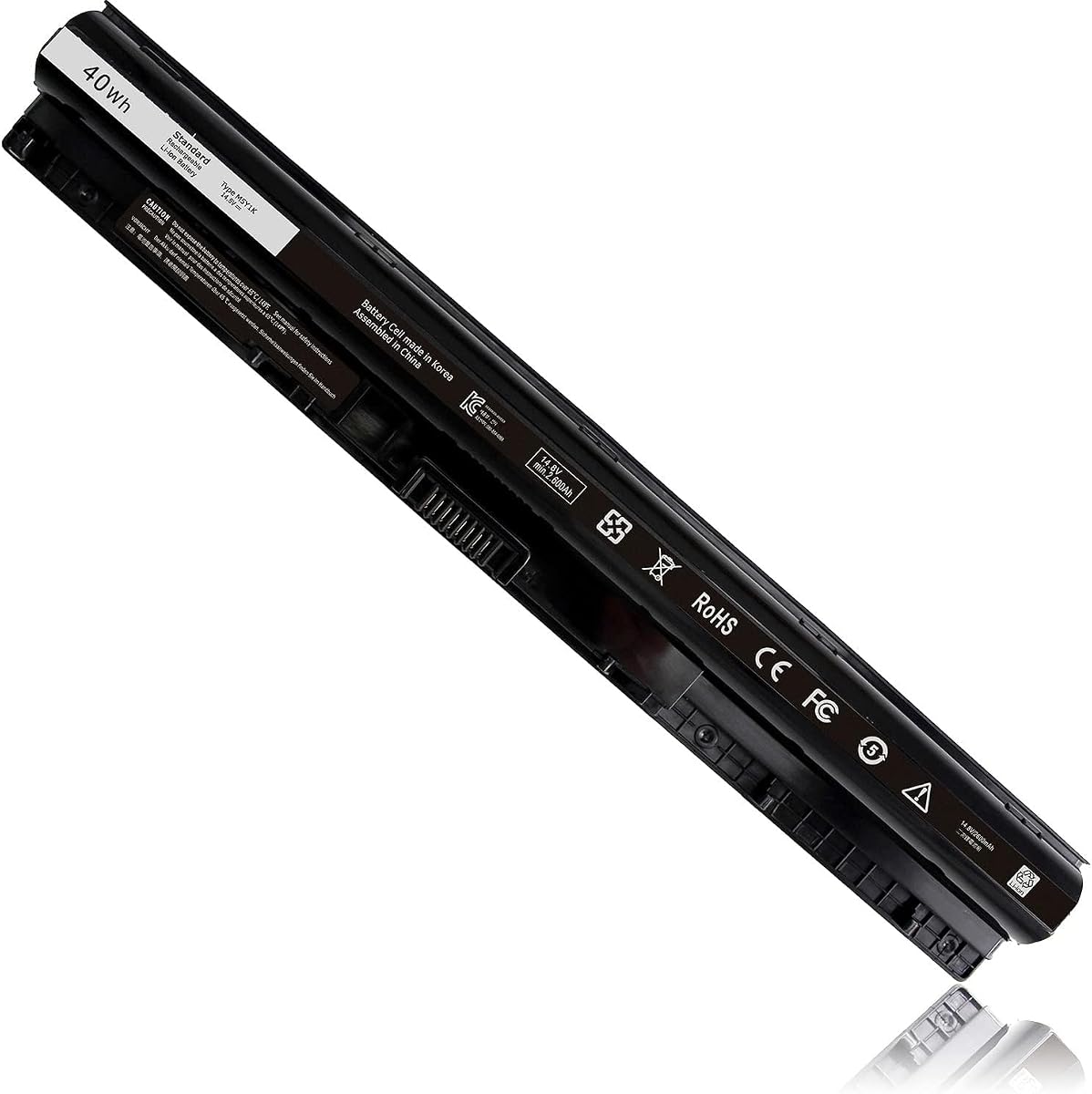
This M5Y1K battery for Dell Inspiron laptops features an upgraded PCB board to ensure full compatibility across different model years. It provides 40Wh capacity and supports many 3000, 5000, and 17 series models with a 4-cell Li-ion design.
We may earn a commission when you buy through this link, at no additional cost to you.
The PCB upgrade aims to remove restrictions based on the computer's model year, so older and newer Inspiron units can use it reliably. It claims more than 1000 cycles for long-term value.
Review the part list carefully since Dell often shares part numbers across similar chassis. Confirm your P/N matches before ordering to avoid fit issues.
Ideal for Dell owners seeking a straightforward upgrade with modern circuitry. It delivers solid endurance and works across a broad range of Inspiron notebooks.
The improved PCB helps match a wider range of Dell Inspiron models without model-year limits.
More than 1000 recharge cycles are claimed for extended usable life over years of use.
We may earn a commission when you buy through this link, at no additional cost to you.
This HT03XL variant targets HP Pavilion 17 and 15 models plus select 14 units, including some x360 convertibles. It uses polymer cells for stable operation and includes clear model lists to guide selection.
We may earn a commission when you buy through this link, at no additional cost to you.
The 41.9Wh capacity supports longer sessions for work or streaming. The package also comes with auxiliary tools and a user manual to assist with installation.
Be sure to verify your exact model number since this SKU covers many part numbers. A mismatch can lead to poor fit or recognition issues.
Good for HP 17 owners needing a trusted replacement with x360 options. It combines capacity and convenience with a supportive purchase package.
Compatible with select HP Pavilion x360 convertibles for flexible form-factor laptops.
Auxiliary installation tools and a user manual are included to streamline the swap.
We may earn a commission when you buy through this link, at no additional cost to you.
This HT03XL option covers a wide array of HP Pavilion 14, 15, and 17 models with Li-ion chemistry. It features safety certifications and a strong refund policy to protect buyers against fit or performance issues.
We may earn a commission when you buy through this link, at no additional cost to you.
The package includes two screwdrivers and a manual for easier installation. It also offers 24×7 email support to help with questions after you receive the item.
At roughly 8 oz, this battery is lightweight enough for daily use without adding much bulk. Still, always confirm your model matches the extensive list to ensure compatibility.
Best for HP Pavilion owners wanting strong buyer protection and a complete install kit. It provides practical power with clear safety credentials.
CE, FCC, and RoHS certifications show adherence to recognized safety and quality standards.
A 60-day money refund option offers extra time to test the battery fit and performance.
We may earn a commission when you buy through this link, at no additional cost to you.
This LA03DF battery targets HP 15-F series laptops as a cost-effective replacement with a high user rating. It uses low-power design and chip-based protection to keep operations steady during daily use.
We may earn a commission when you buy through this link, at no additional cost to you.
At 31Wh, it prioritizes efficiency over maximum runtime. Circuit protection guards against overcharge and short circuits to support a longer useful lifespan.
If you need to save money and mostly work at a desk, this is a solid choice. It offers good value for older HP notebooks that fit the part number list.
Best for budget-focused HP 15-F owners who value reliability over long unplugged sessions. It delivers dependable power at an affordable price point.
This option keeps costs low while maintaining essential protections and compatibility for HP 15-F.
Design choices focus on extended life through efficient power draw and chip-level protections.
We may earn a commission when you buy through this link, at no additional cost to you.
The 33YDH battery offers 56Wh of capacity for Dell Inspiron 17, G-series, and Latitude models. It uses flame retardant materials and enhanced protection circuits to manage heat and improve stability during charging.
We may earn a commission when you buy through this link, at no additional cost to you.
With a higher voltage at 15.2V, this battery is aimed at workloads that need more power. The package includes support and a warranty for peace of mind after purchase.
User feedback is mixed, so check recent reviews for your specific model before buying. Compatibility is broad but verifying part numbers remains essential.
Consider this if you need extra watt-hours for demanding tasks. It offers a robust power reserve with safety features tailored for heavier workloads.
Materials help reduce fire risk and improve safety during normal and extreme conditions.
At 56Wh, it provides more runtime than smaller batteries for power-hungry applications.
We may earn a commission when you buy through this link, at no additional cost to you.
This M5Y1K battery for Dell Inspiron 15, 14, and 17 series provides a standard 40Wh capacity with a 4-cell design. It targets common part numbers and includes support details for easy customer follow-up.
We may earn a commission when you buy through this link, at no additional cost to you.
It comes with a manual and email support to assist with any questions. Safety certifications and quality checks aim to ensure reliable operation over time.
Because part numbers can overlap across chassis, confirm your model before purchasing. This prevents fit issues and ensures the connector matches.
A reliable pick for Dell owners needing a straightforward upgrade. It delivers consistent performance and includes basic support for installation.
CE, FCC, and RoHS certifications support confidence in safe and compliant operation.
24×7 email support and a clear refund policy help resolve any post-purchase concerns quickly.
We may earn a commission when you buy through this link, at no additional cost to you.
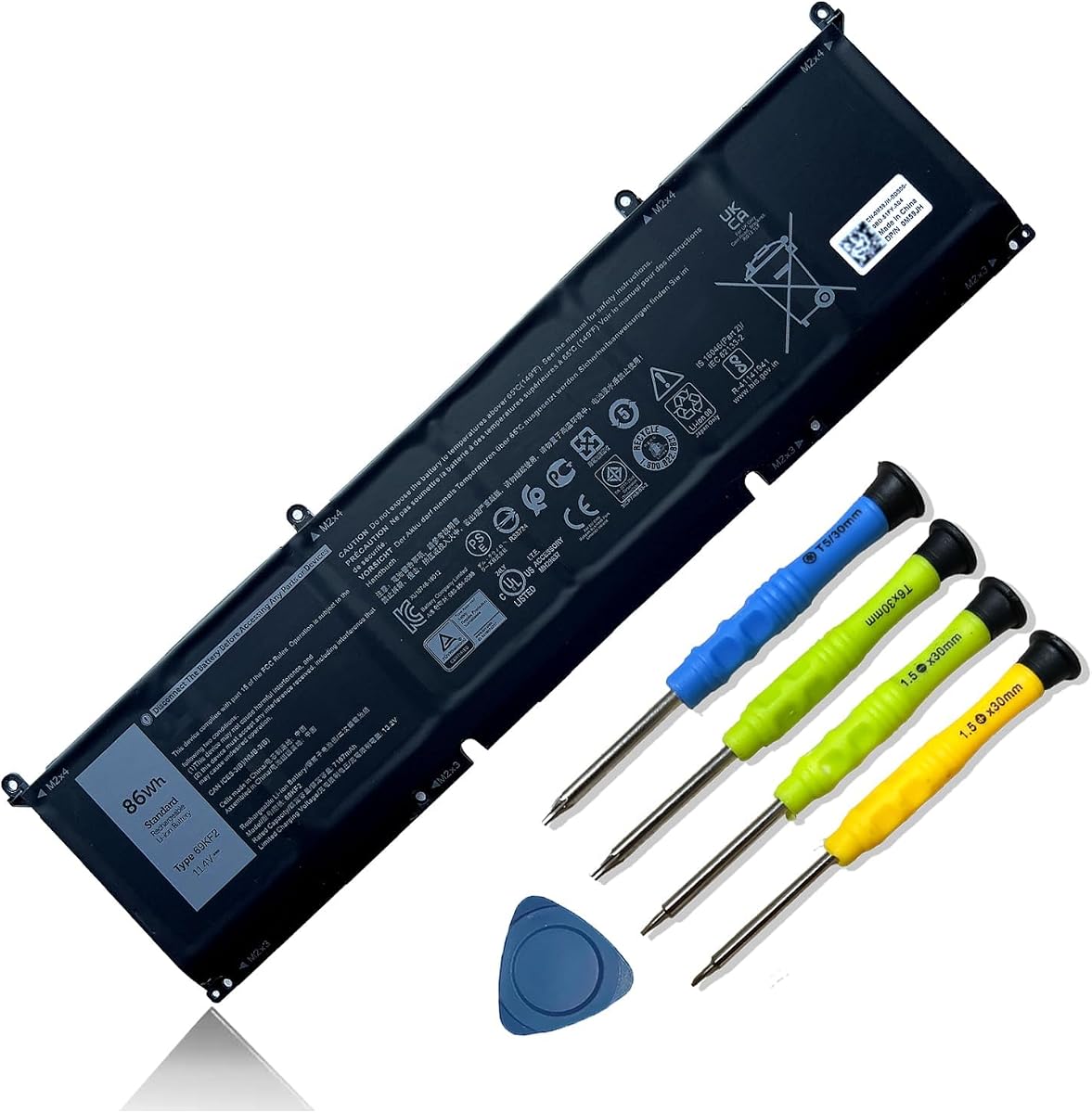
This 69KF2 battery targets Dell XPS 15, Precision, G-series, and Inspiron laptops with an 86Wh high-capacity design. It uses Grade A cells and offers multiple safety certifications to support stable long-term operation.
We may earn a commission when you buy through this link, at no additional cost to you.
The 6-cell design delivers more runtime for demanding workloads. It also includes screwdrivers and clear steps to wake up a new battery for best results.
The higher price reflects the extra capacity and build quality. For power users who need extended unplugged sessions, this trade-off is often worth it.
Best for owners of high-end Dell notebooks needing maximum runtime. It pairs premium materials with safety features for confident daily use.
Grade A cells help ensure faster charging and lower power drain during typical usage.
Short circuit, overheat, and overload protections are built in to protect your laptop.
We may earn a commission when you buy through this link, at no additional cost to you.
The JC03 battery fits HP 15-bs, 15-bw, and 17-bs series with a compact 31Wh design. It uses Grade A cells and smart chip protection to guard against overcharge and overheating.
We may earn a commission when you buy through this link, at no additional cost to you.
An instruction manual is included, and the battery targets 1000+ cycles for durable performance. The package keeps things simple with a straightforward install flow.
At this capacity, expect modest runtime suited for light tasks or desk work. It balances cost and reliability for owners of older HP models.
Choose this for a trusted HP 15-bs upgrade. It offers solid safety and support without unnecessary complexity.
Grade A cells help maintain consistent voltage and cycle count over the life of the battery.
Smart chip guards prevent overcharge, overheating, and short circuits during daily use.
We may earn a commission when you buy through this link, at no additional cost to you.
Selecting the right replacement battery requires checking several technical factors. This guide explains what to prioritize so you can pick a safe, compatible, and reliable power source.
Always match your laptop's exact model and part number. Use the vendor's compatibility list and confirm part numbers like HT03XL or M5Y1K before buying.
Verify the part number on the old battery and cross-reference it with the seller's list.
Voltage must match the original spec to protect the laptop. Check for 11.55V, 14.8V, or other required values listed in your model's specs.
Do not substitute a different voltage even if the connector fits.
More cells and higher watt-hours generally mean longer runtime. Compare 3-cell vs 6-cell designs based on how far you need to go unplugged.
Higher capacity adds cost and weight, so balance runtime against portability.
Look for CE, FCC, and RoHS marks that signal tested safety features. These certifications help confirm the battery meets standards for overcharge and short-circuit protection.
Certified batteries reduce the risk of overheating or electrical issues.
A clear warranty and return window protect you against defects or fit issues. Seek at least 12-month coverage and a refund option for peace of mind.
Read the seller's policy on returns and contact methods before ordering.
Some packages include screwdrivers and manuals to simplify installation. This can be helpful if you lack tools or are new to swapping batteries.
Prioritize options with support access if you anticipate questions.
Li-ion and polymer cells offer different profiles for discharge and heat. Polymer may run cooler in some designs, while Li-ion is common and reliable.
Choose chemistry based on your needs and model availability.
Longer cycle counts mean more charge cycles before performance drops. Look for claims like 1000+ cycles for better long-term value.
Handle the battery gently to achieve the expected cycle life.
Before first use, check the connector and seat the battery firmly. If the new battery isn't recognized, remove and reinstall it to ensure full contact.
Calibrate the new battery by draining it to about 5 percent, then charging it fully. Repeat this cycle two to three times to wake up the cells and stabilize readings.
Keep the laptop cool and avoid storing the battery at 0 or 100 percent for long periods. A moderate charge level during storage helps preserve cell health.
Check your laptop's model number and the label on the original battery. Match both the model and part number with the seller's compatibility list to ensure the connector and specs align.
Remove and reinstall the battery to confirm the connector is fully seated. Power off the laptop, wait a minute, then boot up and check the status in the operating system.
Higher capacity is safe if voltage and connector match exactly. It may add weight and cost, but it can extend runtime for most daily tasks.
Most replacement batteries offer 300 to 500 full cycles before noticeable decline. Careful use and moderate temperatures help you reach the higher end of that range.
Look for CE, FCC, and RoHS marks on the battery or product page. These show basic safety and compliance testing for electrical and environmental safety.
Modern laptops manage charging, but prolonged 100 percent charge can stress the battery over time. If you stay plugged in, consider keeping charge around 50 to 80 percent when possible.
Do not throw it in regular trash. Take it to a certified e-waste facility or use the manufacturer's recycling program to handle the cells safely.
They have similar names but are not interchangeable. Using the wrong one can lead to fit or power issues, so confirm your exact model before ordering.
We reviewed ten replacement batteries covering HP and Dell models with varied capacities. Top picks include the HT03XL for HP, M5Y1K for Dell Inspiron, and the 69KF2 for high-capacity Dell needs.
Prioritize exact model compatibility, voltage match, and safety certifications. Balance capacity against weight and cost to fit how you use your laptop daily.
Prices and availability change, so double-check current listings before purchasing. Confirm your model and part number with the seller to ensure a successful upgrade.