
Ostrich Charger Compatible with Dell Laptop Computer 65W 45W Round Tip Power Adapter
4.5Editor score
65W 45W compatible
Round tip connector
Safety mechanisms included
Lifetime exchange policy
Compare the top battery backup solutions for Dell laptops including power banks and UPS systems to keep your device running during outages or travel.
Finding a reliable battery backup for your Dell laptop ensures uninterrupted work during power outages or while traveling. Whether you need a portable power bank or an UPS UPS system, choosing the right solution protects your data and productivity.
We evaluated ten top-rated products based on compatibility, capacity, charging speed, and build quality. Our selection includes versatile power banks, dedicated chargers, and comprehensive UPS units designed specifically for Dell devices and their power requirements.
Each pick highlights key features, pros, and cons to help you decide quickly. Note that product availability and pricing may change over time so always verify details before purchasing your preferred battery backup solution.
4.5Editor score

4.3Editor score

4.4Editor score
This side-by-side comparison lists all ten selected products with their key specifications to help you find the perfect power solution for your Dell laptop setup.




The CyberPower EC850LCD offers robust power protection with a strong rating and detailed status monitoring. Its multifunction LCD panel provides immediate insights into battery conditions for informed decisions.
We may earn a commission when you buy through this link, at no additional cost to you.
It features six battery backup outlets and six surge protected outlets ensuring your Dell laptop and peripherals stay safe. The ECO mode reduces energy costs by powering off unused devices when the main unit sleeps.
While effective for desktop setups, its size makes it unsuitable for travel. Users needing mobility should consider power banks instead of stationary UPS units like this one.
Best for home offices needing reliable power continuity. Its comprehensive warranty and equipment guarantee make it a trusted choice for long-term protection against outages.
The multifunction LCD panel displays detailed battery and power condition data instantly for better management.
ECO mode outlets automatically shut off when connected devices enter sleep mode reducing unnecessary power usage.
We may earn a commission when you buy through this link, at no additional cost to you.
This Ostrich adapter provides a reliable power source for Dell laptops meeting high safety standards set by consumer testing labs. It ensures safe charging without compromising device integrity or performance.
We may earn a commission when you buy through this link, at no additional cost to you.
It supports 65W and 45W laptops with round tip connectors covering many Inspiron XPS and Vostro models. Built-in protections guard against overvoltage and overheating for safe daily use.
Without battery capacity it cannot function during outages. It serves best as a backup charger at desks or travel bags where wall power is consistently available.
Ideal for Dell owners needing a safe affordable charger. The lifetime exchange policy adds confidence to purchase knowing support is available for any defects.
Independent testing confirms this product meets electrical safety standards for use across the United States and Canada.
Compatible with 65W and 45W Dell laptops featuring round power connectors including popular XPS and Inspiron series.
We may earn a commission when you buy through this link, at no additional cost to you.
The UGREEN power bank delivers exceptional portability with massive 25000mAh capacity and 145W output for fast laptop charging. A digital display keeps users informed of remaining power at a glance.
We may earn a commission when you buy through this link, at no additional cost to you.
It can recharge laptops up to 1.3 times and mobile devices over five times ensuring long trips stay powered. PD 3.1 and QC3.0 technologies enable rapid charging for compatible Dell XPS devices.
Recharging the unit requires a high-wattage adapter and about two hours which is standard for this capacity. Travelers should plan charging cycles around availability of wall power sources.
Perfect for professionals on the go needing reliable power without cords. Its high output and capacity make it a top choice for extended work sessions away from outlets.
A single USB-C1 port provides up to 140W powering laptops from zero to over fifty percent in thirty minutes.
The 25000mAh battery supports multiple full recharges for laptops and mobile devices ensuring extended usage periods.
We may earn a commission when you buy through this link, at no additional cost to you.
The Omni 20C+ offers an all-in-one power solution with wireless charging and USB hub modes for versatile connectivity. It supports high-powered USB-C laptops including MacBook Pro and Surface Book 2.
We may earn a commission when you buy through this link, at no additional cost to you.
Its 20000mAh capacity delivers reliable power for travel while the USB-A ports enable file transfers during charging. Built-in overcharge protection ensures safe usage across various devices.
Without a wall charger in the box users must source one separately which adds to initial setup time. This is a minor inconvenience given the device's overall utility and features.
Best for users seeking multi-device charging options in one compact unit. Its unique hub and wireless features make it stand out among standard power banks.
Features include wireless charging and USB Hub mode allowing file transfers while keeping devices powered up.
100 watt USB-C output supports most smart devices including powerful laptops like MacBook Pro and Surface Book 2.
We may earn a commission when you buy through this link, at no additional cost to you.
This genuine Dell AC adapter matches original specifications for safe and efficient charging. It offers reliable performance for Latitude and XPS models with USB Type C connectors.
We may earn a commission when you buy through this link, at no additional cost to you.
The 65W output supports multiple voltage levels ensuring compatibility across various Dell laptops. Its design prioritizes safety and longevity matching the quality of the devices it powers.
While effective it lacks battery backup capabilities meaning it depends on wall power. Users needing portability should pair this with a power bank for outages.
Ideal for Dell users seeking authentic replacements. Its official design ensures compatibility and safety without risking potential damage from third-party alternatives.
New genuine original Dell AC adapter ensures compatibility and performance matching official factory standards exactly.
Outputs include 65W 45W 27W and 15W allowing broad compatibility across different Dell laptop models.
We may earn a commission when you buy through this link, at no additional cost to you.
This slim external drive adds optical functionality to modern ultrabooks without needing extra power sources. It weighs only 200 grams and fits easily into laptop bags.
We may earn a commission when you buy through this link, at no additional cost to you.
It supports both reading and burning DVDs and CDs making it useful for legacy media and software installations. Pre-loaded CyberLink Media Suite simplifies playback and burning tasks.
As a peripheral it does not provide power backup during outages. Users relying solely on battery must ensure power stability before operating external drives.
Best for users needing optical drives without internal bays. Its plug-and-play simplicity and slim profile make it convenient for occasional media tasks.
Powered directly by your Ultrabook USB port eliminating the need for external batteries or power cords.
Pre-loaded CyberLink Media Suite enables easy playback and burning of DVDs and CDs right out of the box.
We may earn a commission when you buy through this link, at no additional cost to you.
A cost-effective solution for Dell Inspiron owners this adapter delivers reliable 65W charging. It features an extra-long 8.8ft cord for flexible positioning near power outlets.
We may earn a commission when you buy through this link, at no additional cost to you.
Certified for safety it meets CE and FCC standards ensuring secure operation. Compatible with many Inspiron 11 through 17 models ensuring broad utility within the series.
It functions solely as a wall charger without battery reserves. Users need separate portable solutions for backup power during travel or outages.
Ideal for budget-conscious users needing a replacement charger. Its long cord and safety features make it a practical choice for desktop use.
The 8.8ft power cord provides extra reach for comfortable positioning near outlets or desks.
Built with CE and FCC safety certificates to ensure reliable and secure charging performance.
We may earn a commission when you buy through this link, at no additional cost to you.
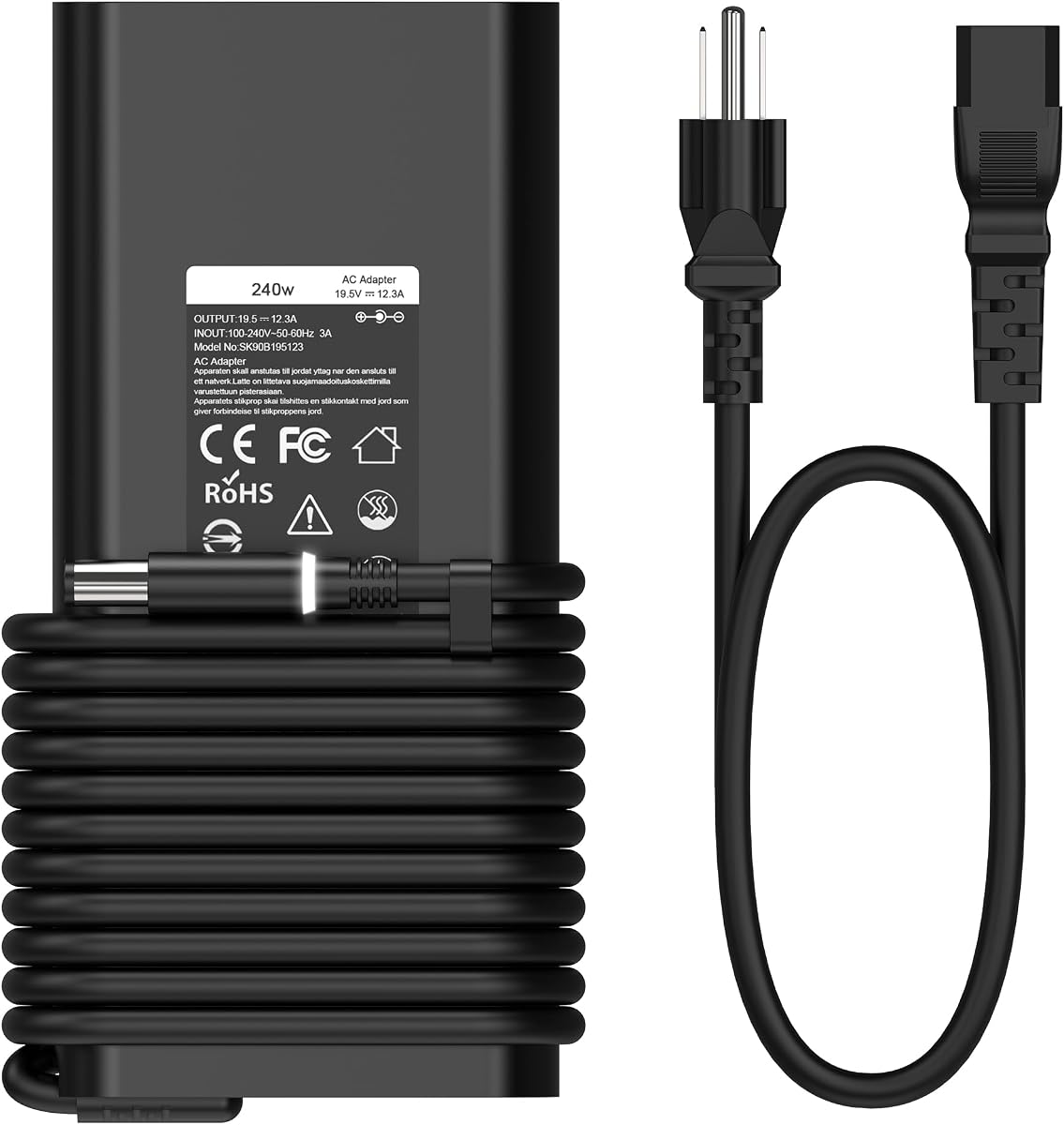
This high-wattage adapter powers demanding Dell Alienware and Precision workstations reliably. It delivers 240W output ensuring sufficient power for intensive tasks like rendering or gaming.
We may earn a commission when you buy through this link, at no additional cost to you.
Its slim profile reduces bulk while maintaining compatibility with models like M15 M17 and Precision 7710. The included power cord and 12 month warranty add value to the purchase.
It cannot function during power outages without additional battery backup. Users relying on mobile work should supplement it with a compatible power bank.
Best for users of high-performance Dell machines needing reliable power. Its high wattage ensures stable performance even under heavy computational loads.
Output of 240W ensures stable power for intensive tasks like gaming and video rendering on high-end systems.
Compatible with Dell Precision 7710 and Alienware models ensuring reliable power for demanding workstation tasks.
We may earn a commission when you buy through this link, at no additional cost to you.
Delivering 330W of stable power this charger supports top-tier Alienware laptops without performance drops. Its high rating reflects strong user satisfaction regarding reliability and consistency.
We may earn a commission when you buy through this link, at no additional cost to you.
It provides backward compatibility with 180W and 240W devices ensuring versatility across multiple Alienware generations. This reduces heat and extends adapter lifespan through lower continuous operating loads.
Users must verify plug compatibility before purchasing since the 7.4mm tip is specific to certain models. Without this check it may not fit older or smaller laptops.
Best for owners of high-end Alienware systems needing maximum power. Its stability and backward compatibility make it a safe upgrade for intensive users.
Delivers stable full-rated power output to prevent CPU and GPU thermal throttling during intensive gaming.
Works with devices designed for 180W or 240W reducing operating load and avoiding overheating.
We may earn a commission when you buy through this link, at no additional cost to you.
This kit converts USB-C power sources to universal DC plugs using fifteen different tips. It enables flexible connections across many laptop brands without buying multiple adapters.
We may earn a commission when you buy through this link, at no additional cost to you.
It supports up to 100W PD power ensuring compatibility with most modern laptops needing 20V output. Smart chips adjust current automatically for safe and efficient charging.
It requires an external PD power source which is not included in the kit. Users must verify their power adapter meets the 20V PD requirement before use.
Ideal for tech enthusiasts needing universal power options. Its versatility makes it useful for repairs and backup power scenarios using existing USB-C sources.
Includes fifteen different DC plug tips covering most common laptop power interfaces across brands.
Built-in PD E-mark intelligence chips adjust current automatically for stable charging up to 100W.
We may earn a commission when you buy through this link, at no additional cost to you.
Selecting the right battery backup requires understanding your Dell laptop's power needs and usage scenarios.
Ensure the product matches your Dell model's power connector and voltage requirements. USB-C laptops work best with PD power banks while traditional models need specific barrel tips.
Always check connector size and output voltage before purchasing to prevent damage.
Battery capacity measured in mAh or Wh determines runtime. Look for at least 20000mAh to fully recharge most Dell laptops once.
Higher capacity means longer use but adds weight so balance based on travel needs.
Your backup must meet or exceed your laptop's wattage requirement. Laptops needing 65W won't charge with 45W sources.
Higher wattage supports faster charging and demanding tasks like gaming or rendering.
Consider weight and size when traveling. Large UPS systems suit desks but power banks are better for on-the-go use.
Slimmer designs fit easily in laptop bags without adding bulk.
Look for overvoltage and overheat protection to safeguard your expensive Dell laptop. Certified products reduce fire and short-circuit risks.
Always prioritize brands that meet recognized safety standards.
Features like digital displays wireless charging, or ECO modes enhance usability. These help monitor power and save energy efficiently.
Choose features that align with your specific workflow needs.
A solid warranty reflects manufacturer confidence and offers protection. Look for at least one year of coverage.
Extended warranties provide peace of mind for long-term investments.
Fast charging capabilities ensure the backup itself refills quickly between uses. PD 3.1 or QC support speeds this up significantly.
Quick recharge cycles are vital for daily travelers.
Always charge your power bank fully before first use to activate battery cells properly. This ensures maximum performance and longevity for your device.
Store batteries in cool dry places away from direct sunlight. Extreme temperatures can degrade performance quickly over time.
Avoid letting the battery drain completely to zero frequently. Regular partial charges help maintain overall battery health.
Yes if it has sufficient capacity and wattage. Look for power banks with 20000mAh or more and outputs matching your laptop's requirements.
UPS units are stationary and protect against outages while power banks are portable for on-the-go use. UPSs offer more outlets but lack mobility.
Depends on usage and capacity. High-capacity banks provide multiple charges for phones but one to two full charges for laptops.
Yes if using USB-C power banks. Check connector size and ensure the adapter matches your Dell model's specifications for safe charging.
Yes if they meet safety certifications. Look for CE or FCC approved products to ensure they protect your device from damage.
No laptop chargers only work with wall power. For backup you need a power bank or UPS with internal battery storage.
Every two to three years as capacity degrades. Frequent deep discharges reduce lifespan so partial charging helps longevity.
Yes most airlines allow them in carry-on bags. Check airline rules as some limit capacity in watt-hours.
The UGREEN 25000mAh Power Bank stands out as our top pick for portable use offering high capacity and fast charging capabilities for Dell laptops.
For stationary setups the CyberPower EC850LCD provides robust protection and monitoring features that ensure your workspace stays powered during interruptions.
Always verify compatibility and current pricing before purchasing to get the best value for your specific Dell laptop model and needs.