
Gracioso Bluetooth Cassette to MP3 Converter
4.3Editor score
Dual Bluetooth transmitter receiver
USB direct recording capability
2000mAh battery included
6W high quality speaker
This guide compares the top 10 cassette to MP3 converters for October 2026, evaluating features like Bluetooth, USB recording, and battery life for digital
Preserving your favorite analog music has never been easier with modern cassette to MP3 converters. These devices allow you to digitize old tapes quickly without needing a computer. Whether you want to save memories or listen on modern players, the right converter makes the process seamless and efficient for everyone.
We evaluated ten leading models based on ease of use, sound quality, and storage options. Each product was assessed for its ability to handle different tape types and its durability over time. Our team focused on features like built-in microphones, portable power, and direct digital output capabilities to ensure reliable performance.
Each pick in this list highlights specific strengths for different user needs and preferences. You will find options ranging from budget-friendly players to versatile units with wireless streaming. Keep in mind that stock and pricing can fluctuate, so checking current availability before purchasing is always a smart move for shoppers.
4.3Editor score

4.5Editor score

4.2Editor score
The following table provides a side-by-side overview of all ten products featured in this guide. It highlights key specifications such as storage options, connectivity methods, and power sources to help you compare models quickly and choose the one that fits your workflow best.



The ClearClick Cassette Tape to USB 2.0 stands out as a top choice for anyone looking to digitize tapes without hassle. It holds a strong rating due to its intuitive design and reliable conversion capabilities. The automatic track splitting feature ensures your music is organized neatly from the start.
We may earn a commission when you buy through this link, at no additional cost to you.
This unit simplifies the process by allowing you to plug in a USB drive and start recording immediately. There are no drivers or complicated software to install on your computer. The included 16GB drive provides ample space for hundreds of tracks, making it ready to use right out of the box.
While the device is excellent for general use, it does focus strictly on MP3 files which might limit audiophiles seeking higher resolution formats. Additionally, managing large libraries might require occasional clearing of the USB drive if you plan to archive years of recordings.
It is an ideal pick for casual users who want a straightforward solution for preserving memories. If you value ease of use and quick setup over advanced editing features, this converter delivers exactly what you need with minimal effort and maximum convenience.
You can begin converting tapes within minutes of unboxing since no drivers are needed. The hardware is designed to be plug and play with standard USB ports.
The device detects silence to split songs into individual files automatically. This saves you the tedious task of manually editing long recordings into separate tracks later.
We may earn a commission when you buy through this link, at no additional cost to you.
This model brings modern connectivity to the classic cassette experience with its dual Bluetooth capabilities. It acts as both a transmitter and receiver allowing you to stream tape audio to headphones or play phone music through the deck. The 6W speaker provides robust sound quality that rivals many dedicated portable speakers.
We may earn a commission when you buy through this link, at no additional cost to you.
The large 2000mAh battery ensures you can use it for hours on a single charge without hunting for power outlets. You can record directly to a USB drive without needing a computer which keeps the workflow simple. The ability to record from Bluetooth sources to blank tapes adds a creative layer to the device.
Premium features like this come at a higher cost which might be steep for budget shoppers. Pairing Bluetooth devices can also require a few moments of setup before you can start streaming which is slightly more involved than a wired connection.
If you want a versatile deck that bridges analog and wireless tech this is a fantastic investment. It suits music lovers who value high power audio and the flexibility to mix old tapes with modern streaming habits in one unit.
Use transmitter mode to send tape sound to wireless headphones or speakers. This allows for private listening without needing physical cables connected to your deck.
Switch to receiver mode to play music from your phone onto blank tapes. It captures the nostalgia of making physical mixtapes using today's digital libraries and streaming apps.
We may earn a commission when you buy through this link, at no additional cost to you.
This budget-friendly player offers a simple way to digitize tapes without spending much money. It includes a 16GB SD card and reader which simplifies storage and file transfer immediately. The built-in microphone allows you to record voice memos or ambient sounds along with your music tracks.
We may earn a commission when you buy through this link, at no additional cost to you.
Portability is a key strength here making it easy to take on trips or move between rooms. The rechargeable battery lasts long enough for multiple sessions without needing constant power sources. Setup is straightforward as no external computer is required to save your files.
Sound capture from the microphone may lack the clarity of dedicated audio gear but it is sufficient for casual notes. It is also important to note that it does not support metal tape types which limits compatibility for some vintage collections.
For those seeking a no fuss affordable option this player delivers solid value. It is perfect for students or casual collectors who want to preserve memories without breaking the bank on advanced features or complex software.
The package includes everything you need to store files immediately without extra purchases. The SD card is pre-loaded to receive your converted MP3 files directly.
You can use this device as a standard player with included earphones. This makes it easy to test your tapes before conversion while traveling.
We may earn a commission when you buy through this link, at no additional cost to you.
SEMIER offers a compact solution focused on handling standard Type I tapes effectively. The small size makes it easy to pack away or move around easily. An LCD screen helps you navigate menus and track progress without guessing how much time is left on a tape.
We may earn a commission when you buy through this link, at no additional cost to you.
It offers flexibility in power sources letting you use USB C or AA batteries depending on availability. You can record to an SD card or via USB using provided software which suits different workflows. The included microphone supports capturing audio directly from the source.
Users with metal tape collections will find this unit incompatible which is a significant limitation for some. The speaker volume is adequate for quiet rooms but might struggle in noisy environments without headphones.
This player is a good middle ground for those who want a small deck with visual feedback. It fits well for casual use where portability and basic digital conversion are more important than high-end audio fidelity or format variety.
The LCD screen provides clear indicators for recording status and navigation. This reduces confusion compared to models with only button clicks or lights.
You can switch between USB and batteries to keep playing when outlets are scarce. This ensures you are never stuck mid-conversion due to power limitations.
We may earn a commission when you buy through this link, at no additional cost to you.
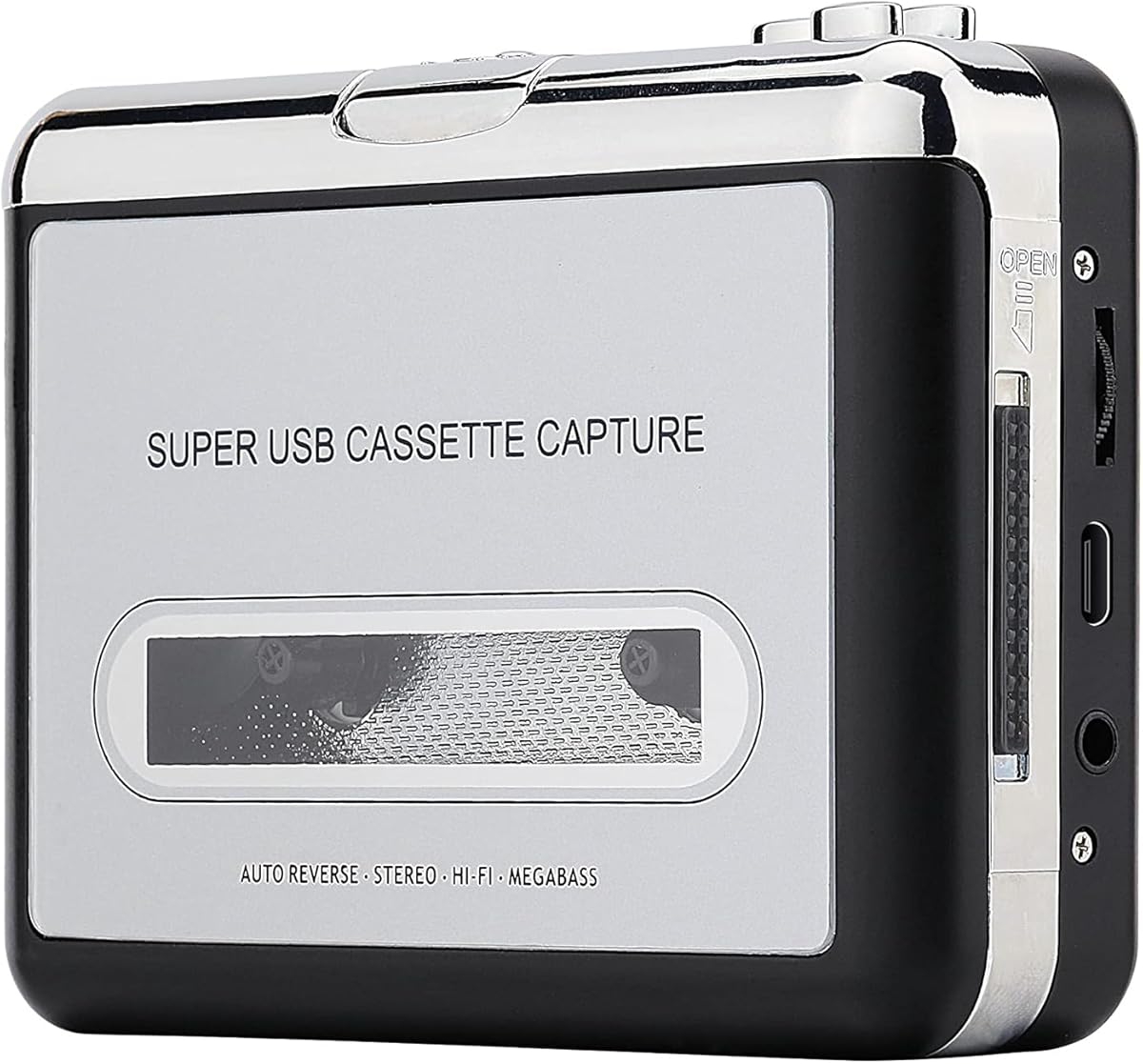
Reshow presents a sleek silver player that converts tapes to digital formats via a direct USB link. It is designed to work with standard laptops and computers making it suitable for desktop workflows. The unit includes software to manage transfers and helps convert files into usable formats like MP3.
We may earn a commission when you buy through this link, at no additional cost to you.
Its compact design fits easily into bags and shelves without taking up much space. You can connect headphones or car stereos via the 3.5mm jack for flexible listening options. The audio output is clear enough to enjoy music from older tapes once digitized.
Because it relies on a computer connection it lacks the portability of standalone recorders. Users without a computer nearby will need to carry extra gear which can be cumbersome. The build feels lightweight and may not be as durable as heavier models.
This model suits those who already have a computer setup and prefer simple cable connections. It is a solid choice for occasional transfers where style and basic functionality are prioritized over advanced features or battery independence.
The device connects directly to your PC for immediate file management. This suits users who prefer organizing files on a large screen rather than via an SD card.
The silver finish gives it a clean modern look that blends with many home setups. It serves as both a functional tool and a stylish piece on your shelf.
We may earn a commission when you buy through this link, at no additional cost to you.
This version of the K7 player offers a slightly smaller storage capacity for those with fewer tapes. It maintains the same portable design and includes an 8GB SD card for initial use. The microphone allows you to record voice notes alongside your music tracks for added utility.
We may earn a commission when you buy through this link, at no additional cost to you.
The device is lightweight making it easy to carry in a pocket or bag during travel. You can charge it once and use it for multiple sessions thanks to the rechargeable battery. Setup is simple with a manual guide that explains how to save files directly.
Eight gigabytes might fill up quickly if you have a large collection of long tapes. You may need to purchase a larger card later or manage space actively. Recording is limited to the SD card so other methods like USB are not available on this unit.
If you have a small collection and want a simple portable device this fits well. It is great for travel or quick transfers where you do not need massive storage capacity right away.
The design prioritizes carrying comfort so you can take it anywhere easily. This is ideal for outdoor listening or moving between rooms without heavy gear.
Components are built to last for years with proper care. The five-year assurance provides peace of mind for those investing in long-term audio preservation.
We may earn a commission when you buy through this link, at no additional cost to you.
This K7 model includes a 32GB card which is perfect for storing large libraries. It keeps the same portable design and microphone features found in other K7 versions. You can convert many tapes without worrying about running out of space immediately or buying extra cards.
We may earn a commission when you buy through this link, at no additional cost to you.
The device remains lightweight and portable so you can take it on trips easily. Charging is straightforward with the included cable and battery that lasts for multiple sessions. It works as a standalone unit meaning no computer is needed to transfer files.
Recording is strictly limited to the SD card which means USB options are not available. You may need to manage the card carefully if you plan to use it for other data as well. The 32GB size is generous but not infinite for massive archives.
For collectors with many tapes this version offers the best balance of capacity and size. It is a smart choice for those who want a large library ready to go without extra purchases right after unboxing.
Thirty two gigabytes hold hundreds of hours of audio files easily. This reduces the need for frequent offloading or swapping cards during large projects.
You can convert files without ever plugging into a computer. This makes it truly portable for use in locations where PCs are not accessible.
We may earn a commission when you buy through this link, at no additional cost to you.
Reshow offers this black version of their USB converter for those preferring a darker finish. It works similarly to the silver model connecting to laptops for digital transfers. The unit is designed to handle standard cassettes and supports output formats like MP3 for easy playback.
We may earn a commission when you buy through this link, at no additional cost to you.
The build is compact and fits easily into most bags or desks. You can use the headphone jack for private listening or connect to other audio devices. It includes software to assist with file conversion and organization on your computer.
As a computer-dependent device it lacks the convenience of standalone recorders. You need a PC nearby which limits where you can use it. The materials are lightweight which may affect durability over years of heavy use.
This unit is a good pick for desktop users who value style and simplicity. It works well for occasional archiving where a computer is readily available and you do not need battery power.
The included software helps manage files once they are transferred to your PC. This makes organizing your new digital library straightforward and efficient.
It works with standard laptops and computers for broad support across setups. You can easily integrate your old tapes into modern digital libraries.
We may earn a commission when you buy through this link, at no additional cost to you.
This converter lets you plug a USB flash drive directly to save files without a PC. It supports various USB formats including FAT32 up to 128GB which is very flexible. The auto reverse feature saves time by switching sides when a tape ends during conversion.
We may earn a commission when you buy through this link, at no additional cost to you.
You can adjust volume while recording which helps maintain consistent audio levels. The design is reminiscent of classic walkman players which adds a nostalgic touch. Power options include batteries or USB which keeps it versatile for different locations.
Manual side switching is not automatic so you must monitor the tape manually. Also there is no automatic track splitting so files might come out as single long audio. Managing long recordings requires extra work to separate tracks later.
It is a solid tool for users who want direct USB access without software. It suits those who prefer a classic feel and are willing to manage tracks manually for simpler file creation.
Files are saved straight to the flash drive for easy retrieval on any PC. This skips the need for intermediate storage cards or computer drivers.
The device automatically flips sides to save you time during conversion. This helps keep sessions running smoothly without constant manual intervention.
We may earn a commission when you buy through this link, at no additional cost to you.
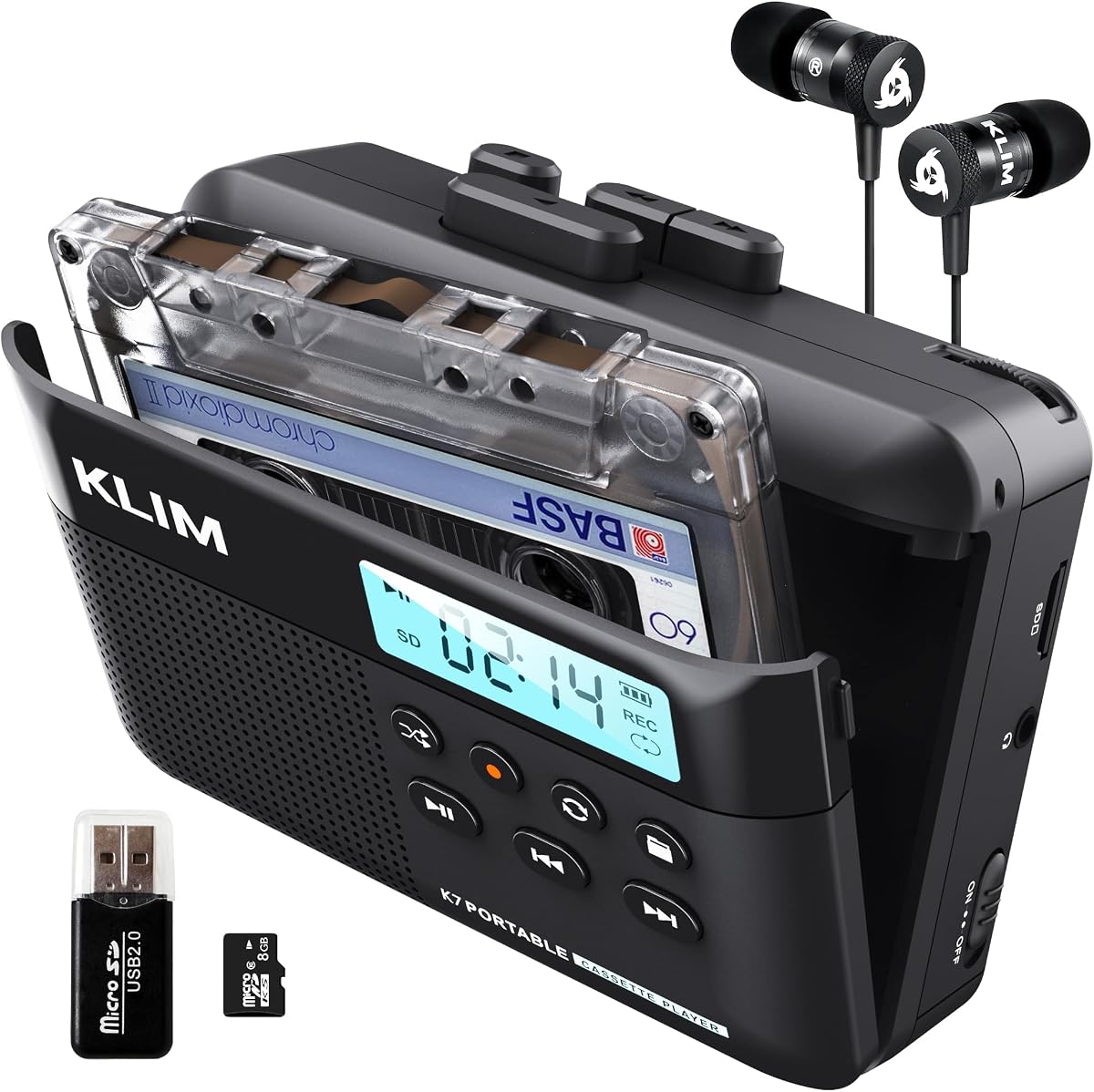
This K7 version provides a reliable setup for converting tapes using an SD card. It includes a 16GB card and reader to make storage easy. The built-in microphone lets you capture voice notes or ambient sounds alongside your music files.
We may earn a commission when you buy through this link, at no additional cost to you.
You can use it as a portable player with the included earphones for instant listening. The rechargeable battery keeps it running for hours on a single charge. Setup is simple with a manual that guides you through the conversion process.
It is strictly limited to SD card recording so USB or PC connections are not used. The features are basic which means advanced settings or editing are not available. It is best for straightforward tasks without complex workflows.
This unit is a good pick for general users who need a straightforward tool. It offers consistent performance and includes everything you need to start converting right away.
You can listen to tapes directly through the deck without extra gear. This lets you hear quality before converting and enjoy music on the go.
The battery charges quickly to keep you working without long waits. This ensures you are always ready to convert when inspiration strikes.
We may earn a commission when you buy through this link, at no additional cost to you.
Selecting the right converter depends on your specific needs and how much effort you want to spend on digitization. We have identified key factors to help you find a model that fits your workflow and budget.
Consider whether you prefer SD cards or USB drives for saving files. Some units come with a card included while others require you to buy one separately. USB drives can be easier to read on computers but SD cards often offer more versatility in portable setups.
Choose a storage method that matches how you plan to access files later. Ensure the capacity is large enough for your collection so you do not have to empty it frequently.
Check if the device uses rechargeable batteries or disposable AA cells. Rechargeable models reduce waste and can be more cost effective over time but they require a charging cable. Disposable batteries might be better for rare use where charging is not convenient.
Battery life is also critical if you plan to use the device away from power. A longer lasting battery means more conversions per charge and less downtime.
Some converters need a PC connection to save files whereas others work standalone. Standalone units offer more freedom to convert anywhere without carrying a laptop. If you prefer managing files on a large screen a computer-dependent model might be better.
Decide if you value mobility or detailed management. A standalone deck is great for travel but a PC-connected unit offers more control over file organization.
Automatic track splitting saves time by creating separate files for each song. Manual models save whole tapes as single files requiring you to edit them later. Look for devices that detect silence to split tracks automatically if you have long playlists.
This feature is valuable for saving effort during post conversion. If you have many tapes automatic splitting can cut hours of work off your project.
Check the sampling rate and bit depth supported by the converter. Higher rates produce better quality but take up more space. Many units support 44.1kHz which is standard for most MP3 needs but some may offer more detailed options.
Sound quality also depends on the internal electronics and speaker output. Listen to samples if possible to ensure clarity meets your expectations for music preservation.
Look for Bluetooth or auxiliary inputs if you want to connect to modern systems. Some models allow streaming audio through the deck or wireless transmission to headphones. These features add versatility beyond simple conversion to digital files.
If you plan to use the device as a speaker also check the power output. A stronger speaker delivers better sound for playback and testing tapes before converting.
Most converters work with standard Type I tapes but metal tapes may require specialized gear. Check the specifications to see if the device supports different tape formulations. If you have vintage metal tapes ensure the model you pick can handle them without error.
Compatibility issues can ruin a conversion attempt so verifying this upfront is essential. It saves time and effort by ensuring your tapes are playable on the chosen device.
Look for warranties that cover defects and provide long-term peace of mind. Some brands offer tech support from local teams which can be helpful if issues arise. A longer assurance period suggests the manufacturer stands by their product quality.
Good support means you can resolve problems quickly without hassle. Choose a brand with a solid reputation for customer service to protect your investment.
Start by inserting your storage medium like an SD card or USB drive into the designated slot. Ensure the card is formatted correctly so the device can save files without errors. Follow the manual to power on the device and select the recording mode using the buttons.
Insert the cassette tape and press record to begin conversion. Adjust the volume if needed to maintain clear sound levels throughout the process. For longer tapes monitor the progress and switch sides if the device does not have an auto reverse feature.
After recording eject the storage medium and connect it to your computer. Use a card reader if necessary to transfer files to your digital library. Store the device in a cool dry place when not in use to prevent moisture damage and ensure longevity.
Not all converters need a computer. Standalone models save directly to SD cards or USB drives allowing you to convert without a PC. However some units are designed to transfer files to a laptop via cable. Check the product details to confirm if computer software is required.
Most standard converters are designed for Type I tapes which are common in music releases. Metal tapes require specific head configurations that these units may not have. Always check if the device supports metal formulations before attempting to convert them to avoid damage.
Battery life varies by model but rechargeable units typically last several hours per charge. Some offer up to ten hours of playtime which covers multiple tapes without interruption. Look for capacity specifications like 1000mAh or 2000mAh to estimate usage time.
Some models feature automatic track splitting that detects silence between songs. Others record the whole tape as a single file requiring manual editing later. If automatic splitting is important look for this feature in the product description to save time.
Most devices save files as MP3 which is widely compatible with modern players. This format balances quality and file size effectively for most users. Always verify the output format in the specs to ensure it works with your music software.
Many converters double as portable players allowing you to listen to tapes directly. They usually include earphone jacks or built-in speakers for playback. This feature is useful for testing tapes before converting them to digital formats.
The top picks in this guide offer a range of options from standalone players to Bluetooth-enabled units. Each model brings unique strengths that suit different workflows and budget preferences for preserving audio.
Prioritize features like automatic track splitting and battery life to make the process smooth. Consider whether you need a standalone device or one that connects to your computer for file management.
Prices and availability can change quickly so check the latest details before purchasing. Selecting the right tool ensures you can enjoy your old music in a modern format for years to come.